
Potion Descriptions Mod (1.19.2, 1.18.2) – Never Mistake Mystery Brews in Combat

 0


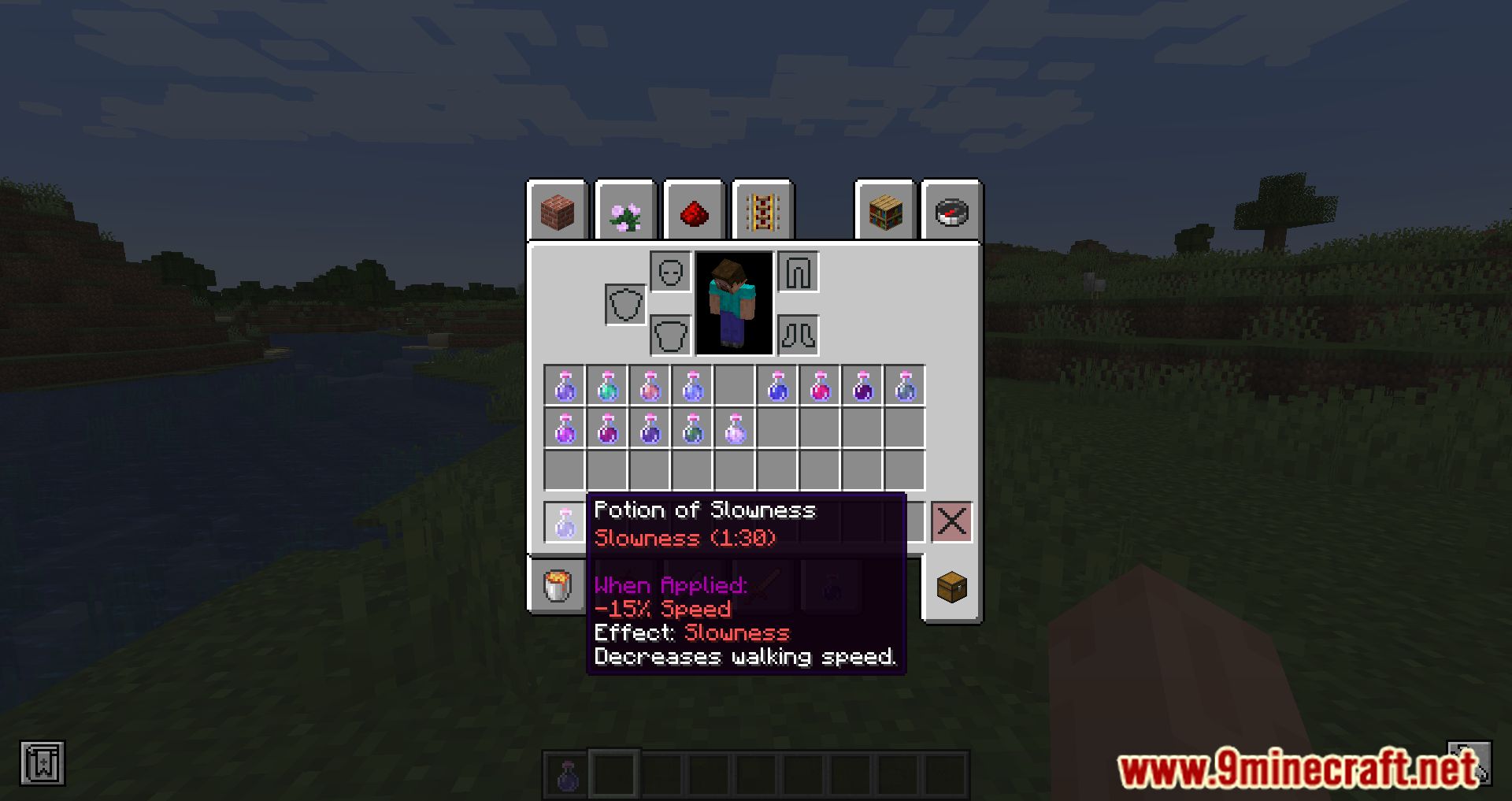
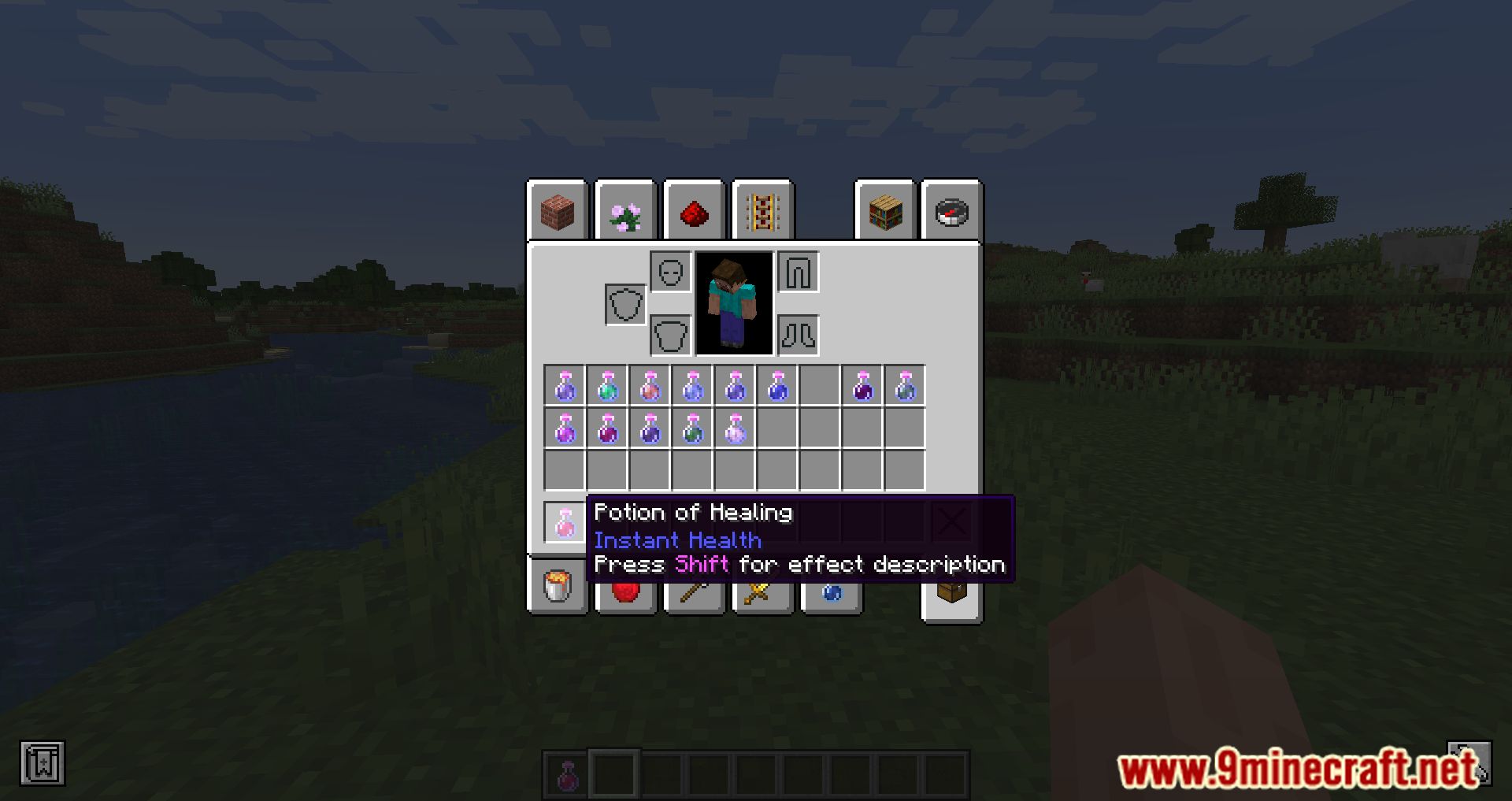
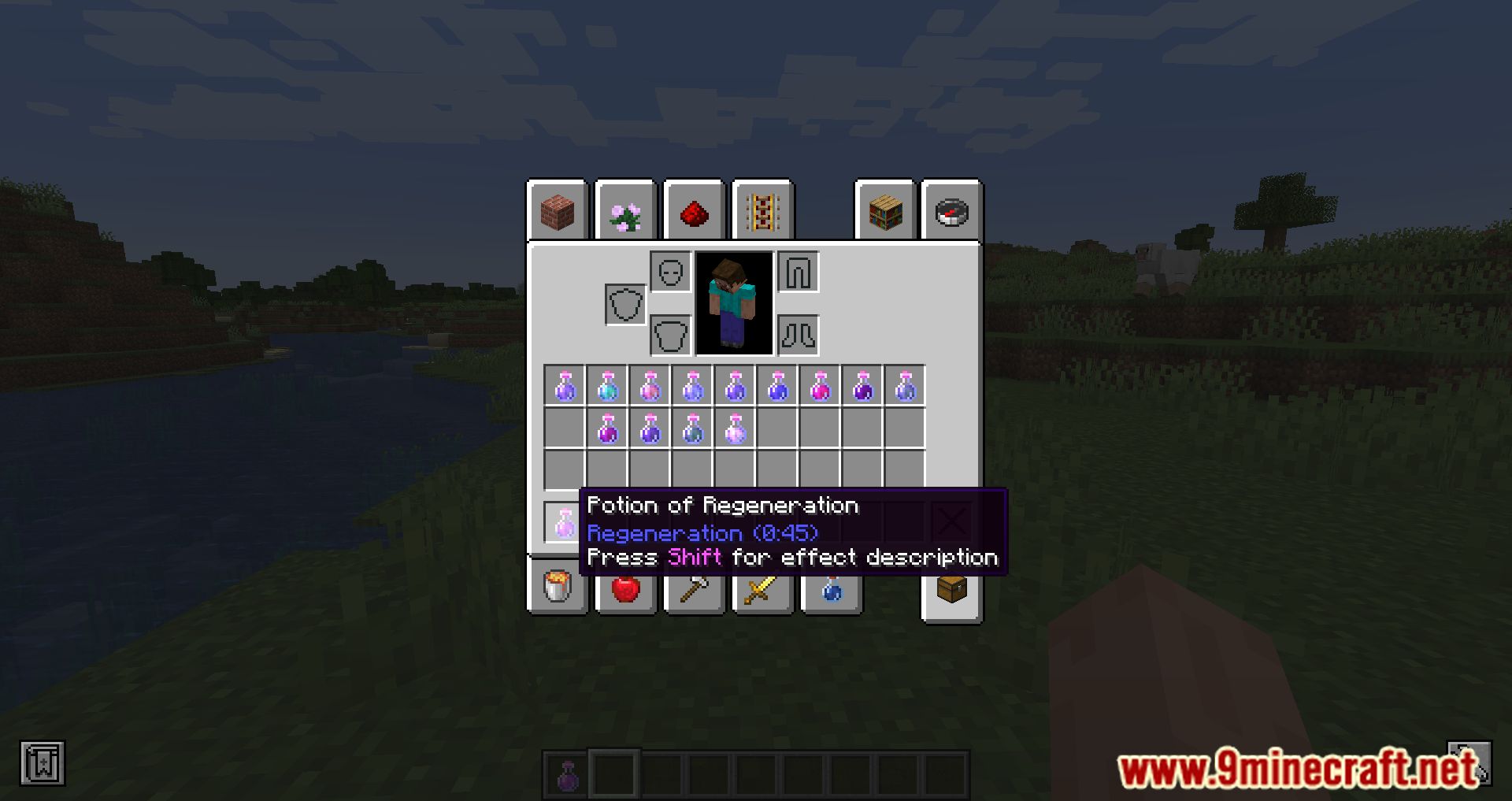
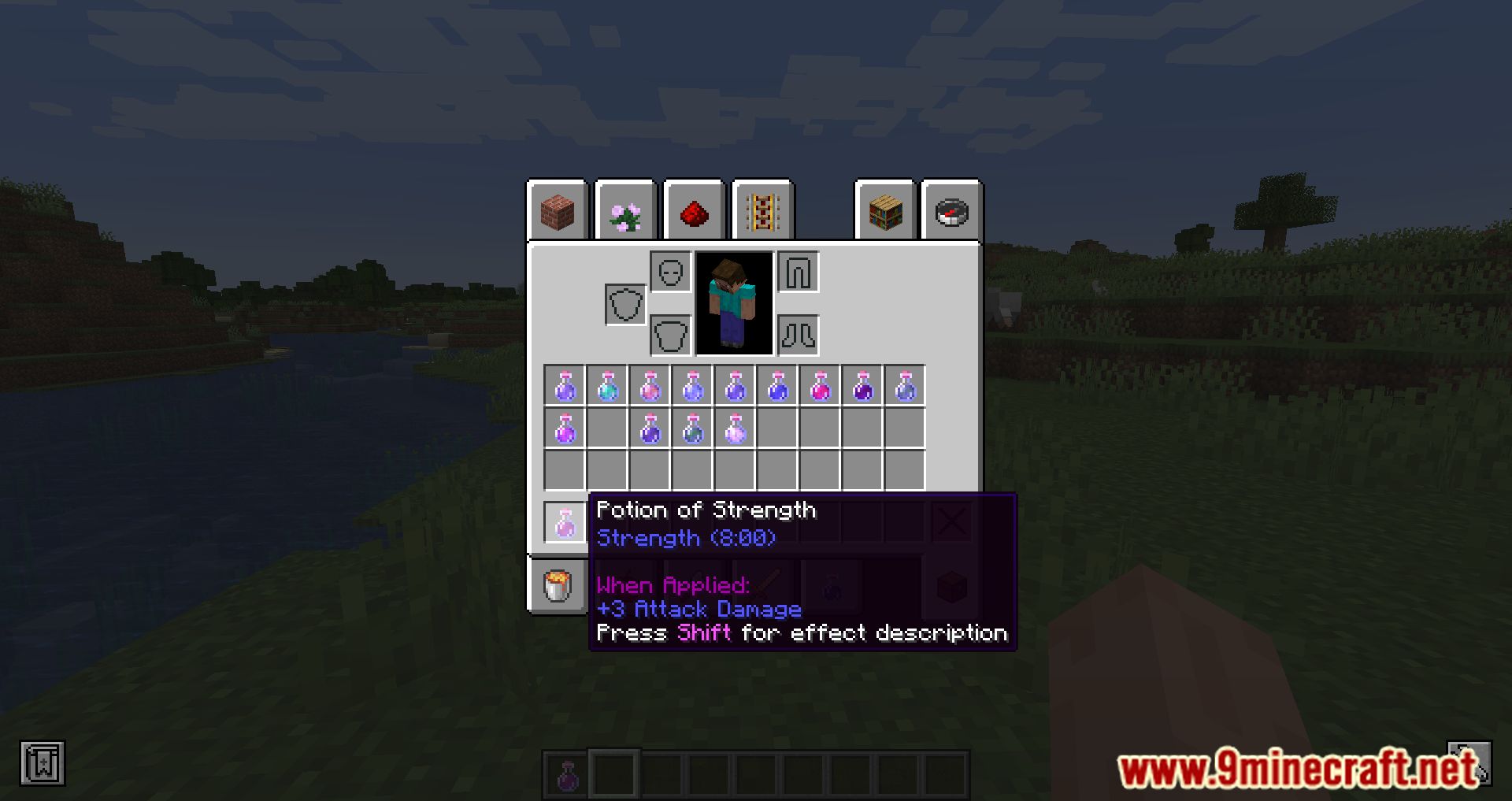
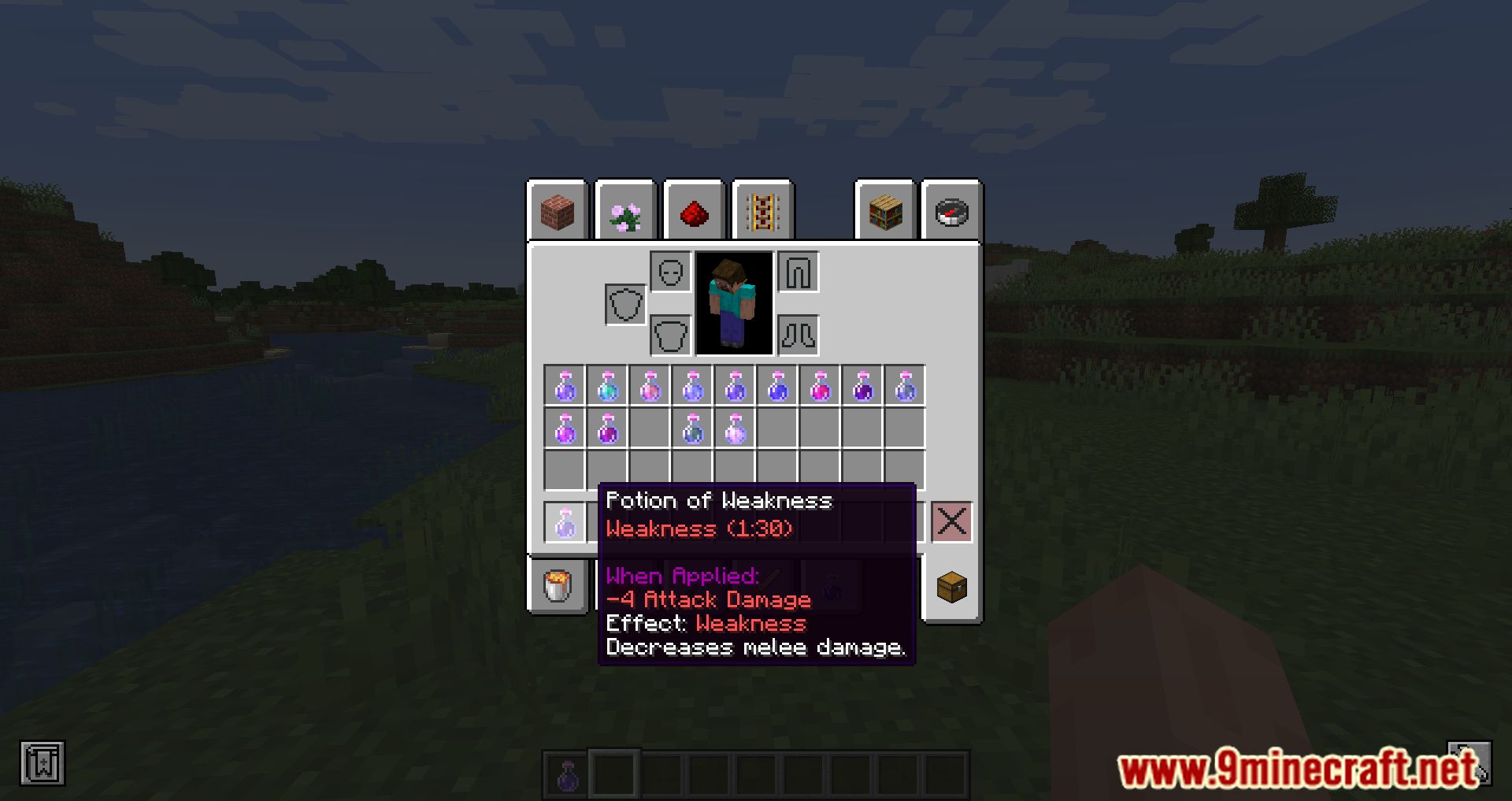
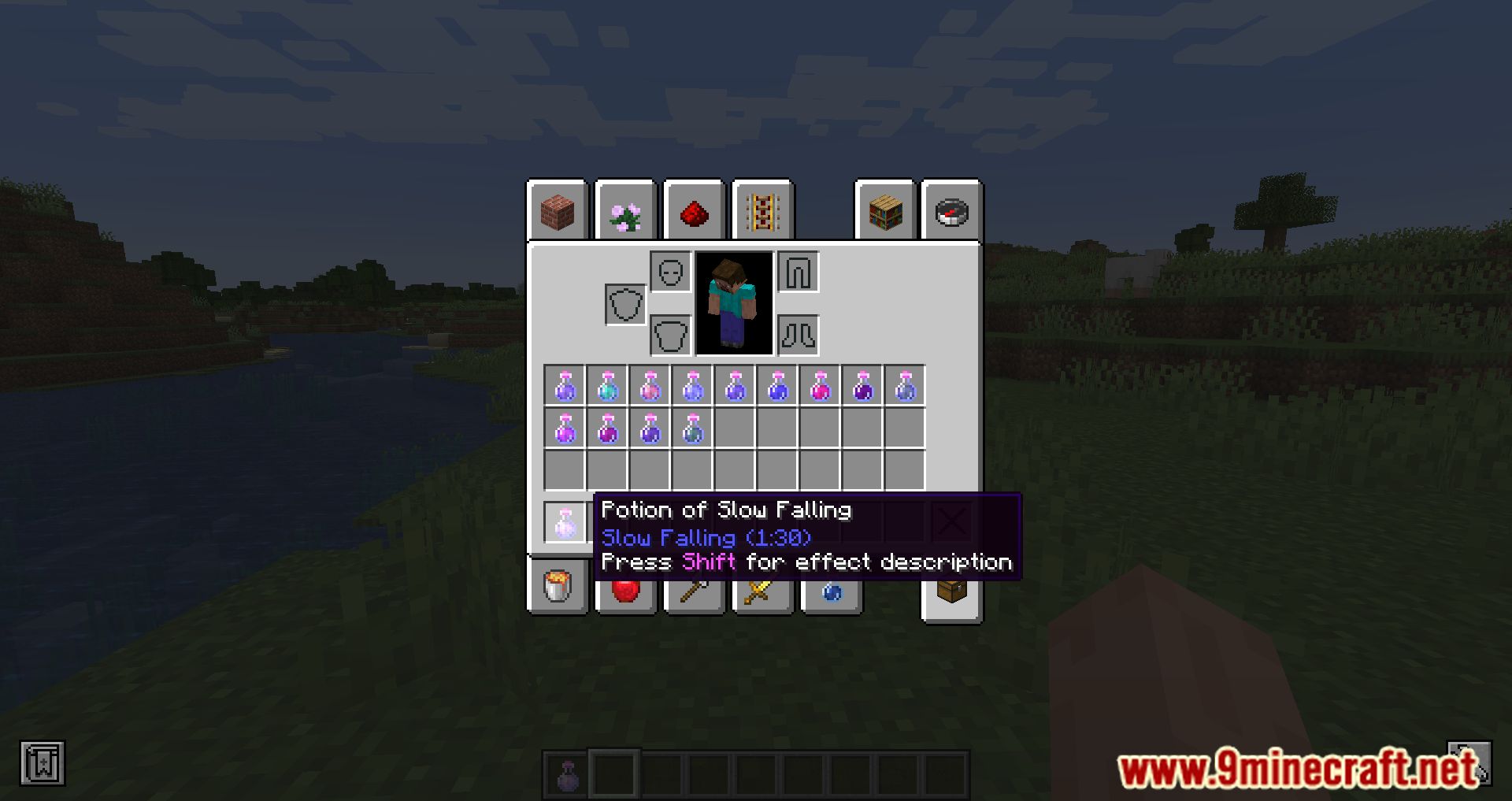
Potion Descriptions Mod adds clear status effect descriptions directly to potion tooltips in your inventory. When you hold the sneak key over a vanilla potion or suspicious stew, the mod shows what each effect does so you never forget. It works with any item that shares the same NBT structure as vanilla potions and includes built-in support for custom potion types and effects from many popular mods, such as Botania, Reliquary, Quark, Farmer’s Delight, and Alex’s Mobs. You can change the sneak trigger, edit the mod blacklist, or add your own descriptions through the config and language files. This client-side mod helps you read every status effect with ease while playing.

Features:
- Sneak-to-Read Tooltips: Shows clear status effect descriptions inside item tooltips when you hold the sneak key, and you can change this trigger in the config.
- Vanilla and NBT Item Support: Works with vanilla potions, suspicious stews, and any other item that uses the same NBT structure, with options to configure this behavior.
- Client-Side Mod: Runs on the client side so you can check effect details right in your own game.
- Includes built-in support for special potion-like items and custom status effects from many popular mods.
- Ignores Extra Alchemy effects by default because that mod already provides its own tooltips, while letting you turn them on through the config blacklist.
- Lets you add custom effect descriptions or translations for your language directly in the language file.
- Provides a config option to log missing descriptions so you can easily find effects that do not have tooltips yet.
Supported Modded Potion Types:
- Actually Additions: Coffee.
- Botania: Brews and Incense Sticks.
- Reliquary: Potion Essence, custom potions, and bullets.
- Rustic: Elixirs.
Supported Modded Effect Descriptions:
- Abundance
- Alex’s Mobs
- Atmospheric
- Autumnity
- Buzzier Bees
- Charm
- Consecration
- Environmental
- Farmer’s Delight
- Infernal Expansion
- Mystical Wildlife
- Natural Pledge
- Neapolitan
- NetherEx
- Potion Core
- Potions Master
- Quark
- Railcraft
- Random PSIdeas
- Random Things
- Savage & Ravage
- Thaumcraft 6
- Upgrade Aquatic
Configuration:
- Sneak requirement: Choose whether descriptions only appear while sneaking or show without holding a key.
- NBT item support: Configure whether tooltips apply to items that share the same NBT structure as vanilla potions and suspicious stews.
- Mod blacklist: Edit the blacklist to ignore or allow effects from specific mods, such as Extra Alchemy.
- Missing description logging: Enable logging in the config to record status effects that do not have a description yet.
POTION.description=Description: Add this line to your language file on 1.19.2 to write a custom effect description, replacingPOTIONwith the effect name.description.POTION=Description: Add this line to your language file on versions before 1.19.2 to write a custom effect description, replacingPOTIONwith the effect name.
How to Use:
Reading Potion Tooltips:
- Open your inventory screen in the game to view your potions and stews.
- Hover your mouse cursor over any vanilla potion, suspicious stew, or supported modded brew to see its basic item tooltip.
- Press and hold the sneak key (Shift by default) to display the full description for every status effect on that item.
Setting Up Consistent Tooltips with Extra Alchemy:
- Open the Potion Descriptions Mod config file and remove Extra Alchemy from the blacklist so its effects are no longer ignored.
- Open the Extra Alchemy config file and turn off its built-in tooltips (and optionally its jokes) to avoid showing two sets of tooltips at once.
Screenshots:
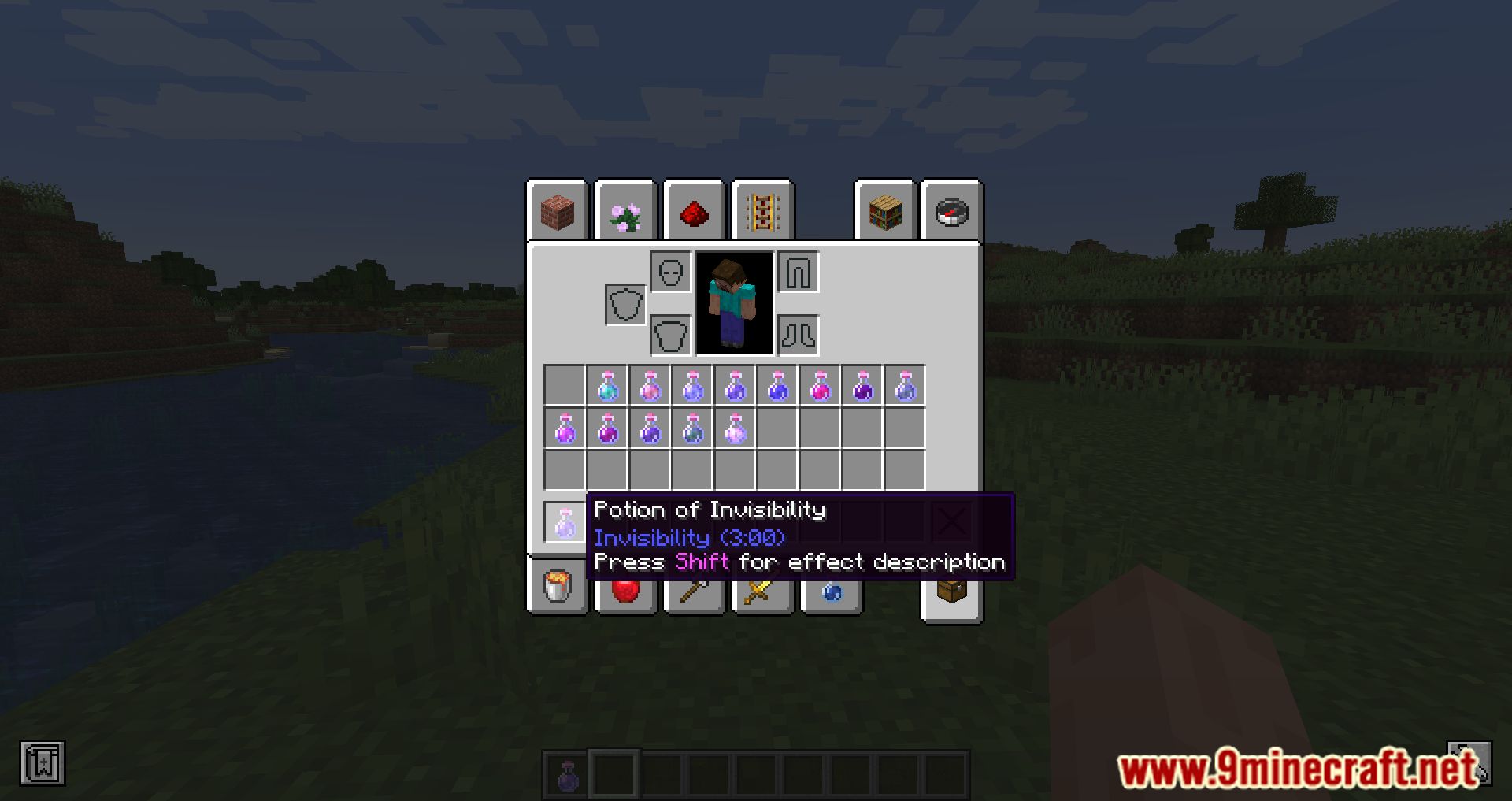
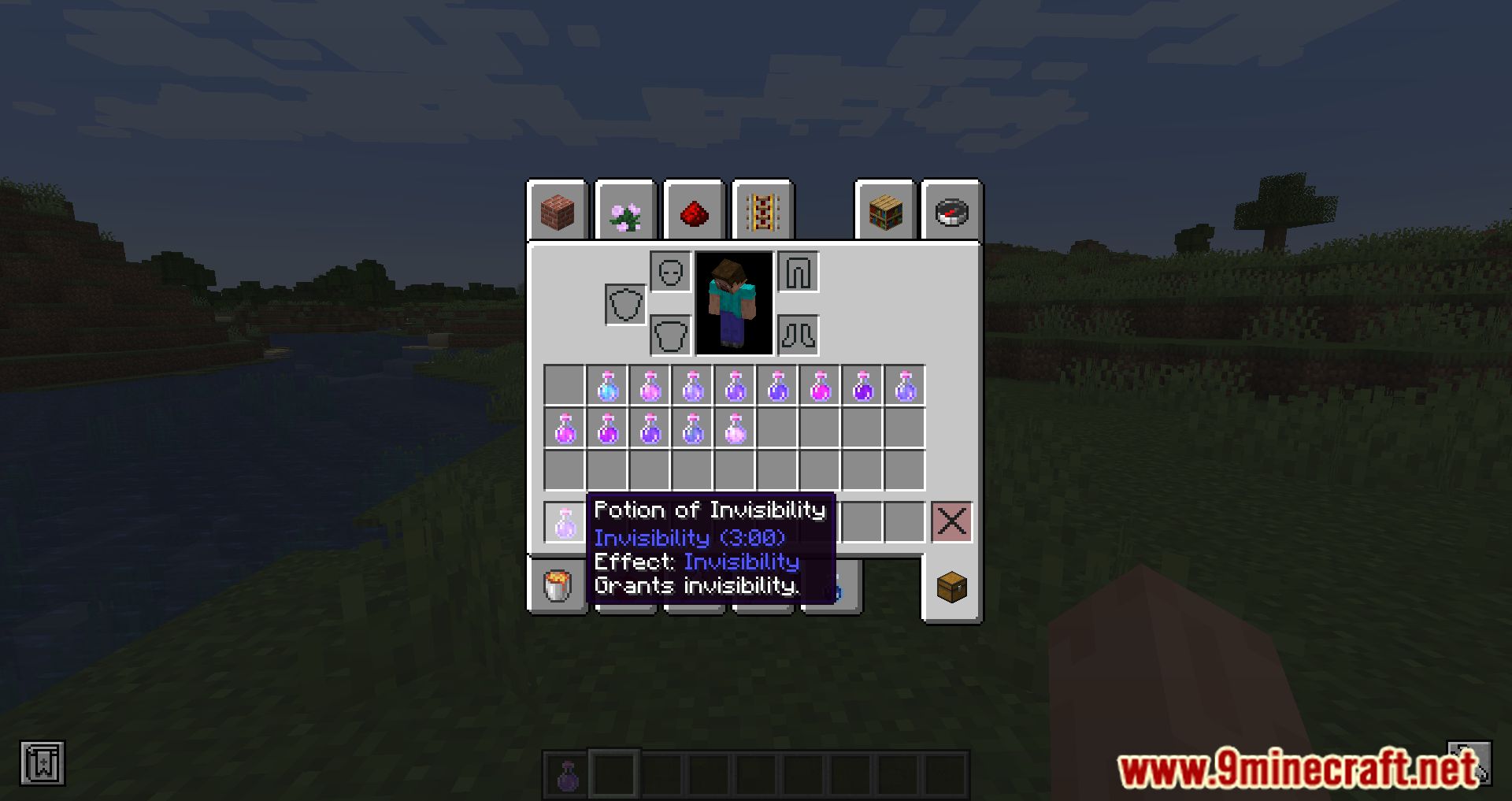
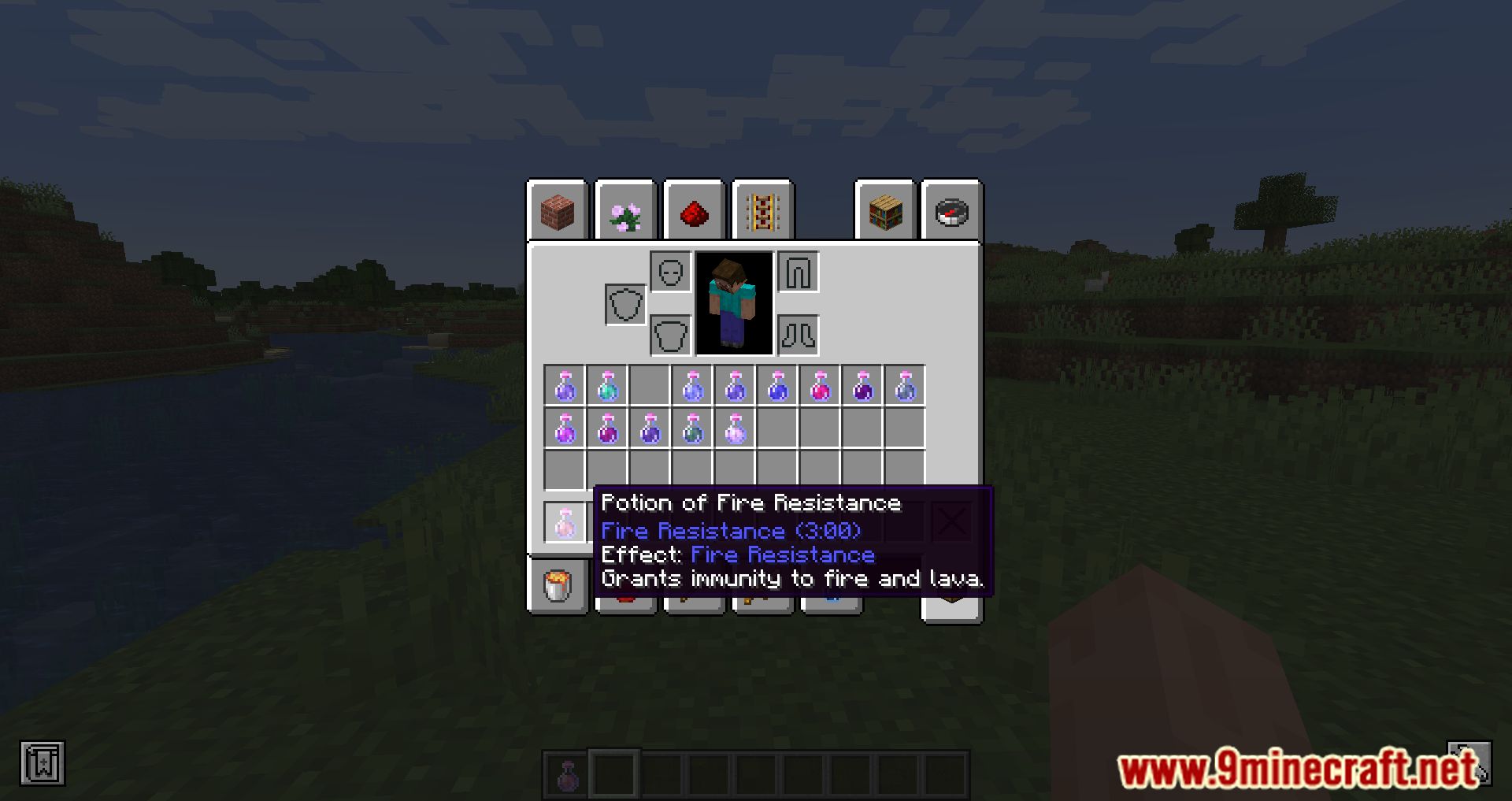
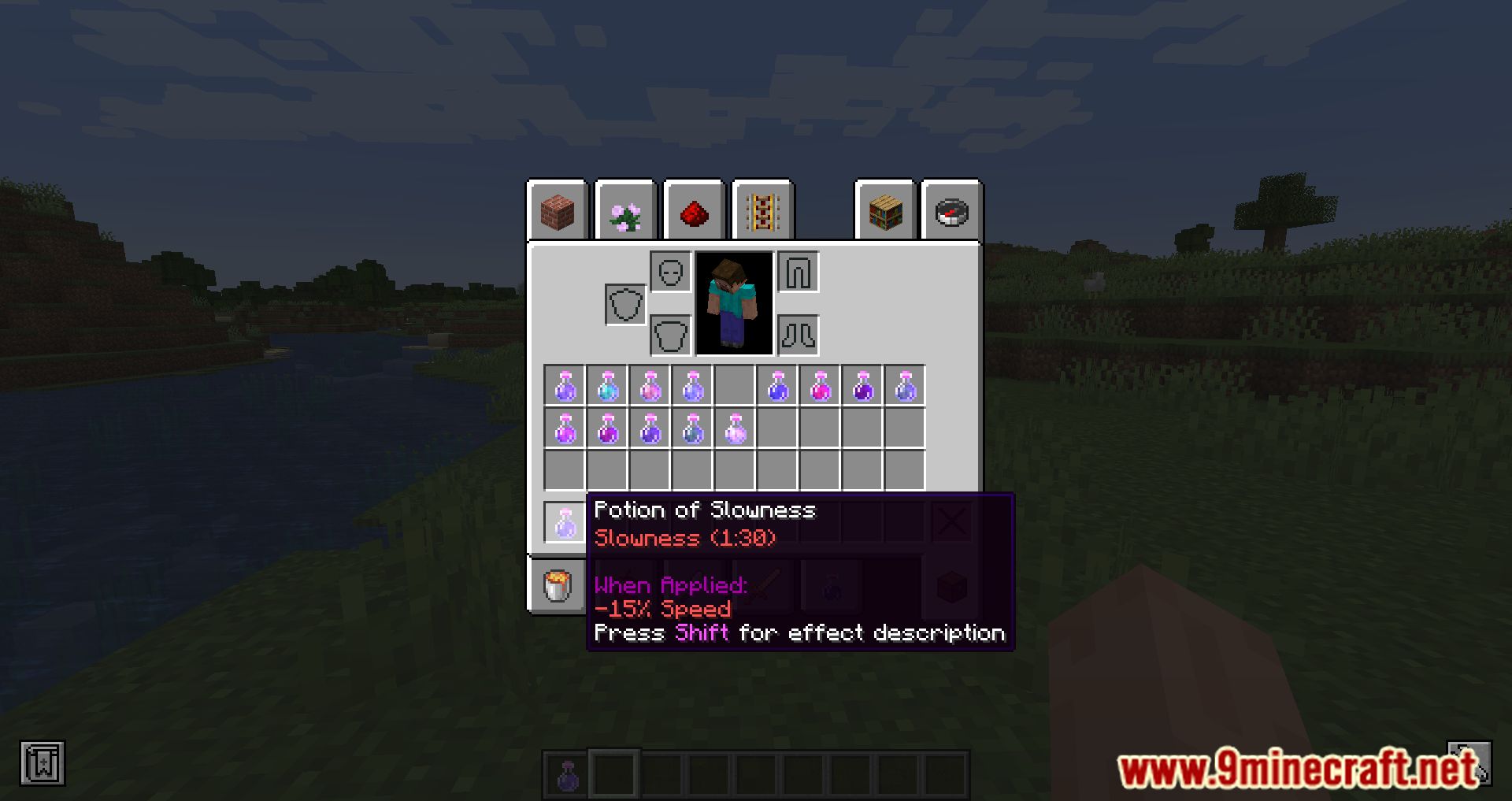
How to Install:
New to Minecraft? Follow our step-by-step guide to install Mods on your PC.View Guide
Potion Descriptions Mod Download Links
For Minecraft 1.19.2
Forge Version: Download from Server 1 – Download from Server 2
Fabric Version: Download from Server 1 – Download from Server 2
For Minecraft 1.18.2
Forge Version: Download from Server 1 – Download from Server 2
Fabric Version: Download from Server 1 – Download from Server 2
For Minecraft 1.16.5
Forge Version: Download from Server 1 – Download from Server 2
Fabric Version: Download from Server 1 – Download from Server 2
For Minecraft 1.12.2
Forge Version: Download from Server 1 – Download from Server 2
What is your biggest frustration when playing with mods?
22 responses · See the full results →
You May Also Like
Picked for this page
 Carpet Mod (1.21.11, 1.20.1) – Game Performance Monitoring
 Chisel Reborn Mod (26.3, 1.20.1) – Fabric Version of Chisel
 YUNG’s Extras Mod (1.21.11, 1.20.1) – Extra Structures and Vanilla+
 Illager Invasion Mod (26.2, 1.20.1) – New Illager Variants
 Raided Mod (26.3, 1.20.1) – More Advanced Raid Mechanics
 Heart Balance Mod (1.21.1, 1.20.1) – Health Pickups
 NoWheel Mod (26.3, 1.20.1) – Hotbar Scroll Disable
 Auto Lectern Mod (26.3, 1.21.1) – Skip the Villager Grind
 Create Automotives Mod (26.1.2, 1.20.1) – Drive Steam Powered Vehicles
 Cataclysmic Crab Spawn Mod (1.20.1, 1.20) – Summon The Amethyst Crab
 Load Support Mod (1.21.8, 1.21.1) – Launch Your Modpack Without Crashing
 Travelers Backpack Transmog Compat Mod (1.20.1, 1.20) – Transmog Support For Travelers Backpack
Most viewed in Mods over the last 7 days
 Ala Industrial Mod (26.3) – Run Electric Power Grids and Automated Factories
 PleasureCraft Mod (26.3, 1.21.1) – Jenny Mod Remake for Fabric
 Jennycraft Mod (26.3, 1.20.1) – Virtual Girlfriend in Minecraft
 Fapcraft Mod (26.3, 1.12.2) – Comprehensive and Detailed Content
 Jenny Mod (Fapcraft) Official Complete Guide – How to use, Tutorial
 BangCraft Mod (1.20.1) – Jenny, Ellie and Elliot
 Fabric Loader (26.3, 1.20.1) – Fabric Installer for All Minecraft Versions
 Meteor Client Mod (26.3, 1.20.1) – Xray, HUD, Fly
 The Shooting Star Demo Mod (26.3, 1.20.1) – Vaporize Terrain From Orbit
 OptiFine HD (26.3, 1.20.1) – Run Faster, FPS Boost, Shaders Support
 Aristois Client Mod (1.21.4, 1.20.1) – World Class Minecraft Utility
 SchnurriTV Mod (1.12.2) – Characters and Features
More from Mods
 Alex’s Caves Continued Mod (26.3, 1.20.1) – Conquer Six Massive Underground
 Anvil Uses Mod (26.3, 1.20.1) – Track Item Anvil Usage
 Animal Info Mod (26.3, 1.21.11) – Quick Stats For Your Animals
 Timber Tales Dynamic Tree System Mod (26.3, 1.20.1) – Watch Entire Trees Topple
 Gabou’s Libs Mod (26.3, 1.20.1) – Keep Custom Weather and Survival Mods Stable
 /Sit Mod (26.3, 1.21.1) – Make The Player Sit Down
 Arcane Redstone Dial Mod (26.3, 1.20.1) – Trigger Commands and Shortcuts
 The Graveyard Mod (26.3, 1.20.1) – Cemeteries in Minecraft
 Enhanced Overlay Mod (26.3, 1.21.11) – Remove Screen Clutter
 Flint Mod (1.21.11) – Run DiamondFire Community Addons Without Crashing
 Not Just Sandwich Mod (26.3, 1.20.1) – Edibles, Sandwiches
 Waddles Mod (26.3, 1.20.1) – Make Icy Biomes Feel Alive

This post has no comments yet. Be the first — your comment will appear here.