
Searchlight and Wall Lights Mod (1.20.1, 1.19.4) – Brighten Bases
 4,395
 0


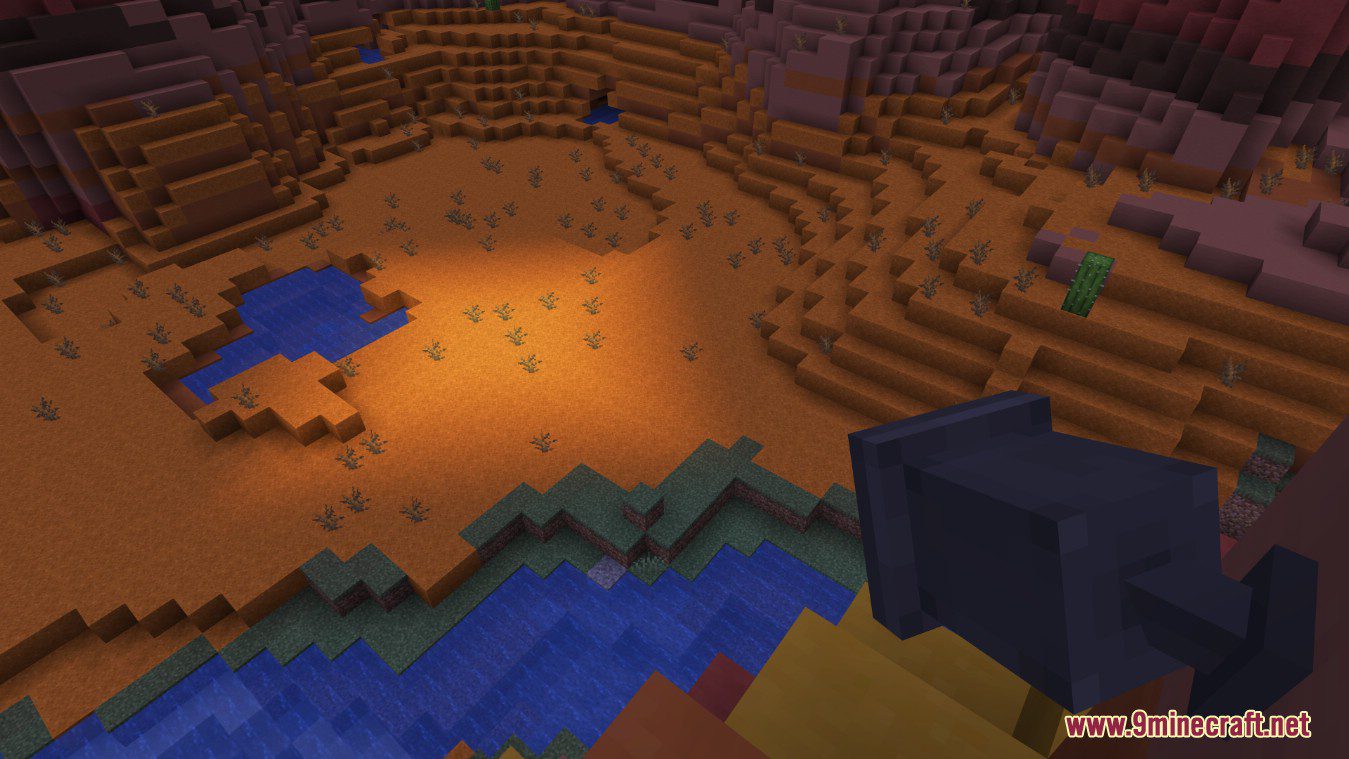
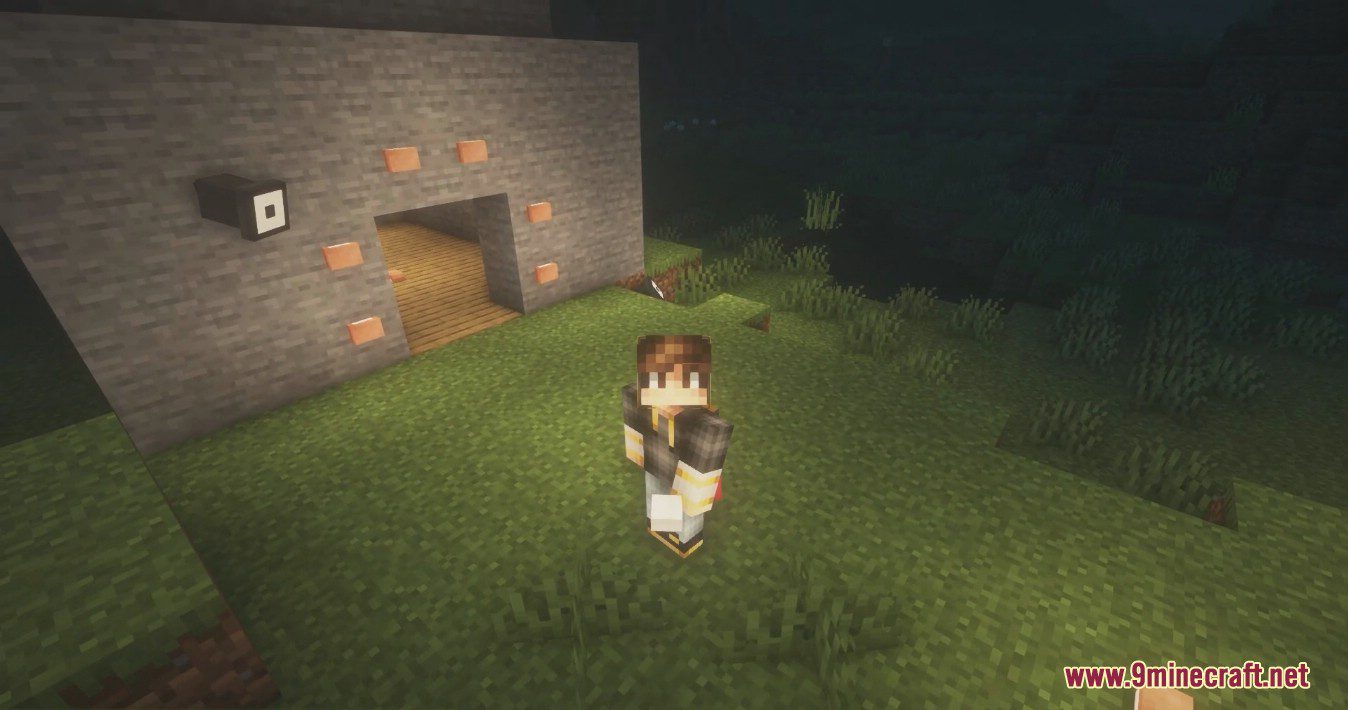
Searchlight and Wall Lights Mod adds two new light sources that fit right into vanilla survival Minecraft. This mod brings a directional spotlight that casts an invisible light block to brighten areas where a visible light source ruins the look of your build. It also includes sleek wall lamps in Iron, Copper, Prismarine, and 16 colored styles that match the terracotta palette for modern and futuristic builds. You aim the spotlight with a right-click, turn it off with redstone, and place wall lamps at eye level to hide the glowing part. This mod works in survival worlds and modpacks, and the Fabric edition needs Fabric API.

Features:
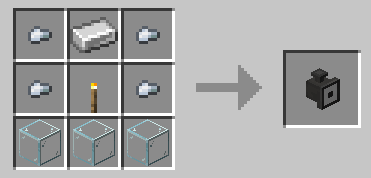
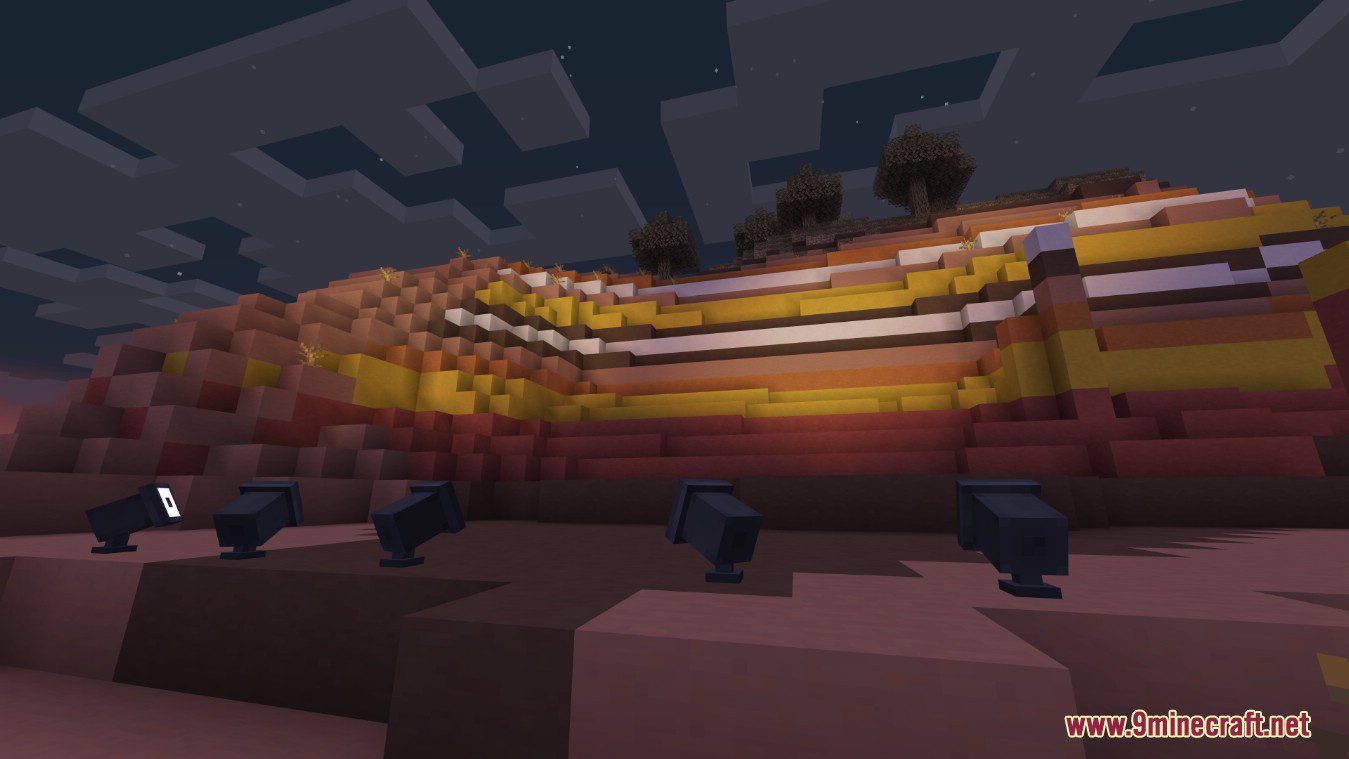
- Searchlight: Casts an invisible Light Source block in the direction you pick instead of glowing on its own.
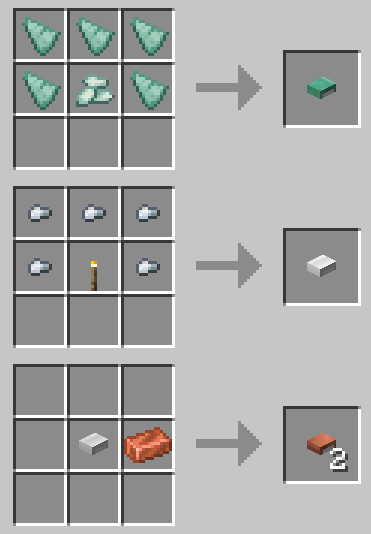
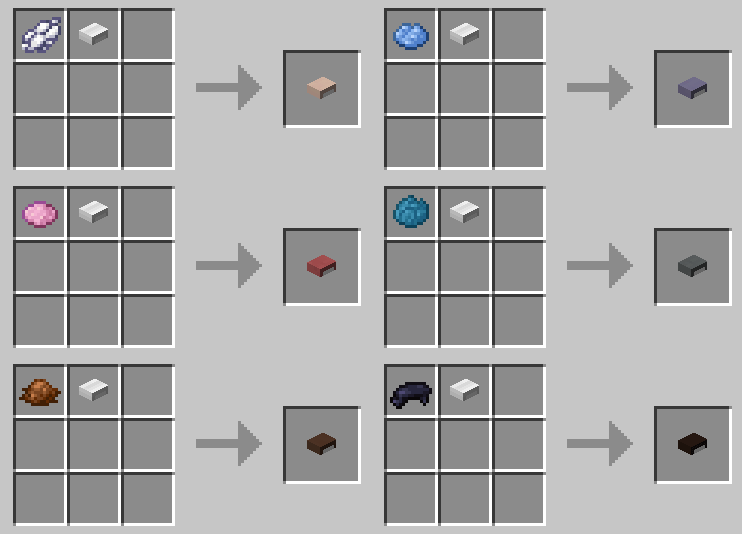
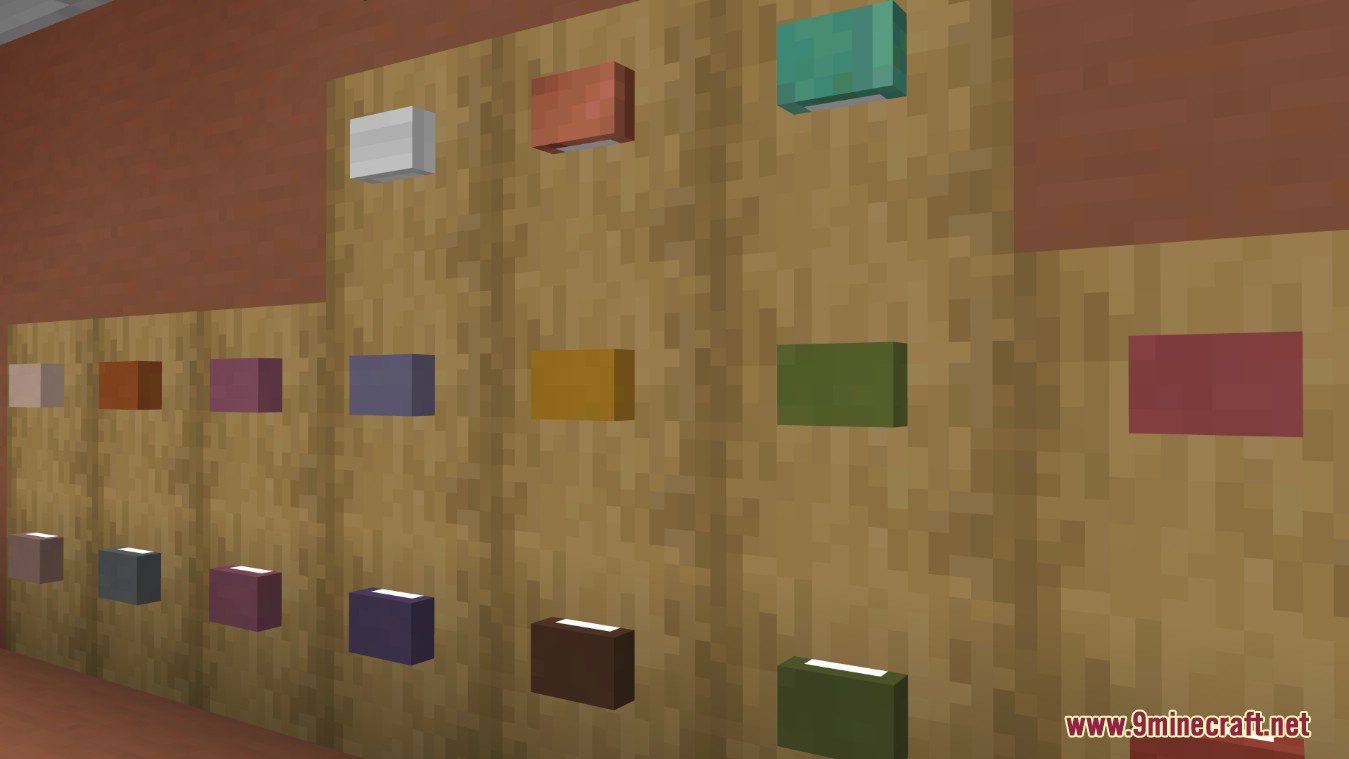
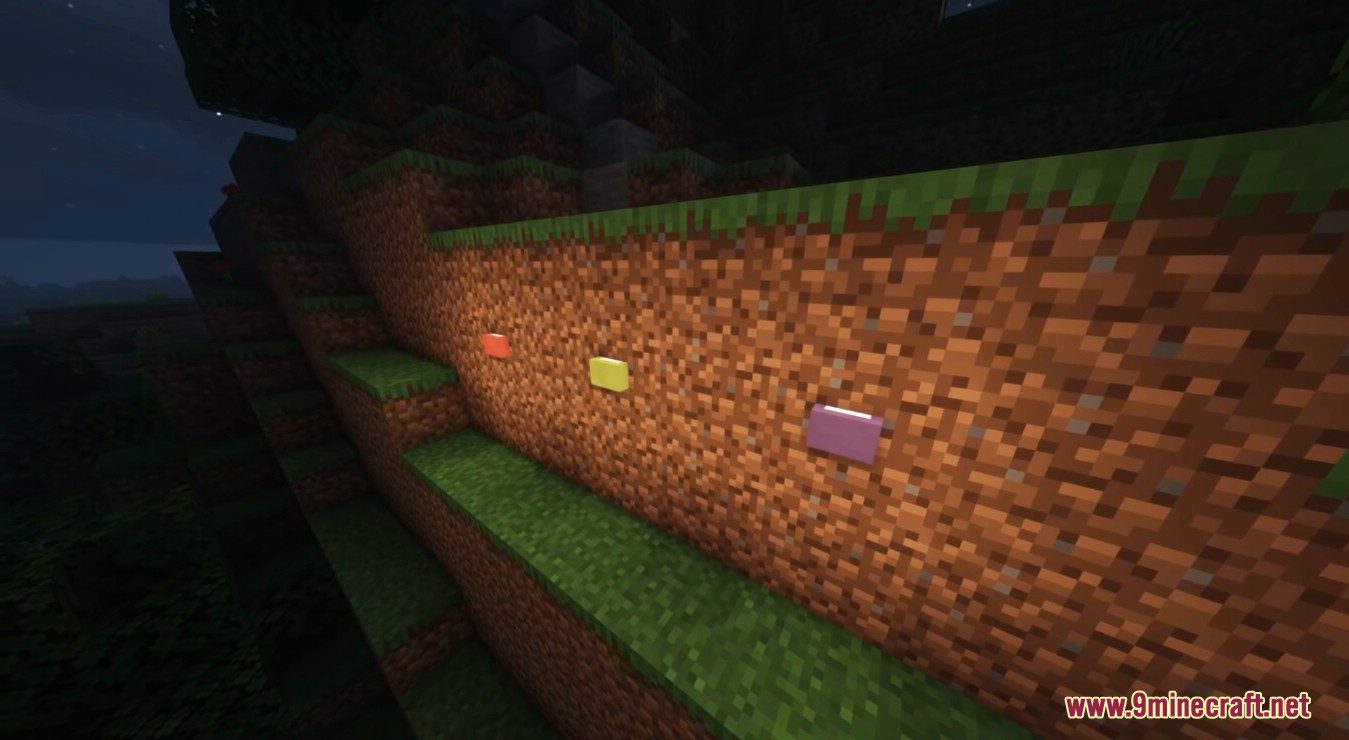
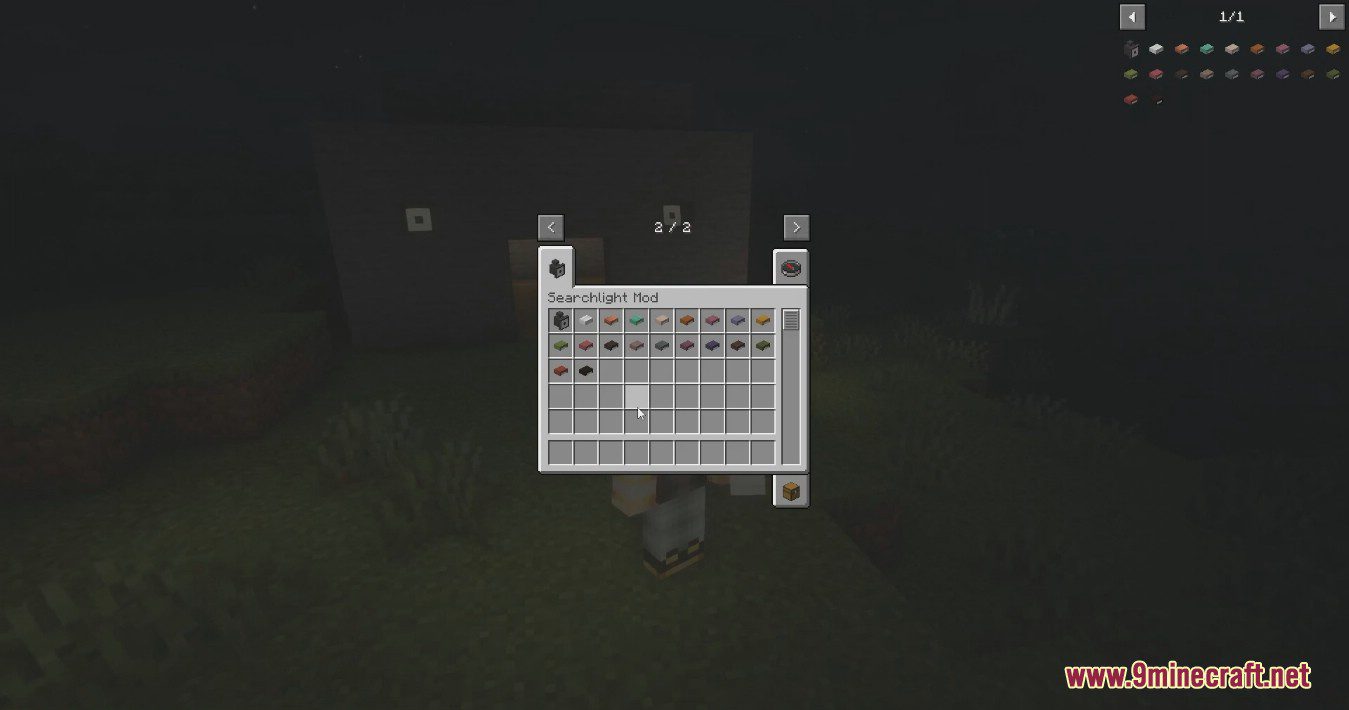
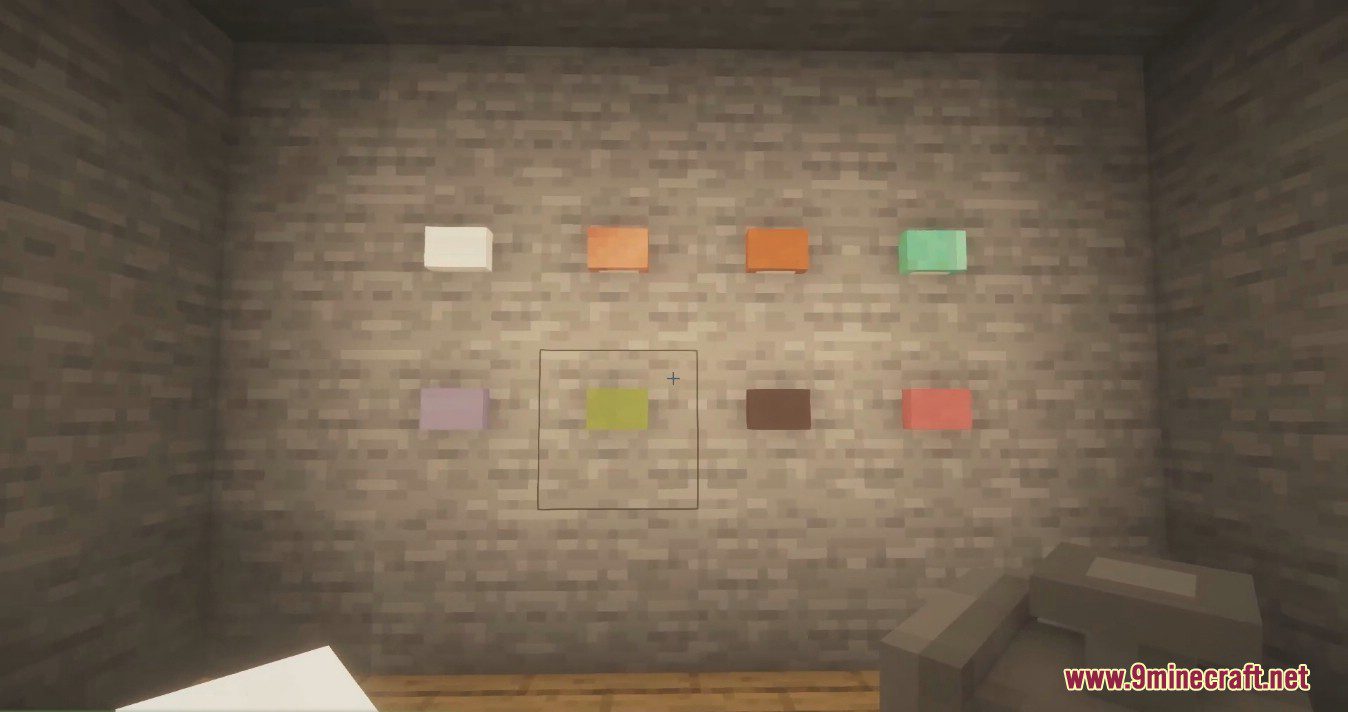
- Wall Lights: Includes Iron, Copper, Prismarine, and 16 colored styles that match the terracotta color palette.
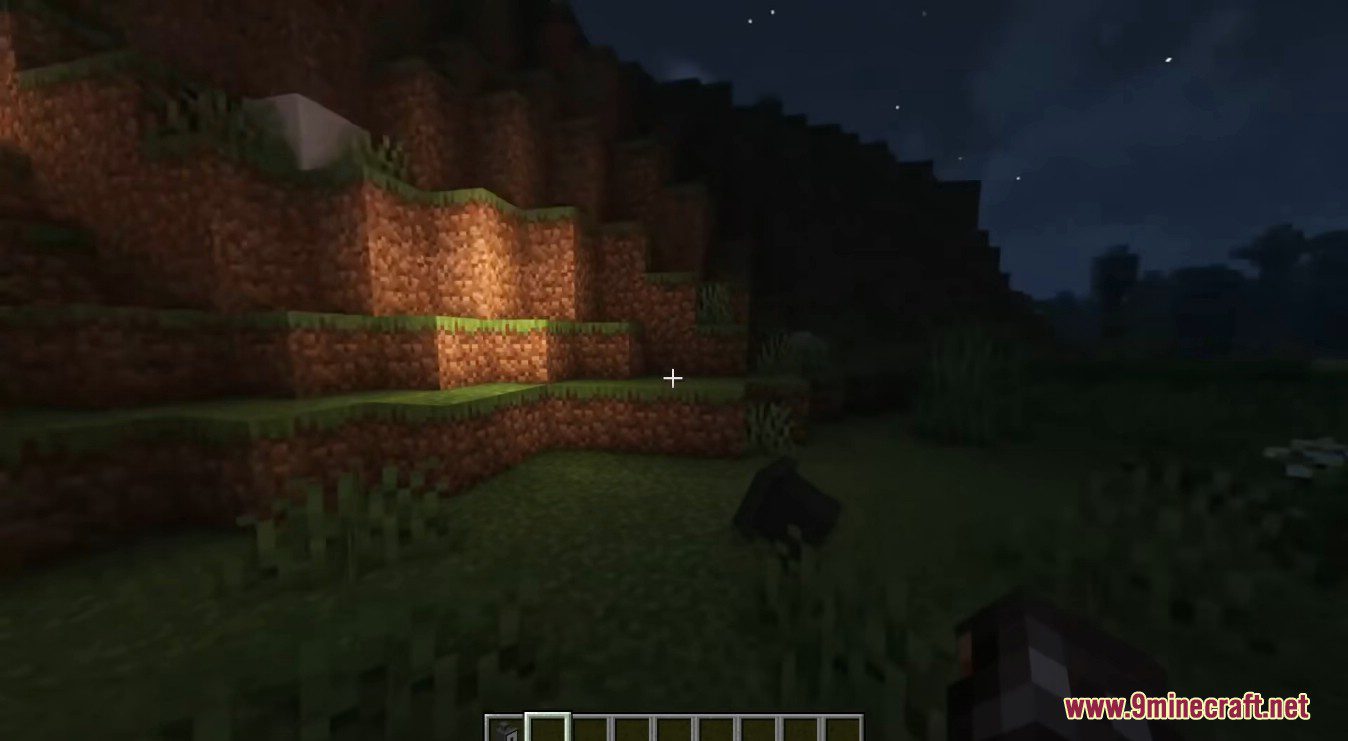
- Lights up areas where a visible light block would ruin the look of your build while still fitting vanilla survival Minecraft.
- Rotates the Searchlight toward you and moves its invisible Light Source whenever you right-click it.
- Turns the Searchlight off when you power it with a redstone signal.
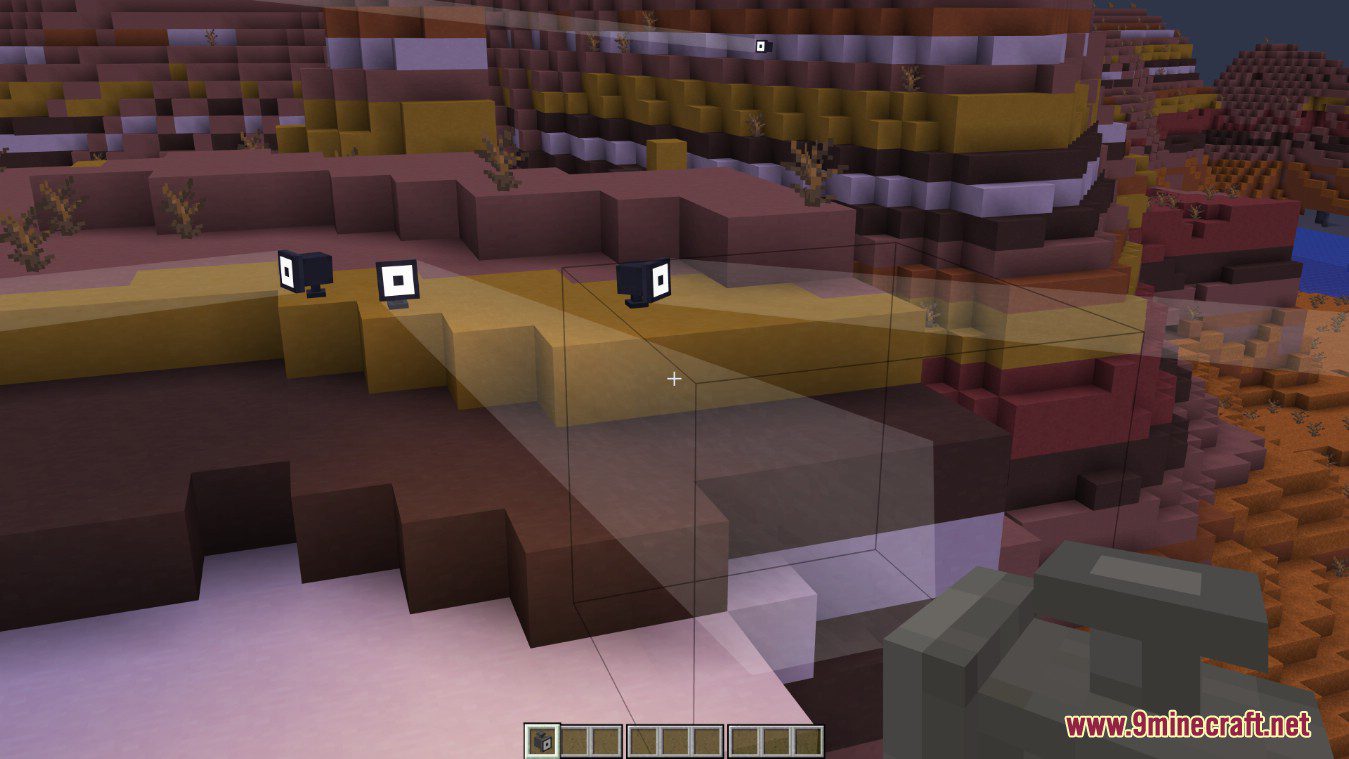
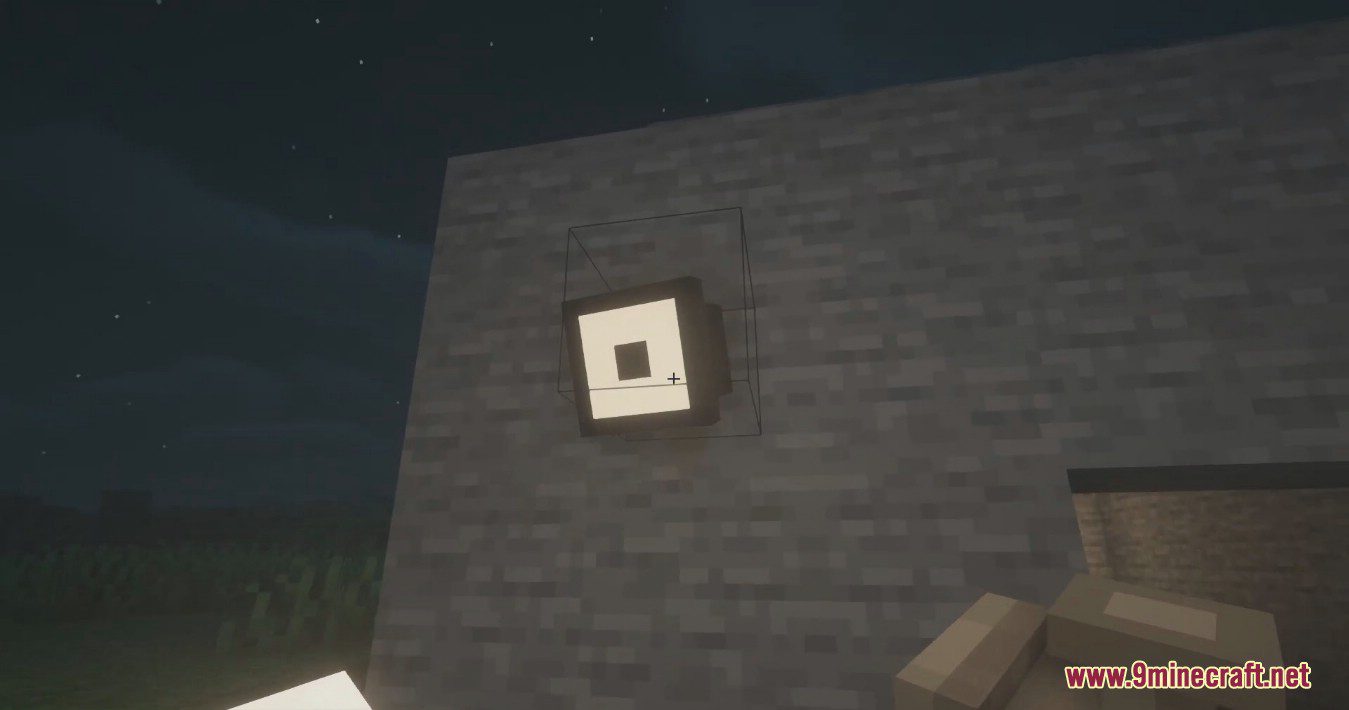
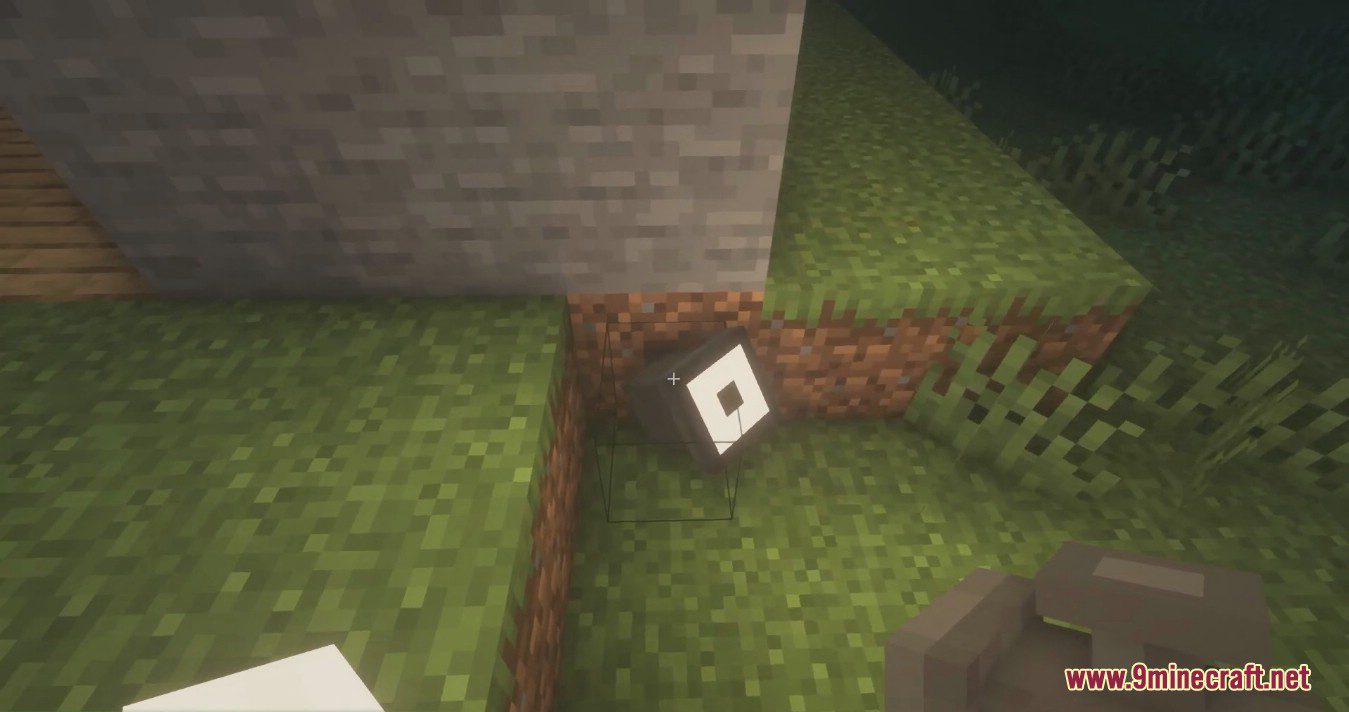
- Shows a visible beam pointing to the invisible Light Source and highlights its hitbox when you hold a Searchlight in your hand.
- Sets Wall Lights at eye level on walls to hide the glowing part of the lamp.
- Leaves out wood and stone Wall Lights on purpose so the lamps focus on modern and futuristic builds.
Technical Details:
- Faces you when placed and checks your line of sight; if nothing is in range, it does not create a Light Source or move an existing one on right-click.
- Places the invisible Light Source 1 block away from surfaces when possible to avoid liquids, and cannot hold water.
- Sends the light check through transparent blocks and open sides like rotated stairs using vanilla lighting rules, but stops at water.
- Moves the invisible Light Source toward the Searchlight if it gets broken, replaced, or pushed by a piston.
- Both the Searchlight and Light Source are tile entities and break when pushed by a piston.
- Allows the invisible Light Source to affect Observers, tree growth, and plant growth.
- Works inside chunks loaded by the server, and changing a Searchlight loads an unloaded chunk holding its Light Source and the other way around.
- Keeps any Light Source without a linked Searchlight in place instead of deleting it automatically, and does not bring it back if you replace it by hand.
How to Use:
- Place a Searchlight block down so it faces you; it sends a raycast in your direction and places an invisible Light Source 1 block away from the surface it hits.
- Right-click a placed Searchlight to rotate it toward you and move the invisible Light Source to a new spot.
- Hold a Searchlight item in your hand to see a beam and hitbox showing where the invisible Light Source sits.
- Power a Searchlight with a redstone signal to switch its light off.
- Place Wall Lights on walls to light up modern rooms at eye level while keeping the glowing part hidden.
Crafting Recipes:
Screenshots:
How to Install:
New to Minecraft? Follow our step-by-step guide to install Mods on your PC.View Guide
Searchlight and Wall Lights Mod Download Links
For Minecraft 1.16.5
Forge version: Download from Server 1 – Download from Server 2
Fabric version: Download from Server 1 – Download from Server 2
For Minecraft 1.17.1
Forge version: Download from Server 1
Fabric version: Download from Server 1
For Minecraft 1.18.2, 1.18.1
Forge version: Download from Server 1 – Download from Server 2
Fabric version: Download from Server 1 – Download from Server 2
For Minecraft 1.19.2, 1.19.1, 1.19
Forge version: Download from Server 1 – Download from Server 2
Fabric version: Download from Server 1 – Download from Server 2
For Minecraft 1.19.3
Forge version: Download from Server 1 – Download from Server 2
Fabric version: Download from Server 1 – Download from Server 2
For Minecraft 1.19.4
Forge version: Download from Server 1 – Download from Server 2
Fabric version: Download from Server 1 – Download from Server 2
For Minecraft 1.20.1
Forge version: Download from Server 1 – Download from Server 2
Fabric version: Download from Server 1 – Download from Server 2
You May Also Like
Picked for this page
 Multi Mine Mod (26.3, 1.20.1) – Save Block Breaking Progress
 Collective Library (26.3, 1.20.1) – Library for Serilum’s Mods
 ToLaserBlade Mod (26.1.2, 1.20.1) – Simple Sword with a Laser Blade
 Visual Workbench Mod (26.3, 1.20.1) – 3D Crafting Table
 Simple Uncrafting Table Mod (26.2, 1.20.1) – Crafting Was Reversed
 Chunk Loaders Mod (26.3, 1.20.1) – Keep Everything Running Even When You’re Away
 Modular Force Fields Systems Mod (1.21.11, 1.20.1) – MFFS, Protect Your Base
 Trashed Mod (26.3, 1.20.1) – Voiding the Items
 Pirate Hats Mod (1.20.1) – Pirate-Themed Headwear
 Crossroads MC Mod (1.21.11, 1.20.1) – Earn Magic with Technology
 Underlay Mod (26.3, 1.20.1) – Build Beneath The Block
 Shaolib Mod (1.20.1) – Library for Shao’s Mods
Most viewed in Mods over the last 7 days
 Ala Industrial Mod (26.3) – Run Electric Power Grids and Automated Factories
 PleasureCraft Mod (26.3, 1.21.1) – Jenny Mod Remake for Fabric
 Jennycraft Mod (26.3, 1.20.1) – Virtual Girlfriend in Minecraft
 Fapcraft Mod (26.3, 1.12.2) – Comprehensive and Detailed Content
 Jenny Mod (Fapcraft) Official Complete Guide – How to use, Tutorial
 BangCraft Mod (1.20.1) – Jenny, Ellie and Elliot
 Meteor Client Mod (26.3, 1.20.1) – Xray, HUD, Fly
 Fabric Loader (26.3, 1.20.1) – Fabric Installer for All Minecraft Versions
 OptiFine HD (26.3, 1.20.1) – Run Faster, FPS Boost, Shaders Support
 The Shooting Star Demo Mod (26.3, 1.20.1) – Vaporize Terrain From Orbit
 Aristois Client Mod (1.21.4, 1.20.1) – World Class Minecraft Utility
 SchnurriTV Mod (1.12.2) – Characters and Features
More from Mods
 RevampedWolf Mod (26.3, 1.20.1) – Smarter, Pack-Driven Wolves
 Ping Mod (26.3, 1.20.1) – Notifying Other Players
 Masonry Mod (26.3, 1.20.1) – New Building Blocks from Existing Materials
 Cooldown Coordinator Mod (26.3, 1.20.1) – Coordinate Setting Cooldown Timers
 Cores Mod (26.3, 1.20.1) – Never Lose Extra Levels and Recolor In-Game Menus
 Keybind Atlas Mod (26.3, 1.20.1) – Manage Mod Controls on a Visual Keyboard
 DayTimeControl Mod (1.20.1) – Enjoy Longer Days for Big Builds or Endless Nights
 Builders Companion Core Mod (1.20.1) – Power Custom Waters for Better Creative
 Giacomo’s Fishing Net Mod (1.20.1) – Catch Fish and Treasure While Away
 Ender Portal Stone Mod (1.22) – Fast Travel to Distant Biomes and Dungeons
 Chat Spellcheck Mod (26.2) – Never Send Embarrassing Typos to Friends Again
 NovaUtils Mod (26.1.2) – Locate Buried Ores and Inspect Chests Through Walls

This post has no comments yet. Be the first — your comment will appear here.