
Sensible Stackables Mod (26.3, 1.21.1) – Carry More Gear Without Inventory

 0


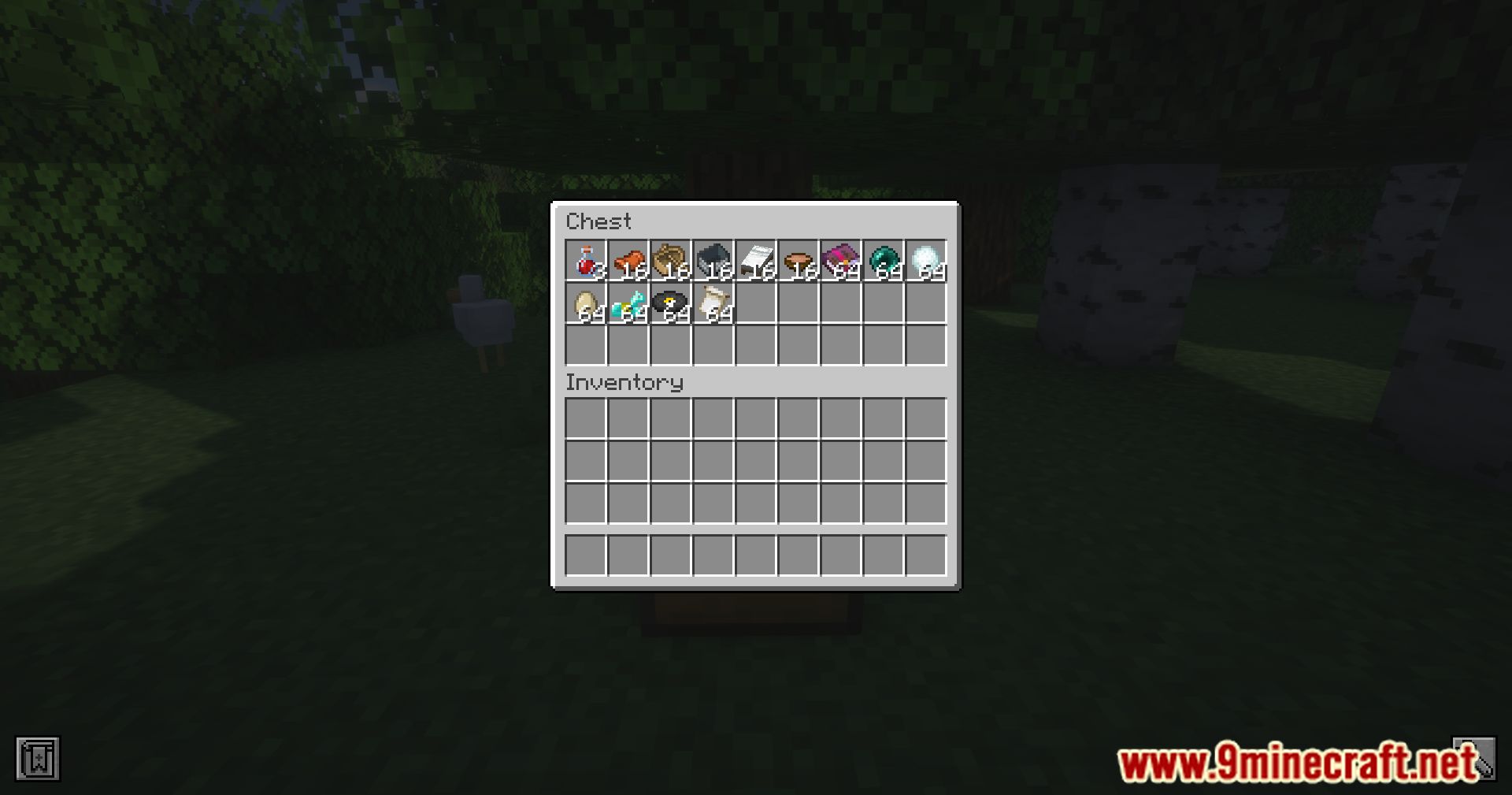
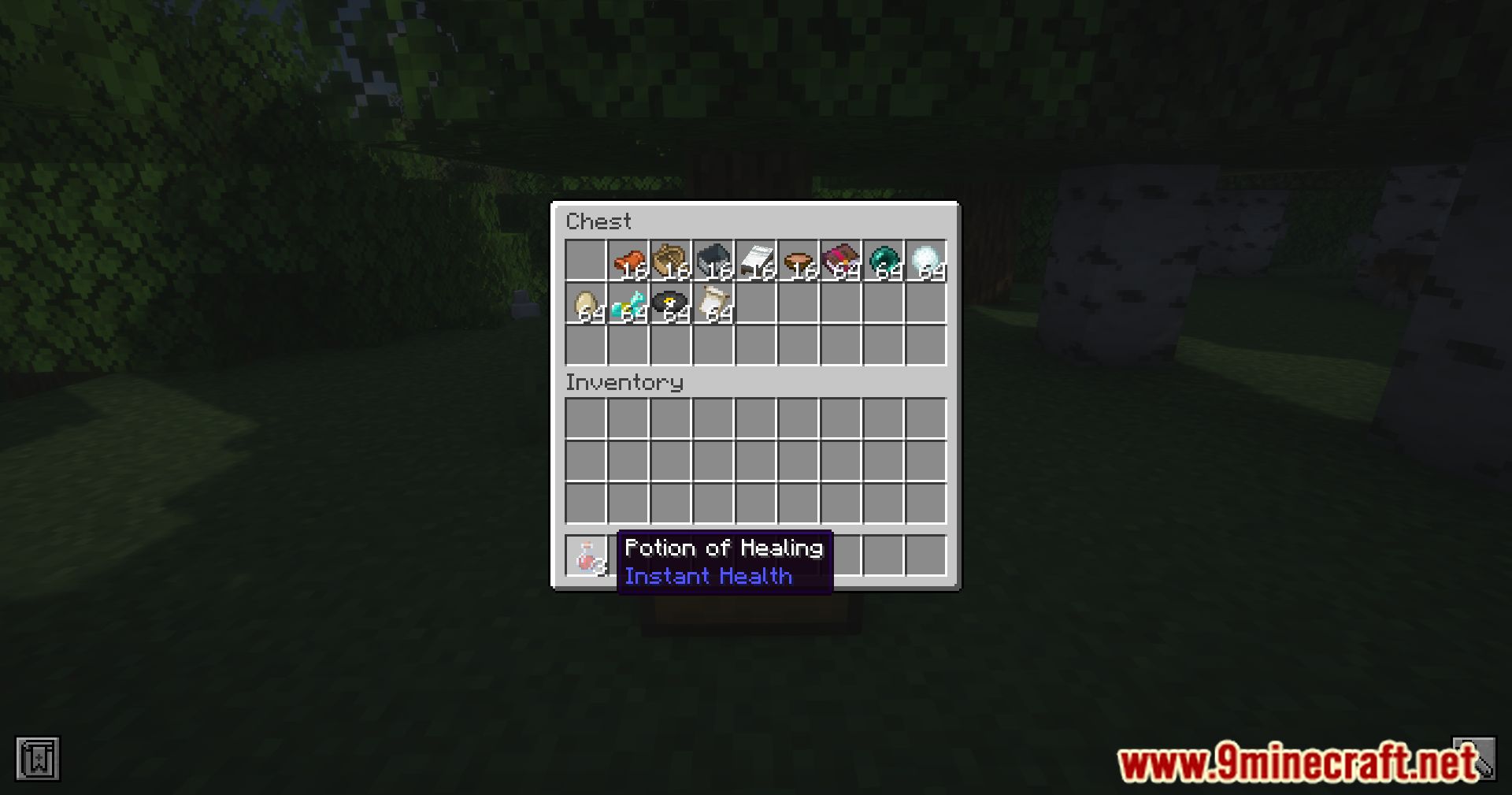
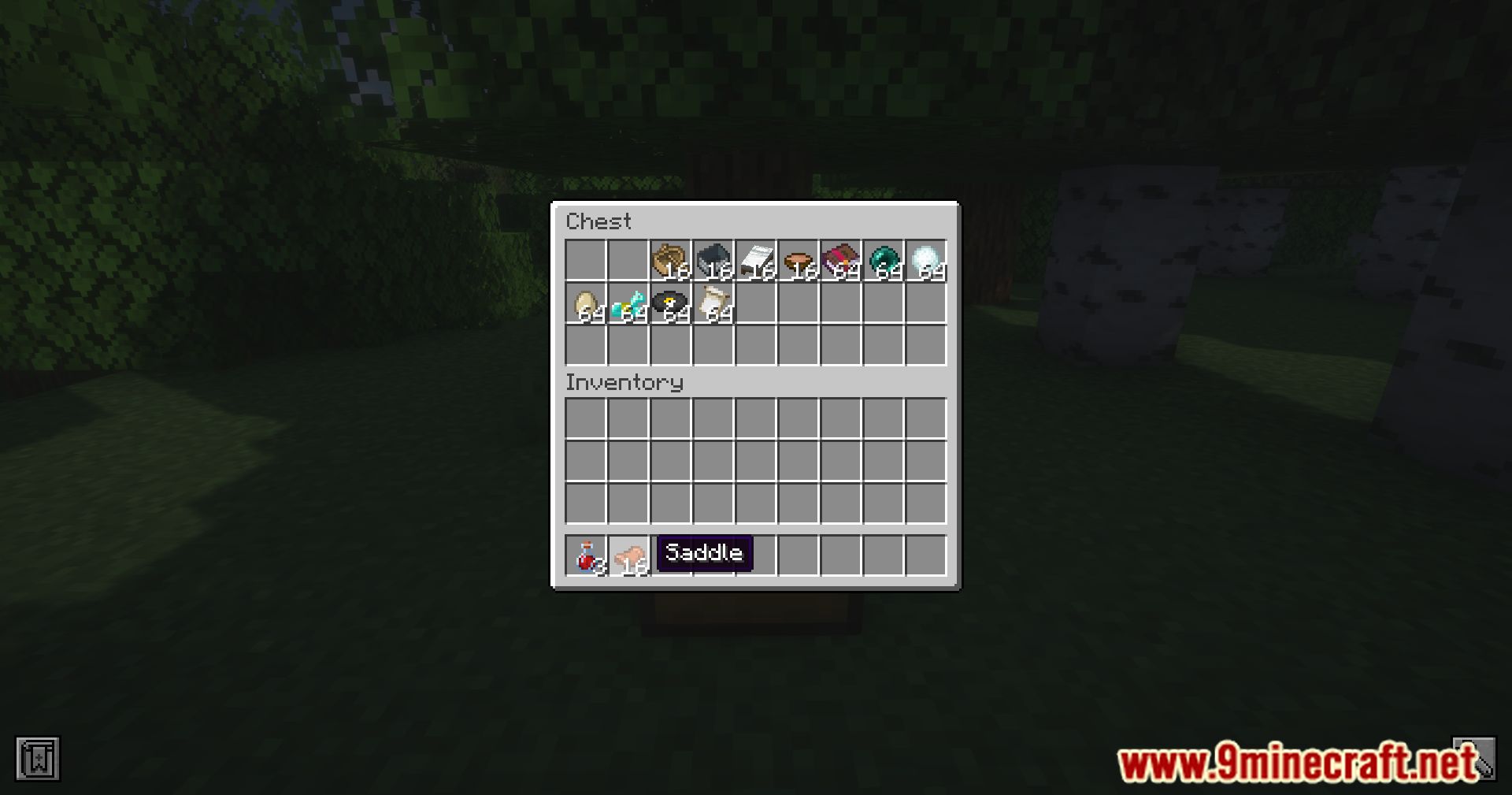
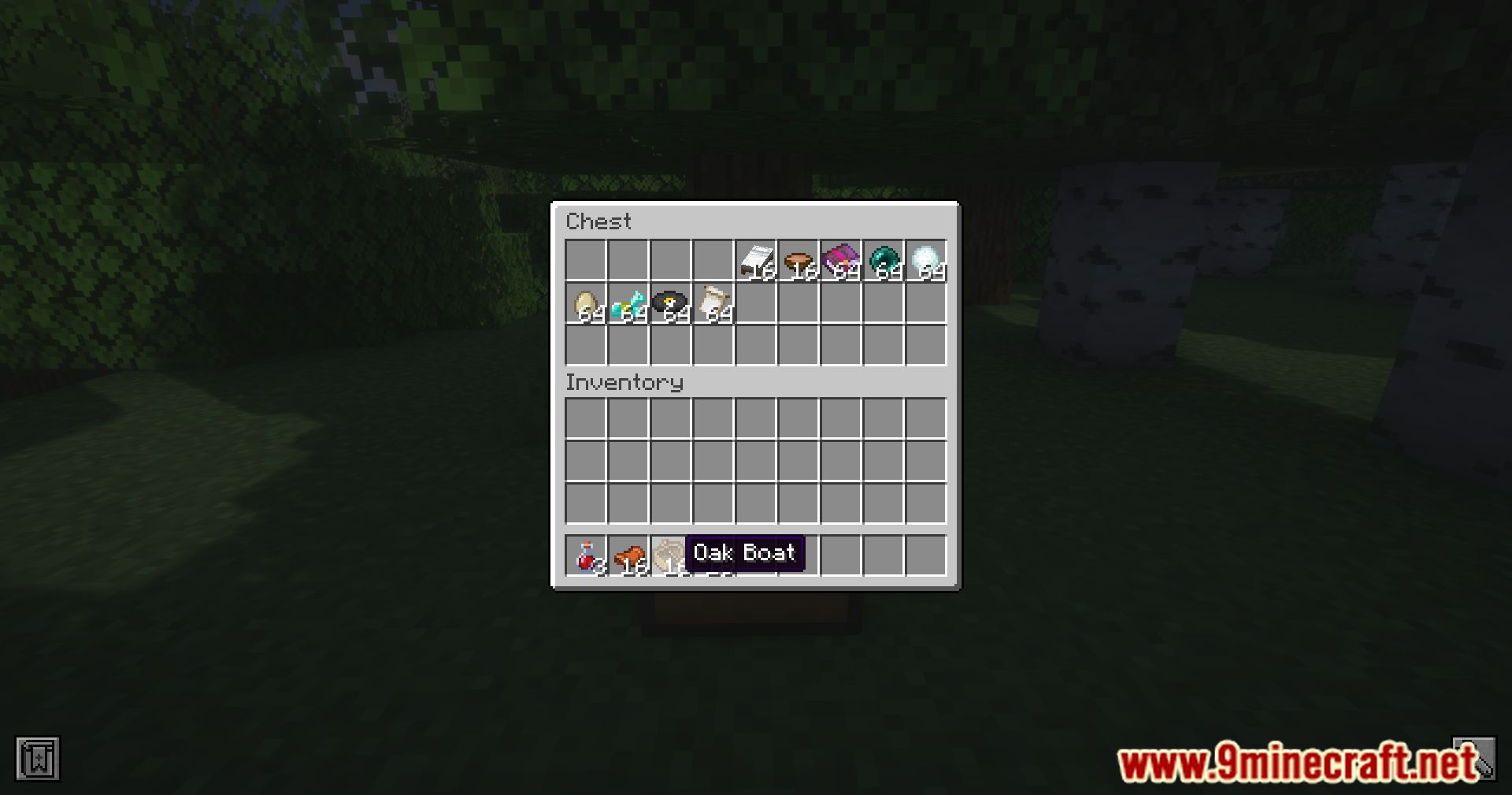
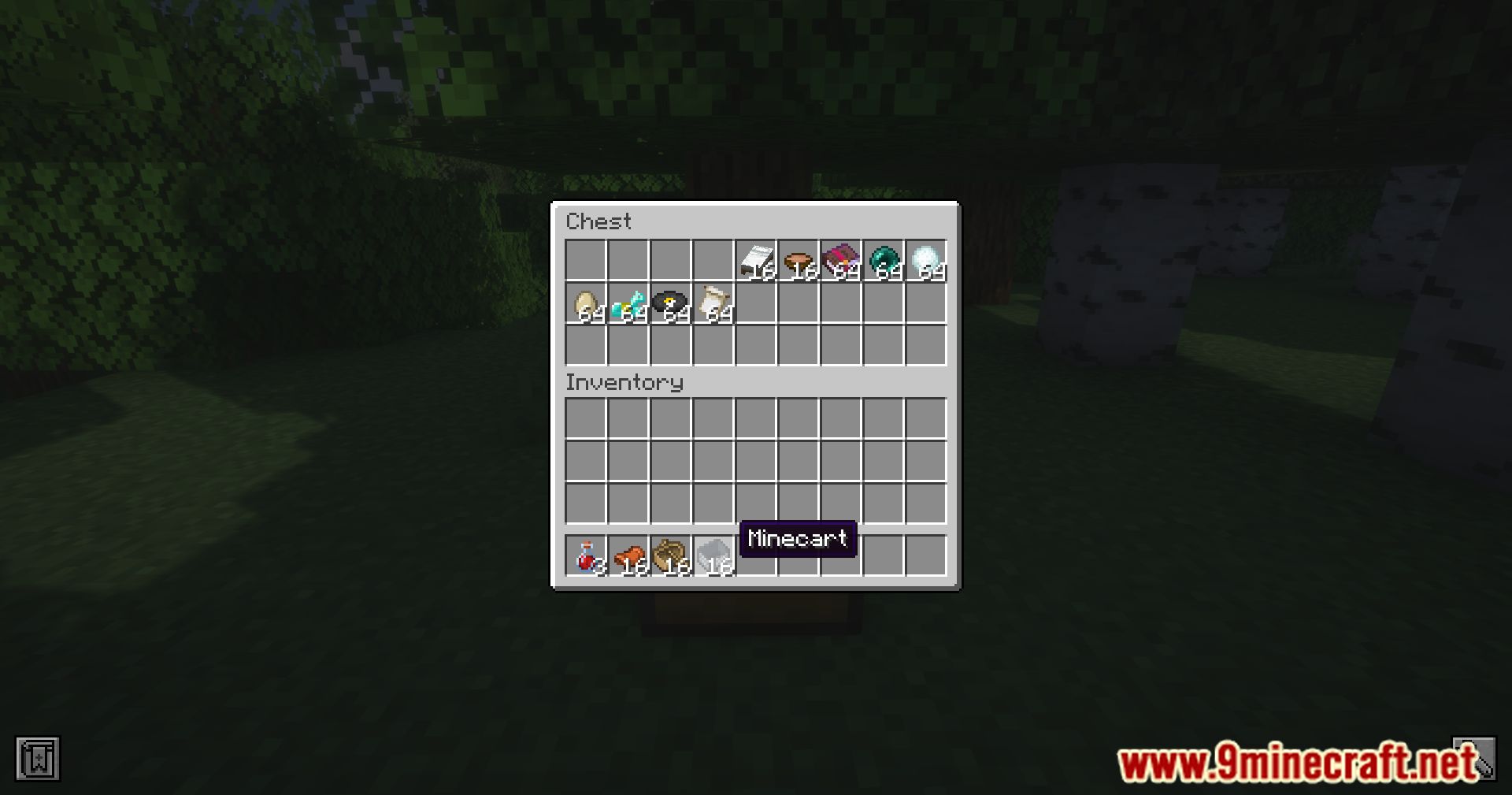
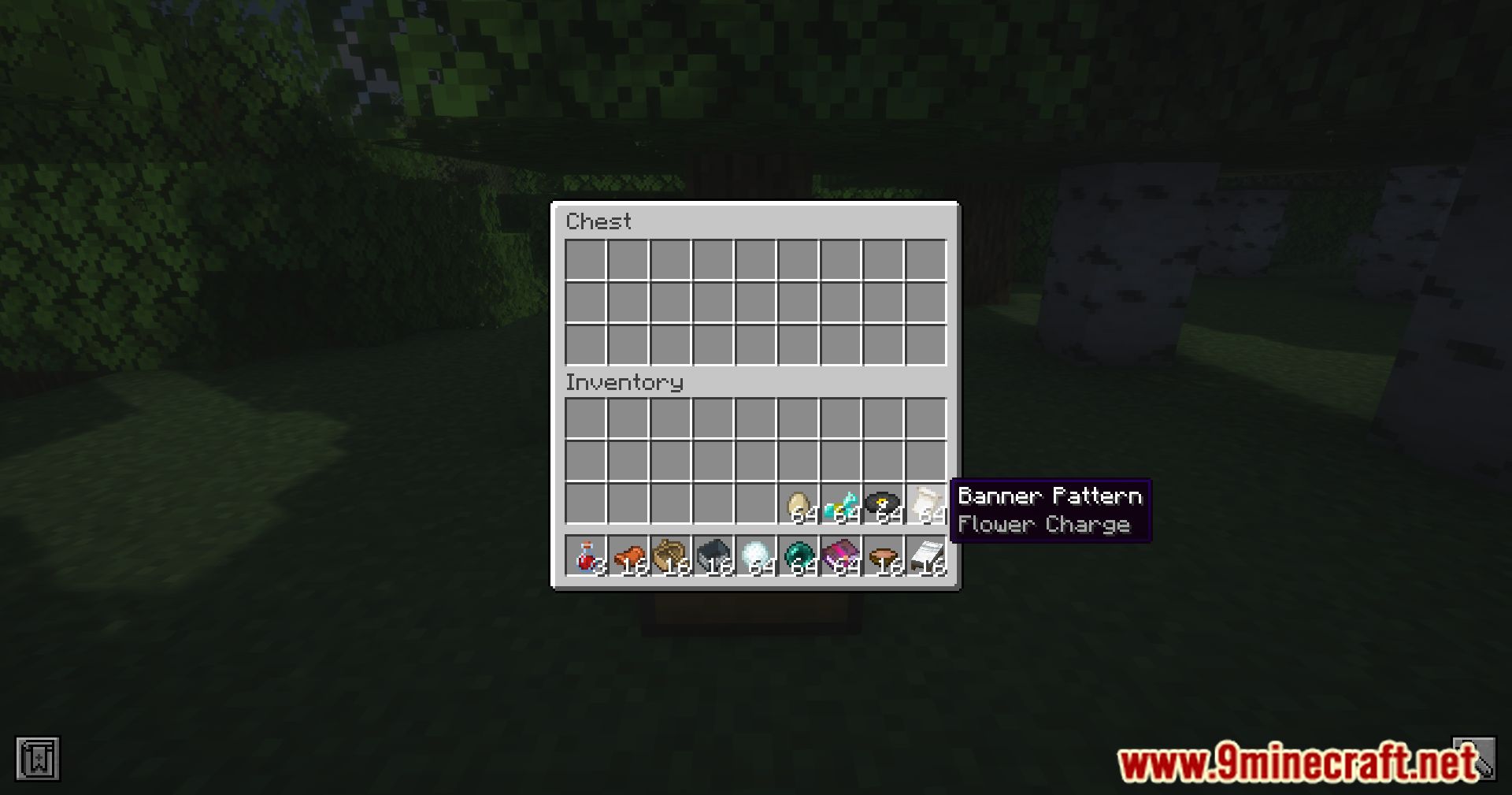
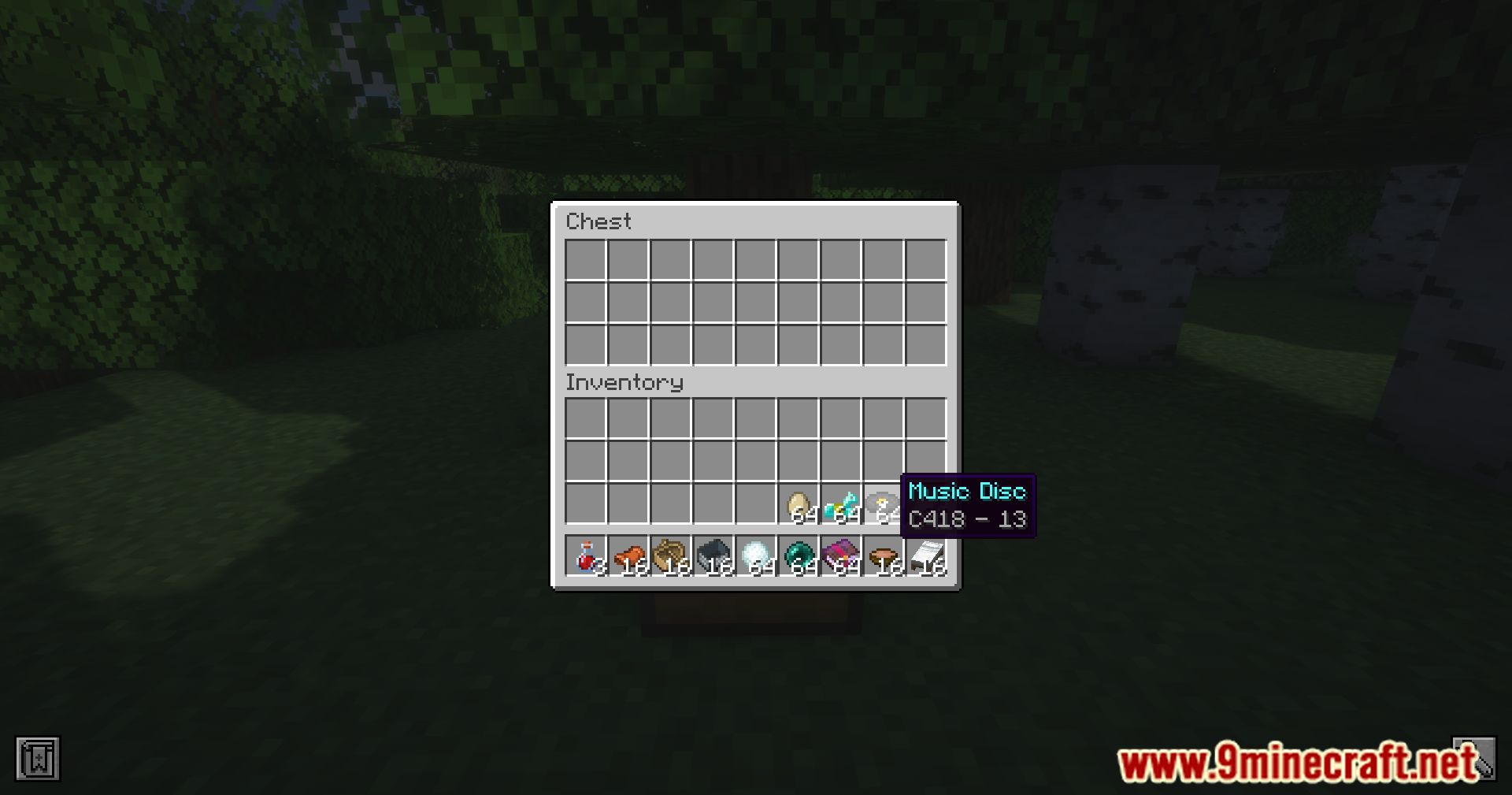
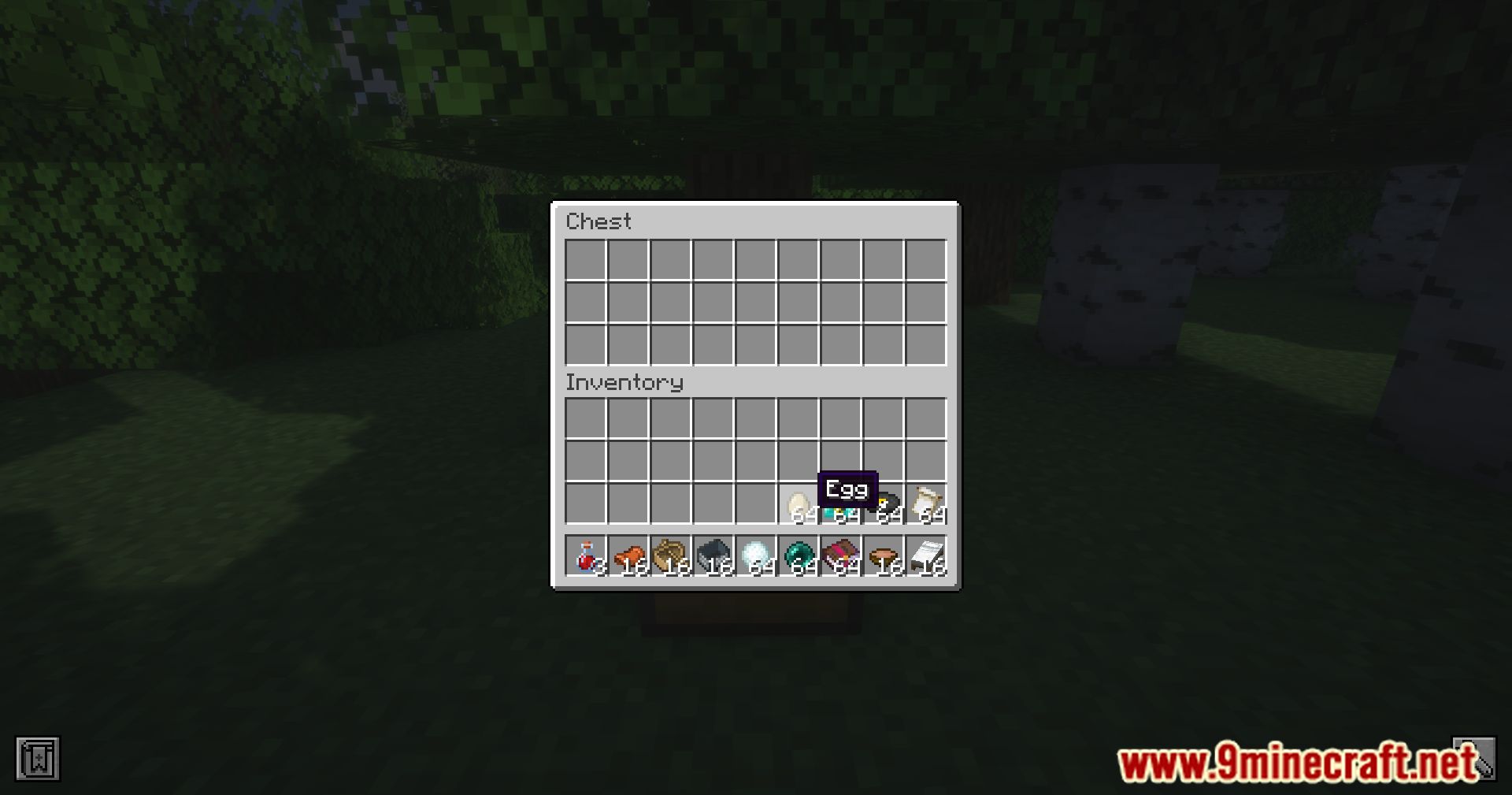
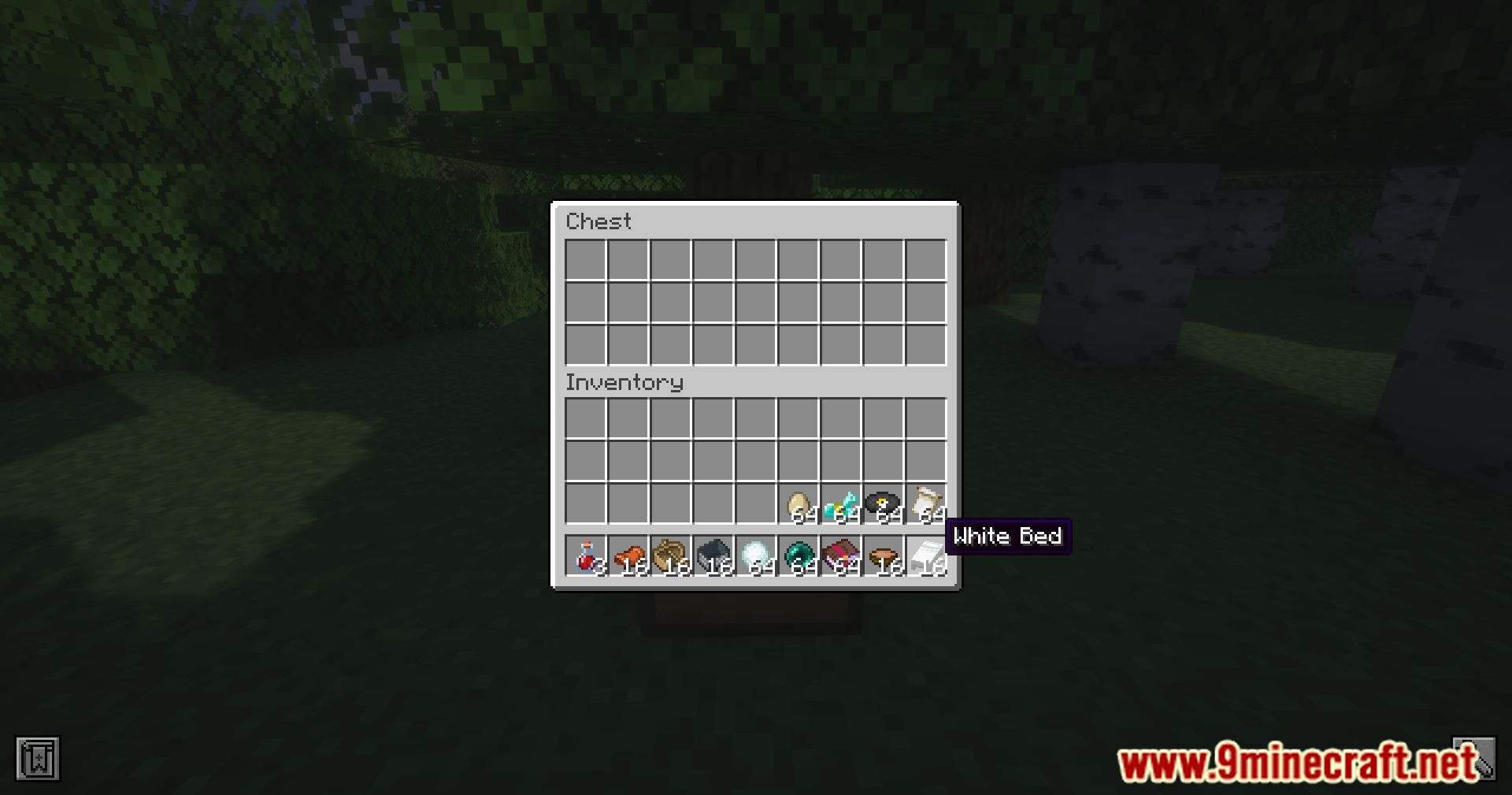
Sensible Stackables Mod lets you change and raise item stack sizes in Minecraft using balanced defaults. Potions stack up to 3, while saddles, harnesses, boats, minecarts, beds, cakes, stews, and soups stack up to 16. Enchanted books, ender pearls, snowballs, eggs, horse armor, music discs, and banner patterns all stack up to 64. This mod also patches several menus to work with stacked items and adds a 1-second cooldown to splash and lingering potions to stop spam. You can customize stack sizes for any item or item tag and even uncap the normal 64-item limit through the config.
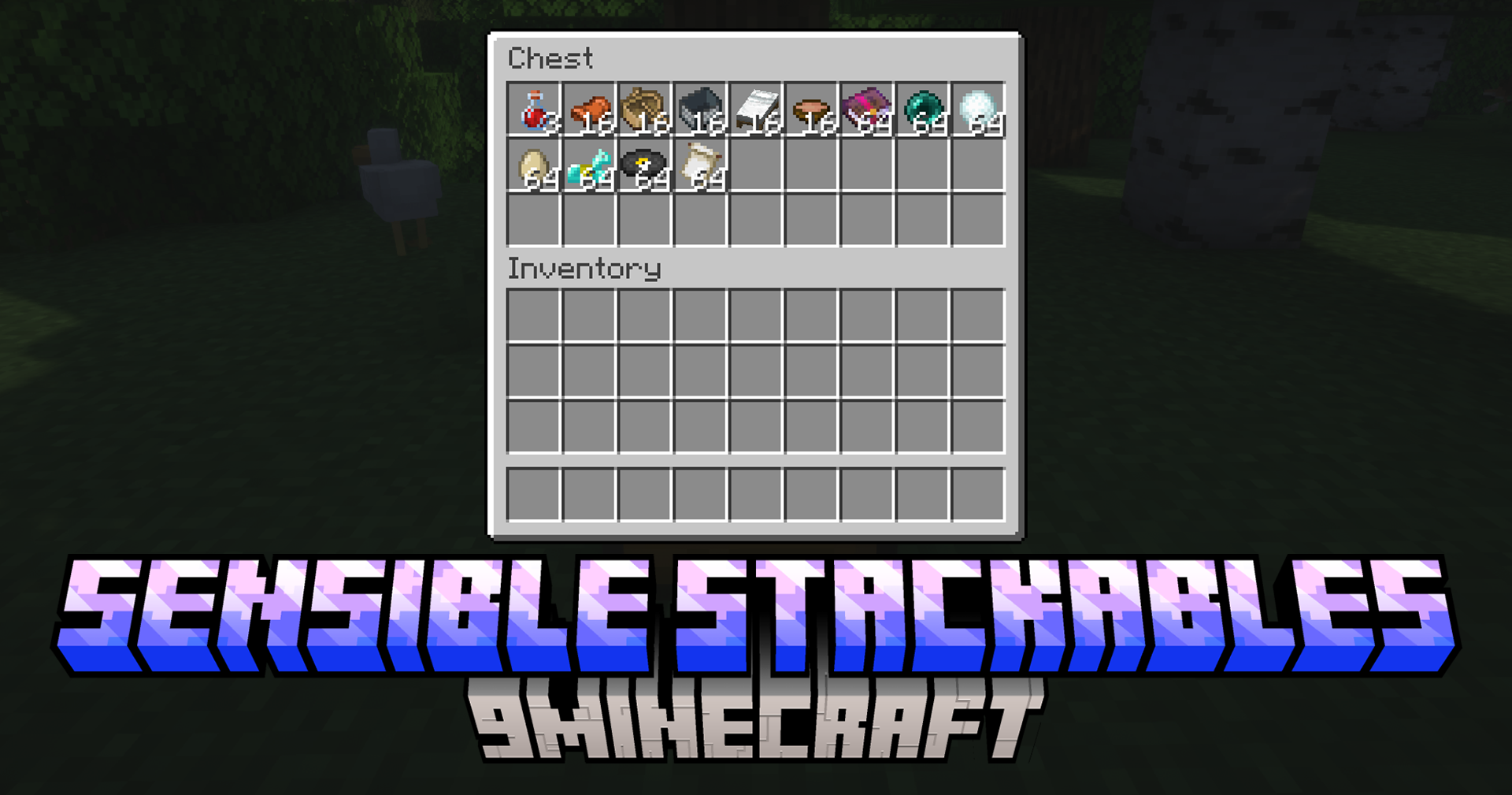
Features:
- Balanced Default Stack Sizes: Raises stack limits for commonly unstackable and low-stack items to reduce inventory clutter and improve storage.
- Uncapped Stack Limits: Lets you raise item stacks past the vanilla 64 limit up to around 2.1 billion and applies patches to prevent bugs with large stacks.
- Custom Item and Tag Rules: Lets you set stack sizes for single items, vanilla tags, conventional tags, or the built-in all-block dynamic tag.
- Adds a 1-second use cooldown to splash and lingering potions so players cannot spam them.
- Patches several in-game menus so they work properly with stacked items.
- Shortens item counts above 999 in the GUI while showing the exact stack count inside the item tooltip.
- Lets you toggle count shortening, scaling, and the item count tooltip on or off to stay compatible with mods like Reliable Recount.
- Includes an in-game config screen with item suggestions, auto-completion, and tooltips, as well as manual
.tomlconfig files.
Default Stack Sizes:
- Potions: stack up to 3.
- Saddles: stack up to 16.
- Harnesses: stack up to 16.
- Boats: stack up to 16.
- Minecarts: stack up to 16.
- Beds: stack up to 16.
- Stews and soups: stack up to 16.
- Cakes: stack up to 16.
- Enchanted books: stack up to 64.
- Ender pearls: stack up to 64.
- Snowballs: stack up to 64.
- Eggs: stack up to 64.
- Horse armor: stack up to 64.
- Music discs: stack up to 64.
- Banner patterns: stack up to 64.
How to Use:
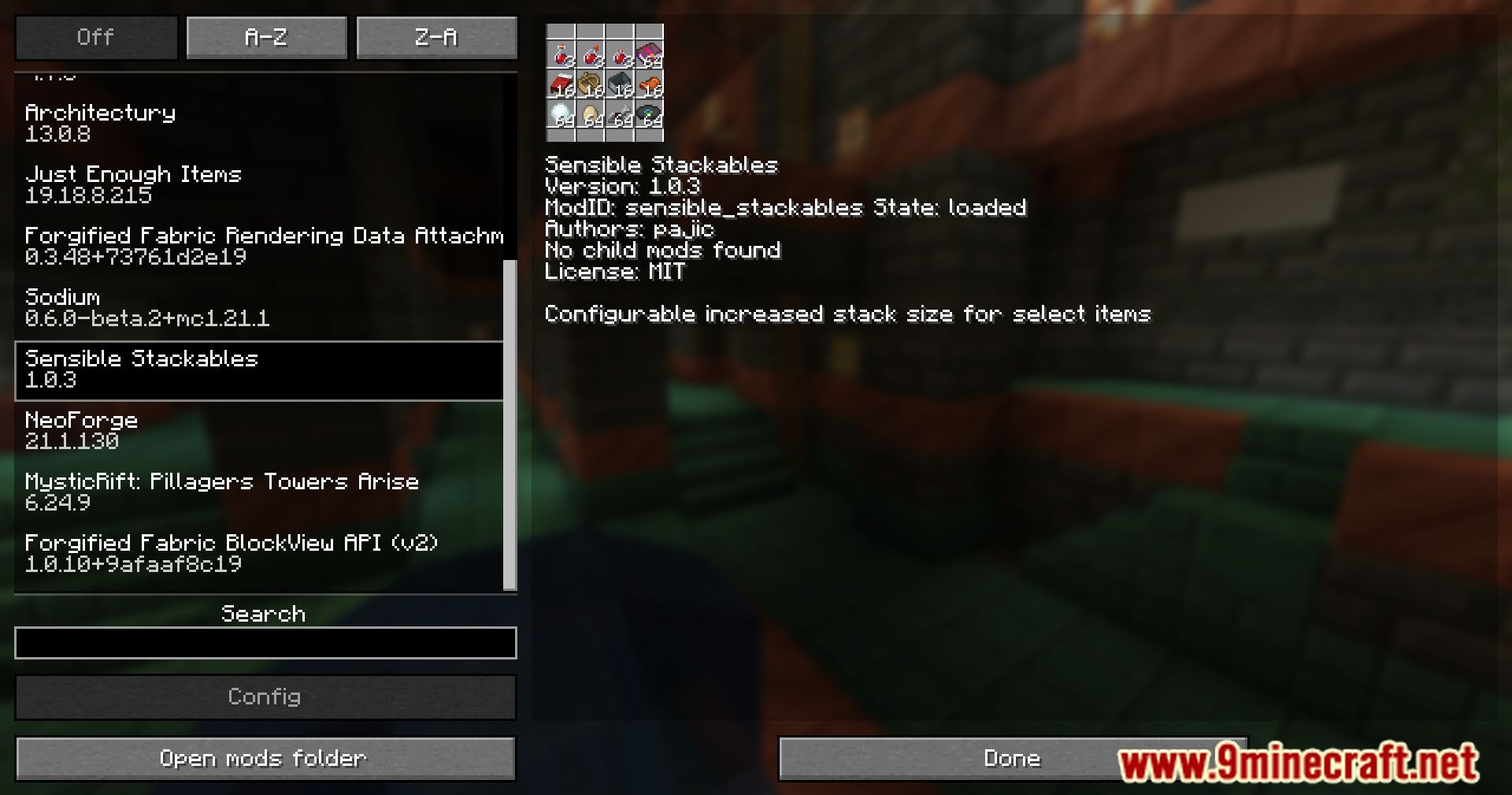
- Open the in-game config screen to edit stack sizes with item auto-completion and tooltips, or edit the
.tomlfiles in theconfig/sensible_stackablesfolder manually. - Enter a single item ID or an item tag starting with
#and assign a number to set its max stack size. - Set
uncapStackSize(“Uncap stack size” in the GUI config) totrueif you want to set stack sizes higher than 64. - Increase
commonStackSize(“Common stack size” in the GUI config) above 64 to raise the global limit for default-stack items, then manually configure non-default items like potions, boats, or enchanted books. - Toggle item count shortening, scaling, and the item count tooltip on or off in the config to avoid display conflicts with mods like Reliable Recount.
- Keep stack limits at reasonable numbers such as 32,768 for reasonable performance, since setting values above 100,000 can freeze the game for 5 to 20 seconds when crafting or taking items from a stonecutter.
Configuration:
config/sensible_stackables: Folder that holds the.tomlfiles for manual configuration.uncapStackSize: Setting this option (called “Uncap stack size” in the GUI config) totrueallows stack sizes above 64 and applies patches to prevent bugs with large stacks.commonStackSize: Raising this option (called “Common stack size” in the GUI config) above 64 sets a global max stack size for all items using the default stack size. Items with non-default stack sizes still need manual entries."minecraft:totem_of_undying": Single-item example; setting its value to 16 lets totems stack up to 16."#minecraft:banners": Item tag example (#marks an item tag); setting its value to 64 lets banners stack up to 64."#c:buckets": Conventional tag example (cis the conventional tag namespace); setting its value to 64 lets all bucket types stack up to 64."#sensible_stackables:all_block_items": Built-in dynamic tag; setting its value to 1 makes all blocks stack up to 1 only.
Screenshots:
How to Install:
New to Minecraft? Follow our step-by-step guide to install Mods on your PC.View Guide


Sensible Stackables Mod Download Links
For Minecraft 26.3
For Minecraft
26.2,
26.1.2,
26.1.1
All Versions Covered
26.2
26.1.2
26.1.1
26.1
For Minecraft 26.1.2, 26.1.1, 26.1
For Minecraft 1.21.11
For Minecraft 1.21.10, 1.21.9
For Minecraft 1.21.8, 1.21.7, 1.21.6
For Minecraft 1.21.5
For Minecraft 1.21.4, 1.21.3, 1.21.2
For Minecraft 1.21.1, 1.21
Do you add mods when playing on Bedrock Edition (Add-Ons, behavior packs, or Marketplace content)?
0 responses · See the full results →
You May Also Like
Picked for this page
 Easy Mob Farm Mod (26.3, 1.20.1) – Make Minecraft More Entertaining
 Not Just Sandwich Mod (26.3, 1.20.1) – Edibles, Sandwiches
 Ksyxis Mod (26.3, 1.20.1) – Completely Removes Spawn Chunks
 Vault Patcher Mod (26.2, 1.20.1) – Coverts Hard Coded Strings Into Localization Strings
 Pyrite Mod (26.3, 1.20.1) – New Options for Decorative Blocks
 Invariable Paintings Mod (26.2, 1.20.1) – Improvements With Paintings
 Bat Membrane Mod (26.3, 1.20.1) – No More Phantom Dependency For Membranes
 Giant Natural Additions Mod (26.3, 1.20.1) – Oversized Trees And Mushrooms
 Blocky Bubbles Mod (26.3, 1.20.1) – Fast Bubbles For Java Edition
 Fabric Exporter Mod (26.2, 1.20.1) – Adds A Prometheus Exporter With General Server Metrics
 SpongeSucc Mod (26.3, 1.20.1) – Lava Absorbing Sponges
 Set Time Doesn’t Reset Day Count Mod (1.21.11, 1.20.1)
Most viewed in Mods over the last 7 days
 Ala Industrial Mod (26.3) – Run Electric Power Grids and Automated Factories
 PleasureCraft Mod (26.3, 1.21.1) – Jenny Mod Remake for Fabric
 Jennycraft Mod (26.3, 1.20.1) – Virtual Girlfriend in Minecraft
 Fapcraft Mod (26.3, 1.12.2) – Comprehensive and Detailed Content
 Jenny Mod (Fapcraft) Official Complete Guide – How to use, Tutorial
 BangCraft Mod (1.20.1) – Jenny, Ellie and Elliot
 Fabric Loader (26.3, 1.20.1) – Fabric Installer for All Minecraft Versions
 The Shooting Star Demo Mod (26.3, 1.20.1) – Vaporize Terrain From Orbit
 Meteor Client Mod (26.3, 1.20.1) – Xray, HUD, Fly
 OptiFine HD (26.3, 1.20.1) – Run Faster, FPS Boost, Shaders Support
 Aristois Client Mod (1.21.4, 1.20.1) – World Class Minecraft Utility
 Prestige Client Mod (1.21.11, 1.21.4) – Powerful Ghost Features for Crystal & Sword PvP
More from Mods
 Towers of the Wild 9minecraft Mod (26.3, 26.2) – Climb Tall Towers for Loot
 Ender Storage 9minecraft Mod (26.3, 26.2) – Send Loot Back Home From Any Dimension
 Snad 9minecraft Mod (26.3, 26.2) – Build Faster Sugar Cane and Nether Wart Farms
 Together Forever Unofficial Mod (1.12.2) – Share Team Advancements
 GroovyDuvet Mod (1.21.11, 1.20.1) – Run Groovy Scripted Addons Without Game
 Swing Through Grass 9minecraft Mod (26.3, 26.2) – Fight Mobs Without Breaking Tall Grass
 Improved Boss Bars 9minecraft Mod (26.3) – Unique Health Bars for Every Boss Fight
 Cozy’s Improved Wolves Mod (26.3, 1.20.1) – Bond with Loyal Dogs That Never Die
 Cuisine Craft Mod (1.21.11, 1.20.1) – Cook Restaurant Dishes with Fresh Farm
 XinexLib Mod (1.21.1) – Keep Your Ultreon Studios Mods Running
 Libvulpes – Fixed Mod (1.12.2) – Launch Rockets with Fewer Bugs
 Freelook Perspective Mod (26.3, 1.21.1) – Watch Your Back While Sprinting

This post has no comments yet. Be the first — your comment will appear here.