Silk Client Mod (1.21.4) – 70+ Ghost Modules for Crystal PvP
 377
377
 0
0
 1 week ago
 travispizza10
Silk Client Mod (1.21.4) is a PvP utility client for Minecraft. It focuses on Crystal PvP, fast combat actions, and automation features while keeping a clean and organized interface.
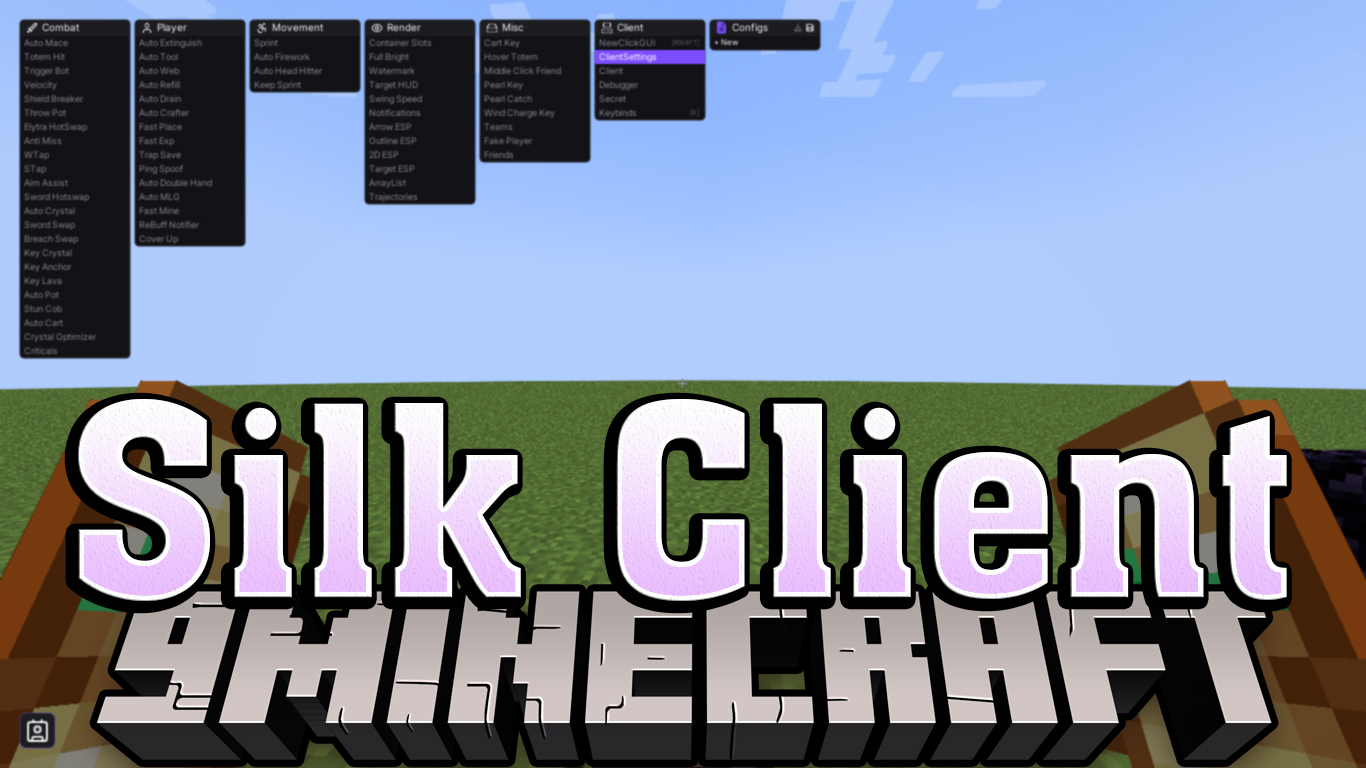
Features:
Combat
- Crystal and Anchor Combat
- Auto Crystal – Automatic crystal combat
- Crystal Optimizer – Improves crystal damage
- Key Crystal – Crystal keybind
- Key Anchor – Anchor keybind
- Key Lava – Lava keybind
- Attack Support
- Trigger Bot – Automatic attacks
- Aim Assist – Helps aiming
- Velocity – Reduces knockback
- Anti Miss – Reduces missed hits
- Criticals – Improves critical hits
- Combat Tools
- Auto Mace – Automatic mace attacks
- Shield Breaker – Helps break shields
- Throw Pot – Uses potions automatically
- Totem Hit – Improves totem usage
- Elytra Hot Swap – Swaps Elytra quickly
- Movement Combat
- WTap – Knockback control
- STap – Sprint reset control
Player
- Automation
- Auto Tool – Selects correct tools
- Auto Refill – Refills items
- Auto Crafter – Automatic crafting
- Auto Double Hand – Manages hands
- Protection
- Auto Extinguish – Removes fire
- Auto MLG – Reduces fall damage
- Trap Save – Escape traps
- Cover Up – Quick protection
- Performance
- Fast Place – Faster placement
- Fast Exp – Faster XP usage
- Fast Mine – Faster mining
- Network
- Ping Spoof – Changes visible ping
Movement
- Basic Movement
- Sprint – Automatic sprinting
- Keep Sprint – Keeps sprint active
- Mobility Tools
- Auto Firework – Elytra firework usage
- Auto Head Hitter – Movement control
Render
- Information
- Watermark – Client label
- Notifications – Module alerts
- ArrayList – Active modules list
- HUD
- Target HUD – Target information
- ESP Features
- 2D ESP – Player boxes
- Outline ESP – Player outlines
- Arrow ESP – Direction indicators
- Container Slots – Container view
- Visual Effects
- Full Bright – Brighter environment
- Swing Speed – Swing animation speed
- Trajectories – Projectile paths
Misc
- Keybind Tools
- Pearl Key – Pearl keybind
- Cart Key – Cart keybind
- Wind Charge Key – Wind charge keybind
- Combat Utilities
- Hover Totem – Keeps totems ready
- Pearl Catch – Helps catch pearls
- Other Tools
- Fake Player – Practice target
- Friends – Friend list
- Teams – Team detection
- Middle Click Friend – Quick friend add
Other
- Client Controls
- NewClickGUI – Opens GUI
- ClientSettings – Client options
- Keybinds – Key settings
- Config Manager – Save settings
- Advanced Tools
- Debugger – Debug tools
- Secret – Hidden features
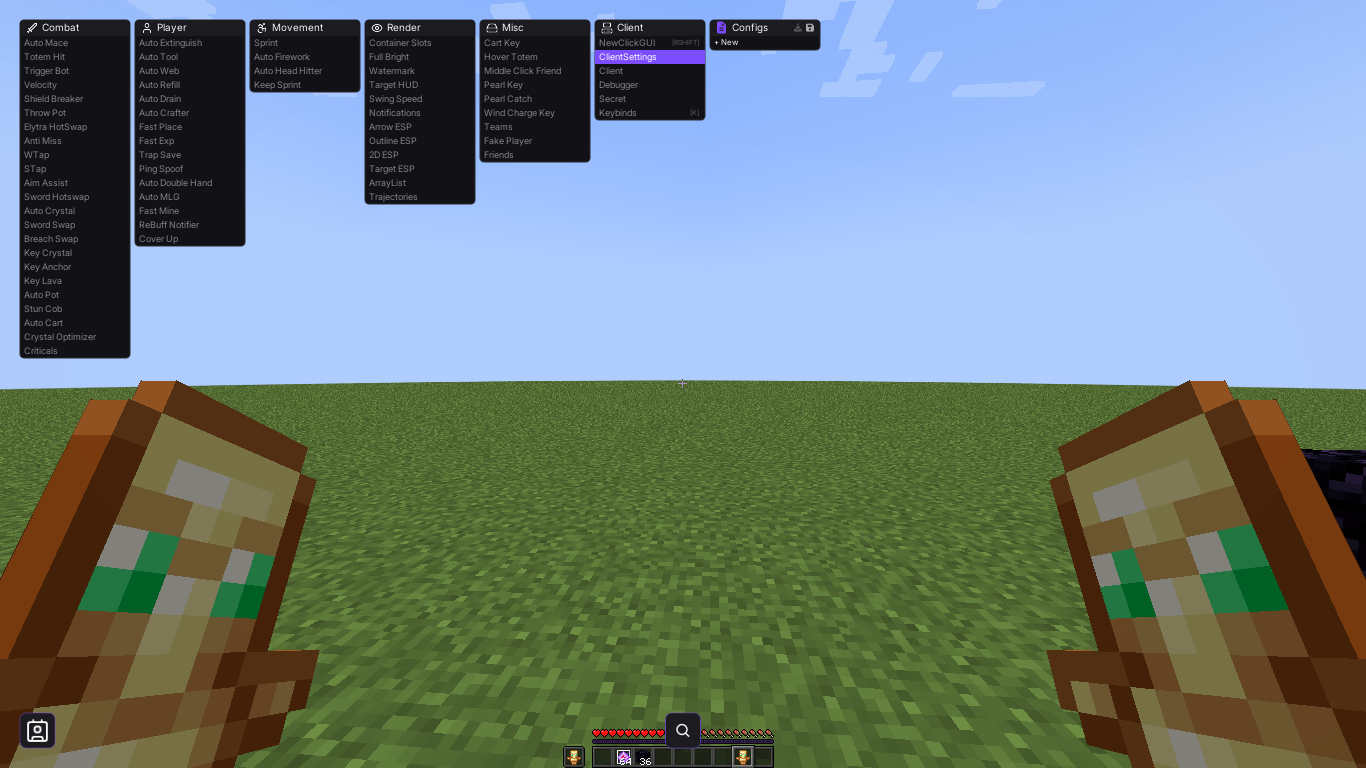
Screenshots:
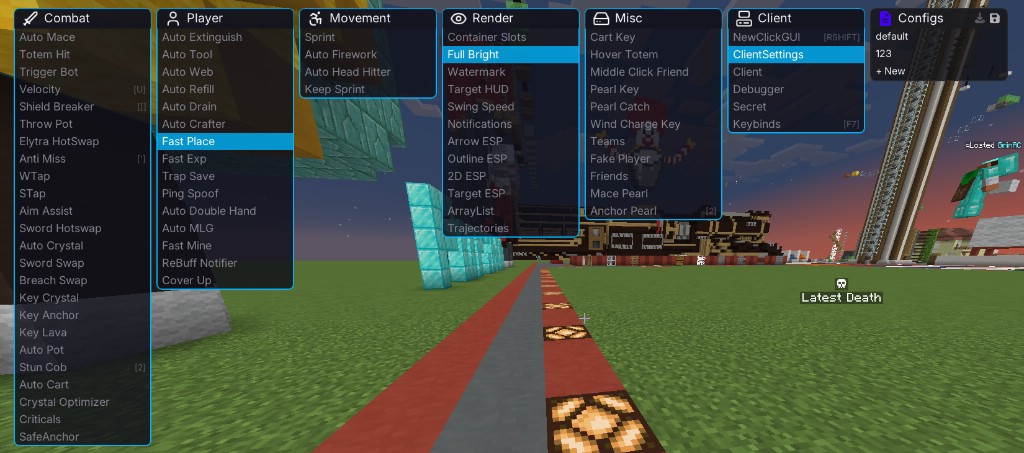
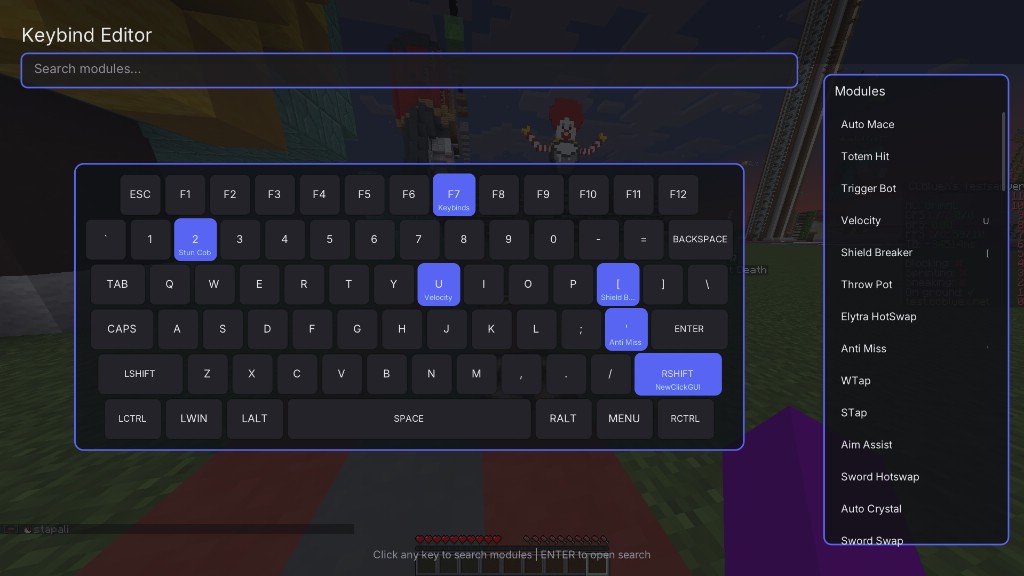

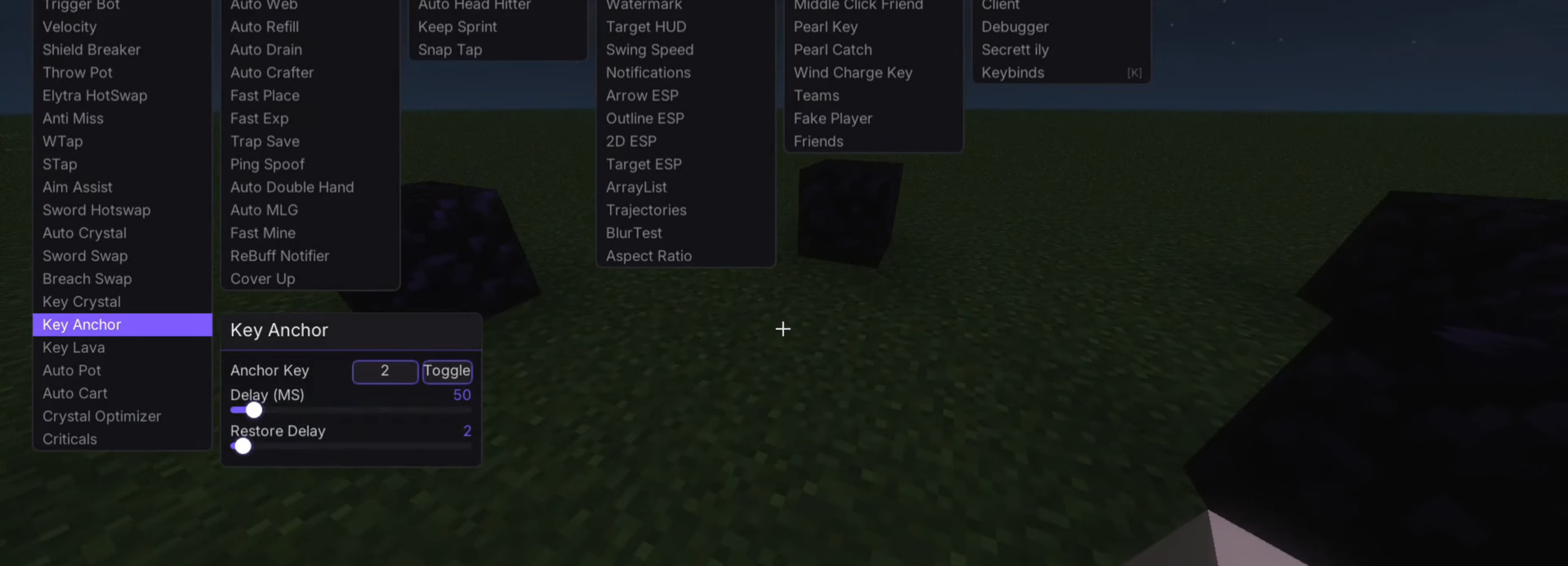



How to use:
- Press Right Shift to open or close the client menu and access all available features.
Requires:
How to install:
Click the following link to view details: How to Install Mods for Minecraft Java Edition on PC: A Beginner Guide
Silk Client Mod (1.21.4) Download Links
For Minecraft 1.21.4
Fabric version: Download from Server 1 – Download from Server 2
Click to rate this post!
[Total: 1 Average: 4]
You May Also Like