
Simple HUD Utilities Mod (1.20.6, 1.20.1) – Always Know Your Exact Coordinates

 0


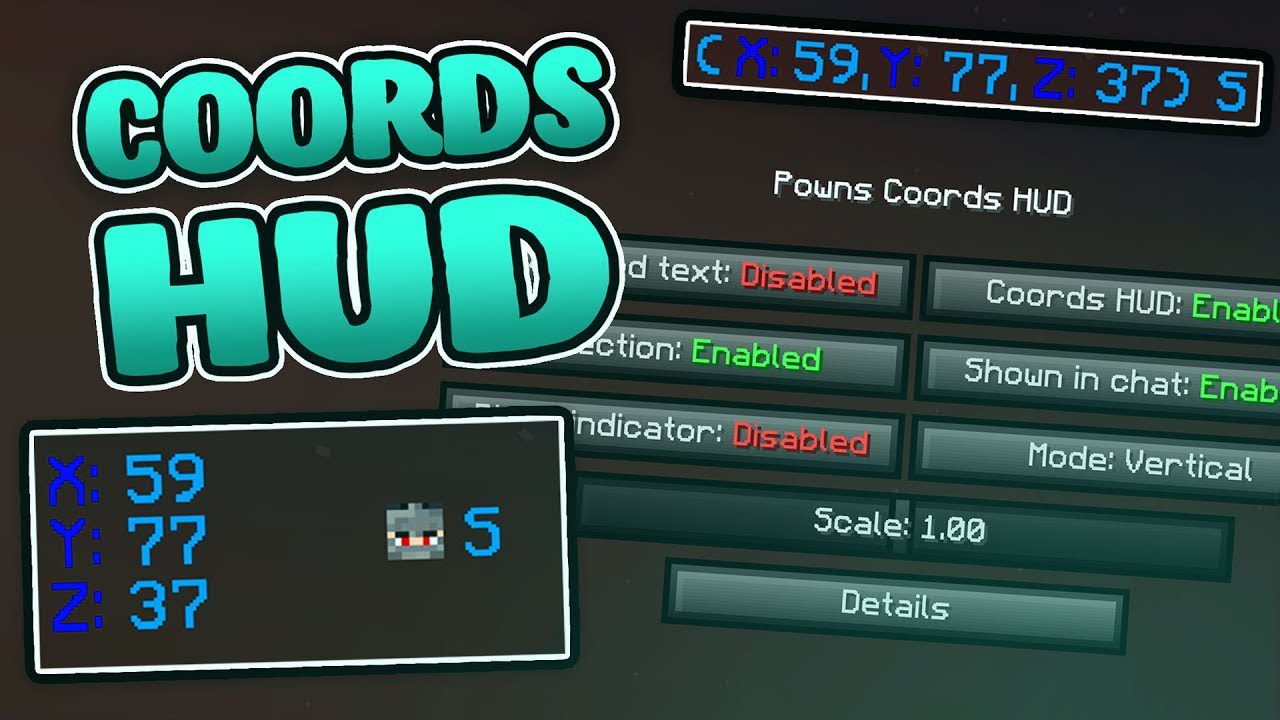
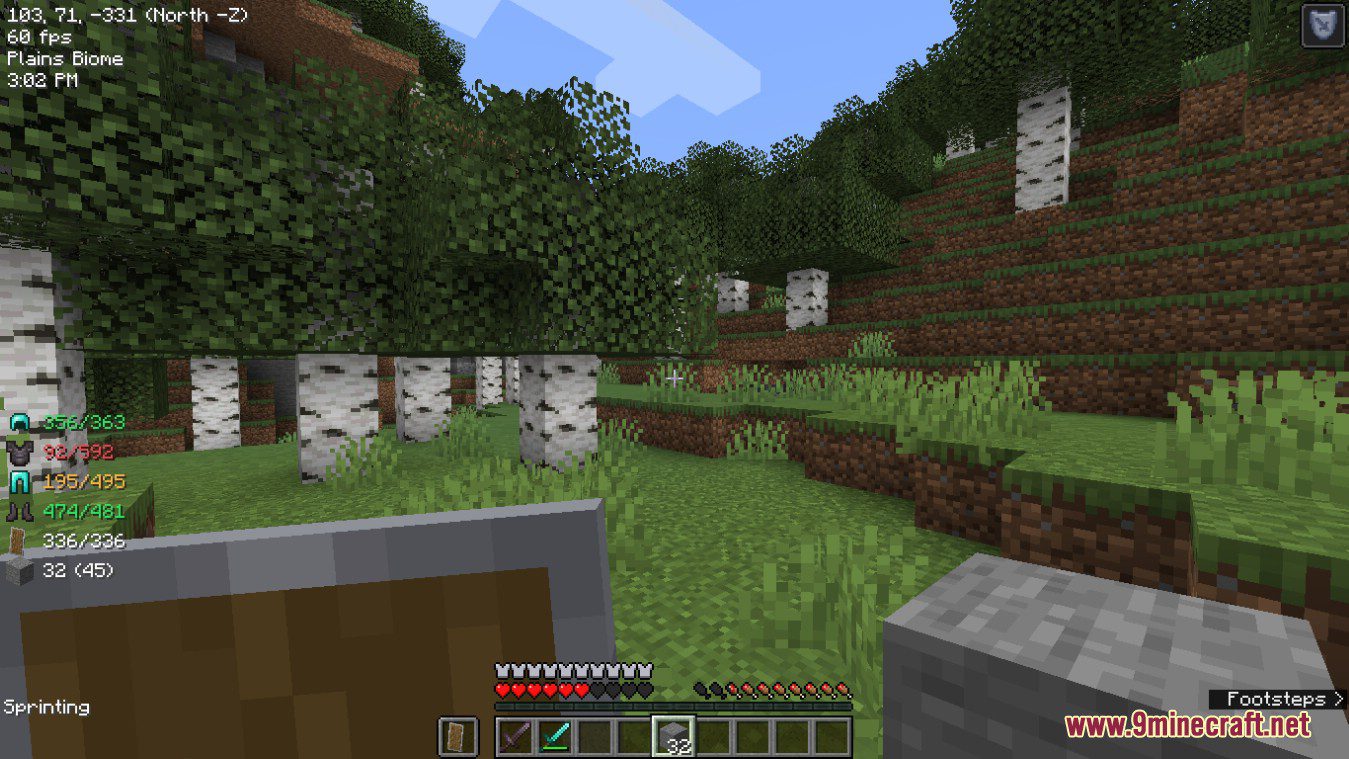
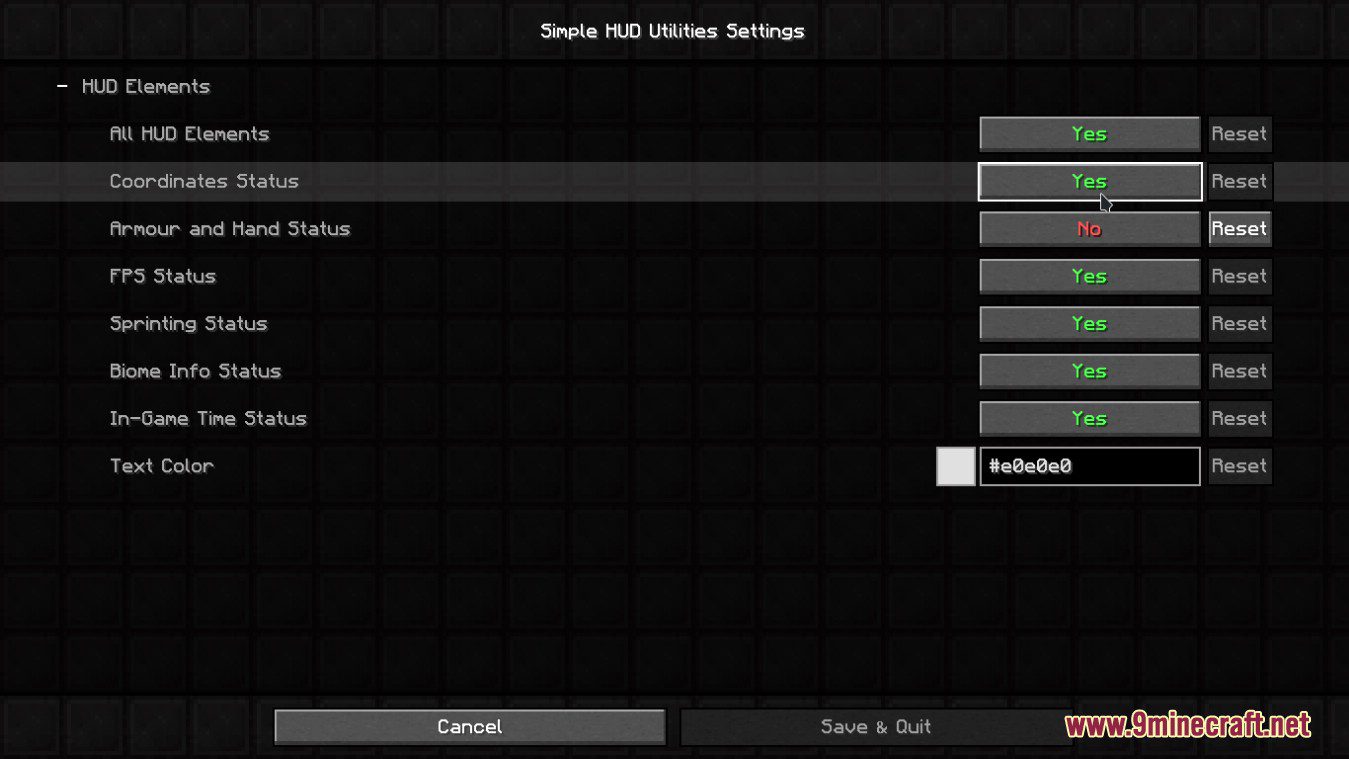
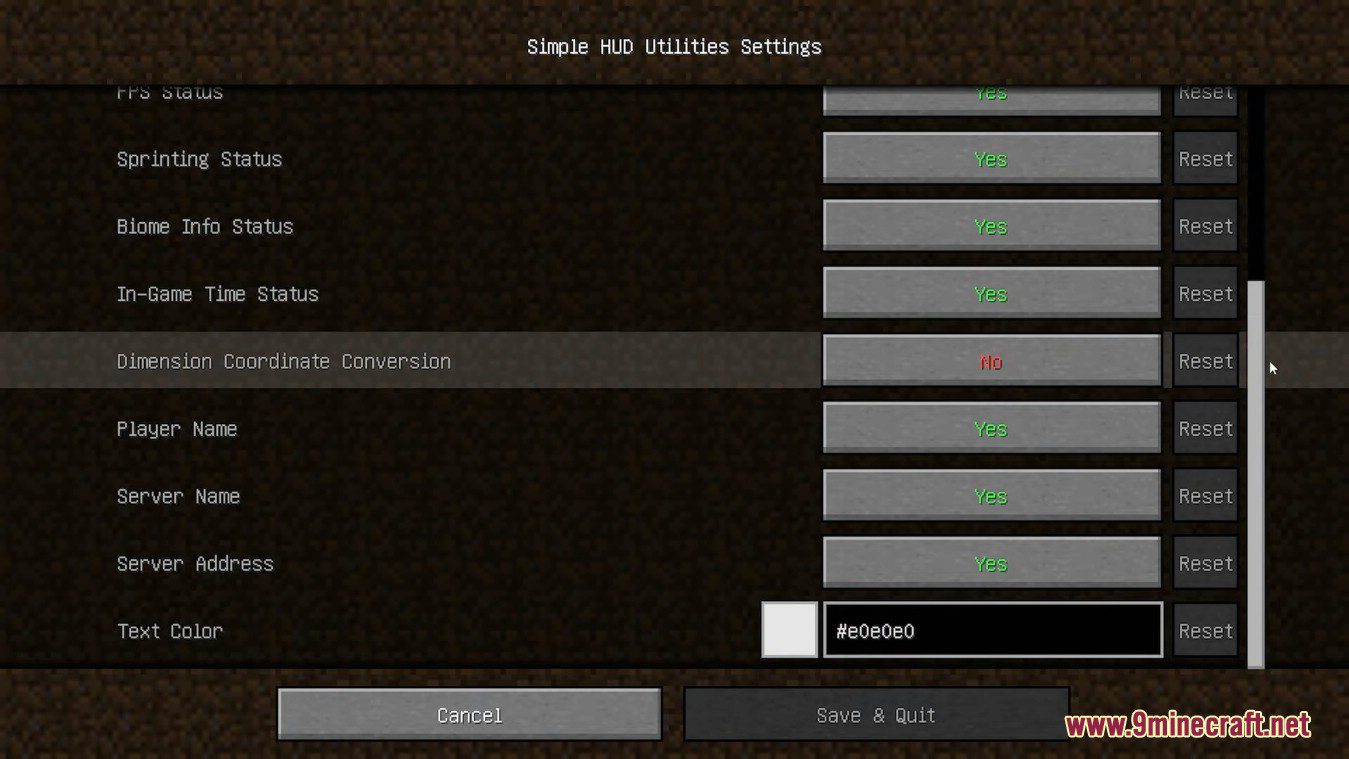
Simple HUD Utilities Mod enhances the game with helpful screen tools. It displays your current coordinates, direction, framerate, biome, and time on the screen at all times. Players can easily change settings using the config file or an in-game menu.
Features:
- Shows simplified coordinates on the screen at all times like X, Y, and Z.
- Displays cardinal directions and shows which coordinates increase or decrease.
- Shows current armor and hand items along with their item durability.
- Changes text colors based on how low the item durability gets.
- Shows the current game time in an AM and PM format.
- Displays your current sprinting status and framerate.
- Shows the name of the biome where you are currently standing.
- Performs Nether and Overworld coordinate conversions.
- Includes a toggle key that is editable in the controls screen, set to k by default.
- Provides a settings page and config file through Mod Menu support.
Screenshots:

How to Install:
New to Minecraft? Follow our step-by-step guide to install Mods on your PC.View Guide
Simple HUD Utilities Mod Download Links
For Minecraft 1.20.6
Fabric version: Download from Server 1 – Download from Server 2
For Minecraft 1.20.4
Fabric version: Download from Server 1 – Download from Server 2
For Minecraft 1.20.1
Fabric version: Download from Server 1 – Download from Server 2
For Minecraft 1.19.3
Fabric version: Download from Server 1 – Download from Server 2
For Minecraft 1.19.2, 1.19.1, 1.19
Fabric version: Download from Server 1 – Download from Server 2
For Minecraft 1.18.2
Fabric version: Download from Server 1 – Download from Server 2
For Minecraft 1.16.5
Fabric version: Download from Server 1 – Download from Server 2
For Minecraft 1.15.2
Fabric version: Download from Server 1
What do you usually do when your modded game crashes on startup?
18 responses · See the full results →
You May Also Like
Picked for this page
 Camera Overhaul Mod (26.3, 1.20.1) – Camera Improvements
 Modular Routers Mod (26.2, 1.20.1) – Item Routers with Pluggable Modules
 Custom Crosshair Mod (26.3, 1.20.1) – Customize With New Shapes, Colors and Sizes
 Tschipcraft’s More Mobs Mod (26.3, 1.20.1) – Humanoid Mobs
 Flat Colored Blocks Mod (1.21.1) – Thousands of Beautiful Blocks
 Entity Information Mod (26.3, 1.20.1) – Information Stick Tool
 Armor Stand Editor Mod (26.3, 1.20.1) – In-Game Editing Tool
 Vectorientation Mod (26.3, 1.20.1) – Improve Minecraft’s Visuals
 No Nether Portal Overlay Mod (26.2, 1.20.1) – Overlay Removal
 Permanent Sponges Mod (26.3, 1.20.1) – Sponges to Keep an Area Permanently Dry
 Caxton Mod (26.3, 1.20.1) – TrueType and OpenType Font Support
 Allow Portal GUIs Mod (26.3, 1.20.1) – Access Inventory And Chat In Portals
Most viewed in Mods over the last 7 days
 Ala Industrial Mod (26.3) – Run Electric Power Grids and Automated Factories
 PleasureCraft Mod (26.3, 1.21.1) – Jenny Mod Remake for Fabric
 Jennycraft Mod (26.3, 1.20.1) – Virtual Girlfriend in Minecraft
 Fapcraft Mod (26.3, 1.12.2) – Comprehensive and Detailed Content
 Jenny Mod (Fapcraft) Official Complete Guide – How to use, Tutorial
 BangCraft Mod (1.20.1) – Jenny, Ellie and Elliot
 Fabric Loader (26.3, 1.20.1) – Fabric Installer for All Minecraft Versions
 The Shooting Star Demo Mod (26.3, 1.20.1) – Vaporize Terrain From Orbit
 Meteor Client Mod (26.3, 1.20.1) – Xray, HUD, Fly
 OptiFine HD (26.3, 1.20.1) – Run Faster, FPS Boost, Shaders Support
 Aristois Client Mod (1.21.4, 1.20.1) – World Class Minecraft Utility
 Prestige Client Mod (1.21.11, 1.21.4) – Powerful Ghost Features for Crystal & Sword PvP
More from Mods
 Ore Excavation 9minecraft Mod (26.3) – Mine Ores and Chop Trees in a Single Swing
 Dirigo Mod (26.1.2, 1.21.1) – Walk Across Nether Lava Seas and Automate Animal
 HandLib Mod (26.3, 1.21.1) – Keep Your Multiplayer World Stable
 Happy Ghasts Boost Mod (26.1.2, 1.20.1) – Fly Across Vast Distances at Top Speed
 LiquidBounce Client Mod (26.3, 1.20.1) – LiquidLauncher, A Free Client
 Create Hand Made Mod (1.21.1) – Craft Create Recipes By Hand in Your Workshop
 Seed Map for Xaero Mod (26.1) – See Rare Biomes and Dungeons Before You Travel
 MCPersist Mod (26.3) – Keep Your World Online for Friends Even After Logging Off
 Minecraft Java MCP Server Mod (1.21.11) – Command Your World Through External AI Tools
 Arcanism Mod (26.2) – Build Magic Factories and Program Custom Spells
 Archangel Client Mod (1.21.11) – Master Every PvP Duel with Clean Screen Stats
 Block Front Survival Patch Mod (1.21.1) – Wage Tactical Warfare in Survival

This post has no comments yet. Be the first — your comment will appear here.