
Simple Menu Mod (26.3, 1.20.1) – Personalize Your Game Window and Title Screen

 0


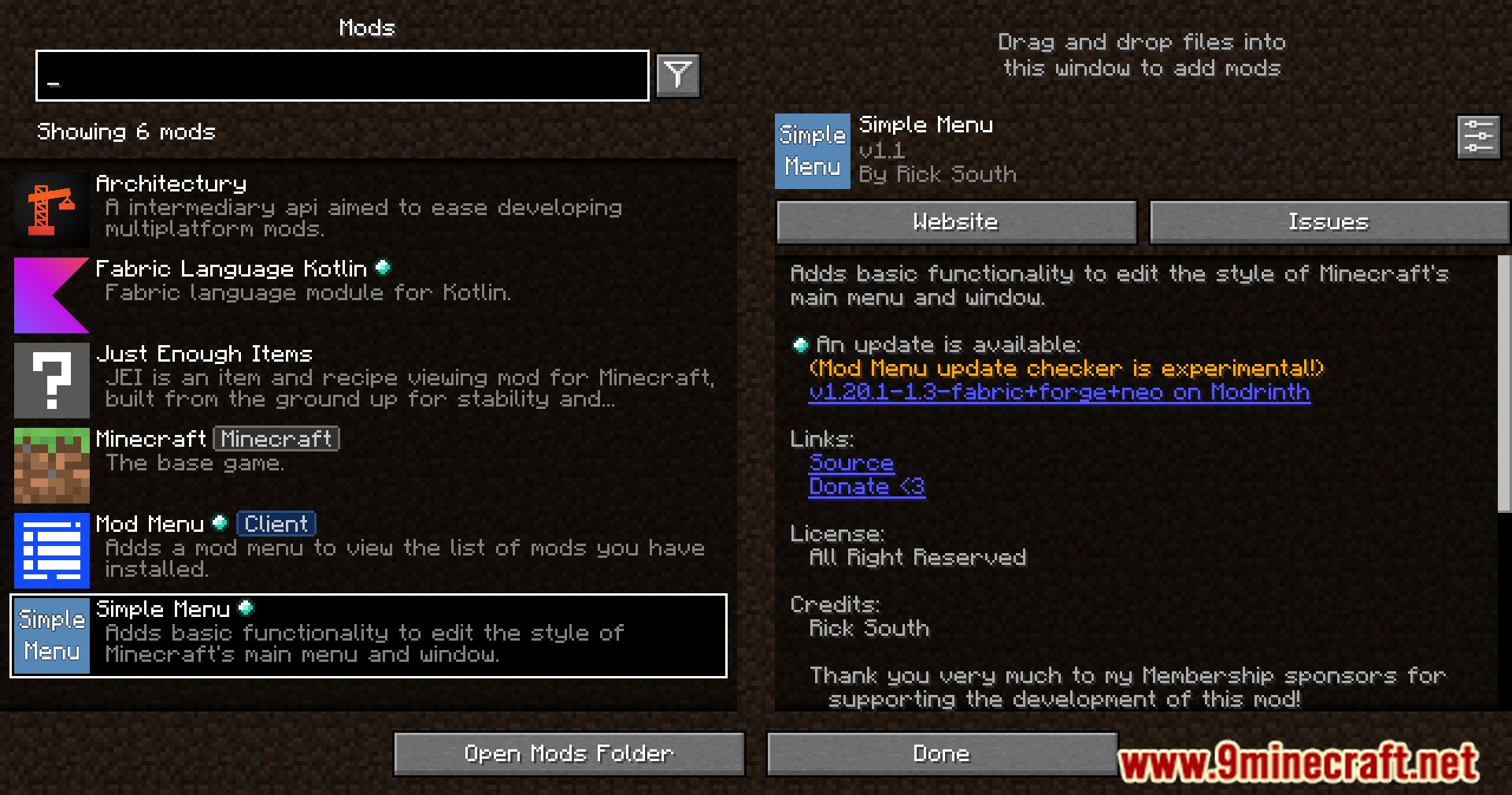
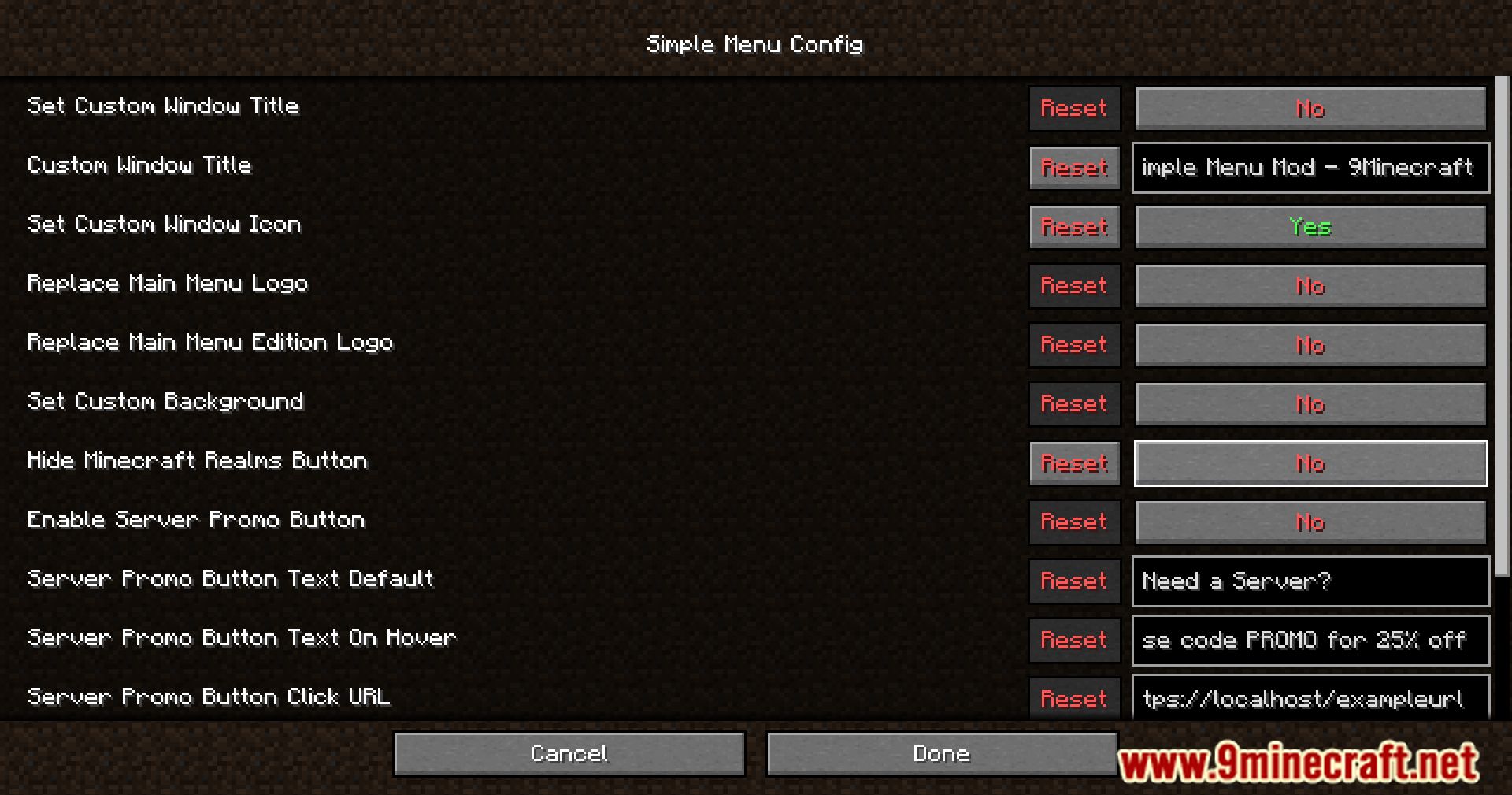
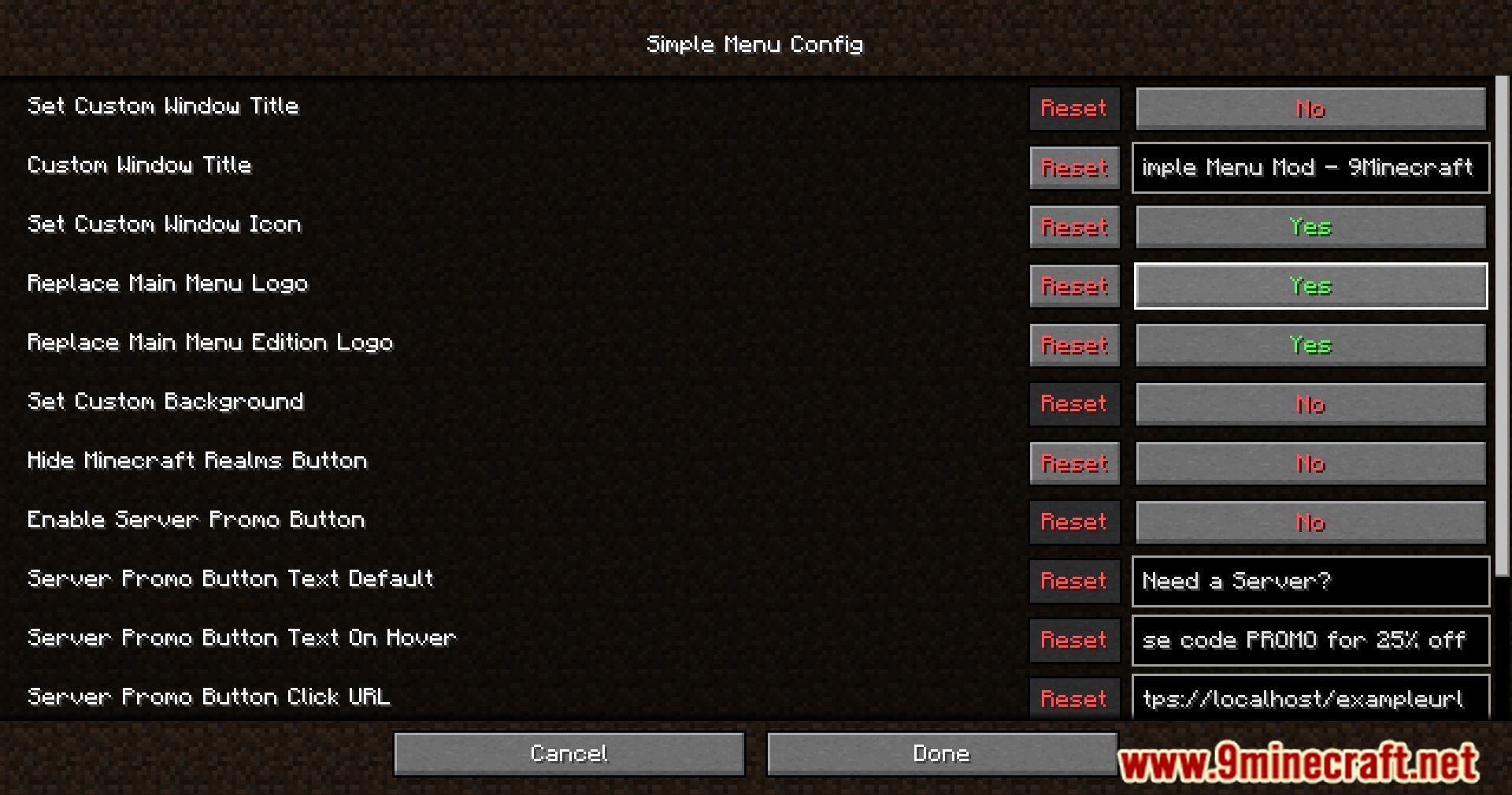
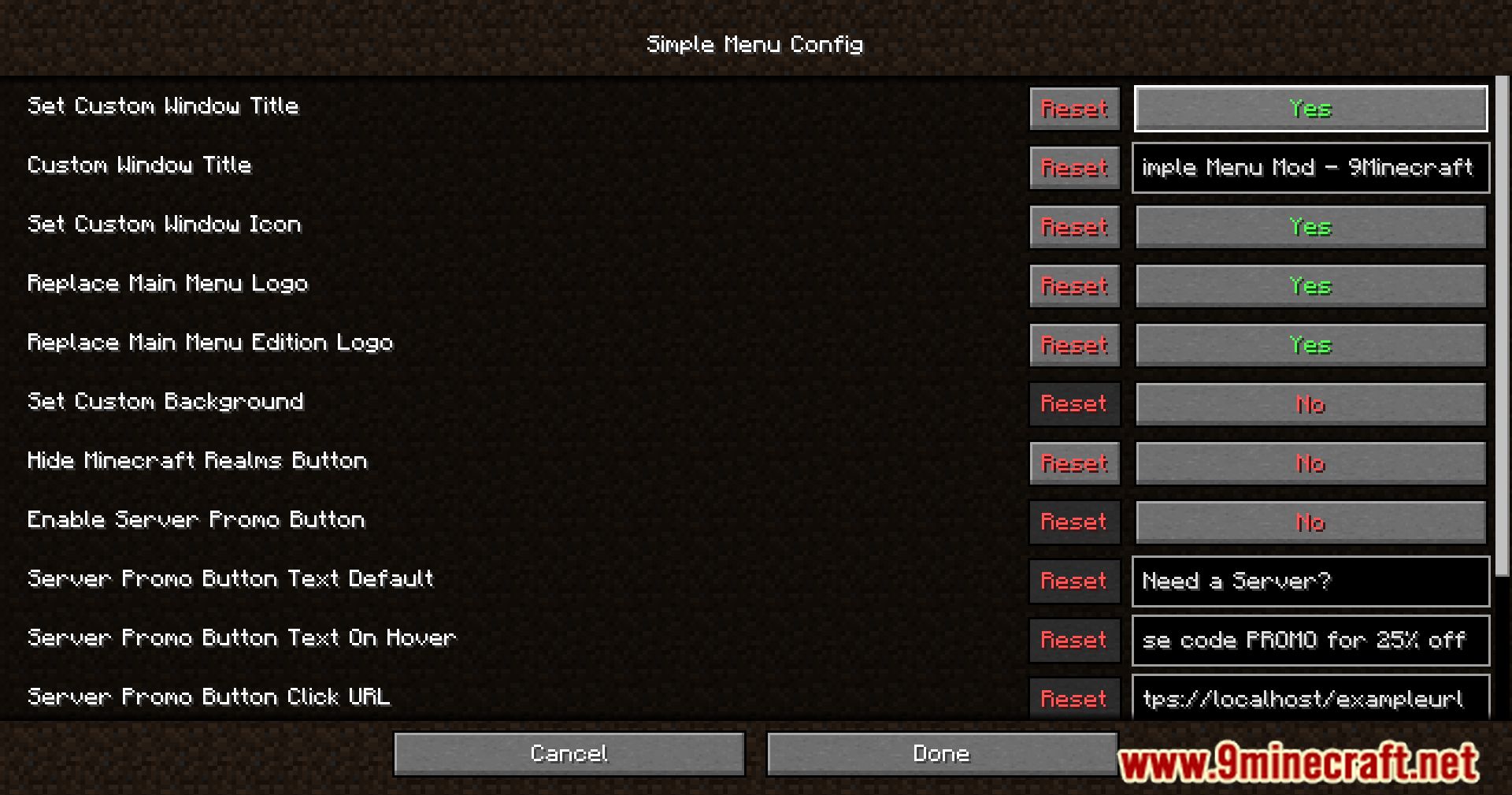
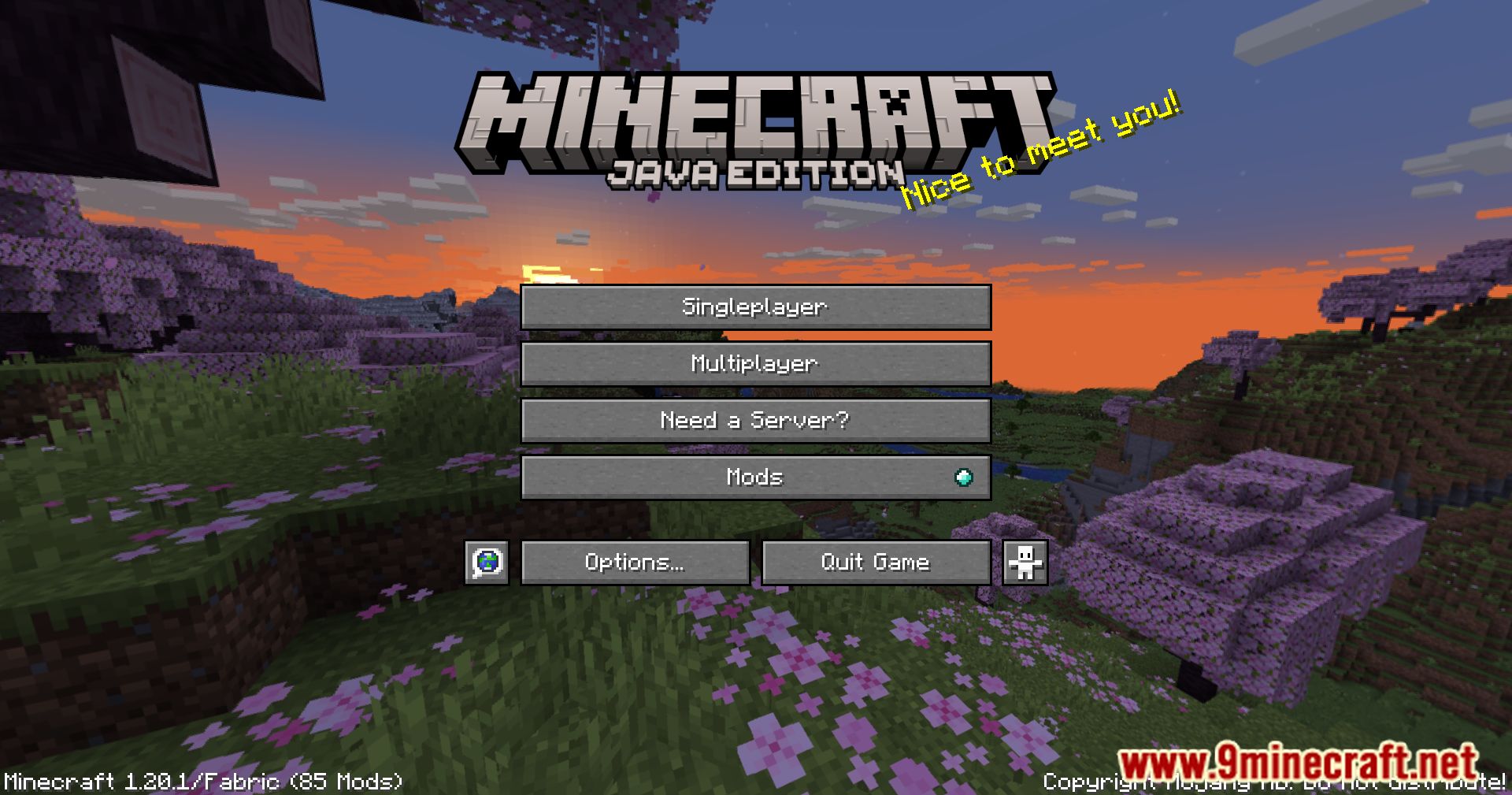
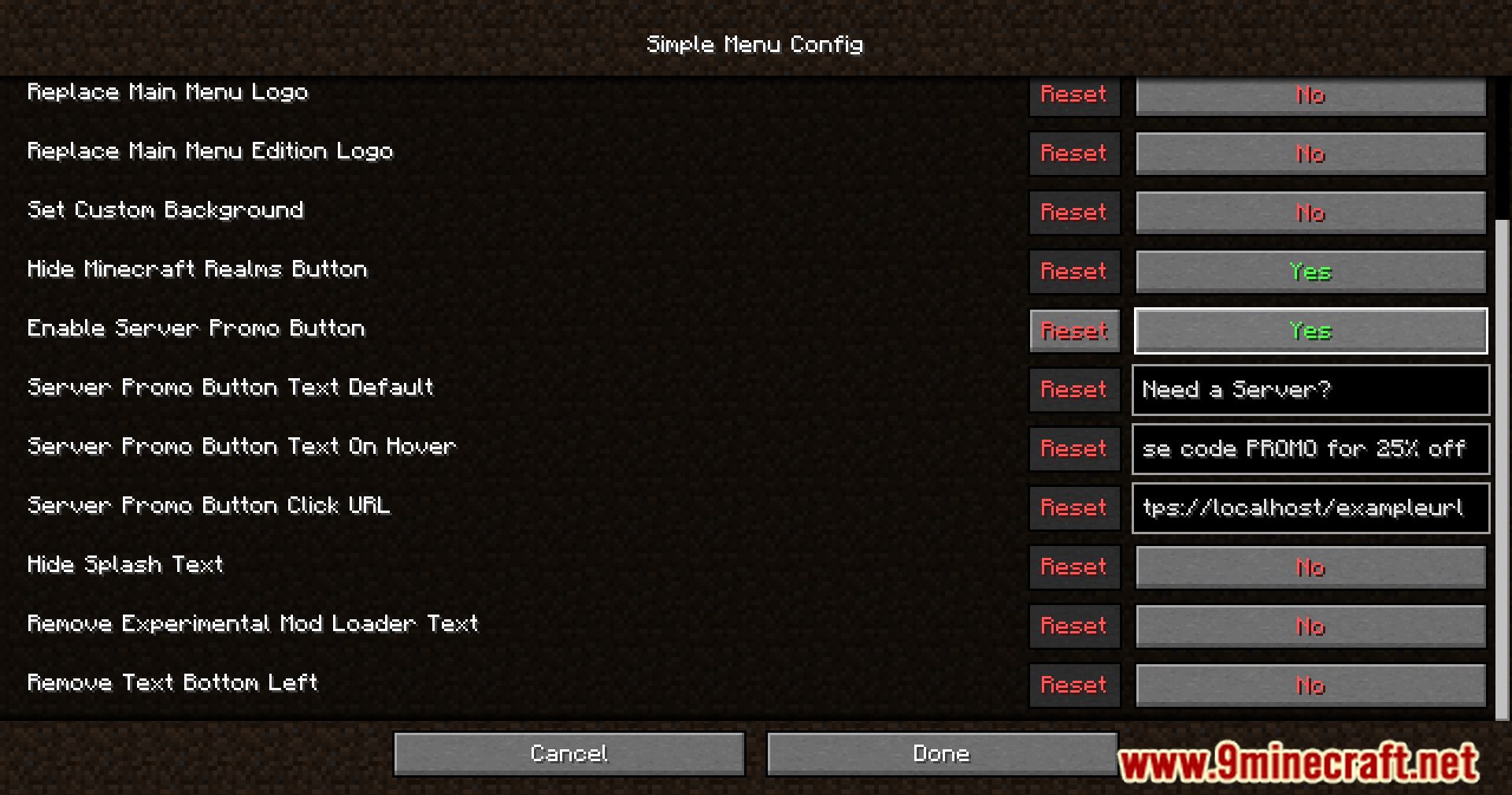
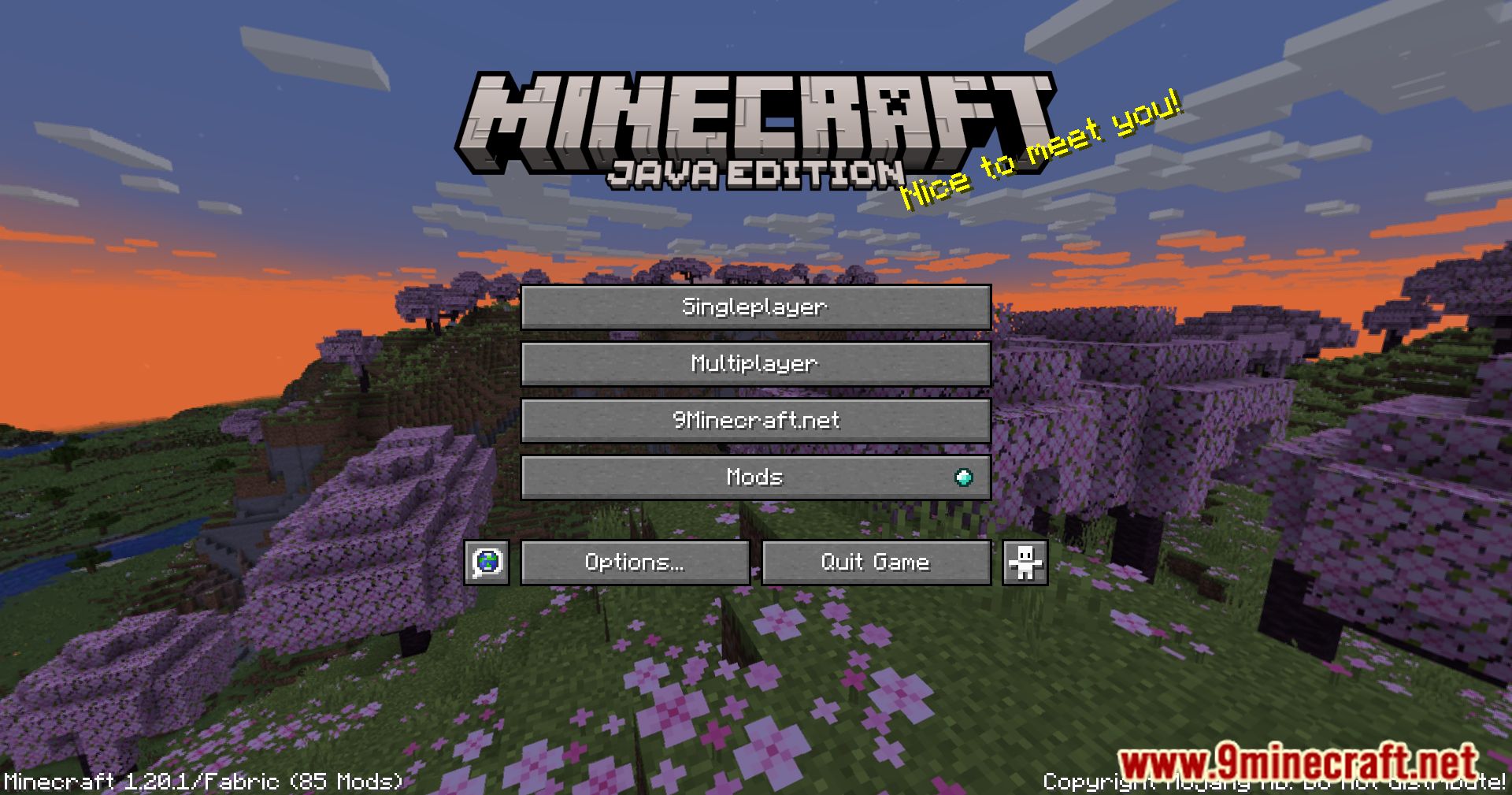
Simple Menu Mod lets you change the look and style of the Minecraft main menu and game window. It gives you an easy way to set a custom title, change icons, replace logos, and hide unwanted buttons without needing complex menu editors.

Features:
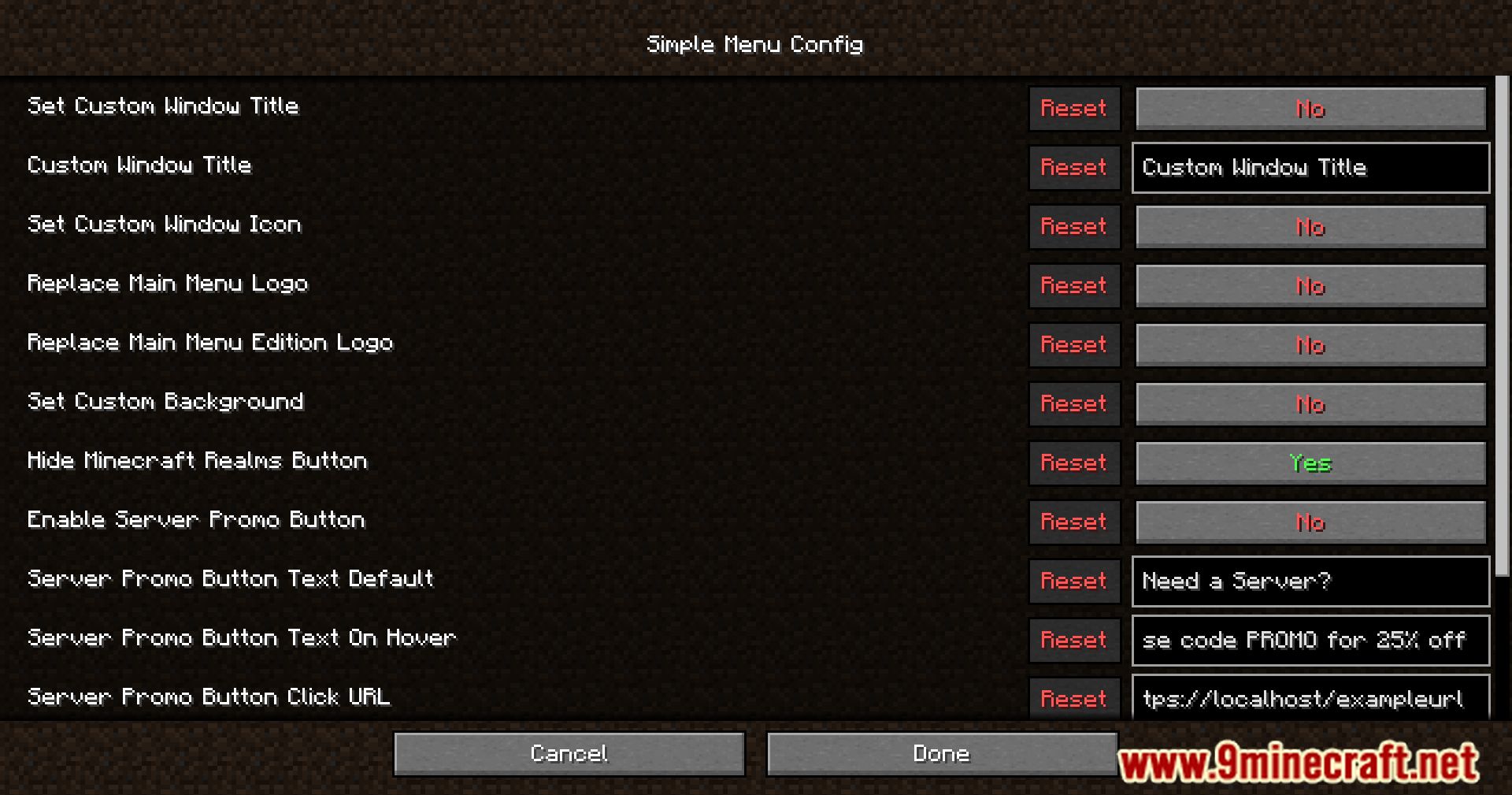
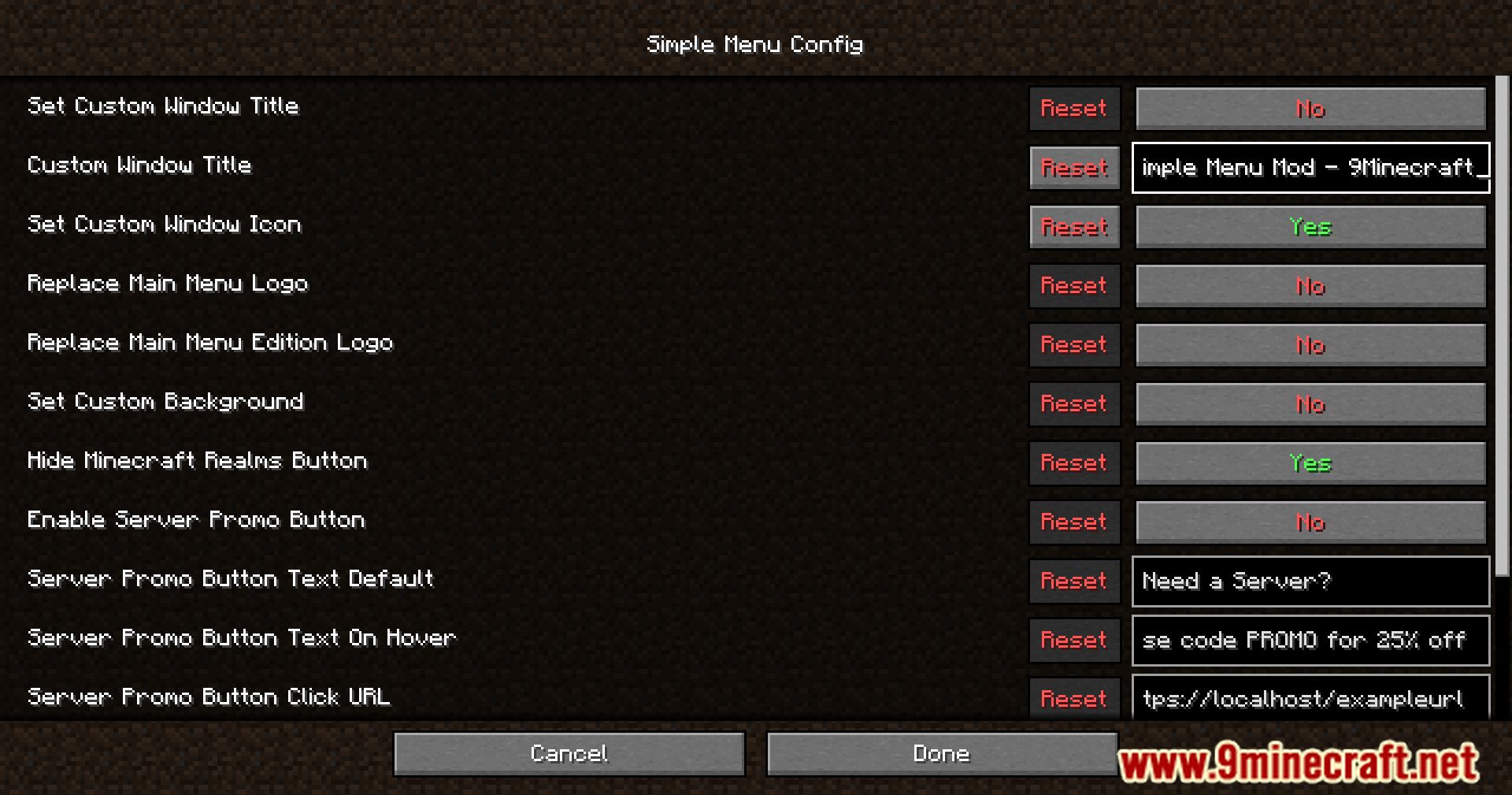
- Custom Window Title and Icon: Set your own window title and custom icon files for a personalized game window.
- Custom Minecraft Logo: Replace the default main menu logo text with your own image.
- Custom Background: Change the main menu background to a custom image file.
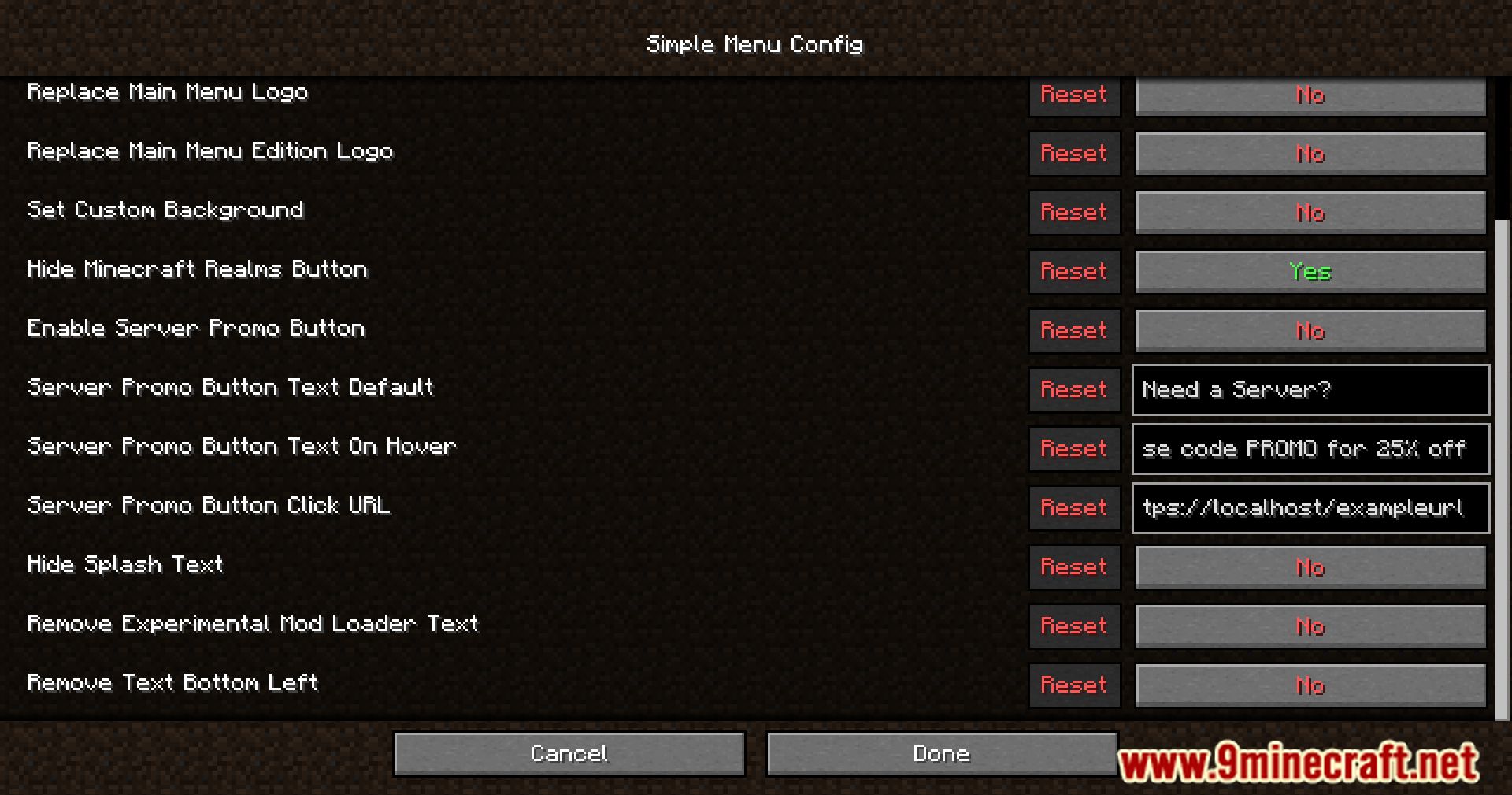
- Hide Realms Button: Remove the Minecraft Realms button from the main menu.
- Server Promo Button: Replace the Realms button with a custom server hosting promo button and clickable link.
- Hide Splash Texts: Remove the yellow splash text messages that appear next to the logo.
- Remove Experimental Warning Text: Get rid of experimental and beta warning text from mod loaders on the menu.
- Remove Bottom Left Text: Clean up the main menu screen by removing the text in the bottom left corner.
Screenshots:
How to Install:
New to Minecraft? Follow our step-by-step guide to install Mods on your PC.View Guide
Requirements:




Simple Menu Mod Download Links
For Minecraft 26.3
For Minecraft 26.2
For Minecraft 26.1.2, 26.1.1, 26.1
For Minecraft
1.21.11,
1.21.10,
1.21.9
All Versions Covered
1.21.11
1.21.10
1.21.9
1.21.8
1.21.7
1.21.6
1.21.5
1.21.4
1.21.1
1.21
All Versions Covered
1.21.11
1.21.10
1.21.9
1.21.8
1.21.7
1.21.6
1.21.5
1.21.4
1.21.1
1.21
For Minecraft 1.21.10, 1.21.9
For Minecraft 1.21.8, 1.21.7, 1.21.6
For Minecraft 1.21.5
For Minecraft 1.21.4
For Minecraft 1.21.3, 1.21.2
For Minecraft 1.21.1, 1.21
For Minecraft 1.20.6
For Minecraft 1.20.5
For Minecraft 1.20.4
For Minecraft 1.20.1, 1.20
Click to rate this post!
[Total: 2 Average: 3]
You May Also Like
Picked for this page
 Command Keys Mod (26.3, 1.20.1) – Send Pre-Written Messages & Commands
 Health Indicator Mod (26.3, 1.20.1) – Shows A Warning on Your Hud
 Creeper Healing Mod (1.21.11, 1.20.1) – Automatic Terrain Repair
 Crossbow Enchants Mod (26.3, 1.20.1) – Allows Bow-exclusive Enchantments on Crossbows
 Ductwork Mod (26.2, 1.20.1) – Streamline Item Movement
 Doctor Who: Weeping Angels Mod (1.21.11, 1.20.1) – Do Not Blink
 Shulker Preview Mod (26.3, 1.20.1) – Convenient Storage Management
 Builder’s Palette Mod (26.2, 1.20.1) – Unlock New Texture Styles
 Poor Golems Mod (1.21.11, 1.20.1) – Mob Farm Drop Rate Control
 Custom Client Brand Mod (26.3, 1.20.1) – Customizes brand name
 Nenus Pop Plushies Mod (1.21.1, 1.20.1) – Fill Your Base with Pop Culture
 Applied Construction Sticks Mod (26.1.2, 1.21.1) – AE2 Building Utility
Most viewed in Mods over the last 7 days
 Ala Industrial Mod (26.3) – Run Electric Power Grids and Automated Factories
 PleasureCraft Mod (26.3, 1.21.1) – Jenny Mod Remake for Fabric
 Jennycraft Mod (26.3, 1.20.1) – Virtual Girlfriend in Minecraft
 Fapcraft Mod (26.3, 1.12.2) – Comprehensive and Detailed Content
 Jenny Mod (Fapcraft) Official Complete Guide – How to use, Tutorial
 BangCraft Mod (1.20.1) – Jenny, Ellie and Elliot
 Fabric Loader (26.3, 1.20.1) – Fabric Installer for All Minecraft Versions
 The Shooting Star Demo Mod (26.3, 1.20.1) – Vaporize Terrain From Orbit
 Meteor Client Mod (26.3, 1.20.1) – Xray, HUD, Fly
 OptiFine HD (26.3, 1.20.1) – Run Faster, FPS Boost, Shaders Support
 Aristois Client Mod (1.21.4, 1.20.1) – World Class Minecraft Utility
 Prestige Client Mod (1.21.11, 1.21.4) – Powerful Ghost Features for Crystal & Sword PvP
More from Mods
 Offgrid Mod (26.3, 1.20.1) – Furnish Compact Interiors Without Strict Grid
 Tempest Almanac Iron’s Spells ‘n Spellbooks Mod (1.21.1, 1.20.1)
 Chat Guides Mod (26.3, 1.21.11) – Never Memorize Complex Server Commands Again
 TRMT Reimagined the Roads More Travelled Mod (26.3, 1.20.1)
 Morrowless Mod (1.21.1) – Defend Your Shelter From Nightmare Creatures
 THE SLOPSTROSITY Mod (1.21.1) – Battle a Ridiculous Slime Boss
 Decoween Mod (1.21.1, 1.20.1) – Transform Ordinary Survival Bases
 Simply Light 9minecraft Mod (26.3) – Decorate Builds Without Torches
 Alex’s Caves Continued Mod (26.3, 1.20.1) – Conquer Six Massive Underground
 Anvil Uses Mod (26.3, 1.20.1) – Track Item Anvil Usage
 Animal Info Mod (26.3, 1.21.11) – Quick Stats For Your Animals
 Timber Tales Dynamic Tree System Mod (26.3, 1.20.1) – Watch Entire Trees Topple

This post has no comments yet. Be the first — your comment will appear here.