
Steamify Mod (26.3) – Play With Controllers And Gyro Aiming Without Running Steam
 5
 0

Steamify Mod brings direct controller input to Minecraft for the Steam Controller, Steam Deck, and SDL gamepads with no need for Steam in the background. This mod adds gyro aiming, dual trackpad controls, grip buttons, layered action sets, radial and grid quick menus, macros, shareable single-line profiles, and 13 adjustable rumble haptic events. Players can aim bows and crossbows with Steady Aim, pick hotbar slots from a left-trackpad 3×3 grid, edit controller binds right beside keyboard binds in the vanilla Controls screen, and switch profiles automatically whenever they pick up another gamepad. The mod runs client-side in both singleplayer and multiplayer, though analog movement and automated macros may trigger strict server rules or anticheat checks. Turn off Steam Input for Minecraft or its launcher whenever Steam runs in the background so Steam does not intercept your controller.

Features:
- Direct Gamepad Input Without Steam: Works with Steam Controller, Steam Deck (in desktop mode with Steam closed), and SDL gamepads including DualSense, Switch Pro, and Xbox controllers, switching automatically to whichever connected controller you touched last.
- Gyro and Trackpad Aiming: Turns on gyro aiming when you touch the right trackpad or keeps it always active for stick controllers, paired with extra aiming and camera tools.
- Built-In Controls Screen Editor: Places controller bindings right next to keyboard bindings inside the vanilla Controls menu, including a right-click (LT) bind editor.
- Layered Action Sets: Lets you layer separate control sets triggered by hold, toggle, grip, or held item, scoped to gameplay, menus, or specific worlds and servers, each with custom sensitivity, gyro overrides, and switch or hold keybinds.
- Quick Menus and Macros: Adds radial or grid quick menus opened via bind, stick, or trackpad, plus standalone macro binds that run sequences of commands, chat messages, and keybinds (some multiplayer servers treat automated sequences as unfair play).
- Creates a separate profile of binds, action sets, and Controller Settings for each controller on first connection, switches profiles automatically when you pick up a different gamepad, and exports or imports profiles and action sets as single lines of text.
- Guides new setups with first-time onboarding, optional bottom-right context button hints, and battery indicators with low-battery warnings on the title and pause screens.
- Includes translations in 15 languages plus Pirate Speak, Upside Down, Shakespearean English, and Anglish.
- Runs client-side in singleplayer and multiplayer worlds (analog movement can trigger certain server anticheat checks), and uses Steam udev rules such as the
steam-devicespackage on Linux.
Aiming and Camera Options:
- Gyro activation modes: triggers gyro aiming by touching the right trackpad, or runs always-on for stick controllers.
- Gyro tuning: includes gyro trackball momentum, optional acceleration, separate vertical scaling, and Horizontal Turning.
- Steady Aim: available specifically for bows, crossbows, and tridents.
- Stick and trackpad turning: includes Flick Stick, Edge Spin, and trackpad mouse turning.
- Aim assist: included and turned on by default in singleplayer.
Hotbar Layouts and Input Types:
- Pop-up 3×3 hotbar grid: maps the left trackpad to a 3×3 selection grid at screen center by default.
- Corner grid and hotbar sliding: lets you pin the 3×3 grid to a corner instead of the vanilla hotbar, or slide along the vanilla hotbar.
- Gamepad binding inputs: accepts button combos, back buttons, grips, stick touches, threshold pushes, trackpad touches, swipes, circular edge scrolling, and list selection.
Adjustable Rumble Haptic Events:
- Movement events: individually adjustable rumble for footsteps, landing, flying, and falling.
- Combat and survival events: individually adjustable rumble for damage, bow draw, shield blocks, and a low-health heartbeat.
- World and tool events: individually adjustable rumble for block breaking, mining, fishing bites, explosions, and thunder.
How to Use:
- If Steam runs in the background, turn off Steam Input for Minecraft or its launcher so Steam does not intercept controller input; on Linux, set up Steam udev rules (such as the
steam-devicespackage), and on Steam Deck run in desktop mode with Steam closed. - Connect your Steam Controller, Steam Deck, DualSense, Switch Pro, or Xbox gamepad and complete the first-time onboarding setup when the game starts; each controller automatically creates its own profile.
- Open the vanilla Controls screen to edit controller bindings next to keyboard binds, pressing right-click (LT) to open the bind editor for combos, grips, back buttons, swipes, stick touches, or threshold pushes.
- Touch the right trackpad for gyro aiming (or switch gyro to always-on for stick controllers), and touch the left trackpad to open the pop-up 3×3 hotbar selection grid at screen center.
- Open Controller Settings to pick between the pop-up 3×3 grid, a corner-pinned 3×3 grid, or vanilla hotbar sliding, adjust aiming options like Steady Aim, Flick Stick, Edge Spin, and aim assist, and tune rumble strength for each haptic event.
- Build layered action sets for gameplay, menus, or specific worlds and servers with custom sensitivity or gyro overrides, or set up radial and grid quick menus and macro binds for commands, chat messages, and keybinds.
- Export or import profiles and action sets as single lines of text to share them, and check the title or pause screens to watch controller battery levels and low-battery warnings.
How to Install:
New to Minecraft? Follow our step-by-step guide to install Mods on your PC.View Guide
Requirements:

Steamify Mod Download Links
For Minecraft 26.3
What do you do when a mod you love is abandoned by its creator?
10 responses · See the full results →
You May Also Like
Picked for this page
 TCT Flashlight Mod (26.3, 1.20.1) – Light Up Dark Caves Without Placing Torches
 Moog’s Structure Lib Mod (26.3, 1.20.1) – Fill Every Biome
 The Bible Mod (26.3, 1.20.1) – Smite Undead and Heal Villagers
 Reach Enchantment Mod (26.3, 1.21.1) – Mine Blocks From Far Away
 Kinetic Model Forge Mod (26.3, 1.21.1) – Play As Custom 3D Animated Characters
 GUHAO’s VIX Mod (1.21.11, 1.20.1) – Turn Every Battle Into a Cinematic Movie
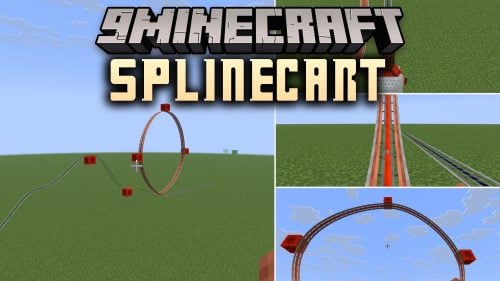 Splinecart 9minecraft Mod (26.3, 26.2) – Build Curved Roller Coasters
 Kingdomcome Combat Mod (1.21.11, 1.21.1) – Tactical Medieval Duels
 Fastcraft+Ruins Patch Mod (1.7.10) – Explore Custom Ruins Without Crashing
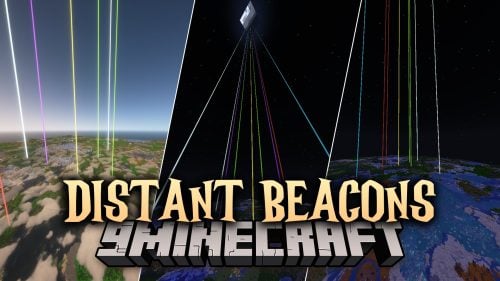 Distant Beacons Mod (26.3) – See Your Beacons From a Million Blocks Away
 Do Over Quit Without Saving Mod (26.3, 1.20.1) – Undo Mistakes By Resetting
 Craftculator Mod (1.16.5) – Count Blocks and Solve Math Without Leaving
Most viewed in Mods over the last 7 days
 Ala Industrial Mod (26.3) – Run Electric Power Grids and Automated Factories
 PleasureCraft Mod (26.3, 1.21.1) – Jenny Mod Remake for Fabric
 Jennycraft Mod (26.3, 1.20.1) – Virtual Girlfriend in Minecraft
 Fapcraft Mod (26.3, 1.12.2) – Comprehensive and Detailed Content
 Meteor Client Mod (26.3, 1.20.1) – Xray, HUD, Fly
 Jenny Mod (Fapcraft) Official Complete Guide – How to use, Tutorial
 BangCraft Mod (1.20.1) – Jenny, Ellie and Elliot
 OptiFine HD (26.3, 1.20.1) – Run Faster, FPS Boost, Shaders Support
 CatLean Client Mod (26.2, 1.21.11) – ThunderHack Recode Alternatives
 Fabric Loader (26.3, 1.20.1) – Fabric Installer for All Minecraft Versions
 Patched Mod (26.3, 1.20.1) – Edit Game Files Without Breaking Packs
 Meteor Client Addons (26.3, 1.20.1) – Modify Almost Anything in Meteor
More from Mods
 Myst Worlds Mod (26.1.2, 1.20.1) – Write Your Own Books to Shape
 The Flesh Underground Mod (26.1.2, 1.21.1) – Survive a Living Cavern Biome
 Create Mechanical Workshop UPDATE Mod (1.21.1, 1.20.1)
 Pawprints Mod (1.12.2) – Spot 15 Exotic Real-Life Animals Across Land
 TACZ Party & Claim Guard Mod (1.21.1, 1.20.1) – Stop Friendly Fire and Gun
 Raids Backport Mod (1.12.2) – Defend Villages From Pillagers
 Road Architect by 0xCoDSnet Mod (1.21.10, 1.20.1) – Connect Every Village
 Create AI Path Correction Mod (1.21.1) – Keep Villagers Off Copycat Walls
 Mx DxD Mod (1.20.1) – Awaken 23 Sacred Gears and Battle Through Rating Games
 TC Modern Lib Mod (1.20.1) – Bridge Addons to Classic Thaumcraft 4 Aspects
 Create Final Barrier Mod (1.21.1) – Power One-Way Energy Shields for Bases
 MariaDB JDBC Mod (1.20.1) – Universal Database Driver Library for Mods

This post has no comments yet. Be the first — your comment will appear here.