
Sub Sens Mod (26.3) – Perfect Your Crosshair Aim with Ultra Low Sensitivity
 2
 0

Sub Sens Mod unlocks lower mouse sensitivity settings inside Minecraft. The standard game slider stops before reaching true zero aim speed. This mod stretches the lower limit so you can reach zero camera movement. It helps players who use high mouse DPI match their exact aim from other video games.

Features:
- Lower Slider Limit: Drops the sensitivity slider down to roughly -67%.
- True Zero Aim: Reaches absolute zero movement so the camera stands still when you move your mouse.
- Direct File Storage: Saves your exact sensitivity value right into your options.txt file.
- Accepts negative mouseSensitivity numbers for fine mouse tuning.
- Runs without requiring extra menus, setup screens, or separate mods.
How to Use:
- Open your in-game controls menu and drag the sensitivity slider to the left.
- Close Minecraft if you want to set an exact decimal number manually.
- Open your options.txt file inside the game folder.
- Find the line labeled mouseSensitivity and type your desired number.
- Save the file and launch the game to play with your new mouse speed.
How to Install:
New to Minecraft? Follow our step-by-step guide to install Mods on your PC.View Guide
Requirements:

Sub Sens Mod Download Links
For Minecraft 26.3
For Minecraft 26.2
Click to rate this post!
[Total: 0 Average: 0]
You May Also Like
Picked for this page
 One Key Miner Mod (26.3, 1.20.1) – Mine Blocks with One Mining Action
 Auto Cart Mod (1.21.11) – Shoot Explosive TNT Carts
 Starry Skies Mod (26.2, 1.20.1) – New Dimensions To The Game
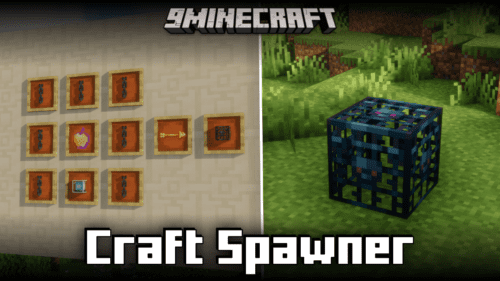 Craft Spawner Mod (1.21.11, 1.20.6) – Adds A Crafting Recipe For The Spawner
 Spell Engine x Open Parties and Claims Mod (26.1, 1.20.1)
 Moog’s Structure Lib Mod (26.3, 1.20.1) – Flexible Structure Generation System
 Cookie Block Mod (26.3, 1.20.1) – Block Made Out Of Cookies
 Misc Tweaks Mod (26.3, 1.20.1) – Patch Out The Annoyances
 Dragon Mine Z Age System Mod (1.20.1, 1.20) – Age Based Training Power
 Ironbound Sigils Mod (1.21.1, 1.20.1) – Master Authentic Medieval Combat
 Rustic Village Brews Mod (26.3, 1.21.1) – Run a Village Brewery
 Cobblemon QoL Suite Mod (1.21.1) – Build Your Ultimate Living Dex
Most viewed in Mods over the last 7 days
 Ala Industrial Mod (26.3) – Run Electric Power Grids and Automated Factories
 PleasureCraft Mod (26.3, 1.21.1) – Jenny Mod Remake for Fabric
 Jennycraft Mod (26.3, 1.20.1) – Virtual Girlfriend in Minecraft
 Fapcraft Mod (26.3, 1.12.2) – Comprehensive and Detailed Content
 Jenny Mod (Fapcraft) Official Complete Guide – How to use, Tutorial
 Meteor Client Mod (26.3, 1.20.1) – Xray, HUD, Fly
 BangCraft Mod (1.20.1) – Jenny, Ellie and Elliot
 Fabric Loader (26.3, 1.20.1) – Fabric Installer for All Minecraft Versions
 OptiFine HD (26.3, 1.20.1) – Run Faster, FPS Boost, Shaders Support
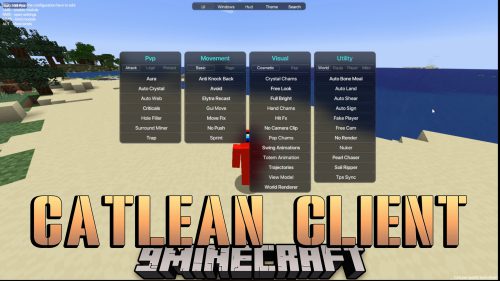 CatLean Client Mod (26.2, 1.21.11) – ThunderHack Recode Alternatives
 SchnurriTV Mod (1.12.2) – Characters and Features
 NeoForge (26.3, 1.21.1) – NeoForged, Modding API
More from Mods
 Allay Folks UI & HALLOWEEN UPDATE Mod (1.21.1) – Turn Friendly Allays
 Chiseleded OG Mod (26.3, 1.20.1) – Carve Custom Building Patterns Directly
 Equestria Mythical Creatures Legacy Mod (1.20.1) – Befriend Ponies and Slay
 Irislowka Mod (1.20.1) – Drive Modern Cars Through Mysterious Story Dimensions
 Omni Isle Mod (26.2, 1.20.1) – Survive on a Single Custom Island
 Wall Grab Mod (26.3, 1.20.1) – Survive Steep Cliff Falls By Clinging
 Fabric Exporter Mod (26.3, 1.20.1) – Adds A Prometheus Exporter With General Server Metrics
 Wildwood Echoes Mod (26.3, 1.20.1) – See Flocks of Birds and Butterflies
 Lumina Flux Loader Mod (26.3, 26.1.2) – Transform World Visuals with Shaders
 Base Metals Mod (26.3, 1.20.1) – Forge Stronger Metal Gear
 Lucnoxity Tier List Tier Tagger Mod (26.3, 1.20.1) – Check Opponent PvP Tiers
 Particle Animation Lib Mod (26.3, 1.20.1) – Library Mod To Create Cool Particle Effects With Ease

This post has no comments yet. Be the first — your comment will appear here.