
The Heartbeat of Red Stone Schematic (1.21.x) – A Glowing Pulsing Redstone Heart Build

 0


The Heartbeat of Red Stone Schematic adds a giant glowing heart to your Minecraft world that pulses like a real one. It uses hidden redstone parts to make the structure move and change light in a steady rhythm. The build features different shades of red blocks to give the heart a smooth look. Warm lights underneath make the heart shine brightly against the night sky. It works in any flat area and serves as a great decoration for your base.

3D Preview & Editor:
How to place this schematic
.litematic This is a Litematica schematic. You place it with the Litematica mod, which shows the build as a ghost overlay you fill in.
| 1 | Install Litematica (plus MaLiLib) for your Minecraft version. |
| 2 | Put the .litematic file in .minecraft/schematics. |
| 3 | In game press M → Load Schematics, pick the file, then Load. |
| 4 | Position the ghost preview, then build it by hand — or turn on Easy Place to place blocks straight from your hotbar. |
About this build
| 1 | Open your schematic mod menu while in the game. |
| 2 | Load the Litematic file from your local folder. |
| 3 | Find a flat spot in your world to place the heart. |
| 4 | Place the blocks following the guide to finish the pulsing heart. |
Features:
- Redstone Pulse: A hidden system makes the heart beat with a steady rhythm.
- Glowing Effect: Lights placed under the build make the heart shine at night.
- Smooth Design: Different red blocks provide a realistic look with depth.
- The structure fits in a medium-sized area of 19x18x18 blocks.
- It uses a total of 873 blocks for the whole structure.
- The heart casts long shadows and becomes a focal point in flat worlds.
Schematic Specs:
 Minecraft1.21.x
 Dimensions19×18×18
 Total Blocks873
 Top Blocks Used
Grass Block 341Red Concrete 270Honey Block 53Sticky Piston 46Redstone Wire 36
The Heartbeat of Red Stone Schematic Download Links
For Minecraft 1.21.x
Click to rate this post!
[Total: 0 Average: 0]
You May Also Like
Picked for this page
 Mega Mob XP Farm Schematic (1.21.x) – Massive Monster Farm Build With Zero Redstone
 Iron Farm Expandable Version Schematic (1.21.x) – Automatic Three Story Iron Farm Build
 Base En 3d Schematic (1.21.x) – Massive 3D Base Schematic Build
 Best Boneblock Crafter Schematic (1.21.x) – Automatic Bone Block Machine For Survival
 Icarus Space Station but Cheap Schematic (1.21.x) – Affordable Space Station Build For Survival Serv
 Netherless Melon Pumpkin Farm Schematic (1.21.x) – Compact Auto Farm Without Nether Blocks
 2×2 Ground Door Schematic (1.21.x) – Simple Hidden Floor Entrance for Minecraft
 Netherless Mushroom Farm Schematic (1.21.x) – Compact Automatic Mushroom Farm Build
 Zamek Boskie Buty Schematic (1.21.x) – Massive Dark Castle Litematic Build
 Void Death Schematic (1.21.x) – Simple Redstone Void Trap Build
 Max Gear Schematic (1.21.x) – Fully Enchanted Netherite Armor And Weapons Chest
 Kirby 3d Schematic (1.21.x) – Giant Pink Character Statue for Minecraft Worlds
Most viewed in Schematics over the last 7 days
 Gold Farm Schematic (1.21.x) – Automatic Nether Roof Gold Farm
 64 Module Cobblestone Farm Schematic (1.21.x) – Massive Automated Stone Gathering Build
 Bamboo Farm Schematic (1.21.x) – Small Automated Redstone Bamboo Farm
 Minutes End Base Before Spoke Null End Video Schematic (1.21.x) – Giant Unstable SMP End Base Schema
 Greenhouse Schematic (1.21.x) – Beautiful Two Story Botanical Glass House
 Villager Trading Hall Schematic (1.21.x) – Modern Shop Build For 48 Villagers
 Kelp Farm 2.0 Schematic (1.21.x) – Efficient Automatic Kelp Farming System For Survival
 Fastest Bonemeal Farm Donut Smp Schematic (1.21.x) – Fast Redstone Bonemeal Farm Build
 4k Bonemeal Farm Made by Basicredstone Schematic (1.21.x) – Compact Redstone Bonemeal Farm Build
 Hilversum Broadcasting Tower 1 1.5 Scale Replica Schematic (1.21.x) – Realistic Modern Dutch Radio T
 Rail Gun Wind Chagre Schematic (1.21.x) – Compact Rail Gun Wind Charge Build
 Unstable SMP S Bomer Schematic (1.21.x) – Large Bomber Machine Build For Worlds
More from Schematics
 Easy and Compact Raid Farm and 26 Java Schematic (1.21.x) – Build a Small and Efficient Raid Farm
 Small Parking Schematic (1.21.x) – Modern Parking Lot With Small Trees
 Asian Cherry Blossom Sword Nether Portal Schematic (1.21.x) – Beautiful Asian Style Sword Portal Bui
 Castle by PinkMullet Schematic (1.21.x) – Build a Massive Vanilla Castle
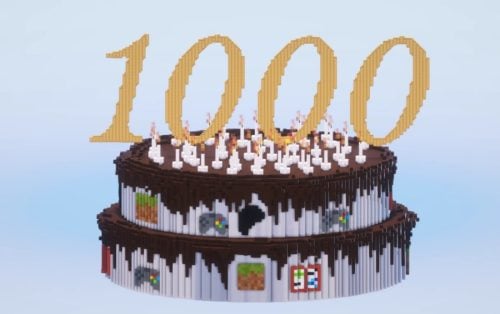 1000 Patreon Members Cake Download Free Schematic (1.21.x) – A Massive Celebration Cake For Minecraf
 Dark Greek Temple Schematic (1.21.x) – Small Deepslate Temple For Greek Districts
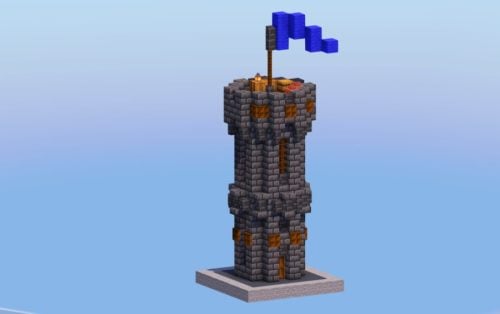 Small Dark Medieval Tower Schematic (1.21.x) – Simple Gothic Tower For Medieval Towns
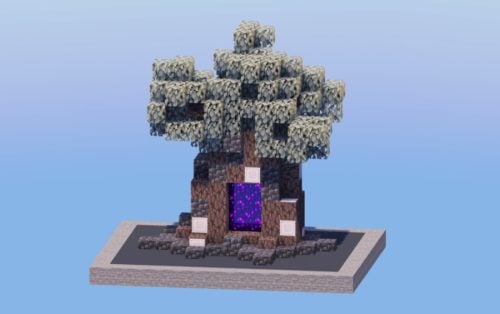 Pale Oak Tree Nether Portal Schematic (1.21.x) – Spooky Nether Portal Inside a Pale Oak Tree
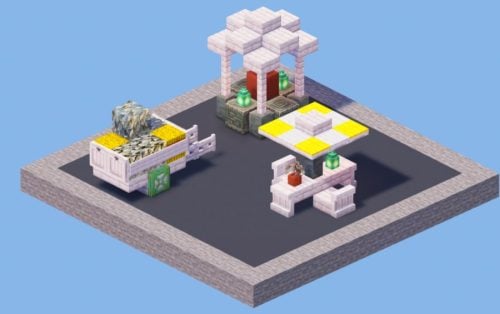 Outdoor Decorations Pack Schematic (1.21.x) – Medieval and Spooky Outdoor Decor Builds
 Street Lamps Pack Schematic (1.21.x) – Six Unique Designs for Medieval Districts
 Pirate House 5 Schematic (1.21.x) – Cozy Tropical Beach House Schematic Build
 Cozy Small Medieval House Schematic (1.21.x) – Beautiful Medieval Starter Home For Your World

This post has no comments yet. Be the first — your comment will appear here.