
Tooltip Overhaul Mod (1.21.1, 1.20.1) – Compare Armor and Weapons at a Glance
 86
 0


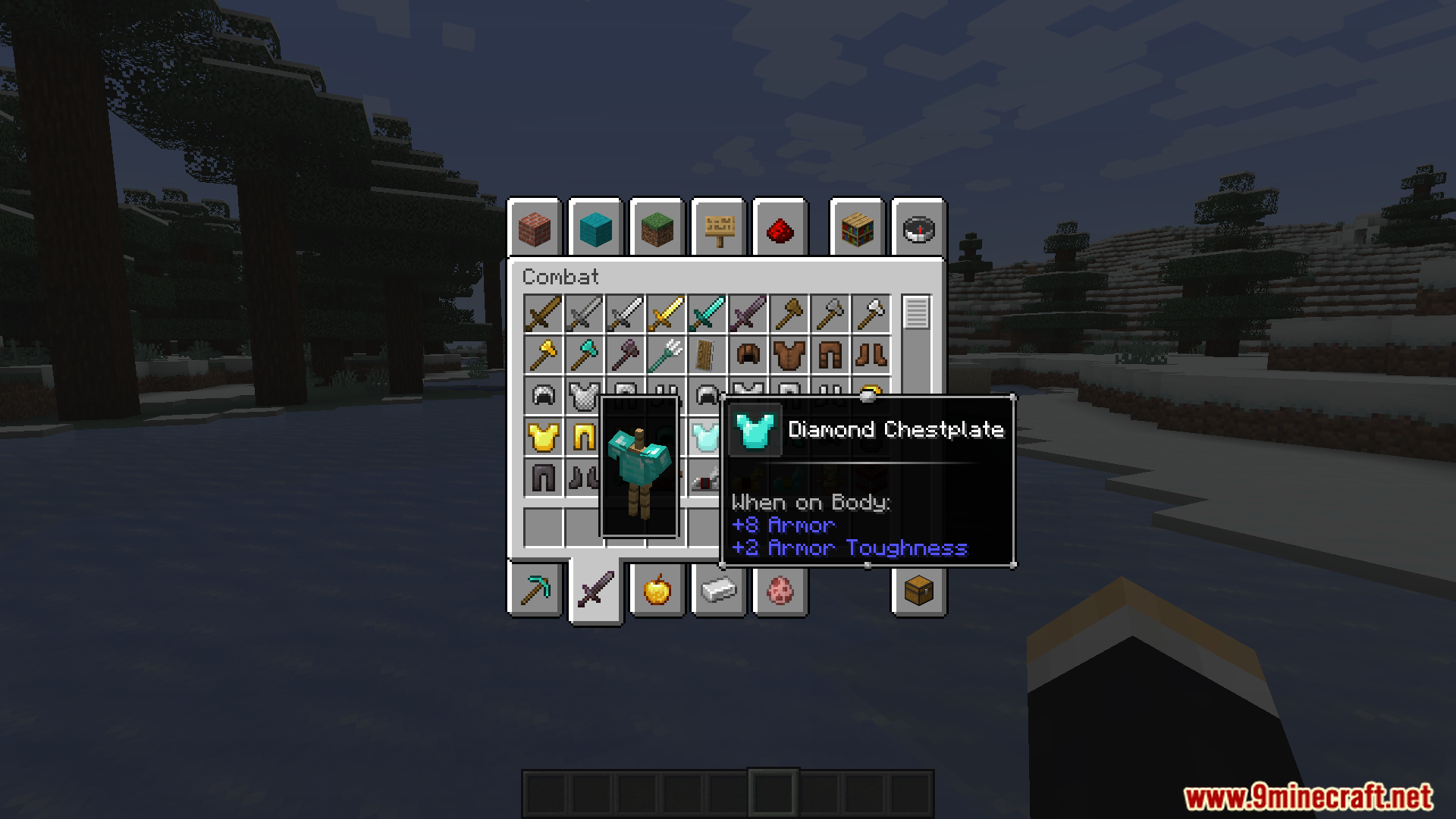
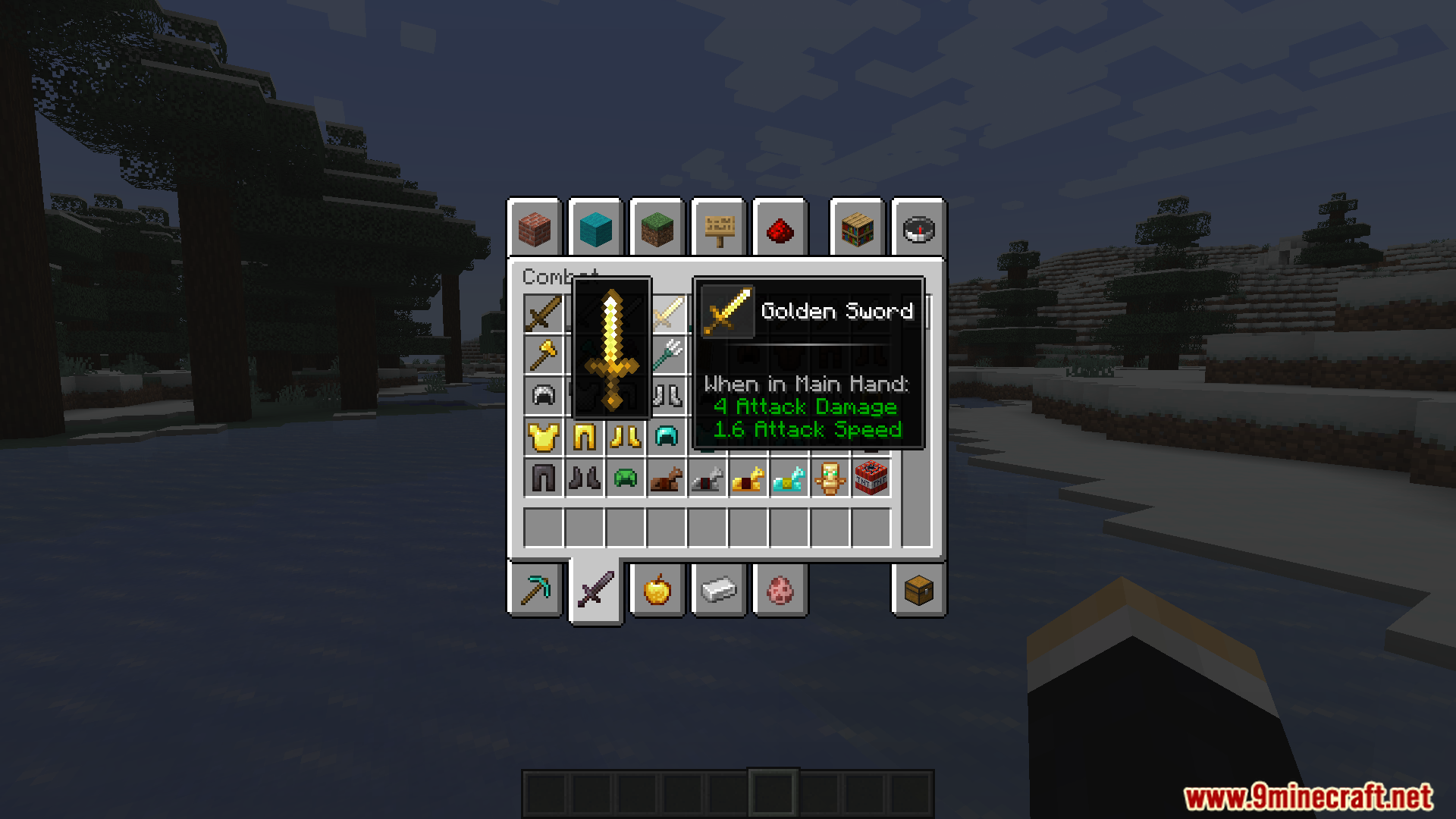
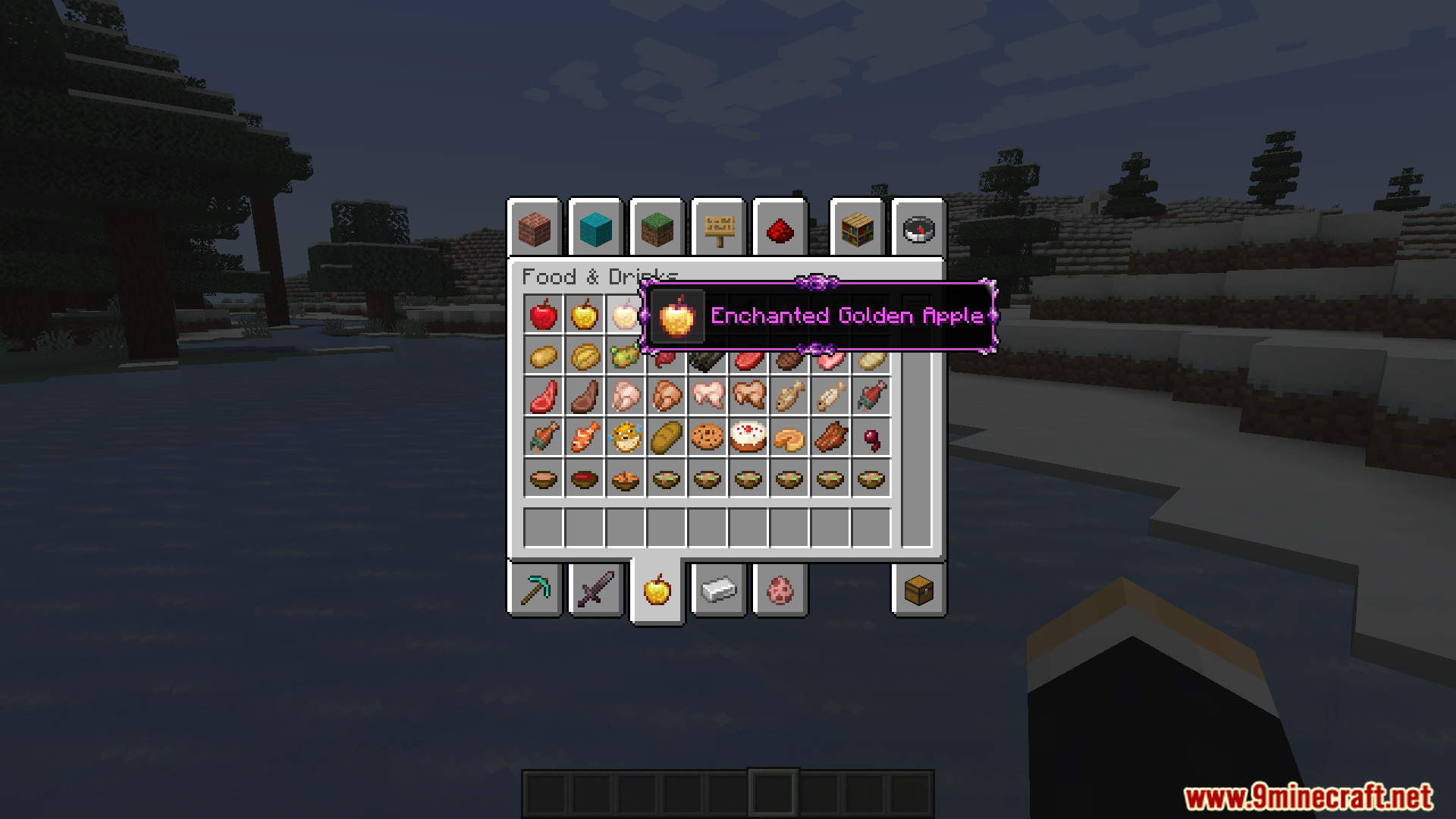
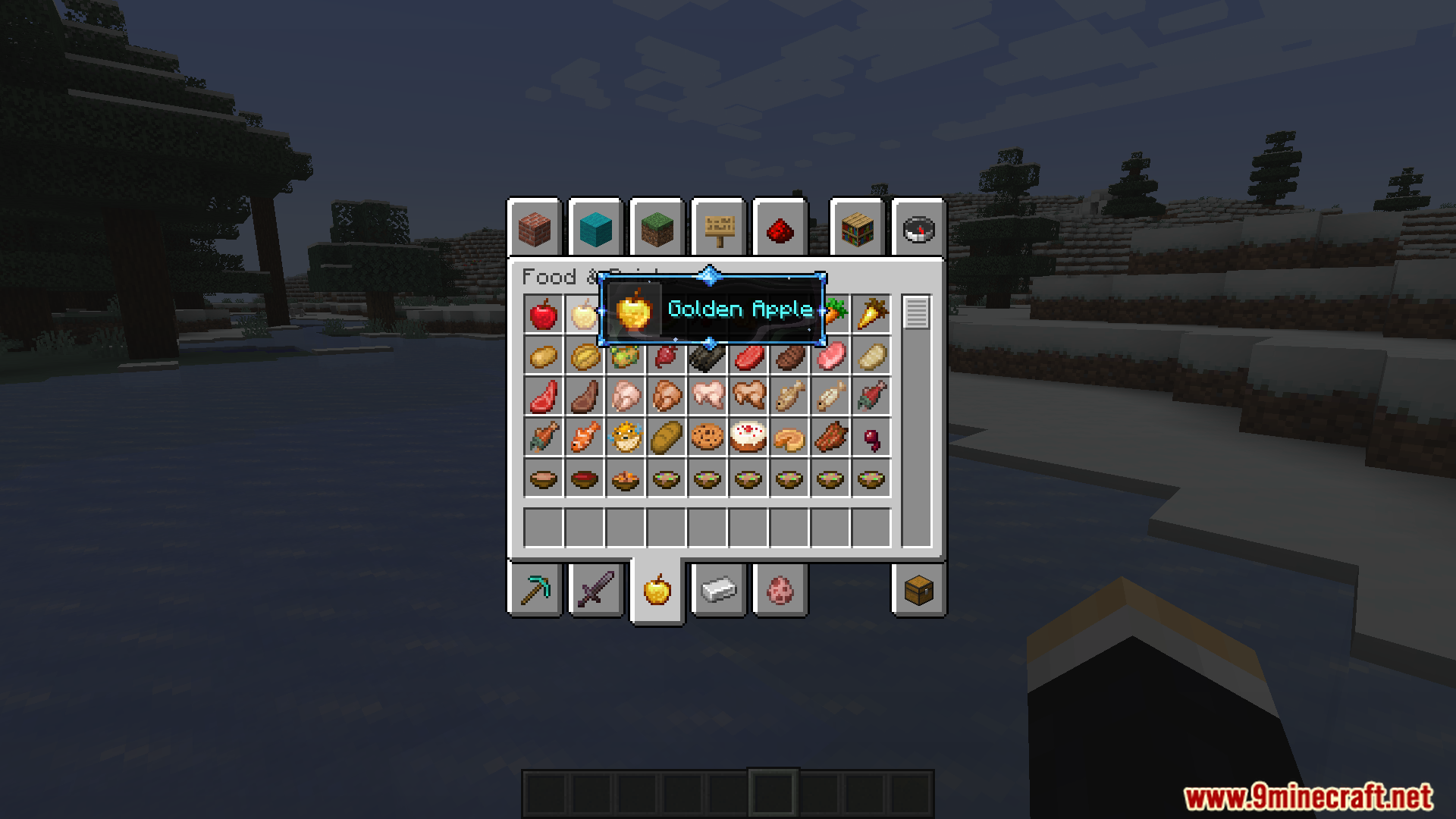
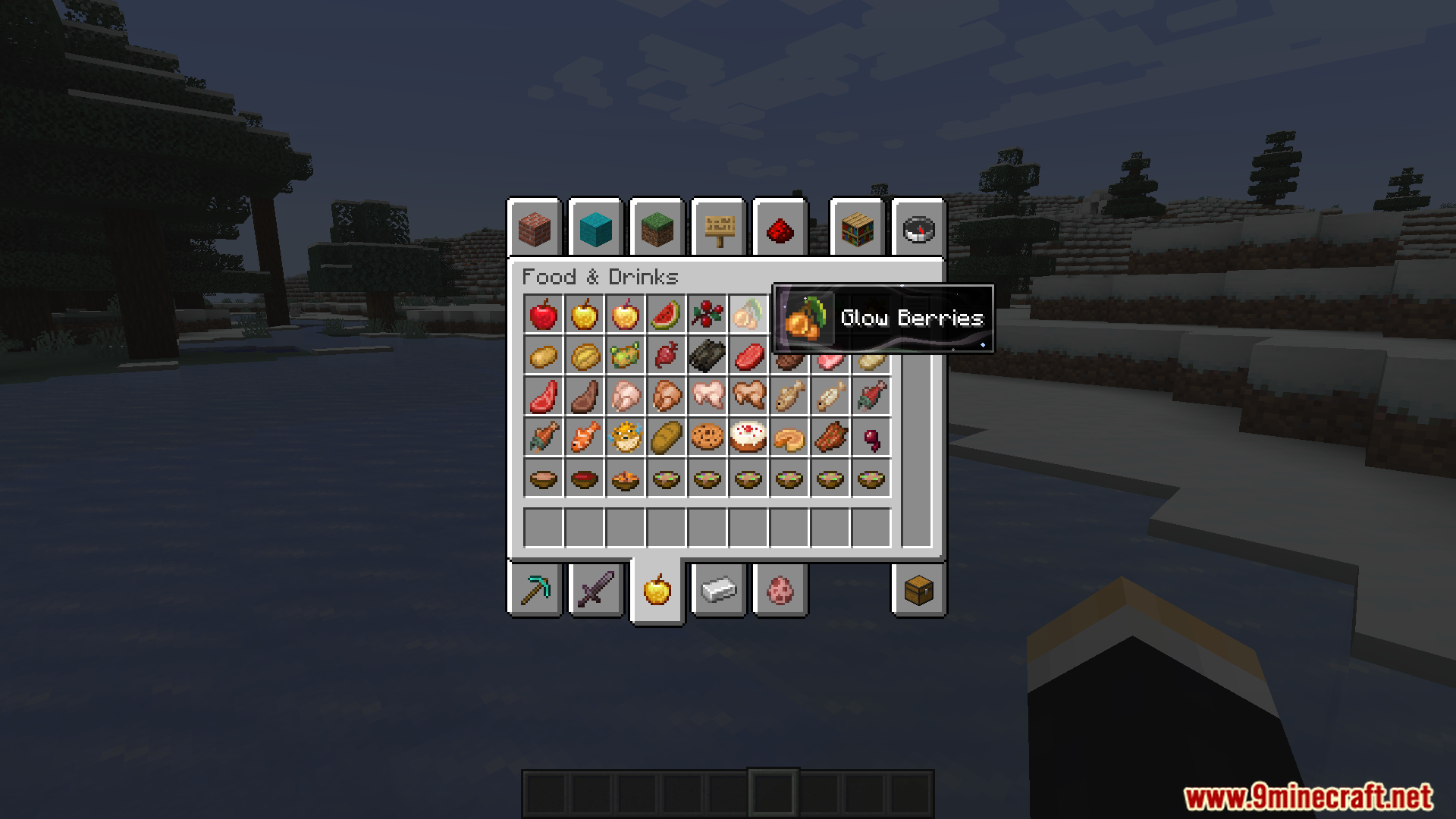
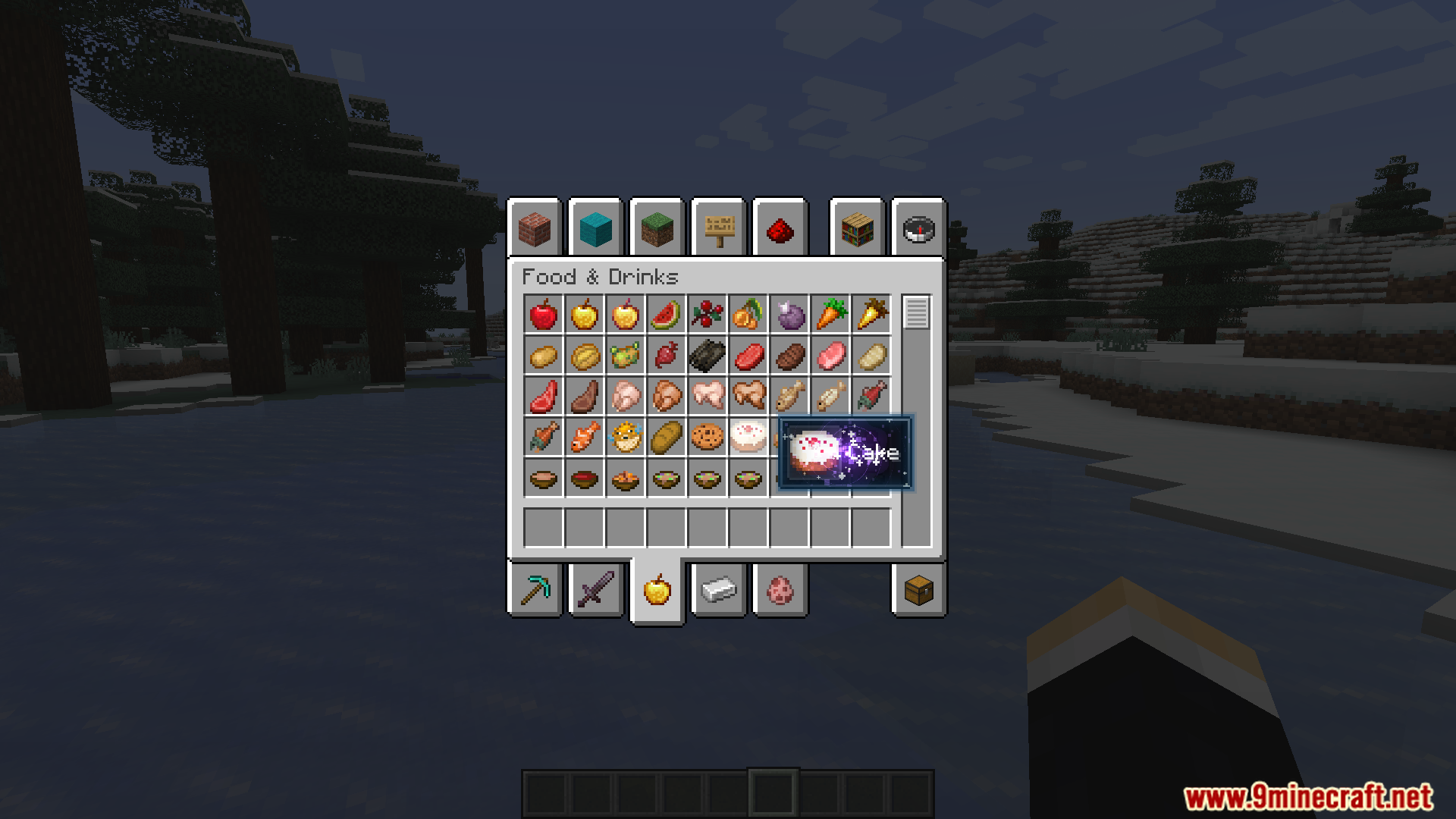
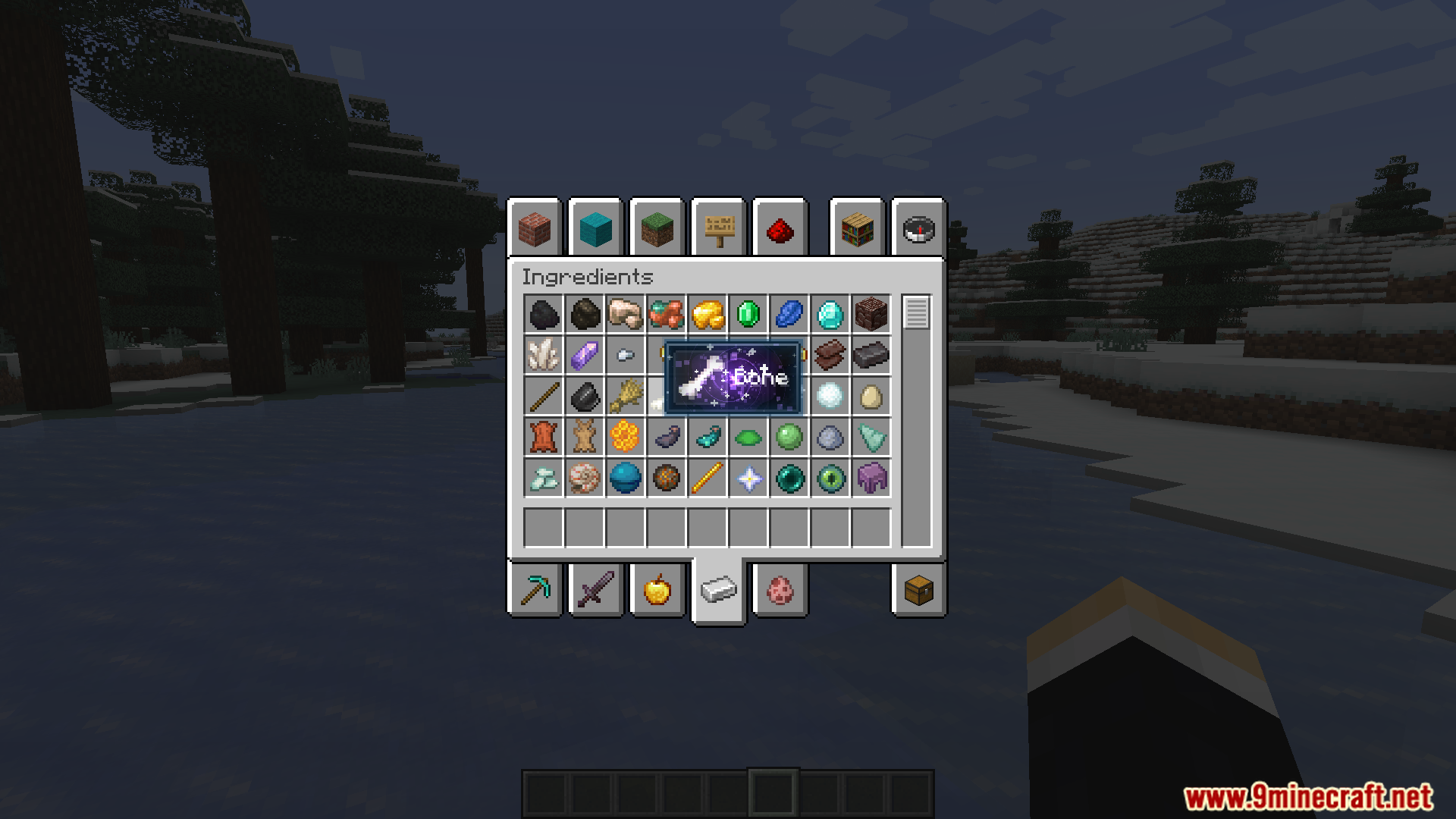
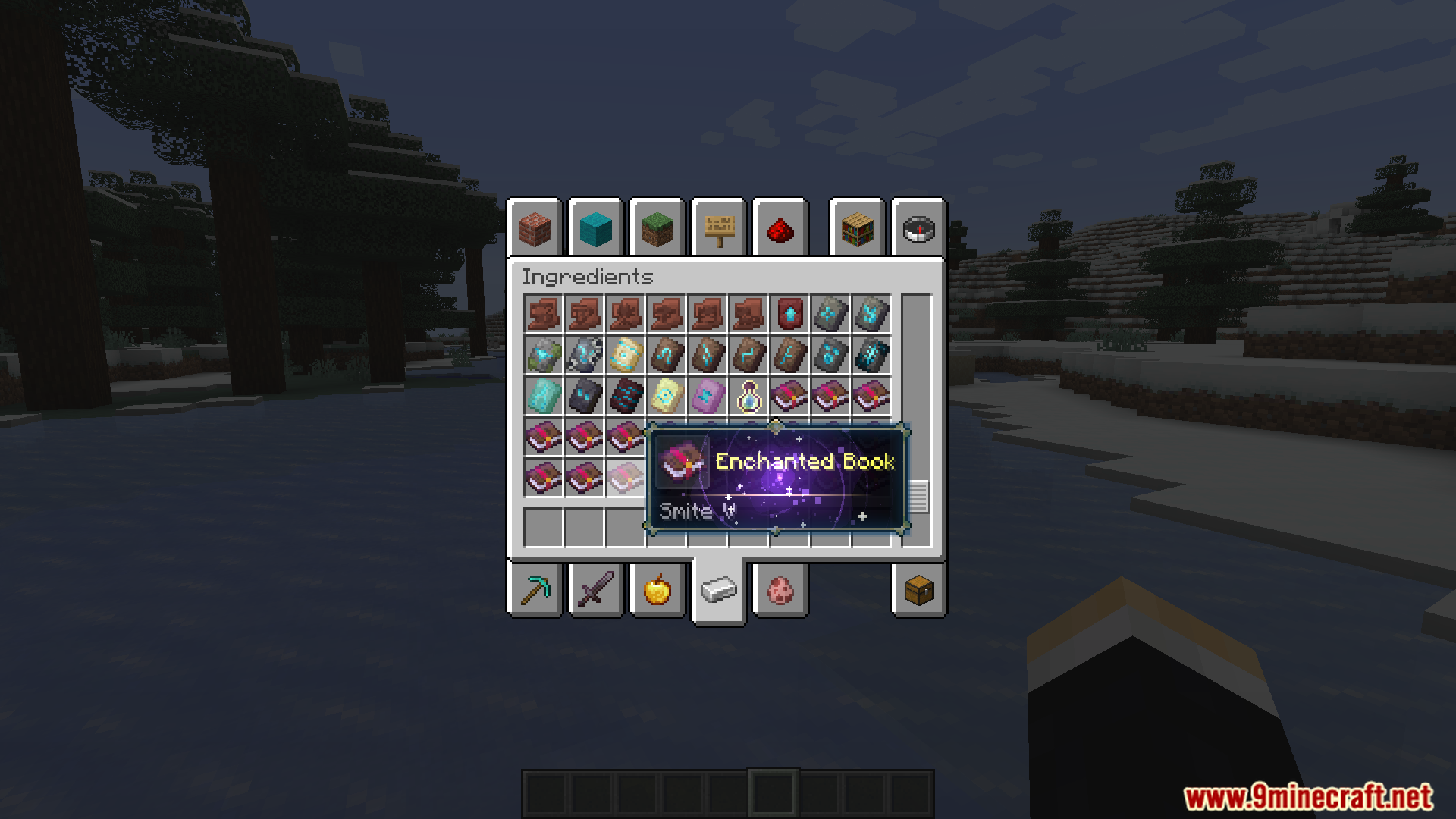
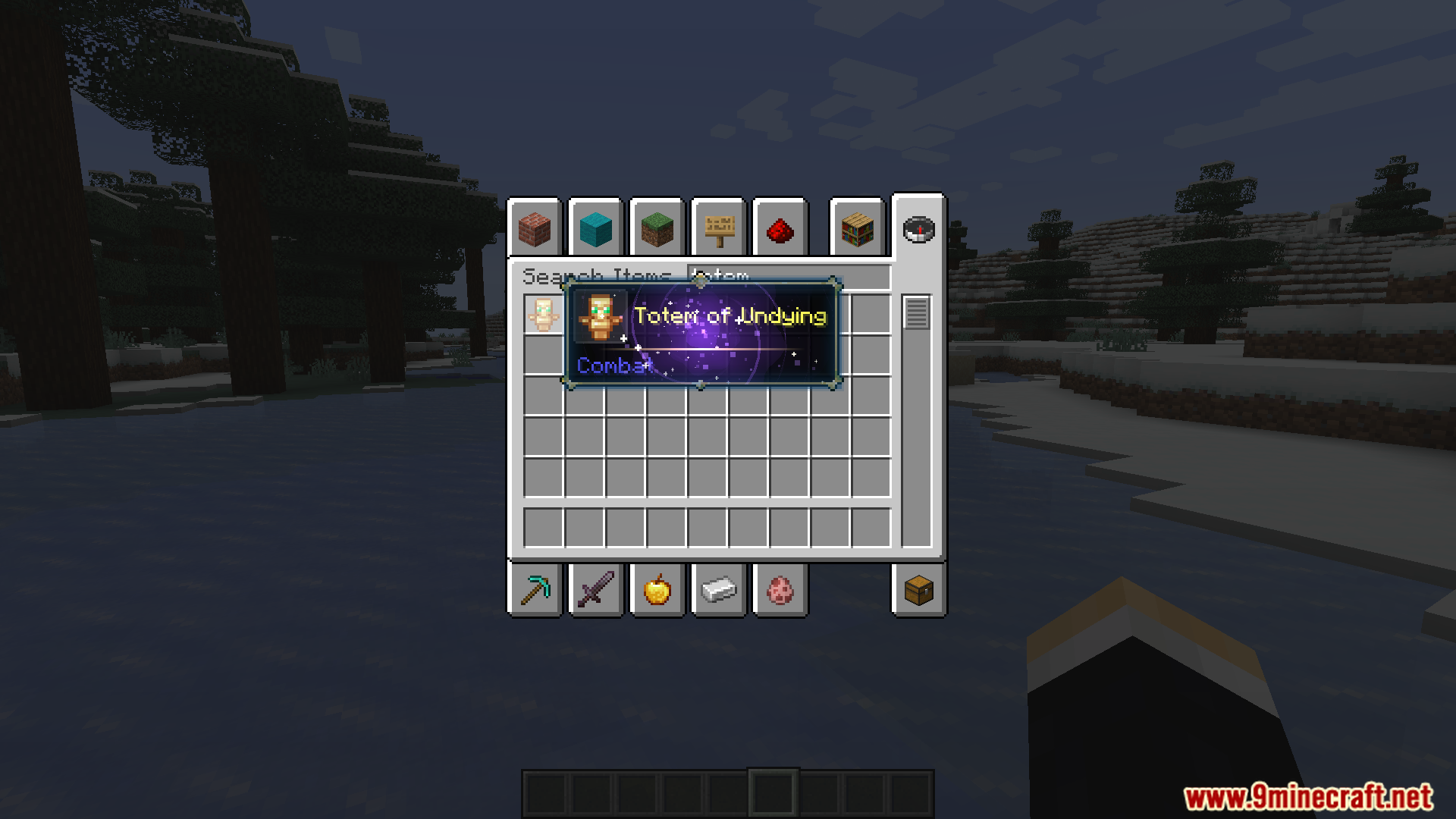
Tooltip Overhaul Mod replaces the default Minecraft tooltip box with a cleaner, sharper layout that you can customize. It comes with 30 default frame borders, over 37 visual effects, 4 layout styles, 11 tooltip transitions, 16 icon animations, and 3D item previews. You can scroll through tall item descriptions, wrap wide lines automatically, pin tooltips anywhere on your screen, and compare weapons or armor side by side with your equipped gear. Every setting, from colors and corners to per-item frames, updates with a live preview right inside the in-game config menu. This mod runs only on the client side with no required dependencies, though Fabric players need ModMenu to open the config screen. It also works smoothly alongside popular mods like JEI, EMI, ModernFix, Flerovium, FTB Quests, and Apotheosis.
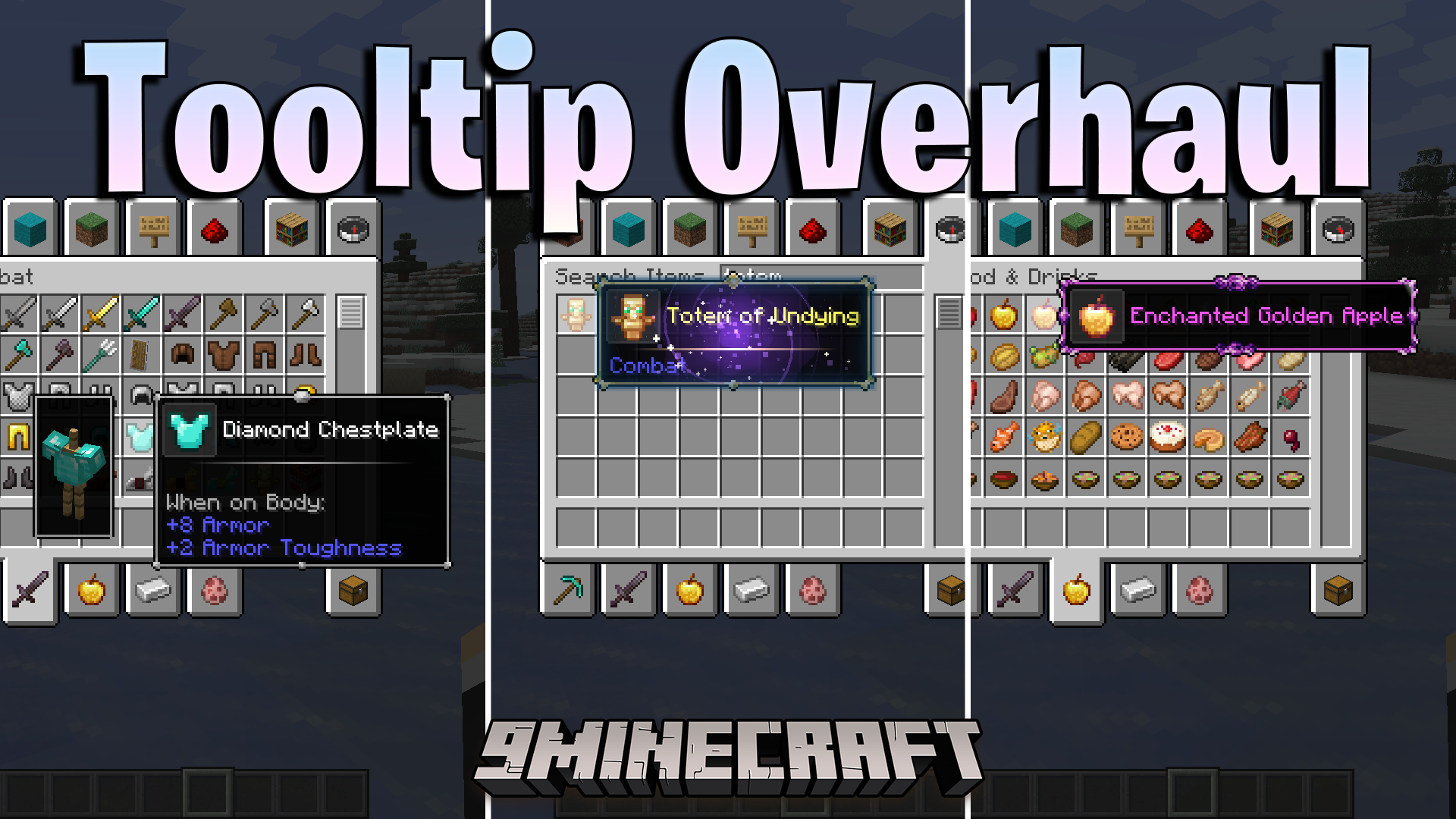
Tooltip Overhaul Mod – Video Showcase
Features:
- Scrollable Tooltips: Lets you scroll through tall item descriptions that go past the edge of your screen so no text gets cut off.
- Text Wrapping: Breaks long lines of text automatically so wide tooltips stay neat and easy to read.
- Equipment Comparison: Compares armor and weapons side by side with the gear you wear and hold using a rebindable keybind.
- Pinned Tooltips: Locks any tooltip in place with a rebindable keybind so you can move it freely around your screen.
- 3D Item Previews: Shows items in 3D inside the tooltip and adds an extra preview panel with more viewing angles.
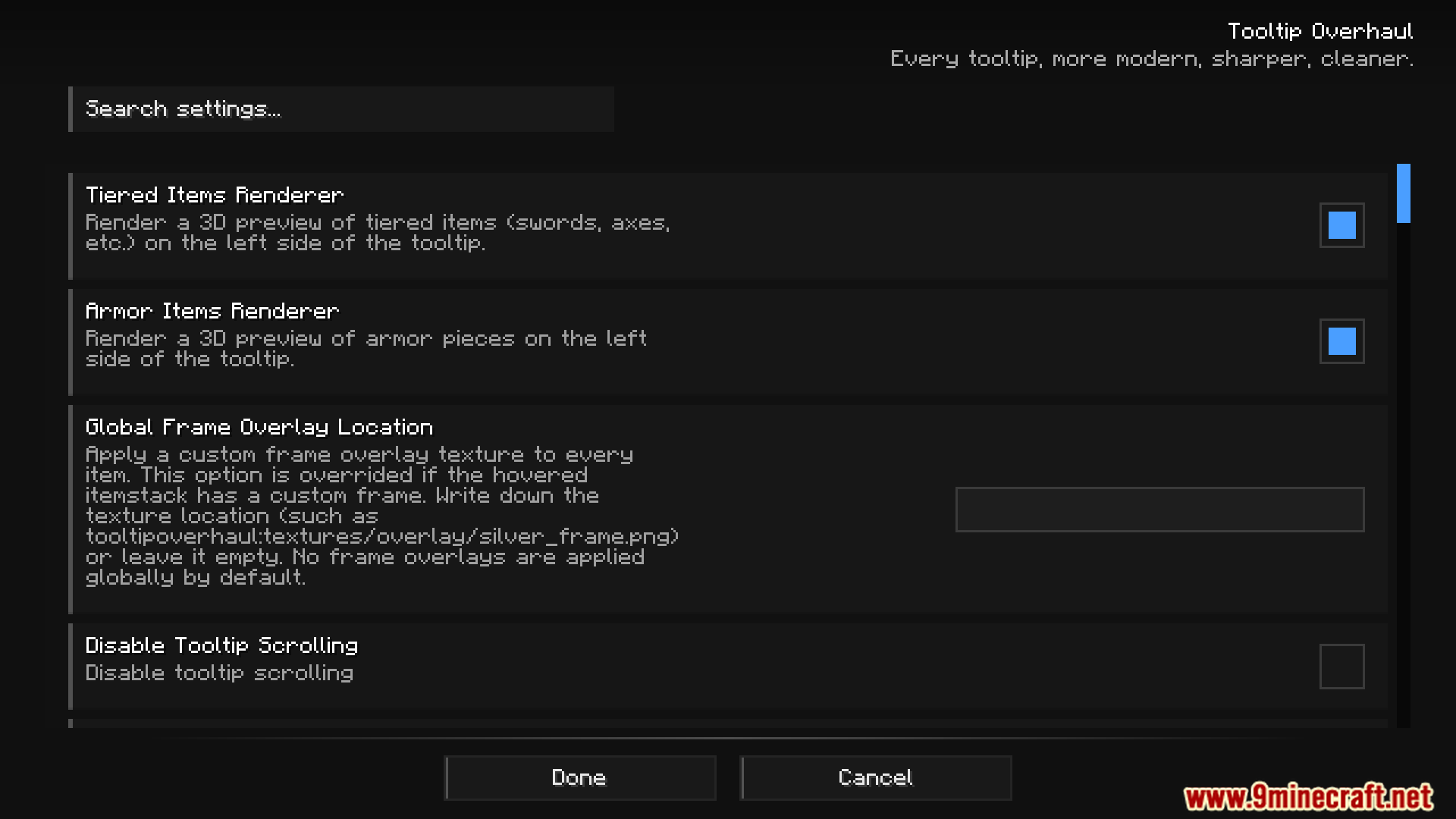
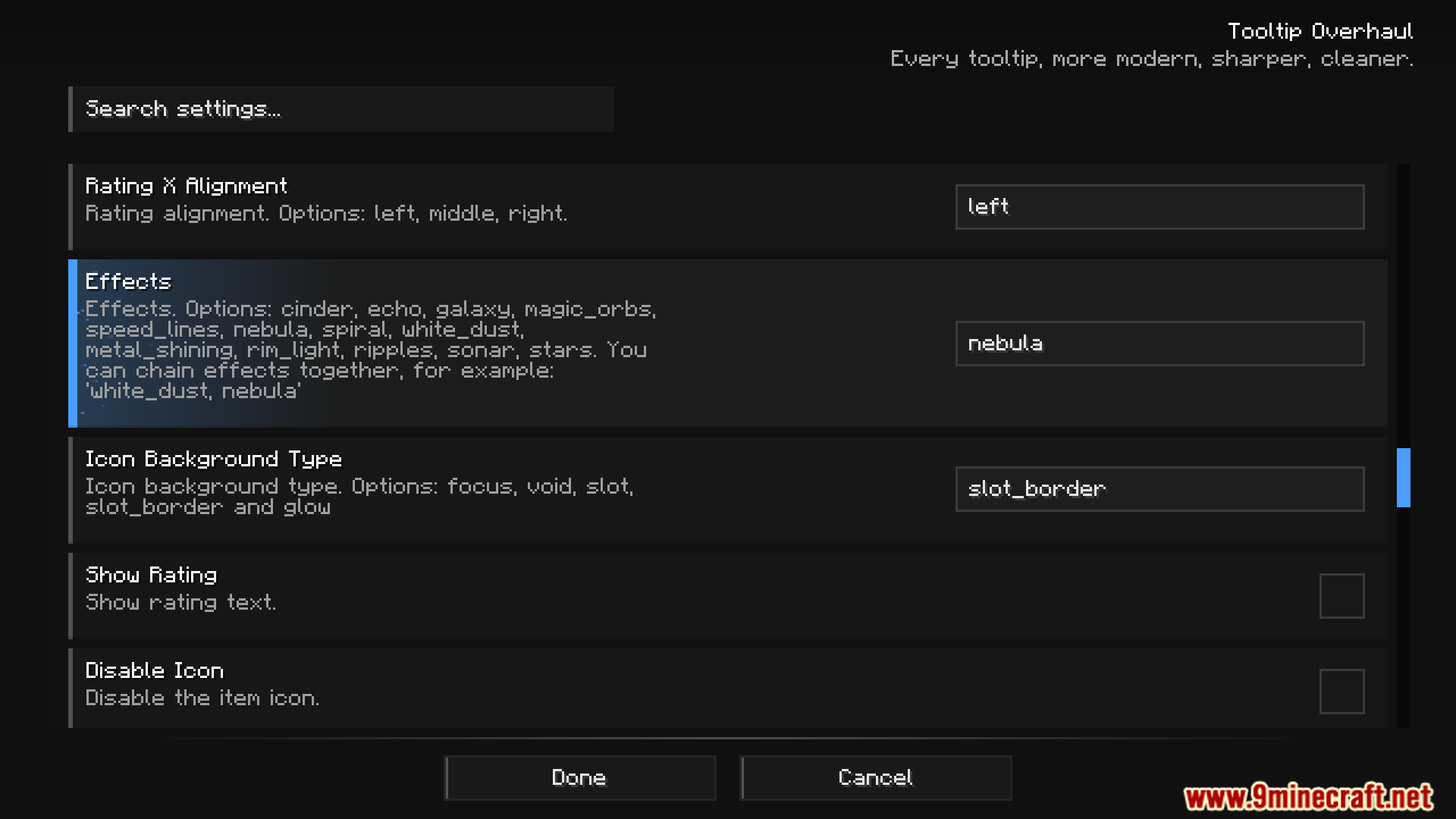
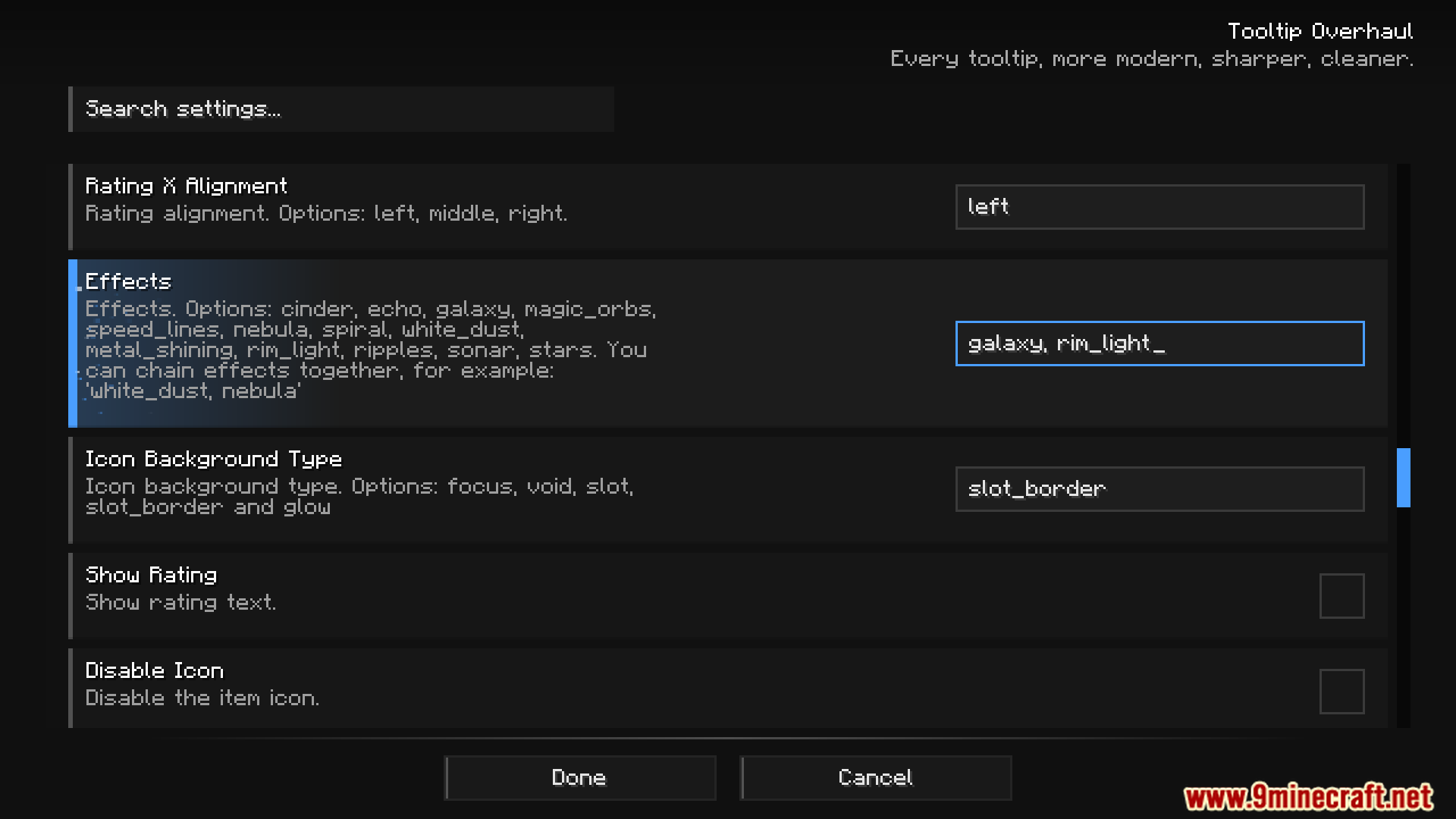
- In-Game Config and Live Preview: Lets you edit global settings and custom item frames inside the game with real-time previews, so you do not need to edit config files by hand.
- Lets you keep a classic vanilla-style look or change paddings, colors, gradients, speeds, effects, and animations however you like.
- Shows a customizable rarity label right next to the item name.
- Applies custom frames based on specific items, tags, namespaces, rarities, durabilities, enchantments, or NBT and component tags, with custom rules taking priority over global settings.
- Lets external mods and resource packs add their own custom tooltip frames and configs.
- Runs completely on the client side with no required dependencies, though Fabric players need ModMenu to open the config screen.
- Works smoothly alongside JEI, EMI, ModernFix, Flerovium, FTB Quests, and Apotheosis.
Visual Effects and Styling:
- Includes 4 configurable tooltip layouts: Default (Classic), Badge, Floating, and Compact.
- Offers 30 default decorative frame overlays for tooltip borders: Amethyst, Angelical, Battle, Cataclysm, Amber, Cavemen, Construction Punk, Demonic, Diamond, Draconic Fire, Emerald, Fire, Flower, Frost, Futuristic, Garden, Gear, Greek Temple, Gummy Bear, Guns and Wires, King, Medieval Crossroads, Neon Fire, Nuclear Alarm, Plasma Lamp, Pure Alchemy, Silver, Skyland, Steampunk, and Zombie Brain.
- Packs over 37 customizable decorative effects like flashes, explosions, particles, and patterns: Bubbles, Cinder, Crystals, Fireflies, Fireflies II, Echo, Galaxy, Magic Orbs, Speed Lines, Nebula, Spiral, White Dust, Metal Shining, Steel Shining, Rim Light, Ripples, Sonar, Stars, Floating Stars, Prism, Snowfall, Opal, Aurora, Fluorite, Astral, Comets, Storm, Sunbeams, Fireworks, Eruption, Searchlights, Blasts, Firebreath, Shield, Lasers, Missiles, Wisps, Matrix, and Hearts.
- Features 11 open and close tooltip transitions: Fade, Pop, Rise, Unfold, Zoom, Slide, Swing, Emerge, Squash, Card, and Shake.
- Adds 16 item icon animations: Zoom, Rotate, Rotate Fast, Rotate Zoom, Zoom Snap, Skew, Vibration, Tilt Wave, Flip, Pendulum, Bounce, Go Down, Pulse, Fan In, Hover Pop, and Barrel Roll.
- Provides 11 corner designs ranging from smooth to rustic: Default (square), Rounded, Bevel, Inner, Cut, Thick, Bracket, Block, Notch, Weld, and Gem.
- Includes 6 vignette gradient styles for extra lighting: Circular, Hole, Ellipse, Diamond, Ring, and Linear.
- Splits the item title from its description with 7 customizable divider line styles: Gradient, Static, Linear, Dashed, Dotted, Ornament, and Gradient Ornament.
Commands:
/tooltipoverhaul reload: Reloads all tooltip settings and detects newly imported textures right away without restarting the game.
Configuration:
config/tooltipoverhaul/tooltipoverhaul.toml: Global config file that applies the same settings to every tooltip.config/tooltipoverhaul/custom_frames.json: Custom frames file for setting styles on specific items, tags, rarities, or enchantments.config/tooltipoverhaul/overrides/<external_modid>/custom_frames.json: Override file for editing custom frames from external mods when a copy is present.
How to Use:
- Open the in-game config screen from your Mods menu, or assign a keybind in your Controls menu (it is unbound by default). Fabric players need ModMenu to open this screen.
- Choose global settings to style every tooltip the same way, or open the custom frames screen to set rules for specific items, tags, namespaces, rarities, durabilities, enchantments, or NBT and component tags; custom frames override global settings, and per-item changes appear live in the preview.
- Hover over any item with a tall description and scroll to read lines that extend past the edge of your screen.
- Hover over a weapon or piece of armor and press your comparison keybind (rebindable in Controls) to compare it side by side with the gear you are wearing or holding.
- Press your pin keybind (rebindable in Controls) while viewing a tooltip to lock it in place so you can move it freely anywhere on your screen.
- Press F3 + T or run
/tooltipoverhaul reloadin chat to reload Tooltip Overhaul Mod and automatically detect newly imported textures without restarting the game.
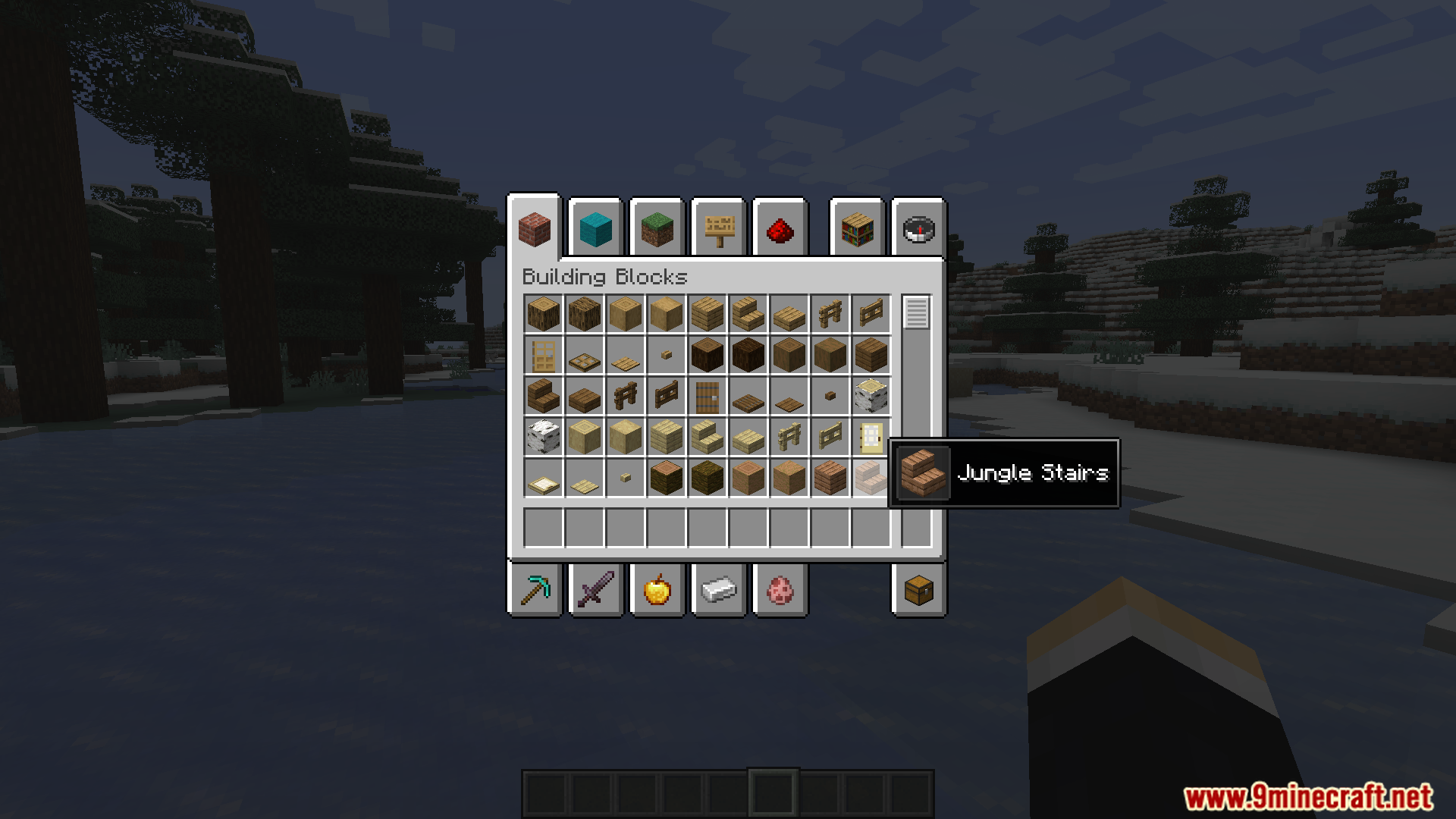
Screenshots:
How to Install:
New to Minecraft? Follow our step-by-step guide to install Mods on your PC.View Guide



Tooltip Overhaul Mod Download Links
For Minecraft 1.21.1, 1.21
For Minecraft 1.20.1, 1.20
You May Also Like
Picked for this page
 JourneyMap Integration Mod (26.1, 1.20.1) – JourneyMap More Useful
 Powah Mod (26.1.2, 1.20.1) – Generation, Storage, Distribution of Forge Energy
 Stack Refill Mod (26.3, 1.20.1) – Automatic Item Refill
 Bottle Your Xp Mod (26.3, 1.20.1) – Store Your Experience in Glass Bottles
 Combat Roll Mod (26.3, 1.20.1) – You Can Now Roll, Dodge, Run
 Advanced Hook Launchers Mod (26.3, 1.20.1) – Climb, Abseil, Slay the Dragons
 Pl3xMap Plugin (26.3, 1.20.1) – Spigot
 Bedrodium Mod (1.21.11, 1.20.1) – Performance Improvement
 I See You Over There Mod (26.3, 1.21.1) – Increases Render Distance
 Compatibility Addon For MineColonies Mod (1.21.1, 1.20.1)
 Festive Frenzy Mod (1.21.11, 1.20.1) – Adds Christmas Themed Decoration Blocks
 Corrupted Worlds Jar Mod (1.20.1, 1.20) – Scary Dimension Mod
Most viewed in Mods over the last 7 days
 Ala Industrial Mod (26.3) – Run Electric Power Grids and Automated Factories
 PleasureCraft Mod (26.3, 1.21.1) – Jenny Mod Remake for Fabric
 Jennycraft Mod (26.3, 1.20.1) – Virtual Girlfriend in Minecraft
 Fapcraft Mod (26.3, 1.12.2) – Comprehensive and Detailed Content
 Jenny Mod (Fapcraft) Official Complete Guide – How to use, Tutorial
 BangCraft Mod (1.20.1) – Jenny, Ellie and Elliot
 Fabric Loader (26.3, 1.20.1) – Fabric Installer for All Minecraft Versions
 Meteor Client Mod (26.3, 1.20.1) – Xray, HUD, Fly
 The Shooting Star Demo Mod (26.3, 1.20.1) – Vaporize Terrain From Orbit
 OptiFine HD (26.3, 1.20.1) – Run Faster, FPS Boost, Shaders Support
 Aristois Client Mod (1.21.4, 1.20.1) – World Class Minecraft Utility
 SchnurriTV Mod (1.12.2) – Characters and Features
More from Mods
 TRMT Reimagined the Roads More Travelled Mod (26.3, 1.20.1)
 Morrowless Mod (1.21.1) – Defend Your Shelter From Nightmare Creatures
 THE SLOPSTROSITY Mod (1.21.1) – Battle a Ridiculous Slime Boss
 Decoween Mod (1.21.1, 1.20.1) – Transform Ordinary Survival Bases
 Simply Light 9minecraft Mod (26.3) – Decorate Builds Without Torches
 Alex’s Caves Continued Mod (26.3, 1.20.1) – Conquer Six Massive Underground
 Anvil Uses Mod (26.3, 1.20.1) – Track Item Anvil Usage
 Animal Info Mod (26.3, 1.21.11) – Quick Stats For Your Animals
 Timber Tales Dynamic Tree System Mod (26.3, 1.20.1) – Watch Entire Trees Topple
 Gabou’s Libs Mod (26.3, 1.20.1) – Keep Custom Weather and Survival Mods Stable
 /Sit Mod (26.3, 1.21.1) – Make The Player Sit Down
 Arcane Redstone Dial Mod (26.3, 1.20.1) – Trigger Commands and Shortcuts

This post has no comments yet. Be the first — your comment will appear here.