
TOP Addons Mod (1.18.2, 1.16.5) – Skip Opening Machine GUIs
 20,784
 0

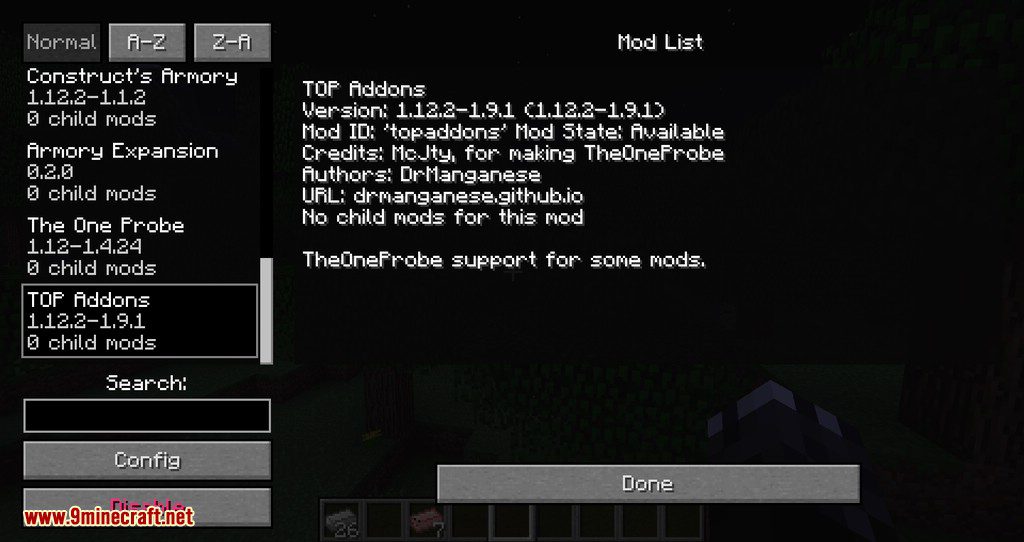
TOP Addons Mod extends The One Probe with extra tooltip details and support for major mods. When you point your cursor at a block or machine, this addon shows useful stats like fluid levels, machine progress, and stored energy right on your screen. It also lets you combine modded helmets with a probe so you can view HUD info hands-free while keeping your armor’s normal perks.

Forge
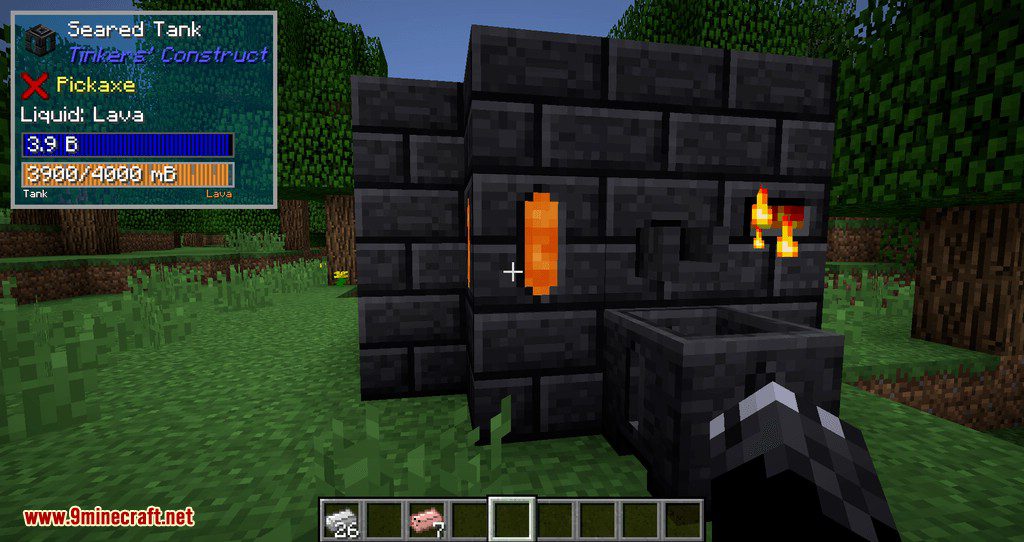
- Tank display
Forestry
Show More
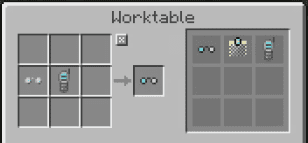
Apiarist’s helmet with probe and Spectacles with the probe.
Allows you to see The One Probe HUD without holding the Probe item. Helmets still have original functionality.
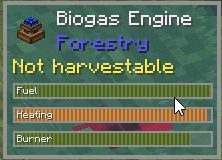
Any Forestry tiles with internal tanks
Normal mode: (Sometimes) Tank name with visual gauge and fluid color
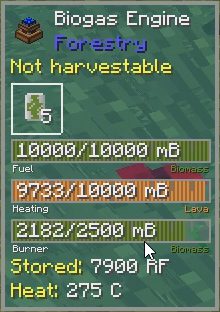
Any forestry tiles with internal tanks (and engine info at the bottom)
Extended mode: Numerical display of tank contents and fluid name
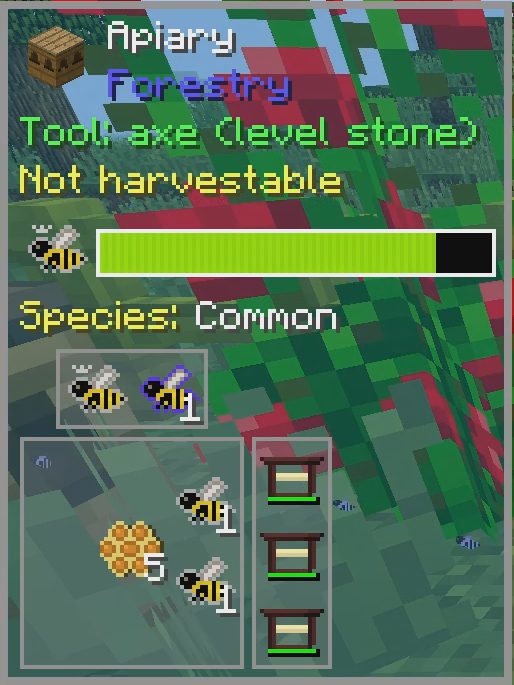
Apiaries, Beehouses and Alvearies
Normal mode: Displays queen and lifespan
Extended mode: Species and inventory
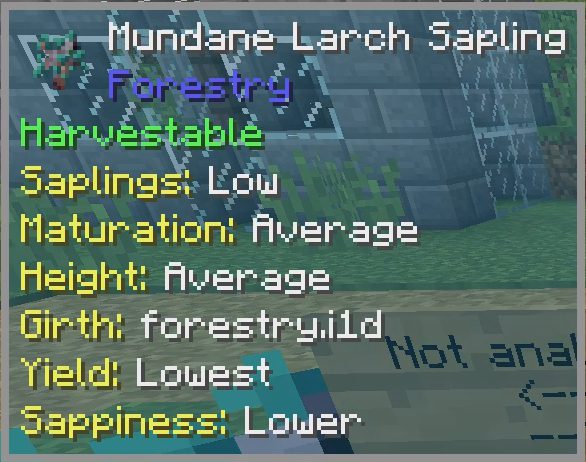
Saplings and Butterflies
Extended mode: ‘Unknown genome’ or allele information
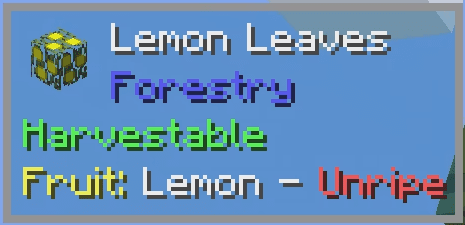
Leaves
Normal mode: Fruit type and ripeness, pollinated if wearing spectacles or apiarist’s hat (with or without probe attached)
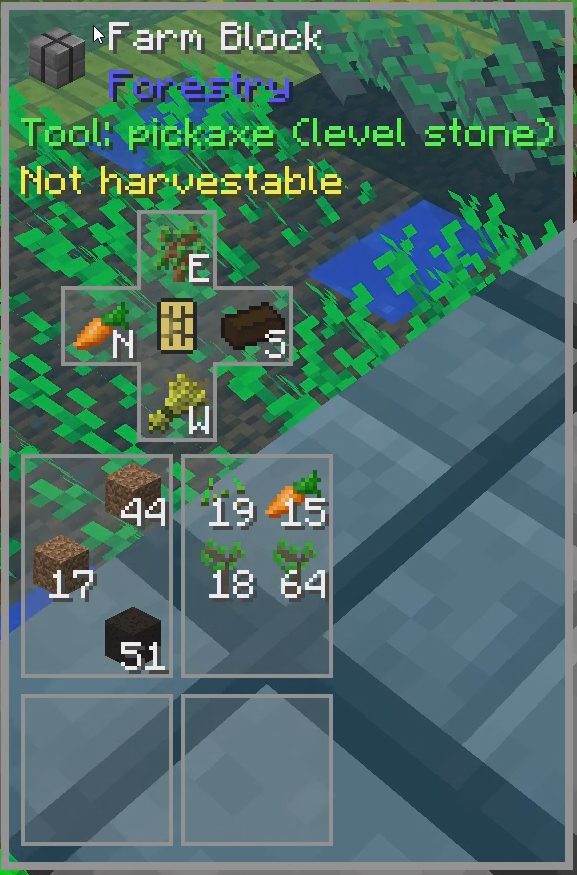
Multifarms
Normal mode: Circuit and farm types depending on facing direction
Extended mode: Inventory
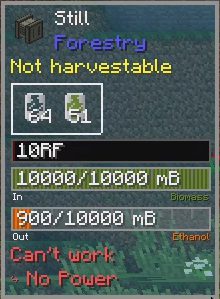
All forestry machines and other blocks with error tabs in their GUI
Normal mode: “Can’t work”
Extended mode: Error names
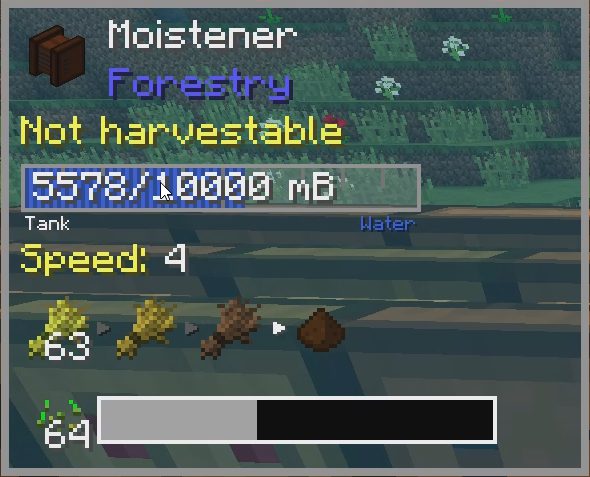
Moistener
Normal mode: Moistening(?) speed and current process (white arrow), recipe progress at the bottom
- Error messages for all blocks with GUIs that display them
- Internal tank display
- Breeding progress (no values) and queen display for all beehouses
- Special information displays for Moistener and Multiblock Farms
- Show fruit ripeness on leaves and whether they are pollinated (only when wearing spectacles or apiarist’s hat)
Tinkers’ Construct
Show More
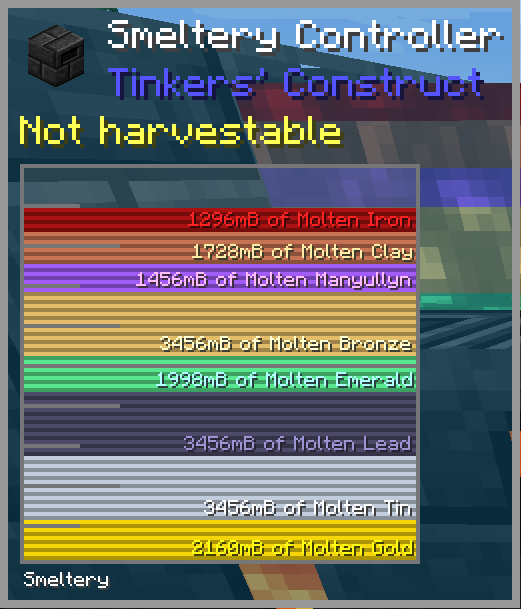
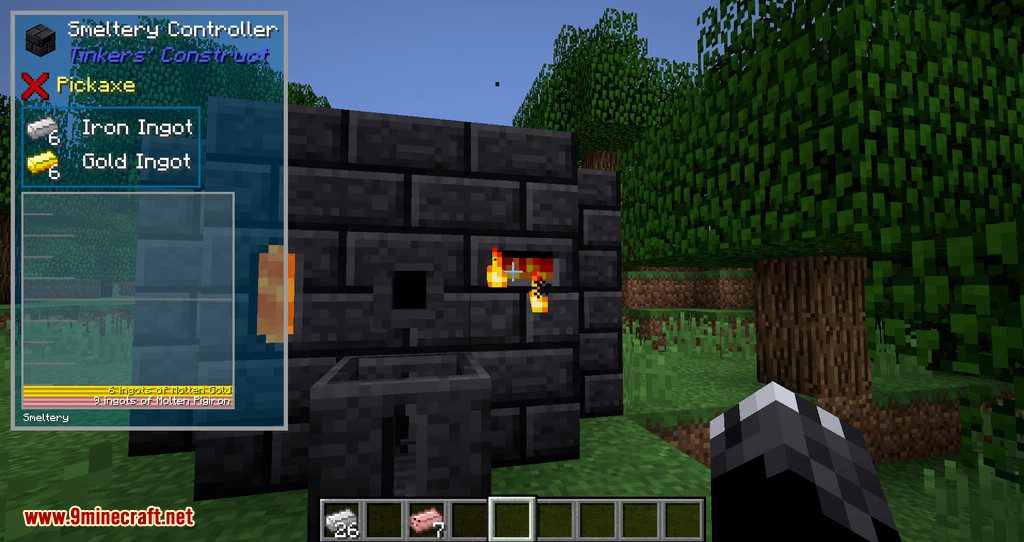
Smeltery Controller
Extended mode: Full display of all liquids with amounts and names
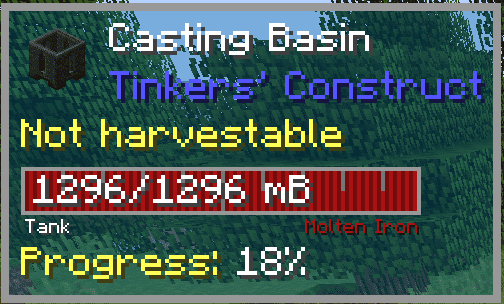
Casting basin and table
Normal mode: Solidifying progress
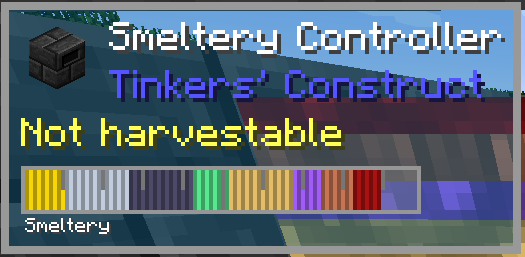
Smeltery controller
Normal mode: Gauge displaying the liquids in the smeltery
- Extended view of fluids inside the controller when sneaking
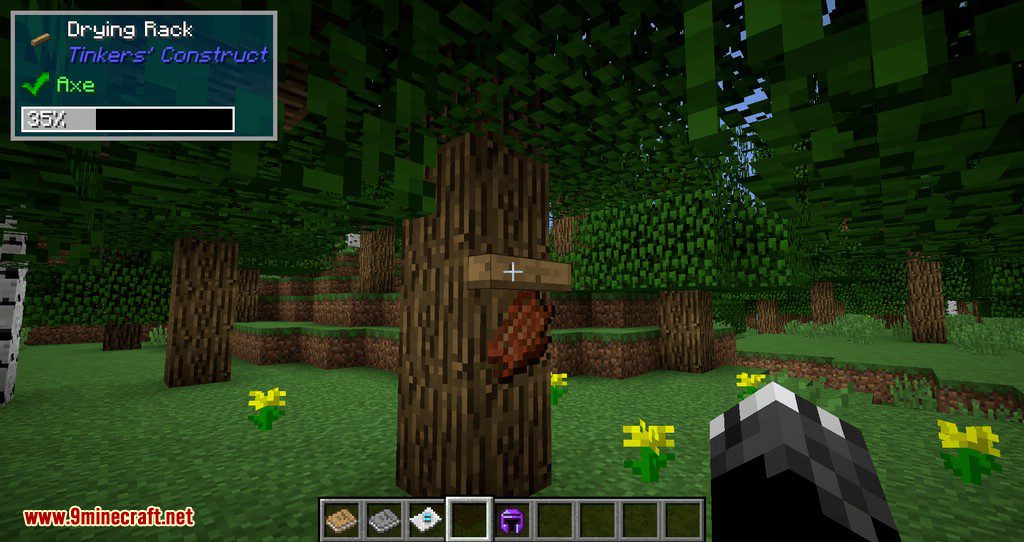
- Drying rack progress
Blood Magic: Alchemical Wizardry
Show More
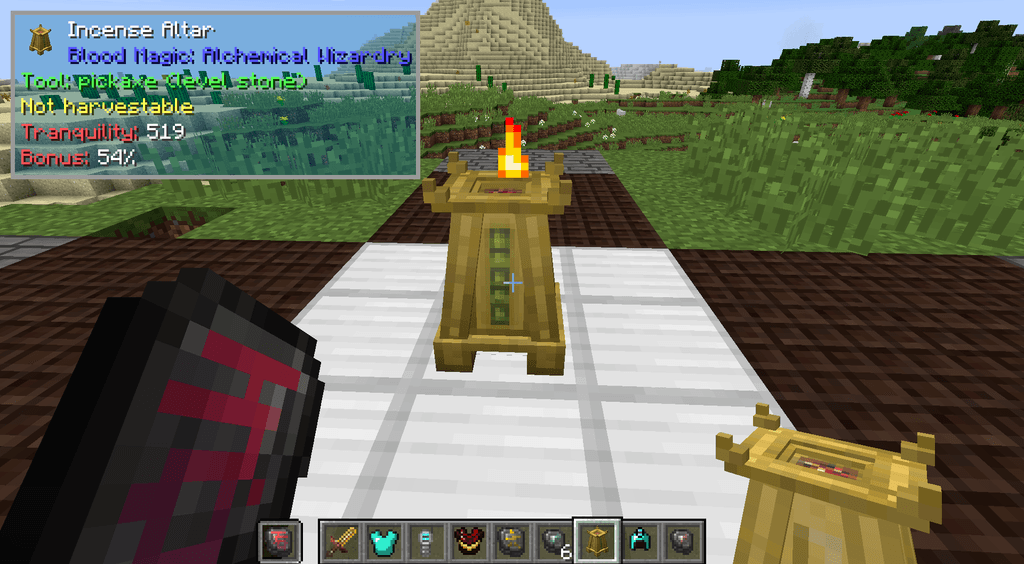
Incense Altar
Normal mode: Shows tranquility and sacrifice bonus (requires divination/seer/holding sigil)
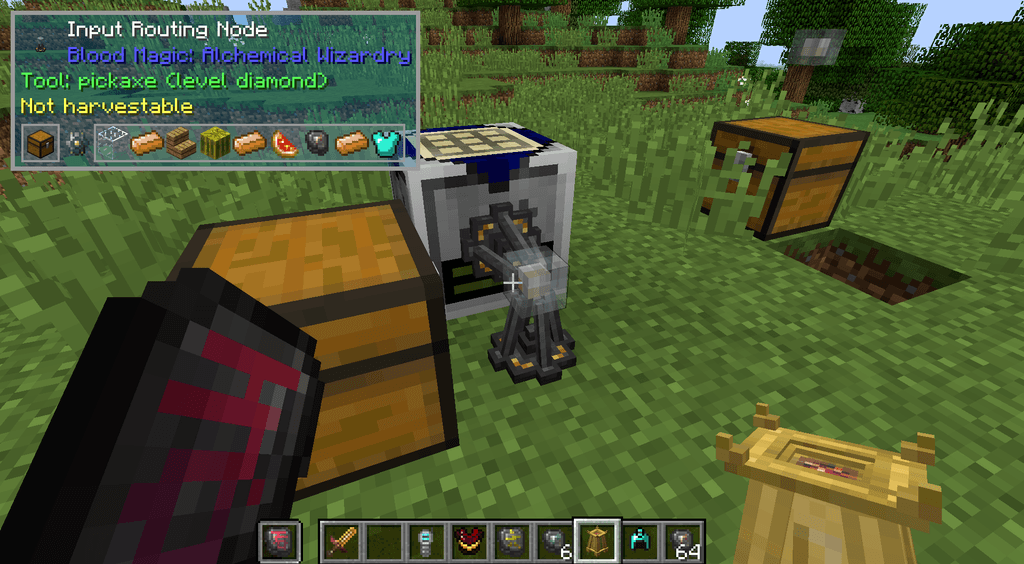
Routing Node
Normal mode: Shows filter settings for the looked-at side.
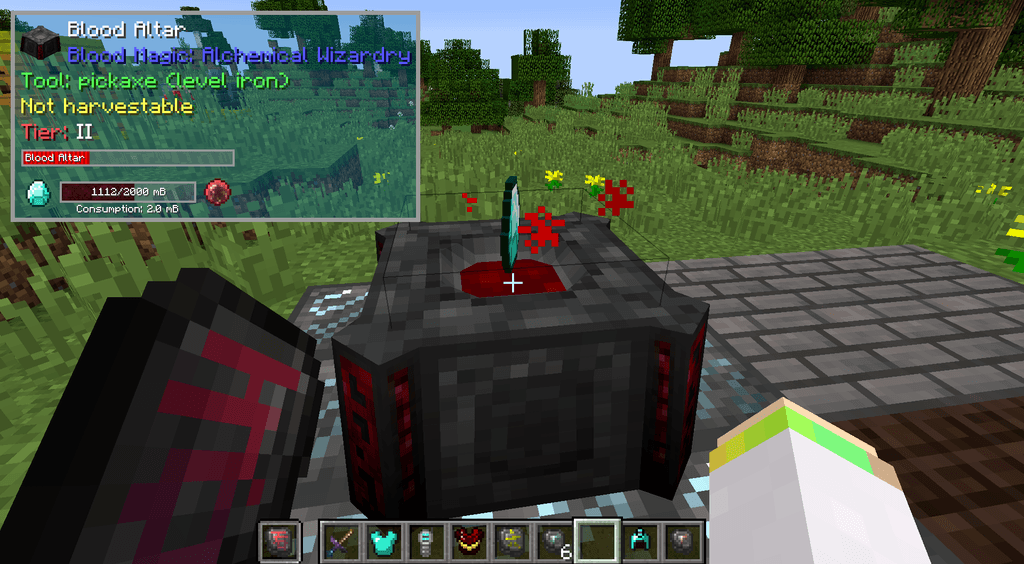
Blood Altar
Normal mode: Altar tier, Essence contents and crafting progress (requires divination/seer/holding sigil)
- Altar tier and Essence contents (requires divination/seer sigil*)
- Altar crafting progress (requires seer sigil)
- Incense altar tranquility and sacrifice bonus (requires divination/seer sigil)
- Filter configuration for routing nodes (side-sensitive)
Storage Drawers
Show More
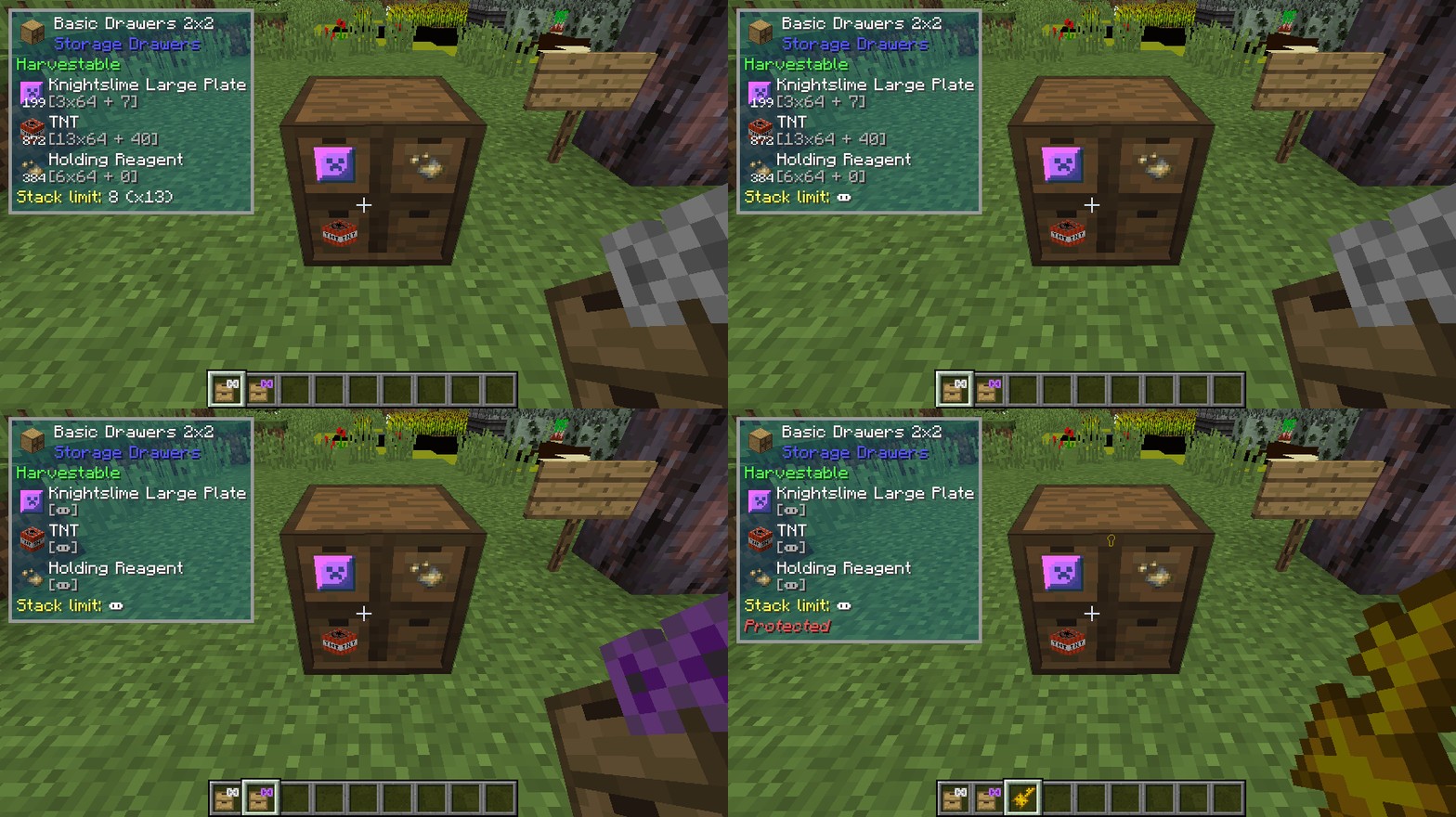
Extended mode: detailed inventory info
- More detailed information on stored item stacks
- Stack capacity
IndustrialCraft 2
Show More
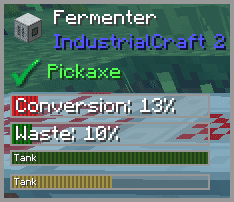
Progress support
Many machine-type blocks have progress bars
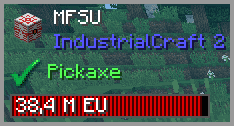
EU bar
Shows up on most tiles with internal EU storage
- EU bar on most tiles (availability of stored energy varies because of protected/private fields)
- Progress bars on many machine tiles
- Teleporter linked coordinates
- Heat display
- TFBP display
NeoTech
Show More
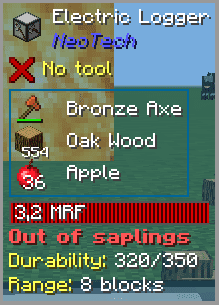
Electric Logger
Normal mode: Error message and durability of axe.
Extended mode: Logging range.
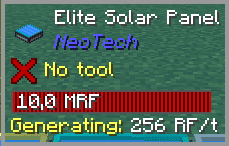
Any RF-Generating Tile
Shows RF/t being generated.
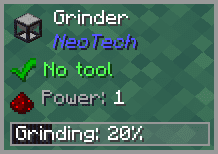
Grinder (+ pressure plate on top of it)
Shows grinding progress.
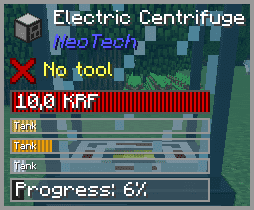
Processing Machines
Shows Processing progress.
- Progress on all processing machines (Electric Furnace, Solidifier, Alloyer, etc.)
- Grind progress for Grinder and any perssure plate right above it
- RF/t on generating machines (Solar Panels, Furnace Generator, etc.)
- Errors, axe durability andn logging range on Electric Logger
*Also works in sigil of holding
Probing Helmets
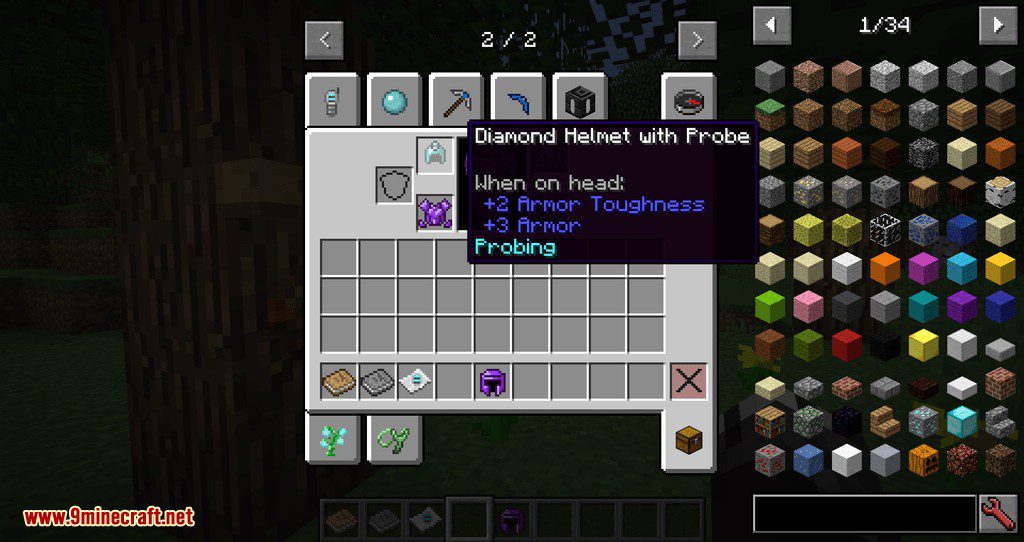
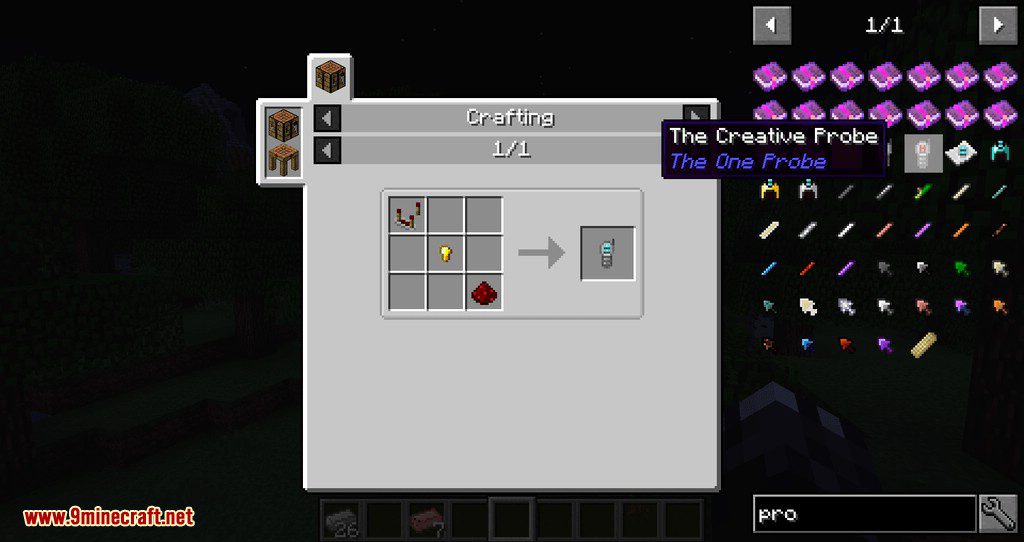
Craft modded helmets with a probe to get their probing variants, works with all non-blacklisted helmets (configurable):
These helmets will additionally have a visual “chip” when worn:
- Botania: Manasteel, Elementium, Manaweave and Terrasteel helmets(non-revealing versions)
- Forestry: Apiarist helmet and Spectacles
- Blood Magic: Living and Sentient helmets
- IndustrialCraft 2: Quantum, Nano and Hazmat helmets
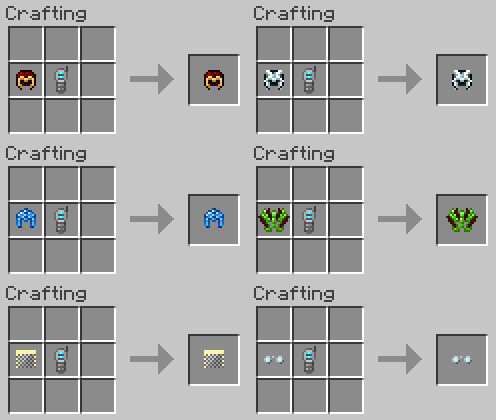
Uncraft by putting the helmet back in the crafting grid with nothing else.
Features:
- Adds visual fluid tank gauges and exact liquid amounts to blocks with internal tanks.
- Shows note block pitch and instrument details right in the tooltip.
- Lets you craft any non-blacklisted modded helmet with a probe to see the HUD without holding the probe item.
- Adds a visible probe chip onto special helmets from Botania, Forestry, Blood Magic, and IndustrialCraft 2.
- Allows you to uncraft a probing helmet anytime by placing it alone in a crafting grid.
Forestry Support:
- Displays error messages for machines that cannot work, plus exact error names in extended mode.
- Shows bee queen lifespan, breeding progress, species, and inventory for Apiaries, Beehouses, and Alvearies.
- Reveals genome or allele traits on saplings and butterflies when using extended mode.
- Displays fruit type, ripeness, and pollination status on leaves when wearing spectacles or an apiarist’s hat.
- Shows Moistener speed and recipe progress, plus circuit types and inventory for Multifarms.
Tinkers’ Construct Support:
- Displays colorful gauges of molten metals inside the Smeltery Controller, with exact fluid names and amounts when sneaking.
- Shows solidifying progress on Casting Basins and Casting Tables.
- Tracks item drying progress on Drying Racks.
Blood Magic Support:
- Shows Blood Altar tier, Essence levels, and crafting progress when holding a Divination, Seer, or Holding Sigil.
- Displays tranquility and sacrifice bonus stats on the Incense Altar with the right sigil.
- Reveals side-specific item filter settings when looking at Routing Nodes.
Storage Drawers Support:
- Shows exact stored item stack counts and total stack capacity in extended mode.
IndustrialCraft 2 Support:
- Adds EU energy bars and machine progress bars to most blocks.
- Displays heat levels, TFBP details, and linked coordinates for Teleporters.
NeoTech Support:
- Shows processing progress on machines like the Electric Furnace, Solidifier, and Alloyer, plus the Grinder and its top pressure plate.
- Displays live RF/t power generation rates on Solar Panels, Furnace Generators, and other generators.
- Shows error messages, axe durability, and logging range on the Electric Logger.
Commands:
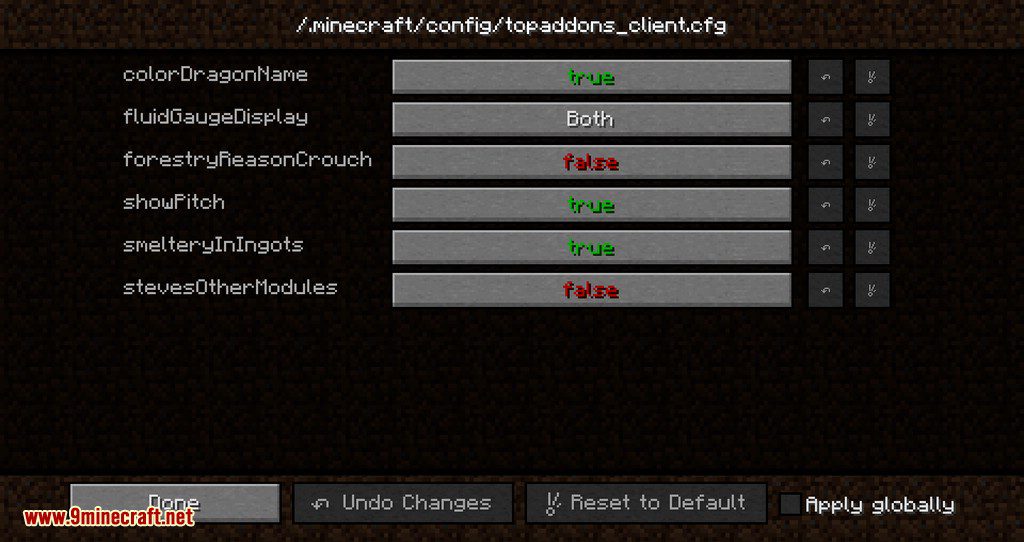
/topaddons [option] [value]: Changes client-side tooltip settings, including toggling the addon fluid gauge, hiding the default fluid gauge, hiding Forestry errors unless crouched, toggling IndustrialCraft 2 progress bars in normal mode, and showing note block pitch and instrument info./tophelmet blacklist <add/remove>: Adds or removes helmets from the probing helmet blacklist.
How to Use:
- Place a modded helmet and a probe item together in a crafting grid to craft a probing helmet, then wear it to see the HUD hands-free.
- Place a probing helmet alone in a crafting grid if you want to separate the probe and uncraft it.
- Hold Shift (sneak) while looking at blocks like the Smeltery Controller, Storage Drawers, or Forestry machines to open extended mode and see detailed fluid amounts, inventories, and error names.
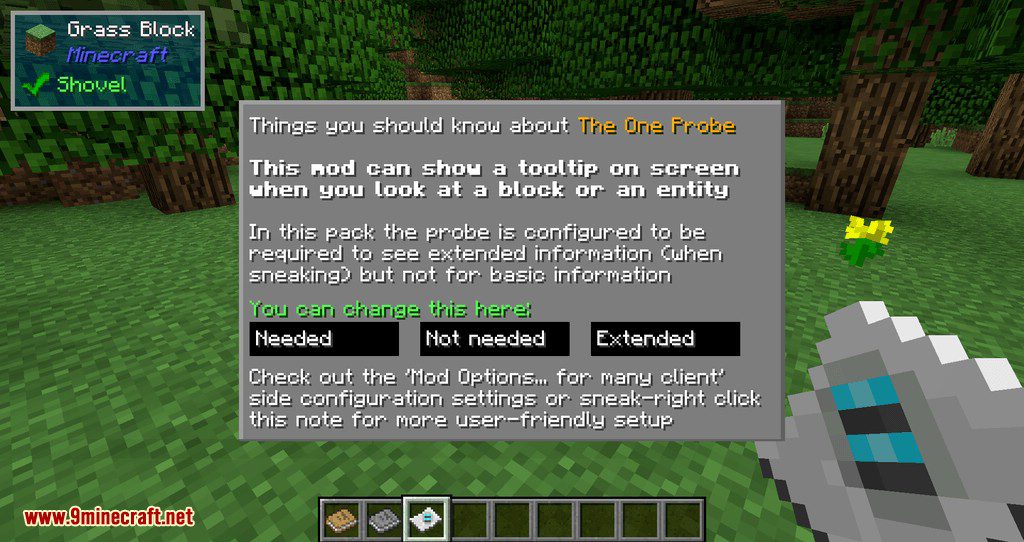
Screenshots:
How to Install:
New to Minecraft? Follow our step-by-step guide to install Mods on your PC.View Guide
Requirements:

TOP Addons Mod Download Links
For Minecraft 1.10.2, 1.9.4
For Minecraft 1.11.2
For Minecraft 1.12.2
For Minecraft 1.15.2
For Minecraft 1.16.5
For Minecraft 1.18.2
You May Also Like
Picked for this page
 ToLaserBlade Mod (26.1.2, 1.20.1) – Simple Sword with a Laser Blade
 World Handler – Command GUI Mod (1.21.11, 1.20.1)
 Carpet Mod (1.21.11, 1.20.1) – Game Performance Monitoring
 HitBox Plus Mod (26.1.2, 1.20.1) – Custom Hitbox Colors
 RPGStats Mod (1.21.11, 1.20.1) – Power up your Characters
 Additional Lanterns Mod (26.3, 1.20.1) – Lamps Made from New Materials
 Eldritch Mobs Mod (1.21.11, 1.20.1) – Mobs More Dangerous, Exciting
 Searchables Mod (26.3, 1.20.1) – Find Any Item in Modpacks
 Arcane Lanterns Mod (26.3, 1.20.1) – The Power of Light
 Client Maps Mod (26.3, 1.20.1) – Stores Map Data On Client Side
 Improved Grindstone Mod (26.1.2, 1.20.1) – Enhanced Enchantment Management
 Berk Furniture Mod (1.20.1, 1.18.2) – Decorate Your Viking House
Most viewed in Mods over the last 7 days
 Ala Industrial Mod (26.3) – Run Electric Power Grids and Automated Factories
 PleasureCraft Mod (26.3, 1.21.1) – Jenny Mod Remake for Fabric
 Jennycraft Mod (26.3, 1.20.1) – Virtual Girlfriend in Minecraft
 Fapcraft Mod (26.3, 1.12.2) – Comprehensive and Detailed Content
 Jenny Mod (Fapcraft) Official Complete Guide – How to use, Tutorial
 BangCraft Mod (1.20.1) – Jenny, Ellie and Elliot
 Fabric Loader (26.3, 1.20.1) – Fabric Installer for All Minecraft Versions
 Meteor Client Mod (26.3, 1.20.1) – Xray, HUD, Fly
 OptiFine HD (26.3, 1.20.1) – Run Faster, FPS Boost, Shaders Support
 The Shooting Star Demo Mod (26.3, 1.20.1) – Vaporize Terrain From Orbit
 Aristois Client Mod (1.21.4, 1.20.1) – World Class Minecraft Utility
 SchnurriTV Mod (1.12.2) – Characters and Features
More from Mods
 Create Hand Made Mod (1.21.1) – Craft Create Recipes By Hand in Your Workshop
 Seed Map for Xaero Mod (26.1) – See Rare Biomes and Dungeons Before You Travel
 MCPersist Mod (26.3) – Keep Your World Online for Friends Even After Logging Off
 Minecraft Java MCP Server Mod (1.21.11) – Command Your World Through External AI Tools
 Arcanism Mod (26.2) – Build Magic Factories and Program Custom Spells
 Archangel Client Mod (1.21.11) – Master Every PvP Duel with Clean Screen Stats
 Block Front Survival Patch Mod (1.21.1) – Wage Tactical Warfare in Survival
 SimpleRPGCore Mod (1.21.4, 1.21.1) – Fight with Classic RPG Stats
 Irislowka Mod (1.20.1) – Drive Modern Cars Through Mysterious Story Dimensions
 Omni Isle Mod (26.2, 1.20.1) – Survive on a Single Custom Island
 Wall Grab Mod (26.3, 1.20.1) – Survive Steep Cliff Falls By Clinging
 Fabric Exporter Mod (26.3, 1.20.1) – Adds A Prometheus Exporter With General Server Metrics

This post has no comments yet. Be the first — your comment will appear here.