
Villager Workers Mod (1.20.1, 1.19.2) – Manage a Productive Town
 90,260
 0


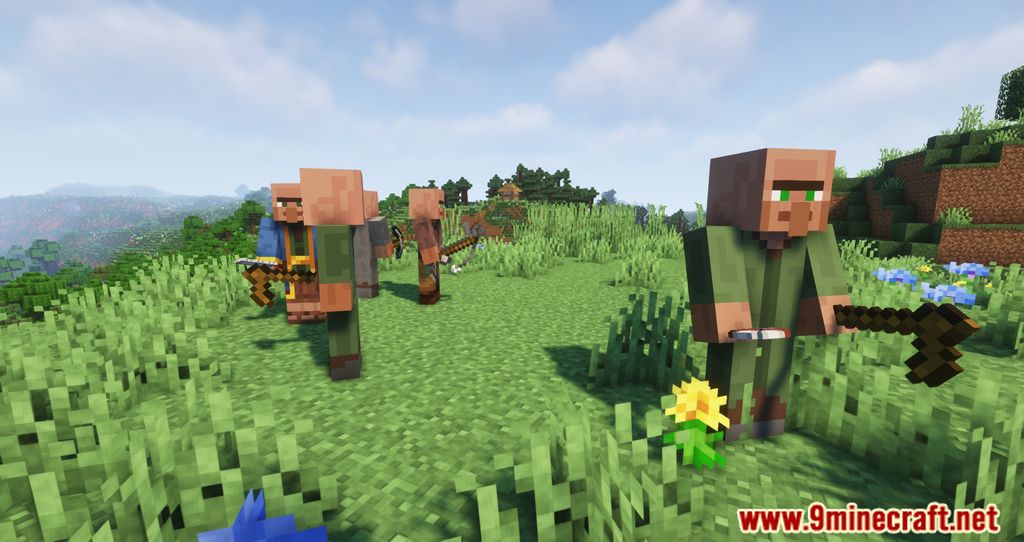
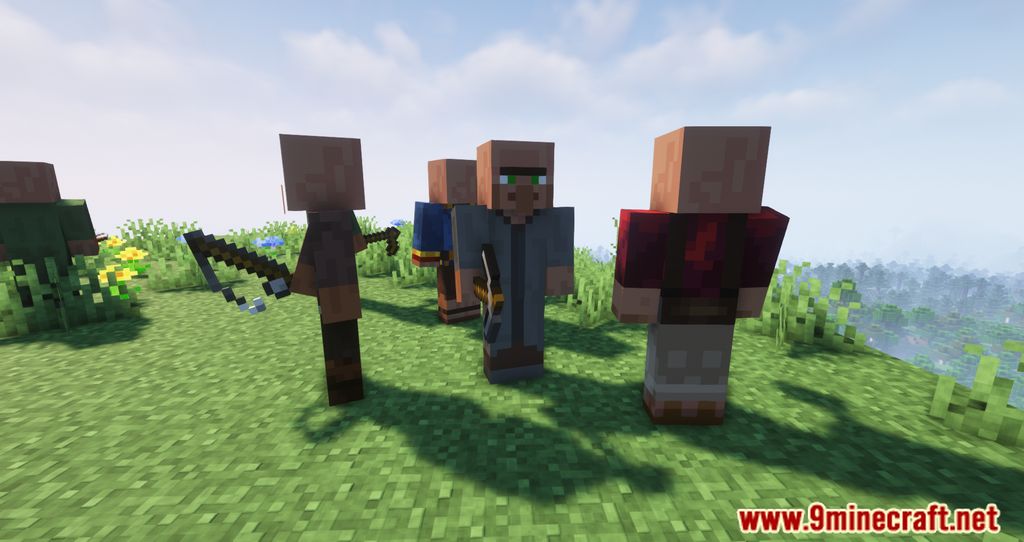
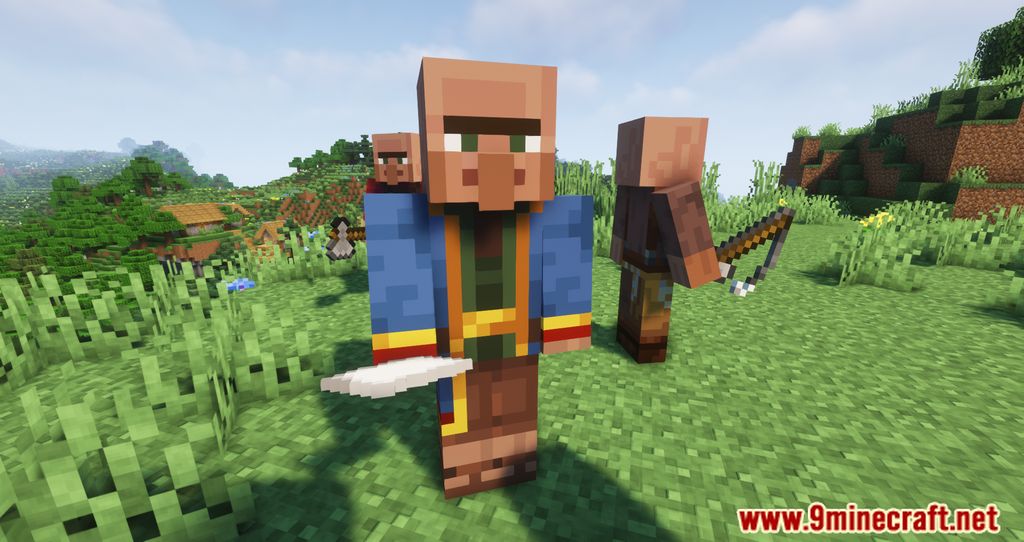
Villager Workers Mod extends the Recruits mod with hireable workers that handle daily jobs around your base, town, or faction. This mod adds 11 worker professions—Farmers, Lumberjacks, Fishermen, Animal Farmers, Miners, Builders, Chefs, Merchants, Craftsmen, Storekeepers, and Couriers—along with 11 placeable Work Areas. You place a Work Area in the world, pick its settings, and hire a matching worker who walks over, grabs supplies from nearby Storage Areas, and drops finished items back on their own. Every worker follows Recruits rules for groups, ownership, factions, payment, upkeep, morale, homes, and sieges, so your town needs proper care and safety to stay active. It requires the Recruits mod to run and also supports Dynamic Trees and Small Ships for extra tree and ship jobs.

Features:
- Work Area System: Turns idle NPCs into hireable workers that walk to the nearest matching Work Area they can access, grab supplies from nearby Storage Areas, and put finished items back into storage on their own.
- Full Recruits Support: Works with every Recruits feature—including groups, naming, ownership transfer, factions, morale, sieges, payment, and upkeep—so hired workers fit right into your town or faction.
- Custom Structure Scanning: Lets you scan your own builds up to 32x32x32 blocks and save them as NBT files (even with other Work Areas inside), ships with default vanilla-based preset buildings, and supports three server build modes.
- Needed Items Tracking: Flags each item a worker needs as either blocking (the worker pauses, checks every reachable Storage Area, and sends the owner a message if nothing is found) or non-blocking (grabbed when available, such as bone meal, without stopping work).
- Storage-Based Upkeep: Lets you assign a Storage Area as an upkeep source so workers and recruits only open chests holding food, payment currency, gear (weapons, armor, tools), or ammo for ranged units, skipping chests with nothing useful.
- Ownership & Faction Access: Lets you create, name, and edit groups, hand workers or Work Areas to other players, and toggle Faction Access per Work Area to allow or block faction players and faction workers.
- Changes villager breeding to use food nutrition (saturation) instead of only vanilla breeding items; villagers combine food saturation until reaching the threshold (default 15) and then breed.
- Links work performance to morale so low-morale workers take longer on tasks, work less efficiently, and can resign inside claims.
- Requires Worker Homes (at least a bed and a chest inside an enclosed room roughly 3×3 with walls, a roof, and a door) so workers can sleep to restore health and morale; workers without a home lose morale over time.
- Sends workers into their assigned homes to take cover when a siege starts or a village bell rings until the siege ends or you tell them to follow or wander.
- Transfers Work Area ownership right away to the new claim owner if a siege succeeds; workers with normal or high morale flee the claim, hold position until picked up, and fight back only if attacked, while workers with morale below 20 disband and switch to the claim’s faction.
- Supports optional compatibility with Dynamic Trees (Lumberjacks fell, strip, and plant dynamic trees automatically) and Small Ships (Storekeepers unload parked ships near a storage).
Work Areas & Worker Professions:
- Storage Area & Storekeeper: Groups chests and other containers inside its bounds so nearby workers drop off goods and grab supplies, with per-worker-type access filters (all types allowed by default) and 64-block reach for nearby Kitchens, Markets, and Workshops. Only one Storekeeper works per storage with no setup needed; they sort chests into categories (armor, tools, mob drops, farming, food, ores, wood, building blocks, and misc), give large item amounts their own chests, and unload parked donkeys, mules, and llamas with chests (keeping saddles and carpets on), chest boats, chest minecarts, Small Ships, and horse carts within 8 blocks while skipping vehicles with a player or Courier on board and animals of other owners, sending a message if storage is full or unreachable.
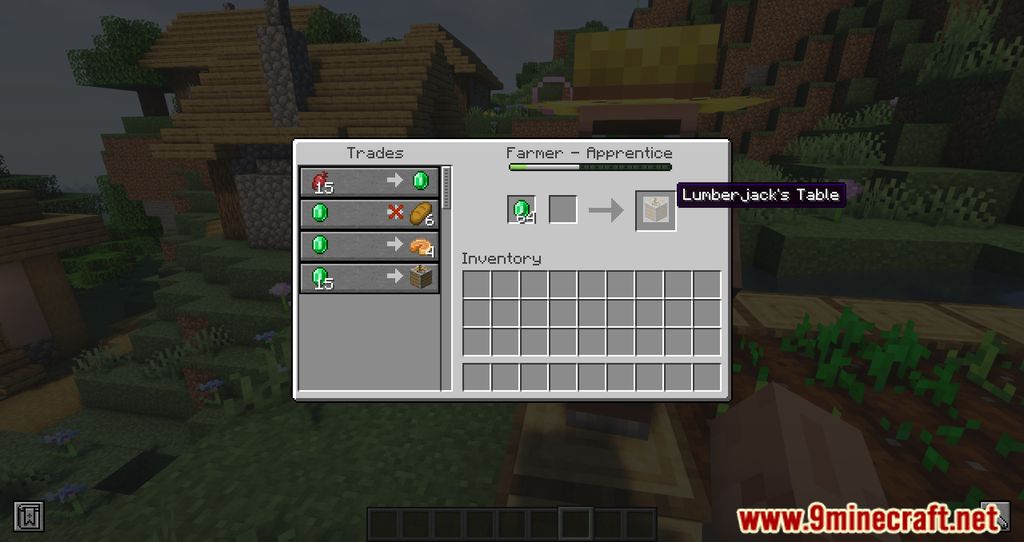
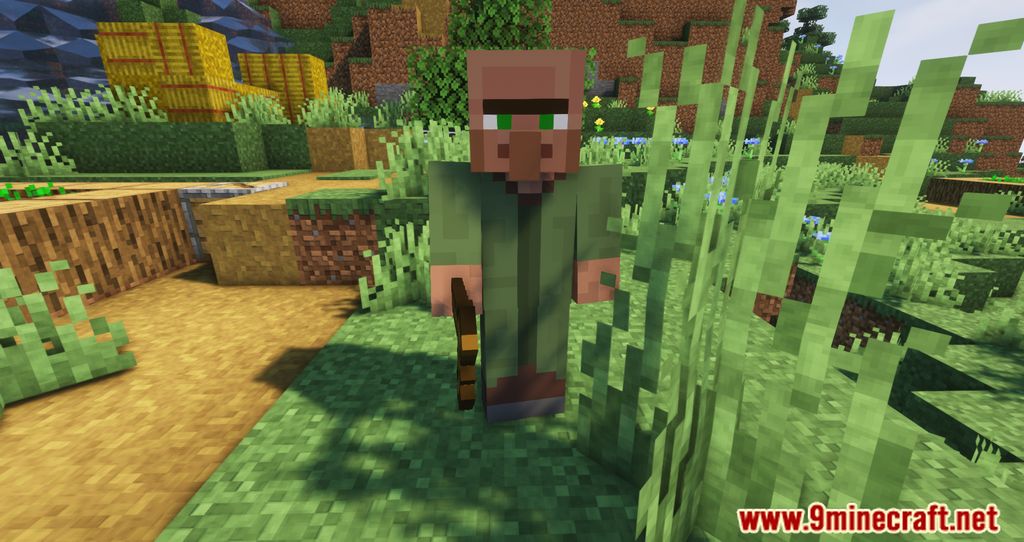
- Crop Farm & Farmer: Covers a 9×9 area where you pick which seeds to plant in the UI, and you can place multiple farms to scale up harvests. Farmers till, plant, and harvest the nearest free tile, and use bone meal when available to speed up growth without pausing work if it runs out.
- Lumber Area & Lumberjack: Plants and chops trees inside the area with options to strip logs before chopping, replant saplings, and shear leaves with shears before chopping. Applies bone meal to freshly planted saplings when available and handles Dynamic Trees automatically when loaded.
- Fishing Area & Fisherman: Marks where Fishermen cast their lines, letting them catch fish faster in deeper water while wearing down fishing rods much more slowly than a player.
- Animal Farm & Animal Farmer: Breeds and grows animals faster than a player across many species including rabbits, camels, horses, wolves/dogs, and goats, with options for shearing sheep, collecting chicken eggs, milking cows, and slaughtering surplus animals over the pen’s limit. With Gather Animals (on by default), Animal Farmers lead up to 4 matching nearby animals to the pen at once and pick up others along the way while leaving named animals, tamed horses, and animals in other pens alone.
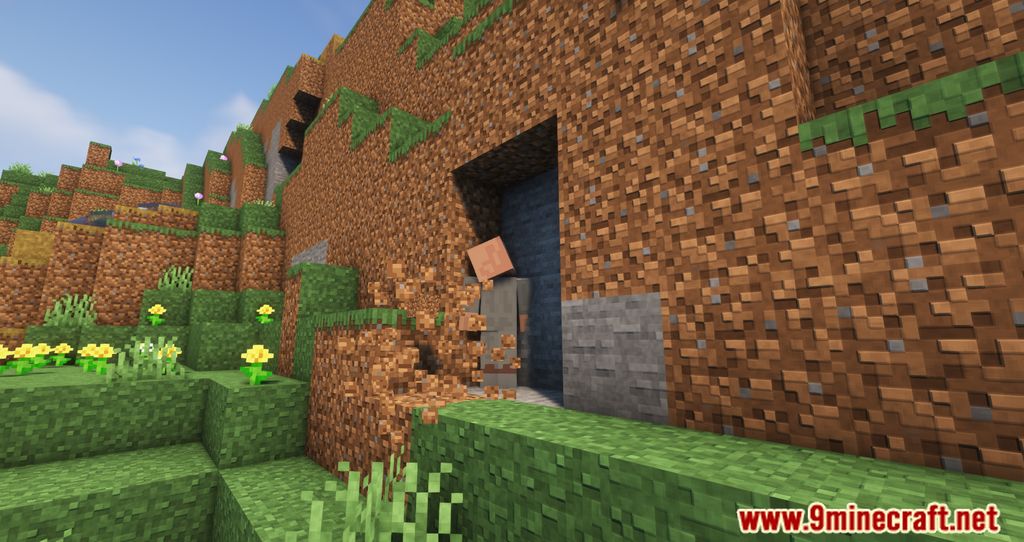
- Mining Area & Miner: Digs out a space with adjustable height, width, and depth, mines ores exposed in walls, plugs water and lava sources automatically, optionally fills floor holes to prevent falls, places torches when it gets too dark, and grabs pickaxes and shovels from storage as needed.
- Building Area & Builder: Builds saved or scanned structures using blocks from nearby Storage Areas and uses finished items already in storage (such as stairs, slabs, fences, doors, and carpets) before asking for raw materials. The build screen shows build status, the assigned Builder, placed/total progress, and missing items on hover.
- Kitchen & Chef (Cook): Needs at least 1 Furnace and 1 Chest, cooks up to 8 items per furnace at once, and with “Use storage” enabled crafts simple food recipes by hand (bread, cookies, pumpkin pie, soups, and matching modded recipes) while taking at most a quarter of each ingredient from storage. Gives cooked food first (or raw food if nothing else is available) and saturation items to villagers to support breeding when set up.
- Market & Merchant: Needs chests so a nearby Merchant moves in to hold stock and store earnings for long-term trading. Includes “Use storage” to restock and store bought items from nearby storages, an emerald reserve that stays in the Market, and a toggle to allow or block foreign traders.
- Workshop & Craftsman: Needs at least 1 Crafting Table, 1 Furnace, and 1 Chest (plus optional Blast Furnaces used automatically for ores at double speed), and works through up to 16 crafting or smelting orders set in a ghost grid or picked with recipe search (clicking an item again cycles alternate recipes). Supports “Keep stock” (default 64 across Workshop and storage), “Make once”, “Allow variants” (on by default, such as any planks), “Use storage” (on by default, needing the “Craftsman” storage flag), smelting with coal, planks, or logs, tooltips for missing ingredients, storing unused items back into storage, and morale-based crafting speed.
- Courier (Recruits Route): Moves items between waypoints on a Recruits route with up to 8 ordered actions per waypoint, searching roughly 16 blocks around each waypoint for a Chest, Storage, Market, Kitchen, or Workshop (“Any” or a specific area by name, skipping and notifying the owner if missing). Loads chunks along the route so deliveries run without players nearby, highlights the active waypoint green, supports amounts above 127, shows hover tooltips inside dropdowns, and lets mounted Couriers on mules or donkeys use only the vehicle’s inventory.
Courier Route Tasks:
- Take: Takes up to the set amount of a chosen item from the target location.
- Put: Puts up to the set amount of a chosen item from the Courier’s inventory into the target location.
- Take Any & Put Any: Moves all of the selected item type out of or into the target location.
- Take All & Put All: Takes everything from the target location until the Courier’s inventory is full, or empties the Courier’s entire inventory into the target location.
- Put Fill & Take Fill: Tops up either the target location (Put Fill) or the Courier’s own inventory (Take Fill) to the set amount based on what is already there, skipping the action if the goal is already met.
- Wait: Makes the Courier wait at the waypoint for a set number of seconds.
Merchant & Far Trader Mechanics:
- Player & Villager Trades: Lets owners create player trades (a currency item and a trade item) or owner-only “Villager Trade” offers (only a trade item, using the villager’s currency including modded currencies that replace emeralds) with item search, villager price info, and options to limit, disable, or delete trades.
- Automated Villager Trading: Invites nearby villagers with matching offers over to the Market to trade, using “Keep X” sell rules (sells only while Market and storage hold more than X) and “Up to X” buy rules (buys until Market and storage hold X).
- Far Trader Travel: Sends Merchants with “Far trader” enabled to visit other players’ Markets during the day with their Recruits escort, trading items from their villager trades while following “Keep”, “Up to”, and emerald reserve rules on both sides.
- Market Memory & Reports: Remembers visited Markets so you can mark favorites or markets to avoid in the “Markets” screen, sends a trip report when the Merchant returns home, and skips enemies, embargoed markets, and markets that block foreign traders.
Server Build Modes:
- Free: Each player uses their own set of saved buildings.
- Preset: Players can only use buildings available on the server, synced when selected in the GUI.
- Faction-Preset: Works like Preset, except each faction can only build structures inside its own faction-id folder.
Configuration:
FarmerCost,LumberjackCost,MinerCost,BuilderCost,MerchantCost,CourierCost,CookCost,StorekeeperCost: Set the hire cost for each worker profession.CraftsmanMoraleTicks: Controls the crafting speed of the Craftsman for each morale level.VillagerBreedMixinEnabled: Turns the saturation-based villager breeding change on or off (default on).VillagerBreedSaturationThreshold: Sets the total food saturation a villager needs to gather before breeding (default 15).ShouldWorkAreaOnlyBeInFactionClaim: Allows placing Work Areas only inside faction claims.ShouldOnlyPlacingBuildingsBePossible: Limits building to placing buildings only.AnimalPenMaxAnimals: Sets the default and maximum number of animals per Animal Farm.BuildMode: Sets server building rules toFree,Preset, orFaction-Preset.WorkersReplaceAllay: Controls whether workers replace Allay-based behavior.MinerPickup,MinerIgnore: Set Miner item pickup behavior and ignored blocks.AnimalFarmerPickup,FarmerPickup,LumberjackPickup,FishermanPickup: Set item pickup behavior for each of those professions.
How to Use:
- Make sure the Recruits mod is loaded, then place a Storage Area first and put chests or other containers inside its bounds; nearby workers pull supplies from these chests and drop finished goods here, and you can pick which worker types may use each storage.
- Place the Work Area for the job you want (such as a Crop Farm, Lumber Area, Fishing Area, Animal Farm, Mining Area, Building Area, Kitchen, Market, or Workshop) and open its GUI to set job options like seeds, area size, or Faction Access.
- Hire a worker with the matching profession using normal Recruits hiring and let them roam near the area; they walk to the nearest matching Work Area they can access and begin working on their own.
- Assign a Storage Area as an upkeep source for your workers; when upkeep is due, they check only chests holding food, payment currency, gear, or ammo so they stay fed and equipped automatically.
- Build a Worker Home with at least a bed and a chest inside an enclosed room (roughly 3×3 with walls, a roof, and a door) so workers move in and sleep there to restore health and morale.
- Hire a Storekeeper for a Storage Area to keep chests sorted automatically; park donkeys, mules, llamas with chests, chest boats, chest minecarts, horse carts, or Small Ships within 8 blocks of the storage for a few seconds so the Storekeeper unloads them.
- Set up a Workshop with at least 1 Crafting Table, 1 Furnace, and 1 Chest (plus optional Blast Furnaces for ores) and enable the “Craftsman” flag on your Storage Area, then click a working Craftsman to open the order list (hold Sneak and click for the normal menu) and add up to 16 orders using the ghost grid or recipe search.
- Place a Market with chests so a nearby Merchant moves in, then open the Merchant’s GUI to create player trades or “Villager Trade” offers, set “Keep X” / “Up to X” stock rules and an emerald reserve, or turn on “Far trader” so they visit other players’ Markets during the day (and use the “Markets” screen to mark favorites or markets to avoid).
- Assign a Courier to a Recruits route and open the route GUI to add up to 8 ordered actions per waypoint; hover over dropdown options to read descriptions and scroll the mouse wheel over an item slot to change amounts (hold Shift for ±10 or Ctrl for ±64).
- If a worker stops or slows down, check that a matching Work Area is nearby with access enabled, restock any missing supplies reported in owner messages, check a Craftsman’s order list for missing items or met stock targets, and make sure workers have a home, food, and payment to recover morale.
Screenshots:
How to Install:
New to Minecraft? Follow our step-by-step guide to install Mods on your PC.View Guide
Villager Workers Mod Download Links
For Minecraft 1.20.1
Forge Version: Download from Server 1 – Download from Server 2
For Minecraft 1.19.2
Forge Version: Download from Server 1 – Download from Server 2
For Minecraft 1.18.2
Forge Version: Download from Server 1
For Minecraft 1.16.5
Forge Version: Download from Server 1
What is the longest real-time wait you will tolerate for a heavily modded game to load to the main menu?
42 responses · See the full results →
You May Also Like
Picked for this page
 Macro Keybinds Mod (26.2, 1.20.1) – Macro Creation, Keybind Execution
 Prism Mod (26.3, 1.20.1) – Library All About Color
 No Resource Pack Warnings Mod (26.3, 1.20.1) – Disable Pop-up Warning
 Twitch Chat Bridge Mod (26.2, 1.21.1) – Bridging Realms: Twitch Chat Mod
 Two Players One Horse Mod (1.21.4, 1.20.1) – Join The Ride
 Client Kits Mod (26.3, 1.20.1) – Use Commands to Save, Load, and Delete Inventory Kits
 Custom Piglin Bartering Mod (26.3, 1.20.1) – Unique Loot For Every Trade
 Per Player Wandering Traders Mod (26.3, 1.20.1) – Per-Player Spawning
 Blocky Bubbles Mod (26.3, 1.20.1) – Fast Bubbles For Java Edition
 Magnetized Loot Harvest Mod (26.3, 1.20.1) – Never Lose Mined Ores
 Better Hud by Toxicity188 Mod (26.3, 1.21.11) – Build a Custom RPG Interface
 Ironbound Combat Tactics Mod (1.21.11, 1.21.1) – Master RPG Classes
Most viewed in Mods over the last 7 days
 Ala Industrial Mod (26.3) – Run Electric Power Grids and Automated Factories
 PleasureCraft Mod (26.3, 1.21.1) – Jenny Mod Remake for Fabric
 Jennycraft Mod (26.3, 1.20.1) – Virtual Girlfriend in Minecraft
 Fapcraft Mod (26.3, 1.12.2) – Comprehensive and Detailed Content
 Jenny Mod (Fapcraft) Official Complete Guide – How to use, Tutorial
 BangCraft Mod (1.20.1) – Jenny, Ellie and Elliot
 Fabric Loader (26.3, 1.20.1) – Fabric Installer for All Minecraft Versions
 The Shooting Star Demo Mod (26.3, 1.20.1) – Vaporize Terrain From Orbit
 Meteor Client Mod (26.3, 1.20.1) – Xray, HUD, Fly
 OptiFine HD (26.3, 1.20.1) – Run Faster, FPS Boost, Shaders Support
 Aristois Client Mod (1.21.4, 1.20.1) – World Class Minecraft Utility
 Prestige Client Mod (1.21.11, 1.21.4) – Powerful Ghost Features for Crystal & Sword PvP
More from Mods
 HORROR Fake Join Leave Messages Mod (1.20.1) – Trigger Creepy Chat Scares
 Bons Voyage Mod (1.20.1) – Teleport Across Biomes Through Hidden Waystones
 Orbital Railgun UPDATED Mod (26.3) – Flatten Giant Landscapes From Space
 Automobility Autoradio Mod (26.3, 26.1.2) – Trade Custom Mixtapes with Friends
 Towers of the Wild 9minecraft Mod (26.3, 26.2) – Climb Tall Towers for Loot
 Ender Storage 9minecraft Mod (26.3, 26.2) – Send Loot Back Home From Any Dimension
 Snad 9minecraft Mod (26.3, 26.2) – Build Faster Sugar Cane and Nether Wart Farms
 Together Forever Unofficial Mod (1.12.2) – Share Team Advancements
 GroovyDuvet Mod (1.21.11, 1.20.1) – Run Groovy Scripted Addons Without Game
 Swing Through Grass 9minecraft Mod (26.3, 26.2) – Fight Mobs Without Breaking Tall Grass
 Improved Boss Bars 9minecraft Mod (26.3) – Unique Health Bars for Every Boss Fight
 Cozy’s Improved Wolves Mod (26.3, 1.20.1) – Bond with Loyal Dogs That Never Die

This post has no comments yet. Be the first — your comment will appear here.