
VIRIS Mod (26.3) – Render Voxy Distant Terrain on the Vulkan Graphics Backend
 1
 0

VIRIS Mod extends Voxy by letting its distant terrain render on Minecraft’s Vulkan renderer. Normally, Voxy refuses to run on the Vulkan backend. This mod opens a hidden OpenGL context right next to the game’s Vulkan device. It shares images between the two systems and blends the distant views into your world before normal terrain loads. Windows players get to see faraway landscapes while running the game on Vulkan.

Features:
- Unchanged Voxy Renderer: Runs Voxy’s original renderer so distant terrain keeps its normal textures, lighting, water, fog, and SSAO.
- OpenGL and Vulkan Interop: Draws distant views into shared images and blends them into the game before standard world terrain.
- Zero Extra Menus: Has no separate settings of its own and relies entirely on Voxy’s normal options.
- Automatic API Switching: Activates when the Graphics API video setting is on Default or Vulkan, and stays idle when set to OpenGL.
- Works alongside the optional Vitrail mod to allow shader packs on Vulkan, though only shader packs with Voxy compatibility will draw the distant terrain.
- Combines with the optional SIRIS mod.
- Requires Windows and a graphics driver with OpenGL and Vulkan interop (
GL_EXT_memory_object_win32andGL_EXT_semaphore_win32), tested on an NVIDIA RTX 4060 Ti.
How to Use:
- Remove any old
voxy-vulkanjar file from your mods folder so both files do not load at the same time. - Open your video settings in the game and set the Graphics API option to Default or Vulkan to make the mod active.
- Adjust your distant terrain view using Voxy’s standard settings menu.
How to Install:
New to Minecraft? Follow our step-by-step guide to install Mods on your PC.View Guide
Requirements:

VIRIS Mod Download Links
For Minecraft 26.3
Click to rate this post!
[Total: 0 Average: 0]
You May Also Like
Picked for this page
 No Darkness Effect Mod (26.3, 1.20.1) – Explore Deep Caves Without Warden
 Show Me Your Skin Mod (26.2, 1.20.1) – Show Off Your Custom Player Skins
 SlashBlade Resharped Mod (1.21.1, 1.20.1) – Improved Compatibility And Fixes
 Heart Indicator Mod (26.3, 1.21.1) – See Exactly How Much Health Your
 Particle Animation Lib Mod (26.3, 1.20.1) – Build Custom 3D Particle Effects
 Cobbledex Rei Emi Jei Mod (1.21.11, 1.21.1) – Find Cobblemon Spawns
 Voltage Drain Ordnance Mod (1.20.1) – Wield High-Tech Guns and Beacon-Forged
 Vantage Sky Logic Mod (26.3, 1.21.11) – Master Hypixel Skyblock Dungeons
 Fast NBT Mod (1.20.1) – Speeds Up Game Data Reading
 Unstable Workstations Mod (1.21.1, 1.20.1) – Survive Sudden Explosions
 Max FPS Booster Mod (26.3) – Smooth Frames in Crowded Bases and Big Mob Farms
 BMRF Blocks Mod (1.12.2) – Build Your Own Black Mesa Research Facility
Most viewed in Mods over the last 7 days
 Ala Industrial Mod (26.3) – Run Electric Power Grids and Automated Factories
 PleasureCraft Mod (26.3, 1.21.1) – Jenny Mod Remake for Fabric
 Jennycraft Mod (26.3, 1.20.1) – Virtual Girlfriend in Minecraft
 Fapcraft Mod (26.3, 1.12.2) – Comprehensive and Detailed Content
 Jenny Mod (Fapcraft) Official Complete Guide – How to use, Tutorial
 Meteor Client Mod (26.3, 1.20.1) – Xray, HUD, Fly
 BangCraft Mod (1.20.1) – Jenny, Ellie and Elliot
 OptiFine HD (26.3, 1.20.1) – Run Faster, FPS Boost, Shaders Support
 CatLean Client Mod (26.2, 1.21.11) – ThunderHack Recode Alternatives
 Fabric Loader (26.3, 1.20.1) – Fabric Installer for All Minecraft Versions
 SeedCrackerX Mod (26.3, 1.20.1) – Find Any World Seed
 SchnurriTV Mod (1.12.2) – Characters and Features
More from Mods
 Shelf Mod (26.3, 1.20.1) – Showcase Treasures in Your Base
 More Beautiful Buttons Mod (26.3, 1.20.1) – Match Buttons to Any Block
 Registry Library Mod (1.20.1) – Code Custom Items, Blocks, and Mobs
 DragonLoot Mod (26.3, 1.20.1) – Craft Armor From Dragon Scales
 BackSlot Mod (26.3, 1.20.1) – Carry Extra Weapons and Tools on Your Back
 MythLib Mod (1.20.1) – Power Shared Energy and Fluid Systems in Your World
 Cloud Glass Mod (26.3, 1.21.1) – Walk Through Solid Walls
 TelePastries Mod (26.3, 1.20.1) – Bake Magical Cakes to Teleport
 GeOre Mod (26.3, 1.20.1) – Grow Valuable Ores Underground
 RecipeRemover Mod (26.3, 1.20.1) – Remove Unwanted Crafting Recipes
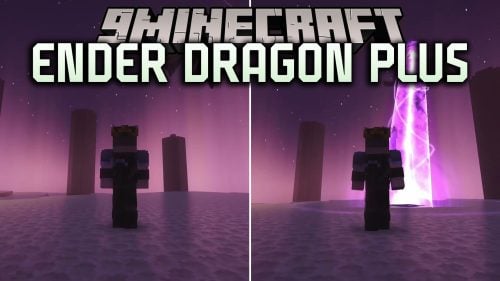 Ender Dragon Plus Mod (26.1.2, 1.20.1) – Fight a Three-Stage Final Boss
 Just A Raft Mod (26.3, 1.20.1) – Build Wooden Rafts for Ocean Travel

This post has no comments yet. Be the first — your comment will appear here.