
Yyz’s Backpack Mod (26.3, 1.20.1) – Never Stop Mining to Manage Inventory

 0


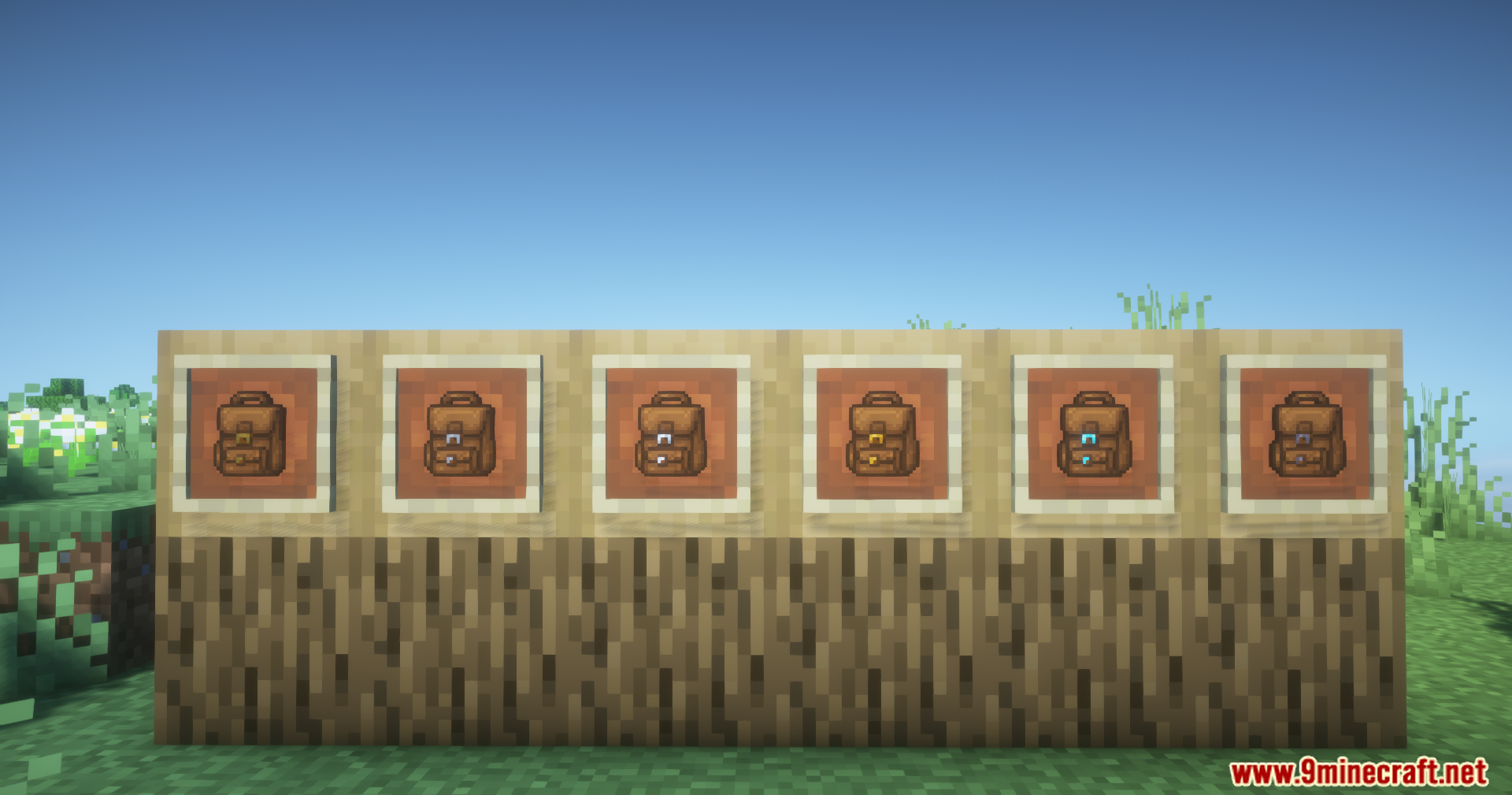
Yyz’s Backpack Mod adds a lightweight backpack system that makes item storage easier without changing the vanilla UI style. It brings four backpack tiers—Iron, Gold, Diamond, and Netherite—that add between 18 and 54 extra slots, and the Netherite tier stays safe from fire and lava. The backpack opens right inside your inventory, crafting tables, chests, and furnaces, so you can craft, sort, quick-move, and auto-collect items without switching screens. Carrying three or more backpacks at once applies a Heavy effect that lowers your speed and jump height. This mod also works with JEI, Curios, Trinkets, Applied Energistics 2, Inventorio, and Tom’s Simple Storage Mod, and supports custom layouts through config files, resource packs, and data packs.
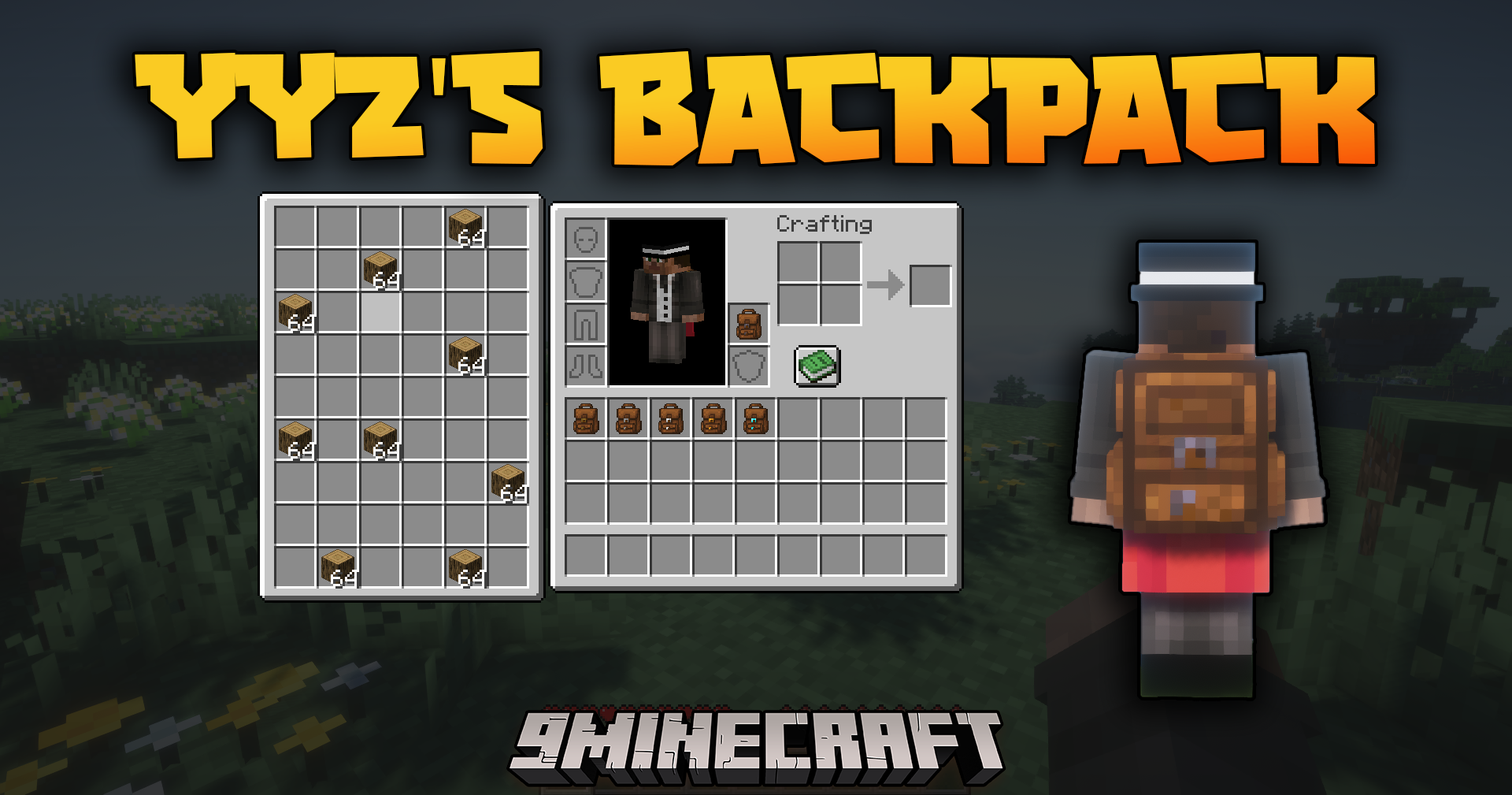
Features:
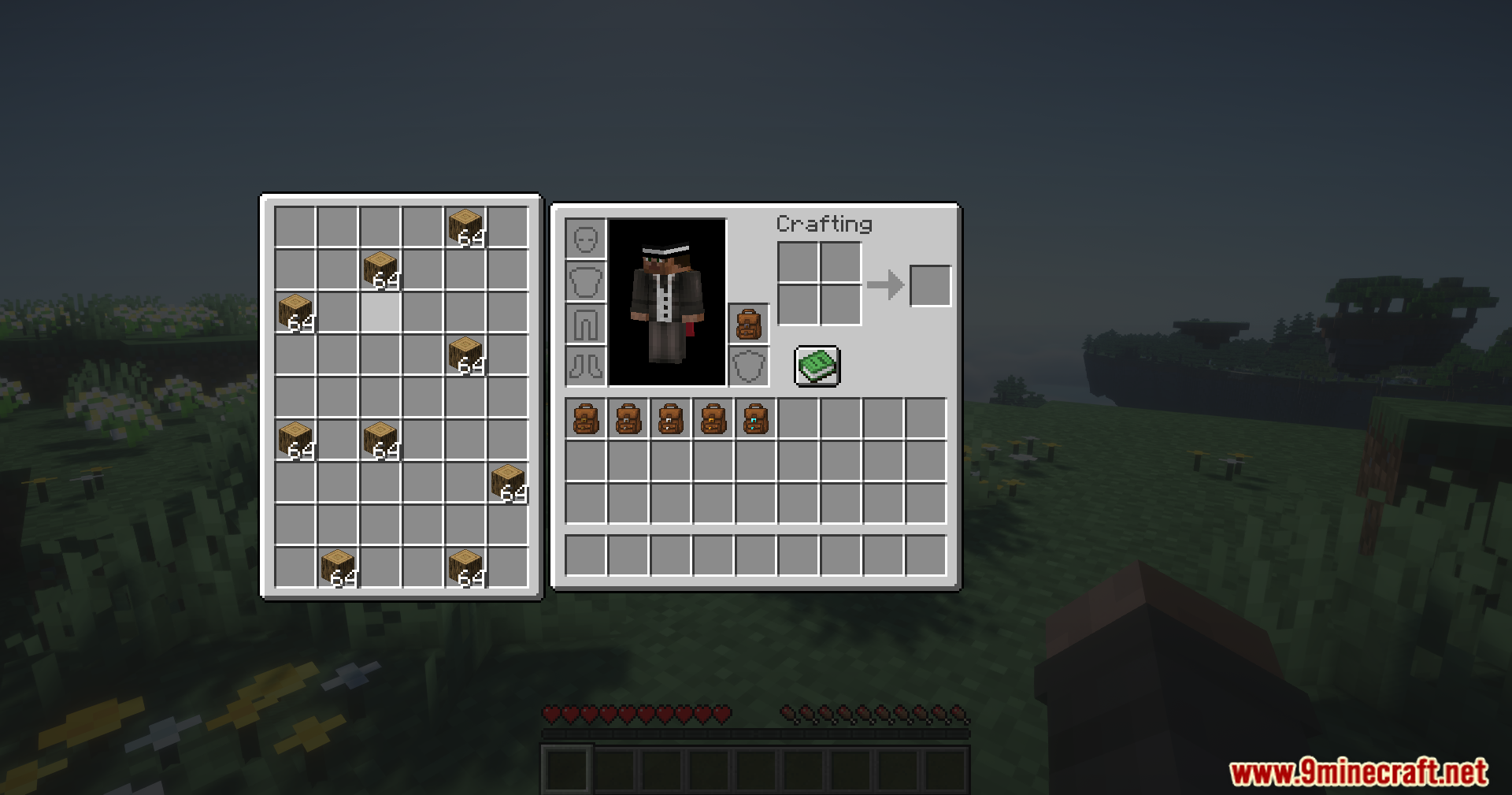
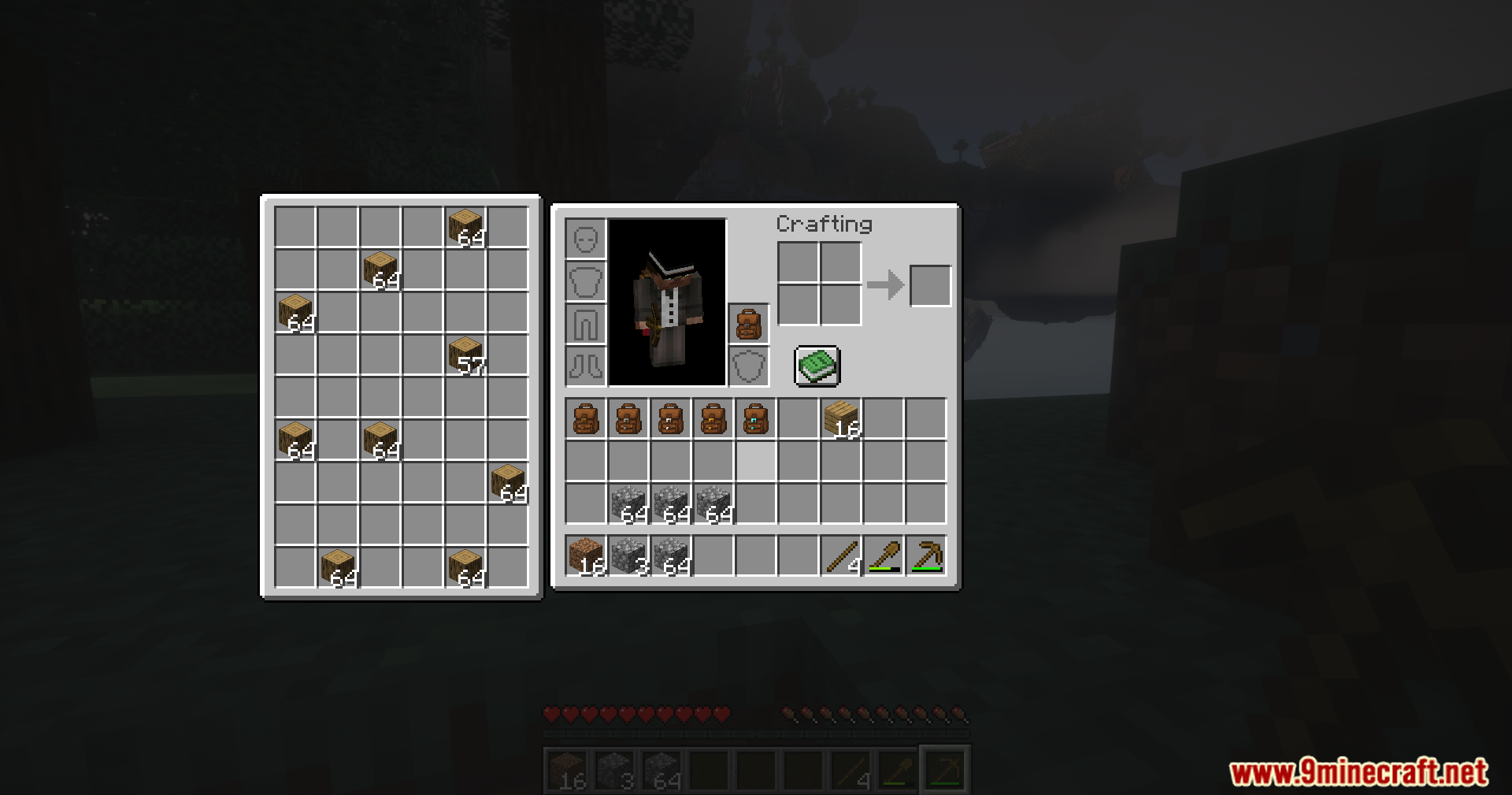
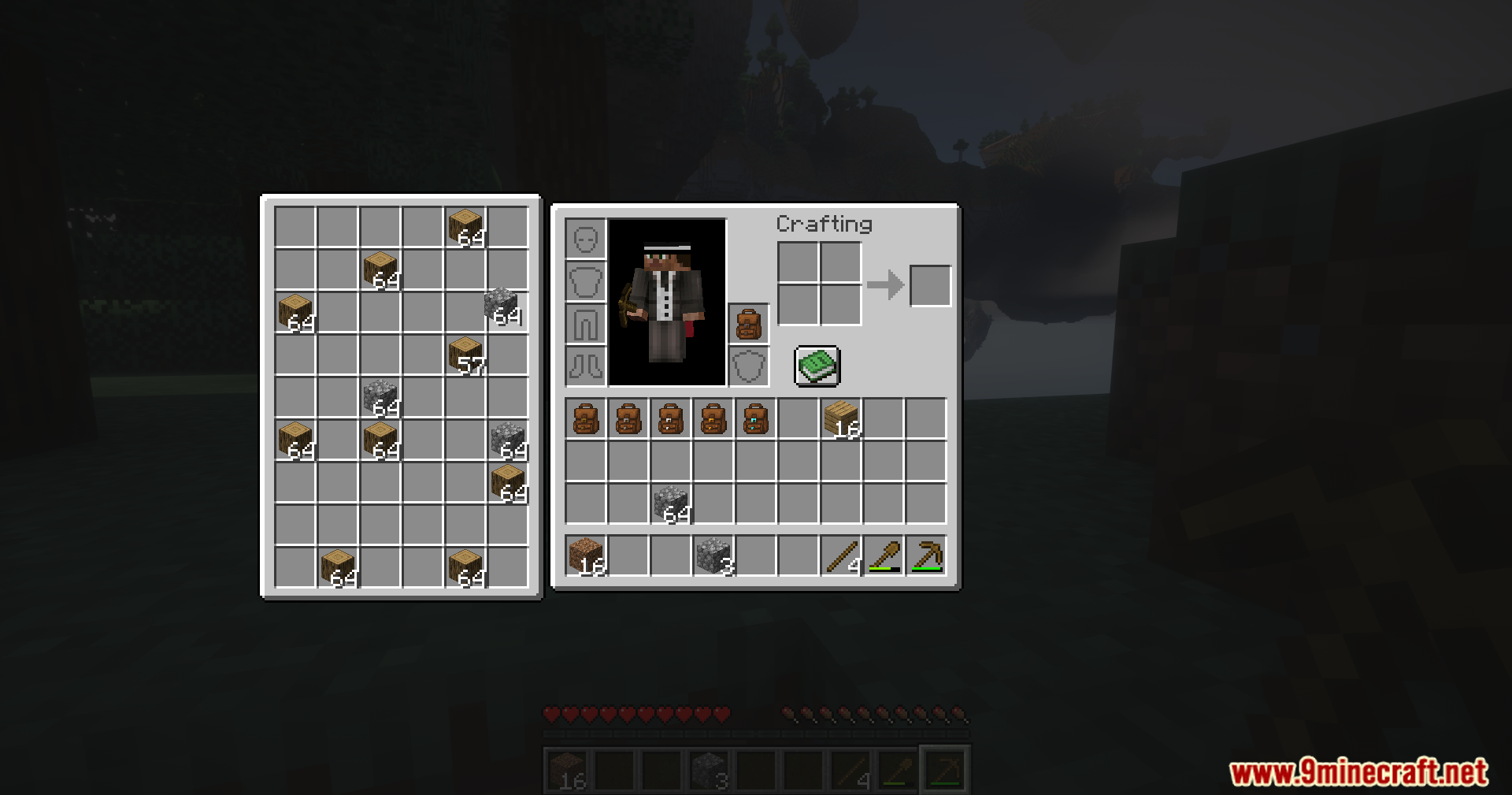
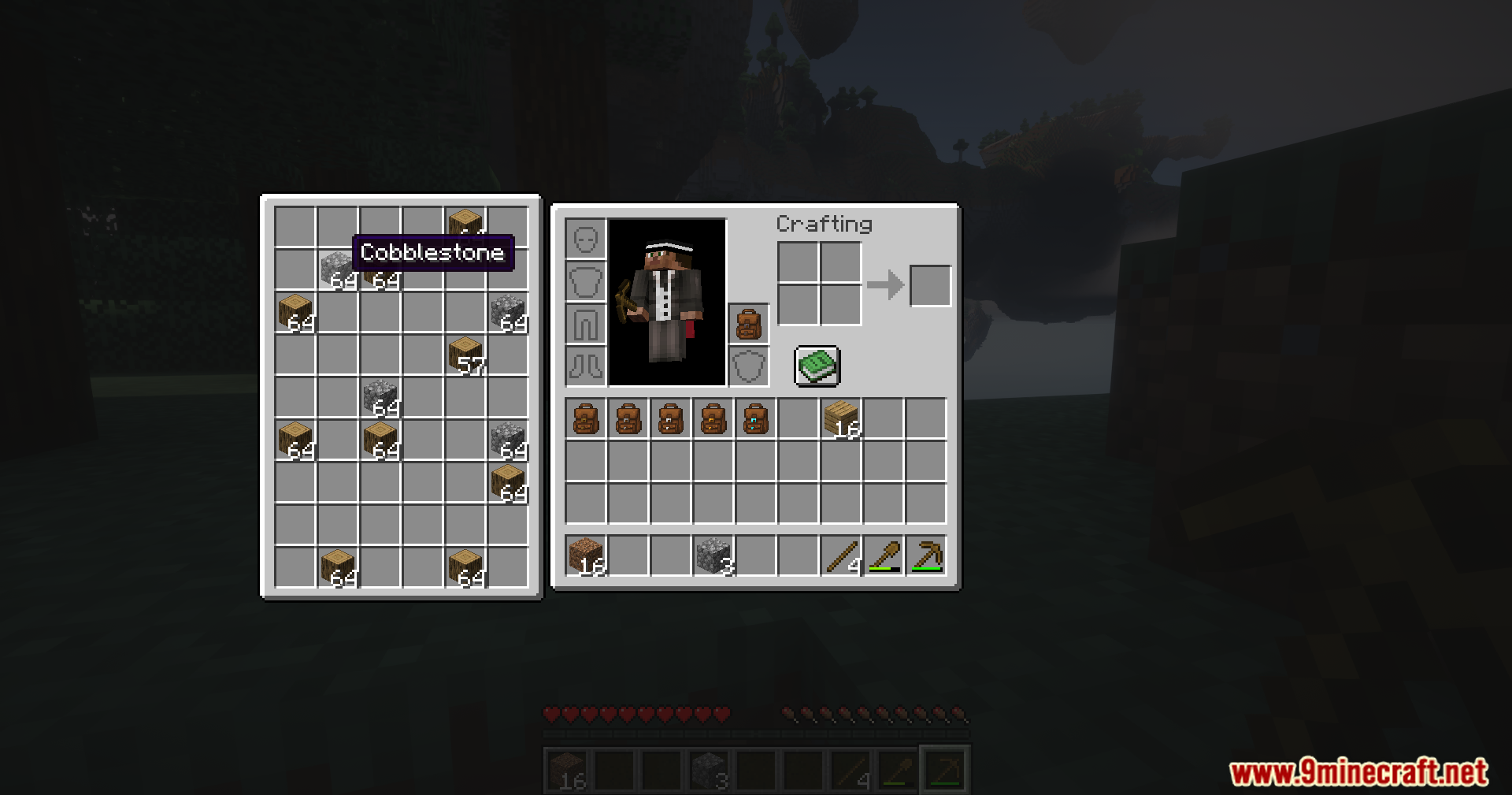
- In-Screen Access: Displays the backpack UI right inside your inventory, chests, crafting tables, and furnaces, so you can take or store items without switching menus.
- Crafting Support: Lets you craft directly with items inside your backpack, with support for the recipe book, JEI, and click quick-fill.
- Built-In Item Sorting: Sorts items inside your backpack when you click the sort button or press a custom key (unbound by default), with multiple sort modes such as Creative inventory order, name, count, and ID switchable by scrolling on the sort button.
- Quick Move Controls: Moves items quickly with Alt + Click to deposit into the backpack and Shift + Click or Alt + Click to pull items out to different spots, plus bulk buttons to move matching items or move everything at once.
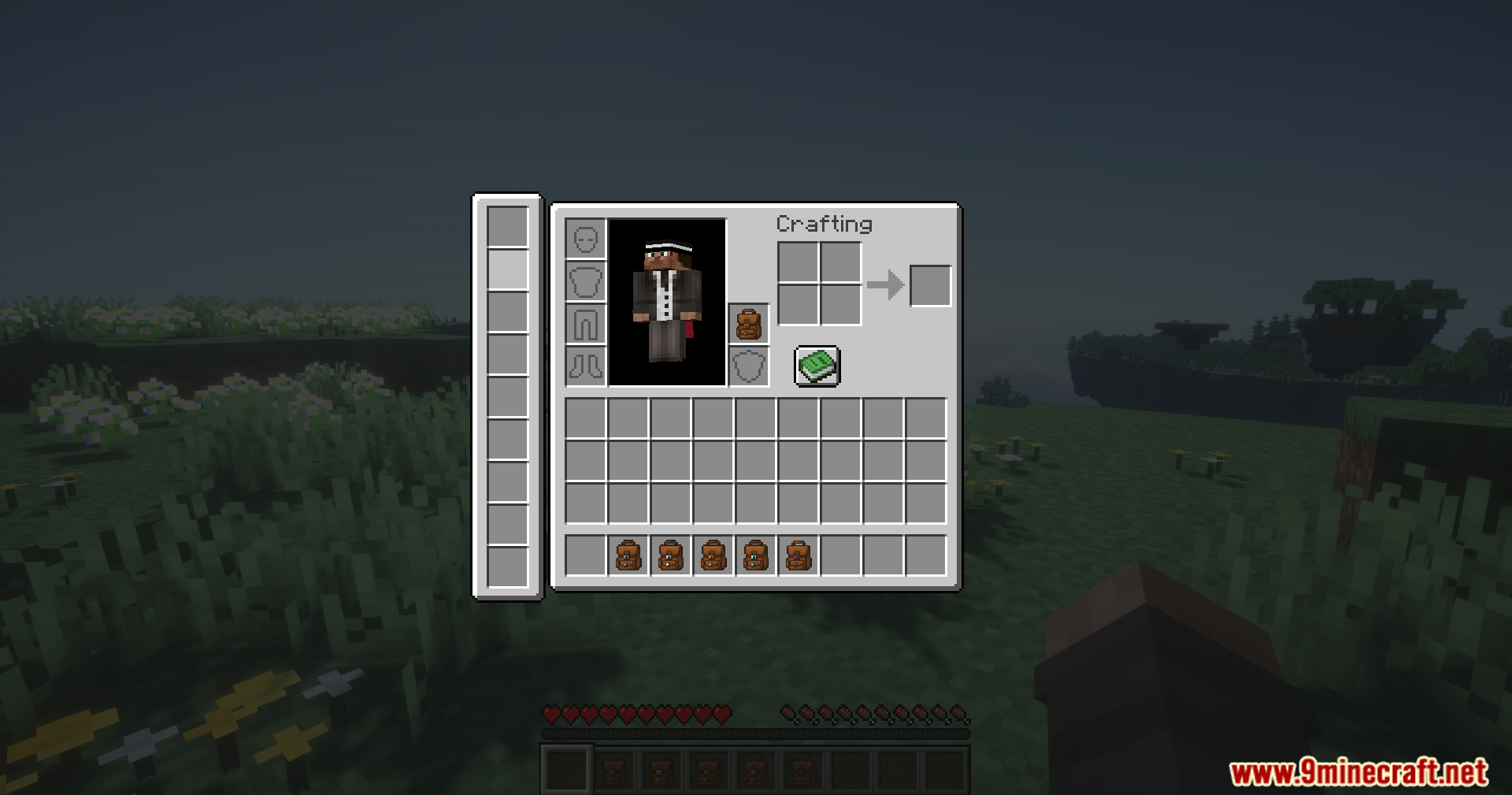
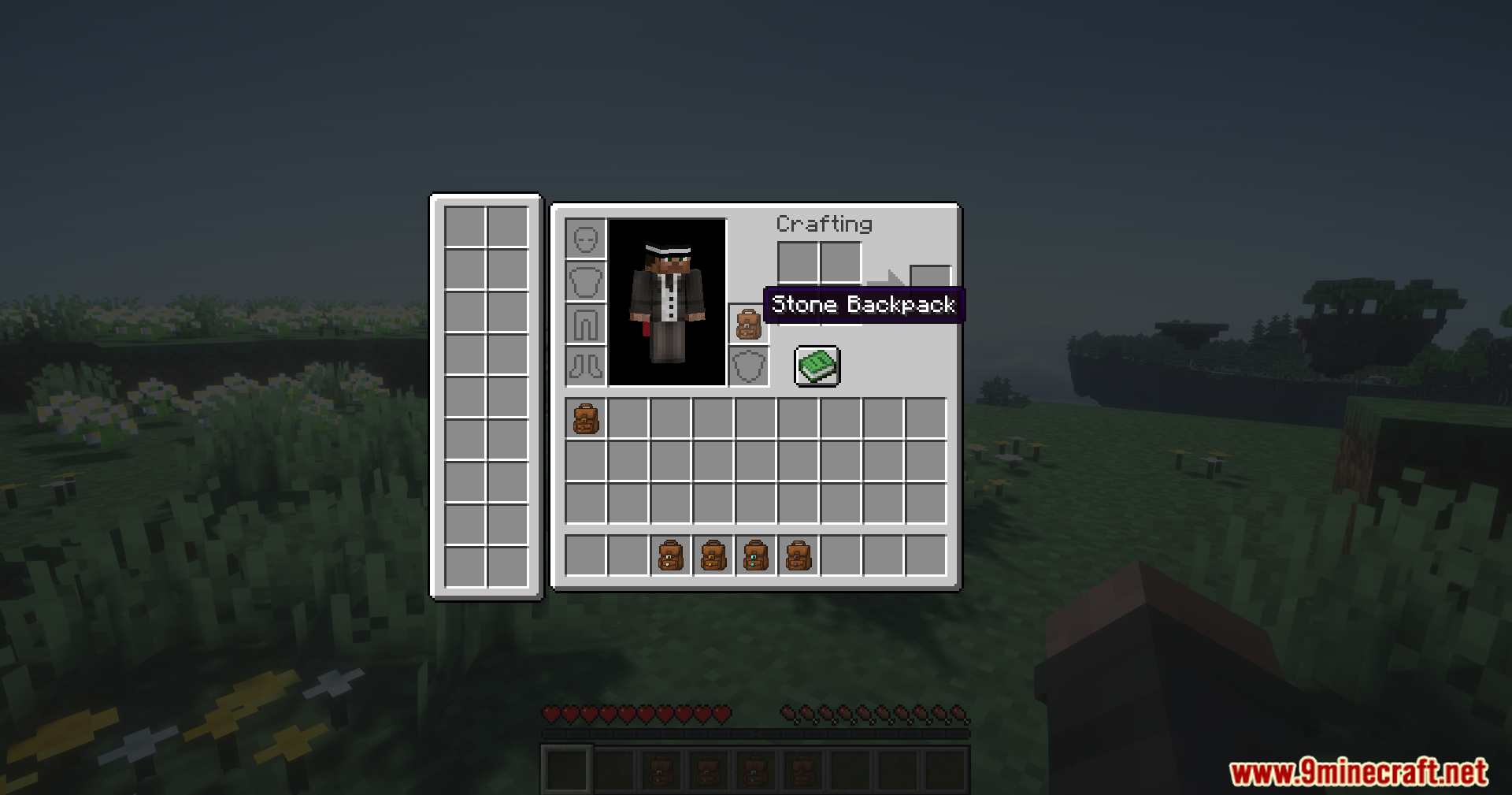
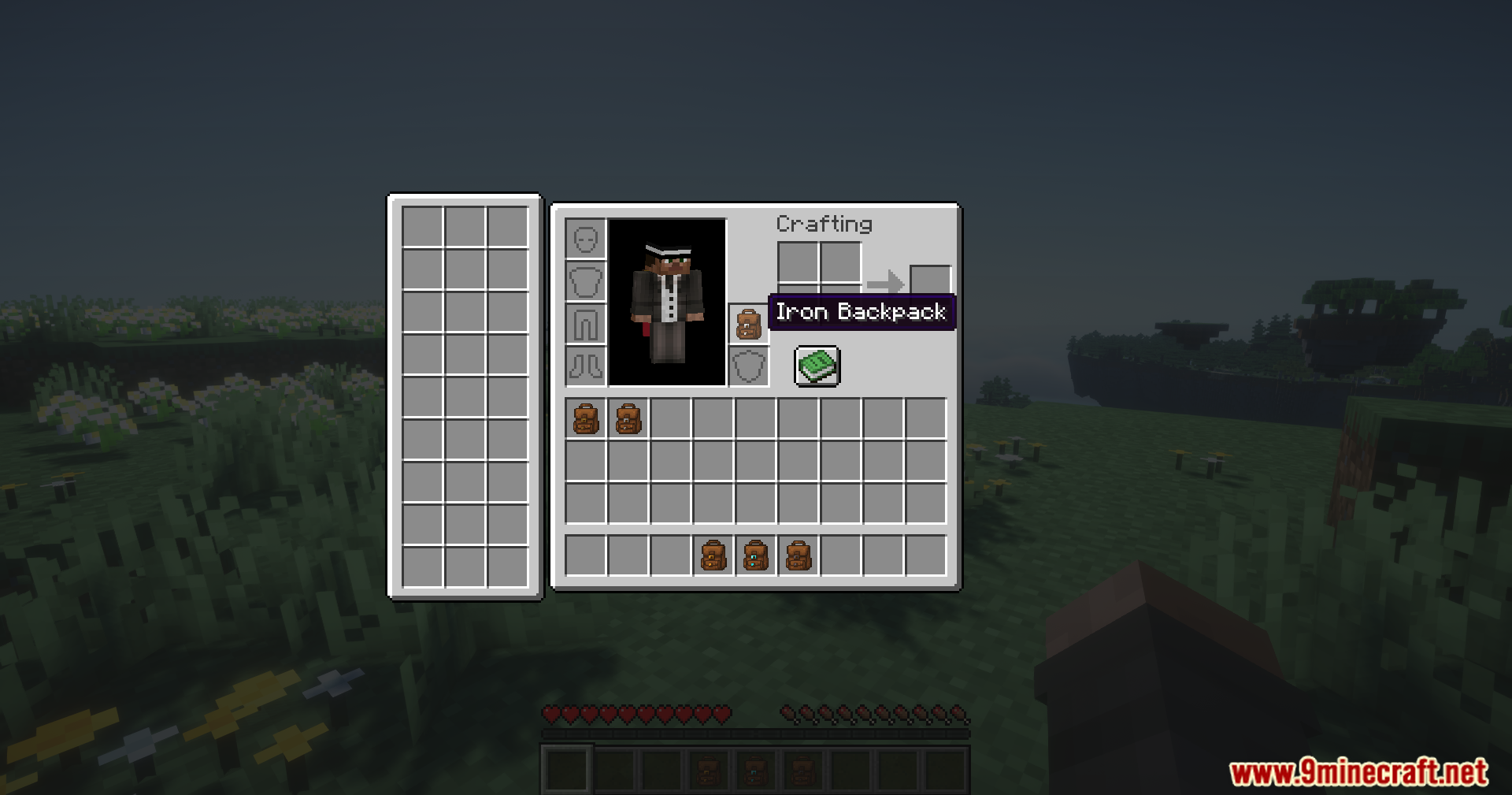
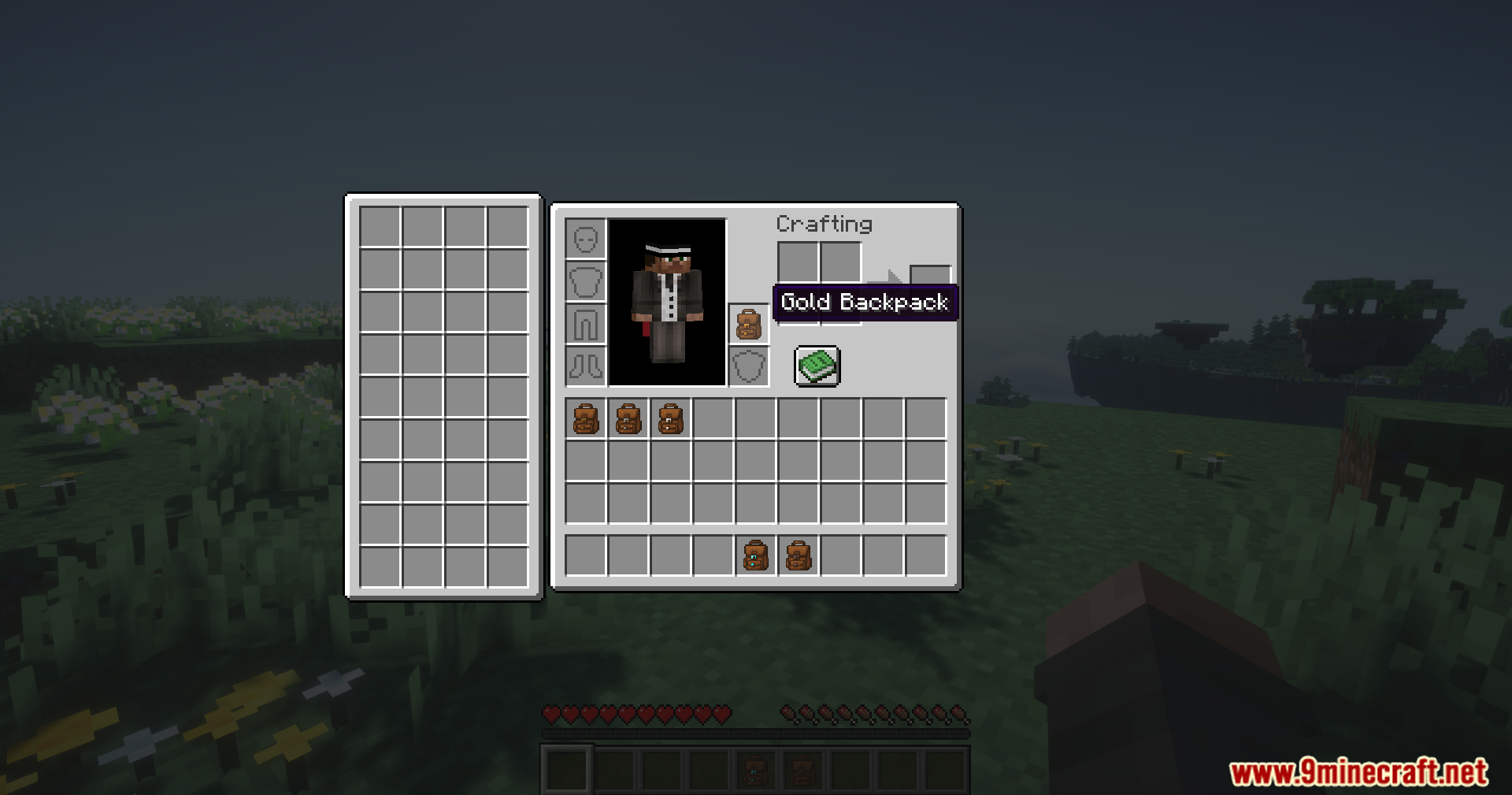
- Lets you switch between multiple backpacks using tabs above the backpack UI that show each backpack’s name and look, or press B (default hotkey) to open the backpack under your mouse cursor.
- Automatically puts newly picked-up items straight into your backpack when your main inventory is full.
- Lets you dye backpacks like leather armor so you can pick your own colors.
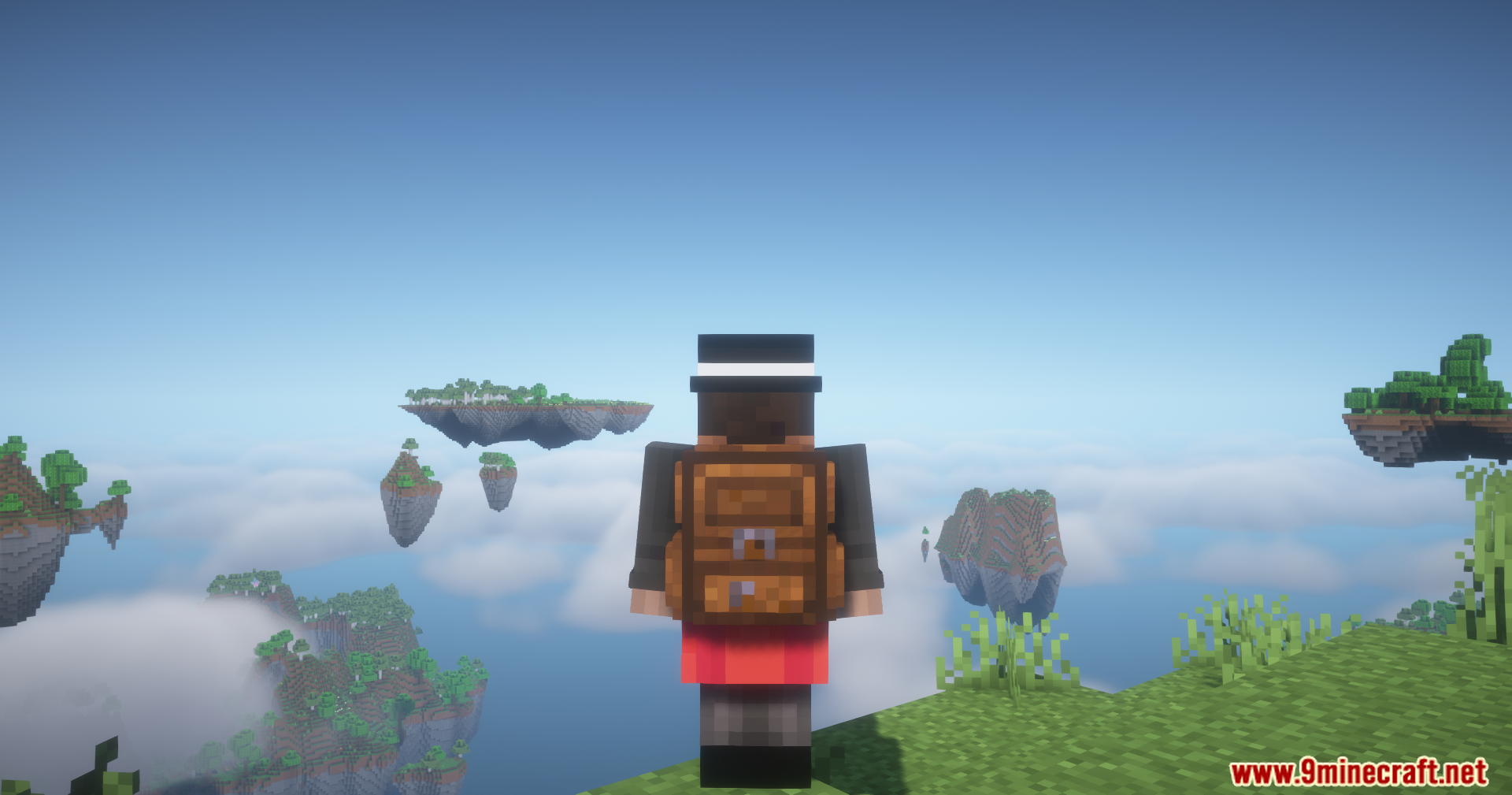
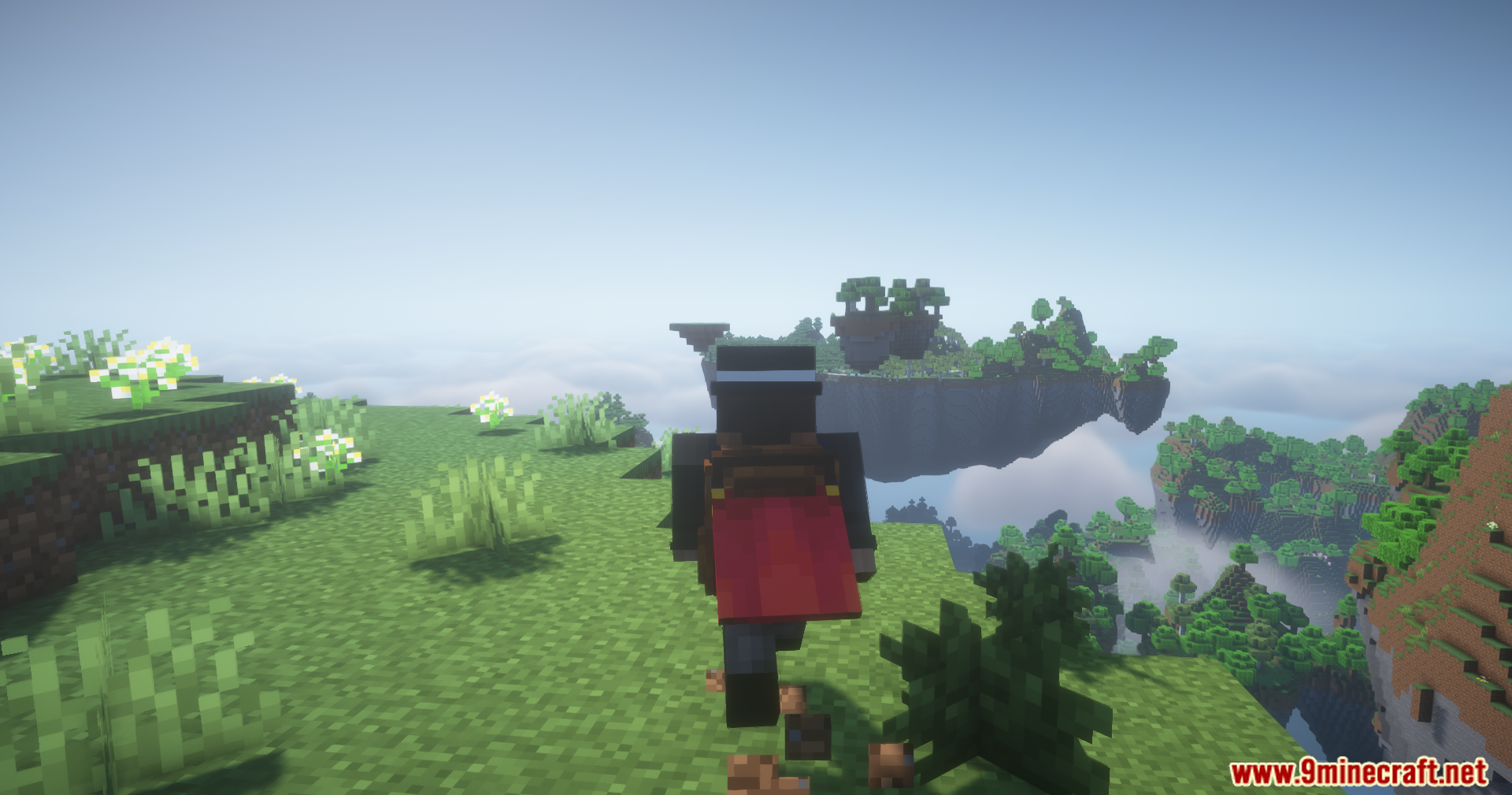
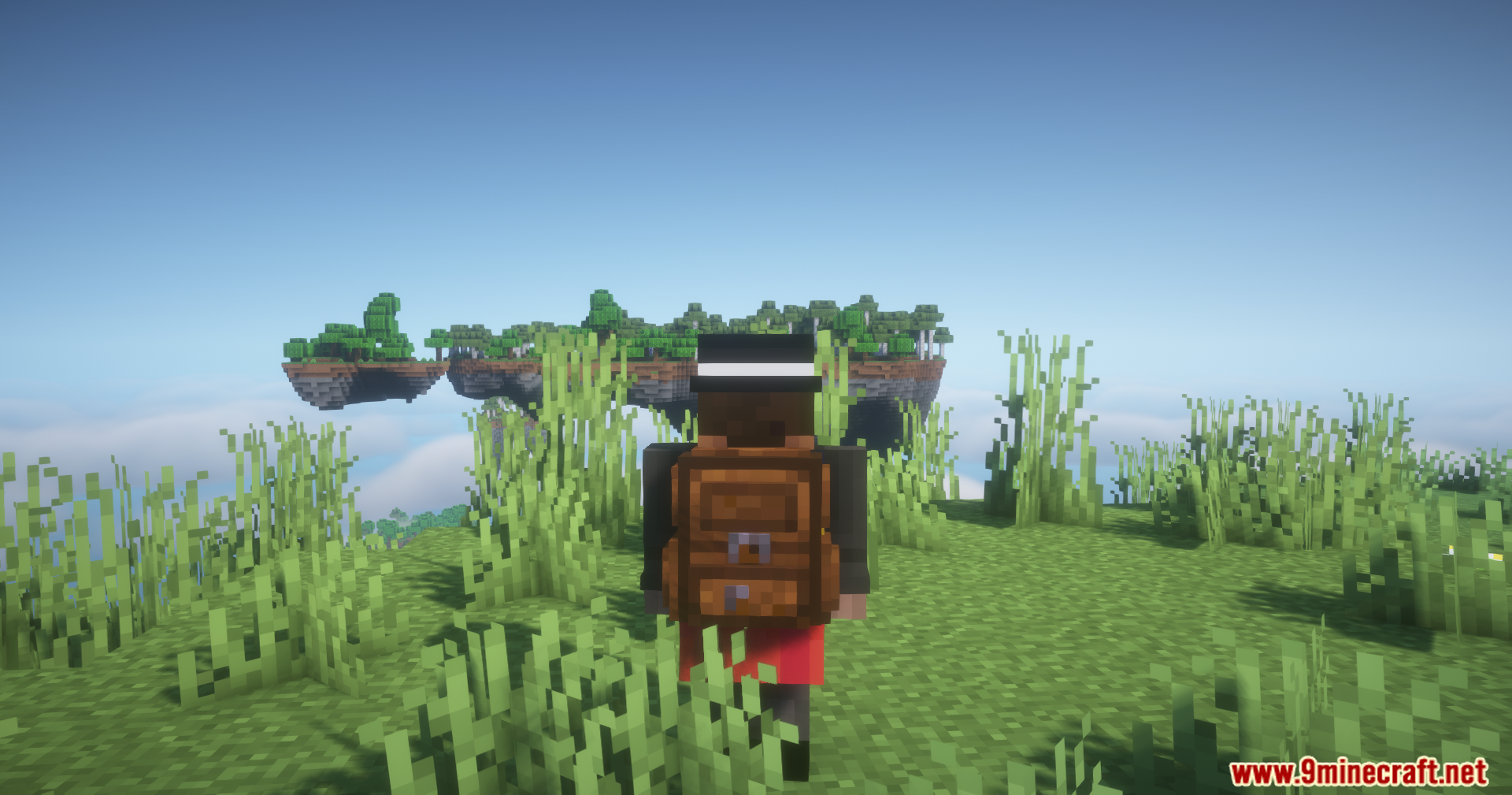
- Shows a 3D backpack model on your back when equipped, which you can turn off in the config.
- Applies a Heavy encumbrance effect that lowers movement speed and jump height when you carry 3 or more backpacks at once (changeable in the config).
- Lets you carry a backpack anywhere in your inventory or place it in a Curios or Trinkets slot when those mods are installed.
- Supports custom GUI layouts, textures, slot positions, and capacities up to 256 slots through config files, resource packs, and data packs.
Backpack Tiers:
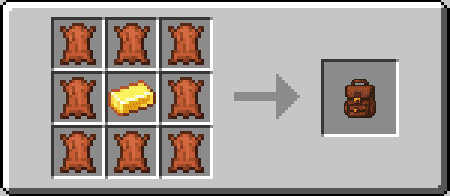
- Iron Backpack: Adds 18 extra slots with base capacity.
- Gold Backpack: Adds 36 extra slots with base capacity.
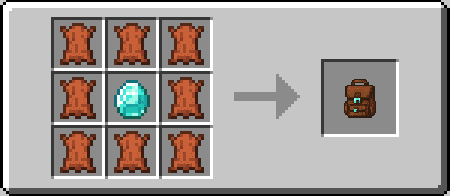
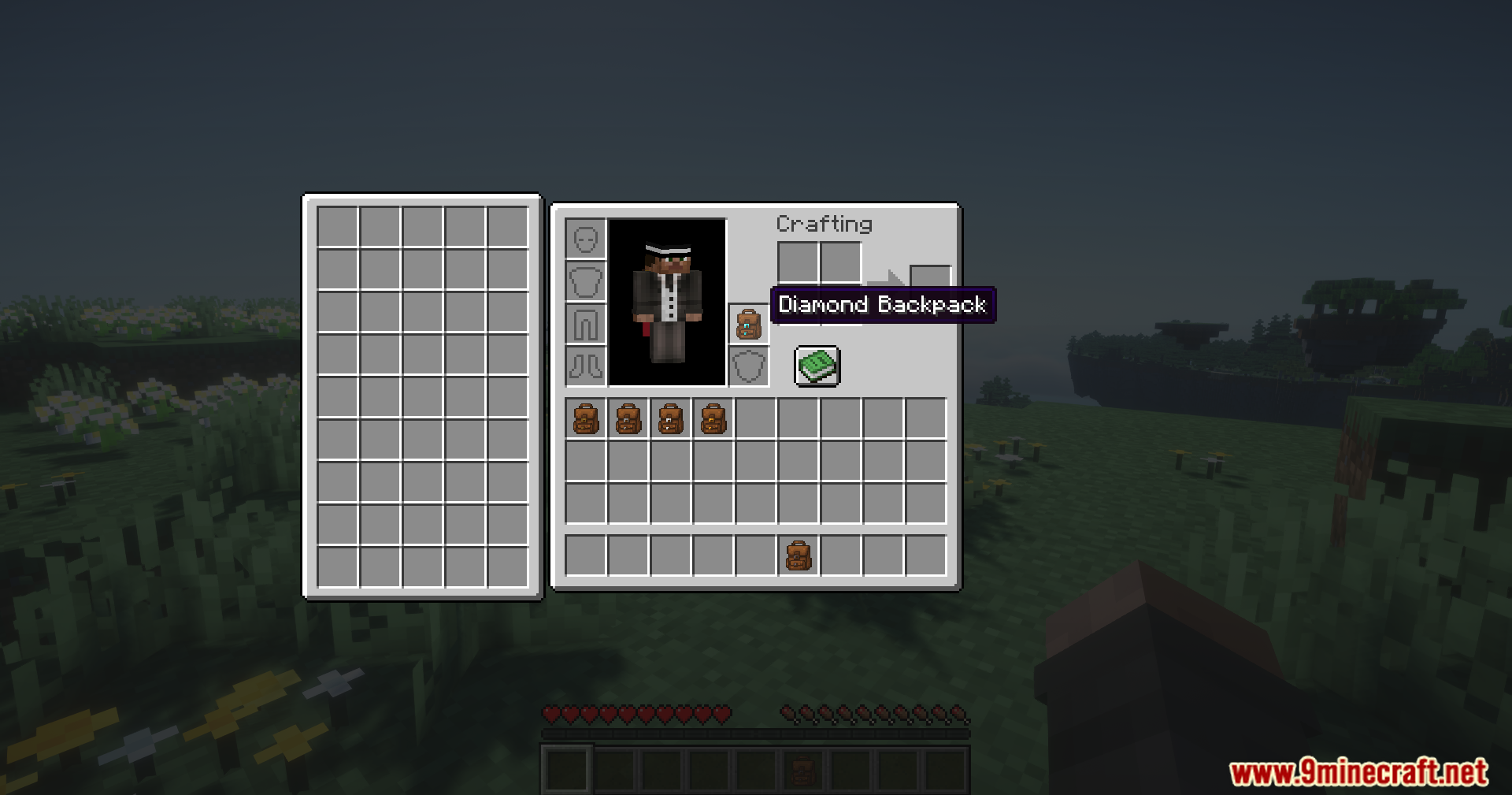
- Diamond Backpack: Adds 54 extra slots with base capacity.
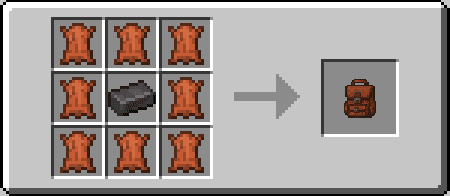
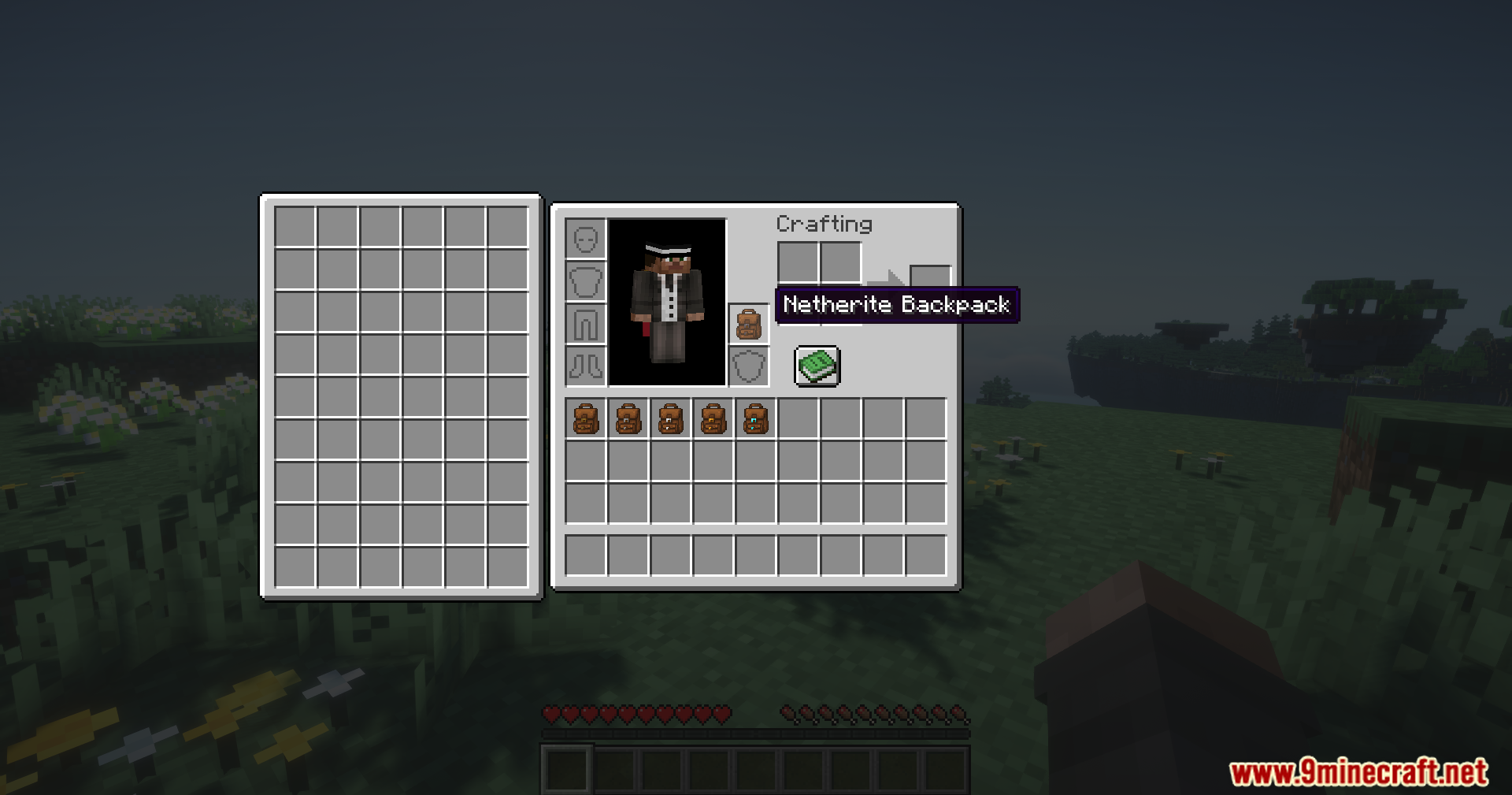
- Netherite Backpack: Adds 54 extra slots and cannot be destroyed by fire or lava.
Mod Compatibility:
- Works with JEI, Curios, Trinkets, Trinkets Updated, Applied Energistics 2, Applied Energistics 2 Wireless Terminals, Inventorio, and Tom’s Simple Storage Mod.
- Does not work with external inventory-sorting mods such as Inventory Tweaks or Mouse Tweaks, which may ignore backpacks, mix slots together, or cause crashes; use the built-in sorting feature instead.
Configuration:
model(boolean in/config/yyzsbackpack.json): Sets whether the 3D backpack model shows on the player’s back.heavy(int in/config/yyzsbackpack.json): Sets how many backpacks you can carry before getting the Heavy encumbrance effect (default is 3).controlPoss(object in/config/yyzsbackpack/control/default.json): Sets the coordinates of the sorting, quick-move, and other buttons on different UI screens.uiOffsets(object in/config/yyzsbackpack/ui/default.json): Sets the overall offset of the backpack UI on each container screen.
Resource Pack and Data Pack Properties:
You can customize backpack GUI layouts, slot positions, and sizes by placing JSON files at assets/yyzsbackpack/backpacks/<filename>.json (resource packs) or data/yyzsbackpack/backpacks/<filename>.json (data packs).
type: Sets the backpack material (iron,gold,diamond, ornetherite).maxVisibleTabs: Sets how many backpack switch tabs show at once; extra tabs can be scrolled.segments: Lists the slot layout segments for the backpack.startSlotandendSlot: Defines the slot index range for a layout segment.order: Sets the slot layout to"DEFAULT"(grid layout from left to right, top to bottom) or"CUSTOM"(custom coordinates for each slot).startXandstartY: Sets the starting coordinates when usingDEFAULTmode.columnsandrows: Sets the grid columns and rows inDEFAULTmode; scrolling activates when slots exceed the grid.customPositions: Sets an array of{"x": number, "y": number}coordinates for each slot inCUSTOMmode (scrolling is not supported in this mode).guiTexture: Sets a custom GUI texture path.backgroundXandbackgroundY: Sets the background offset relative to the top-left corner of the original GUI.size(Data pack only): Sets the backpack capacity up to a maximum of 256 slots; in multiplayer, only the server setting takes effect.force_server(Data pack only): When set totrue, forces all connected clients to use the server’s configuration.
How to Use:
- Place a backpack anywhere in your inventory, or equip it in a Curios or Trinkets slot if those mods are installed, so its extra storage becomes available.
- Open your inventory, a chest, a crafting table, or a furnace to see and use your backpack slots right next to the standard interface.
- Click the tabs above the backpack UI to switch between backpacks, or hover your mouse over a backpack and press B (default hotkey) to open it directly.
- Use Alt + Click on items in your inventory to put them quickly into your backpack, and use Shift + Click or Alt + Click inside the backpack to move items out to different spots.
- Click the bulk quick-move buttons on the backpack screen to move matching items or transfer all items at once.
- Click the sort button or press your custom sort key (unbound by default) to sort backpack contents, and scroll your mouse wheel on the sort button to switch between modes like Creative inventory order, name, count, or ID.
- Craft at a crafting table using items kept inside your backpack, or click a recipe in the recipe book or JEI to quick-fill the crafting grid from your backpack.
- Dye a backpack like leather armor to change its color, and carry fewer than 3 backpacks at once (unless you change
heavyin/config/yyzsbackpack.json) to avoid the Heavy speed and jump penalty. - Change
modelin/config/yyzsbackpack.jsonif you want to hide the 3D backpack model on your back.
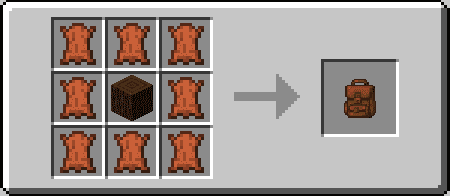
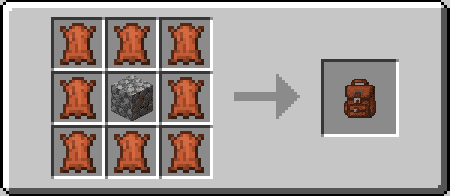
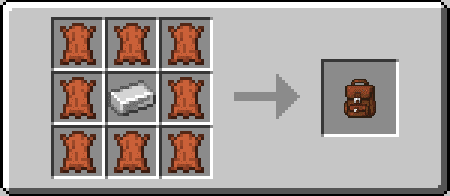
Crafting Recipes:
Screenshots:
How to Install:
New to Minecraft? Follow our step-by-step guide to install Mods on your PC.View Guide



Yyz's Backpack Mod Download Links
For Minecraft 26.3
For Minecraft 26.2
For Minecraft
1.21.11,
1.21.10,
1.21.9
All Versions Covered
1.21.11
1.21.10
1.21.9
1.21.8
1.21.7
1.21.6
1.21.5
1.21.4
1.21.1
1.21
For Minecraft 1.21.10, 1.21.9
For Minecraft 1.21.8, 1.21.7, 1.21.6
For Minecraft 1.21.5
For Minecraft 1.21.4
For Minecraft 1.21.3, 1.21.2
For Minecraft 1.21.1, 1.21
For Minecraft 1.20.6
For Minecraft 1.20.4, 1.20.2
For Minecraft 1.20.1, 1.20
For Minecraft 1.19.4
For Minecraft 1.19.3
For Minecraft 1.19.2, 1.19.1, 1.19
For Minecraft 1.18.2, 1.18.1, 1.18
Which item and recipe viewer mod do you prefer to have in your game?
1 responses · See the full results →
You May Also Like
Picked for this page
 Inventory HUD+ Mod (26.3, 1.20.1) – Always-On-Screen Information
 Full Brightness Toggle Mod (26.3, 1.20.1) – Instantly Turn The Brightness
 JAMD Mod (26.1.2, 1.20.1) – Just Another Mining Dimension
 Sit Mod (26.3, 1.20.1) – Make Your Base Feel Lived-In
 Mod Name Tooltip Mod (26.3, 1.20.1) – Identify Any Item’s Origin
 Animal Pens Mod (26.3, 1.20.1) – Organize Your Mobs
 Faster Crouching Mod (26.3, 1.20.1) – Sprint while Crouching
 Collector’s Album Mod (26.3, 1.20.1) – 900 Collectible Cards with Different Rarities
 IkkatsuHakai Shovel Mod (26.3, 1.20.1) – Break Multiple Blocks Quickly
 Autototem Mod (26.3, 1.20.1) – Restocks Totems Automatically
 Glow Squids Actually Glow Mod (26.3, 1.20.1) – Underwater Brightness
 No Chat Restrictions Mod (26.3, 1.20.1) – Unblocks Game Chat and Multiplayer
Most viewed in Mods over the last 7 days
 Ala Industrial Mod (26.3) – Run Electric Power Grids and Automated Factories
 PleasureCraft Mod (26.3, 1.21.1) – Jenny Mod Remake for Fabric
 Jennycraft Mod (26.3, 1.20.1) – Virtual Girlfriend in Minecraft
 Fapcraft Mod (26.3, 1.12.2) – Comprehensive and Detailed Content
 Jenny Mod (Fapcraft) Official Complete Guide – How to use, Tutorial
 BangCraft Mod (1.20.1) – Jenny, Ellie and Elliot
 Fabric Loader (26.3, 1.20.1) – Fabric Installer for All Minecraft Versions
 The Shooting Star Demo Mod (26.3, 1.20.1) – Vaporize Terrain From Orbit
 Meteor Client Mod (26.3, 1.20.1) – Xray, HUD, Fly
 OptiFine HD (26.3, 1.20.1) – Run Faster, FPS Boost, Shaders Support
 Aristois Client Mod (1.21.4, 1.20.1) – World Class Minecraft Utility
 Prestige Client Mod (1.21.11, 1.21.4) – Powerful Ghost Features for Crystal & Sword PvP
More from Mods
 Animal Info Mod (26.3, 1.21.11) – Quick Stats For Your Animals
 Timber Tales Dynamic Tree System Mod (26.3, 1.20.1) – Watch Entire Trees Topple
 Gabou’s Libs Mod (26.3, 1.20.1) – Keep Custom Weather and Survival Mods Stable
 /Sit Mod (26.3, 1.21.1) – Make The Player Sit Down
 Arcane Redstone Dial Mod (26.3, 1.20.1) – Trigger Commands and Shortcuts
 The Graveyard Mod (26.3, 1.20.1) – Cemeteries in Minecraft
 Enhanced Overlay Mod (26.3, 1.21.11) – Remove Screen Clutter
 Flint Mod (1.21.11) – Run DiamondFire Community Addons Without Crashing
 Not Just Sandwich Mod (26.3, 1.20.1) – Edibles, Sandwiches
 Waddles Mod (26.3, 1.20.1) – Make Icy Biomes Feel Alive
 Artemis’ Thin Logs Mod (26.3, 1.20.1) – Build Custom Trees and Detailed Wood
 Asterion Mod (26.3, 1.20.1) – Survive Ancient Mazes and Slay the Legendary Minotaur

This post has no comments yet. Be the first — your comment will appear here.