
Medieval Expansion Model – Transforms Armor and Weapons Into Knightly Gear

 0


Medieval Expansion Model transforms armors and weapons in Minecraft with a fresh medieval look. This pack includes 165 texture files and 2 Blockbench source models that reshape and recolor combat gear. It requires both JsonEM and Chime to display the updated armor and weapon visuals properly in the game.

Features:
- Armor Remodels and Retextures: Changes the look and shape of in-game armors to fit a medieval theme.
- Weapon Visual Overhaul: Gives weapons and extra gear new models and textures for a classic knight style.
- Includes 165 custom texture files that replace standard gear visuals.
- Ships with 2 Blockbench source models that can be opened and edited in Blockbench.
- Works alongside JsonEM and Chime to load custom armor and item models.
How to Use:
- Install JsonEM and Chime first so the custom models and textures can load properly.
- Move the pack into your resource packs folder and turn it on in the game settings menu.
- Open your inventory in Creative mode or craft armor sets and weapons in Survival mode to see the 165 updated textures.
- Equip the remodeled armor pieces on your character or place them on an armor stand to inspect the new 3D shapes from all angles.
- Hold the retextured weapons in your main hand and switch between first-person and third-person views to check out the medieval designs.
- Open the 2 included source models in Blockbench if you want to view or edit the raw model files outside the game.
Requirements:
- Blockbench, only if you want to edit the included source models
Screenshots:


Medieval Expansion Model Download Links
Click to rate this post!
[Total: 0 Average: 0]
You May Also Like
Picked for this page
 Northern Wonderer Model – Adds 660 Custom 3D Models to Doors and Rails
 Block-Accurate 3D Item Model – Transforms Flat Sprites Into 3D Models
 Berserker Tools & Weapons Model – Unleashes Fierce Animated Battle Gear
 Weapons From Bleach Model – Brings Iconic Anime Swords to Combat
 Actually 3D Enchantment Mace Model – Brings Animated Stacking Weapon Layers
 Wearable Villager Hats Model – Transforms Carved Pumpkins Into Village Hats
 TheRa 3D Model – Brings Animated Bows and Depth to Vanilla Items
 ASTERA Model – Brings Sharp 3D Blades to Vanilla Melee Battles
 Mickey Joe’s CIT Namables Model – Unlocks Custom Spin-Off Gear at Anvils
 Story Mode Revamped Model – Brings Telltale Adventure Gear and 3D Blocks
 Tooniverse Texture Pack 256x Model – Adds Animated Comic Book Visuals
 Enhanced Grass Model – Brings Organic 3D Plant Variants to Overworld Biomes
Most viewed in Models over the last 7 days
 Jenny Mod Skin Pack Mega Collection – 310+ Characters
 The Most Complete Collection of Jenny Mod Resources – Models, Animations, Structures,…
 Albedo Rework Jenny Mod Model
 750 Models Addon for Yes Steve Model Mod
 Galath Rework Model – Custom Girl for PleasureCraft Mod
 Power Model – Custom Girl for PleasureCraft Mod
 Femboy Ellie Rework Jenny Mod Model
 Ram Model – Custom Girl for PleasureCraft Mod
 Pomni Jenny Mod Model
 100+ Custom Animations For Jenny Mod
 Ellie Rework Jenny Mod Model
 Halloween Pack Jenny Mod Model – Transforms Companions with Spooky Costumes
More from Models
 London Underground 2009 Tube Stock Model – Brings Modern Subway Trains to Rails
 Kítòn Transit Adgency Model – Brings Custom Kiton Trains to Your Railways
 Overgrown Model – Brings Warm 3D Wood and Copper Blocks to Worlds
 Tianjin Metro Jinjing Line SFM120 Train Model – Adds 3-Car MTR Metro Trains
 Mk.2 Redstone Model – Upgrades Redstone Circuits with Clear Animated 3D Signals
 The Annoying Villagers Server Model – Equips Animated 3D Combat Weapons
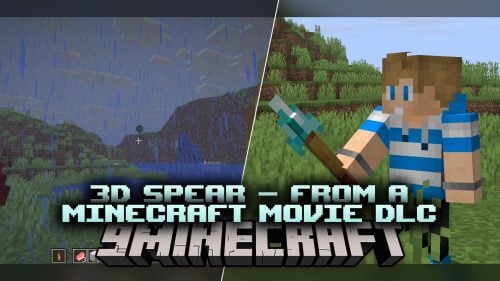 3D Spear – Equips Every Spear Tier with Movie-Inspired 3D In-Hand Weapons
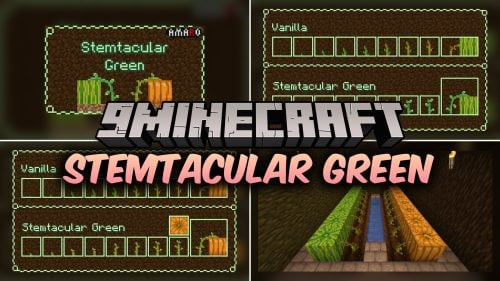 Stemtacular Green Model – Transforms Flat Melon and Pumpkin Stems Into 3D Crops
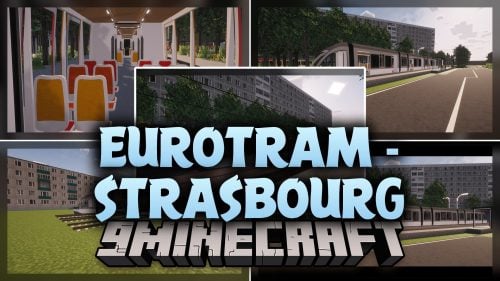 Eurotram – Brings Working Strasbourg Trams with Two Liveries to MTR4 Railways
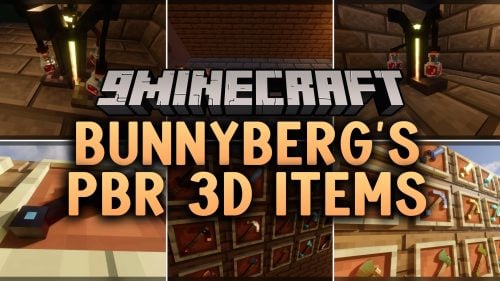 Bunnyberg’s PBR 3D Items Model – Transforms Flat Sprites Into Animated 3D Gear
 Survival Model – Adds 3D Redstone Blocks and Visual Durability Stages
 Vanilla Emissive Ores Model – Brings Glowing Mineral Veins to Dark Caves

This post has no comments yet. Be the first — your comment will appear here.