
Smart Drop Mod (26.3, 1.21.1) – Never Accidentally Drop Rare Gear While Junk
 1
 0

Smart Drop Mod protects your valuable Minecraft gear from accidental drops while it removes clutter from your inventory automatically. This lightweight client-side mod brings three tools for Survival and PvP: inventory slot locking, double-tap drop protection, and a custom auto-trash filter. Players guard rare items like enchanted gear, Totems of Undying, Elytras, and Shulker Boxes, lock key slots with a golden padlock icon, and discard junk items or cap them at 1 stack. It runs 100% client-side with a tick-throttled vanilla packet queue so it stays safe with server anti-cheats in Singleplayer and on multiplayer servers like Hypixel and DonutSMP.

Features:
- Inventory Slot Locking: Lets you lock or unlock any slot in your hotbar or main inventory by holding Alt and clicking with the left mouse button, marking locked slots with a golden border and padlock icon.
- Double-Tap Drop Protection: Blocks accidental drops of unprotected valuable gear by stopping the first press of Q, playing a subtle warning sound, and showing
Press [Q] again to drop [Item]on the action bar until you press Q again within 1.2 seconds. - Customizable Auto-Trash Filter: Opens a search-ready trash menu via I (rebindable) or the
♻button above your inventory so unwanted items like Dirt, Cobblestone, Gravel, or Rotten Flesh drop automatically. - Anti-Cheat Safe Client Queue: Sends standard vanilla inventory packets through a tick-throttled action queue at 1 drop every 4 ticks, keeping the mod 100% client-side and safe on Singleplayer, Survival SMPs, PvP servers, Hypixel, and DonutSMP with no server-side install.
- Blocks accidental drops with Q or Ctrl + Q, normal clicks, shift-clicks, number-key swaps, offhand swaps with F, and double-click item collection on every locked slot.
- Saves slot locks automatically per world or per server, with a settings option to share locks globally instead.
- Lets you customize which item protection tiers trigger the double-tap drop warning right in the settings menu, with optional quick settings access through Mod Menu.
- Lets you add the item currently held in your hand to the auto-trash filter with a single click alongside full item search.
- Never touches locked inventory slots and pauses auto-trash drops automatically whenever you have a chest or other container open.
Auto-Protected Valuable Items:
- Enchanted items: Protected automatically against single-tap drops even when left unlocked.
- Netherite and Diamond gear: Guarded against accidental drops during combat or mining.
- Totems of Undying: Kept safe from sudden hotbar drop slips in tough fights.
- Elytras: Protected so you do not toss your wings by mistake.
- Shulker Boxes: Shielded from single-tap drops so packed storage stays in your inventory.
Auto-Trash Filter Modes:
- Drop All: Automatically discards every picked-up stack of that filtered item as soon as it enters your inventory.
- Keep 1 Stack: Keeps up to 64 items (1 full stack) of that item in your inventory and automatically throws away any excess.
How to Use:
- Hold Alt and Left-Click any hotbar or main inventory slot to lock it; a golden border and padlock icon appear to block drops, clicks, shift-clicks, number-key swaps, offhand swaps with F, and double-click gathering.
- Hold Alt and Left-Click a locked slot again to unlock it; locks save automatically per world or server unless you switch to global saving in settings.
- Press Q while holding an unprotected valuable item such as enchanted gear, Netherite or Diamond gear, a Totem of Undying, an Elytra, or a Shulker Box; the drop cancels locally, plays a warning sound, and shows
Press [Q] again to drop [Item]on the action bar. - Press Q a second time within 1.2 seconds if you actually want to drop that protected item; the item drops normally.
- Press I (rebindable in controls) or click the
♻button above your inventory screen to open the auto-trash filter menu. - Search for unwanted items such as Dirt, Cobblestone, Gravel, or Rotten Flesh, or click once to add the item currently in your hand, then set each item to Drop All to discard every pickup or Keep 1 Stack to keep 64 items and discard any extra.
- Open the settings menu (or reach it through Mod Menu) whenever you want to adjust double-tap protection tiers or switch slot-lock saving between per-world and global; auto-trash pauses on its own while chests or containers are open and never touches locked slots.
How to Install:
New to Minecraft? Follow our step-by-step guide to install Mods on your PC.View Guide


Smart Drop Mod Download Links
For Minecraft 26.3
For Minecraft 26.2
For Minecraft 26.1.2, 26.1.1, 26.1
For Minecraft 1.21.11
For Minecraft 1.21.8, 1.21.7, 1.21.6
For Minecraft 1.21.4
For Minecraft 1.21.1, 1.21
What is the longest real-time wait you will tolerate for a heavily modded game to load to the main menu?
21 responses · See the full results →
You May Also Like
Picked for this page
 Vanilla Zoom Mod (26.3, 1.20.1) – Inspect Distant Terrain Instantly
 Stendhal Mod (26.3, 1.20.1) – Write Custom In-Game Lore
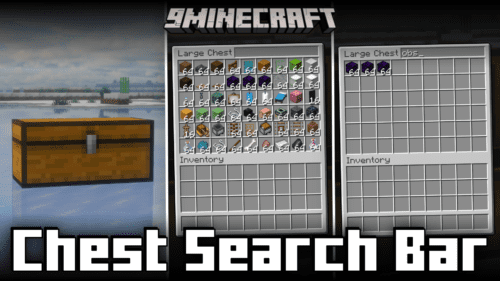 Chest Search Bar Mod (26.3, 1.20.1) – Instantly Find Items in Packed Chests
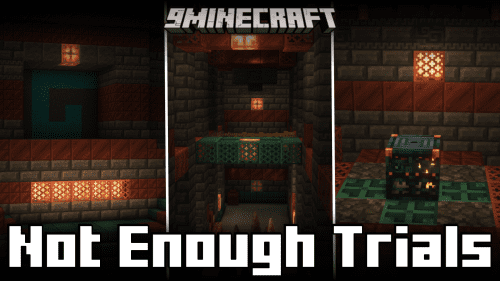 Not Enough Trials Mod (26.2, 1.21.1) – Face Tough Bosses in Open Chambers
 Always Sprint Mod (26.3, 1.20.1) – Run Constantly Without Keybinds
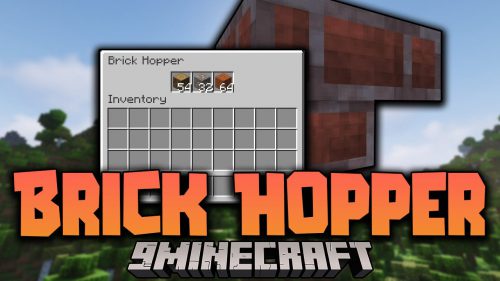 Brick Hopper Mod (26.3, 1.20.1) – Build Custom Storage Systems Without Vanilla
 Simple Text Overlay Mod (26.3, 1.20.1) – Track Coordinates and Biomes
 Compatible Sword Enchantments Mod (26.3, 1.21.1) – Combine Every Sword Upgrade
 Effect Insights Mod (26.3, 1.20.1) – Never Guess Your Potion Buffs Again
 Client Side Cosmetics Mod (26.3, 1.21.1) – Create Your Dream Look Anywhere
 Poly Chess Mod (26.3, 1.21.1) – Play Interactive Board Games
 Mobs Epicfied Mod (1.20.1) – Battle Mobs Using Real Epic Fight Combos And Skills
Most viewed in Mods over the last 7 days
 Ala Industrial Mod (26.3) – Run Electric Power Grids and Automated Factories
 PleasureCraft Mod (26.3, 1.21.1) – Jenny Mod Remake for Fabric
 Jennycraft Mod (26.3, 1.20.1) – Virtual Girlfriend in Minecraft
 Fapcraft Mod (26.3, 1.12.2) – Comprehensive and Detailed Content
 Meteor Client Mod (26.3, 1.20.1) – Xray, HUD, Fly
 Jenny Mod (Fapcraft) Official Complete Guide – How to use, Tutorial
 BangCraft Mod (1.20.1) – Jenny, Ellie and Elliot
 OptiFine HD (26.3, 1.20.1) – Run Faster, FPS Boost, Shaders Support
 CatLean Client Mod (26.2, 1.21.11) – ThunderHack Recode Alternatives
 Fabric Loader (26.3, 1.20.1) – Fabric Installer for All Minecraft Versions
 Patched Mod (26.3, 1.20.1) – Edit Game Files Without Breaking Packs
 Meteor Client Addons (26.3, 1.20.1) – Modify Almost Anything in Meteor
More from Mods
 Light Load Mod (26.1.2, 1.20.1) – Launch Large Modpacks Faster
 Simply Skills Tweaks Mod (1.20.1) – Rebalance Skill Damage For Melee, Tank
 Wyrmcaller Mod (1.21.1) – Cast Draconic Ender Spells And Duel A Five-Phase End
 World Wide Power Grid Mod (1.21.1) – Run Mixed Create Electrical Machines
 World Planner Mod (1.21.1) – Paint Your Own Custom Biomes And Terrain
 Valhelsia Furniture Mod (26.3, 1.20.1) – Sit Down and Relax in Warm Rustic
 Dot Coin Mod (26.3, 1.20.1) – Build Custom In-Game Economy
 Armor Set Bonuses Mod (26.3, 1.20.1) – Gain RPG Perks From Full Matching Suits
 Knightcore Mod (1.19.2, 1.18.2) – Shared Core Library Powering Custom Modded
 Verse Works a Mystcraft Inspired Mod (26.1.2, 1.21.1)
 AvalonBase Mod (26.3, 1.20.1) – Run Cross-Loader Mods With Themed Menus
 World Blender Forge Mod (1.16.5) – Explore Every Biome And Structure

This post has no comments yet. Be the first — your comment will appear here.