
Equipment Compare Mod (1.21.4, 1.20.1) – Choose Better Gear Faster

 0


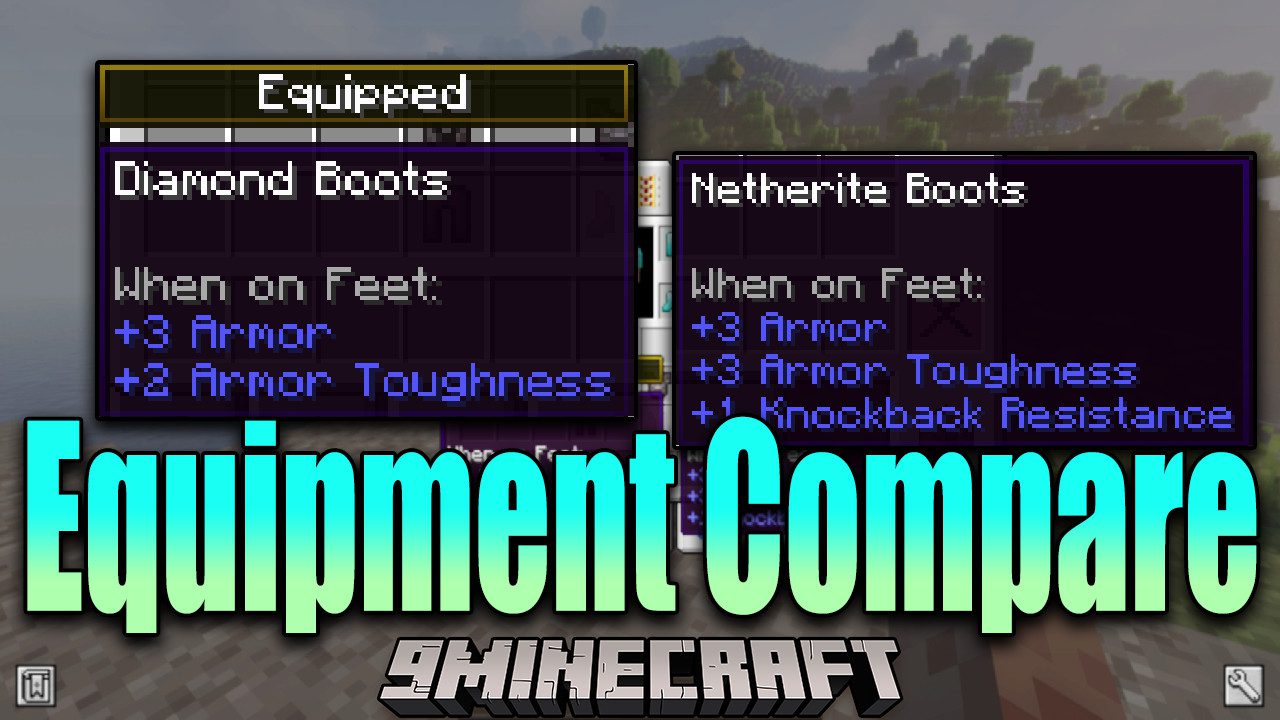
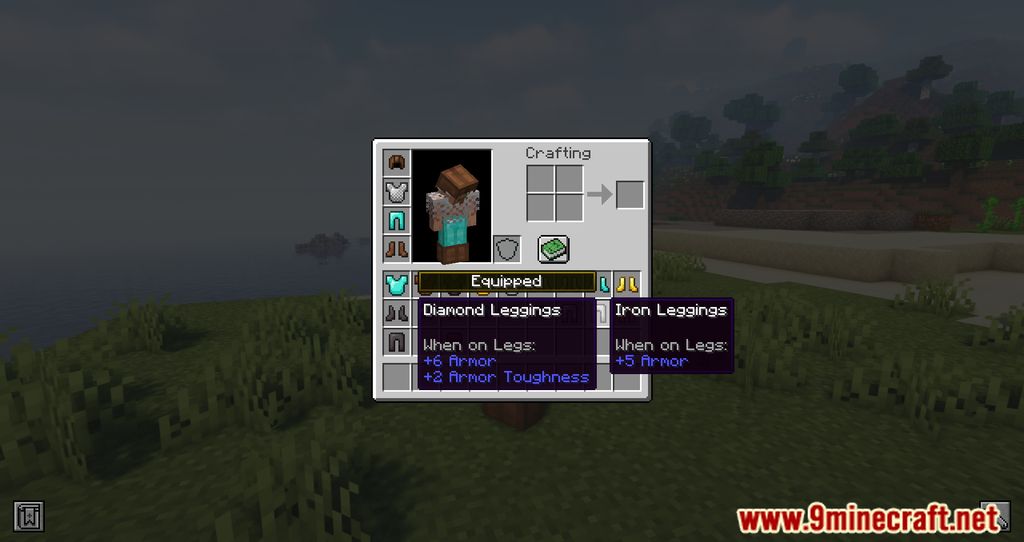
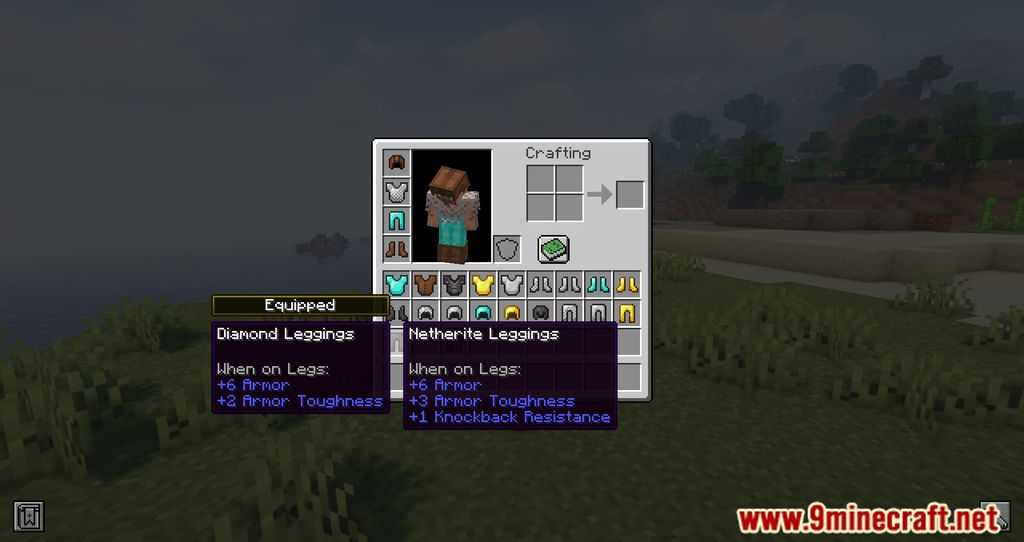
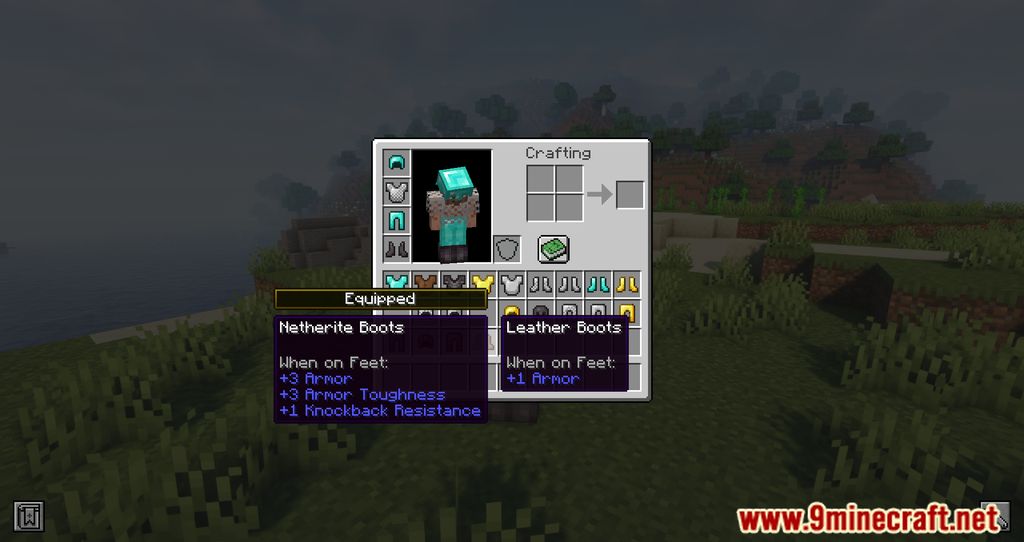
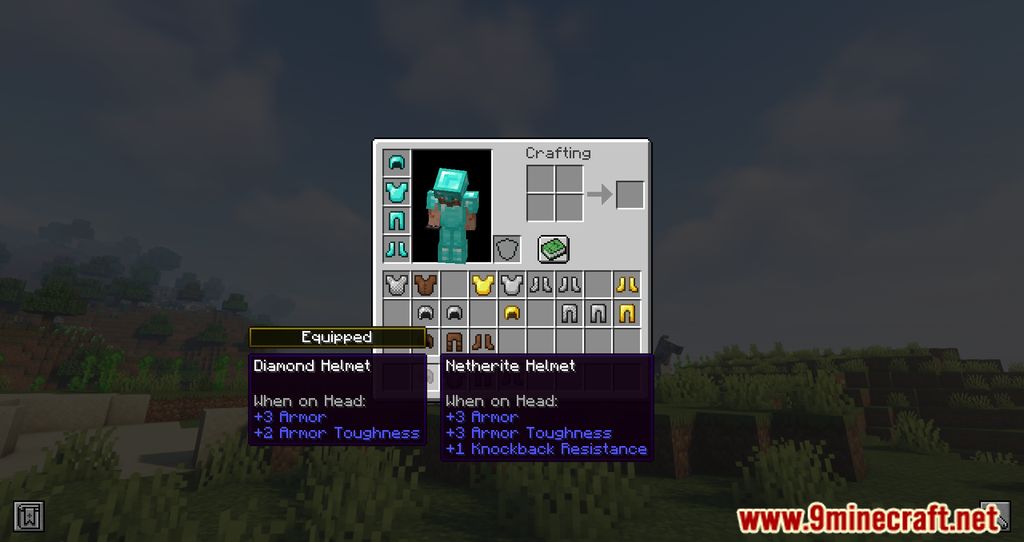
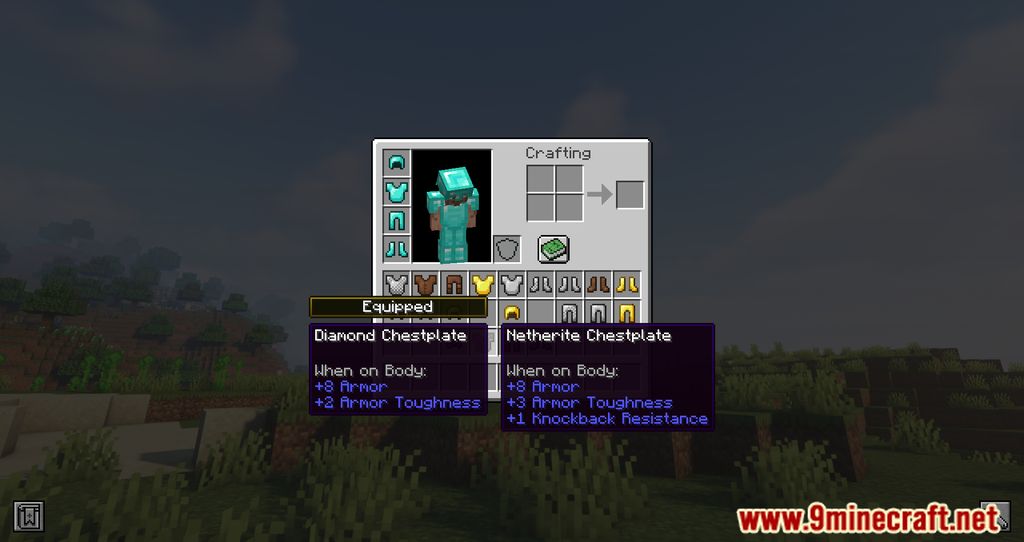
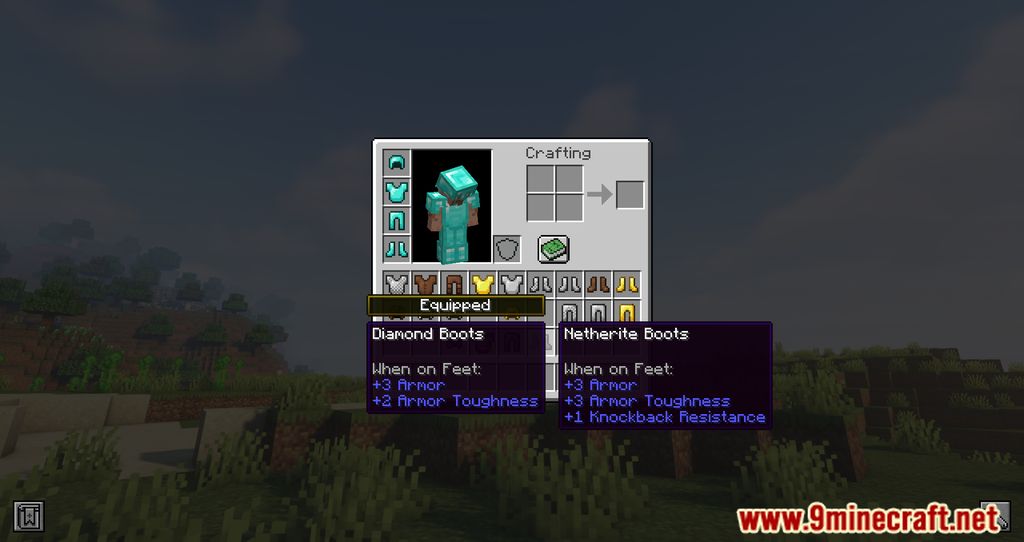
Equipment Compare Mod lets you compare gear at a glance with side-by-side item tooltips. It shows the tooltip of your equipped gear right next to the item you hover over in your inventory. This simple layout supports custom stats and features from other mods, which helps in modded worlds with many unique items. The mod runs fully on the client side, works in modpacks, and requires Iceberg on most releases.
Equipment Compare Mod – Video Showcase
Features:
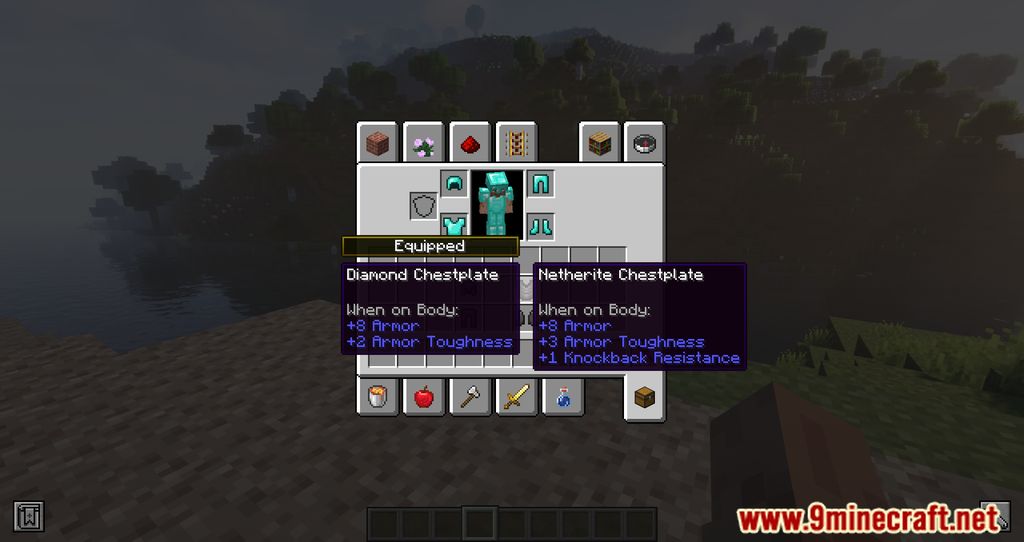
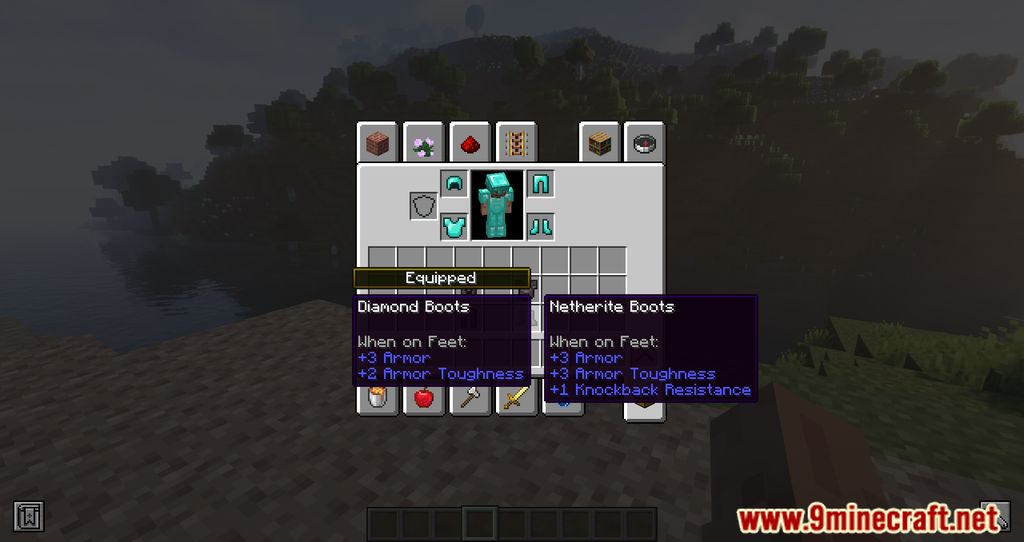
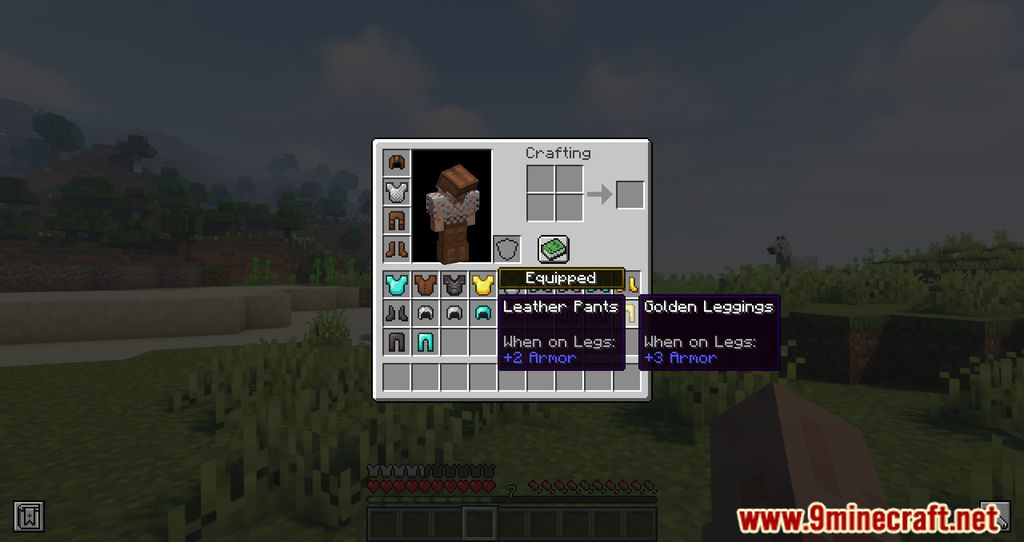
- Shows the tooltip of your equipped gear right next to the item you hover over for quick side-by-side comparison.
- Supports custom stats and features from other mods by displaying the full tooltips of both items together.
- Displays comparison tooltips by default when you hold the Shift key and point at an item in your inventory.
- Lets you change the comparison keybind inside the inventory section of the controls menu.
- Includes a config file option to flip the keybind so comparison tooltips always appear unless you hold the key.
- Offers config settings to change the color and text of the “equipped” badge shown above the tooltip.
- Lets you add item IDs to a blacklist in the config file to turn off comparisons for specific items.
- Runs fully on the client side and works in modpacks.
How to Use:
- Hold Shift and hover over an item in your inventory to show the tooltip of your equipped gear right next to it.
- Open the controls menu and look in the inventory section to set a different comparison keybind.
- Open the config file to reverse the keybind so comparison tooltips always appear unless you hold the key.
- Adjust the badge options in the config file to change the color and text of the “equipped” badge shown above tooltips.
- Add specific item IDs to the blacklist in the config file to turn off comparisons for those items.
Screenshots:
How to Install:
New to Minecraft? Follow our step-by-step guide to install Mods on your PC.View Guide
Requirements:



Equipment Compare Mod Download Links
For Minecraft 1.12.2
Forge Version: Download from Server 1
For Minecraft 1.16.5
Forge Version: Download from Server 1
For Minecraft 1.17.1
Forge Version: Download from Server 1
Fabric Version: Download from Server 1
For Minecraft 1.18.1
Forge Version: Download from Server 1
Fabric Version: Download from Server 1
For Minecraft 1.18.2
Forge Version: Download from Server 1
Fabric Version: Download from Server 1
For Minecraft 1.19
Forge Version: Download from Server 1
For Minecraft 1.19.1
Forge Version: Download from Server 1
For Minecraft 1.19.2
Forge Version: Download from Server 1
Fabric Version: Download from Server 1
For Minecraft 1.19.3
Forge Version: Download from Server 1 – Download from Server 2
Fabric Version: Download from Server 1 – Download from Server 2
For Minecraft 1.19.4
Forge Version: Download from Server 1 – Download from Server 2
For Minecraft 1.20.1, 1.20
Forge Version: Download from Server 1 – Download from Server 2
Fabric Version: Download from Server 1 – Download from Server 2
For Minecraft 1.20.2
Forge Version: Download from Server 1 – Download from Server 2
Fabric Version: Download from Server 1 – Download from Server 2
For Minecraft 1.20.4, 1.20.3
Forge Version: Download from Server 1 – Download from Server 2
Fabric Version: Download from Server 1 – Download from Server 2
For Minecraft 1.20.5
Forge Version: Download from Server 1 – Download from Server 2
Fabric Version: Download from Server 1 – Download from Server 2
For Minecraft 1.20.6
Forge Version: Download from Server 1 – Download from Server 2
Fabric Version: Download from Server 1 – Download from Server 2
For Minecraft 1.21.1, 1.21
Forge Version: Download from Server 1 – Download from Server 2
NeoForge Version: Download from Server 1 – Download from Server 2
Fabric Version: Download from Server 1 – Download from Server 2
For Minecraft 1.21.3, 1.21.2
Forge Version: Download from Server 1 – Download from Server 2
NeoForge Version: Download from Server 1 – Download from Server 2
Fabric Version: Download from Server 1 – Download from Server 2
For Minecraft 1.21.4
Forge Version: Download from Server 1 – Download from Server 2
NeoForge Version: Download from Server 1 – Download from Server 2
Fabric Version: Download from Server 1 – Download from Server 2
You May Also Like
Picked for this page
 Enhanced Snowman Mod (1.21.11, 1.20.1) – Life as a Snowman
 Chunk Loaders Mod (26.3, 1.20.1) – Keep Everything Running Even When You’re Away
 YUNG’s Extras Mod (1.21.11, 1.20.1) – Extra Structures and Vanilla+
 Illager Invasion Mod (26.2, 1.20.1) – New Illager Variants
 Move Boats Mod (26.3, 1.20.1) – Easily Pick Up, Carry Boats Anywhere
 Cooldown Coordinator Mod (26.2, 1.20.1) – Coordinate Setting Cooldown Timers
 Auto Feeder Mod (1.21.11, 1.20.1) – Feed Nearby Entities
 Afk Plus Mod (26.3, 1.20.1) – Manage AFK Statuses Easily
 Chat Tools Mod (26.3, 1.20.1) – Advanced Tools and Customization Chat Options
 Artifacts Crafting Mod (1.21.11, 1.20.1) – Stop Hunting, Start Crafting!
 Pet Protect Mod (26.3, 1.21.1) – Protect Pets During Combat
 Named Traders Mod (26.3, 1.20.1) – Name Traders To Prevent Despawning
Most viewed in Mods over the last 7 days
 Ala Industrial Mod (26.3) – Run Electric Power Grids and Automated Factories
 PleasureCraft Mod (26.3, 1.21.1) – Jenny Mod Remake for Fabric
 Jennycraft Mod (26.3, 1.20.1) – Virtual Girlfriend in Minecraft
 Fapcraft Mod (26.3, 1.12.2) – Comprehensive and Detailed Content
 Jenny Mod (Fapcraft) Official Complete Guide – How to use, Tutorial
 BangCraft Mod (1.20.1) – Jenny, Ellie and Elliot
 Fabric Loader (26.3, 1.20.1) – Fabric Installer for All Minecraft Versions
 Meteor Client Mod (26.3, 1.20.1) – Xray, HUD, Fly
 The Shooting Star Demo Mod (26.3, 1.20.1) – Vaporize Terrain From Orbit
 OptiFine HD (26.3, 1.20.1) – Run Faster, FPS Boost, Shaders Support
 Aristois Client Mod (1.21.4, 1.20.1) – World Class Minecraft Utility
 SchnurriTV Mod (1.12.2) – Characters and Features
More from Mods
 In-Game Account Switcher with Cookies Mod (1.21.11) – Swap Your Alts Without Relaunching
 CrewX Mod (1.8.9) – Dominate Competitive Server Matches Without Lag
 Vanilla Refit Mod (1.21.1) – Build Thinner Walls with Vertical Slabs
 IZeMod Mod (26.2) – Helpful Survival Tools for Everyday Fabric Adventures
 SkullLIB Mod (1.20.1) – Bring Prehistoric Beasts and New Animals to Your World
 EasyGui Mod (1.21.11, 1.21.1) – Build Custom Screen Menus and Animated HUD
 Legacy Wavey Capes Mod (1.8.9) – Watch Your Cape Flow Naturally While Sprinting
 Warrior Cats Events Mod (1.21.1, 1.20.1) – Live As a Wild Clan Cat
 Apex Enchantment Freedom Mod (26.3) – Stack Conflicting Enchantments
 Tensura GUI Mod (1.21.1) – Track Your Fantasy Skills and Race Evolutions
 Remnants Roguelite Dungeons Mod (26.3, 1.20.1) – Risk It All in Procedural
 Lib Lib Lib Mod (26.3, 1.20.1) – Keep Your Favorite Modpacks Running Smooth

This post has no comments yet. Be the first — your comment will appear here.