
Plonk Mod (26.1.2, 1.20.1) – Turn Any Item Into Decor

 0

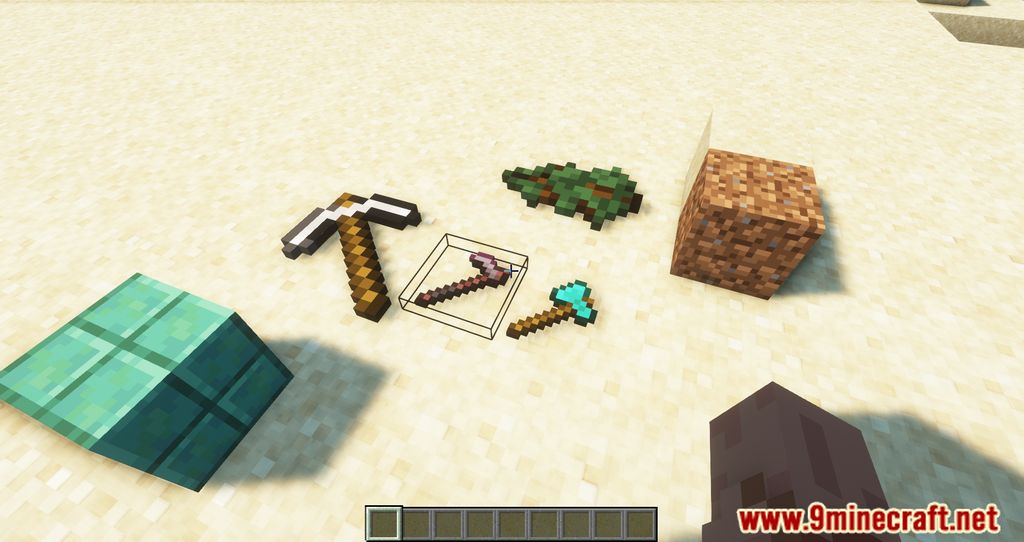
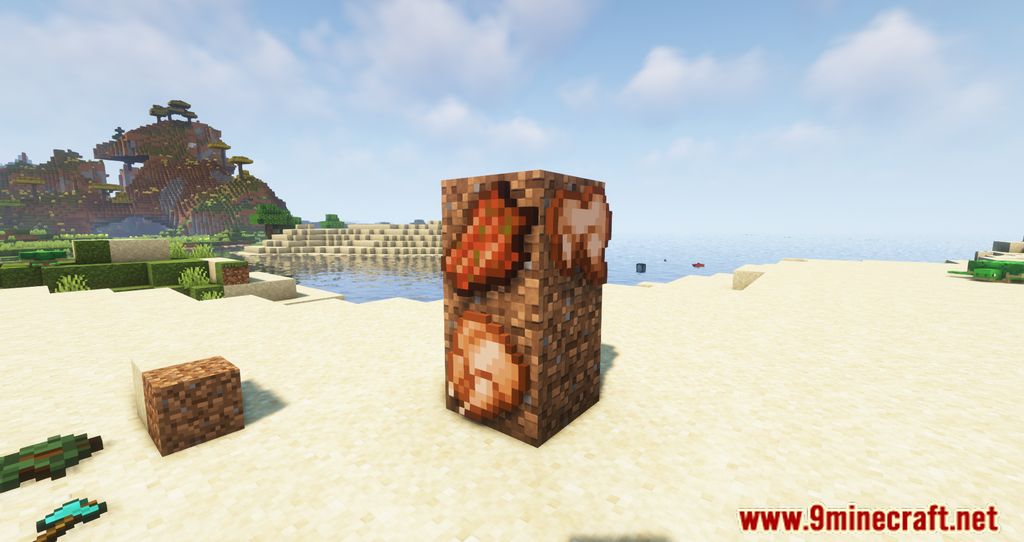
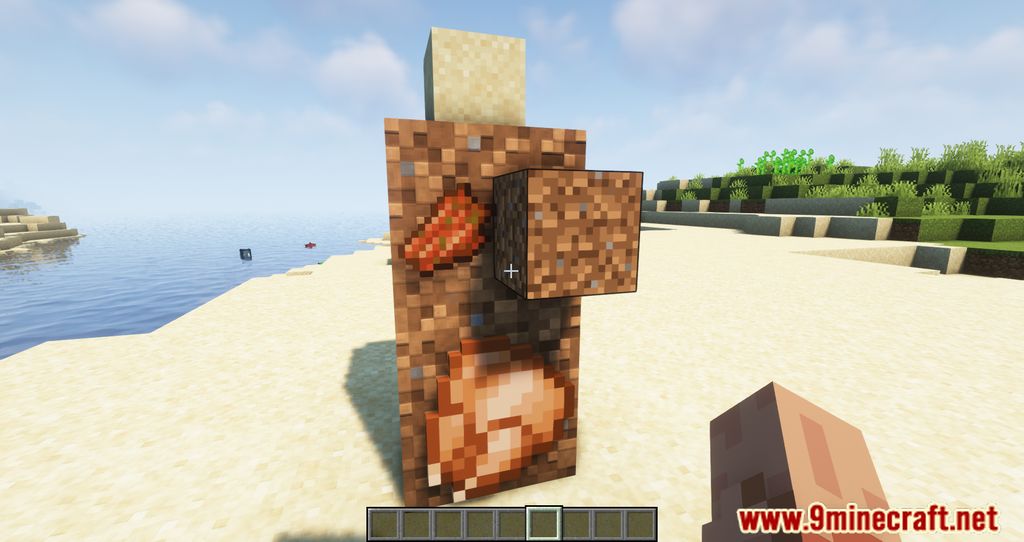
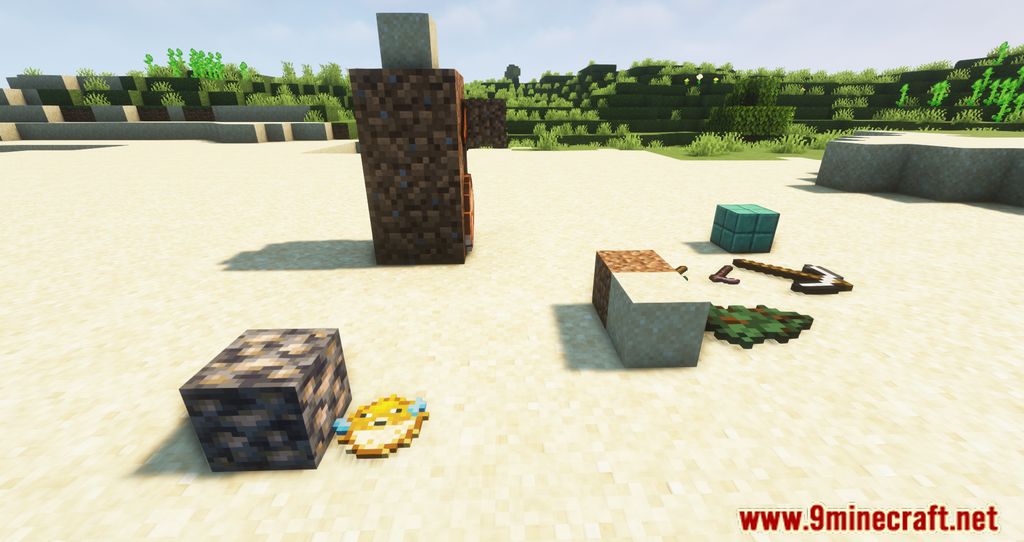
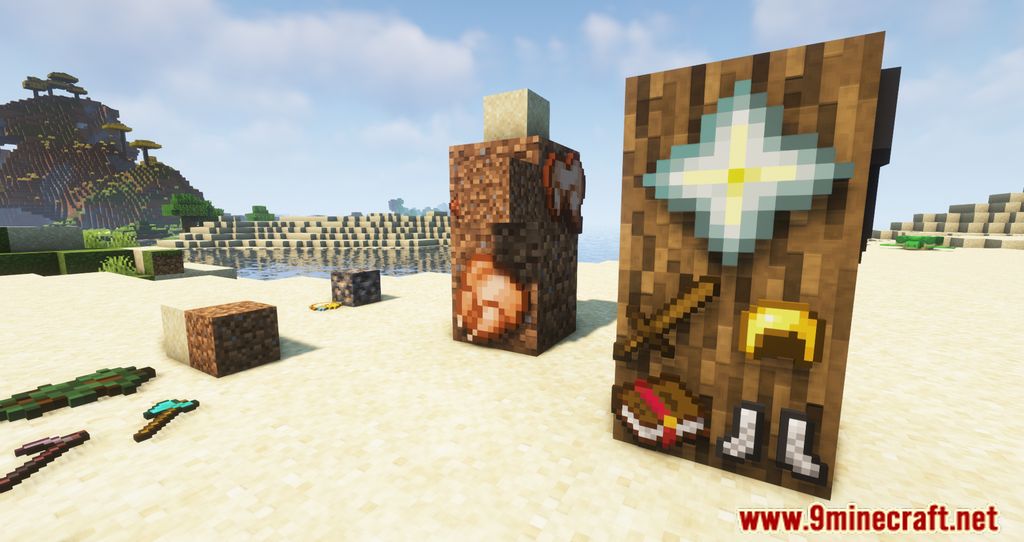
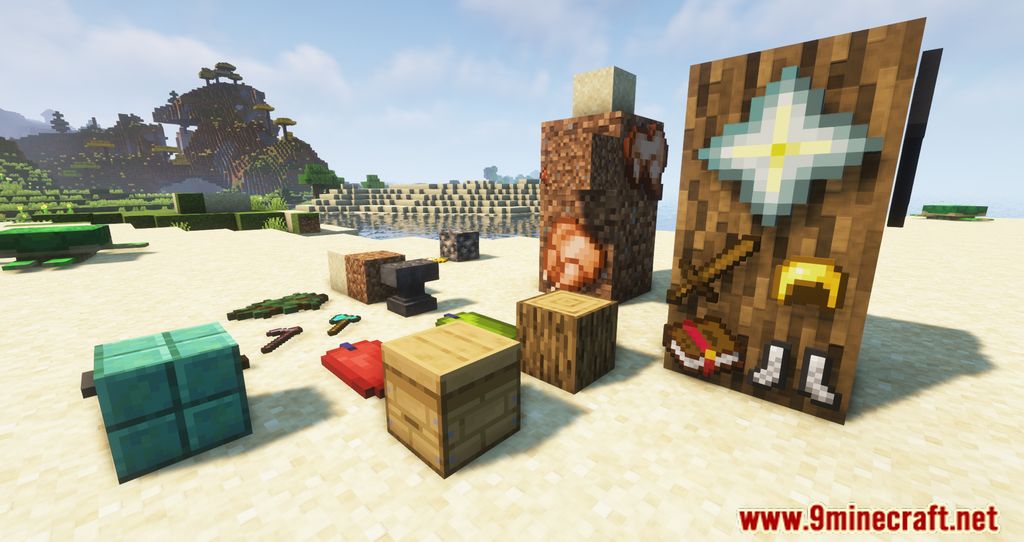
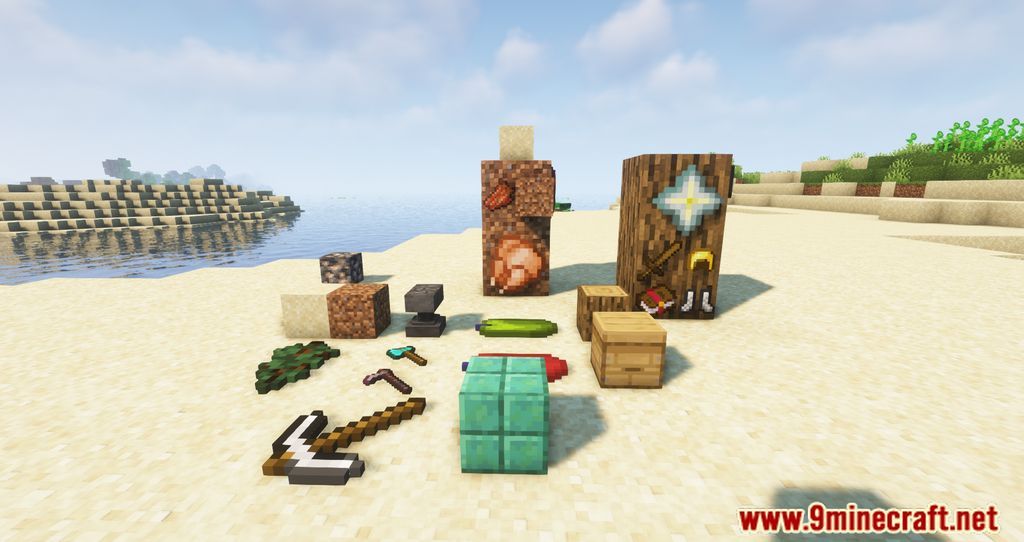
Plonk Mod lets you place or hang any item directly on the side of a block in Minecraft. You can arrange up to four stacks of items on any block face to decorate walls, floors, and other surfaces. This mod also lets you rotate single items or whole groups, keeps placed items safe from water, and works with automation extraction. You can even change the max stack size in the config, with built-in support for StackUp!.
Features:
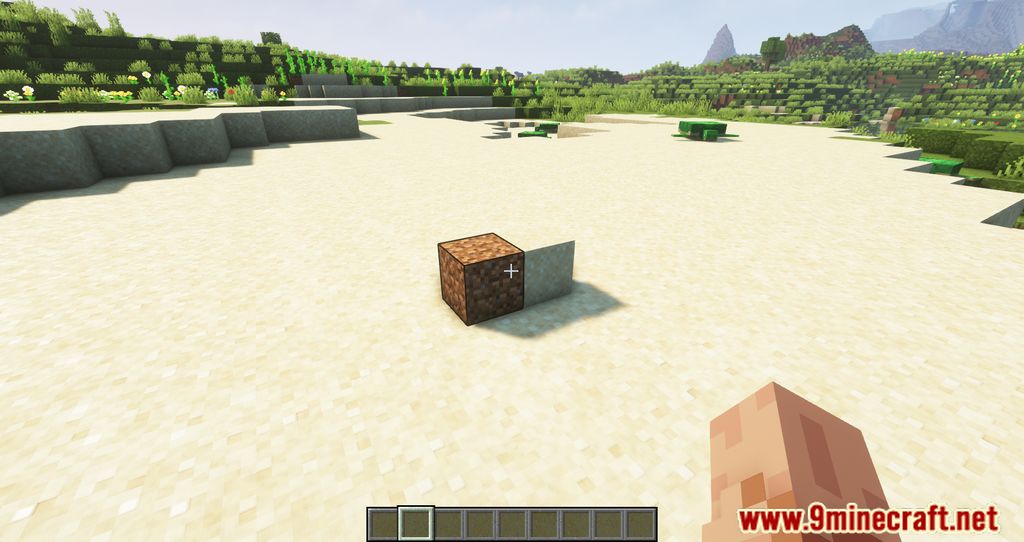
- Simple Item Placement: Press the Place Item key (default P) while looking at any of the six sides of a block to place or hang the item in your hand.
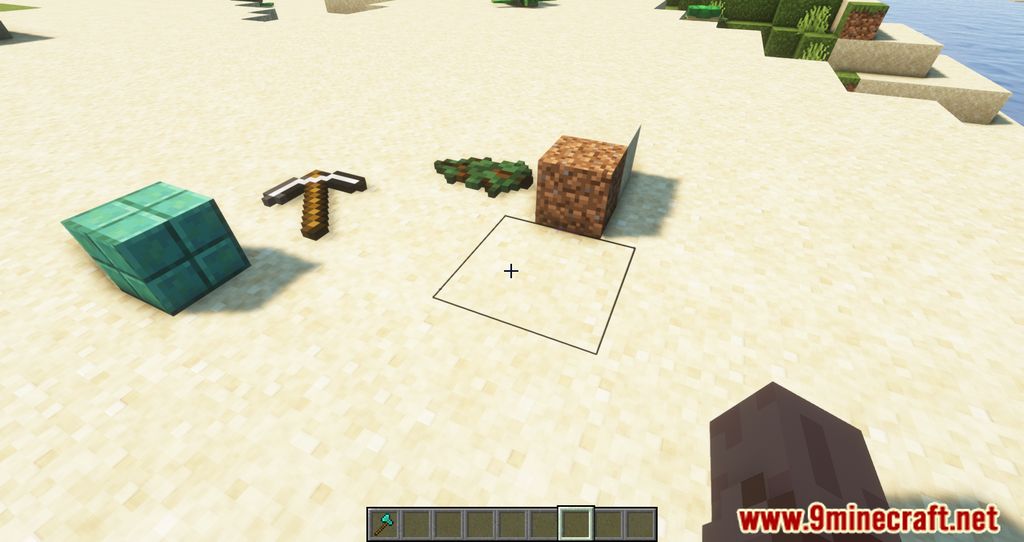
- Multi-Item Placement: Place up to 4 stacks of items on one block face, where multiple items shrink slightly so they fit together neatly.
- Individual Rotation: Rotate any single placed item in 16 different directions by pressing Sneak and Right Click with empty hands.
- Tile Rotation: Rotate the whole group of items on a block side in 4 different directions by pressing Sneak and the Place Item key with empty hands.
- You can place a full stack at once so it shows up as a single item, and you can adjust the max stack size in the config with support for StackUp!.
- Break placed items with a Left Click to pick them back up right away.
- Automation systems can extract placed items from blocks, though they cannot insert items back into the spot.
- Placed items resist being washed away by liquids and support waterlogging.
Configuration:
config/plonk.cfg: Config file path for Minecraft versions before 1.13.[save folder]/serverconfig/plonk-server.toml: Config file path for Minecraft 1.13 and newer.
How to Use:
- Check your Controls menu first: if the default P key conflicts with the Social Interactions Screen key, change one of those keys so item placement works smoothly.
- Hold any item, look at any side of a block, and press P to place or hang it on that surface; press it again to put up to 4 stacks on the same block face.
- Switch to empty hands, look at a placed item, and press Sneak + Right Click to turn that item into one of 16 directions.
- With empty hands, press Sneak + P (or your custom Place Item key) to rotate all placed items on that block face together in 4 directions.
- Press Left Click on a placed item to break it and pick it back up.
Screenshots:
How to Install:
New to Minecraft? Follow our step-by-step guide to install Mods on your PC.View Guide
Requirements:


Plonk Mod Download Links
For Minecraft 26.1.2, 26.1.1, 26.1
For Minecraft 1.21.1, 1.21
For Minecraft 1.20.1, 1.20
For Minecraft 1.19.4
For Minecraft 1.19.2
For Minecraft 1.18.2
For Minecraft 1.18.1
For Minecraft 1.16.5
For Minecraft 1.15.2
For Minecraft 1.14.4
For Minecraft 1.12.2
For Minecraft 1.7.10
Click to rate this post!
[Total: 1 Average: 5]
You May Also Like
Picked for this page
 FPS Reducer Mod (26.3, 1.20.1) – Reduce Unnecessary GPU and CPU Load
 No Hostiles Around Campfire Mod (26.3, 1.20.1) for Minecraft
 Ksyxis Mod (26.3, 1.20.1) – Completely Removes Spawn Chunks
 Ctrl Q Mod (26.1, 1.20.1) – Take Control Of Your Inventory
 Advanced Hook Launchers Mod (26.3, 1.20.1) – Climb, Abseil, Slay the Dragons
 Extended Bone Meal Mod (26.3, 1.20.1) – Instant Grow Crops
 Arcane Lanterns Mod (26.3, 1.20.1) – The Power of Light
 DarkStarter Mod (26.3, 1.20.1) – RPG Starter Login Item Rewards
 Completionist’s Index Mod (26.3, 1.20.1) – Professional Item Management
 Click Villagers Mod (26.3, 1.20.1) – Shift + Right-click to Pick up Villagers into Inventory
 Death Quotes Mod (26.2, 1.20.1) – Comfort After Death
 Window Size Mod (26.3, 1.21.1) – Permanently Modify The Full Screen Window Size
Most viewed in Mods over the last 7 days
 Ala Industrial Mod (26.3) – Run Electric Power Grids and Automated Factories
 PleasureCraft Mod (26.3, 1.21.1) – Jenny Mod Remake for Fabric
 Jennycraft Mod (26.3, 1.20.1) – Virtual Girlfriend in Minecraft
 Fapcraft Mod (26.3, 1.12.2) – Comprehensive and Detailed Content
 Jenny Mod (Fapcraft) Official Complete Guide – How to use, Tutorial
 BangCraft Mod (1.20.1) – Jenny, Ellie and Elliot
 Fabric Loader (26.3, 1.20.1) – Fabric Installer for All Minecraft Versions
 The Shooting Star Demo Mod (26.3, 1.20.1) – Vaporize Terrain From Orbit
 Meteor Client Mod (26.3, 1.20.1) – Xray, HUD, Fly
 OptiFine HD (26.3, 1.20.1) – Run Faster, FPS Boost, Shaders Support
 Aristois Client Mod (1.21.4, 1.20.1) – World Class Minecraft Utility
 Prestige Client Mod (1.21.11, 1.21.4) – Powerful Ghost Features for Crystal & Sword PvP
More from Mods
 Morrowless Mod (1.21.1) – Defend Your Shelter From Nightmare Creatures
 THE SLOPSTROSITY Mod (1.21.1) – Battle a Ridiculous Slime Boss
 Decoween Mod (1.21.1, 1.20.1) – Transform Ordinary Survival Bases
 Simply Light 9minecraft Mod (26.3) – Decorate Builds Without Torches
 Alex’s Caves Continued Mod (26.3, 1.20.1) – Conquer Six Massive Underground
 Anvil Uses Mod (26.3, 1.20.1) – Track Item Anvil Usage
 Animal Info Mod (26.3, 1.21.11) – Quick Stats For Your Animals
 Timber Tales Dynamic Tree System Mod (26.3, 1.20.1) – Watch Entire Trees Topple
 Gabou’s Libs Mod (26.3, 1.20.1) – Keep Custom Weather and Survival Mods Stable
 /Sit Mod (26.3, 1.21.1) – Make The Player Sit Down
 Arcane Redstone Dial Mod (26.3, 1.20.1) – Trigger Commands and Shortcuts
 The Graveyard Mod (26.3, 1.20.1) – Cemeteries in Minecraft

This post has no comments yet. Be the first — your comment will appear here.