
ScreamingBedWars Plugin (26.1.2, 1.20.1) – Crush Rivals in Fast Paced Bed Wars

 0


ScreamingBedWars Plugin brings a flexible minigame experience to servers, supporting major game versions from 1.8.8 onward. It offers high customizability through configuration files and admin commands, letting server owners set up tailored gameplay arenas.

Sign creation:
- On the first line write [BedWars] or [BWGame]
- On the second line the name of arena for join or leave for leave
- For the first sign update join to game
Arena creation:
Create new arena with command: /bw admin add
Then set arena size by setting two positions: /bw admin pos1 and /bw admin pos2
Add spectator spawn: /bw admin spec
Add some resource spawners to your position with command /bw admin spawner add <bronze|gold|iron> Then spawn Villager stores with: /bw admin store add
Now create teams:
- Run command /bw admin <game name> team add <Your team name> <team color> <max players>
- Stand up where you want set team spawn and run command: /bw admin <game name> team spawn <team name>
- Then look at team bed (all kind of beds supported) and run command /bw admin <game name> team bed <team name>
- You must create at least 2 teams
Then go to lobby and execute /bw admin lobby
Now all basic things are set so you can run /bw admin save for save and enable game


Features:
- Includes all standard BedWars mechanics like teams and breakable beds.
- Supports alternative minigame variants such as CakeWars and EggWars.
- Provides customizable shops with options for multiple shops per arena.
- Includes simple BungeeCord and Velocity network integration.
- Supports Vault rewards and custom reward commands.
- Allows spectators to join ongoing games.
- Features fast arena rebuilding after matches end.
- Displays remaining match time using BossBar or XP bars.
- Supports special items like RescuePlatforms and TNTSheeps with individual shop configurations.
- Includes a team selection GUI and automatic item coloring for armor.
- Allows unlimited resource spawners and tracks player statistics.
Commands:
Player commands (no permissions needed):
/bw join: Join an active arena./bw leave: Leave the current arena./bw list: Show a list of active games./bw stats: Show personal statistics./bw rejoin: Rejoin the latest played game./bw autojoin: Join the first available waiting game.
Admin statistics command (requires admin permission or misat11.bw.otherstats):
/bw stats <player>: Show statistics for a specific player.
Admin commands (requires permission misat11.bw.admin):
/bw reload: Reload the plugin configuration./bw dump: Upload diagnostic information and generate a link./bw mainlobby [enable|set]: Enable or set the main lobby location./bw addholo: Add a hologram at your current location./bw removeholo: Remove a holographic statistic by right-clicking it./bw admin <arena> info [section]: Show all information about an arena./bw admin <arena> add: Create a new arena./bw admin <arena> lobby: Set the arena lobby position to your location./bw admin <arena> spec: Set the spectator position to your location./bw admin <arena> pos1: Set the first boundary point of the arena./bw admin <arena> pos2: Set the second boundary point of the arena./bw admin <arena> pausecountdown <seconds>: Set the game start pause duration./bw admin <arena> minplayers <minimum>: Set the minimum players required to start./bw admin <arena> time <seconds>: Set the total game duration./bw admin <arena> team add <team> <color> <max players>: Add a team to the game./bw admin <arena> team color <team> <color>: Change a team color./bw admin <arena> team maxplayers <team> <max players>: Change maximum team players./bw admin <arena> team spawn <team>: Set team spawn to your position./bw admin <arena> team bed <team>: Set team bed to your target position./bw admin <arena> jointeam <team>: Enable team connection using an entity./bw admin <arena> spawner add <bronze|gold|iron> [enable hologram] [starting level] [custom name] [max resources]: Add an item spawner at your position./bw admin <arena> spawner reset: Remove all spawners from the arena./bw admin <arena> store add [villager entity] [shop file] [use main shop]: Add a trading villager at your position./bw admin <arena> store remove: Remove a trading villager from your position./bw admin <arena> store type <living entity>: Set the entity type for the store./bw admin <arena> config <constant> <value>: Set a constant game variable./bw admin <arena> arenatime <type>: Set the time of day in the arena./bw admin <arena> arenaweather <type>: Set the weather in the arena./bw admin <arena> remove: Delete the arena./bw admin <arena> edit: Turn off the game and switch the arena to edit mode./bw admin <arena> save: Save the game and activate it.
How to Use:
- Create a new arena by typing
/bw admin add. - Set the arena boundaries by standing at two opposing corners and running
/bw admin pos1and/bw admin pos2. - Set the spectator spawn point using
/bw admin spec. - Add resource spawners at your location with
/bw admin spawner add <bronze|gold|iron>. - Spawn trading villagers using
/bw admin store add. - Create at least two teams by running team add, setting team spawns, and looking at the team bed while running the respective team commands.
- Stand in the lobby area and execute
/bw admin lobby. - Save and enable the game by running
/bw admin save.
How to Install:
New to Minecraft? Follow our step-by-step guide to install Plugins on your PC.View Guide
ScreamingBedWars Plugin Download Links
For Minecraft
26.1.2,
26.1.1,
26.1
All Versions Covered
26.1.2
26.1.1
26.1
1.21.11
1.21.10
1.21.9
1.21.8
1.21.7
1.21.6
1.21.5
1.21.4
1.21.3
1.21.2
1.21.1
1.21
1.20.6
1.20.4
1.20.2
1.20.1
1.20
1.19.4
1.19.3
1.19.2
1.19.1
1.19
1.18.2
1.18.1
1.18
1.17
1.16
1.15
1.14
1.13
1.12
1.11
1.10
1.9
1.8.1
For Minecraft All versions
You May Also Like
Picked for this page
 WorldGuard Plugin (26.1.2, 1.20.1) – Bukkit, Spigot, Paper
 Quests Plugin (26.1.2, 1.20.1) – Bukkit, Spigot, Paper
 MultiWorld Plugin (26.1.2, 1.20.1) – Spigot
 Spawn Plugin (26.1.2, 1.21.1) – Spigot
 Orebfuscator Plugin (26.1.2, 1.20.1) – Bukkit, Spigot, Paper
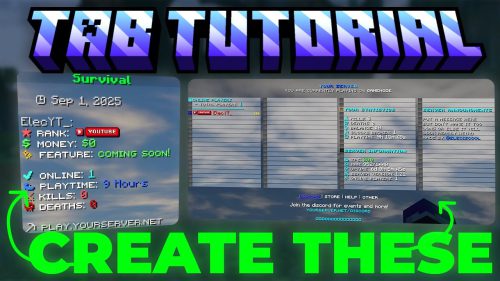 TAB Plugin (26.3, 1.20.1) – Make an Awesome Animated Tablist
 ValhallaMMO Plugin (26.1.2, 1.20.1) – Bukkit, Spigot, Paper
 SuperVanish Plugin (26.2, 1.20.1) – Bukkit, Spigot, Paper
 Interaction Visualizer Plugin (26.1.2, 1.20.1) – Spigot
 BuildPaste Plugin (26.3, 1.20.1) – Bukkit, Spigot, Paper
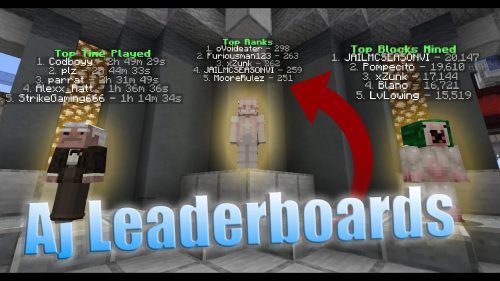 Aj Leaderboards Plugin (26.1.2, 1.20.1) – Spigot
 BentoBox Plugin (26.1.2, 1.20.1) – Spigot
Most viewed in Plugins over the last 7 days
 Dynmap 9minecraft Plugin (26.3) – A Live Google-Maps-Style View of Your Whole Server
 Vulcan Anti Cheat Plugin (1.21.8, 1.20.1) – A Powerful Shield Against Cheating
 Citizens Plugin (1.21.10, 1.20.1) – The Best NPC Plugin
 Displaymotion Plugin (1.21.4) – Amaze Players with Custom Animations and No Client Mods
 Ultimate Donut SMP Plugin (26.3, 1.20.1) – Build Teams Trade Goods
 MMOItems Premium Plugin (1.21.8, 1.20.1) – Create Stunning Custom Items
 WorldEdit Plugin (1.21.11, 1.20.1) – Easy In-Game Minecraft Map Editor
 Citizens2 Plugin (1.21.8, 1.20.1) – Craft Unique NPCs
 MythicCrucible Plugin (1.21.8, 1.20.1) – Addon for MythicMobs
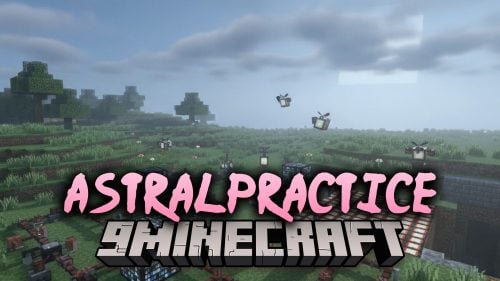 AstralPractice Plugin (1.13) – Turn Idle Lobbies Into Non-Stop Duel Arenas
 MythicMobs Premium Plugin (1.21.9, 1.20.1) – Craft Epic Custom Mobs And Bosses
 Grim Anticheat Plugin (26.3, 1.20.1) – Realtime Cheat Detection Plugin
More from Plugins
 Geyser Plugin (26.3, 1.20.1) – Java and Bedrock Cross-Compatibility
 Authmebia Plugin (26.3, 1.21.11) – Protect Player Accounts with Friendly Login
 SeichiAssist Plugin (1.18) – Turn Giant Digging Projects Into Community Fun
 WorldBorderAPI Plugin (26.2) – Give Every Player Their Own Personal World Boundary
 RealIP Plugin (1.16) – Keep Griefers and Banned Trolls From Coming Back
 BukkitOldCombatMechanics Plugin (1.13) – Bring Back Fast-Paced Classic PvP Fights
 Simple Vein Enchants Plugin (26.3, 26.1.2) – Skip Repetitive Grinding
 Economy Gui Plugin (26.3, 1.20.1) – Keep Server Wealth Visible and Fair
 Minecraft Prometheus Exporter Plugin (1.16) – Catch Server Lag Before Players Feel It
 Mythic Weapons Ultimate Plugin (26.3, 1.21.1) – Turn Survival Fights
 Ownership Tracker Plugin (1.21.11) – Expose Gear Thieves and Keep Player Loot
 Fish Rework Fishing Plugin (26.3, 1.21.1) – Turn Simple Fishing

This post has no comments yet. Be the first — your comment will appear here.