
Enchanting Commands Mod (26.3, 1.20.1) – Break Vanilla Enchantment Limits

 0


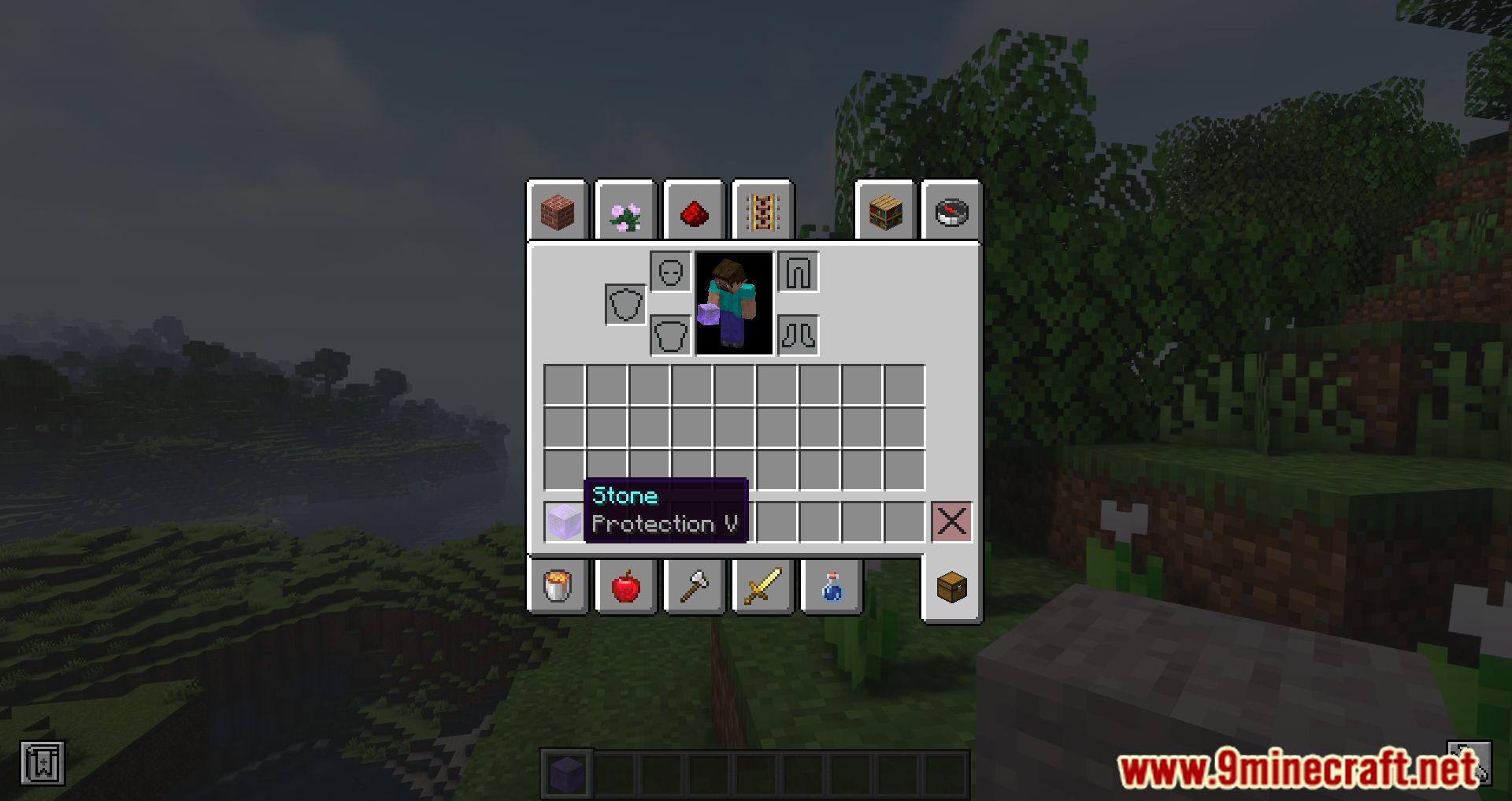
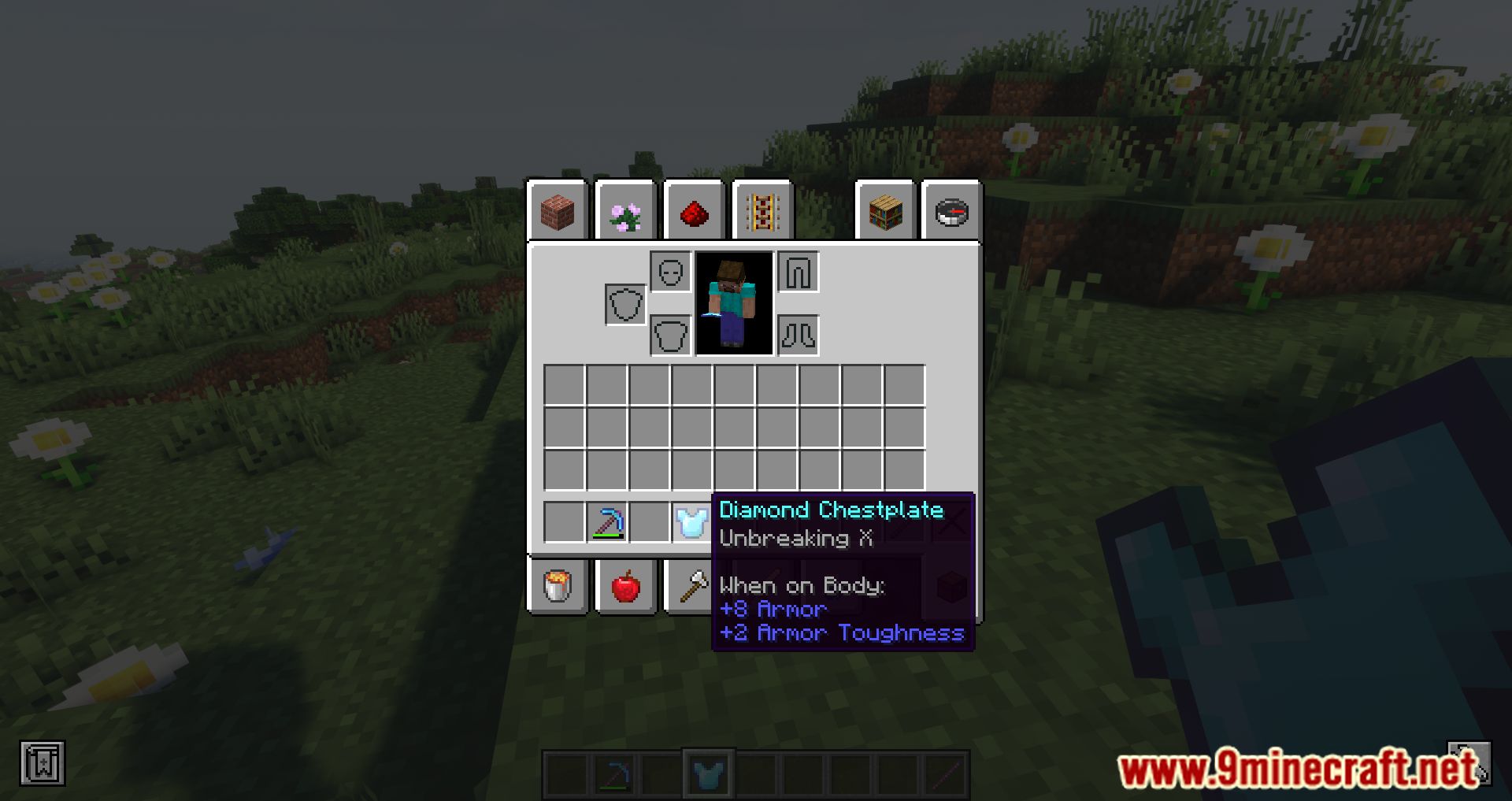
Enchanting Commands Mod lets you easily create enchanted items using commands with levels that go far beyond standard vanilla limits. This mod works on normal tools as well as non-tool items, and it supports custom enchantments from other mods.

Features:
- Allows you to apply enchantments directly to the item held in your main hand.
- Supports enchantment levels above 255 to break normal game limits.
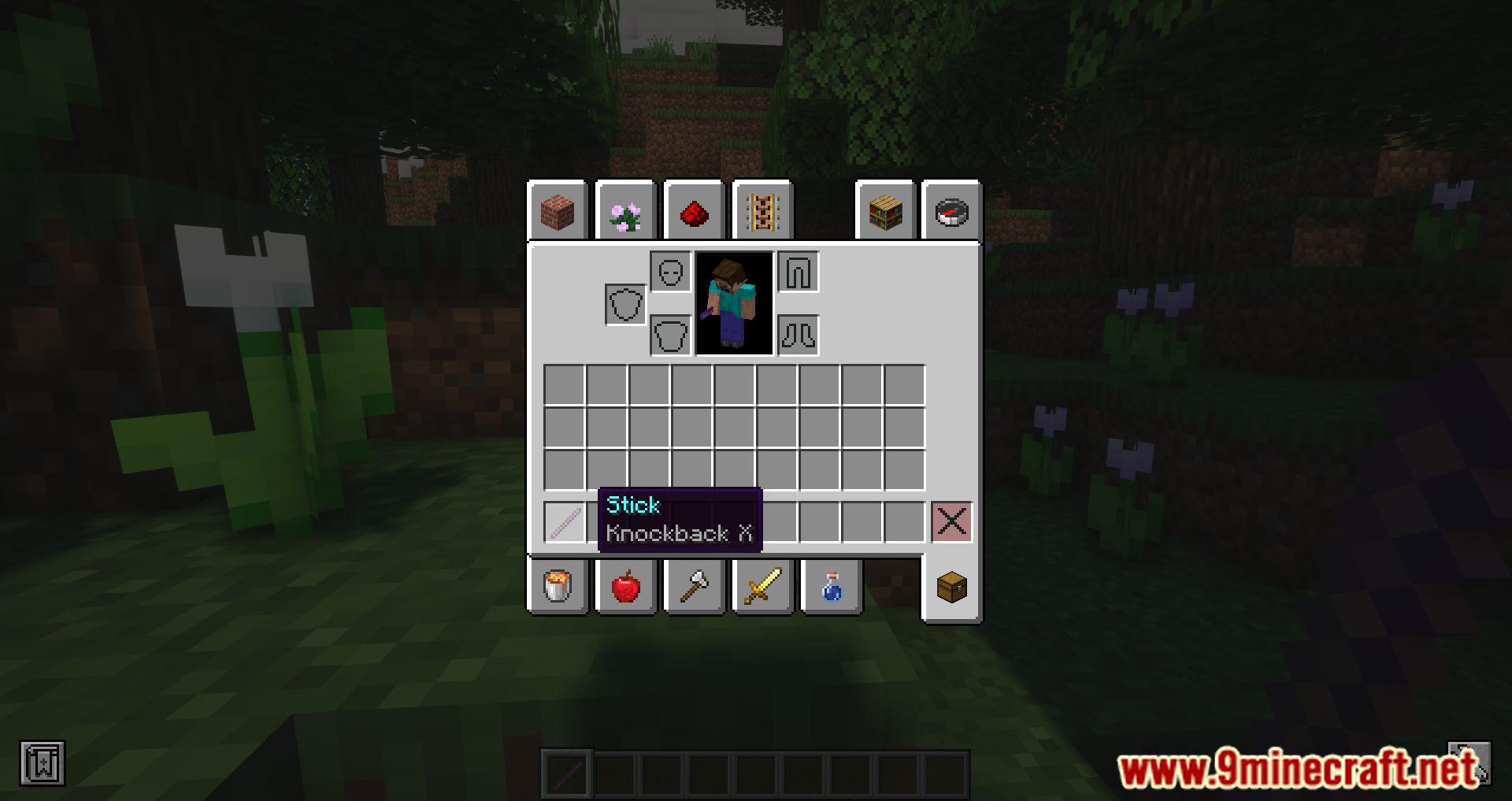
- Works on non-tool items, letting you place powerful effects like high knockback on items such as sticks.
- Includes full compatibility with custom enchantments added by other mods.
- Provides auto-completion using the Tab key while typing commands for fast and simple usage.
- Offers a configurable command prefix to prevent conflicts with other mods.
Commands:
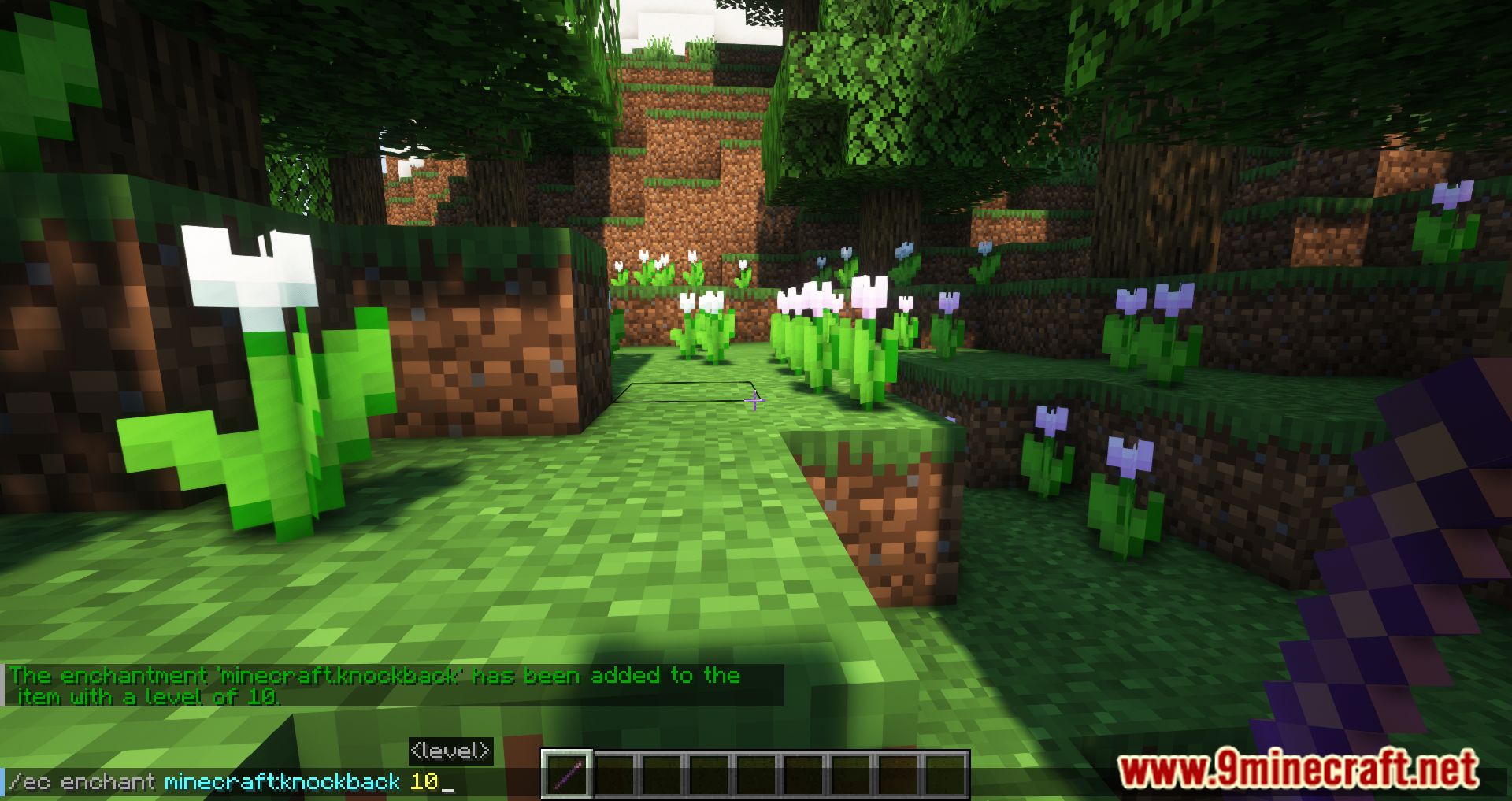
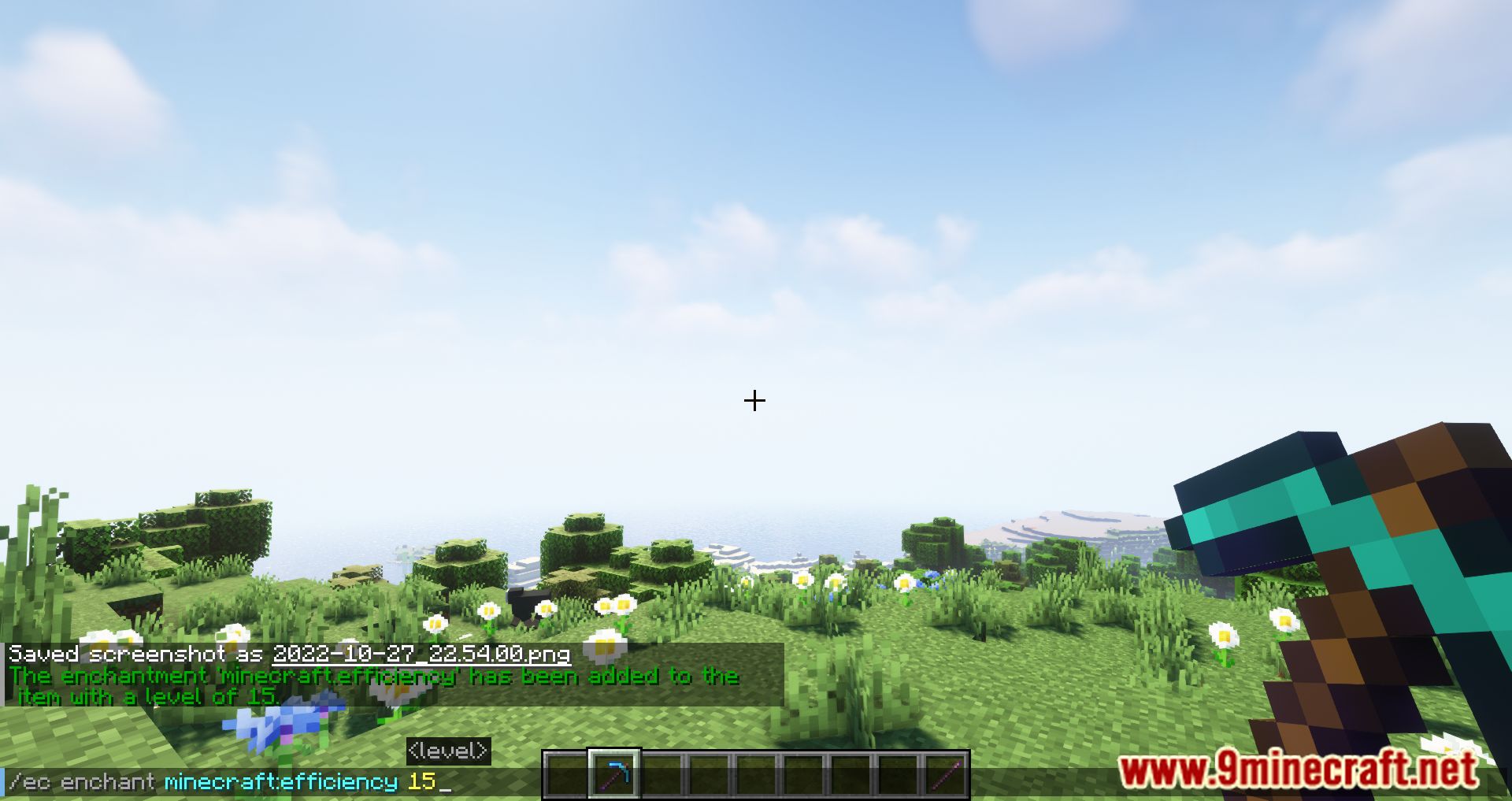
/ec enchant <enchantment> <level>: Applies the selected enchantment at the chosen level to the item in your main hand.
How to Use:
- Hold the item you want to enchant in your main hand.
- Type the command with your chosen enchantment and level.
- Press the Tab key for auto-completion help while typing the command.
Configuration:
enchantCommandString: Sets the default command prefix, which isecby default and can be changed to avoid conflicts.
Screenshots:




How to Install:
New to Minecraft? Follow our step-by-step guide to install Mods on your PC.View Guide
Requirements:





Enchanting Commands Mod Download Links
For Minecraft 26.3
For Minecraft 26.2
For Minecraft 26.1.2, 26.1.1, 26.1
For Minecraft
1.21.11,
1.21.10,
1.21.9
All Versions Covered
1.21.11
1.21.10
1.21.9
1.21.8
1.21.7
1.21.6
1.21.5
1.21.4
1.21.1
1.21
All Versions Covered
1.21.11
1.21.10
1.21.9
1.21.8
1.21.7
1.21.6
1.21.5
1.21.4
1.21.1
1.21
For Minecraft 1.21.10, 1.21.9
For Minecraft 1.21.8, 1.21.7, 1.21.6
For Minecraft 1.21.5
For Minecraft 1.21.4
For Minecraft 1.21.3, 1.21.2
For Minecraft 1.21.1, 1.21
For Minecraft 1.20.6
For Minecraft 1.20.4
For Minecraft 1.20.2
For Minecraft 1.20.1, 1.20
For Minecraft 1.20
For Minecraft 1.19.4
For Minecraft 1.19.3
For Minecraft 1.19.2
For Minecraft 1.19.1
For Minecraft 1.19
For Minecraft 1.18.2
For Minecraft 1.18.1
For Minecraft 1.17.1
For Minecraft 1.16.5
For Minecraft 1.15.2
For Minecraft 1.14.4
For Minecraft 1.12.2
Click to rate this post!
[Total: 7 Average: 3.1]
You May Also Like
Picked for this page
 MiniHUD Mod (26.3, 1.20.1) – Mini F3 HUD
 Perfect Accuracy Mod (26.3, 1.20.1) – True Aim Mechanics
 Audio Player Mod (26.3, 1.20.1) – Put Your Own Audio Files on Music Discs
 Break Free Mod (26.3, 1.20.1) – Keep Breaking Blocks When Switch Items
 Alternate Current Mod (26.3, 1.20.1) – An Efficient Redstone Dust Implementation
 Client Crafting Mod (26.3, 1.20.1) – Instant Crafting
 Memory Settings Mod (26.3, 1.20.1) – Allocate More RAM
 Nicer Portals Mod (26.3, 1.20.1) – Adds Various Small Improvements
 Magic Particles Mod (26.3, 1.20.1) – Creating Custom Particle Effects
 Chat Tools Mod (26.3, 1.20.1) – Advanced Tools and Customization Chat Options
 Ordinary Crook Mod (26.2, 1.20.1) – Boost Your Leaf Drops
 Ignition Mod (26.1.2, 1.20.1) – Fire Has Consequences
Most viewed in Mods over the last 7 days
 Ala Industrial Mod (26.3) – Run Electric Power Grids and Automated Factories
 PleasureCraft Mod (26.3, 1.21.1) – Jenny Mod Remake for Fabric
 Jennycraft Mod (26.3, 1.20.1) – Virtual Girlfriend in Minecraft
 Fapcraft Mod (26.3, 1.12.2) – Comprehensive and Detailed Content
 Jenny Mod (Fapcraft) Official Complete Guide – How to use, Tutorial
 BangCraft Mod (1.20.1) – Jenny, Ellie and Elliot
 Fabric Loader (26.3, 1.20.1) – Fabric Installer for All Minecraft Versions
 The Shooting Star Demo Mod (26.3, 1.20.1) – Vaporize Terrain From Orbit
 Meteor Client Mod (26.3, 1.20.1) – Xray, HUD, Fly
 OptiFine HD (26.3, 1.20.1) – Run Faster, FPS Boost, Shaders Support
 Aristois Client Mod (1.21.4, 1.20.1) – World Class Minecraft Utility
 Prestige Client Mod (1.21.11, 1.21.4) – Powerful Ghost Features for Crystal & Sword PvP
More from Mods
 Simply Light 9minecraft Mod (26.3) – Decorate Builds Without Torches
 Alex’s Caves Continued Mod (26.3, 1.20.1) – Conquer Six Massive Underground
 Anvil Uses Mod (26.3, 1.20.1) – Track Item Anvil Usage
 Animal Info Mod (26.3, 1.21.11) – Quick Stats For Your Animals
 Timber Tales Dynamic Tree System Mod (26.3, 1.20.1) – Watch Entire Trees Topple
 Gabou’s Libs Mod (26.3, 1.20.1) – Keep Custom Weather and Survival Mods Stable
 /Sit Mod (26.3, 1.21.1) – Make The Player Sit Down
 Arcane Redstone Dial Mod (26.3, 1.20.1) – Trigger Commands and Shortcuts
 The Graveyard Mod (26.3, 1.20.1) – Cemeteries in Minecraft
 Enhanced Overlay Mod (26.3, 1.21.11) – Remove Screen Clutter
 Flint Mod (1.21.11) – Run DiamondFire Community Addons Without Crashing
 Not Just Sandwich Mod (26.3, 1.20.1) – Edibles, Sandwiches

This post has no comments yet. Be the first — your comment will appear here.