
Diet Mod (1.20.1, 1.19.2) – Earn Stat Buffs From Food
 7,785
 0


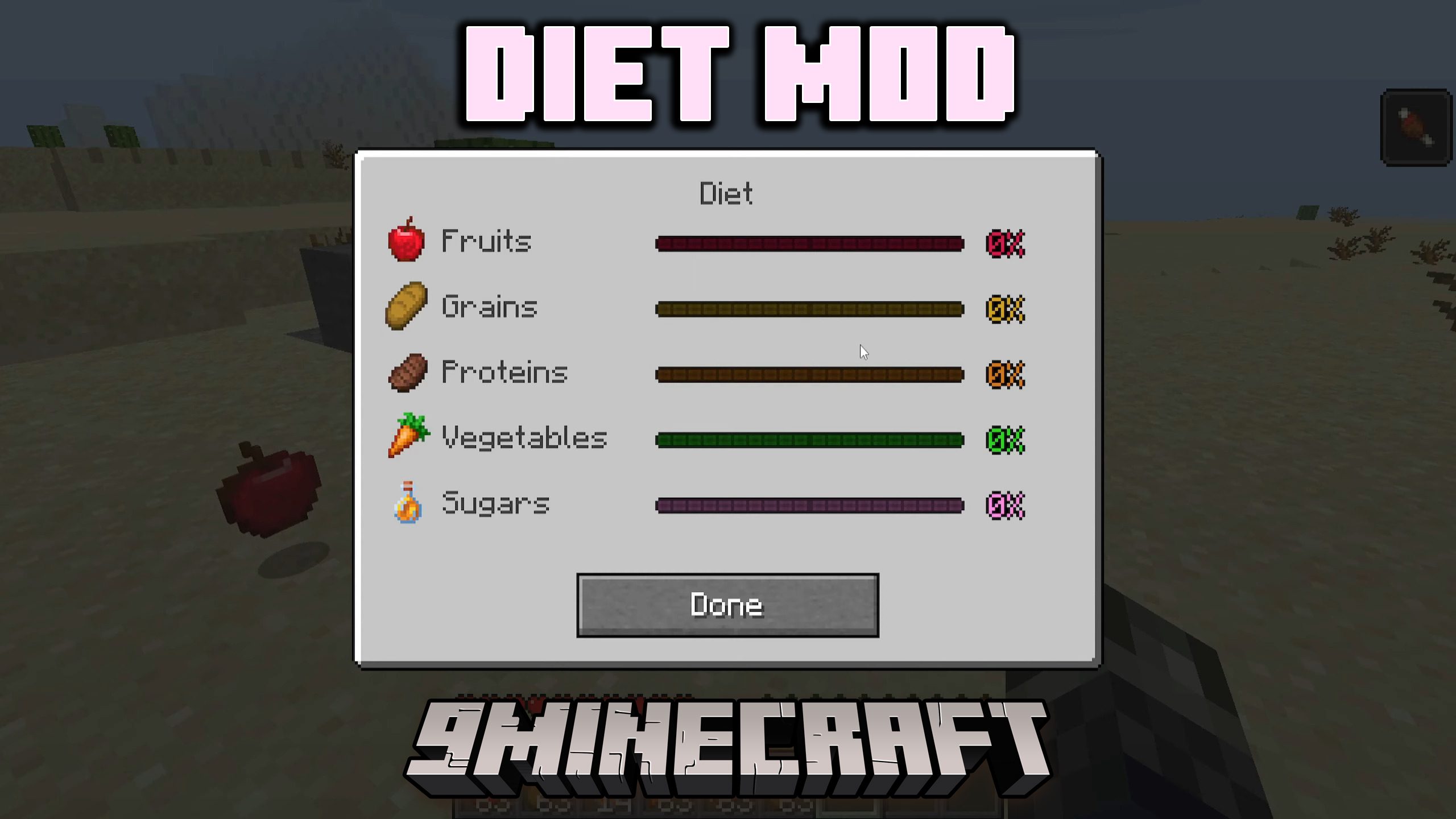
Diet Mod adds a nutrition and food group system to Minecraft. It tracks five default food groups (Fruits, Grains, Vegetables, Proteins, and Sugars) with values from 0% to 100%. Eating matching foods raises your levels, while using up your hunger bar slowly lowers every group. Reaching set levels gives you custom rewards or penalties, such as potion effects or extra maximum health. You can edit config files in your world save folder to make your own food groups and effect rules, and this mod works with many popular mods like Farmer’s Delight, Create, Croptopia, and Pam’s HarvestCraft 2.
Features:
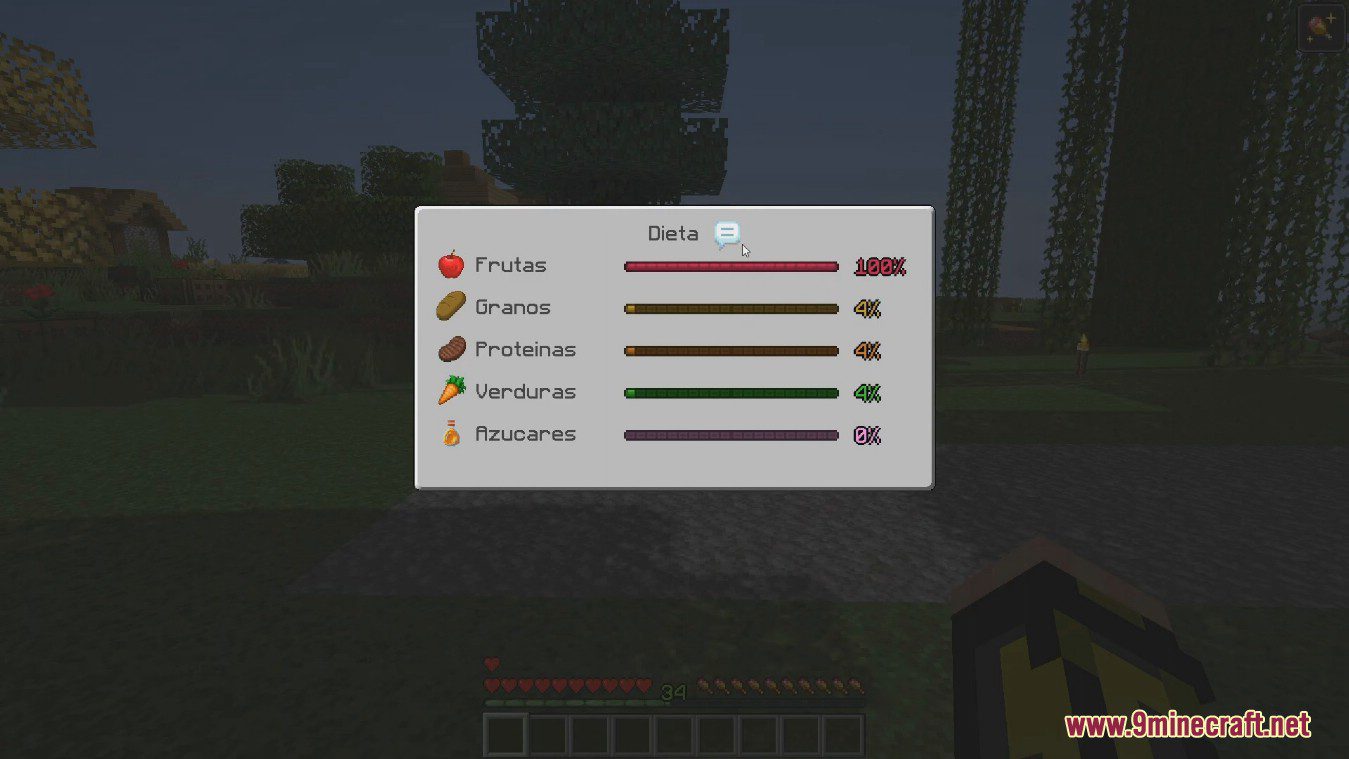
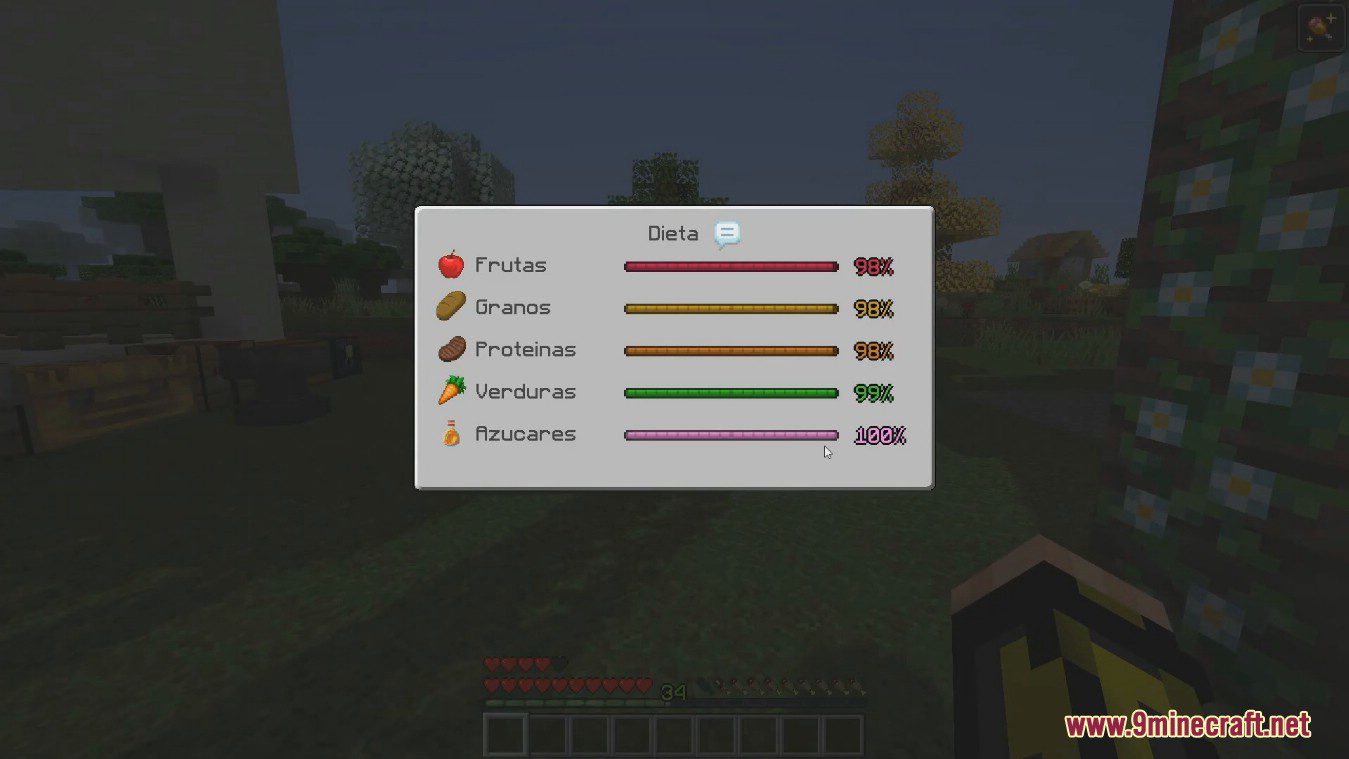
- Food Group Tracking: Tracks each food group from 0% to 100% based on what you eat. Eating matching food raises its level, and every group slowly drops as you use up your hunger bar.
- Five Default Food Groups: Comes ready to play with five classic groups: Fruits, Grains, Proteins, Vegetables, and Sugars.
- Custom Nutrition Effects: Gives you rewards or penalties based on your food group levels. Effects can use any vanilla or modded potion effect or change player stats directly, such as adding extra maximum health.
- In-Game Nutrition Menu: Shows colored progress bars, item icons, percentages, and active bonus tooltips right inside your inventory screen.
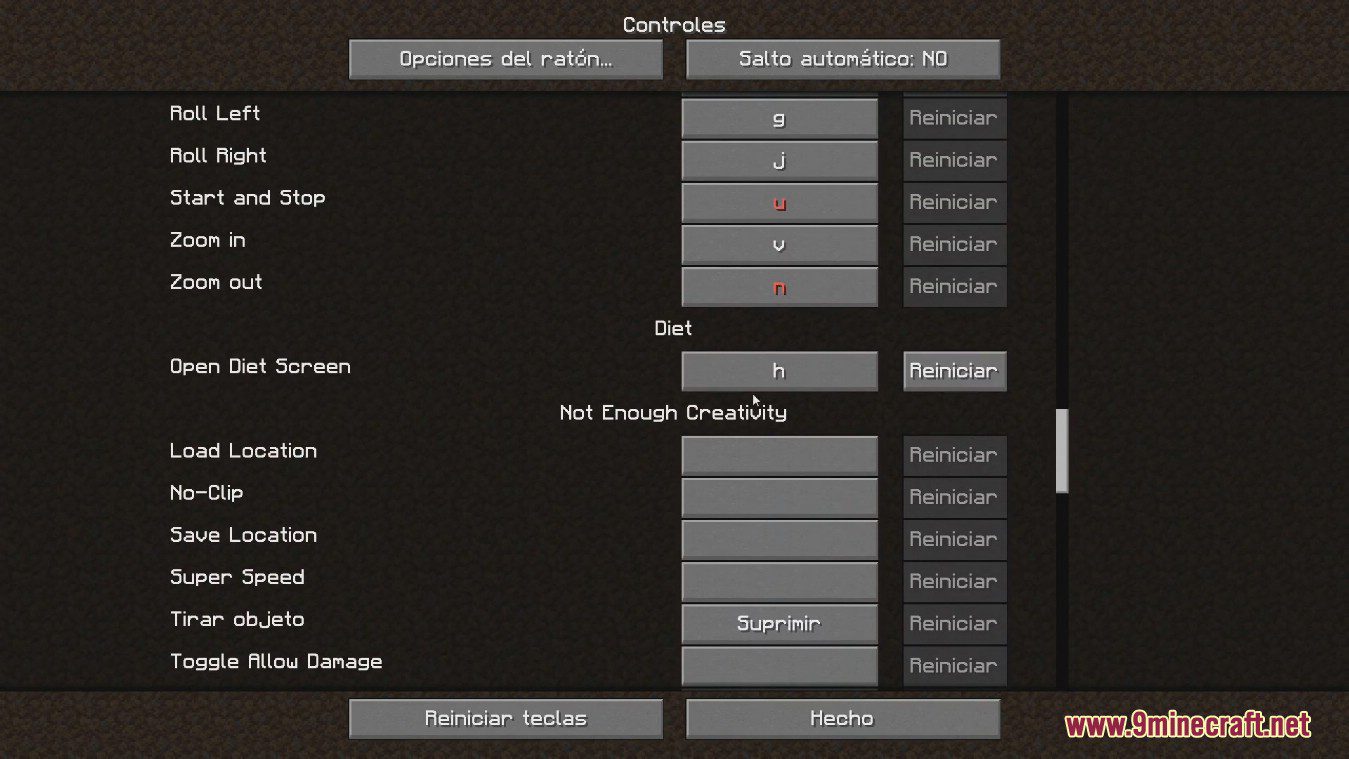
- Includes a keybind option in the Controls menu for quick access to your nutrition screen.
- Lets you create and edit your own food groups in the
diet-groups.tomlfile inside your world save’sserverconfigfolder. - Lets you set up custom effect rules in the
diet-effects.tomlfile inside your world save’sserverconfigfolder, including checking exact values, checking specific groups, or stacking effects for each matching rule. - Works with foods from many popular mods out of the box, including Farmer’s Delight, Create, Croptopia, Pam’s HarvestCraft 2, Alex’s Mobs, Quark, Supplementaries, Tinkers’ Construct, Twilight Forest, and more.
Custom Food Group Options:
- Name: Sets the display name of the food group.
- Item Icon: Picks the item icon shown next to the group.
- Hexcode Color: Chooses the color for the group’s bar using a hex code.
- Ordering: Sets the display order of the group in the menu.
- Default Value: Sets the starting percentage value for the group.
- Gain Multiplier: Changes how fast the group goes up when you eat matching food.
- Decay Multiplier: Changes how fast the group drops as your hunger goes down.
Commands:
/diet add <player> <group> <value>: Adds a percentage value to a player’s food group (use a number from 0 to 1, where 0 is 0% and 1 is 100%)./diet subtract <player> <group> <value>: Takes away a percentage value from a player’s food group (use a number from 0 to 1)./diet set <player> <group> <value>: Sets a player’s food group to an exact percentage value (use a number from 0 to 1)./diet get <player> <group>: Shows the current percentage value of a player’s food group./diet reset <player>: Resets all of a player’s food groups back to the default config values./diet pause <player>: Pauses the system for a player so values stop changing, effects turn off, and their menu turns gray./diet resume <player>: Turns the system back on for a player so values and effects work again./diet export: Exports adiet.csvfile to the logs folder./diet export group <group>: Exports a list of foods and their values from a chosen food group todiet.csv./diet export mod_id <mod_id>: Exports a list of foods and their values from a chosen mod todiet.csv./diet export uncategorized: Exports a list of all foods that do not belong to any food group todiet.csv.
Screenshots:
How to Install:
New to Minecraft? Follow our step-by-step guide to install Mods on your PC.View Guide
Requirements:
Diet Mod Download Links
For Minecraft 1.16.5
Forge version: Download from Server 1 – Download from Server 2
For Minecraft 1.17.1
Forge version: Download from Server 1
For Minecraft 1.18.1
Forge version: Download from Server 1
For Minecraft 1.18.2
Forge version: Download from Server 1 – Download from Server 2
For Minecraft 1.19.2
Forge version: Download from Server 1 – Download from Server 2
Fabric version: Download from Server 1 – Download from Server 2
Quilt version: Download from Server 1 – Download from Server 2
For Minecraft 1.20.1, 1.20
Forge version: Download from Server 1 – Download from Server 2
Fabric version: Download from Server 1 – Download from Server 2
Quilt version: Download from Server 1 – Download from Server 2
You May Also Like
Picked for this page
 Patched Mod (26.2, 1.20.1) – Tools for Modifying Parts of JSON Files
 Smart Brain Lib Mod (26.3, 1.20.1) – Mobs That Think and React
 Combat Roll Mod (26.3, 1.20.1) – You Can Now Roll, Dodge, Run
 Alex’s Delight Mod (1.21.1, 1.20.1) – Alex’s Mobs + Farmer’s Delight
 Better Command Block UI Mod (26.3, 1.20.1) – Improved Multi-line
 Trade Uses Mod (26.1.2, 1.20.1) – Find the best trades
 More Delight Mod (26.3, 1.20.1) – Food Expansion
 Alex’s Caves Delight Mod (1.21.1, 1.20.1) – Bring The Flavor Of Caves To Your Table
 Legends Anime Heropack Mod (1.18.2) – Superpowered Character Battles
 McMouser Mod (26.2, 1.20.1) – Resolving Mouse Woes On MacOS
 Arch-RPGMana Mod (1.20.1, 1.20) – Mana System For Spell Engine Spells
 Citadel Unofficial Port Mod (1.21.1) – Play Alex’s Mobs On Newer Game Versions
Most viewed in Mods over the last 7 days
 Ala Industrial Mod (26.3) – Run Electric Power Grids and Automated Factories
 PleasureCraft Mod (26.3, 1.21.1) – Jenny Mod Remake for Fabric
 Jennycraft Mod (26.3, 1.20.1) – Virtual Girlfriend in Minecraft
 Fapcraft Mod (26.3, 1.12.2) – Comprehensive and Detailed Content
 Jenny Mod (Fapcraft) Official Complete Guide – How to use, Tutorial
 BangCraft Mod (1.20.1) – Jenny, Ellie and Elliot
 Fabric Loader (26.3, 1.20.1) – Fabric Installer for All Minecraft Versions
 The Shooting Star Demo Mod (26.3, 1.20.1) – Vaporize Terrain From Orbit
 Meteor Client Mod (26.3, 1.20.1) – Xray, HUD, Fly
 OptiFine HD (26.3, 1.20.1) – Run Faster, FPS Boost, Shaders Support
 Aristois Client Mod (1.21.4, 1.20.1) – World Class Minecraft Utility
 Prestige Client Mod (1.21.11, 1.21.4) – Powerful Ghost Features for Crystal & Sword PvP
More from Mods
 Fabric ORM Jimmer Mod (26.3, 1.20.1) – Prevent Sudden Server Crashes
 Cafe Core Mod (26.2, 1.21.1) – Bypass Anvil Limits and Tame Pets in Seconds
 GTNH’s Forgelin Mod (1.7.10) – Play Kotlin-Powered Mods on Minecraft 1.7.10
 Nodeflow Mod (26.1.2, 1.21.1) – Wire Custom Redstone Logic on Visual Graph
 Winter Client Mod (1.21.11) – Survive Ruthless PvP on Anarchy Servers
 LARP Client Mod (1.21.11) – Dominate Crystal PvP on Anarchy Servers
 Berlin Client Mod (1.21.11) – Hunt Stashes and Win Crystal Fights
 Kaleidoscope Cookery Refabricated Mod (26.3, 1.20.1) – Cook Hearty Meals
 Minecraft MusicBox Mod (1.21.12) – Play Your Favorite Songs While Mining and Building
 MTR Navigation Mod (1.21.1) – Plan Railway Trips and Never Miss a Train Stop
 TheHouse Mod (1.21.11) – Host Casino Tables and Track Every Bet in Real Time
 CinematicInteractions Mod (1.21.1) – Watch Your Hands Work at Every Crafting Table

This post has no comments yet. Be the first — your comment will appear here.