
Beautified Chat Mod (26.3, 1.20.1) – Style Every Message on Multiplayer Servers

 0


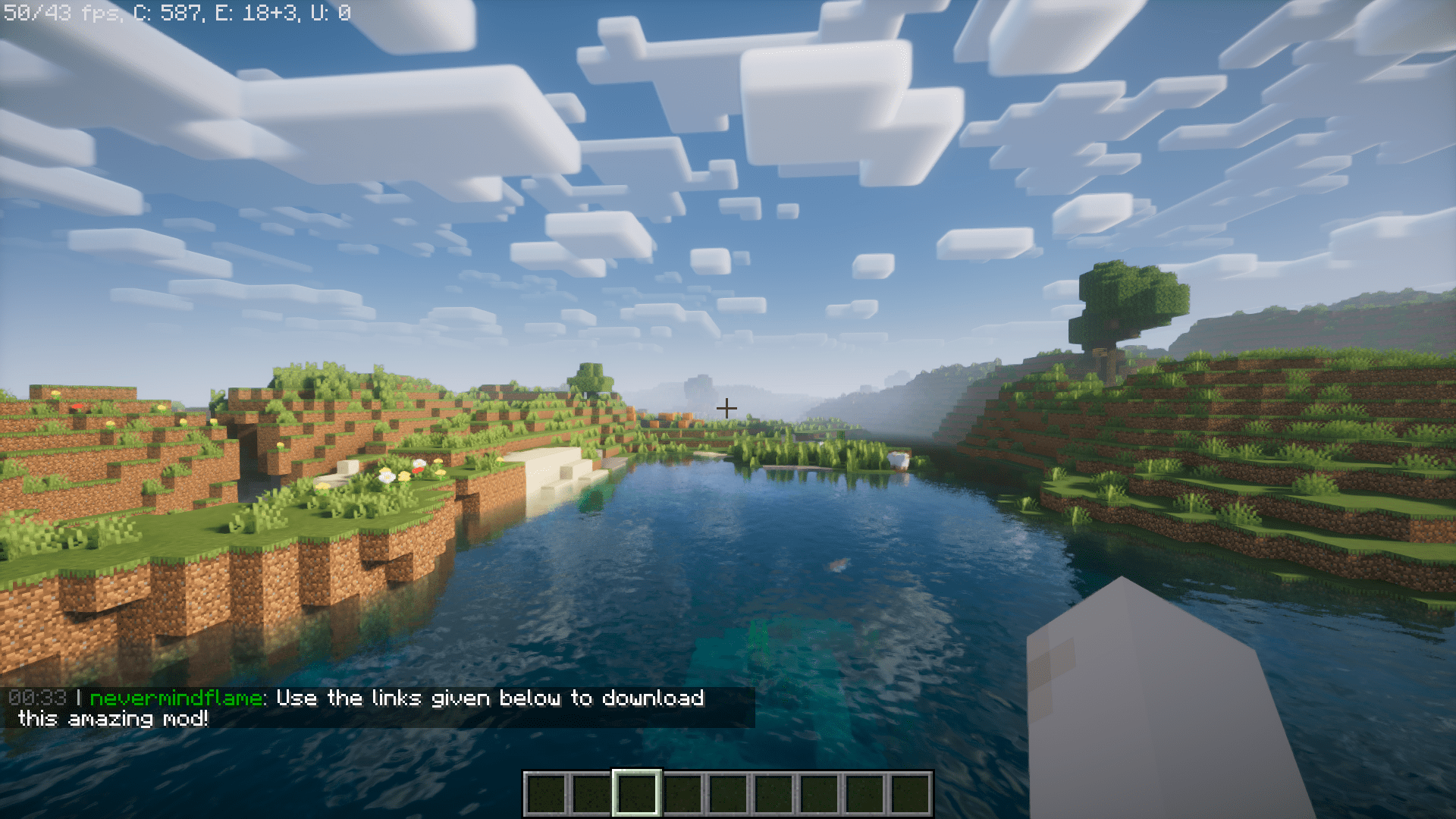
Beautified Chat Mod lets you change and customize the chat box content on your client. It works on all connected servers without requiring the mod on the server side.
Features:
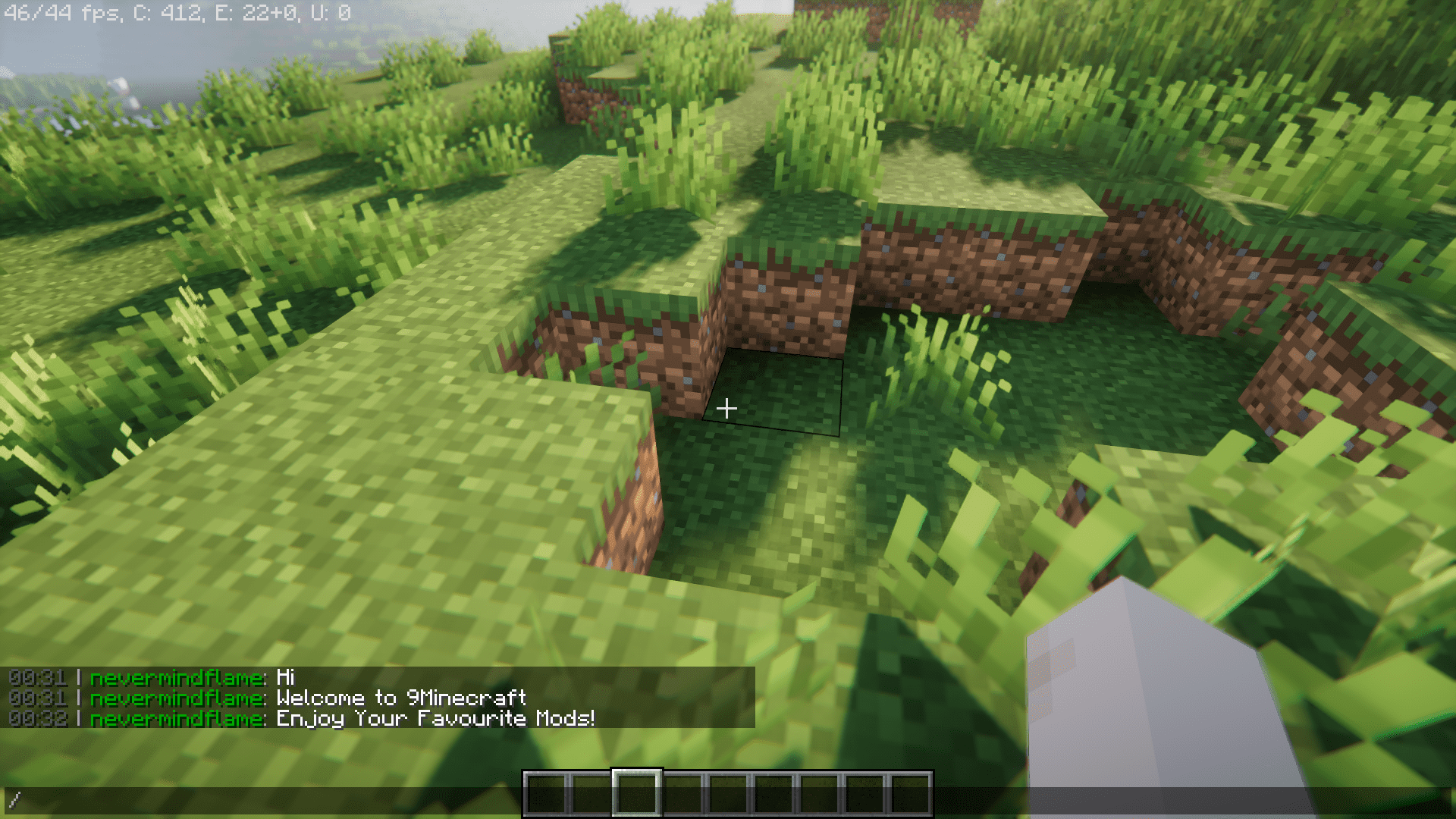
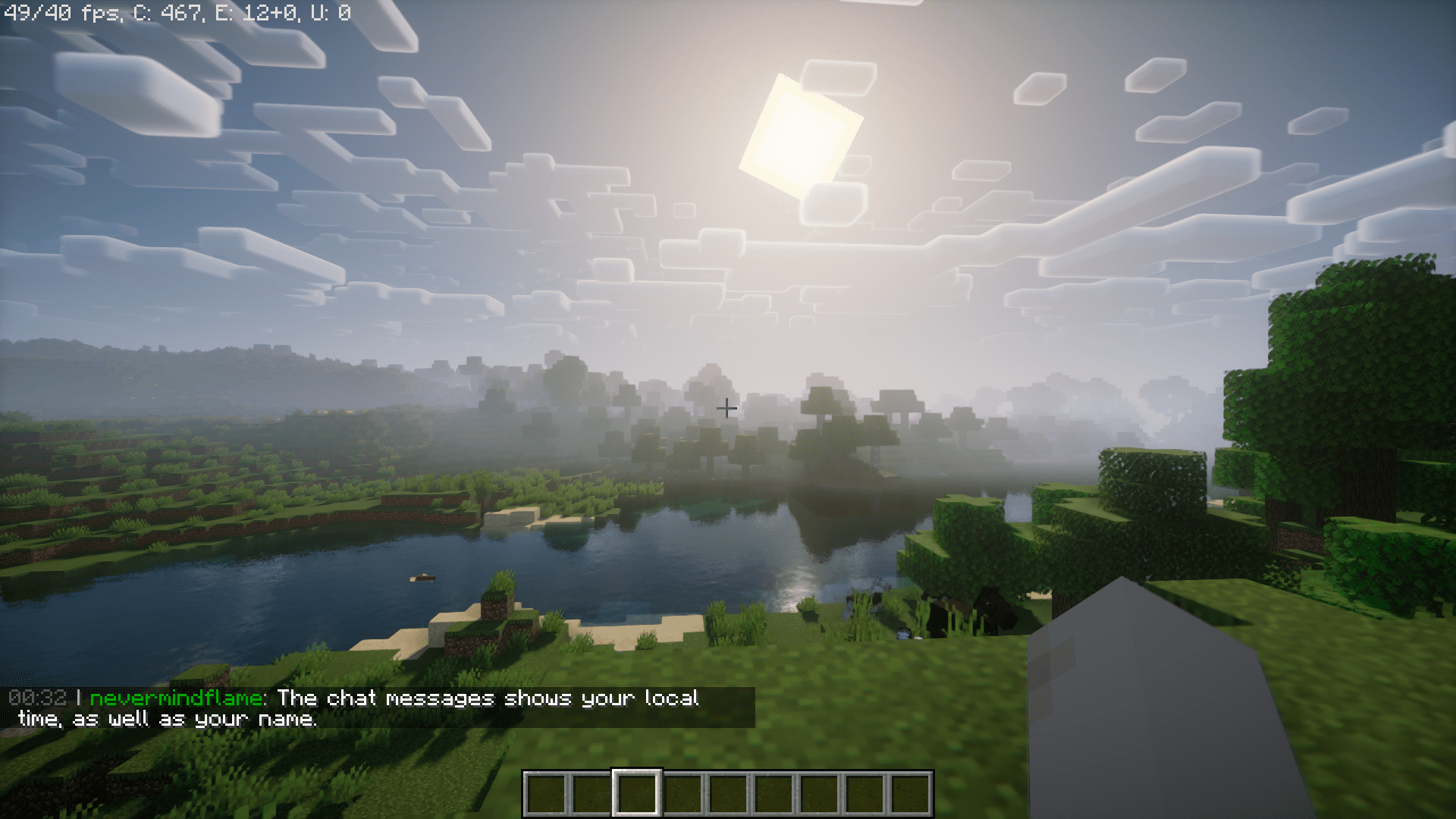
- Adds a timestamp feature to show the local time when each message was sent.
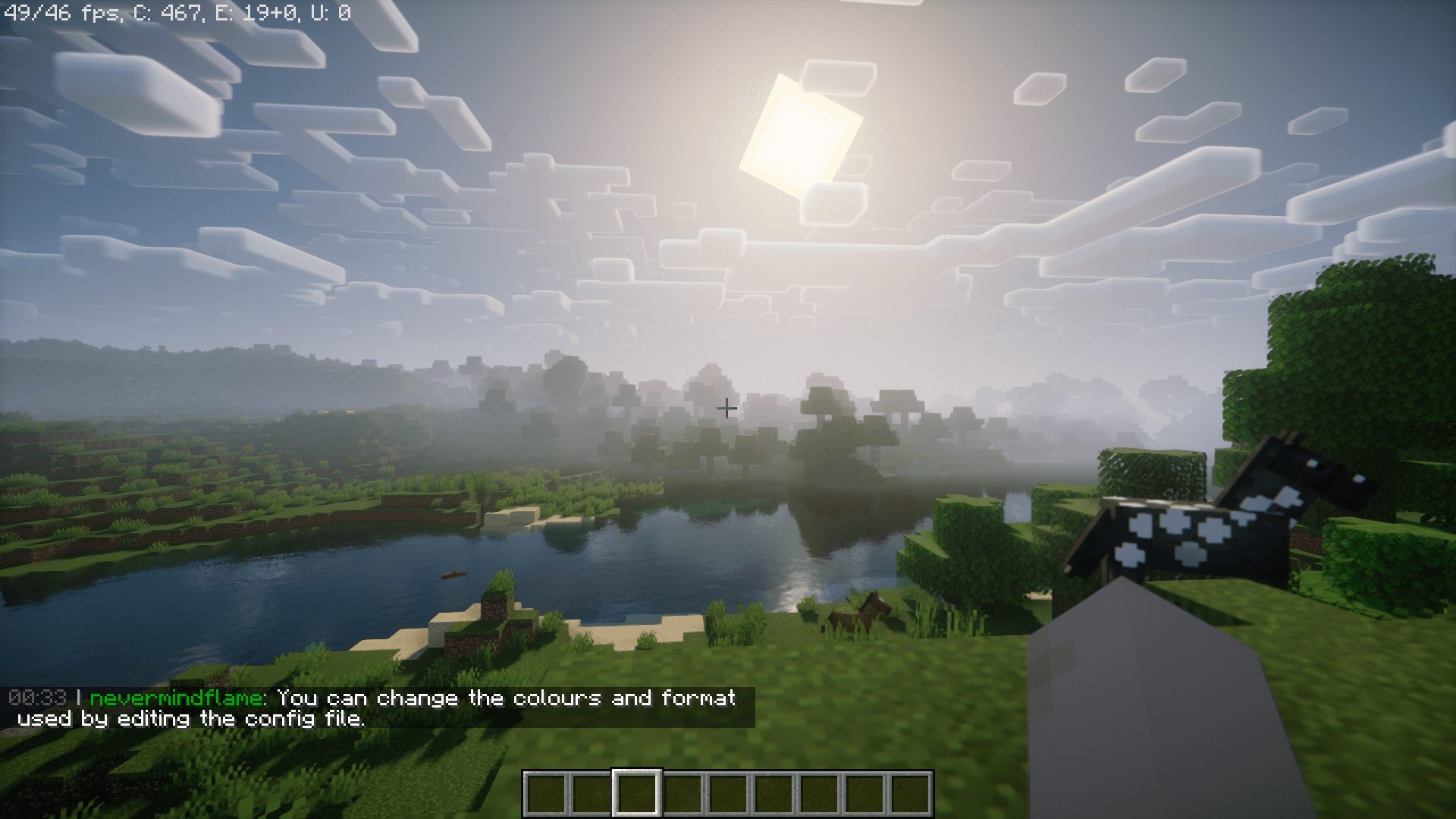
- Lets you customize the chat message format and text colors using configuration files.
- Supports a client variant that works across any connected server immediately.
- Includes options to change individual colors for timestamps, usernames, and chat messages.
- Allows you to overwrite server-side chat formats and keep custom rank prefixes when enabled.
Configuration:
chatMessageFormat(default = “%timestamp% | %username%: %chatmessage%”): Sets the layout of chat messages using available variables like timestamp, username, chat message, and prefix.timestampFormat(default = “HH:mm”): Changes the time format style for timestamps in chat.chatTimestampColour(default = 8, min 0, max 15): Changes the color of the timestamp in chat messages.chatUsernameColour(default = 2, min 0, max 15): Changes the color of your own username in chat.chatOtherUsernameColour(default = 3, min 0, max 15): Changes the color of other players’ usernames in chat.chatMessageColour(default = 15, min 0, max 15): Changes the color of the main chat message text.chatOtherSymbolsColour(default = 7, min 0, max 15): Changes the color of symbols and dividers in the chat message format.overwriteServerChatStyle(default = false): Toggles whether custom server chat formats and ranks are reformatted using the mod’s color settings.
Screenshots:
How to Install:
New to Minecraft? Follow our step-by-step guide to install Mods on your PC.View Guide
Requirements:




Beautified Chat Mod Download Links
For Minecraft 26.3
For Minecraft 26.2
For Minecraft 26.1.2, 26.1.1, 26.1
For Minecraft
1.21.11,
1.21.10,
1.21.9
All Versions Covered
1.21.11
1.21.10
1.21.9
1.21.8
1.21.7
1.21.6
1.21.5
1.21.4
1.21.1
1.21
All Versions Covered
1.21.11
1.21.10
1.21.9
1.21.8
1.21.7
1.21.6
1.21.5
1.21.4
1.21.1
1.21
For Minecraft 1.21.10, 1.21.9
For Minecraft 1.21.8, 1.21.7, 1.21.6
For Minecraft 1.21.5
For Minecraft 1.21.4
For Minecraft 1.21.3, 1.21.2
For Minecraft 1.21.1, 1.21
For Minecraft 1.20.6
For Minecraft 1.20.4
For Minecraft 1.20.2
For Minecraft 1.20.1, 1.20
For Minecraft 1.19.4
For Minecraft 1.19.2
For Minecraft 1.18.2
For Minecraft 1.16.5
For Minecraft 1.12.2
Click to rate this post!
[Total: 1 Average: 5]
You May Also Like
Picked for this page
 Elytra Chestplate Swapper Mod (26.3, 1.20.1) – Functionality to Keystroke
 More Crafting Tables Mod (1.21.11, 1.20.1) – Made from All Types of Wood
 Noxesium Mod (26.3, 1.20.1) – Elevate Your Minecraft Experience
 Expanded Axe Enchanting Mod (26.2, 1.20.1) – New Enchantments for Axes
 Client Crafting Mod (26.3, 1.20.1) – Instant Crafting
 Move Boats Mod (26.3, 1.20.1) – Easily Pick Up, Carry Boats Anywhere
 Mob Filter Mod (26.3, 1.20.1) – Managing Mob Populations
 QuickCraft Mod (26.1.2, 1.20.1) – Simplify Your Crafting Experience
 Cardboard Mod (26.1.2, 1.20.1) – Implements Plugins API as a Fabric Mod
 Chat Tools Mod (26.3, 1.20.1) – Advanced Tools and Customization Chat Options
 JsonEM Mod (26.1.2, 1.20.1) – Create Entity Models in JSON
 Pet Protect Mod (26.3, 1.21.1) – Protect Pets During Combat
Most viewed in Mods over the last 7 days
 Ala Industrial Mod (26.3) – Run Electric Power Grids and Automated Factories
 PleasureCraft Mod (26.3, 1.21.1) – Jenny Mod Remake for Fabric
 Jennycraft Mod (26.3, 1.20.1) – Virtual Girlfriend in Minecraft
 Fapcraft Mod (26.3, 1.12.2) – Comprehensive and Detailed Content
 Jenny Mod (Fapcraft) Official Complete Guide – How to use, Tutorial
 BangCraft Mod (1.20.1) – Jenny, Ellie and Elliot
 Fabric Loader (26.3, 1.20.1) – Fabric Installer for All Minecraft Versions
 The Shooting Star Demo Mod (26.3, 1.20.1) – Vaporize Terrain From Orbit
 Meteor Client Mod (26.3, 1.20.1) – Xray, HUD, Fly
 OptiFine HD (26.3, 1.20.1) – Run Faster, FPS Boost, Shaders Support
 Aristois Client Mod (1.21.4, 1.20.1) – World Class Minecraft Utility
 Prestige Client Mod (1.21.11, 1.21.4) – Powerful Ghost Features for Crystal & Sword PvP
More from Mods
 Flint Mod (1.21.11) – Run DiamondFire Community Addons Without Crashing
 Not Just Sandwich Mod (26.3, 1.20.1) – Edibles, Sandwiches
 Waddles Mod (26.3, 1.20.1) – Make Icy Biomes Feel Alive
 Artemis’ Thin Logs Mod (26.3, 1.20.1) – Build Custom Trees and Detailed Wood
 Asterion Mod (26.3, 1.20.1) – Survive Ancient Mazes and Slay the Legendary Minotaur
 Passthrough Signs Mod (26.3, 1.20.1) – Right-Click Through Wall Signs
 Packing Tape Mod (26.3, 1.20.1) – Move Chests, Machines
 No XP Anvils Mod (26.3, 1.20.1) – Repair And Enchant Without XP
 Naruto Shippuden Mod (26.3, 1.16.5) – Immerse Yourself in The World of Ninja
 Araxer’s Bestiary Mod (26.3, 1.20.1) – Build an In-Game Encyclopedia of Every Mob
 Villagers Plus Mod (26.3, 1.20.1) – Expanded Villager Types and Villages
 Ore Excavation 9minecraft Mod (26.3) – Mine Ores and Chop Trees in a Single Swing

This post has no comments yet. Be the first — your comment will appear here.