
SignEdit Mod (1.16.5, 1.12.2) – Rewrite Sign Text in Just One Click

 0


SignEdit Mod lets you change the text on placed signs without breaking them. You can hold a sign in your hand and right-click any placed sign to open the sign editor again. In normal Minecraft, you have to break and replace a sign just to change what it says, which causes problems when a sign holds back water. This lightweight Forge mod keeps the sign block in place, leaves all other sign behaviors the same, and adds nothing extra to your game.
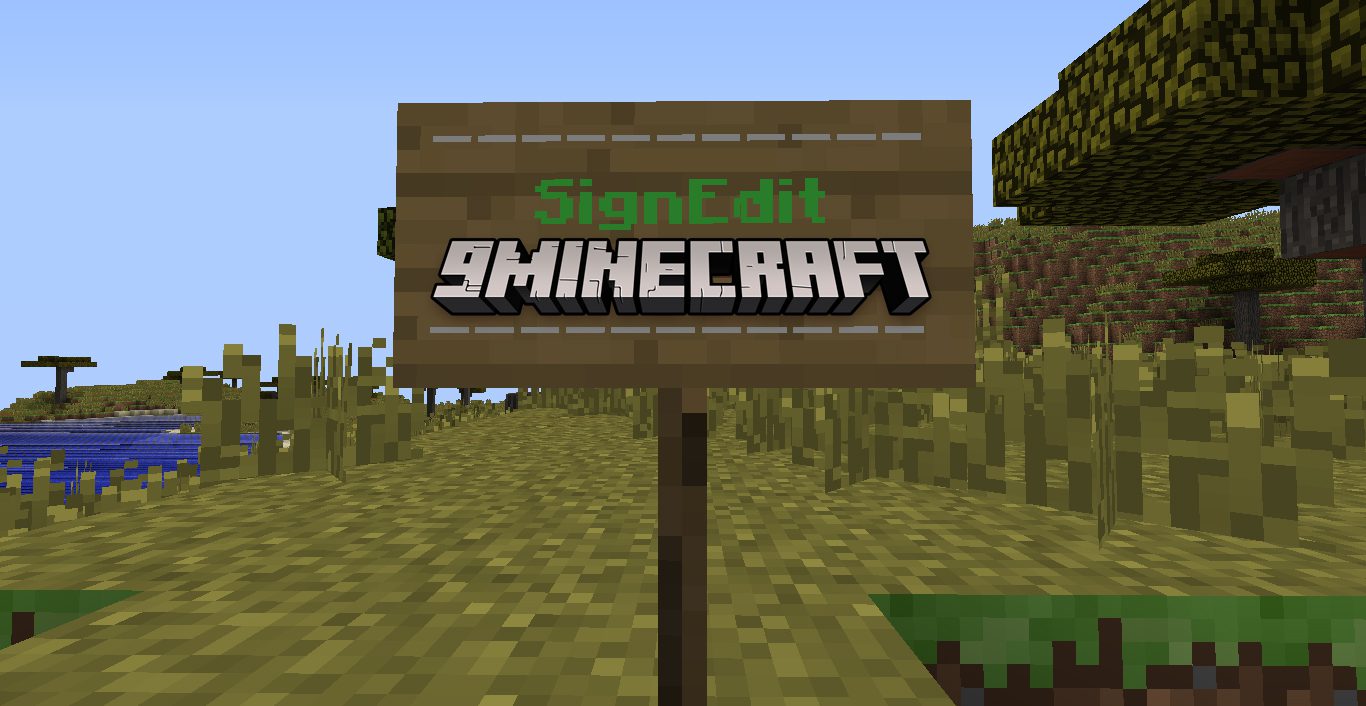
Features:
- Lets you edit placed signs by right-clicking them while holding a sign in your hand.
- Opens the normal sign editor GUI so you can change the text on the sign.
- Keeps the placed sign block intact without breaking or removing it, which helps when a sign holds back water.
- Does not use up any sign item from your inventory when you edit a sign.
- Leaves all other sign behaviors unchanged and keeps the mod lightweight with no extra clutter.
How to Use:
- Hold a sign item in your hand.
- Look at the placed sign you want to edit.
- Right-click the sign to open the sign editor GUI and change the text.
How to Install:
New to Minecraft? Follow our step-by-step guide to install Mods on your PC.View Guide
SignEdit Mod Download Links
For Minecraft 1.16.5
Forge version: Download from Server 1 – Download from Server 2
For Minecraft 1.12.2
Forge version: Download from Server 1 – Download from Server 2
For Minecraft 1.11.2
Forge version: Download from Server 1
You May Also Like
Picked for this page
 Nether Portal Spread Mod (26.3, 1.20.1) – Nether Portals in the Overworld
 Bactro Mod (26.3, 1.20.1) – QoL Utilities
 Structures Plus II Mod (1.20.1) – More Structures in A Vanilla Style
 Sneaky Curses Mod (26.2, 1.20.1) – Curses are No Longer Easy to Spot
 Command Keys Mod (26.3, 1.20.1) – Send Pre-Written Messages & Commands
 Bedrock Coordinates Mod (26.3, 1.21.1) – On-Screen Coordinates
 FastDoll Mod (26.2, 1.20.1) – Smooth Player Model Movement
 Crossroads MC Mod (1.21.11, 1.20.1) – Earn Magic with Technology
 Ledger Databases Mod (26.3, 1.20.1) – Efficient Data Management
 Mod Sound Volume Options Mod (26.2, 1.20.1) – Individual Mod Sound Adjustment
 TFC Hot Or Not Mod (1.21.11, 1.20.1) – Can’t Hold Hot Items with Bare Hands
 Auto Scroll Mod (1.21.11, 1.20.1) – Randomized Block Placement From Hotbar
Most viewed in Mods over the last 7 days
 Ala Industrial Mod (26.3) – Run Electric Power Grids and Automated Factories
 PleasureCraft Mod (26.3, 1.21.1) – Jenny Mod Remake for Fabric
 Jennycraft Mod (26.3, 1.20.1) – Virtual Girlfriend in Minecraft
 Fapcraft Mod (26.3, 1.12.2) – Comprehensive and Detailed Content
 Jenny Mod (Fapcraft) Official Complete Guide – How to use, Tutorial
 BangCraft Mod (1.20.1) – Jenny, Ellie and Elliot
 Fabric Loader (26.3, 1.20.1) – Fabric Installer for All Minecraft Versions
 The Shooting Star Demo Mod (26.3, 1.20.1) – Vaporize Terrain From Orbit
 Meteor Client Mod (26.3, 1.20.1) – Xray, HUD, Fly
 OptiFine HD (26.3, 1.20.1) – Run Faster, FPS Boost, Shaders Support
 Aristois Client Mod (1.21.4, 1.20.1) – World Class Minecraft Utility
 Prestige Client Mod (1.21.11, 1.21.4) – Powerful Ghost Features for Crystal & Sword PvP
More from Mods
 TheHouse Mod (1.21.11) – Host Casino Tables and Track Every Bet in Real Time
 CinematicInteractions Mod (1.21.1) – Watch Your Hands Work at Every Crafting Table
 Earth Platform Mod (1.21.1) – Travel Across Real Continents in a True Scale World
 Taunahi Mod (26.1.2) – Automate Daily Farming and Slayers in Hypixel Skyblock
 HORROR Fake Join Leave Messages Mod (1.20.1) – Trigger Creepy Chat Scares
 Bons Voyage Mod (1.20.1) – Teleport Across Biomes Through Hidden Waystones
 Orbital Railgun UPDATED Mod (26.3) – Flatten Giant Landscapes From Space
 Automobility Autoradio Mod (26.3, 26.1.2) – Trade Custom Mixtapes with Friends
 Towers of the Wild 9minecraft Mod (26.3, 26.2) – Climb Tall Towers for Loot
 Ender Storage 9minecraft Mod (26.3, 26.2) – Send Loot Back Home From Any Dimension
 Snad 9minecraft Mod (26.3, 26.2) – Build Faster Sugar Cane and Nether Wart Farms
 Together Forever Unofficial Mod (1.12.2) – Share Team Advancements

This post has no comments yet. Be the first — your comment will appear here.