
Recursive Resources Mod (1.21.8, 1.20.1) – Swap Custom Texture Sets in Seconds

 0


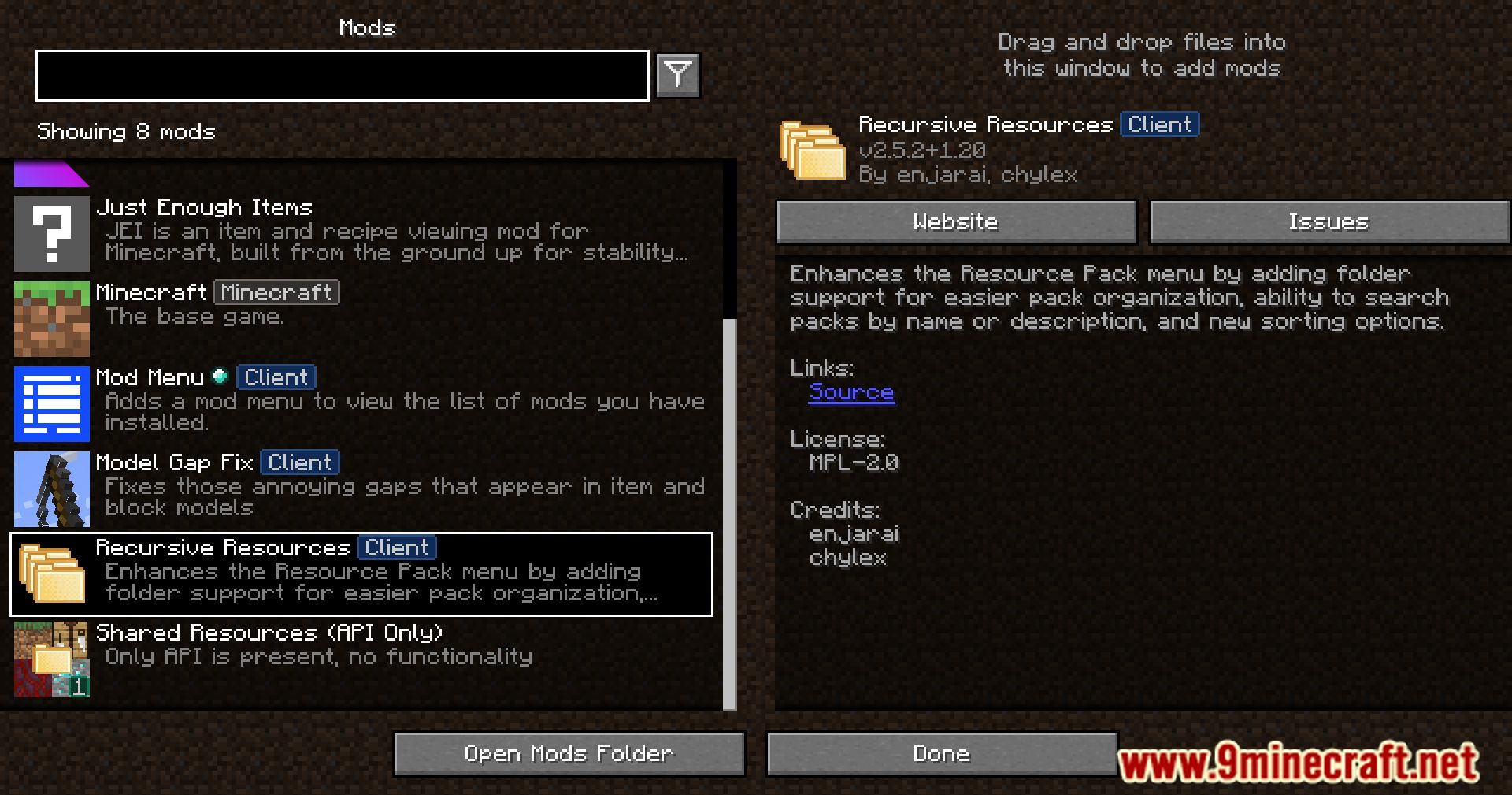
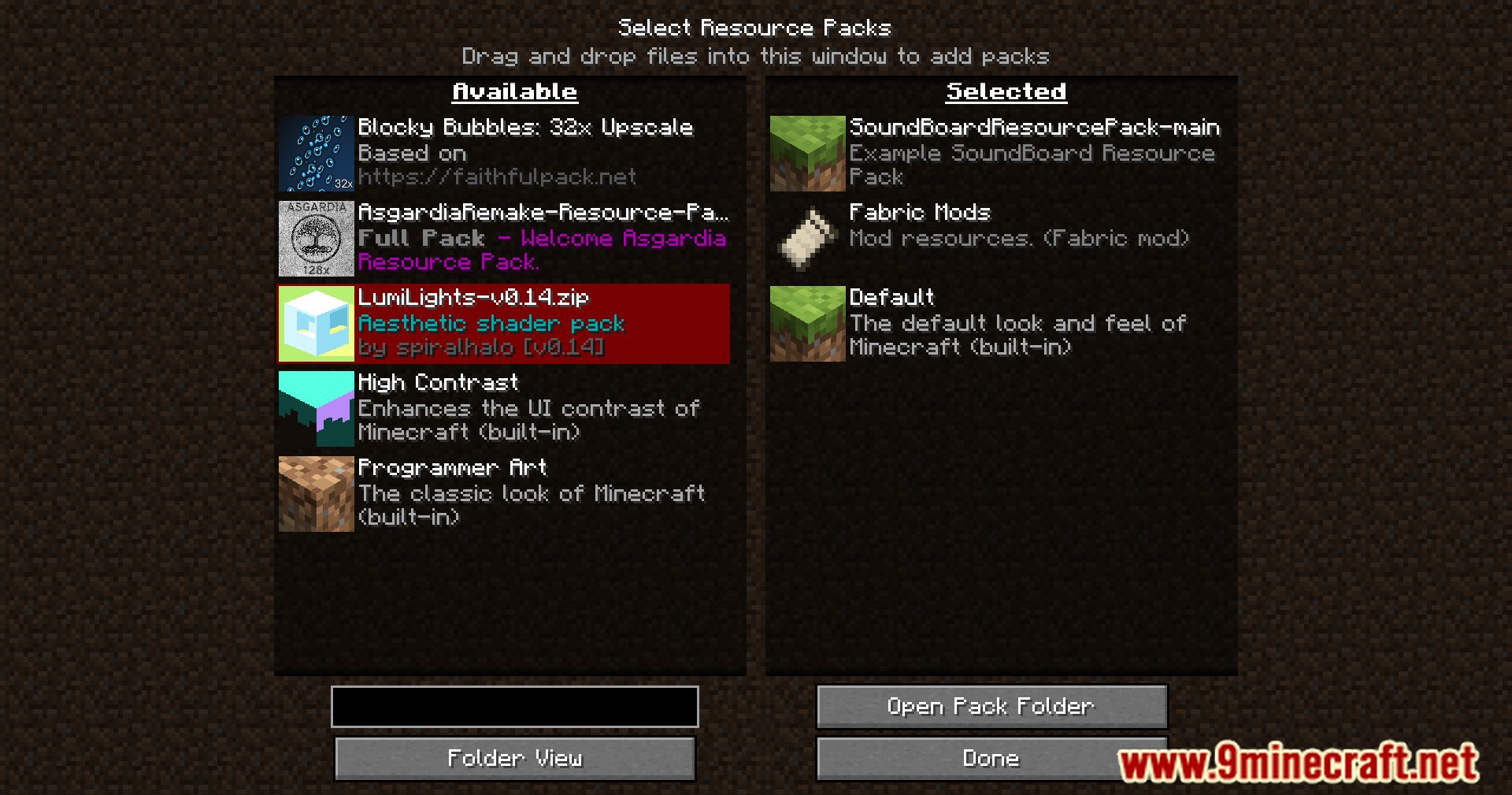
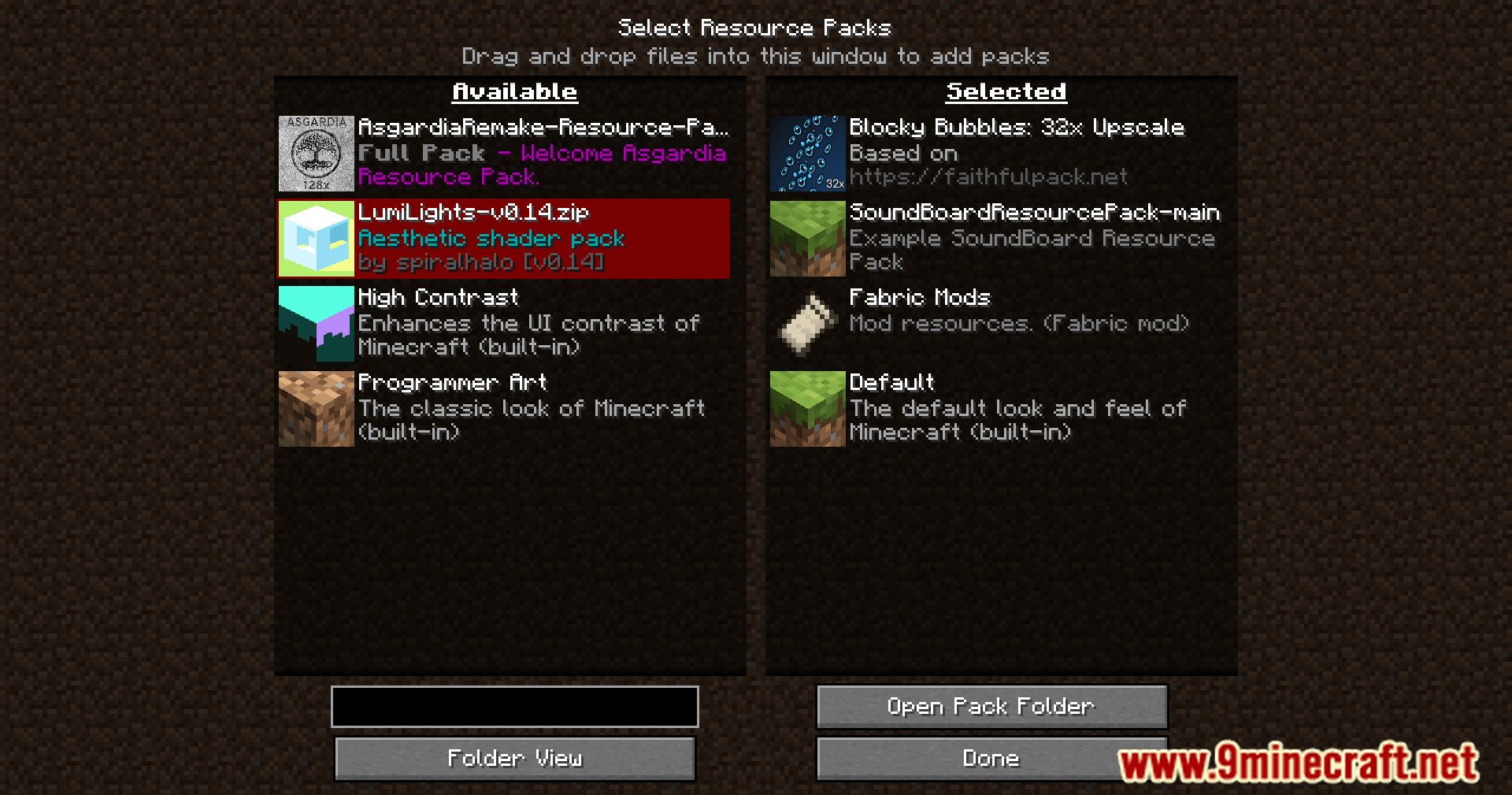
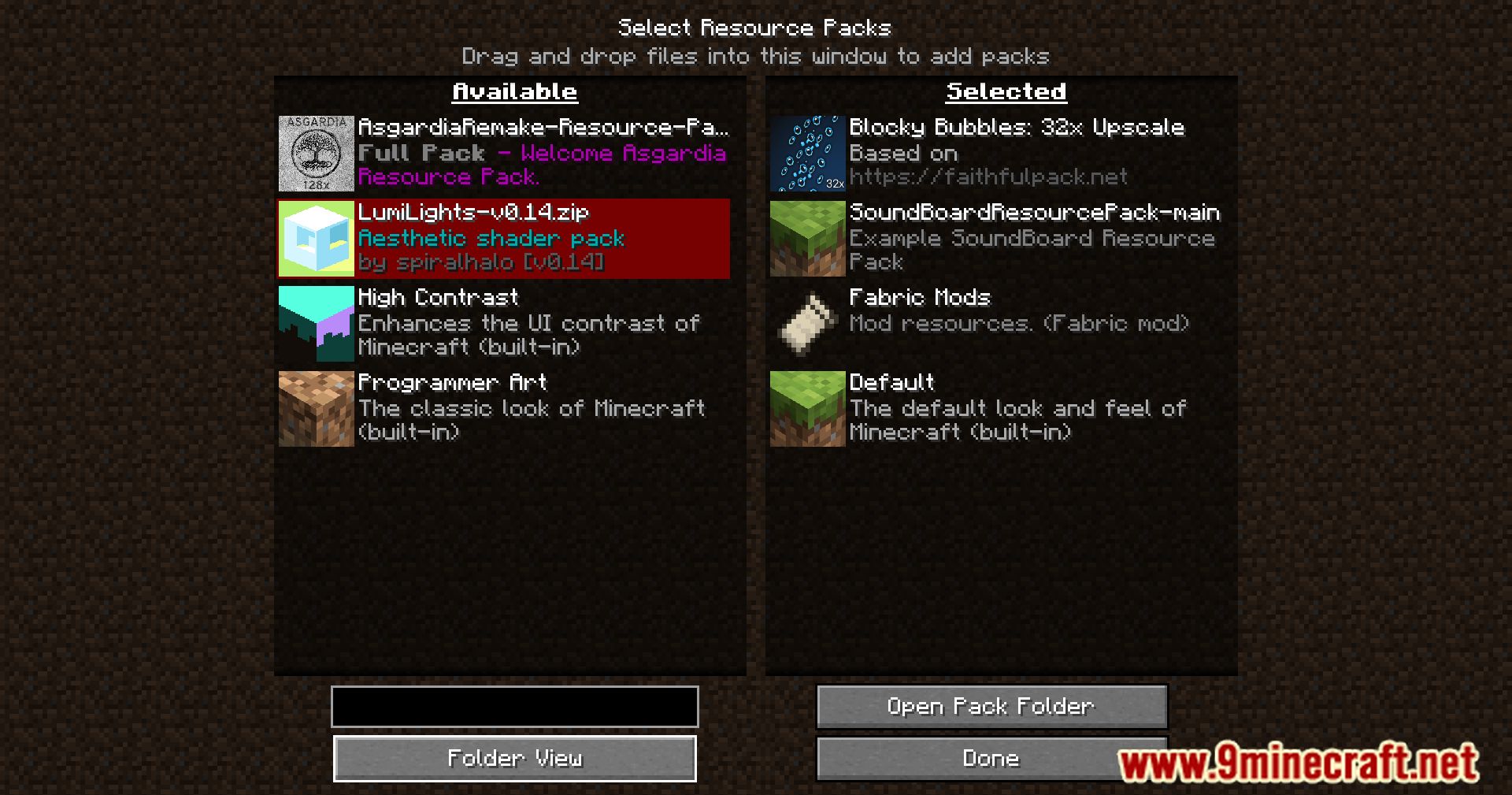
Recursive Resources Mod redesigns the vanilla resource pack menu so you can sort your packs with ease. This mod brings the classic Resource Pack Organiser to newer Minecraft versions with helpful quality of life tools. You can group resource packs into subfolders, switch between folder view and flat view, and find packs fast with a search bar that supports wildcards. It also lets you turn whole folders of packs on or off at once like quick profiles, set custom folder icons, and share one pack across multiple folders without copying files. Any folder changes you make in your file browser show up in real time, though you still create folders and move pack files outside the game.

Features:
- Folder Organization: Lets you sort resource packs into subfolders inside your
.minecraft/resourcepacksfolder and browse in and out of them right inside the game. - Quick Profiles: Adds buttons to the top of the resource pack list to turn on or turn off all packs in the current folder at once, plus a hover button on each folder icon to enable every pack inside it.
- View Modes: Lets you switch between folder view to browse through subfolders and flat view to see every pack from all folders in one single list.
- Search Bar: Lets you search for resource packs by name or description, with support for wildcards.
- Applies packs in the order they appear inside a folder when you use quick enable, and lets you change that order through
folder.json. - Updates any folder or file changes you make in your external file browser in real time while Minecraft is running.
- Requires an external file browser to create folders, manage folders, or move packs, because this mod cannot edit files directly inside the game.
- Detects unzipped resource packs and shows them properly in the resource pack list.
- Shows a custom icon for any folder in the menu when you place an image named
icon.pnginside that folder. - Creates a
folder.jsonfile automatically when you enter a new folder so you can customize its icon file, add a description under the folder name, or hide the folder from the menu. - Supports pseudo-symlinks so one resource pack can appear in more than one folder without copying the file and using extra disk space.
Configuration:
When you create and open a new folder in the game, this mod automatically makes a folder.json file inside it. Open this file in a text editor to change extra folder settings:
{
  "icon": "icon.png",
  "description": "",
  "packs": [
    "circular hotbar.zip",
    "Not Microsoft"
  ],
  "hidden": false
}icon: Sets the file name of the icon image for this folder, relative to the folder itself.description: Adds a short line of text that appears under the folder name in the menu.packs: Lists every pack in the folder in the exact order they display and apply. You can reorder the list, but deleting a pack name adds it back automatically if the file is still inside the folder.hidden: Hides the folder from the resource pack list when set totrue.
To show one pack in multiple folders without copying files (pseudo-symlinks), add the pack’s path from another folder into the packs list:
{
  "icon": "icon.png",
  "description": "",
  "packs": [
    "vanillatweaks packs/VanillaTweaks_general.zip",
    "circular hotbar.zip",
    "Not Microsoft"
  ],
  "hidden": false
}
With this setup, VanillaTweaks_general.zip shows up in both the vanillatweaks packs folder and the current folder.
How to Use:
- Open your computer’s file browser and go to the
.minecraft/resourcepacksfolder, since this mod cannot create folders or move packs inside the game. - Create new subfolders and move your resource packs into them; any changes you make appear in the game right away.
- Place an image named
icon.pnginside any subfolder if you want that folder to display a custom icon in the menu. - Open the resource pack menu in Minecraft to browse in and out of your folders, or switch to flat view to list every pack together.
- Use the search bar to find packs by name or description, using wildcards when you want broader matches.
- Click the buttons at the top of the list to turn all packs in the current folder on or off at once, or hover over a folder icon and click its quick button to enable all packs inside it.
- Open the newly created
folder.jsonfile inside a folder with a text editor after visiting it in-game if you want to change pack order, add a description, hide the folder, or reference packs from another folder.
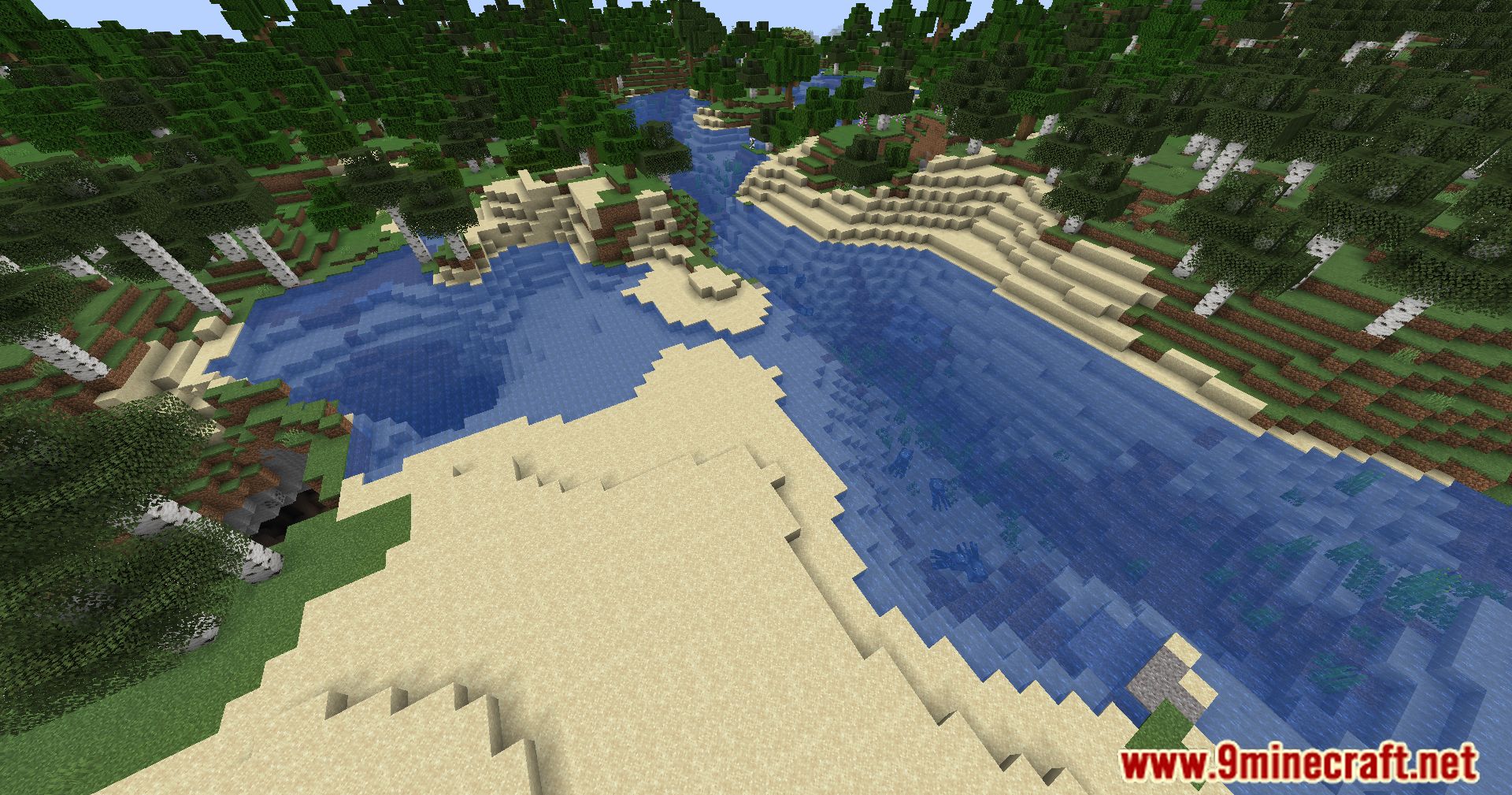
Screenshots:

How to Install:
New to Minecraft? Follow our step-by-step guide to install Mods on your PC.View Guide
Requirements:

Recursive Resources Mod Download Links
For Minecraft 1.18.2
Fabric version: Download from Server 1 – Download from Server 2
For Minecraft 1.19.2, 1.19.1, 1.19
Fabric version: Download from Server 1 – Download from Server 2
For Minecraft 1.19.3
Fabric version: Download from Server 1 – Download from Server 2
For Minecraft 1.19.4
Fabric version: Download from Server 1 – Download from Server 2
For Minecraft 1.20.1, 1.20
Fabric version: Download from Server 1 – Download from Server 2
For Minecraft 1.20.2
Fabric version: Download from Server 1 – Download from Server 2
For Minecraft 1.20.4, 1.20.3
Fabric version: Download from Server 1 – Download from Server 2
For Minecraft 1.21.1, 1.21
Fabric version: Download from Server 1 – Download from Server 2
For Minecraft 1.21.3, 1.21.2
Fabric version: Download from Server 1 – Download from Server 2
For Minecraft 1.21.4
Fabric version: Download from Server 1 – Download from Server 2
For Minecraft 1.21.8, 1.21.7, 1.21.6
Fabric version: Download from Server 1 – Download from Server 2
How do you usually learn how a complex mod works?
0 responses · See the full results →
You May Also Like
Picked for this page
 Feather Standalone Client Mod (26.2, 1.20.1) – Play in Feather Launcher for Free
 Capes Mod (26.3, 1.20.1) – Wear any Cape You Wish In-Game
 Fex’s Vehicle and Transportation Mod (26.1.2, 1.20.1) – Crafting The Future Of Minecraft Transport
 Bubustein’s Money Mod (26.3, 1.20.1) – Multiple In-Game Currencies & ATMs
 Kaworru’s Fire Extinguisher Mod (26.3, 1.20.1) – Stop the Fire
 Random Mob Sizes Mod (26.3, 1.20.1) – Configure Mobs to Spawn in Different Sizes
 Armor Stand Editor Mod (26.3, 1.20.1) – In-Game Editing Tool
 Health Indicator Mod (26.3, 1.20.1) – Shows A Warning on Your Hud
 Crystalcraft Unlimited Mod (26.1.2, 1.20.1) – Forge Armor From New Gems
 Sea Life Mod (26.3, 1.21.1) – Diverse Fish And Aquatic Life
 Head Name Fix Mod (1.21.11, 1.20.1) – Custom Mob Head Name Retaining
 Ping View Mod (26.3, 1.21.11) – Color Coded Ping In Tab List
Most viewed in Mods over the last 7 days
 Ala Industrial Mod (26.3) – Run Electric Power Grids and Automated Factories
 PleasureCraft Mod (26.3, 1.21.1) – Jenny Mod Remake for Fabric
 Jennycraft Mod (26.3, 1.20.1) – Virtual Girlfriend in Minecraft
 Fapcraft Mod (26.3, 1.12.2) – Comprehensive and Detailed Content
 Jenny Mod (Fapcraft) Official Complete Guide – How to use, Tutorial
 BangCraft Mod (1.20.1) – Jenny, Ellie and Elliot
 Fabric Loader (26.3, 1.20.1) – Fabric Installer for All Minecraft Versions
 The Shooting Star Demo Mod (26.3, 1.20.1) – Vaporize Terrain From Orbit
 Meteor Client Mod (26.3, 1.20.1) – Xray, HUD, Fly
 OptiFine HD (26.3, 1.20.1) – Run Faster, FPS Boost, Shaders Support
 Aristois Client Mod (1.21.4, 1.20.1) – World Class Minecraft Utility
 Prestige Client Mod (1.21.11, 1.21.4) – Powerful Ghost Features for Crystal & Sword PvP
More from Mods
 ERYDON Mod (1.20.1) – Design Grand Courtyards with Carved Marble Pillars
 Infinity Bound Mod (1.21.1) – Snap Away Enemies with Legendary Superhero Gear
 Legacy Gecko Lib Fabric Mod (1.16.5) – Power Animated Creatures in Modpacks
 The Man from the Shadow Horror Mod (1.20.1) – Fight Hallucinations to Survive
 Shade & Saturation Slider Mod (26.2, 1.21.11) – Make Every Biome Vibrant
 Cataclysm X Yung’s Better Nether Fortresses Compat Mod (1.21.1, 1.20.1)
 Patchouli 9minecraft Mod (26.3) – Read Mod Guides Without Leaving Minecraft
 Paintings ++ 9minecraft Mod (26.3) – Pick the Exact Painting You Want
 owo-lib 9minecraft Mod (26.3) – Run Your Favorite Mods Without Errors
 Moonlight 9minecraft Lib (26.3, 26.2) – Run Complex Mods Without Errors
 Load My Tags 9minecraft Mod (26.3) – Mix Mods Without Breaking Recipes
 Kambrik 9minecraft Mod (26.3) – Run Kotlin Mods Without Game Lag

This post has no comments yet. Be the first — your comment will appear here.