
Omnilib Mod (1.21.5, 1.20.1) – Smoother In-Game Menus

 0


Omnilib Mod brings a modding framework with better user interface elements and customization tools for Minecraft mods. It supplies rendering tools and UI parts that support custom interactions in other mods. This mod works as a required library whenever another mod depends on its interface system. It needs Fabric API on Fabric, or Sinytra Connector and Forgified Fabric API on NeoForge and Forge.

Features:
- Provides user interface parts and rendering tools for other mods.
- Includes customization tools that support custom interactions.
- Works as a required library for mods that depend on this UI framework.
- Continues to work for any existing mod that already uses it.
How to Use:
- Place the mod JAR file inside your Minecraft
modsfolder. - Use Fabric API on Fabric, or use Sinytra Connector and Forgified Fabric API on NeoForge or Forge.
- Launch Minecraft to run any mods that require this library.
How to Install:
New to Minecraft? Follow our step-by-step guide to install Mods on your PC.View Guide
Omnilib Mod Download Links
For Minecraft 1.21.5
Fabric version: Download from Server 1 – Download from Server 2
For Minecraft 1.21.3, 1.21.2
Fabric version: Download from Server 1 – Download from Server 2
For Minecraft 1.21.1, 1.21
Fabric version: Download from Server 1 – Download from Server 2
For Minecraft 1.20.4
Fabric version: Download from Server 1 – Download from Server 2
For Minecraft 1.20.1
Fabric version: Download from Server 1 – Download from Server 2
For Minecraft 1.19.2
Fabric version: Download from Server 1 – Download from Server 2
What do you usually do when your modded game crashes on startup?
22 responses · See the full results →
You May Also Like
Picked for this page
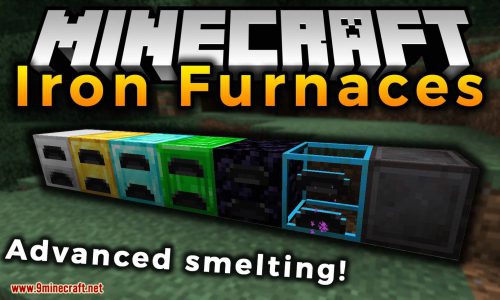 Iron Furnaces Mod (1.21.11, 1.20.1) – New Furnaces, More Efficient
 Plasmo Voice Mod (26.3, 1.20.1) – Proximity Voice Chat
 Euphoria Patches Mod (26.3, 1.20.1) – Watch Auroras in Your World
 Diamethysts Mod (1.21.1, 1.20.1) – Strong, Mystical, Crystalline Material
 Spiders Produce Webs Mod (26.3, 1.20.1) – Slow Down Player
 Dynamic Trees Plus Mod (1.21.1, 1.20.1) – More Than Just Trees
 Productive Bees Mod (26.1.2, 1.20.1) – Build a Bee-Powered Farm
 Biolith Mod (26.3, 1.20.1) – Biome Placement and Surface Generation
 Afk Plus Mod (26.3, 1.20.1) – Manage AFK Statuses Easily
 Blighted Beasts Mod (1.20.1, 1.19.2) – More Reasons to Fear the Deep Dark
 EssentialAddons Mod (26.3, 1.20.1) – Extension Carpet
 Odyssey Lite Mod (26.3, 1.20.1) – Quality-Of-Life HUD Elements
Most viewed in Mods over the last 7 days
 Ala Industrial Mod (26.3) – Run Electric Power Grids and Automated Factories
 PleasureCraft Mod (26.3, 1.21.1) – Jenny Mod Remake for Fabric
 Jennycraft Mod (26.3, 1.20.1) – Virtual Girlfriend in Minecraft
 Fapcraft Mod (26.3, 1.12.2) – Comprehensive and Detailed Content
 Jenny Mod (Fapcraft) Official Complete Guide – How to use, Tutorial
 BangCraft Mod (1.20.1) – Jenny, Ellie and Elliot
 Fabric Loader (26.3, 1.20.1) – Fabric Installer for All Minecraft Versions
 Meteor Client Mod (26.3, 1.20.1) – Xray, HUD, Fly
 The Shooting Star Demo Mod (26.3, 1.20.1) – Vaporize Terrain From Orbit
 OptiFine HD (26.3, 1.20.1) – Run Faster, FPS Boost, Shaders Support
 Aristois Client Mod (1.21.4, 1.20.1) – World Class Minecraft Utility
 Prestige Client Mod (1.21.11, 1.21.4) – Powerful Ghost Features for Crystal & Sword PvP
More from Mods
 Luxium Let There Be Light Mod (1.20.1) – Stunning Lighting on Low-End Computers
 Soulscraft Tarnished Legacy Mod (1.21.1) – Hunt Relics to Forge Dark Fantasy
 Fetzi’s Displays Mod (26.1.2, 1.20.1) – Turn Rare Gear and Weapons
 Primal Plushies Paleo Pals Mod (1.21.1, 1.20.1) – Decorate Your Base
 Ipla Mod (26.3, 1.20.1) – Showcase Your Favorite Items
 MesdagPortLib Mod (1.20.1) – Run Modern Minecraft Mechanics on Older Versions
 Hellion’s API Mod (1.21.11, 1.21.1) – Play Hellion Series Addons Without Crashes
 Terrestria Mod (26.3, 1.20.1) – Highly Detailed Biomes
 Tre’s Tack Library Mod (1.20.1) – Outfit Your Horses with Fully Detailed Tack
 YDM’s coreX Library Mod (1.20.1) – Loot RPG Gear with Random Names
 Gunpowder Recipe Mod (26.3, 1.20.1) – Gunpowder is Craftable
 Villager Timetable Mod (26.3, 1.20.1) – Master Villager Schedules

This post has no comments yet. Be the first — your comment will appear here.