
TooltipRareness Mod (1.21.1, 1.20.1) – Spot Rare Loot Instantly in Your Chests
 225
 0


TooltipRareness Mod splits Minecraft items into clear rarity groups and shows each tier right inside the item tooltip. It gives your inventory a fun RPG look with tiers like Common, Uncommon, Rare, Epic, Legendary, and Administrator. This mod works out of the box with both vanilla items and modded items, so you spot valuable loot at a glance. It runs on Fabric with Fabric API and Cloth Config, and fits right into any modpack.
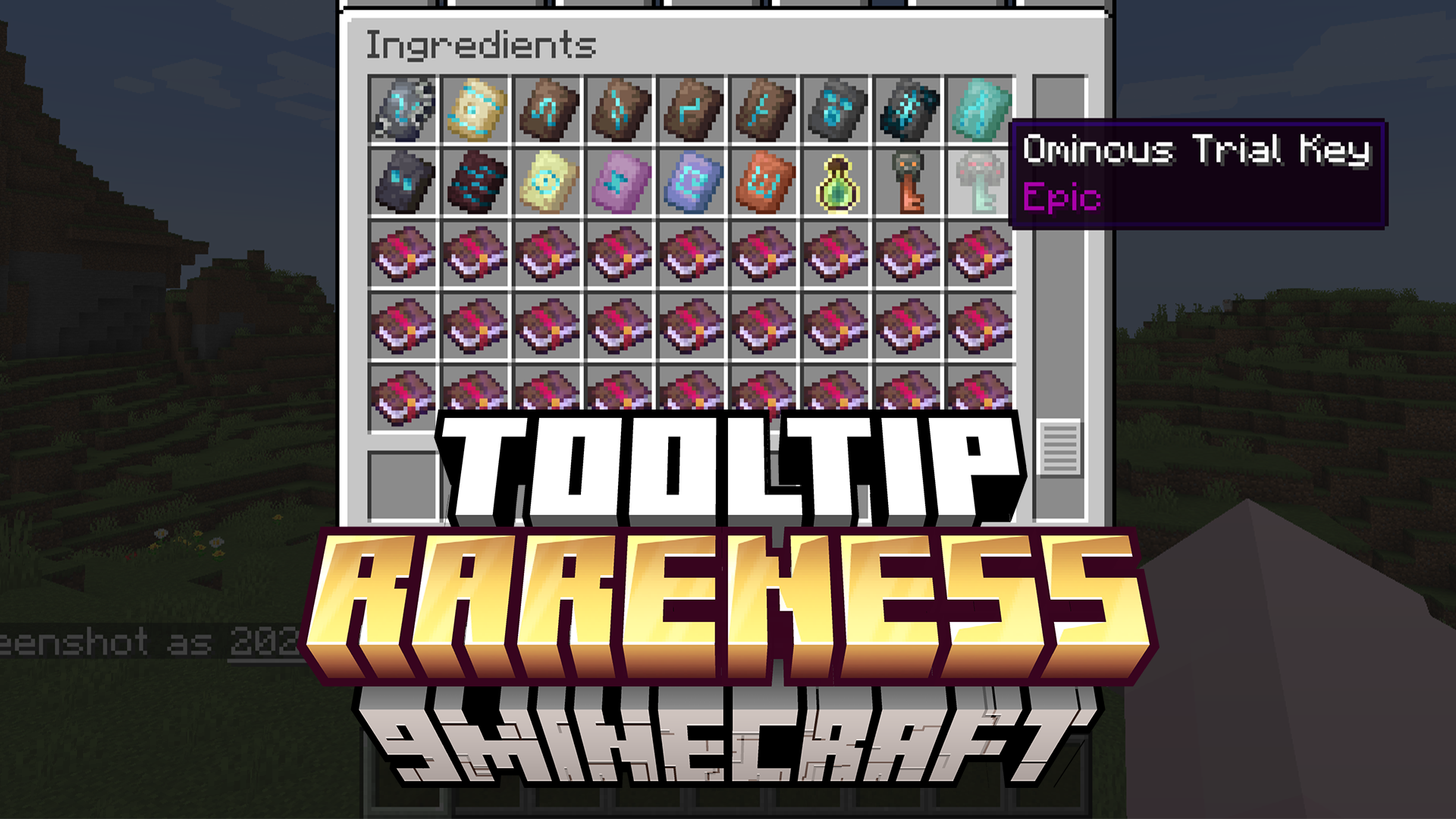
Features:
- Divides items into clear rarity groups using their assigned rarity values.
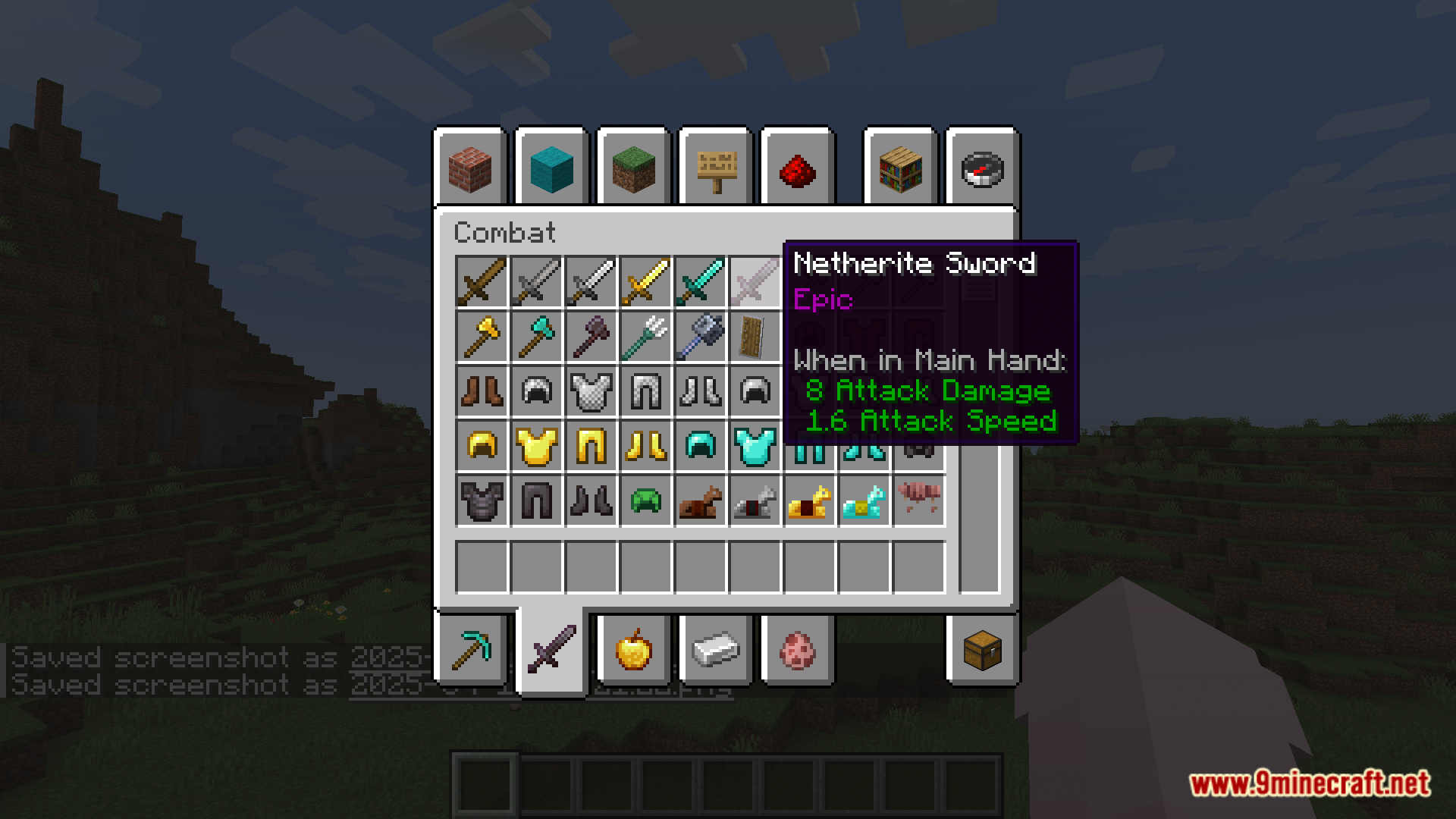
- Shows each item’s rarity status and matching color directly inside the tooltip when you hover over it.
- Brings an RPG-style look to item tooltips in your inventory, containers, and creative menu.
- Works automatically with both vanilla items and items added by other mods without extra setup.
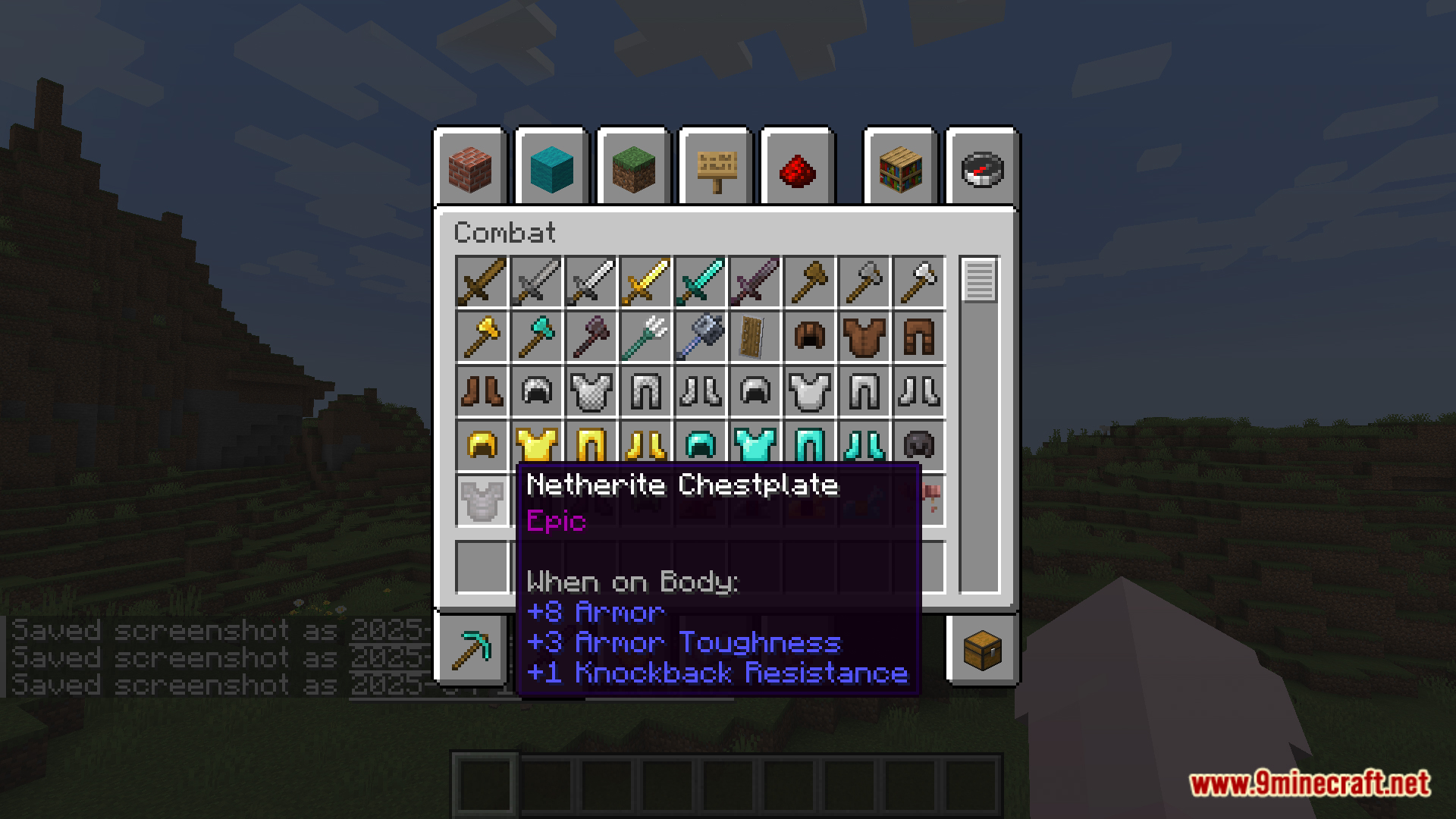
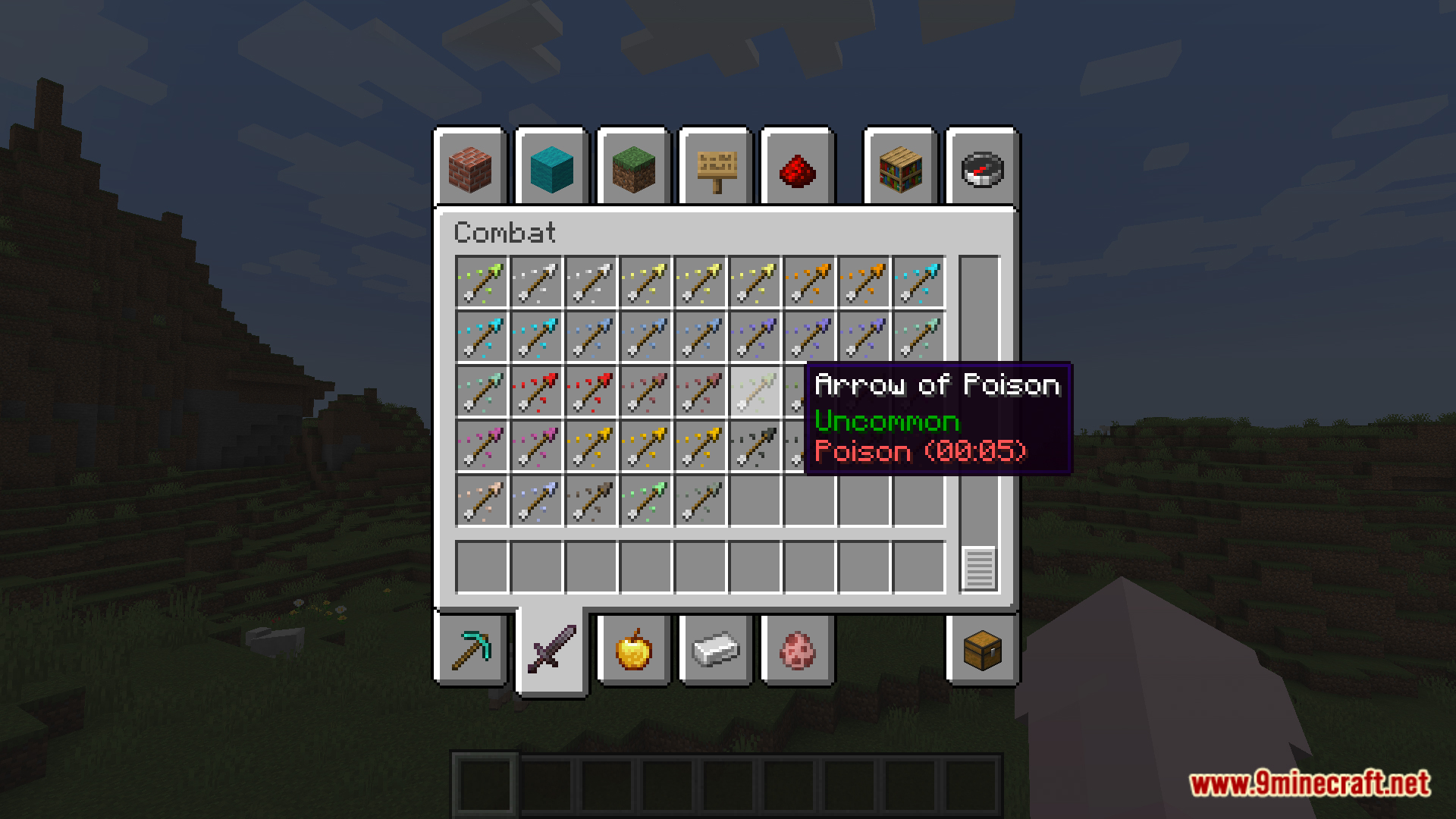
- Displays rarity tooltips across many item types, including armor like the Netherite Chestplate and various colored arrows.
Rarity Tiers:
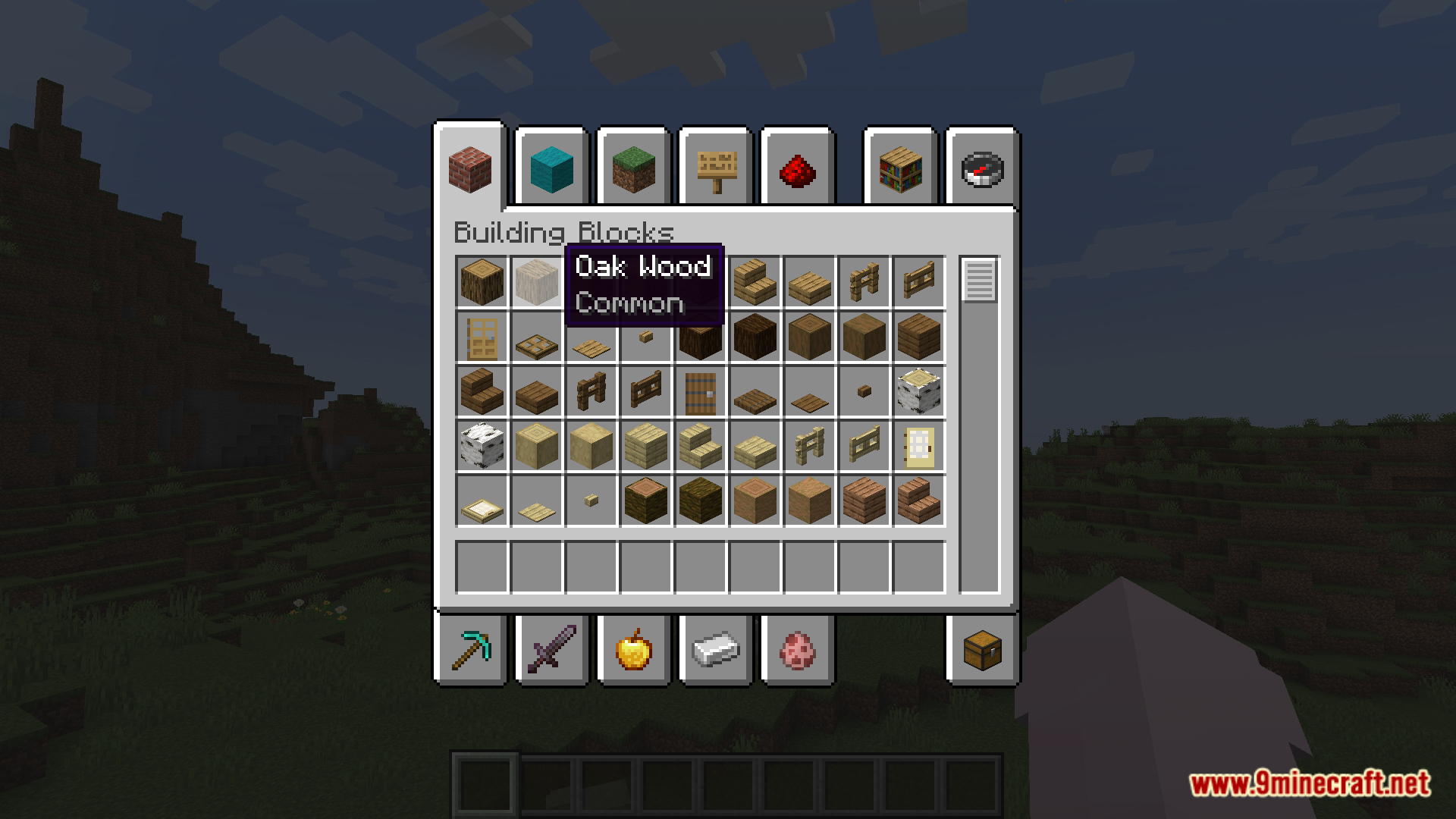
- Common: shown on items like the Oak Wood block.
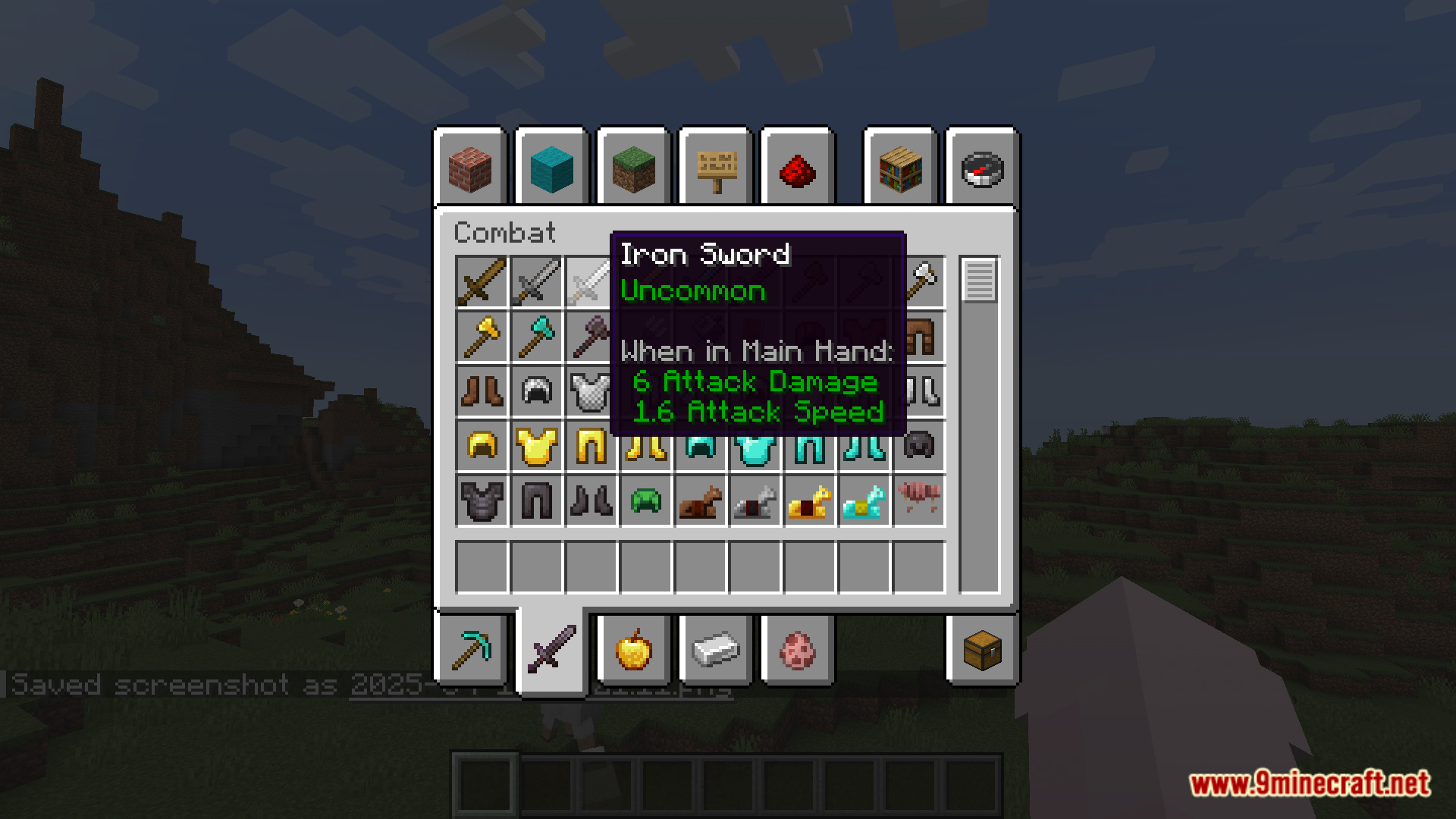
- Uncommon: shown on items like the Iron Sword.
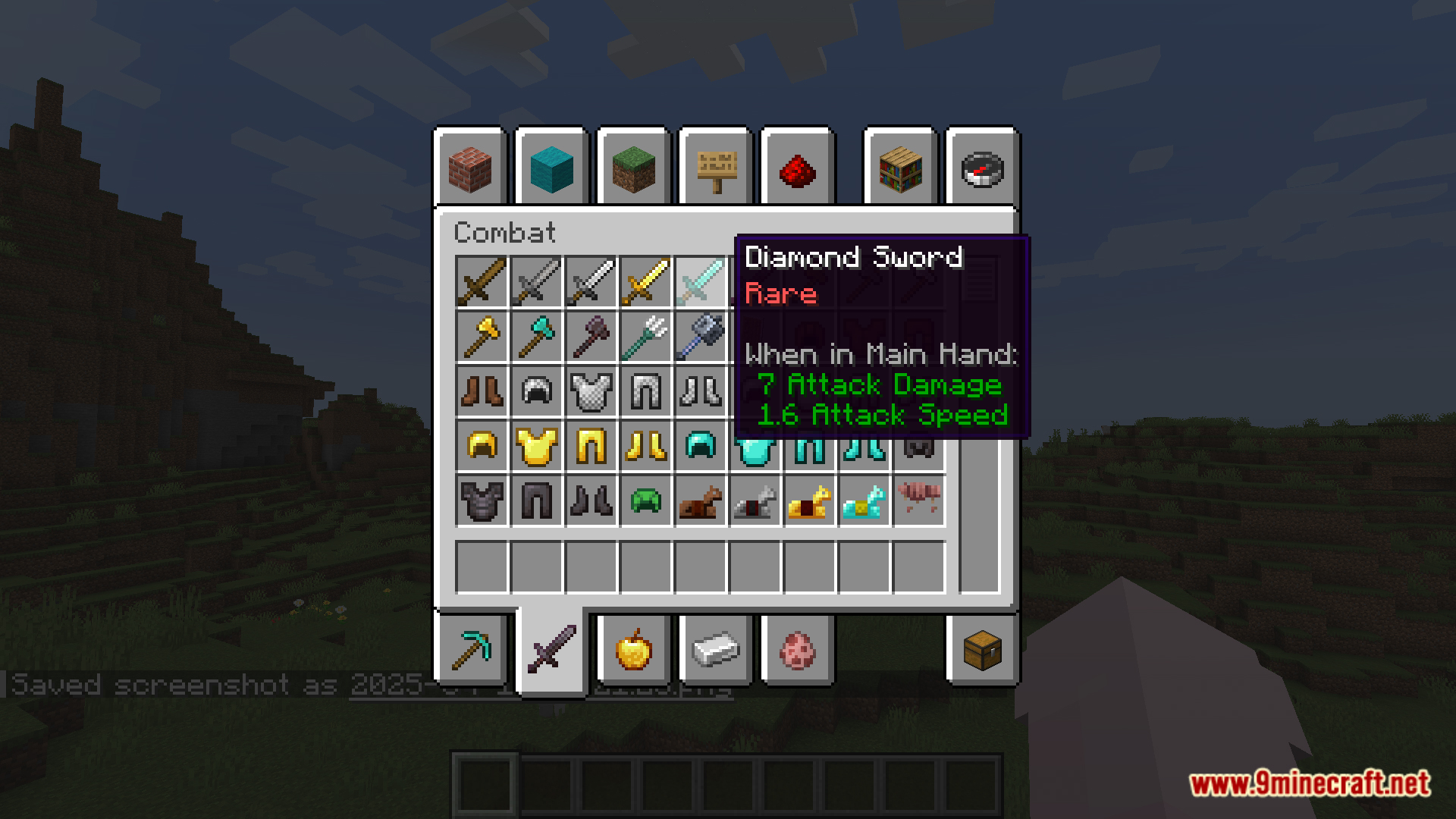
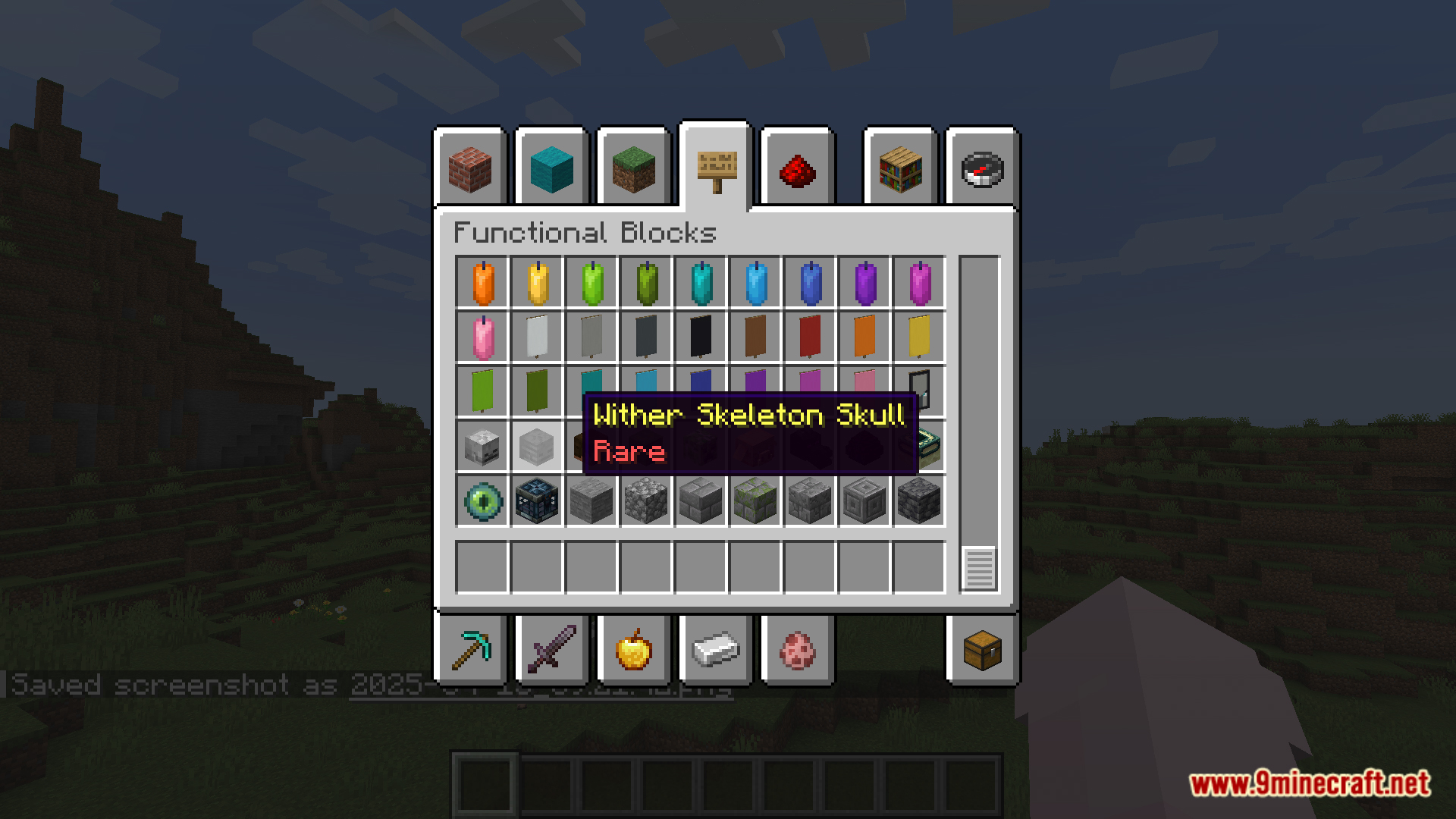
- Rare: shown on items like the Diamond Sword and Wither Skeleton Skull.
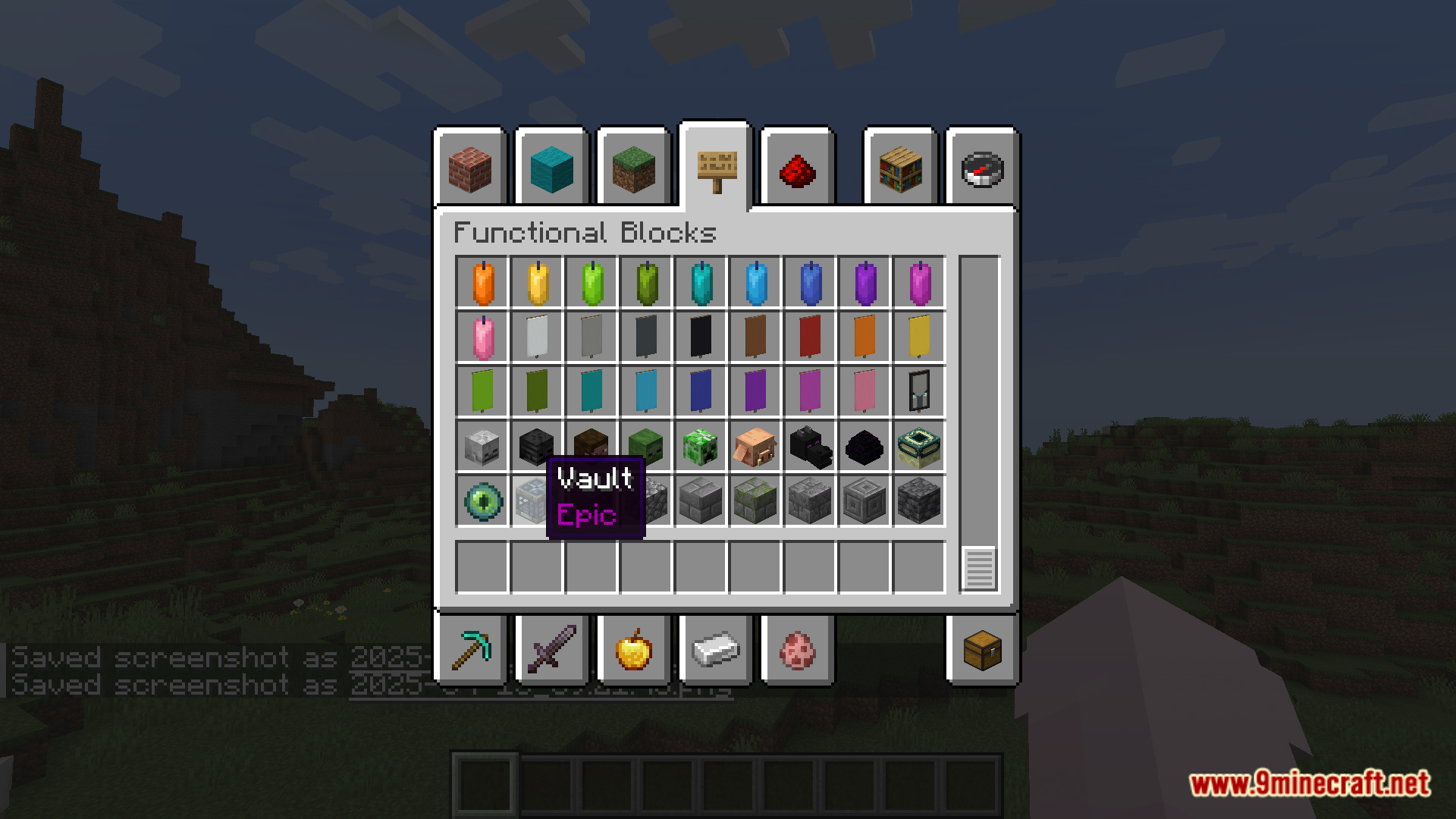
- Epic: shown on items like the Netherite Sword and Vault.
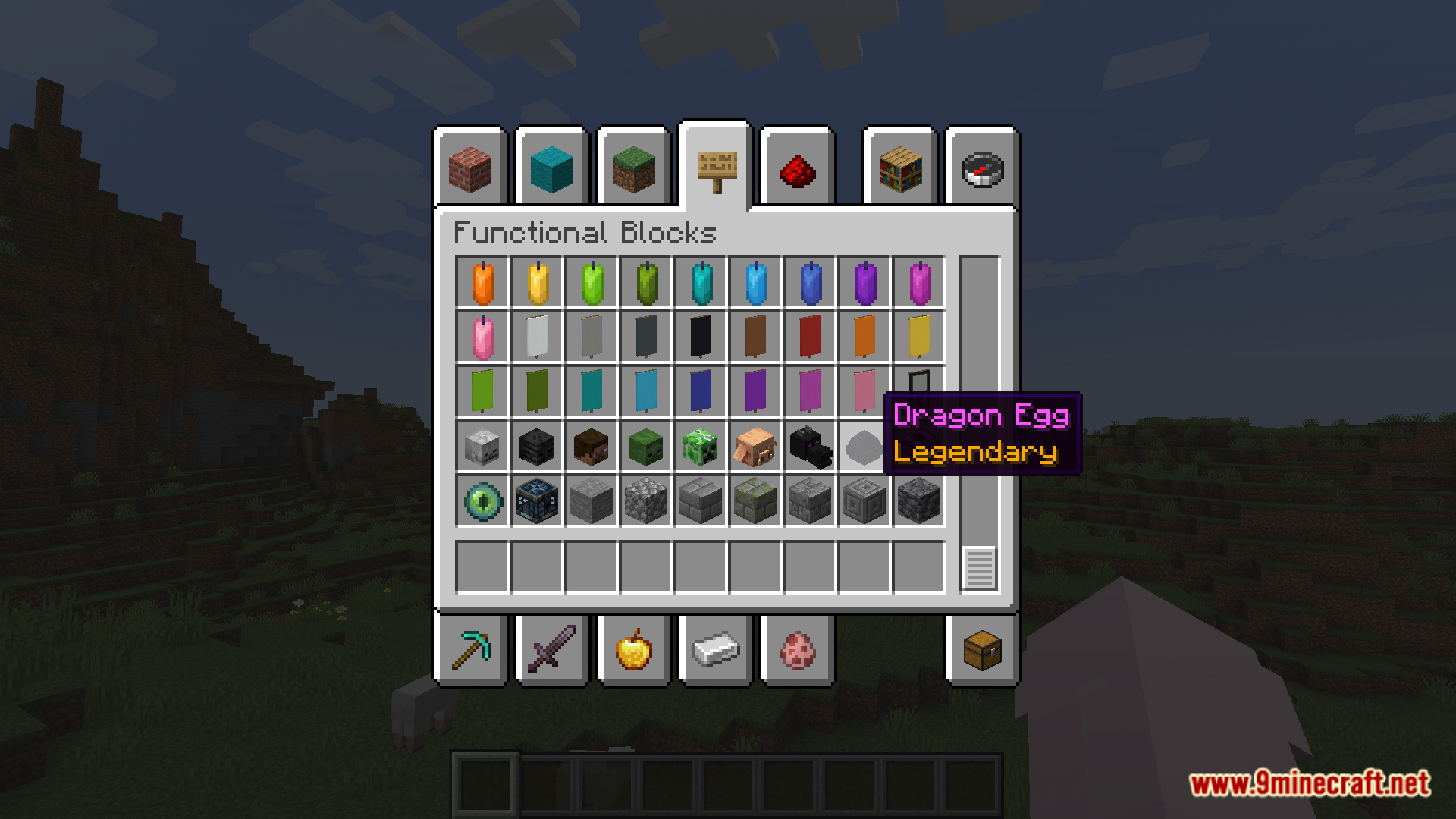
- Legendary: shown on items like the Dragon Egg.
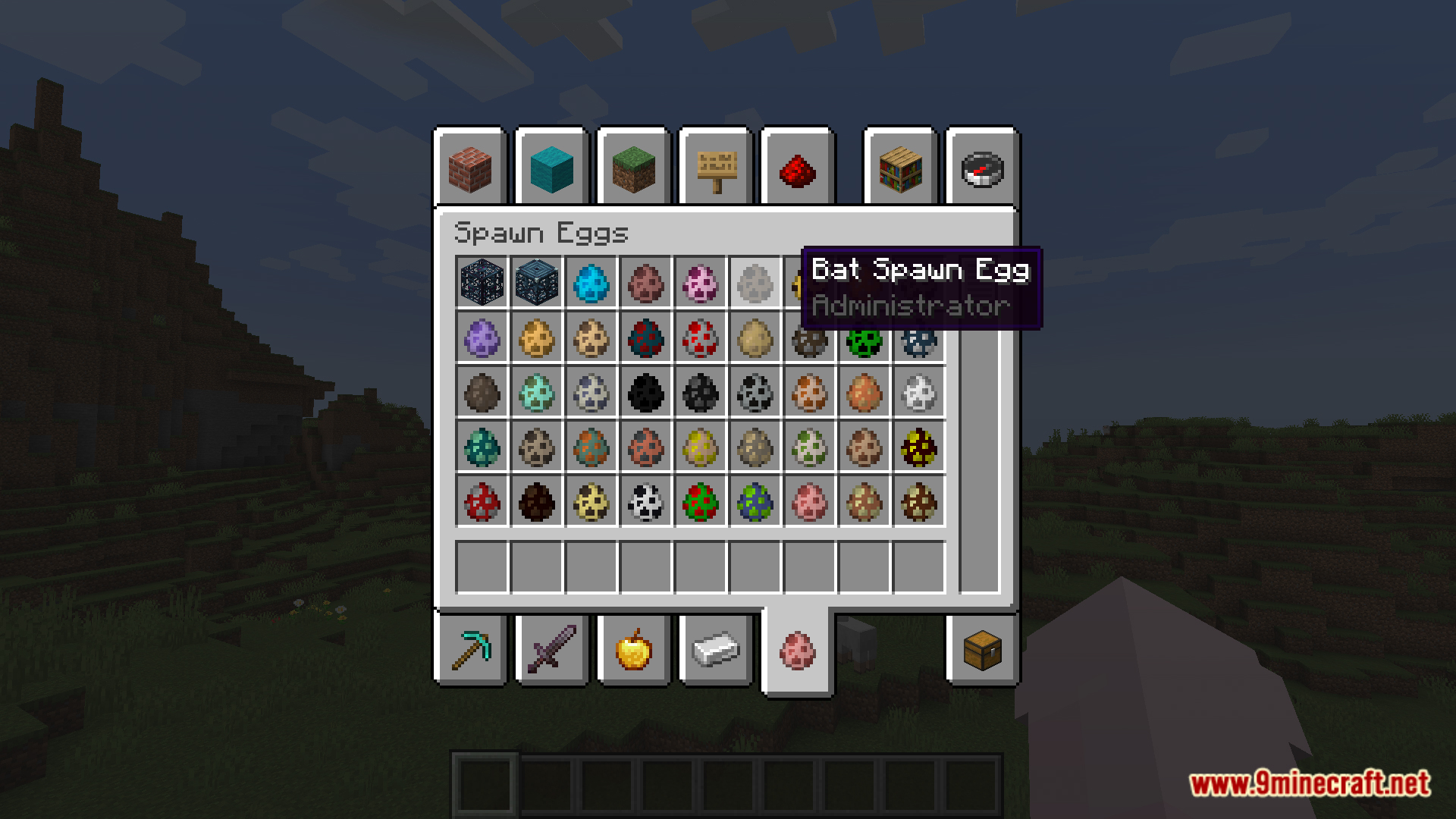
- Administrator: shown on creative items like the Bat Spawn Egg.
Screenshots:
How to Install:
New to Minecraft? Follow our step-by-step guide to install Mods on your PC.View Guide
Requirements:

TooltipRareness Mod Download Links
For Minecraft 1.21.1, 1.21
Fabric version: Download from Server 1 – Download from Server 2
For Minecraft 1.20.1
Fabric version: Download from Server 1 – Download from Server 2
For Minecraft 1.19.2
Fabric version: Download from Server 1 – Download from Server 2
How much RAM do you usually allocate to a modded Minecraft profile?
54 responses · See the full results →
You May Also Like
Picked for this page
 Hooked Mod 1.12.2 (Terraria Style Hooks, Grappling Hooks) (1.21.1)
 Ctrl Q Mod (26.1, 1.20.1) – Take Control Of Your Inventory
 IBE Editor Mod (1.20.4, 1.20.1) – Simple GUI to Edit Item, Block or Entity
 Arcane Lanterns Mod (26.3, 1.20.1) – The Power of Light
 HighLight Item Mod (1.21.11, 1.20.1) – Highlights Similar Items To Selected One In Inventory
 Death Quotes Mod (26.2, 1.20.1) – Comfort After Death
 GriefLogger Mod (26.2, 1.20.1) – Fast Player Activity Logger
 Care To Share Mod (26.1.2, 1.21.1) – Easy Item Sharing With Friends
 Carpet Pvp Practice Mod (26.3, 1.21.11) – Practice PvP Offline Against Fully
 Chain Crafter Mod (1.21.11, 1.20.6) – Craftable Chainmail Armor
 Natural Charcoal Mod (26.3, 1.20.1) – Logs Burning Produce Charcoal
 Cheaper Compasses Mod (26.3, 1.20.1) – Makes Compasses Cheaper To Craft
Most viewed in Mods over the last 7 days
 Ala Industrial Mod (26.3) – Run Electric Power Grids and Automated Factories
 PleasureCraft Mod (26.3, 1.21.1) – Jenny Mod Remake for Fabric
 Jennycraft Mod (26.3, 1.20.1) – Virtual Girlfriend in Minecraft
 Fapcraft Mod (26.3, 1.12.2) – Comprehensive and Detailed Content
 Jenny Mod (Fapcraft) Official Complete Guide – How to use, Tutorial
 BangCraft Mod (1.20.1) – Jenny, Ellie and Elliot
 Fabric Loader (26.3, 1.20.1) – Fabric Installer for All Minecraft Versions
 The Shooting Star Demo Mod (26.3, 1.20.1) – Vaporize Terrain From Orbit
 Meteor Client Mod (26.3, 1.20.1) – Xray, HUD, Fly
 OptiFine HD (26.3, 1.20.1) – Run Faster, FPS Boost, Shaders Support
 Aristois Client Mod (1.21.4, 1.20.1) – World Class Minecraft Utility
 Prestige Client Mod (1.21.11, 1.21.4) – Powerful Ghost Features for Crystal & Sword PvP
More from Mods
 MTR Navigation Mod (1.21.1) – Plan Railway Trips and Never Miss a Train Stop
 TheHouse Mod (1.21.11) – Host Casino Tables and Track Every Bet in Real Time
 CinematicInteractions Mod (1.21.1) – Watch Your Hands Work at Every Crafting Table
 Earth Platform Mod (1.21.1) – Travel Across Real Continents in a True Scale World
 Taunahi Mod (26.1.2) – Automate Daily Farming and Slayers in Hypixel Skyblock
 HORROR Fake Join Leave Messages Mod (1.20.1) – Trigger Creepy Chat Scares
 Bons Voyage Mod (1.20.1) – Teleport Across Biomes Through Hidden Waystones
 Orbital Railgun UPDATED Mod (26.3) – Flatten Giant Landscapes From Space
 Automobility Autoradio Mod (26.3, 26.1.2) – Trade Custom Mixtapes with Friends
 Towers of the Wild 9minecraft Mod (26.3, 26.2) – Climb Tall Towers for Loot
 Ender Storage 9minecraft Mod (26.3, 26.2) – Send Loot Back Home From Any Dimension
 Snad 9minecraft Mod (26.3, 26.2) – Build Faster Sugar Cane and Nether Wart Farms

This post has no comments yet. Be the first — your comment will appear here.