


Archeological Mod (1.21.1, 1.20.1) – Unearth Lost Artifacts in New Ruins

 0
0 

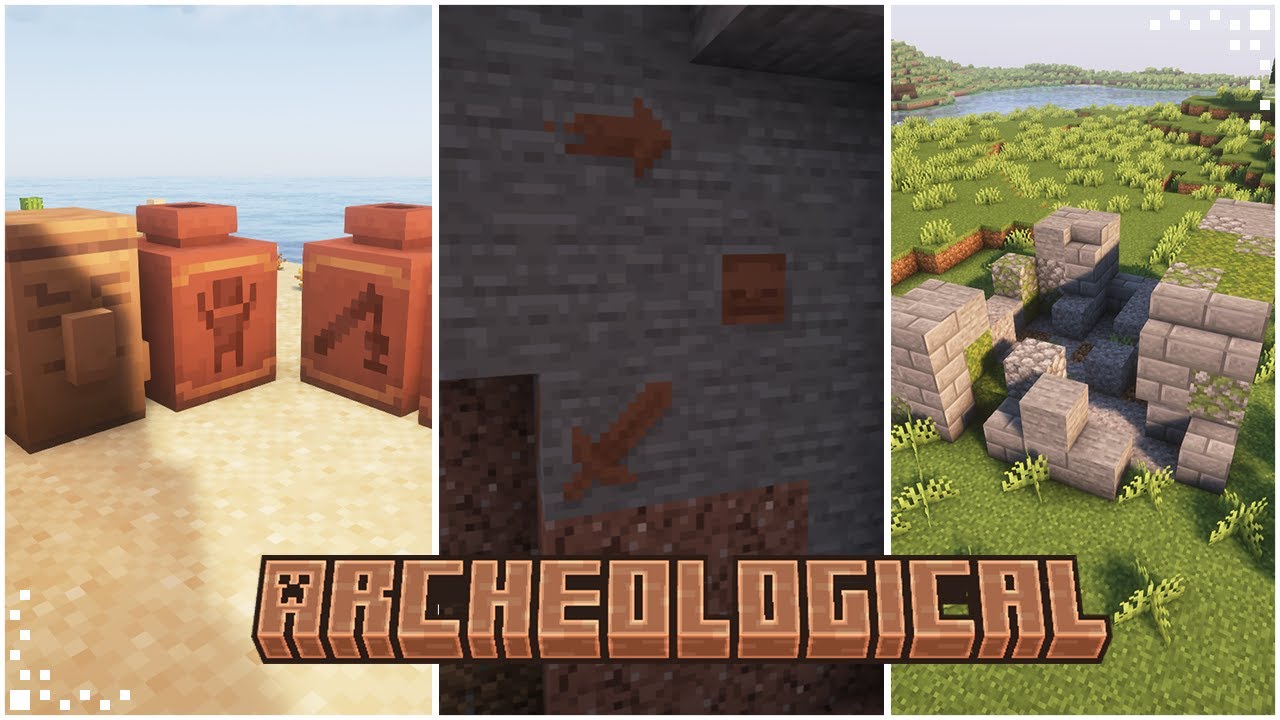
Archeological Mod expands the archeology system in Minecraft, making explorations more fun and dynamic. This mod adds new items, decorative blocks, and structures to discover. You can use the new Archeology Table to duplicate templates and get items from ancient remains. While exploring, you might find underground cave paintings, statues with different faces, dark urns deep underground, and many new ruins across the world.
Features:
- Adds an Archeology Table, a new workstation for all your finds.
- Introduces new ruins that generate throughout the world, including in deserts, wastelands, and frozen areas.
- Discover Dark Urns, new decorative blocks that can be made to glow with a Glow Ink Sac.
- Find Petroglyphs, ancient paintings that can be crafted into decorative stone blocks.
- Uncover ancient Remains by brushing suspicious sand and gravel.
- Build statues with different faces using Statue Fragments.
- Changes the loot tables of suspicious blocks to make archeology feel more rewarding.
The Archeology Table
This new work table is designed specifically for archeology. It has two slots, and the items you get depend on the combination you use.
- Get various items by placing Remains in the table.
- Duplicate Pottery Sherds using a Pottery Template.
- Duplicate Petroglyphs using a Stone Template.
- Duplicate Dark Pieces using a Deepslate Template.
Dark Urns
Dark Urns are decorative blocks you can craft using Dark Pieces and Deepslate. Dark Pieces are found in the new Deep Ruins, which appear below layer 0. You can right-click an urn with a Glow Ink Sac to make it glow. Right-clicking it again will remove the glow.
How to Install:
New to Minecraft? Follow our step-by-step guide to install Mods on your PC.View Guide
Requirements:
Archeological Mod Download Links
For Minecraft 1.20.1, 1.20
Forge version: Download from Server 1 – Download from Server 2
For Minecraft 1.21.1, 1.21
NeoForge version: Download from Server 1 – Download from Server 2
You May Also Like


This post has no comments yet. Be the first — your comment will appear here.