


Blur Perfected Mod (1.21.11, 1.21.1) – Hide Distractions Behind Your Menus
 383
383
 0
0


🌐 Read this article in your language! Choose your preferred language below.
Or pick the one you like:
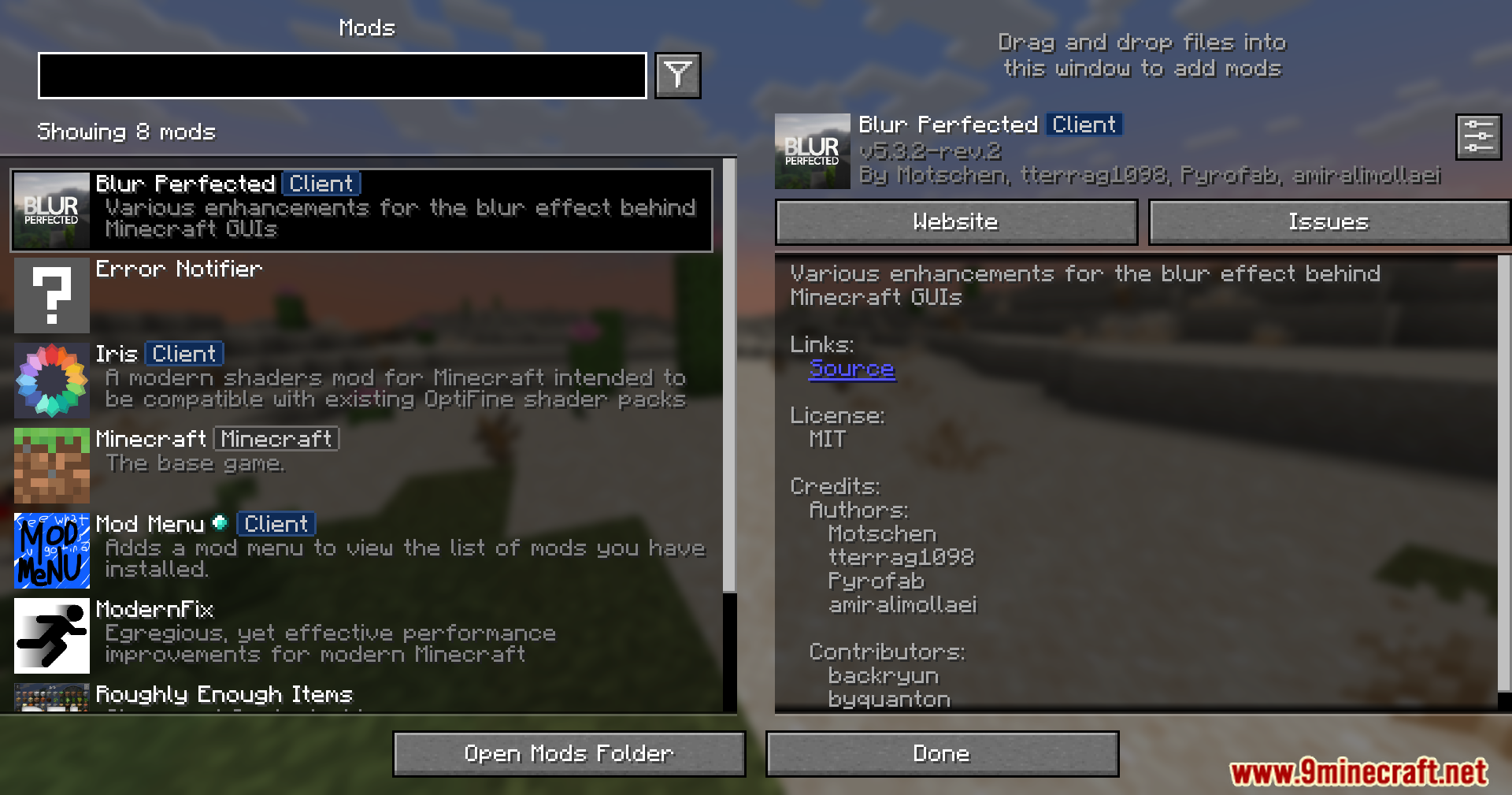
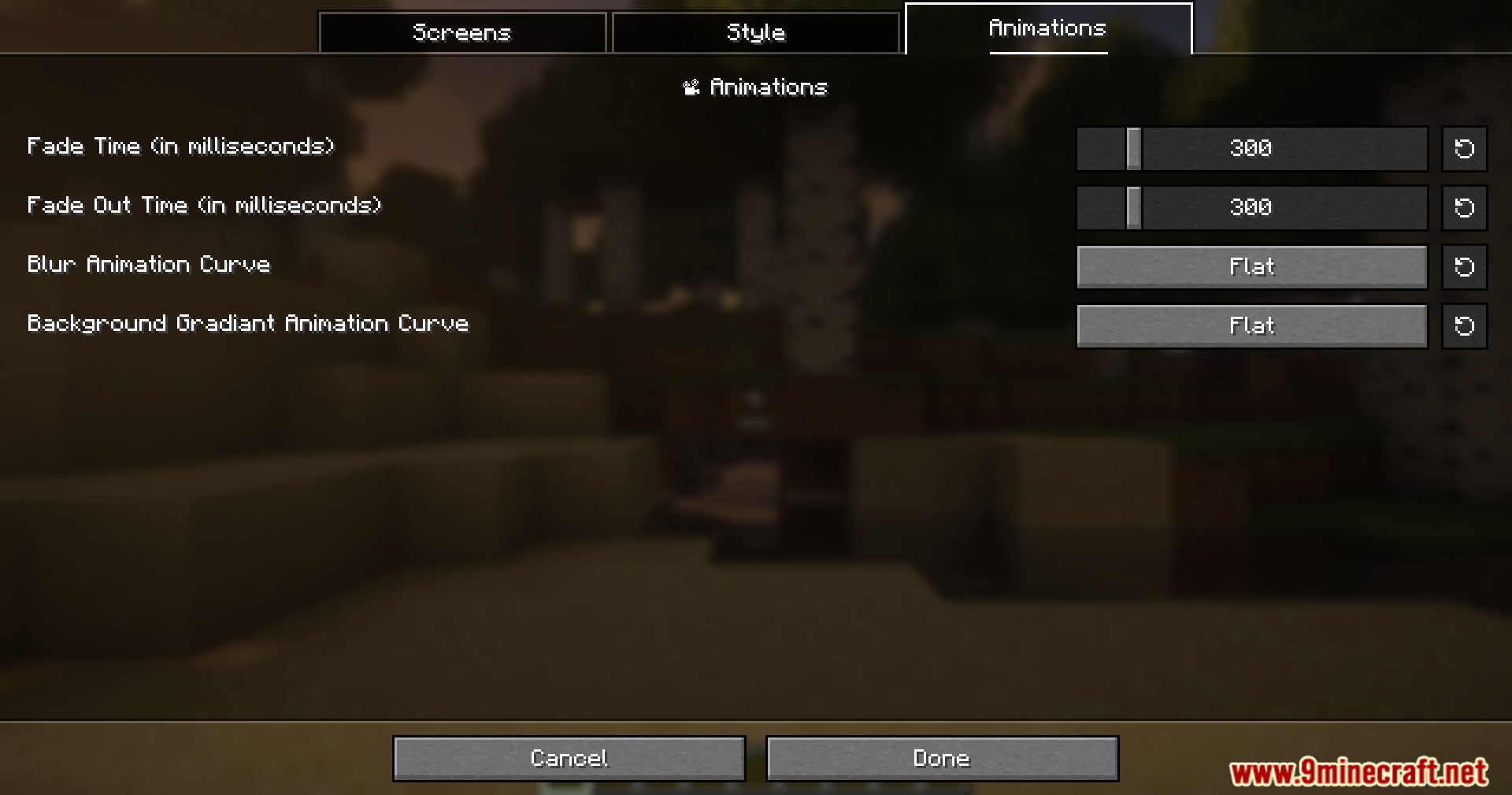
Blur Perfected Mod patches bugs and reworks the animation system in the Blur+ mod. It stops the screen from glitching when you open and close menus too fast. This mod also fixes the problem where the blurry background gets stuck on your screen after you close your inventory. You get new settings to change how the background fades in and out. It even lets you turn on the blur effect when you read books, edit signs, or use command blocks.
Features:
- Smooth Animations: Makes the blur effect fade in and out perfectly without skipping frames or breaking.
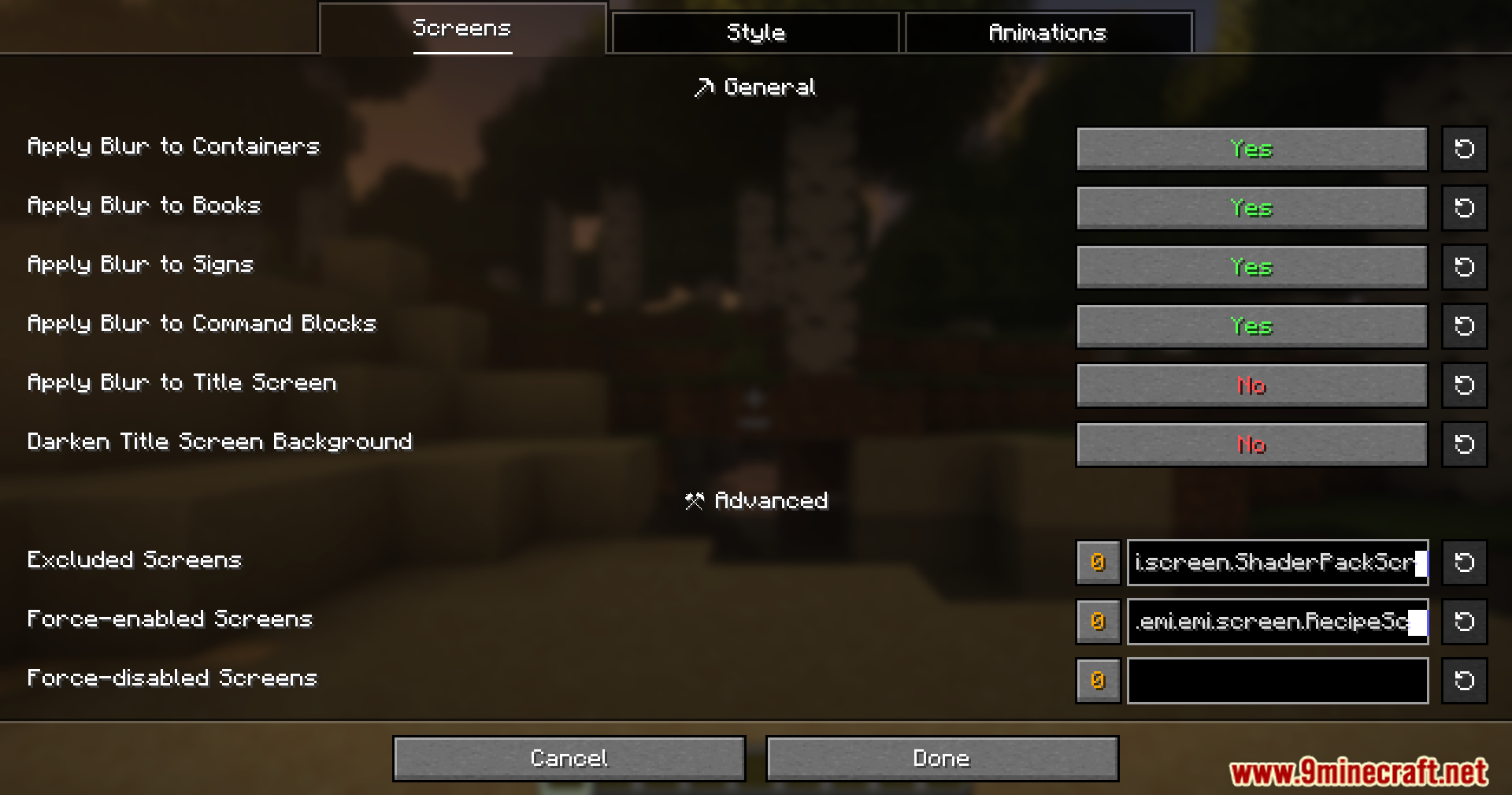
- New Screen Support: Adds background blur to screens that normally do not have it, like books, signs, and command blocks.
- Spam Proof: Stops visual glitches if you open and close your inventory really fast.
- Fixes the annoying bug where your screen stays blurry even after you close all your menus.
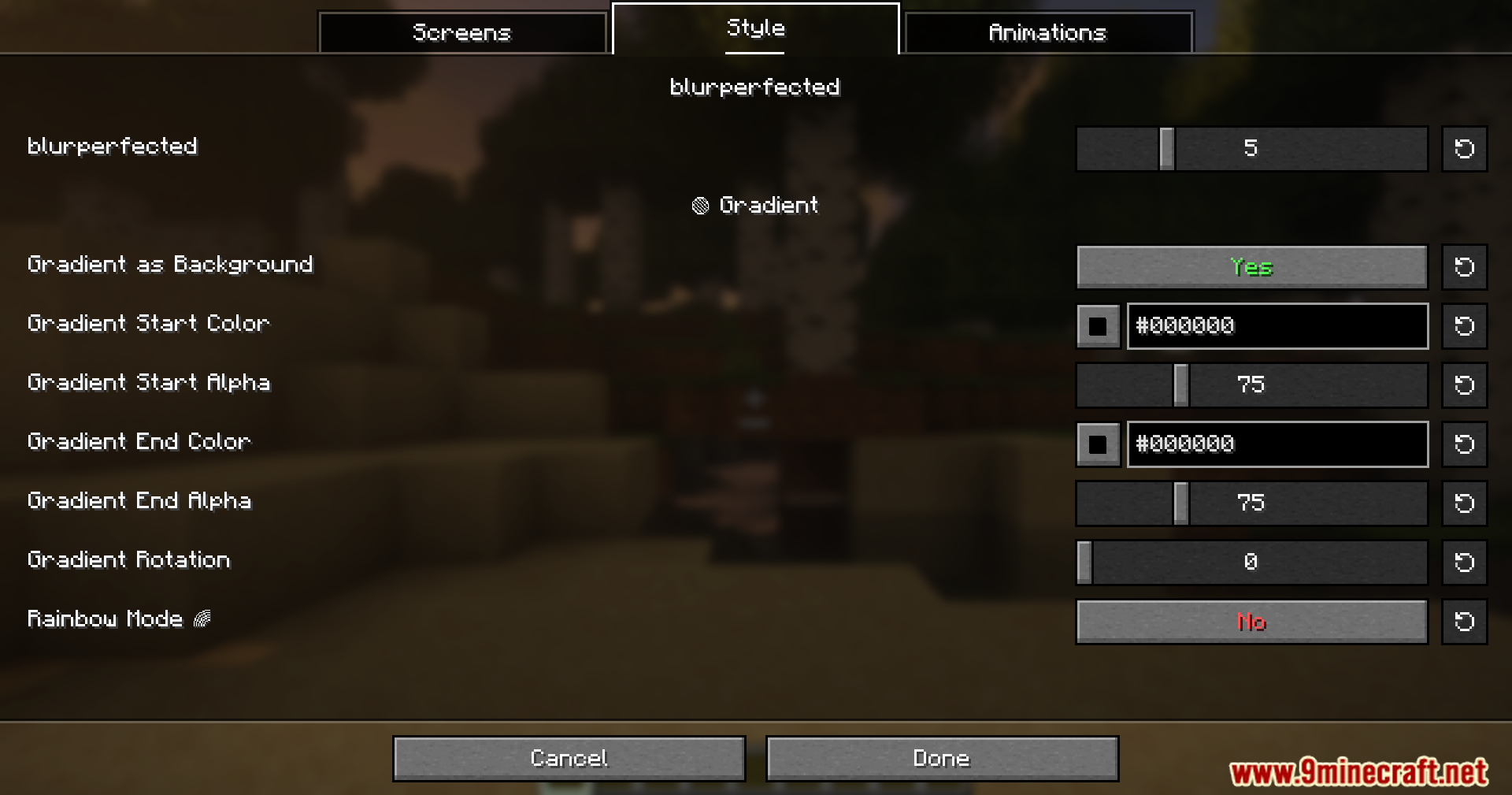
- The Blur Perfected mod lets you pick different animation styles and colors in the settings menu.
- Lets you turn the blur effect on or off for specific screens based on what you like.
- Uses simpler code so Blur Perfected works better alongside your other favorite mods.
- Saves computer power by turning off the background drawing when you cannot easily see it.
Screenshots:
How to Install:
New to Minecraft? Follow our step-by-step guide to install Mods on your PC.View Guide
Requirements:




Blur Perfected Mod Download Links
For Minecraft 1.21.11
For Minecraft 1.21.10, 1.21.9
For Minecraft 1.21.8, 1.21.7, 1.21.6
For Minecraft
1.21.5,
1.21.4,
1.21.3
All Versions Covered
1.21.5
1.21.4
1.21.3
1.21.2
All Versions Covered
1.21.5
1.21.4
1.21.3
1.21.2
For Minecraft
1.21.4,
1.21.3,
1.21.2
All Versions Covered
1.21.4
1.21.3
1.21.2
1.21.1
1.21
All Versions Covered
1.21.4
1.21.3
1.21.2
1.21.1
1.21
Click to rate this post!
[Total: 2 Average: 5]
You May Also Like







This post has no comments yet. Be the first — your comment will appear here.