
Civillis Mod (26.1.2, 1.20.1) – Turn Cozy Bases Into Safe Zones
 16
 0

Civillis Mod lets you protect your bases from hostile mobs simply by building a lived-in home instead of covering every block in torches or slabs. It evaluates a 240×240×48 block area around potential spawn points and calculates a civilization score from nearby player structures such as beds, campfires, furnaces, crafting tables, beacons, and workstations. As a settlement grows into a busy town or city, monsters yield more territory, drift away from civilized ground, or retreat from city centers. Beyond passive territory protection, this mod includes the Civil Detector, stationary bell-and-lodestone sonar sweeps, Skull Attraction pockets for mob farms, and the Podium of Undying for emergency revival. Everything runs automatically without commands, adapts through datapack rules, and maintains steady performance across both singleplayer worlds and multiplayer servers.

Features:
- Natural Spawn Suppression: Evaluates a 240×240×48 block region around every potential spawn location and scores player-built blocks like beds, campfires, furnaces, crafting tables, beacons, and workstations to keep monsters away.
- Scaling Territory Radius: Expands safety as your settlement grows, pushing hostile mobs roughly 90 blocks back from a thriving city while still granting modest protection around a small cabin or lone outpost.
- Monsters Flee Behavior: Prompts hostile mobs inside civilized areas to drift toward wild ground, and makes monsters inside dense city centers give up fighting and retreat based on your suppression settings.
- Civilization Decay: Gradually weakens protection in unvisited territories over time, yet keeps roughly a 40-block safe perimeter around large cities and pauses decay during offline singleplayer time.
- Skull Attraction: Carves a pocket of open wilderness inside a civilized zone using crying obsidian, a soul campfire burning on top, and a sacrificed bone so mob farms spawn normally, while placed mob heads attract matching mob types.
- Podium of Undying: Turns a small altar in a well-developed civilization zone into a one-time emergency revival point when activated with a Totem of Undying, pulling you back upon fatal damage with Regeneration, Absorption, and Fire Resistance without consuming a totem in your hand.
- Uses a shard-based civilization engine to run constant-time spawn evaluations across large worlds without lag spikes.
- Crafts the portable Civil Detector from a compass and emeralds so you can scan local civilization levels on patrol.
- Triggers a stronger stationary sonar sweep whenever you place a bell on top of a lodestone inside a settlement.
- Renders green, yellow, and red sonar boundary visuals alongside 6 custom sound cues to distinguish safe zones, wild zones, and mob-head farm ranges.
- Adds 11 advancements and 2 crafting recipes tied to settlement growth, sonar scanning, and revival altars.
- Loads block weights, mob-head attraction lists, zone and dimension policies, and spawn-gate mob lists from datapack files so modpacks can tune gameplay without code.
- Processes multiplayer data through async database persistence, player-aware cache prefetching, and a dedicated I/O thread pool for large servers.
- Includes an in-game settings screen where you can adjust the evaluation area and spawn suppression rules.
Civilization Block Tags:
#civil:very_very_high_civilized: Assigns the top civilization score tier to grouped blocks for maximum spawn protection.#civil:very_high_civilized: Applies an upper-high civilization score weight to assigned blocks.#civil:high_civilized: Marks high-value settlement blocks that add major protection to nearby territory.#civil:medium_high_civilized: Gives assigned blocks an above-average civilization weight.#civil:medium_civilized: Applies a balanced middle-tier civilization score to common settlement blocks.#civil:medium_low_civilized: Assigns a moderate-low civilization weight for secondary structures.#civil:low_civilized: Marks basic building blocks that add a small amount of civilization protection.#civil:very_low_civilized: Applies a light civilization weight to lightly inhabited blocks.#civil:very_very_low_civilized: Assigns the lowest civilization score tier to assigned blocks.
How to Use:
- Build and furnish your home with beds, campfires, furnaces, crafting tables, beacons, or workstations; spawn checks automatically score those blocks and push hostile mobs away with no commands required.
- Visit outlying builds from time to time to maintain their civilization score, because unvisited areas slowly decay while well-established cities hold at least a 40-block safe zone.
- Craft a portable Civil Detector from a compass and emeralds, then activate it while patrolling to read green, yellow, or red sonar boundaries and hear safety cues.
- Place a bell on top of a lodestone inside your base to launch a stronger stationary sonar sweep across the area.
- Construct a Skull Attraction farm pocket inside your town with crying obsidian, a soul campfire burning on top, and a bone sacrifice, then place specific mob heads inside to draw those mobs.
- Build a Podium of Undying altar in a dense civilization zone and activate it with a Totem of Undying (no pig is needed) to bind an emergency revival point.
- Adjust the evaluation area or suppression settings from the in-game settings menu, or load datapacks using the
#civil:*block tags to customize block weights and dimension rules.
Screenshots:


How to Install:
New to Minecraft? Follow our step-by-step guide to install Mods on your PC.View Guide



Civillis Mod Download Links
For Minecraft 26.1.2, 26.1.1, 26.1
For Minecraft 1.21.11
For Minecraft 1.21.5
For Minecraft 1.21.1, 1.21
For Minecraft 1.20.1, 1.20
How do you handle updating your mods when a new Minecraft version drops?
32 responses · See the full results →
You May Also Like
Picked for this page
 Better End Mod (26.3, 1.20.1) – Build and Thrive in a Living Alien Void
 Villagers Plus Mod (26.3, 1.20.1) – Turn Villages Into Bustling Trade Hubs
 Configurable Extra Mob Drops Mod (26.3, 1.20.1) – Hunt Mobs for Custom Loot
 Sky Villages Mod (26.3, 1.20.1) – Make a Home in the Clouds
 Spawn Animations Mod (26.3, 1.20.1) – Survive Monsters Crawling From the Soil
 Fish of Thieves Mod (26.3, 1.20.1) – Turn Every Ocean Into an Angler Haven
 Death Knell Mod (26.3, 1.20.1) – Find Humor in Every Death
 Recipe Reshaper Mod (26.3, 1.20.1) – Ditch Your Crafting Table
 Cinematic Respawn Mod (26.3, 1.20.1) – Replace the Red Death Screen
 Phoenix Wings Mod (26.3, 1.20.1) – Burn Hostile Mobs During Blazing Elytra
 Extended Weaponry Better Weaponry Addon Mod (1.21.1, 1.20.1)
 Graveyard Inventory Ledger Mod (26.2, 1.20.1) – Track Dropped Death Loot
Most viewed in Mods over the last 7 days
 Ala Industrial Mod (26.3) – Run Electric Power Grids and Automated Factories
 PleasureCraft Mod (26.3, 1.21.1) – Jenny Mod Remake for Fabric
 Jennycraft Mod (26.3, 1.20.1) – Virtual Girlfriend in Minecraft
 Fapcraft Mod (26.3, 1.12.2) – Comprehensive and Detailed Content
 Meteor Client Mod (26.3, 1.20.1) – Xray, HUD, Fly
 Jenny Mod (Fapcraft) Official Complete Guide – How to use, Tutorial
 BangCraft Mod (1.20.1) – Jenny, Ellie and Elliot
 OptiFine HD (26.3, 1.20.1) – Run Faster, FPS Boost, Shaders Support
 CatLean Client Mod (26.2, 1.21.11) – ThunderHack Recode Alternatives
 Patched Mod (26.3, 1.20.1) – Edit Game Files Without Breaking Packs
 Fabric Loader (26.3, 1.20.1) – Fabric Installer for All Minecraft Versions
 Baritone Client Mod (26.3, 1.20.1) – Autominer, Build with AI, Xray
More from Mods
 Yeasty Everything Mod (26.3, 1.21.1) – Turn Every Item in Your World Into Bread
 Icy’s Lib Mod (26.3, 1.20.1) – Create Custom In-Game Guidebooks
 Paragliders Mod (26.3, 1.20.1) – Glide Safely Down Cliffs
 Typewriter Day Counter Mod (26.3, 1.20.1) – Track Every Day of Your Survival
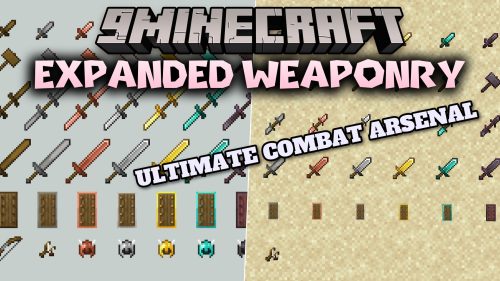 Expanded Weaponry Mod (26.3, 1.21.1) – Choose Your Combat Style
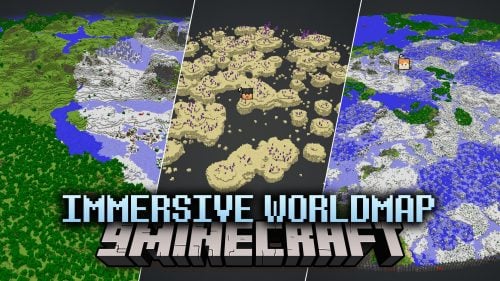 Immersive Worldmap Mod (26.3, 1.21.1) – Explore Terrain From Above with a 3D World Map
 Silent Gear Mod (26.3, 1.20.1) – Craft Custom Tools & Armor
 Pocket Casino Village Casinos Gambling Villagers Plinko & Mini Games Mod (26.3, 1.20.1)
 Chest Seeker Item Search Mod (26.3, 1.20.1) – Never Dig Through Messy Storage
 Low Render Distance Mod (26.3, 26.1.2) – Shrink View And Simulation Range
 Rotten Flesh to Leather Furnace Smoker & Blast Furnace Mod (26.3, 1.20.1)
 Arcade Dreams Mod (26.3, 1.20.1) – Play 32+ Minigames In Bed And Track

This post has no comments yet. Be the first — your comment will appear here.