
Colossal Chests 2 Mod (26.3, 1.21.1) – Store Millions of Items in One
 0
 0

Colossal Chests 2 Mod lets you build huge multiblock chests when a regular chest is just too small. This mod does not add tons of slots. Instead, each slot holds many stacks of items. It works fine in plain vanilla worlds. It also pairs well with storage mods like Integrated Terminals, Refined Storage, and Applied Energistics. It uses a different mod ID from the first version of the mod, so you can use both in the same world.
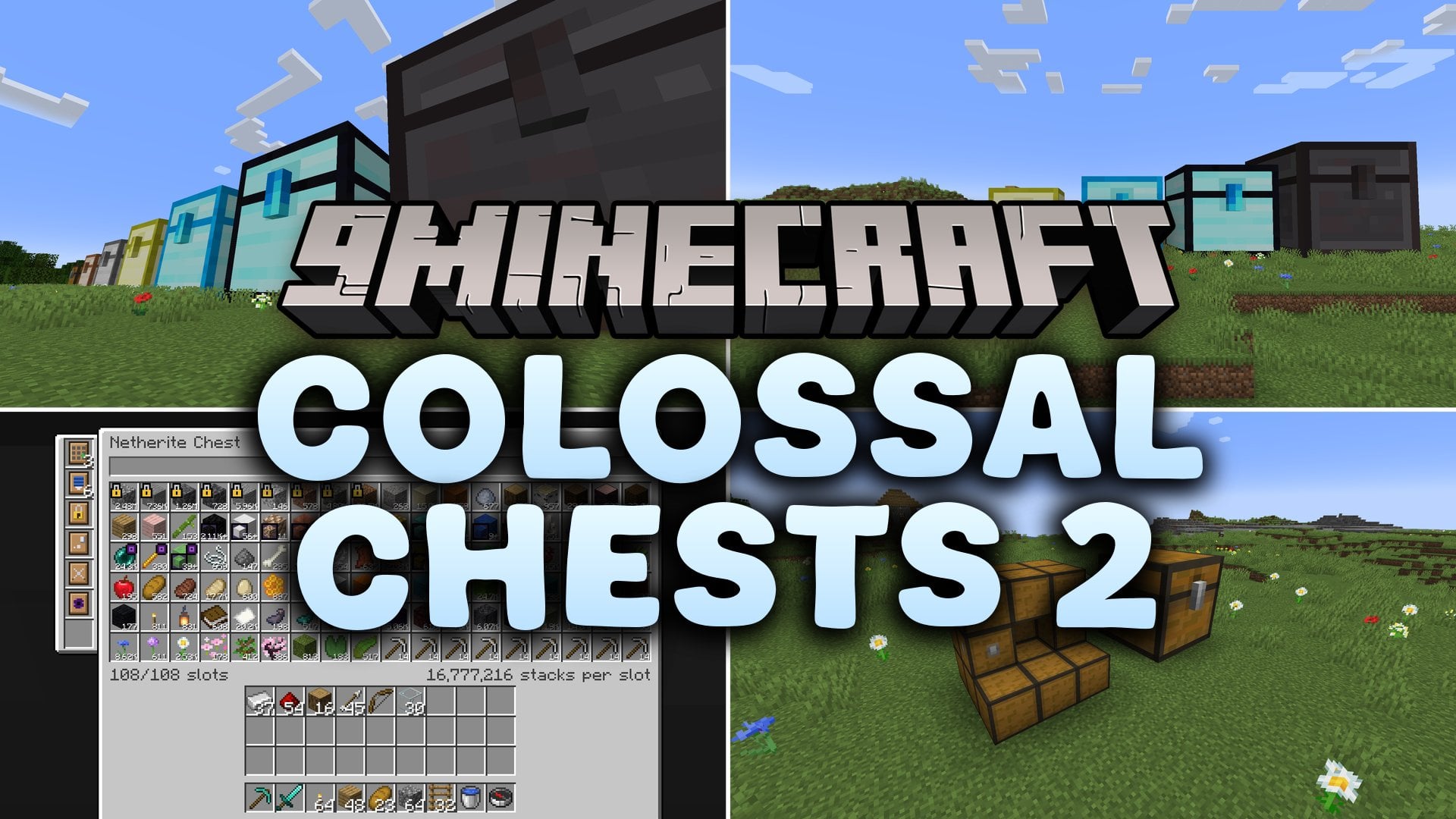
Features:
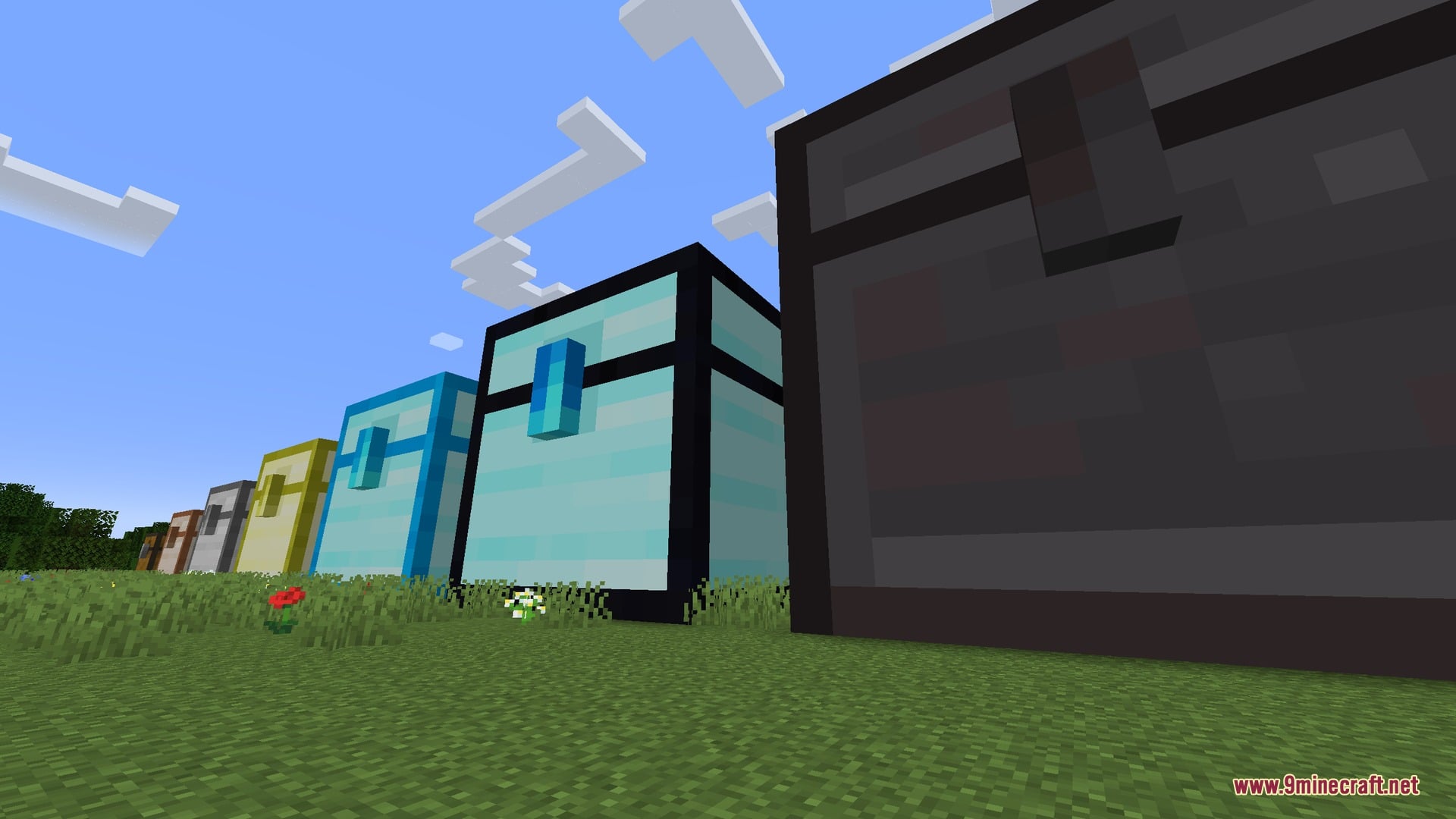
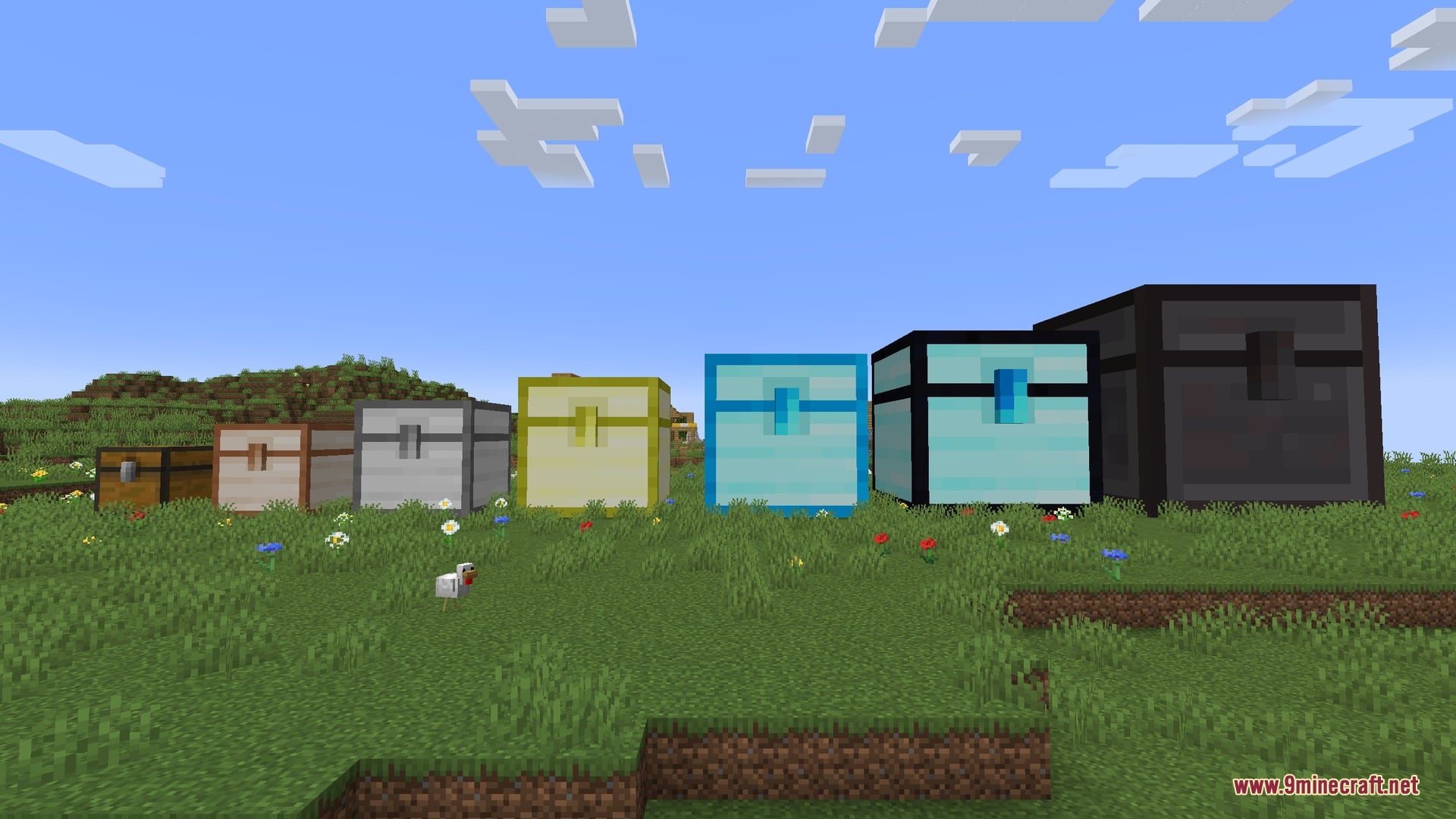
- Seven Materials: Chests come in wood, copper, iron, gold, diamond, obsidian, and netherite.
- Bigger Chests: Better materials let you build bigger chests, from 3x3x3 for wood up to 10x10x10 for netherite. They also get more upgrade slots.
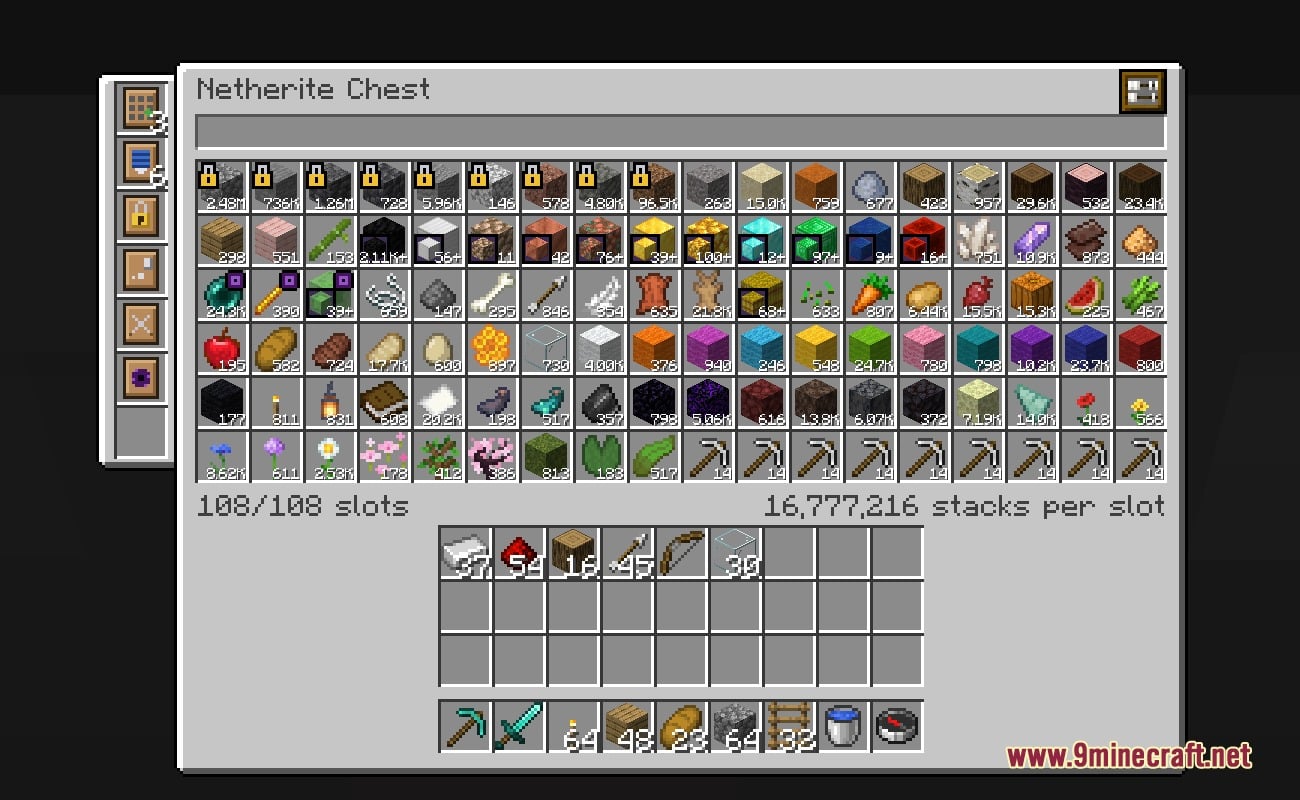
- Deep Slots: Every chest starts with 27 slots, but each slot holds many stacks. A 2x2x2 chest holds 4 stacks per slot, and a 10x10x10 chest holds up to 262,144 stacks per slot.
- Upgrade Walls: You can swap normal wall blocks for special ones, like Interface, Display, Redstone, and Magnet walls.
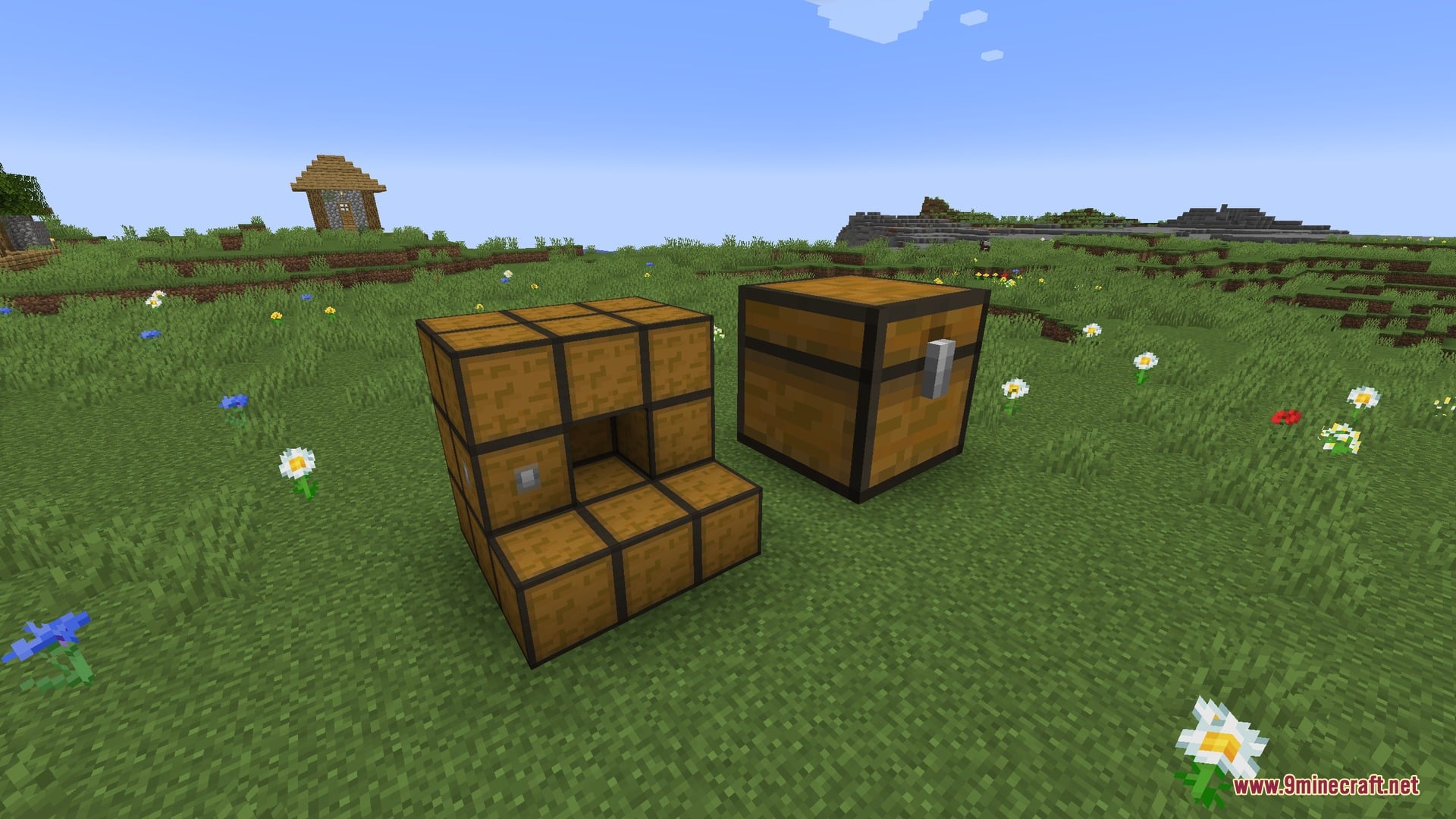
- Formation Help: Right-click an unfinished chest with an empty hand to see why it won’t form. Missing walls, walls of the wrong material, and blocks inside the chest get highlighted.
- Obsidian and netherite chests can’t explode.
- The lid opens when someone looks inside, just like a normal chest.
- You can search through the chest’s contents to find lost items fast.
- The Chest Material Upgrade Tool changes a chest to another material without breaking and replacing every block. The chest keeps all its items.
- Adds the Uncolossal Chest, the most colossal chest of them all.
- Materials live in datapacks, so modpacks can tweak or reorder them.
Chest Upgrades:
- Slot Expansion: adds 27 slots, up to 108 in total.
- Depth: doubles the stacks per slot. The chest material decides how many you can install.
- Lock: locks slots to one item type, shown with a padlock.
- Void: marks slots as voiding, so automation destroys extra items instead of getting stuck.
- Bundling: lets slots hold more unstackable items, like tools.
- Compression: puts different forms of an item, like nuggets, ingots, and blocks, into a single slot. Scroll on the slot to pick the form you want to take out.
Special Wall Blocks:
- Chest Interface: lets hoppers, pipes, and other automation reach the chest. You can add as many as you want.
- Void Chest Interface: works like an Interface but destroys items that don’t fit anymore.
- Chest Display Wall: shows an item inside the chest, its count, and how full it is.
- Redstone Chest Wall: sends out a redstone signal based on how full the chest is.
- Magnet Chest Wall: pulls nearby items from the world into the chest.
How to Use:
- Gather many Chest Wall blocks and exactly one Chest Core block of the same material.
- Build a cube where every side has the same length. The smallest size is 2 blocks per side.
- Only build the outer walls and keep the inside hollow. The structure forms into one giant chest once it is valid.
- If the chest doesn’t form, Right-click it with an empty hand to see what is wrong.
- Open the chest and place upgrades in the column on the left side of the menu.
- On a Display Wall, Left-click or Sneak + Left-click to take items out. Right-click or double Right-click to put items in.
- To set filters on an Interface, Sneak + Right-click it with an empty hand.
- To set the radius of a Magnet Wall, Sneak + Right-click it with an empty hand.
- To change the chest material, hold the Chest Material Upgrade Tool and Right-click in the air to pick a material. Then Right-click a formed chest to apply it. You need walls of the new material in your inventory.
Screenshots:
How to Install:
New to Minecraft? Follow our step-by-step guide to install Mods on your PC.View Guide
Requirements:
Colossal Chests 2 Mod Download Links
For Minecraft 26.3
For Minecraft 26.1.2, 26.1.1, 26.1
For Minecraft 1.21.1, 1.21
Click to rate this post!
[Total: 0 Average: 0]
You May Also Like
Picked for this page
 EvilCraft Mod (26.3, 1.20.1) – Power Machines with Blood
 Actually Additions Mod (1.21.1, 1.12.2) – Build a Wireless Tech Base
 IkkatsuHakai Shovel Mod (26.3, 1.20.1) – Break Multiple Blocks Quickly
 Particle Effects Mod (26.3, 1.20.1) – Custom Particle Textures
 Gone Fishing! Mod (26.3, 1.21.11) – Overhauled Fishing
 Sulfur Cubes Mod (26.3) – Craft Portable Workstations and Explosive Traps
 Elemental Synergies Mod (1.21.1, 1.20.1) – Mix Elemental Magic Schools
 Kinetic Redstone Aviation Mod (26.3, 26.1.2) – Power Create Machinery with Electric
 Luminous Depth Mod (26.3, 26.1.2) – See Clearly in Dark Caves and Night Biomes
 Nix Stats Multi Mod (26.3, 1.21.11) – Track Live Stats and Phantom Timers
 Celestial Harvest Crops Mod (1.21.1, 1.20.1) – Cook Authentic Chinese Meals
 Dolt Mod How Mod (1.20.1) – Sleep Through Danger and Survive Drops with Ease
Most viewed in Mods over the last 7 days
 Ala Industrial Mod (26.3) – Run Electric Power Grids and Automated Factories
 PleasureCraft Mod (26.3, 1.21.1) – Jenny Mod Remake for Fabric
 Jennycraft Mod (26.3, 1.20.1) – Virtual Girlfriend in Minecraft
 Fapcraft Mod (26.3, 1.12.2) – Comprehensive and Detailed Content
 Meteor Client Mod (26.3, 1.20.1) – Xray, HUD, Fly
 Jenny Mod (Fapcraft) Official Complete Guide – How to use, Tutorial
 Let it Walk Mod (1.21.1) – Pilot Spider Tanks and Mechs Built From Your Blocks
 BangCraft Mod (1.20.1) – Jenny, Ellie and Elliot
 OptiFine HD (26.3, 1.20.1) – Run Faster, FPS Boost, Shaders Support
 Fabric Loader (26.3, 1.20.1) – Fabric Installer for All Minecraft Versions
 CatLean Client Mod (26.2, 1.21.11) – ThunderHack Recode Alternatives
 SchnurriTV Mod (1.12.2) – Characters and Features
More from Mods
 Steamon Wilds Mod (1.21.1) – Find Cobblemon Habitats
 Etr Economy Mod (1.20.1) – Work Jobs, Earn Paper Cash, and Run Locked Player
 Arms ‘n Artifice Heavy Artillery Mod (26.1.2, 1.21.1)
 Huhutalk Mod (1.21.1, 1.20.1) – Text Your Maids From Anywhere Using a Virtual
 MGN’s Witch Hat by MagishanPixel Mod (1.21.1)
 Mana Sub Zero Mod (1.21.1) – Wear Warlock Armor and Wield a New Spell Chakram
 Cinnamoroll Friends Halloween Update Mod (26.3, 26.1.2)
 Mc PvP Tiertagger Mod (26.3, 1.21.1) – Spot Skilled Opponents Before Every Duel
 Miner’s Nextbots Mod (26.3) – Survive Relentless 2D Chases Across Your World
 Aeronautics Joy of Creation Mod (1.21.1) – Fly Your Own Custom Airships
 Portals Relinked Mod (26.3, 1.20.1) – Connect Bases Instantly with Color-Coded
 Create Fly Diesel Generators Unofficial Port Mod (26.3, 26.1.2)

This post has no comments yet. Be the first — your comment will appear here.