
Dark Glint Mod (26.3, 1.20.1) – Transform Enchanted Gear Into Cosmic Nebula
 10,702
 0


Dark Glint Mod changes the default enchantment shimmer on weapons, tools, and armor into a dark blue nebula glow. It updates the visual style of enchanted gear to stand out clearly during nighttime and inside dark caves. This client side visual change works without adding new blocks or items to the game.

Features:
- Replaces standard enchantment glints with a dark blue nebula effect.
- Operates entirely on the client side without changing gameplay mechanics.
- Stands out best in dark environments and underground areas.
- Works on both enchanted weapons, tools, and armor pieces.
- Allows players to increase effect visibility by setting Glint Strength to 100% in Accessibility settings.
How to Use:
- Open the Minecraft options menu and go to Accessibility settings.
- Locate the Glint Strength slider and set it to 100% for the strongest nebula visual effect.
- Equip any enchanted item or armor piece to see the new dark blue shimmer in-game.
Screenshots:


How to Install:
New to Minecraft? Follow our step-by-step guide to install Mods on your PC.View Guide
Requirements:
Dark Glint Mod Download Links
Other version:
Show More
For Minecraft 26.3
For Minecraft
26.2,
26.1.2,
26.1.1
All Versions Covered
26.2
26.1.2
26.1.1
26.1
All Versions Covered
26.2
26.1.2
26.1.1
26.1
For Minecraft 26.1.2, 26.1.1, 26.1
For Minecraft 1.21.11
For Minecraft 1.21.10, 1.21.9
For Minecraft 1.21.8, 1.21.7, 1.21.6
For Minecraft 1.21.5
For Minecraft 1.21.4
For Minecraft 1.21.1, 1.21
For Minecraft 1.20.6
For Minecraft 1.20.5
For Minecraft 1.20.4
For Minecraft 1.20.3
For Minecraft 1.20.2
For Minecraft 1.20.1, 1.20
Click to rate this post!
[Total: 1 Average: 5]
You May Also Like
Picked for this page
 Tectonic Mod (26.3, 1.20.1) – Improved Biomes
 Harvest With Ease Mod (26.1.2, 1.20.1) – Right-Click Harvesting
 Gnomed Mod (26.1.2, 1.20.1) – You’ve been Gnomed
 Illager Invasion Mod (26.2, 1.20.1) – New Illager Variants
 Fancy Block Particles Renewed Mod (26.1.2, 1.20.1) – 3D Digging Particles
 DarkStarter Mod (26.3, 1.20.1) – RPG Starter Login Item Rewards
 Sodium Shadowy Path Blocks Mod (26.3, 1.20.1) – Give Your Paths More Depth
 Auto Lectern Mod (26.3, 1.21.1) – Skip the Villager Grind
 FullscreeNO Mod (26.2, 1.20.1) – Stops Minecraft From Opening in Fullscreen
 Hide Item Frame Mod (26.3, 1.20.1) – Equipped Item Frames Turn Invisible
 Moobloom’s Flower Cow Mod (26.3, 1.20.1) – Peaceful Vibes With Mooblooms
 Forgetful Sniffer Mod (26.3, 1.20.1) – Sniffers Can Dig The Same Block
Most viewed in Mods over the last 7 days
 Ala Industrial Mod (26.3) – Run Electric Power Grids and Automated Factories
 PleasureCraft Mod (26.3, 1.21.1) – Jenny Mod Remake for Fabric
 Jennycraft Mod (26.3, 1.20.1) – Virtual Girlfriend in Minecraft
 Fapcraft Mod (26.3, 1.12.2) – Comprehensive and Detailed Content
 Jenny Mod (Fapcraft) Official Complete Guide – How to use, Tutorial
 BangCraft Mod (1.20.1) – Jenny, Ellie and Elliot
 Fabric Loader (26.3, 1.20.1) – Fabric Installer for All Minecraft Versions
 Meteor Client Mod (26.3, 1.20.1) – Xray, HUD, Fly
 The Shooting Star Demo Mod (26.3, 1.20.1) – Vaporize Terrain From Orbit
 OptiFine HD (26.3, 1.20.1) – Run Faster, FPS Boost, Shaders Support
 Aristois Client Mod (1.21.4, 1.20.1) – World Class Minecraft Utility
 Prestige Client Mod (1.21.11, 1.21.4) – Powerful Ghost Features for Crystal & Sword PvP
More from Mods
 Decoween Mod (1.21.1, 1.20.1) – Transform Ordinary Survival Bases
 Simply Light 9minecraft Mod (26.3) – Decorate Builds Without Torches
 Alex’s Caves Continued Mod (26.3, 1.20.1) – Conquer Six Massive Underground
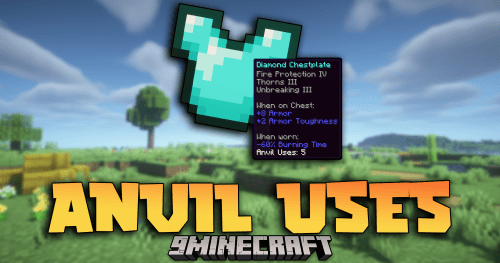 Anvil Uses Mod (26.3, 1.20.1) – Track Item Anvil Usage
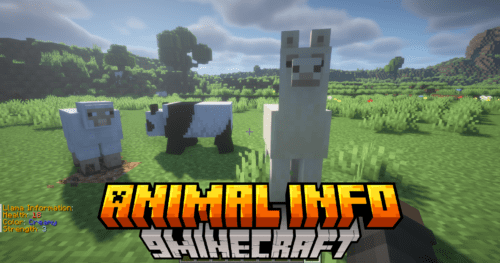 Animal Info Mod (26.3, 1.21.11) – Quick Stats For Your Animals
 Timber Tales Dynamic Tree System Mod (26.3, 1.20.1) – Watch Entire Trees Topple
 Gabou’s Libs Mod (26.3, 1.20.1) – Keep Custom Weather and Survival Mods Stable
 /Sit Mod (26.3, 1.21.1) – Make The Player Sit Down
 Arcane Redstone Dial Mod (26.3, 1.20.1) – Trigger Commands and Shortcuts
 The Graveyard Mod (26.3, 1.20.1) – Cemeteries in Minecraft
 Enhanced Overlay Mod (26.3, 1.21.11) – Remove Screen Clutter
 Flint Mod (1.21.11) – Run DiamondFire Community Addons Without Crashing

This post has no comments yet. Be the first — your comment will appear here.