
Devoxy Practice Plugin (1.21.11, 1.21.1) – Instant Duels and Fair Arenas
 25
 0

Devoxy Practice Plugin brings fast duels and training arenas to your server. Players can test their battle skills across single fights, group skirmishes, and open free-for-all spaces. It keeps arenas clean by resetting maps in a split second between rounds. This plugin also stops spawn camping so matches stay fair and fun from start to finish.
Features:
- Fast Arena Resets: Maps reset in one tick using smart memory storage so duels begin without waiting.
- Kit Editor: Players can sort items in their hotbars and save setups for any battle type.
- Duel Challenges: Send direct 1v1 fight invites to anyone on the server.
- Party Battles: Teams can fight each other, split into practice squads, or jump into party-only free-for-alls.
- Free-For-All Arenas: Enter endless battle zones with instant respawns and killstreak rewards.
- Anti-Spawn-Trap Shields: Blocks and liquids cannot block spawn points, keeping players safe upon entering.
- Players receive clean inventory drops that stack together to prevent ground clutter.
- Health and kit supplies can refill automatically right after you take down an opponent.
- An automatic good-game toggle posts quick sportsmanship messages after every match.
- Custom game modes let you set Adventure mode for weapon duels or Survival mode for building battles.
- Private party chat channels keep group talks away from the main server chat.
Commands:
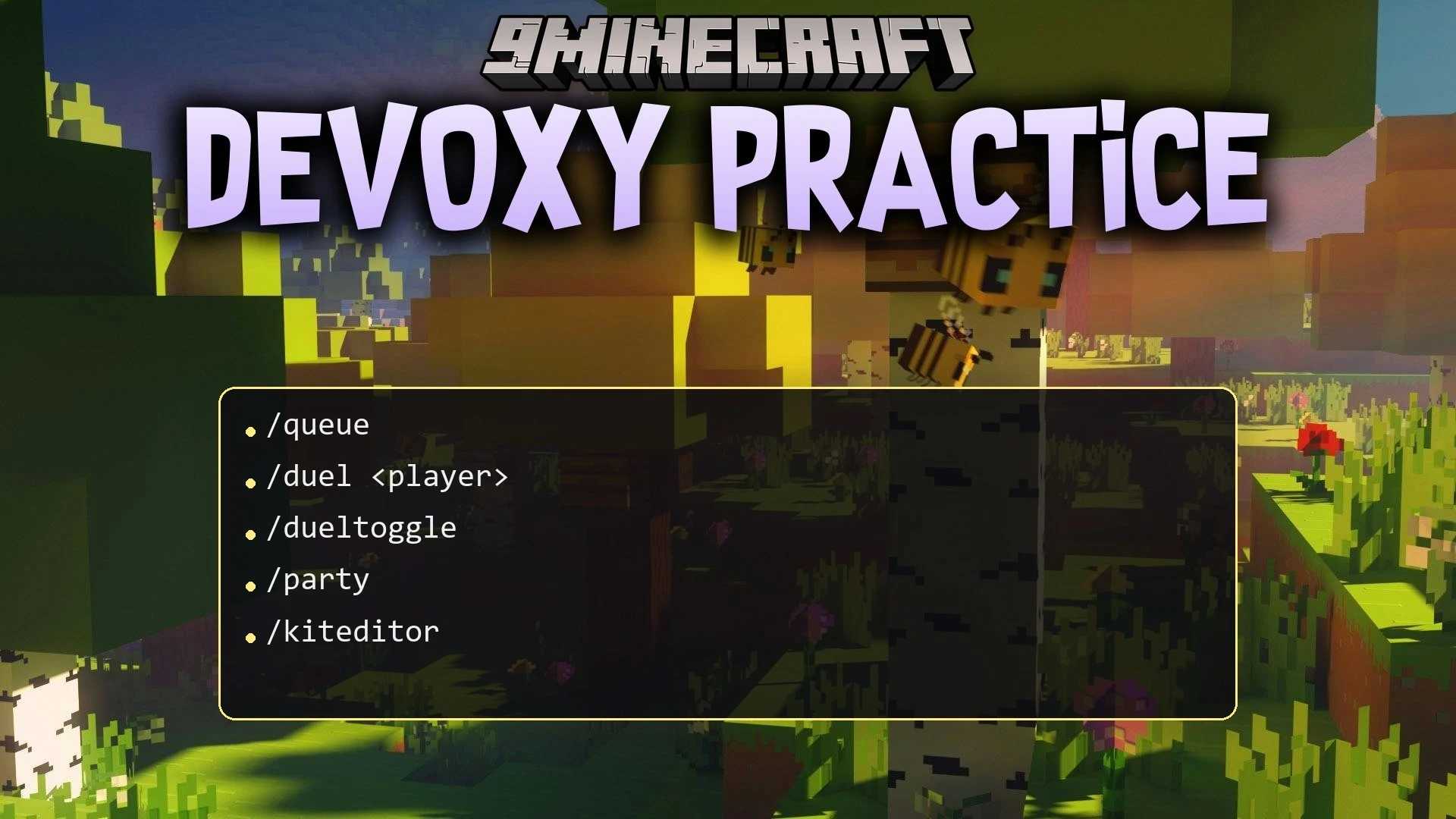
/queue: Opens the matchmaking queue menu./duel <player>: Challenges another player to a 1v1 match./dueltoggle: Turns incoming duel requests on or off./party: Opens party creation, management, and settings./joinffa [arena]: Enters a free-for-all arena or opens the arena list./leaveffa: Leaves the free-for-all arena and returns to spawn./kiteditor: Opens the custom kit editing screen./autoggtoggle: Switches automatic post-game messages on or off./settings: Opens your personal match settings menu./devoxy reload: Reloads all configuration files and menus./devoxy setspawn: Sets the global server spawn point.
How to Use:
- Type
/queuein chat to view available fight types. - Select a kit to enter matchmaking and wait for an opponent.
- Use
/kiteditorto rearrange your gear before fighting. - Challenge friends directly anytime with
/duel <player>. - Jump into
/joinffafor continuous open combat without waiting.
How to Install:
New to Minecraft? Follow our step-by-step guide to install Plugins on your PC.View Guide
Devoxy Practice Plugin Download Links
For Minecraft
1.21.11,
1.21.10,
1.21.9
All Versions Covered
1.21.11
1.21.10
1.21.9
1.21.8
1.21.7
1.21.6
1.21.5
1.21.4
1.21.3
1.21.2
1.21.1
1.21
All Versions Covered
1.21.11
1.21.10
1.21.9
1.21.8
1.21.7
1.21.6
1.21.5
1.21.4
1.21.3
1.21.2
1.21.1
1.21
Click to rate this post!
[Total: 0 Average: 0]
You May Also Like
Picked for this page
 Grim Anticheat Plugin (26.3, 1.20.1) – Realtime Cheat Detection Plugin
 Limit Spawns Plugin (1.12.2) – No More Lag Spikes From Crowded Mobs
 Player’s Head Drop Plugin (26.2, 1.21.1) – Turn PvP Rivalries Into Collectible
 Miner Track Plugin (26.2, 1.20.1) – Protect Honest Players From X-Ray Cheaters
 Hrda Nick Plugin (26.2, 1.21.1) – Play Incognito with Matching Names and Skins
 Hydration Vitality Plugin (26.2, 1.21.1) – Make Players Search for Clean Water
 Vote Ban Plugin (26.2, 1.20.1) – Let Players Vote Out Trolls When Staff
 Anti Bundle Dupe Plugin (26.3, 1.21.11) – Keep Server Economies Fair
 Legacy Vault Sentry Plugin (1.21.11, 1.21.1) – Stop Players From Losing Gear
 Maria Craft Plugin (26.2, 1.20.1) – Fast Travel and Fun Spleef Breaks
 Omichall’s PVP Plugin (26.3, 1.21.1) – Fair Combat, Player Bounties
 Gatekeeper Advanced VPN & PROXY Protection Lightweight and Highly Asynchronous Plugin (26.2, 1.20.1)
Most viewed in Plugins over the last 7 days
 Vulcan Anti Cheat Plugin (1.21.8, 1.20.1) – A Powerful Shield Against Cheating
 Citizens Plugin (1.21.10, 1.20.1) – The Best NPC Plugin
 WorldEdit Plugin (1.21.11, 1.20.1) – Easy In-Game Minecraft Map Editor
 Citizens2 Plugin (1.21.8, 1.20.1) – Craft Unique NPCs
 Displaymotion Plugin (1.21.4) – Amaze Players with Custom Animations and No Client Mods
- Grim Anticheat Plugin (26.3, 1.20.1) – Realtime Cheat Detection Plugin
 Packet Events API Plugin (1.21.8, 1.20.1) – Stop Cheats, Add New Fun
 Dynmap 9minecraft Plugin (26.3) – A Live Google-Maps-Style View of Your Whole Server
 Ultimate Donut SMP Plugin (26.2, 1.21.11) – Everything Players Need to Trade
 Ultimate Donut SMP Plugin (26.3, 1.20.1) – Build Teams Trade Goods
 LiteBans Plugin (1.21.8, 1.20.1) – Keep Your Server Fair With Advanced Ban Tools
 MMOItems Premium Plugin (1.21.8, 1.20.1) – Create Stunning Custom Items
More from Plugins
 Better Baby Pets Plugin (26.3, 1.21.1) – Raise Adorable Animal Buddies
 Geyser Plugin (26.3, 1.20.1) – Java and Bedrock Cross-Compatibility
 Authmebia Plugin (26.3, 1.21.11) – Protect Player Accounts with Friendly Login
 SeichiAssist Plugin (1.18) – Turn Giant Digging Projects Into Community Fun
 WorldBorderAPI Plugin (26.2) – Give Every Player Their Own Personal World Boundary
 RealIP Plugin (1.16) – Keep Griefers and Banned Trolls From Coming Back
 BukkitOldCombatMechanics Plugin (1.13) – Bring Back Fast-Paced Classic PvP Fights
 Simple Vein Enchants Plugin (26.3, 26.1.2) – Skip Repetitive Grinding
 Economy Gui Plugin (26.3, 1.20.1) – Keep Server Wealth Visible and Fair
 Minecraft Prometheus Exporter Plugin (1.16) – Catch Server Lag Before Players Feel It
 Mythic Weapons Ultimate Plugin (26.3, 1.21.1) – Turn Survival Fights
 Ownership Tracker Plugin (1.21.11) – Expose Gear Thieves and Keep Player Loot

This post has no comments yet. Be the first — your comment will appear here.