
EMI Enchants Mod (1.20.4, 1.20.1) – Inspect Book Stats Inside Your Inventory

 0


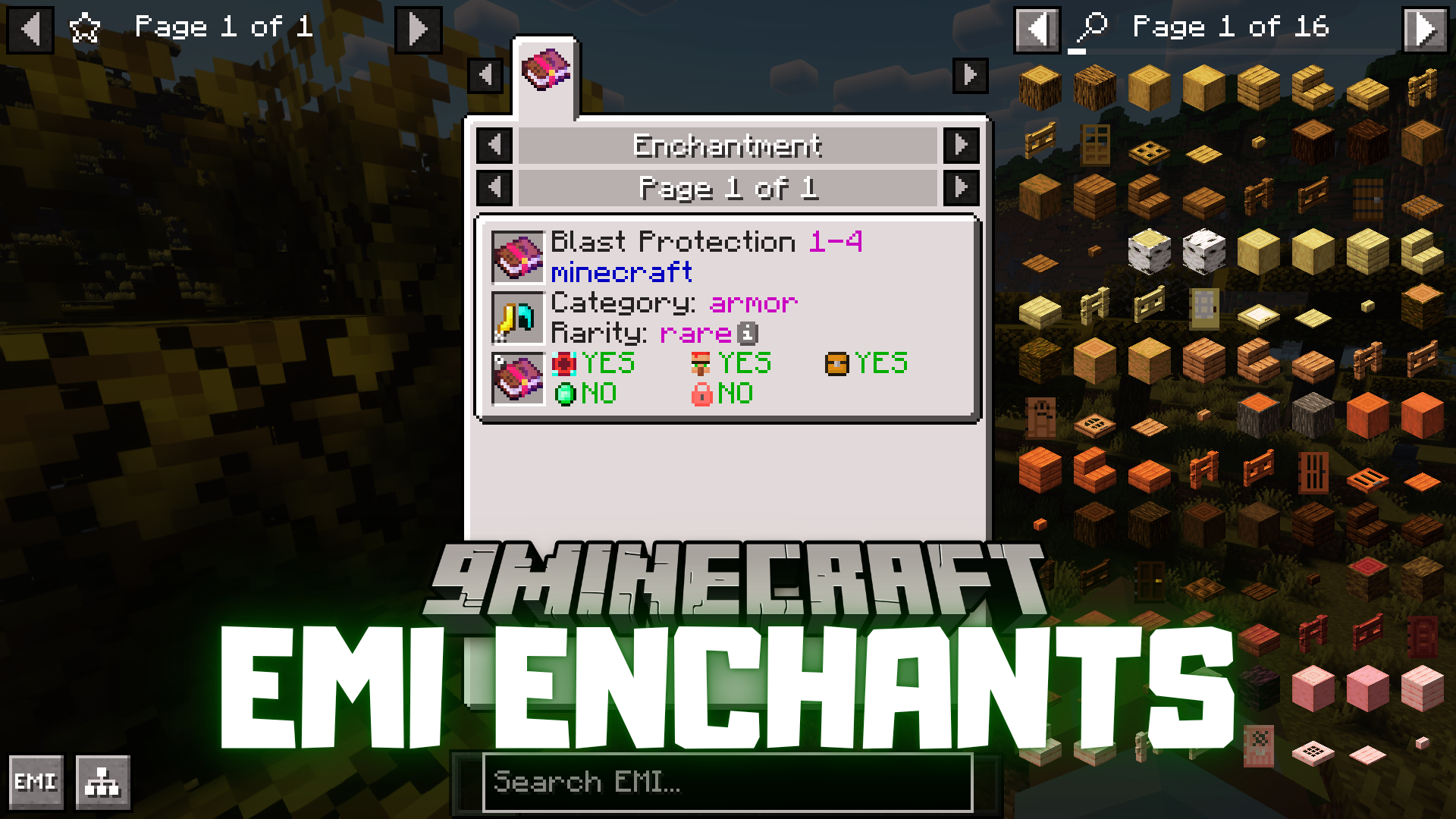
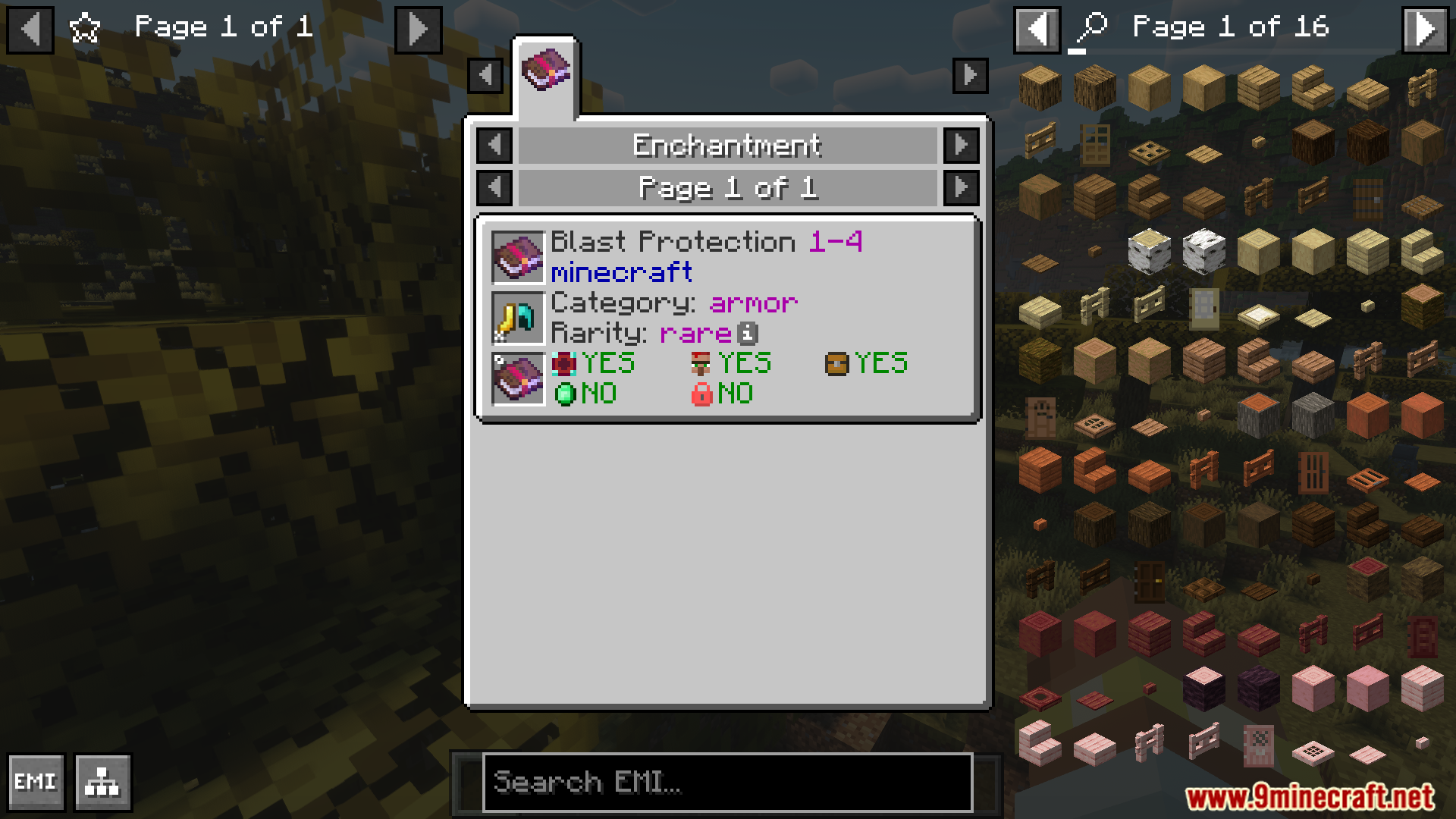
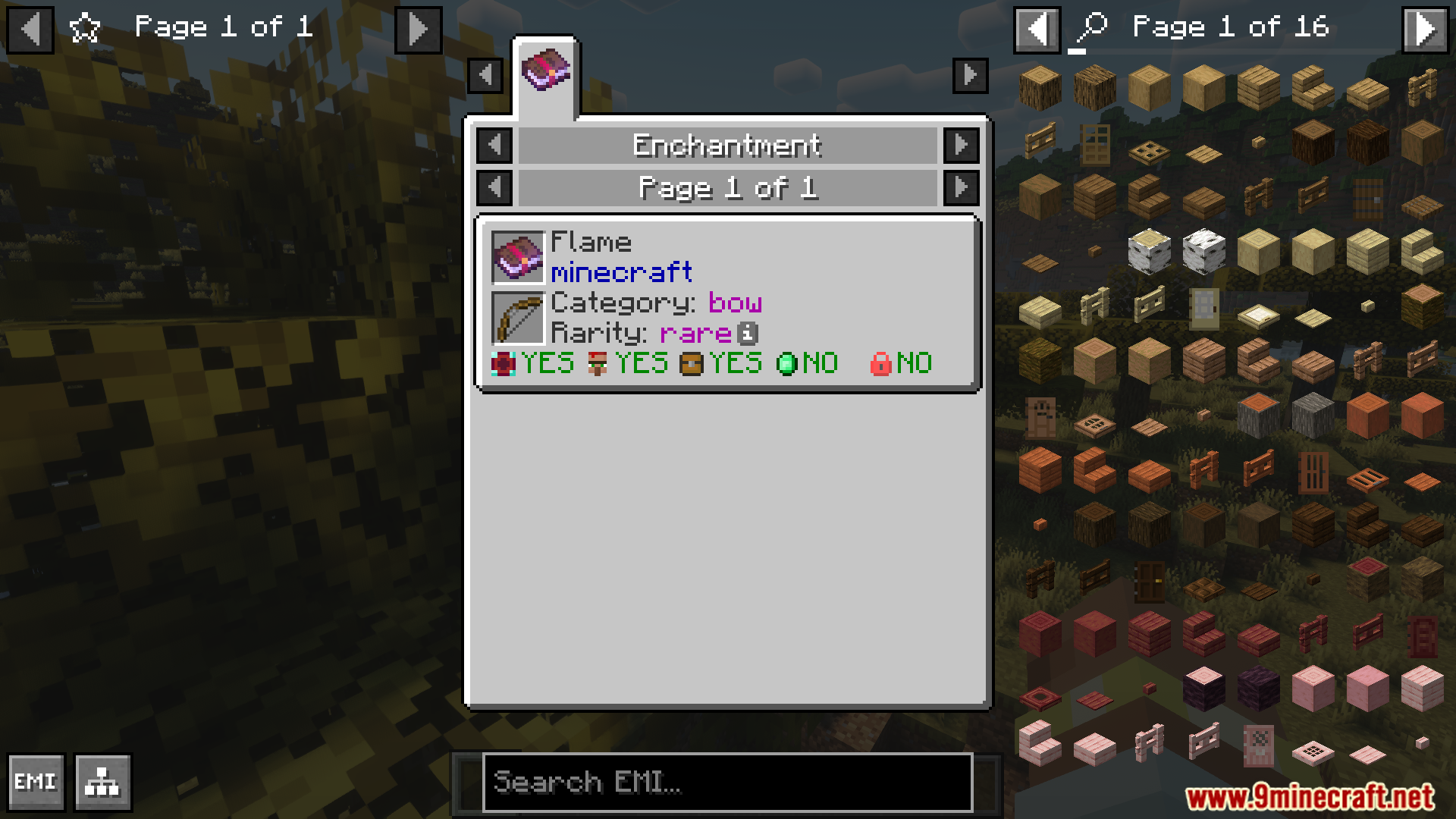
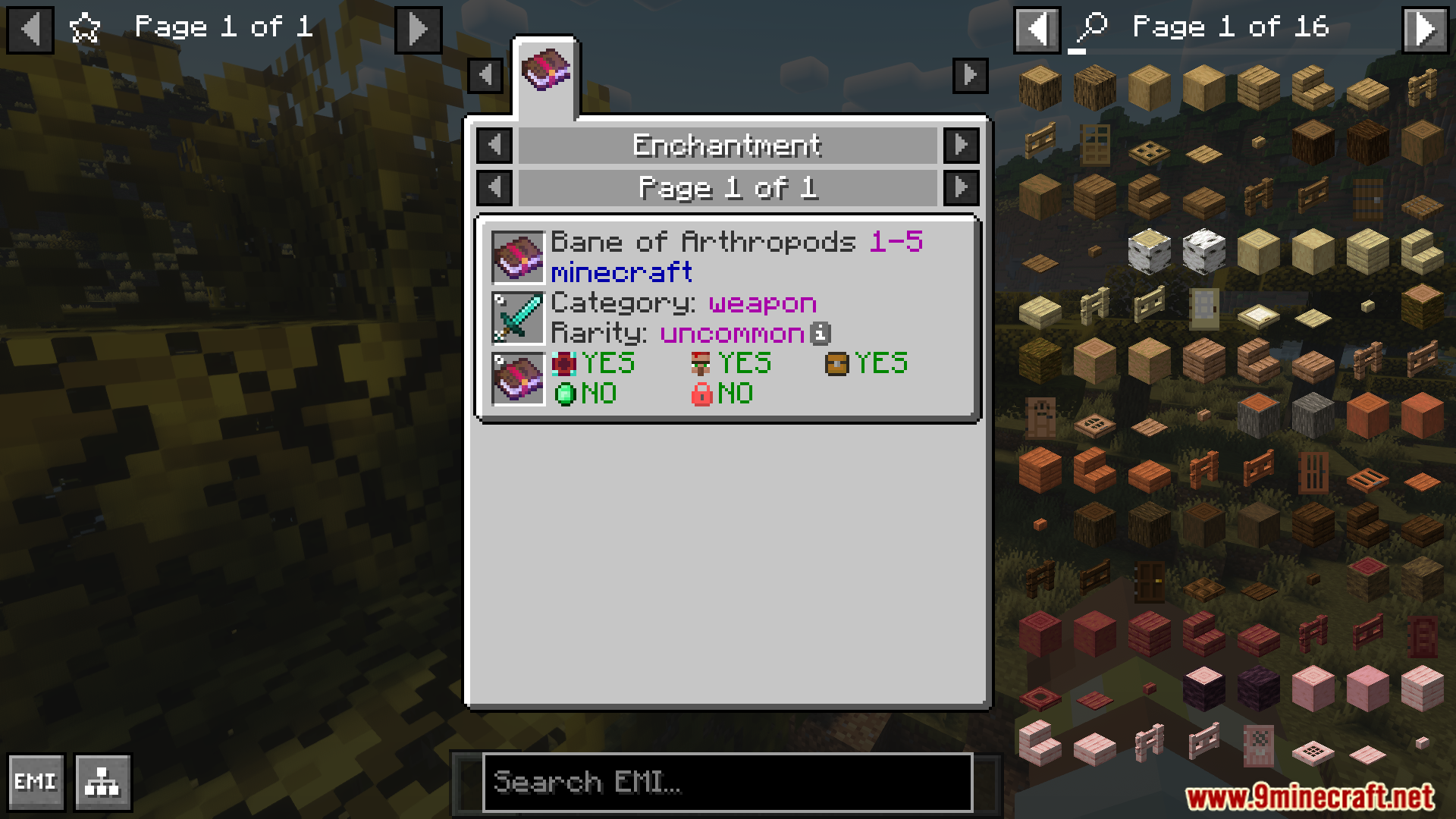
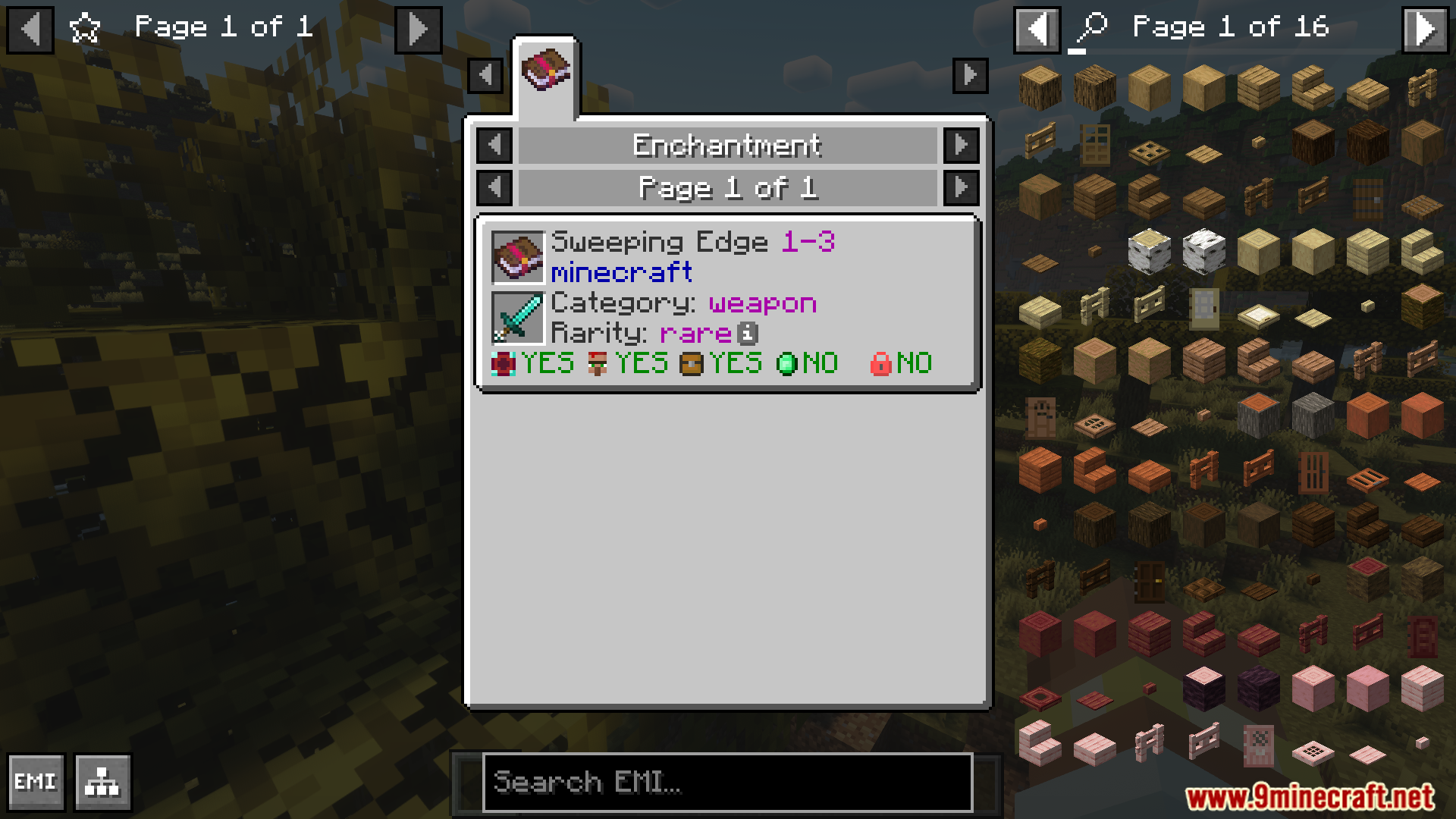
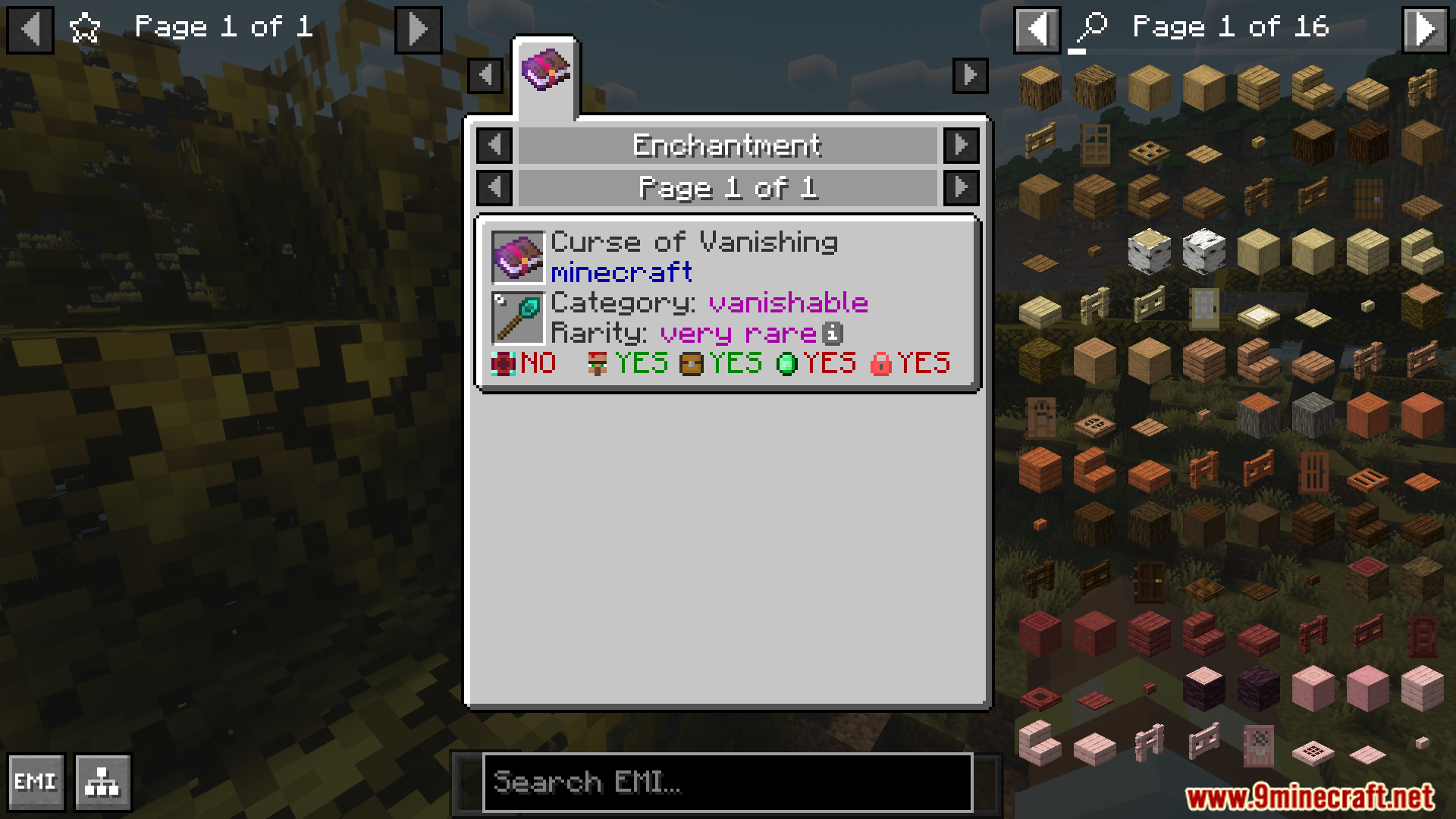
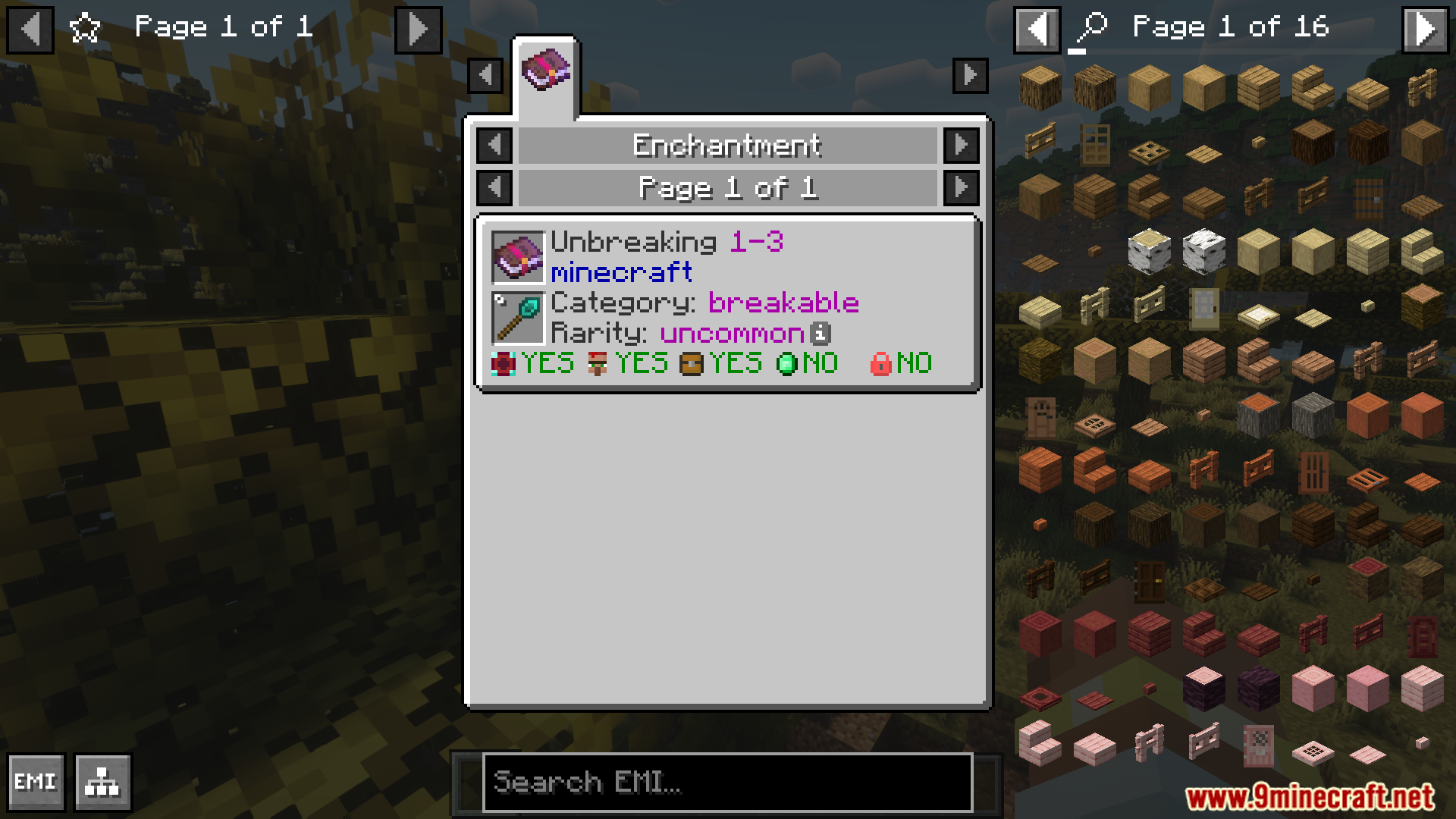
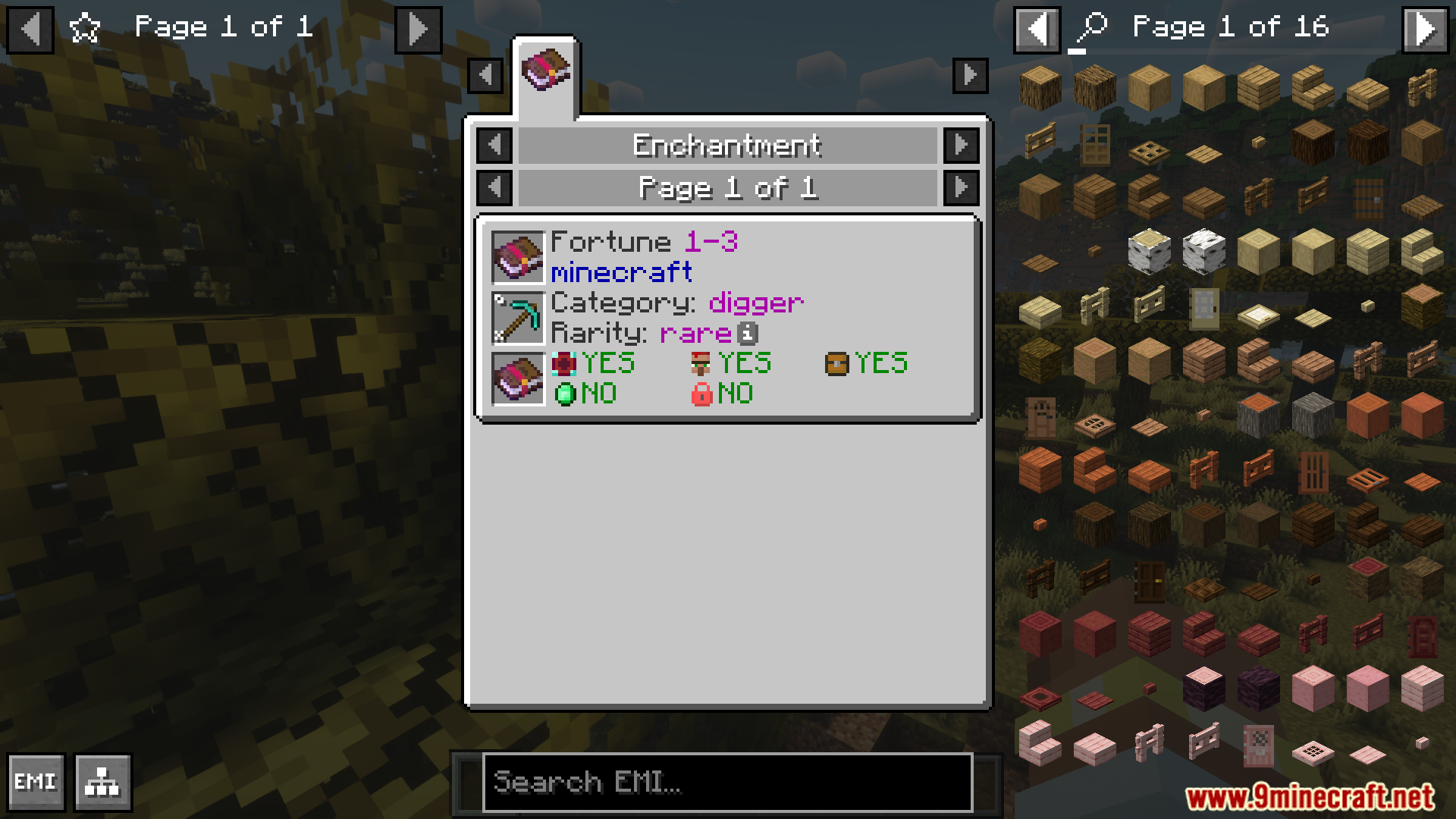
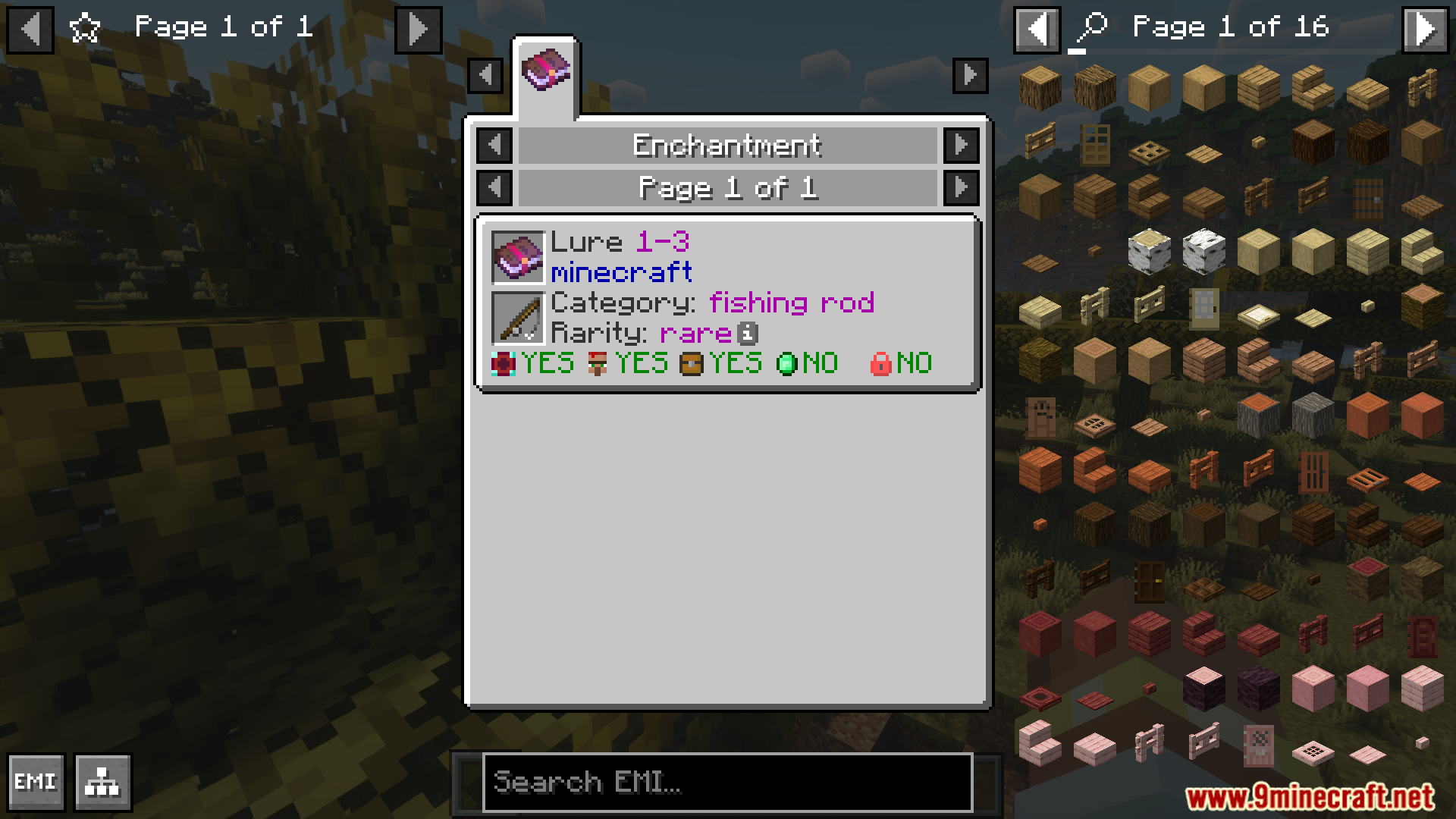
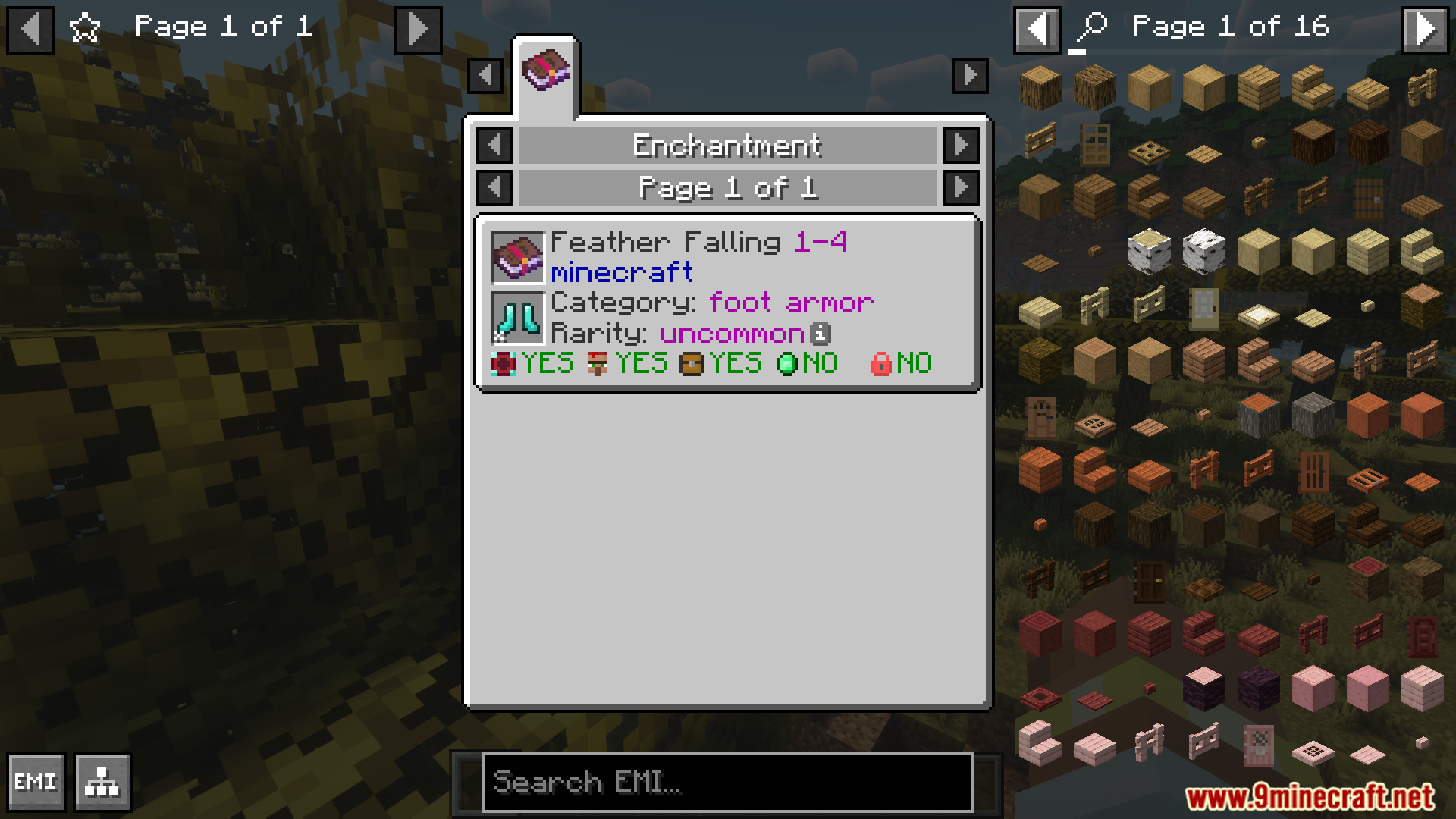
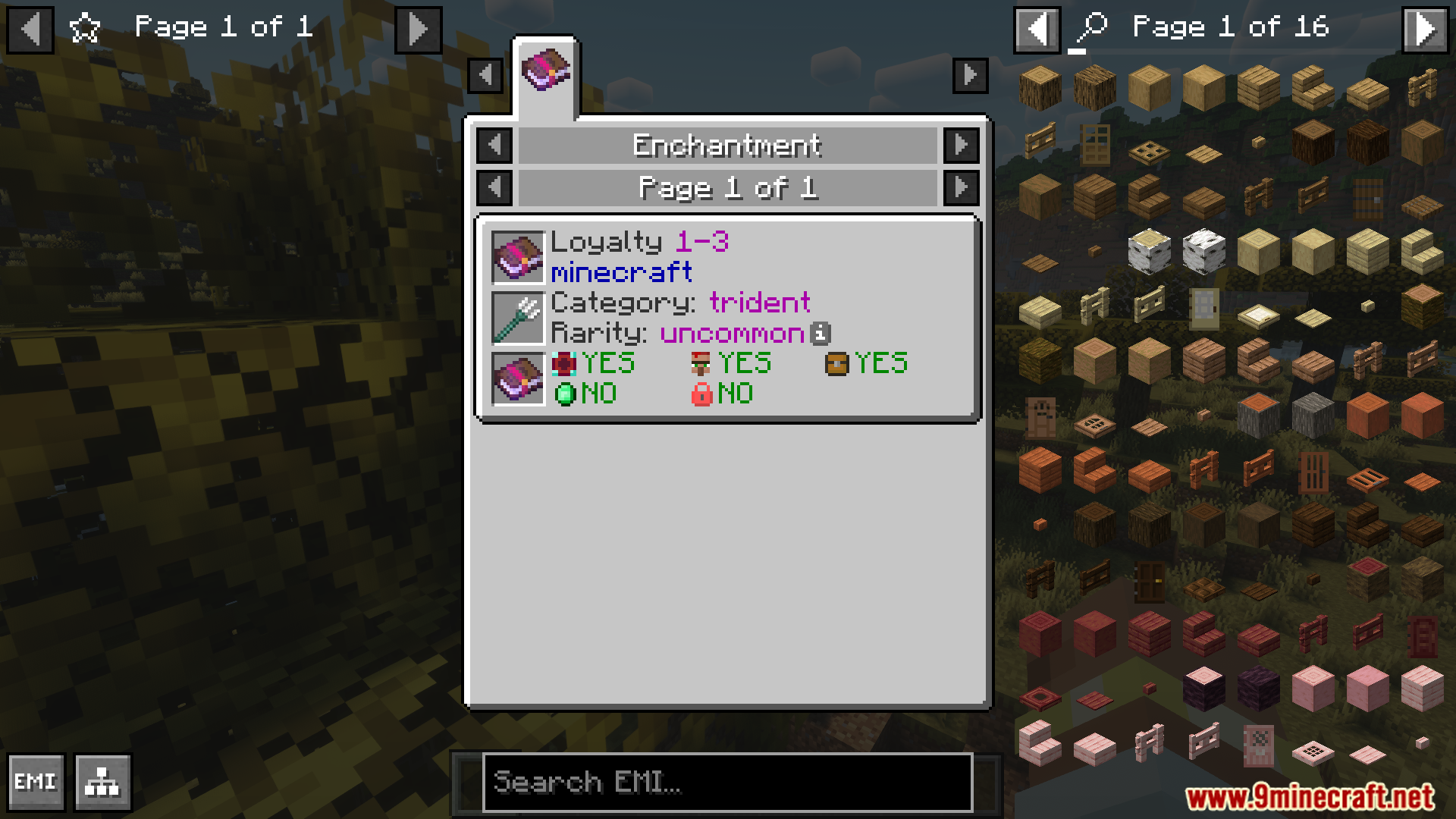
EMI Enchants Mod adds enchantment information to EMI so you can view full details right inside the game menu. This addon shows each enchantment’s name, source mod, max level, category, valid items, and conflicts in one clear view. You can also check rarity, weight, cost per level, curse or treasure status, and whether an enchantment comes from enchanting tables, villagers, or loot. It requires EMI to run and also displays descriptions provided by other mods or resource packs such as Enchantment Descriptions.
Features:
- Shows each enchantment’s name, source mod, and maximum level directly inside the EMI menu.
- Displays the enchantment category along with a full list of items you can apply it to.
- Lists the rarity, weight, and cost per level for every enchantment.
- Shows a list of conflicting enchantments.
- Tells you whether you can get the enchantment from an enchanting table.
- Indicates whether you can buy the enchantment from villagers.
- Shows whether the enchantment appears in loot sources like chests, fishing, and mob equipment drops.
- Marks treasure enchantments that villagers sell at 2x the normal price.
- Identifies whether an enchantment is a curse.
- Displays enchantment descriptions provided by mods or resource packs, including Enchantment Descriptions.
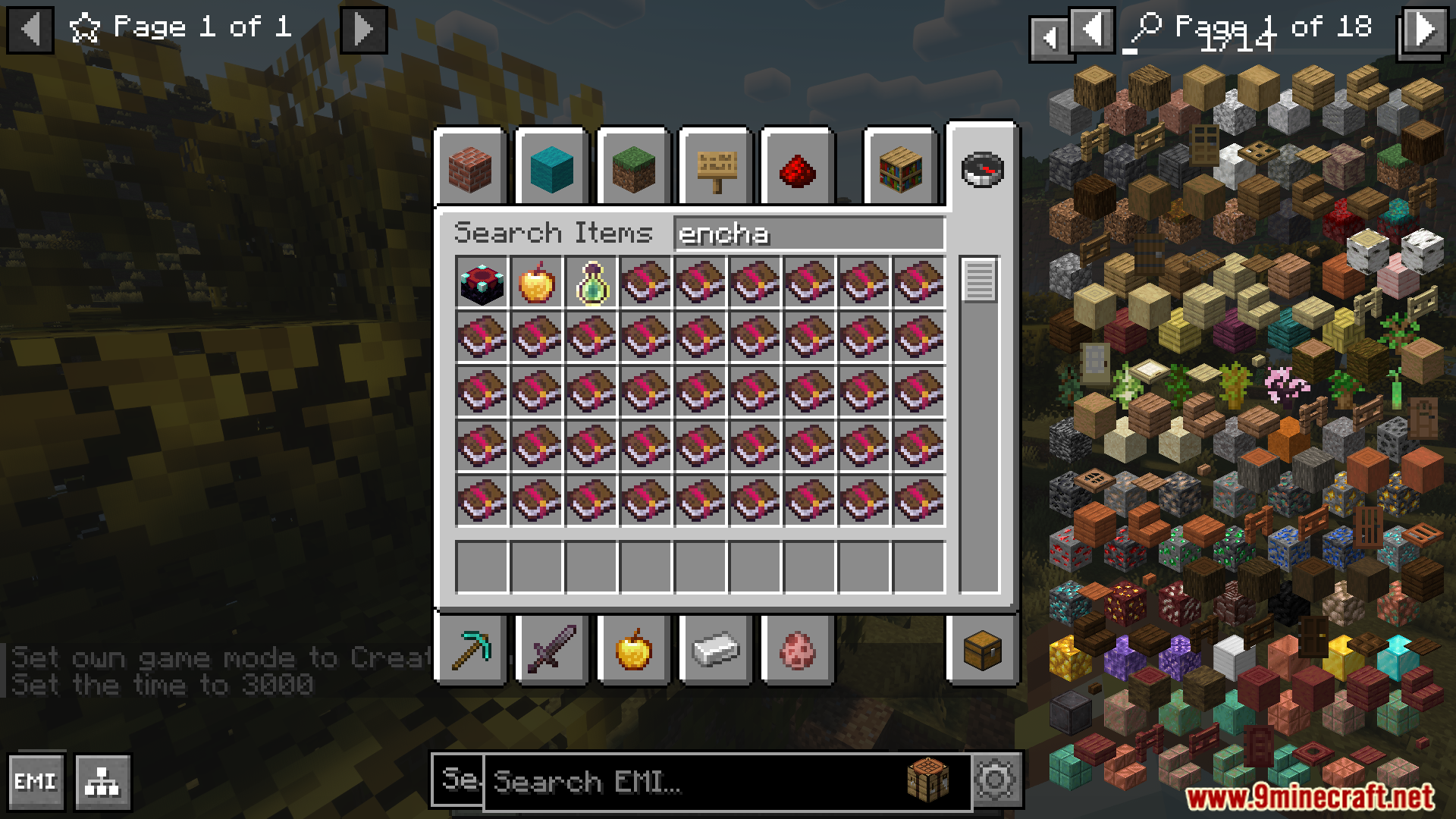
- Lets you check the uses of any item to see every enchantment that works on it.
- Lets you check the recipes or uses of an enchanted book with a single enchantment to view its enchantment stats.
How to Use:
- Open your game inventory to access the EMI menu.
- Check the uses of any item in EMI to see all enchantments that can be applied to it.
- Check the recipes or uses of an enchanted book that holds a single enchantment to view its full stats, sources, conflicts, and description.
Screenshots:
How to Install:
New to Minecraft? Follow our step-by-step guide to install Mods on your PC.View Guide
Requirements:
EMI Enchants Mod Download Links
For All Versions From Minecraft 1.19.2 to Minecraft 1.20.4
Forge Version: Download from Server 1 – Download from Server 2
Fabric/Quilt Version: Download from Server 1 – Download from Server 2
For the Latest Minecraft Versions
We’ve developed a brand-new version of EMI Enchants Mod called EMI Enchants 9minecraft Mod with many new features, improvements, and continuous updates for the latest Minecraft versions. Download it here: https://www.9minecraft.net/emi-enchants-9minecraft-mod/
How do you handle updating your mods when a new Minecraft version drops?
21 responses · See the full results →
You May Also Like
Picked for this page
 Simple Planes Mod (1.21.1, 1.20.1) – New Vehicles, Flying
 Carpet Mod (1.21.11, 1.20.1) – Game Performance Monitoring
 Stylish Effects Mod (26.3, 1.20.1) – Status Effect Display Overhaul
 Chunky McChunkFace Mod (26.2, 1.20.1) – Simple Chunk Loader
 Copper Hopper Mod (26.3, 1.20.1) – Hopper That Acts as a Simple Item Filter
 Daily Dad Mod (26.2, 1.20.1) – One Joke At A Time
 Advancements Fullscreen Mod (26.3, 1.20.1) – Maximize Your Achievements View
 FPS Boost Mod (26.1.2, 1.20.1) – Optimize Minecraft For Smoother Gameplay
 Raise Sound Limit Simplified Mod (26.3, 1.20.1) – Fix Audio Cutoffs In Minecraft
 TaCZ Optimization Mod (1.20.1) – Stop Frame Drops During Multiplayer Gunfights
 3rd Life Mod (1.21.4, 1.20.1) – Steal Player Lives to Avoid Permadeath
 Anytag 9minecraft Mod (26.3) – Organize Your Entire Base Without Signs
Most viewed in Mods over the last 7 days
 Ala Industrial Mod (26.3) – Run Electric Power Grids and Automated Factories
 PleasureCraft Mod (26.3, 1.21.1) – Jenny Mod Remake for Fabric
 Jennycraft Mod (26.3, 1.20.1) – Virtual Girlfriend in Minecraft
 Fapcraft Mod (26.3, 1.12.2) – Comprehensive and Detailed Content
 Jenny Mod (Fapcraft) Official Complete Guide – How to use, Tutorial
 BangCraft Mod (1.20.1) – Jenny, Ellie and Elliot
 Meteor Client Mod (26.3, 1.20.1) – Xray, HUD, Fly
 Fabric Loader (26.3, 1.20.1) – Fabric Installer for All Minecraft Versions
 OptiFine HD (26.3, 1.20.1) – Run Faster, FPS Boost, Shaders Support
 The Shooting Star Demo Mod (26.3, 1.20.1) – Vaporize Terrain From Orbit
 SchnurriTV Mod (1.12.2) – Characters and Features
 CatLean Client Mod (26.2, 1.21.11) – ThunderHack Recode Alternatives
More from Mods
 Conflux Map Mod (26.3, 1.20.1) – Map Caves, Mark Waypoints, and Never Lose
 Voxy Seed Gen Mod (26.2, 1.20.1) – Fill Your Render Distance with LODs
 Mob Buckets Mod (26.3, 1.21.11) – Safely Relocate Villagers and Monsters
 Asgard Shield: Reloaded Mod (26.3, 1.20.1) – Shields & Powerful Weapons
 Menu Music Mod (26.3, 1.20.1) – Change The Title Menu Music
 Butter Bee Mob Variants Mod (26.3, 1.21.11) – Find Unique Animal Variants
 Ore Creeper Mod (26.3, 1.20.1) – Many Different Types Of Creeper
 Action Bar Info Mod (26.3, 1.20.1) – Real-Time Player Info On Your Action Bar
 Cliff Tree Mod (26.3, 1.20.1) – Transform Your Minecraft Landscape
 Floral Enchantment Mod (26.3, 1.20.1) – Adding Flower Bushes, Vines, Floral Items
 Atmospheric Fauna Mod (26.3, 1.21.1) – Fill Empty Skies with Flocks
 OK Core Mod (1.7.10) – Datapack Recipes and Faster Saves for Modded Worlds

This post has no comments yet. Be the first — your comment will appear here.