
Stylish Effects Mod (26.3, 1.20.1) – Never Lose Track of Your Active Buffs

 0


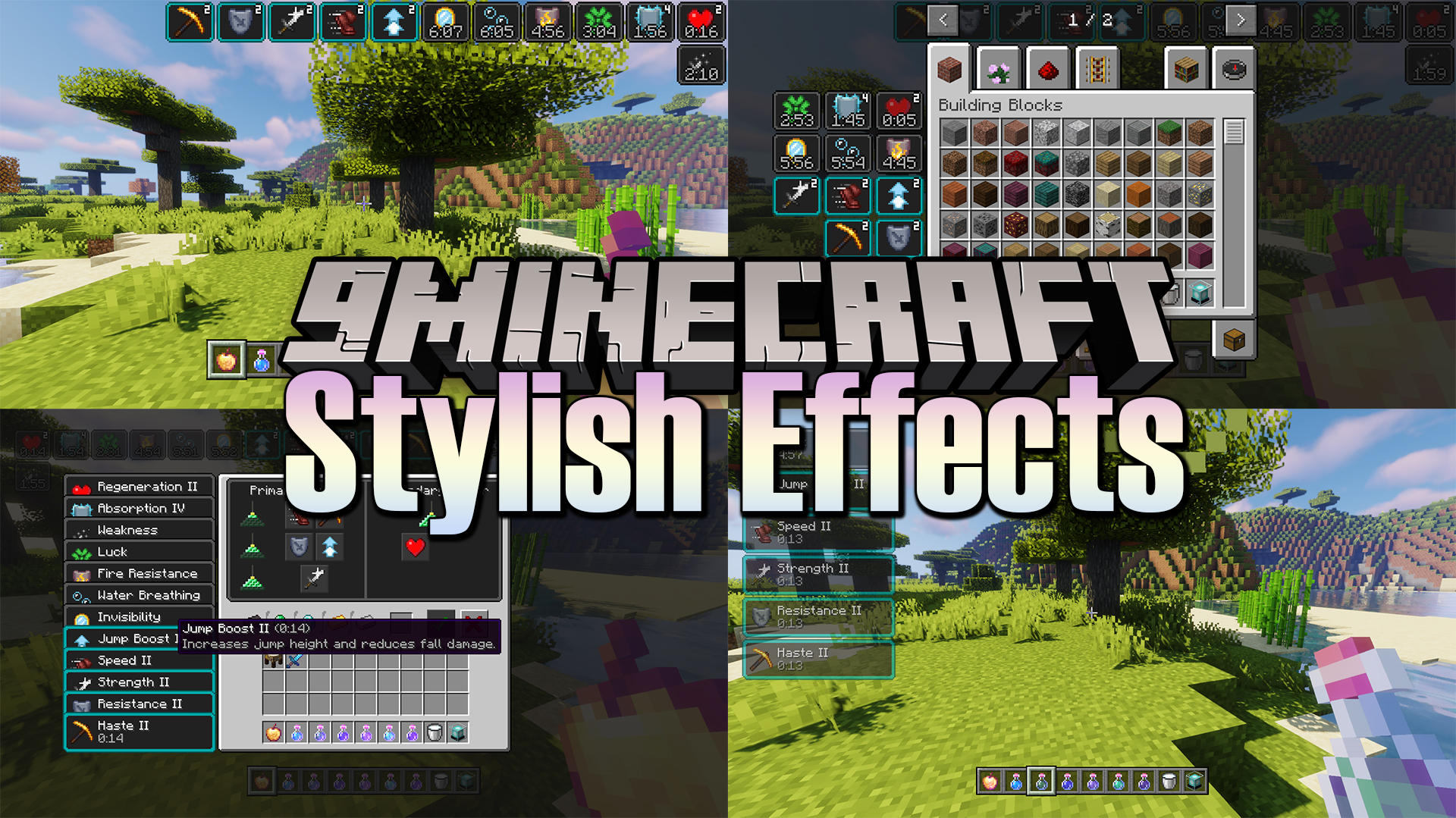
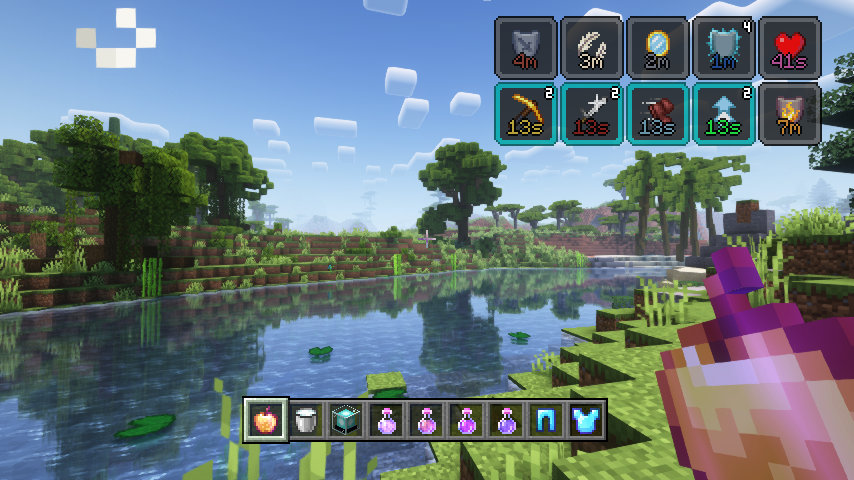
Stylish Effects Mod redesigns how status effects look on your screen and inside game menus. It replaces the basic vanilla HUD icons with a compact display that shows both the timer and the current effect level. You can view your active effects inside every container menu, not just your player inventory, and hover over compact icons to check their names. This mod also lets you pick from multiple widget styles, change text colors and transparency, and place icons wherever you want on screen. It runs on the client side and works smoothly alongside mods like JEI, REI, and Just Enough Effect Descriptions.
Features:
- Upgraded HUD Display: Replaces the default vanilla HUD effect icons with a neat widget that shows both a countdown timer and the current effect level.
- Effects in Every Container: Displays your active status effects inside every container menu, including crafting tables, smithing tables, and beacons, instead of only your player inventory.
- Compact Inventory Layout: Uses smaller effect widgets inside menus so many more active effects fit on screen before they start to overlap.
- Hover Tooltips: Shows a helpful tooltip with the effect’s name whenever you move your mouse over a compact icon, and becomes even more useful when paired with Just Enough Effect Descriptions.
- Lets you pick any widget mode you want, keep the vanilla inventory display, place that vanilla style on your HUD, or turn the display off completely.
- Gives you detailed layout settings to choose the screen side, set the number of rows and columns, adjust transparency (alpha), change text colors, and move icons to custom screen positions.
- Works smoothly alongside item and recipe browsers like JEI and REI.
- Runs on the client side only and supports in-game configuration on Forge when paired with Config Menus for Forge.
Commands:
/config showfile <modid>: shows a clickable.tomlconfig file link in chat on Fabric after you chooseCLIENTorSERVER, so you can edit the settings and reload them in-game automatically without restarting.
How to Use:
- Hover your mouse over any compact status effect icon inside your inventory or a container menu to see a tooltip with the effect’s name.
- To adjust settings directly in-game on Forge, use the Config Menus for Forge mod.
- To adjust settings on Fabric, join a world and type
/config showfile <modid>in chat, then choose eitherCLIENTorSERVER. - Click the
.tomlfile name that appears in chat to open and edit the config file in a separate editor. - Save the file after making your changes, and the new settings reload automatically in-game after a couple of seconds with no restart needed.
Screenshots:
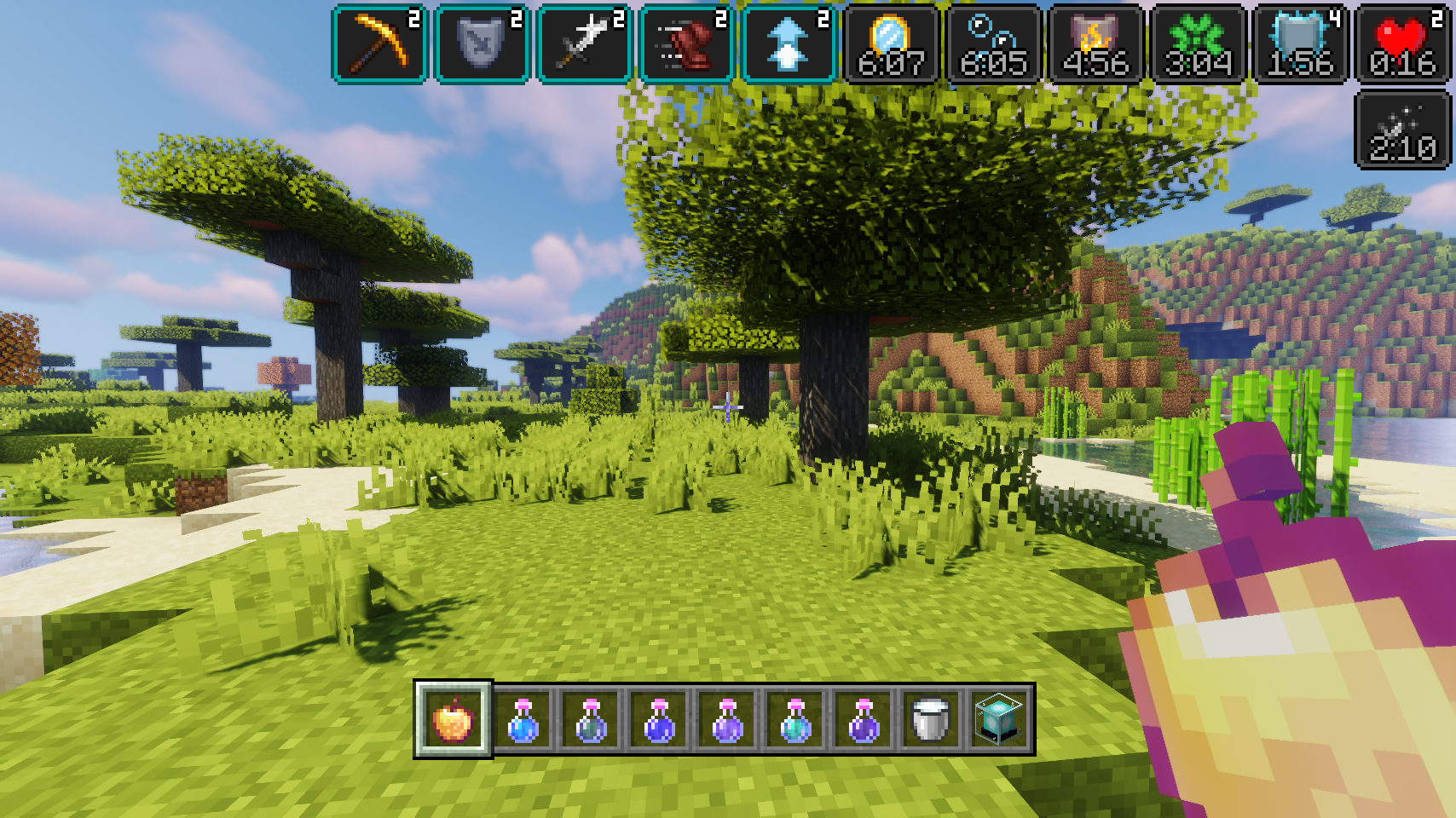
Stylish effects in action being very stylish
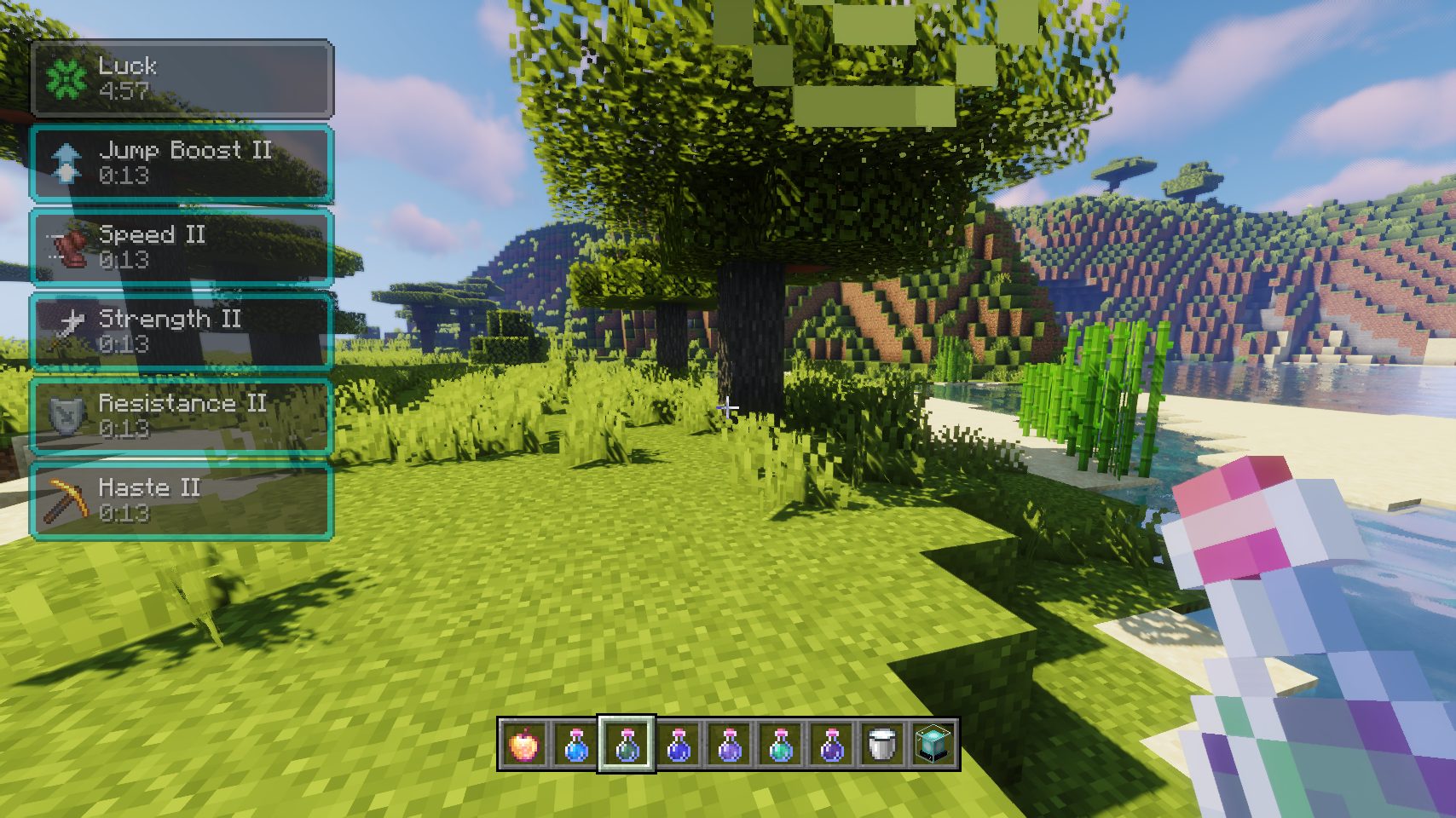
Various effect render types can be chosen and configured
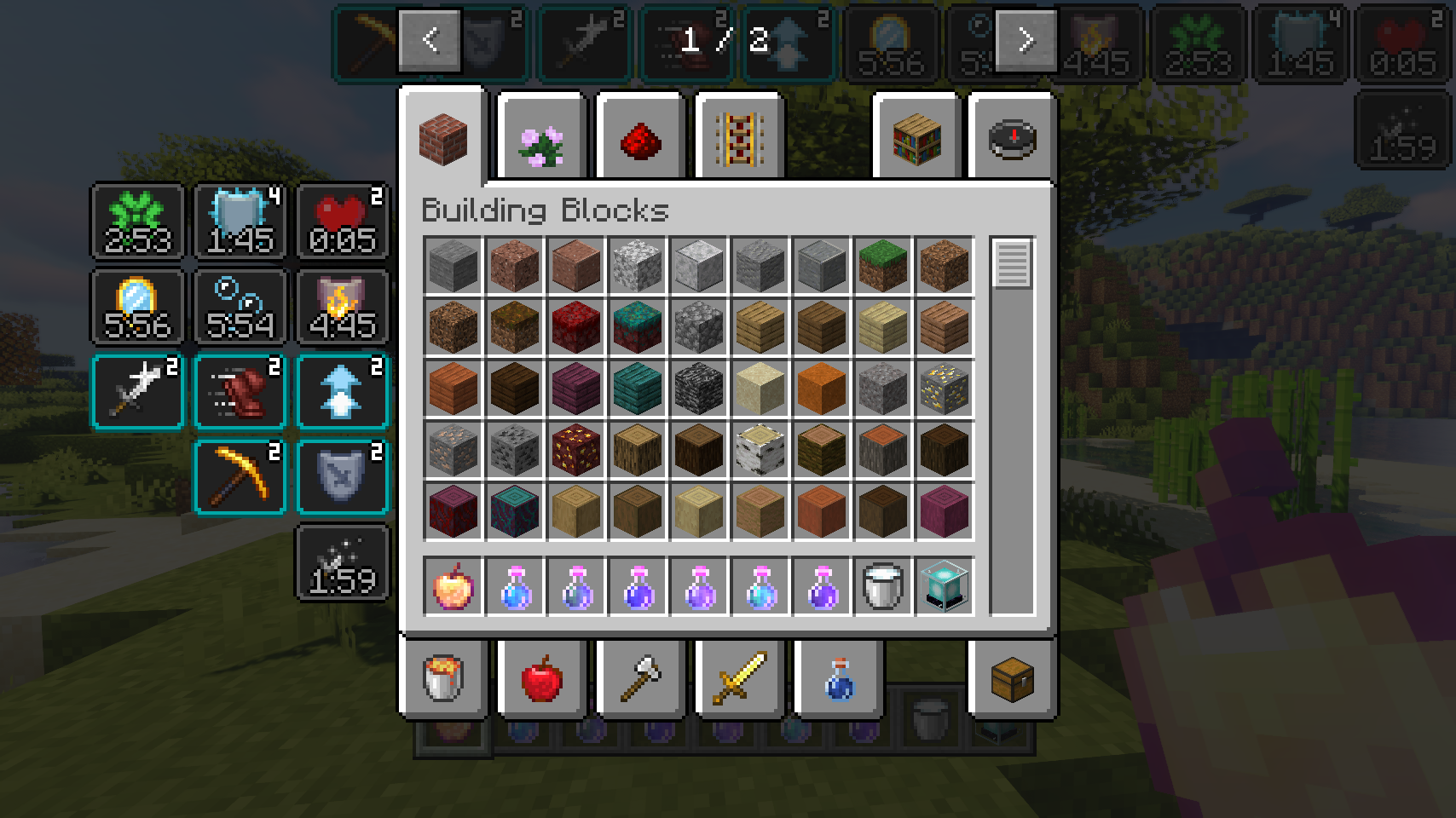
Compact effects replace the vanilla display inside of the inventory
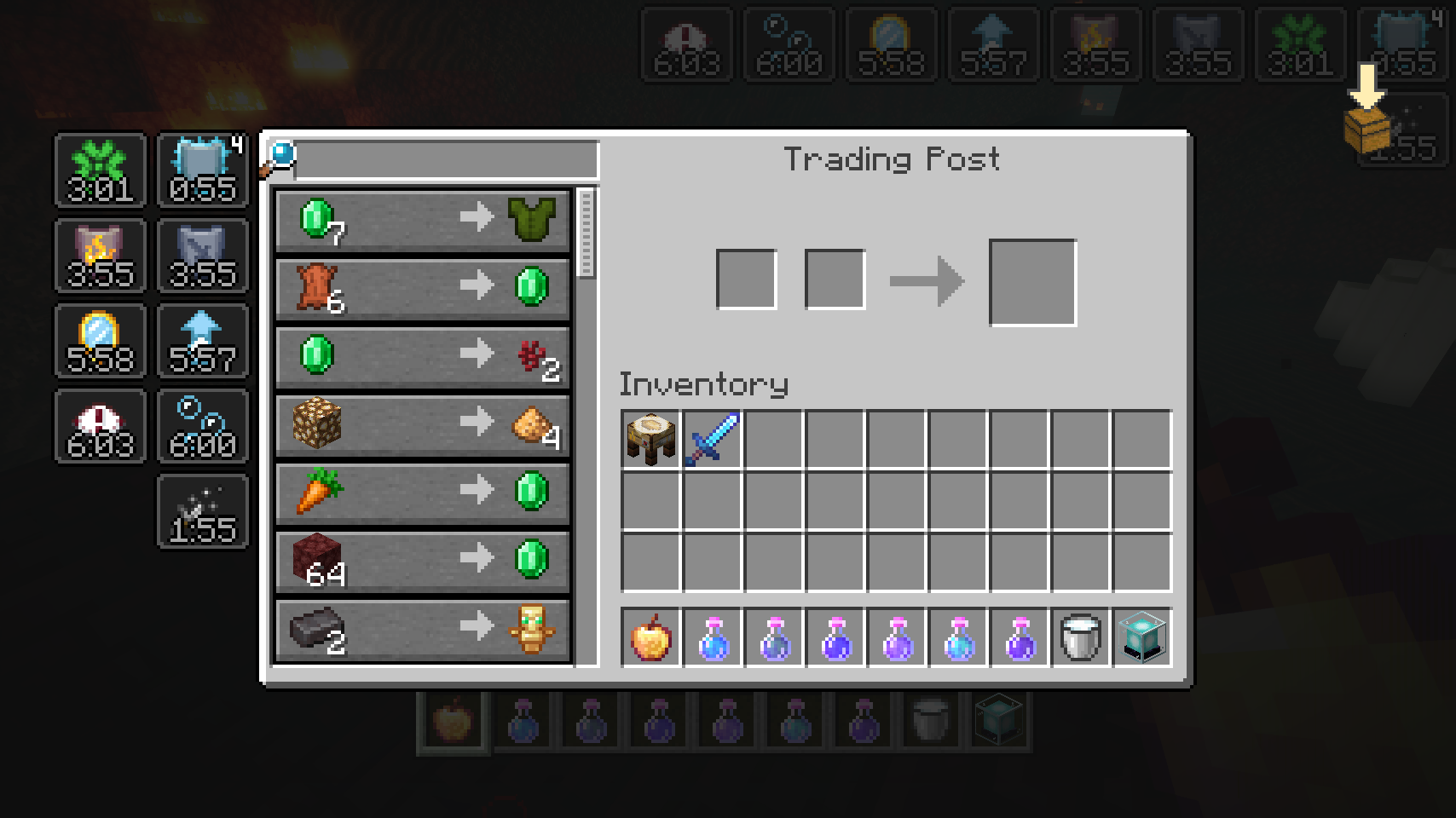
The effects display is shown in every container, not just the inventory
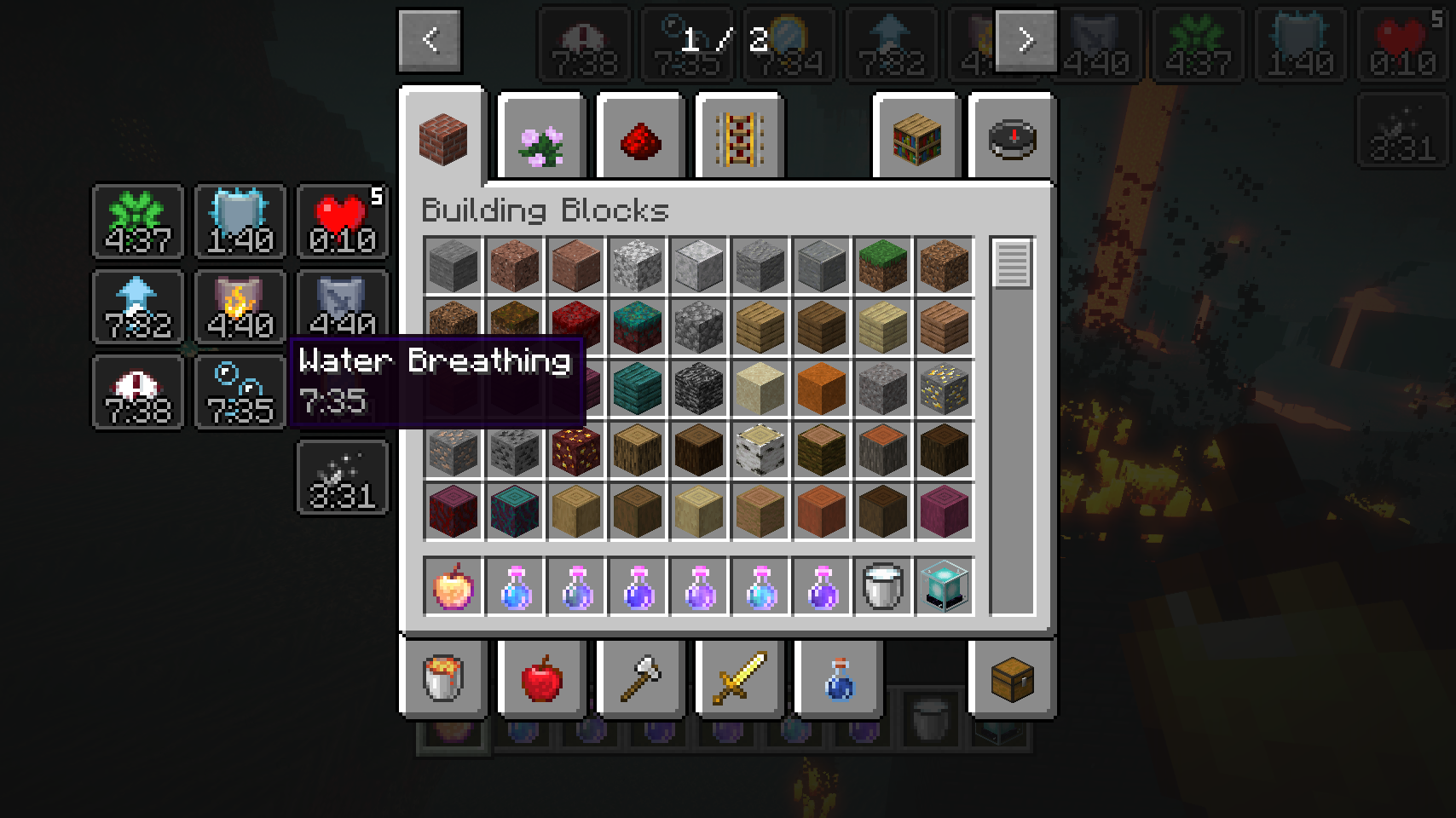
Useful tooltips will appear when effect widgets are hovered
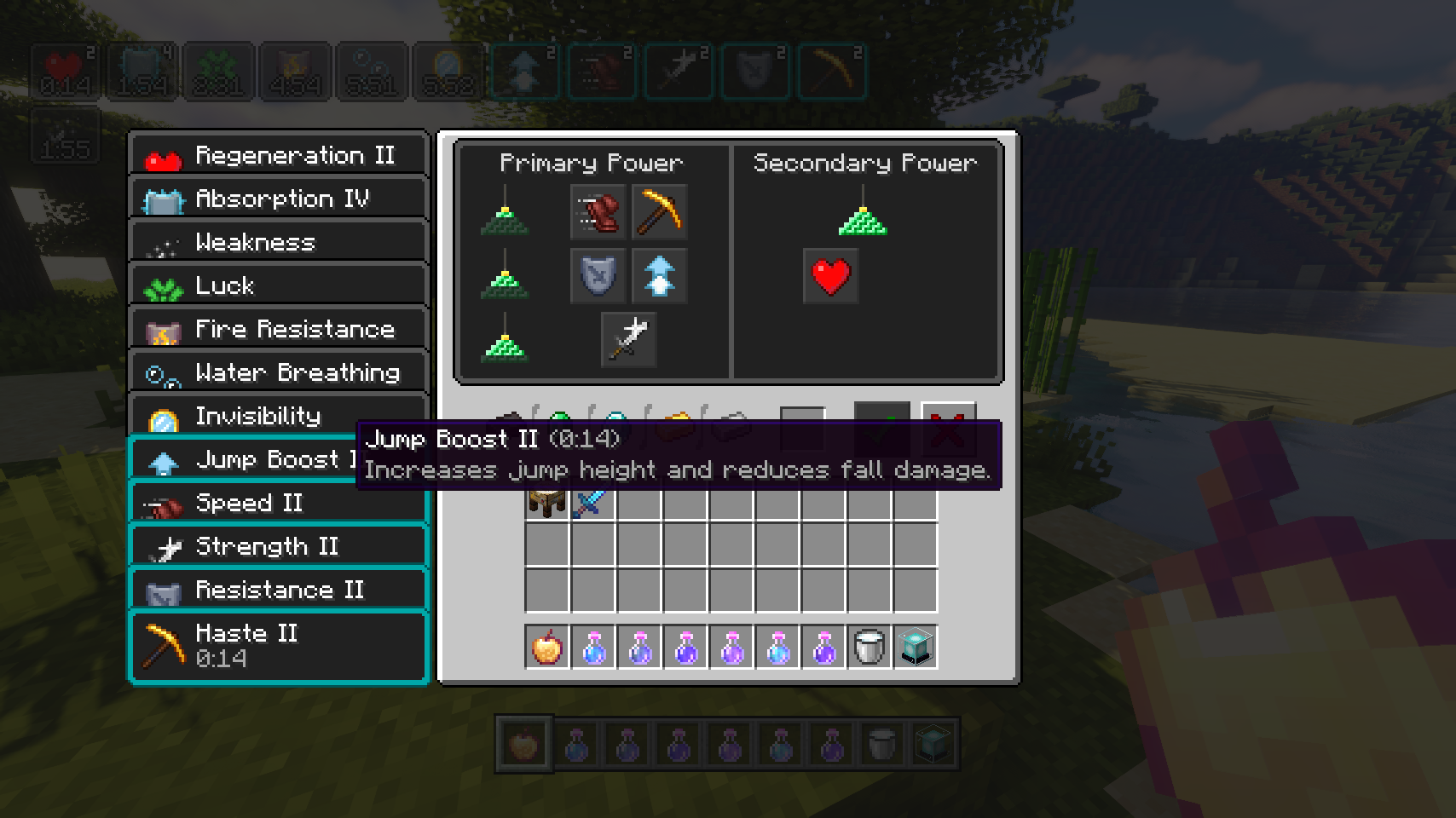
Tooltips are great for retaining information while also adding even more
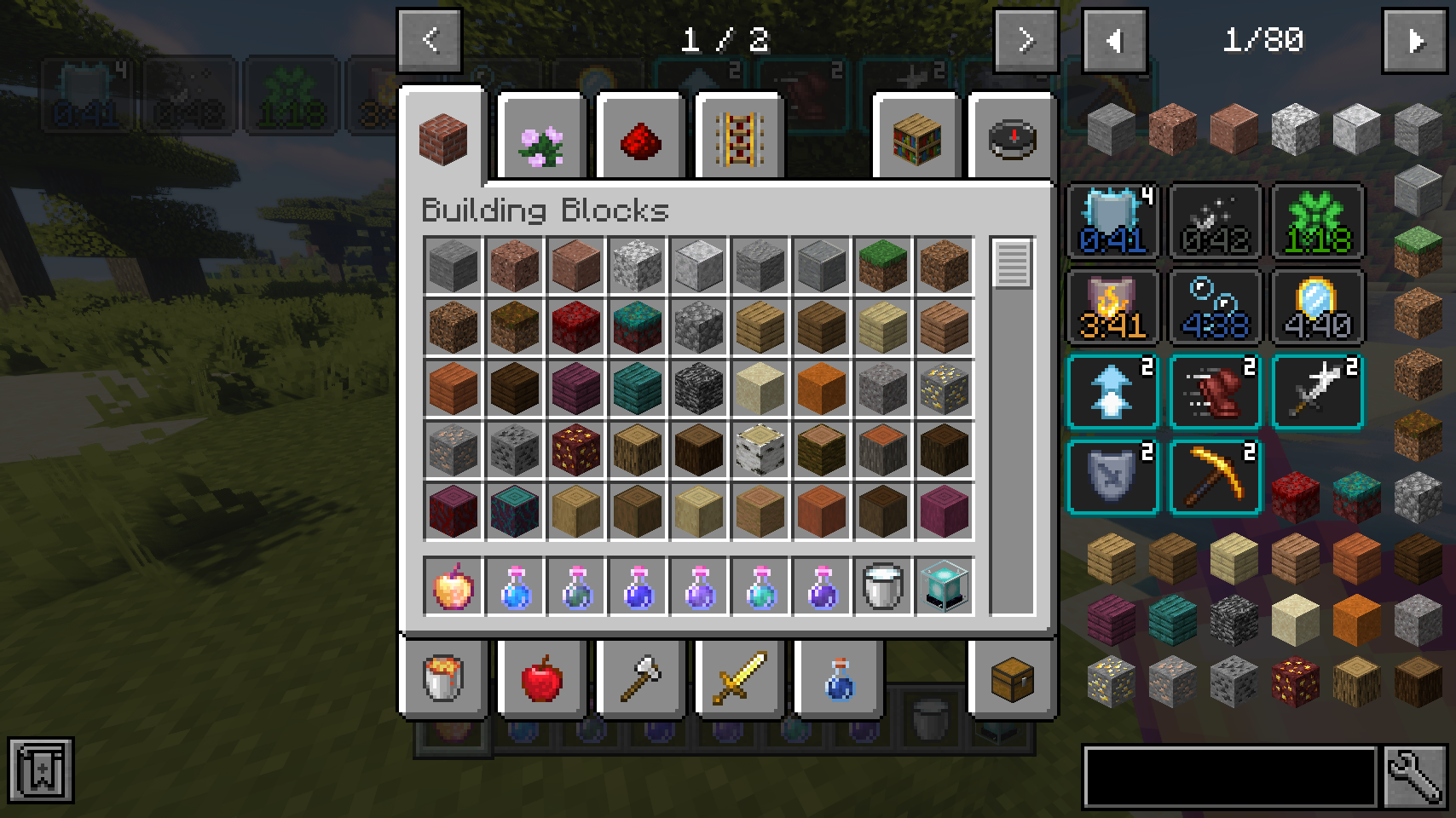
So many possible settings, and great JEI compatibility
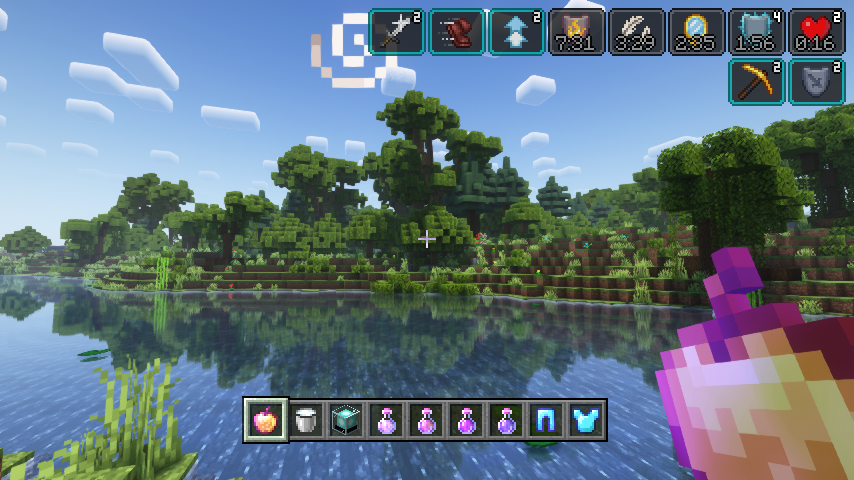
Stylish effects in action being very stylish
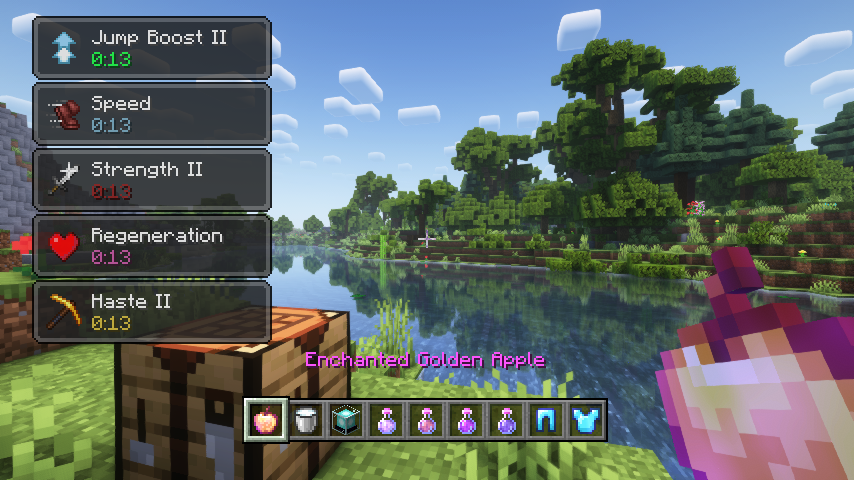
Various effect render types can be chosen and configured
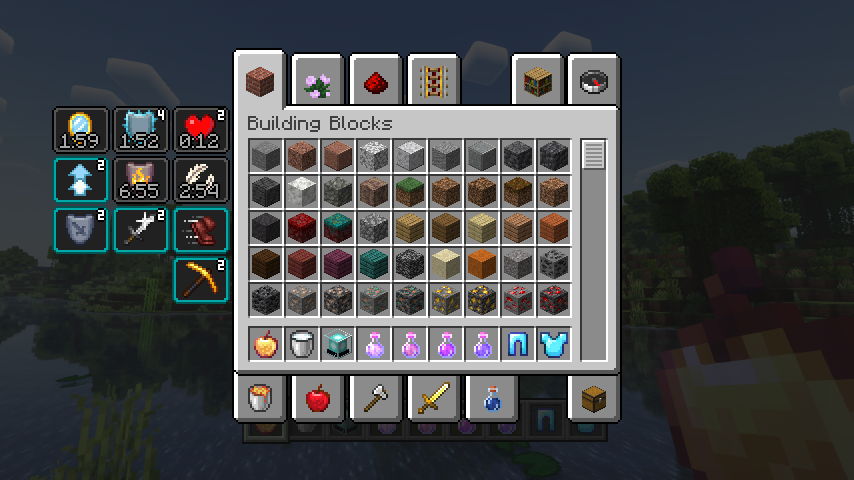
Compact effects replace the vanilla display inside of the inventory
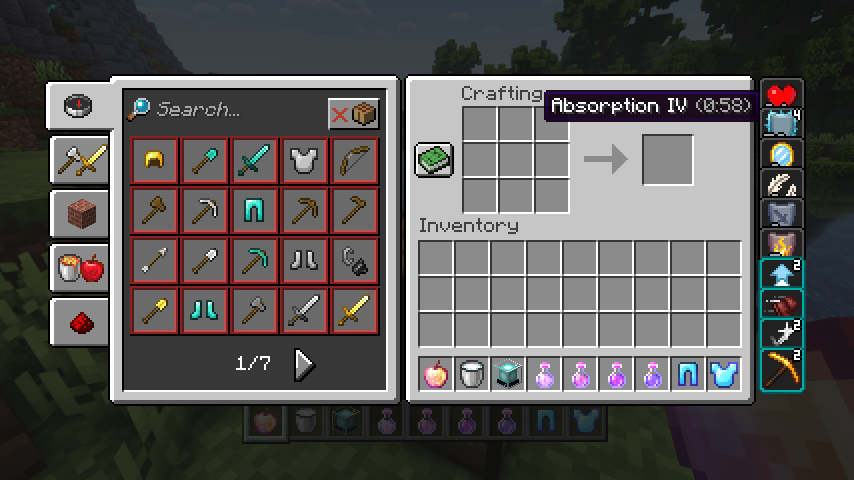
The effects display is shown in every container, not just the inventory
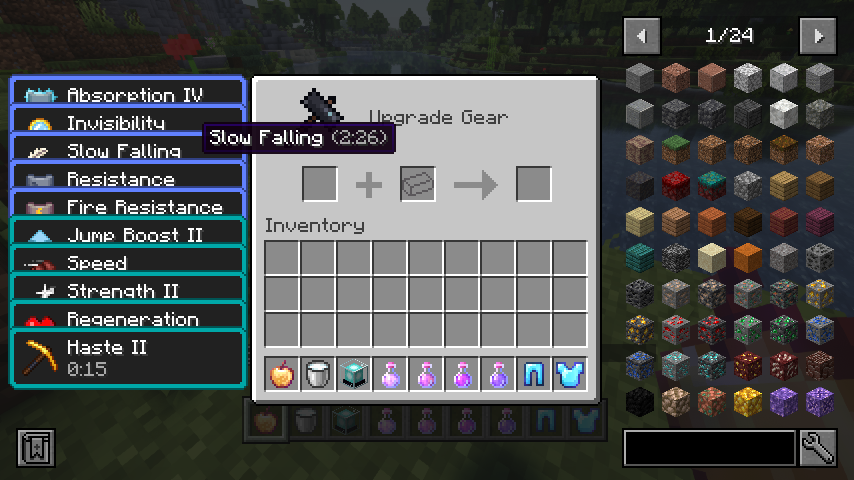
Useful tooltips will appear when effect widgets are hovered
So many possible settings, create your very own effect display
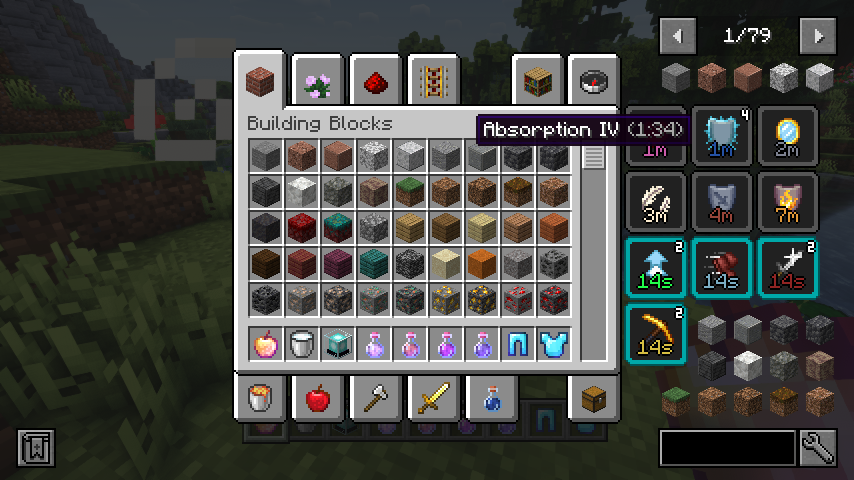
Great JEI and REI compatibility
How to Install:
New to Minecraft? Follow our step-by-step guide to install Mods on your PC.View Guide
Requirements:





Stylish Effects Mod Download Links
For Minecraft 26.3
For Minecraft 26.2
For Minecraft 26.1.2, 26.1.1, 26.1
For Minecraft 1.21.11
For Minecraft 1.21.10, 1.21.9
For Minecraft 1.21.8, 1.21.7, 1.21.6
For Minecraft 1.21.5
For Minecraft 1.21.4
For Minecraft 1.21.3, 1.21.2
For Minecraft 1.21.1, 1.21
For Minecraft 1.20.4
For Minecraft 1.20.1, 1.20
For Minecraft 1.19.4
For Minecraft 1.19.3
For Minecraft 1.19.2, 1.19.1, 1.19
For Minecraft 1.18.2
For Minecraft 1.18.1
For Minecraft 1.17.1
For Minecraft 1.16.5
You May Also Like
Picked for this page
 Tree Harvester Mod (26.3, 1.20.1) – Auto-Planting Tree Chopper
 Freecam Mod (26.3, 1.20.1) – Explore Through Solid Walls
 Jade Mod (26.3, 1.20.1) – Hwyla/WAILA Fork
 Falling Leaves Mod (26.3, 1.20.1) – Visually Appealing Addition
 Architectury API Mod (26.3, 1.20.1) – Hooks, Game Features
 YUNG’s Extras Mod (1.21.11, 1.20.1) – Extra Structures and Vanilla+
 Structure Expansion Mod (26.3, 1.20.1) – Bigger Vanilla Structures
 NoWheel Mod (26.3, 1.20.1) – Hotbar Scroll Disable
 Mixin Conflict Helper Mod (26.2, 1.20.1) – User-friendly Errors for Mixin Conflicts
 Sodium Shadowy Path Blocks Mod (26.3, 1.20.1) – Give Your Paths More Depth
 Configurable Mob Potion Effects Mod (26.3, 1.20.1) – Set Potion Effects for All Living Entities
 Drop Spread 2 Mod (26.3, 1.20.1) – Adjust The Drop Spread
Most viewed in Mods over the last 7 days
 Ala Industrial Mod (26.3) – Run Electric Power Grids and Automated Factories
 PleasureCraft Mod (26.3, 1.21.1) – Jenny Mod Remake for Fabric
 Jennycraft Mod (26.3, 1.20.1) – Virtual Girlfriend in Minecraft
 Fapcraft Mod (26.3, 1.12.2) – Comprehensive and Detailed Content
 Jenny Mod (Fapcraft) Official Complete Guide – How to use, Tutorial
 BangCraft Mod (1.20.1) – Jenny, Ellie and Elliot
 Fabric Loader (26.3, 1.20.1) – Fabric Installer for All Minecraft Versions
 The Shooting Star Demo Mod (26.3, 1.20.1) – Vaporize Terrain From Orbit
 Meteor Client Mod (26.3, 1.20.1) – Xray, HUD, Fly
 OptiFine HD (26.3, 1.20.1) – Run Faster, FPS Boost, Shaders Support
 Aristois Client Mod (1.21.4, 1.20.1) – World Class Minecraft Utility
 Prestige Client Mod (1.21.11, 1.21.4) – Powerful Ghost Features for Crystal & Sword PvP
More from Mods
 Terrestria Mod (26.3, 1.20.1) – Highly Detailed Biomes
 Tre’s Tack Library Mod (1.20.1) – Outfit Your Horses with Fully Detailed Tack
 YDM’s coreX Library Mod (1.20.1) – Loot RPG Gear with Random Names
 Gunpowder Recipe Mod (26.3, 1.20.1) – Gunpowder is Craftable
 Villager Timetable Mod (26.3, 1.20.1) – Master Villager Schedules
 Artemis Laboratory Blocks Mod (26.3, 1.20.1) – Lab Blocks And Dynamic Decorations
 Fabric ORM Jimmer Mod (26.3, 1.20.1) – Prevent Sudden Server Crashes
 Cafe Core Mod (26.2, 1.21.1) – Bypass Anvil Limits and Tame Pets in Seconds
 GTNH’s Forgelin Mod (1.7.10) – Play Kotlin-Powered Mods on Minecraft 1.7.10
 Nodeflow Mod (26.1.2, 1.21.1) – Wire Custom Redstone Logic on Visual Graph
 Winter Client Mod (1.21.11) – Survive Ruthless PvP on Anarchy Servers
 LARP Client Mod (1.21.11) – Dominate Crystal PvP on Anarchy Servers

This post has no comments yet. Be the first — your comment will appear here.