
End Spawn Schematic (1.21.x) – Clean Minimalist End Themed Server Spawn Hub
 144
 0


End Spawn Schematic offers a clean and modern area for players to start their journey. This build uses a cool End theme with simple shapes and a lot of open space. It works great as a main lobby or a hub for portals because it has no messy parts. This world fits perfectly on floating islands and looks very futuristic. You can use it in vanilla Minecraft without needing any extra mods.
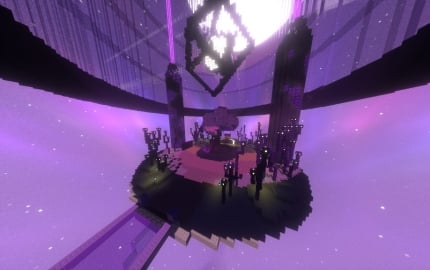
3D Preview & Editor:
How to place this schematic
.litematic This is a Litematica schematic. You place it with the Litematica mod, which shows the build as a ghost overlay you fill in.
| 1 | Install Litematica (plus MaLiLib) for your Minecraft version. |
| 2 | Put the .litematic file in .minecraft/schematics. |
| 3 | In game press M → Load Schematics, pick the file, then Load. |
| 4 | Position the ghost preview, then build it by hand — or turn on Easy Place to place blocks straight from your hotbar. |
About this build
| 1 | Download the Litematic file for the build. |
| 2 | Place the file into your schematics folder in your Minecraft directory. |
| 3 | Use the Litematica mod to load the build into your world. |
| 4 | Position the preview where you want the spawn to appear. |
| 5 | Paste the build into your world using the mod tools. |
Features:
- Clean geometry and strong symmetry create a professional look for any server spawn.
- Spacious layout offers plenty of room for players to gather or walk around without getting stuck.
- End-themed design fits perfectly with futuristic or space-style worlds.
- Minimalistic style removes all unnecessary clutter for a smooth feel.
- Medium-sized dimensions of 113 by 208 by 139 blocks fit well on floating islands.
- Vanilla Minecraft build works without requiring any special mods or addons.
- Litematic format lets you import the build into your existing worlds.
Schematic Specs:
 Minecraft1.21.x
 Dimensions113×208×139
 Total Blocks179,159
 Top Blocks Used
Tinted Glass 89,768End Stone 22,659Purple Stained Glass 14,712Magenta Stained Glass 14,699Pink Stained Glass 14,656
End Spawn Schematic Download Links
For Minecraft 1.21.x
Click to rate this post!
[Total: 1 Average: 5]
You May Also Like
Picked for this page
 Pokémon Temple Arena Japanese Litematica Schematic (1.21.x) – Large Asian Fortress With Fighting Rin
 1.07M Kelp Farm Donut Smp Basicredstone V2 Schematic (1.21.x) – Massive Automated Kelp Farm Build
 Damocless Code Geass Schematic (1.21.x) – Floating City Build From Code Geass
 Melon Farm Mega Without Dispenser Schematic (1.21.x) – Large Automated Melon Farm For Survival
 Twenture Emerald Spawner Farm Schematic (1.21.x) – Double Vindicator Spawner Emerald Farm Layout
 Medieval Tower House Schematic (1.20.x) – Classic European Style Small Building Build
 Lox V7.1 Fixed Schematic (1.21.x) – Large Vanilla Redstone Build For Multiplayer Servers
 32 31 Bit Divider Schematic (1.21.x) – Advanced Redstone Math Logic Machine
 TagMap1 Schematic (1.20.x) – Massive Vanilla Build From Applecraft
 Red Parrot Hot Air Balloon Schematic (1.21.x) – Colorful Bird Themed Floating Decoration Build
 Vw Passat Variant R Line Schematic (1.21.x) – Build A Modern Car In Your World
 Japanese Detached House After Renovation Schematic (1.21.x) – Large Detailed House Build For Your World
Most viewed in Schematics over the last 7 days
 Fastest Bonemeal Farm Donut Smp Schematic (1.21.x) – Fast Redstone Bonemeal Farm Build
 64 Module Cobblestone Farm Schematic (1.21.x) – Massive Automated Stone Gathering Build
 KelpFarmV9.9 Schematic (1.21.x) – Compact And Simple Seaweed Farm Build
 Villager Trading Hall Schematic (1.21.x) – Modern Shop Build For 48 Villagers
 Gold Farm Schematic (1.21.x) – Automatic Nether Roof Gold Farm
 Bamboo Farm Schematic (1.21.x) – Small Automated Redstone Bamboo Farm
 Best Railgun Tp Trap on Donutsmp Schematic (1.21.x) – Unescapable Multiplayer Redstone Trap Build
 Bamboss V2 800k Bamboo per Hour Schematic (1.21.x) – High Speed Automated Bamboo Farm Schematic
 Minutes End Base Before Spoke Null End Video Schematic (1.21.x) – Giant Unstable SMP End Base Schema
 36 Module Cobble Farm 18m per Hour Donut SMP Schematic (1.21.x) – Massive Automated Stone Generator
 Donut Smp Stash and Regear Schematic (1.21.x) – Large Storage And Regear Room Build
 Unstable SMP S Bomer Schematic (1.21.x) – Large Bomber Machine Build For Worlds
More from Schematics
 DonutSMP Flooder Machine Size Fixed Giant Schematic (1.21.x) – Giant Flooding Machine for Minecraft
 Skeleton Pirate Schematic (1.21.x) – Detailed Skeleton Pirate Statue Schematic
 Medieval Workshop Schematic (1.21.x) – Detailed Medieval Building with Curved Roof
 Medieval Snow Survival Schematic (1.20.x) – Cozy Medieval House For Snowy Biomes
 5000 Bamboo per Hour Automatic Farm Uses Slimeblocks and Flying Machine Schematic (1.21.x) – Efficie
 1500 Sugarcane per Hour Automatic Farm Uses Slimeblocks and Flying Machine Schematic (1.21.x) – High
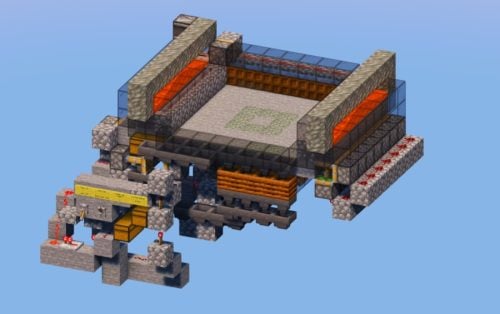 Infinite Moss and Bonemeal Automatic Farm 1500 Bonemeal per Hour or 5000 Moss Azalea Seeds per Hour
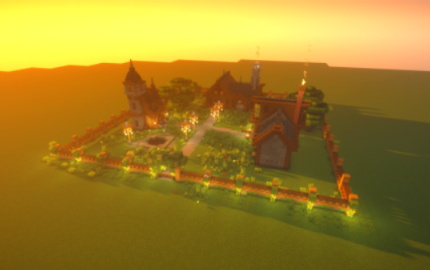 Cozy Medieval Village Schematic (1.20.x) – Build a Beautiful Medieval Town Easily
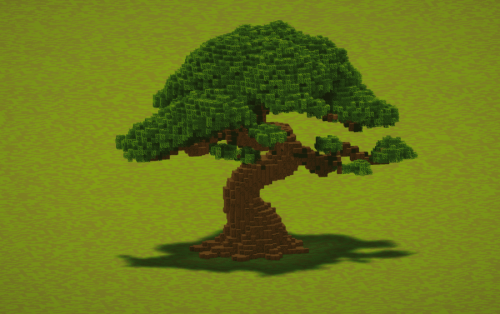 Oak Bonsai Tree Schematic (1.21.x) – Beautiful Large Oak Tree For Garden Projects
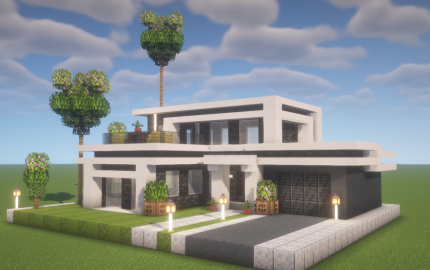 Modern Luxury Villa Schematic (1.20.x) – Elegant Contemporary Home for Your World
 Contemporary Executive Villa Schematic (1.20.x) – Modern Minimalist Home for Luxury Cities
 Modern Designer Villa Schematic (1.20.x) – Luxury Contemporary House for Modern Cities

This post has no comments yet. Be the first — your comment will appear here.