
Fancy Doors Model – Transforms Flat Doors and Trapdoors with 3D Hinges

 0


Fancy Doors Model transforms standard doors and trapdoors with 114 custom 3D models and 50 texture files. It replaces flat block faces on wood, bamboo, Nether stem, and iron designs with detailed top, bottom, and hinge parts. You can see raised panels and visible hinges on every door and trapdoor whether it is shut or swung open.

Features:
- 114 Custom 3D Models: Replaces flat vanilla door and trapdoor blocks with sculpted 3D parts for top halves, bottom halves, hinges, and open states.
- 50 Custom Textures: Pairs the 3D shapes with matching texture files across all supported wood types, Nether stems, and iron.
- Adds distinct top hinge and bottom hinge models so door edges show 3D hinges on the frame.
- Includes separate models for trapdoors placed on the top or bottom half of a block, plus dedicated open-state models.
3D Doors:
- Oak Door: Features custom 3D top and hinge models.
- Spruce Door: Uses 3D models for both top hinge and bottom hinge parts.
- Birch Door: Includes a 3D bottom hinge model.
- Acacia Door: Uses a custom 3D bottom section.
- Cherry Door: Features a 3D bottom hinge section.
- Mangrove Door: Includes a 3D top hinge model.
- Bamboo Door: Features 3D models for both the bottom half and top hinge.
- Crimson Door: Uses a 3D top hinge model made from Nether crimson planks.
- Warped Door: Includes 3D top hinge and bottom models for warped planks.
- Iron Door: Features 3D top and bottom halves for metal doors.
3D Trapdoors:
- Oak Trapdoor: Uses a 3D model when placed on the top half of a block.
- Birch Trapdoor: Includes a 3D model for bottom-half placement.
- Acacia Trapdoor: Features 3D models for bottom placement, plus open states for both top and bottom positions.
- Dark Oak Trapdoor: Uses 3D models for bottom placement and the open position.
- Cherry Trapdoor: Includes 3D models for bottom placement and the bottom open state.
- Mangrove Trapdoor: Features 3D models for top placement and the bottom open state.
- Bamboo Trapdoor: Uses 3D models for bottom placement and the bottom open position.
- Crimson Trapdoor: Includes a 3D model for the open state.
- Warped Trapdoor: Features a 3D model for top-half placement.
- Iron Trapdoor: Uses a 3D model when placed on the top half of a block.
How to Use:
- Move the downloaded pack file into your Minecraft
resourcepacksfolder, then open Options and Resource Packs in-game to move it to the active column. - Craft or grab wooden doors and trapdoors like Oak, Spruce, Birch, Acacia, Dark Oak, Cherry, Mangrove, or Bamboo from a Crafting Table or the Creative inventory.
- Gather Crimson and Warped planks from the Nether or smelt Iron Ingots to craft Crimson, Warped, and Iron doors and trapdoors.
- Place any of these doors on the ground and look closely at the side connecting to the wall to see the 3D top hinge and bottom hinge models sticking out from the frame.
- Attach trapdoors to the lower or upper half of a block face to see how the 3D models sit differently on top and bottom positions, such as on Warped, Iron, Acacia, and Cherry trapdoors.
- Right-click the wooden doors and trapdoors-or power the Iron Door and Iron Trapdoor with a Redstone Torch, Lever, or Button-to flip them into their open 3D model states.
Screenshots:


Fancy Doors Model Download Links
Click to rate this post!
[Total: 0 Average: 0]
You May Also Like
Picked for this page
 Pixel Perfection Fidelity Model – Brings Cozy Medieval 3D Models to Blocks
 Demon Hunter Boss Model – Unleashes Epic Two-Phase Battle
 Quadral Model – Brings Vivid Colors and 31 Custom 3D Models to Vanilla
 Pixel-Tree Model – Transforms Everyday Vanilla Blocks with Detailed 3D Shapes
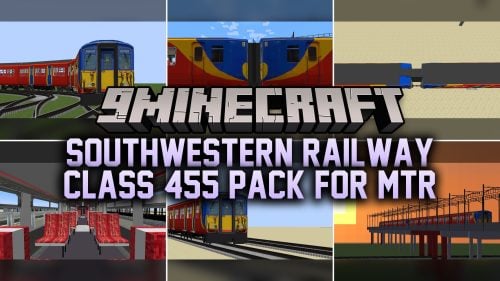 Southwestern Railway Class 455 Pack For MTR Model – Adds Custom Passenger Trains
 Slimefun Model – Brings 3D Shields, Solar Panels, and Animated Server Tech
 Dimensionalized 3D Essentials Model – Adds 248 Vanilla-Style 3D Block Models
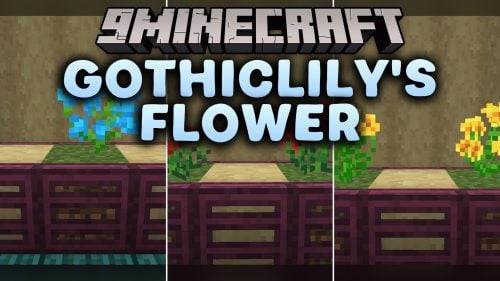 Gothiclily’s Flower Model – Transforms Wild Foliage with Custom 3D Flora
 KTRC Generic Stock Model – Adds Custom MTR Rolling Stock Trains
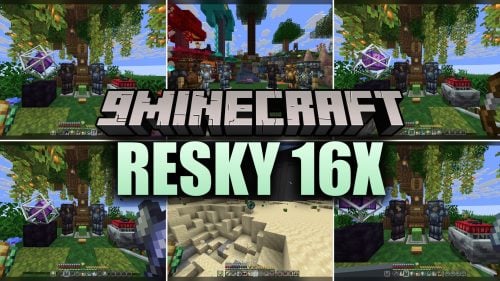 ReSky 16x Model – Brings 3D Weapons, Rails, and Animated PvP Textures
 Golden Days Base Model – Brings Classic Beta Visuals to Modern Blocks
 Egregious Model Optimizations Model – Boosts FPS with Lightweight Vanilla Blocks
Most viewed in Models over the last 7 days
 Jenny Mod Skin Pack Mega Collection – 310+ Characters
 The Most Complete Collection of Jenny Mod Resources – Models, Animations, Structures,…
 Albedo Rework Jenny Mod Model
 750 Models Addon for Yes Steve Model Mod
 Galath Rework Model – Custom Girl for PleasureCraft Mod
 Power Model – Custom Girl for PleasureCraft Mod
 Femboy Ellie Rework Jenny Mod Model
 Ram Model – Custom Girl for PleasureCraft Mod
 Pomni Jenny Mod Model
 100+ Custom Animations For Jenny Mod
 Ellie Rework Jenny Mod Model
 Halloween Pack Jenny Mod Model – Transforms Companions with Spooky Costumes
More from Models
 Alsthom TFS Model – Brings Classic French Tramways to MTR Transit Networks
 Nibble Bits Model – Brings 3D Shapes to Plants, Lanterns, and Utility Blocks
 French Buses Model – Brings Realistic European City Transit Vehicles to Roads
 VN4’s Deep Dark Revamp Model – Brings Animated 3D Sculk Blocks to Caves
 Simplify Block Model – Turns Heavy Vanilla Blocks Into Lightweight FPS Boosters
 Redstone Reloaded Model – Brings Readable 3D Visuals to Redstone Circuits
 TextureRevamp 64x Model – Transforms Vanilla Blocks with Detailed 3D Shapes
 3D Items-Vanillaism Model – Transforms Flat Vanilla Gear Into 3D Shapes
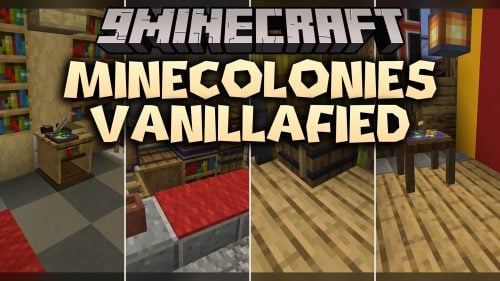 MineColonies Vanillafied Model – Brings Vanilla-Styled 3D Colony Blocks
 Refined Redstone Model – Transforms Flat Dust Into Glowing 3D Cables
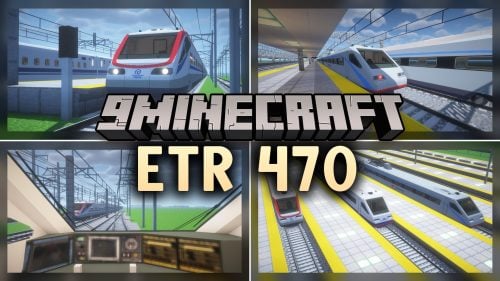 ETR 470 Model – Brings Classic European Trains to Custom Transit Railways
 3D Rail Model – Transforms Flat Minecart Tracks Into Raised 3D Railways

This post has no comments yet. Be the first — your comment will appear here.