


Fast Async World Edit Plugin (26.2, 1.20.1) – Shape Massive Worlds Without

 0
0 

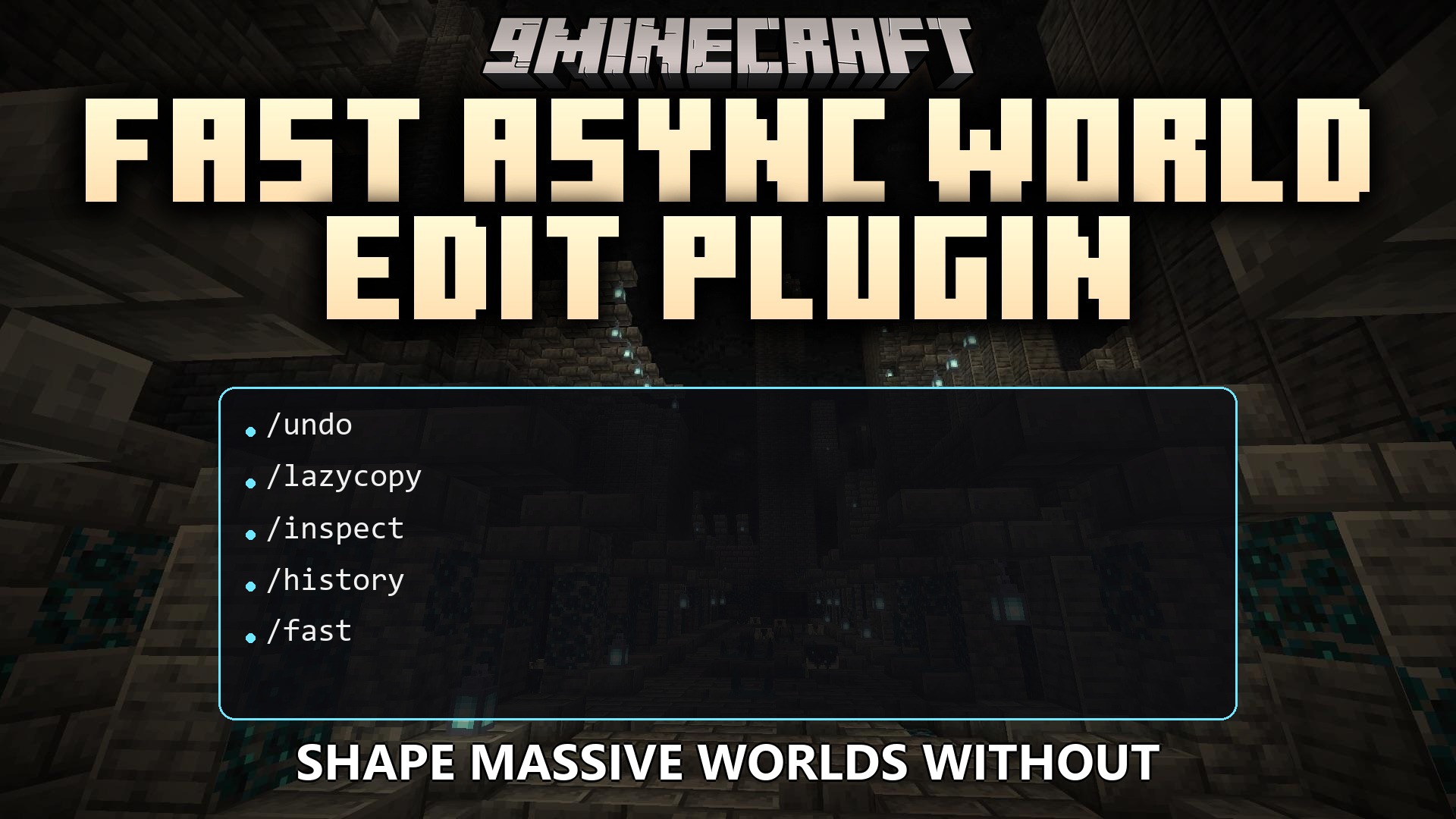
Fast Async World Edit Plugin speeds up how you build and change massive parts of your Minecraft server. It upgrades classic world editing tools to run much faster and use less memory. This plugin processes large block changes in the background so players never experience lag spikes while builders work. It adds hundreds of new commands, brushes, and tools to make large-scale building easier. You get powerful features like unlimited undo history, instant block copying, and advanced building patterns.
Features:
- Unlimited Undo: Gives you the power to undo mistakes as far back as you need, saved separately for every world.
- Processes all block changes in the background so the server stays smooth for everyone playing.
- Adds over 200 commands to help you shape, paint, and build the world exactly how you want.
- Lets you instantly copy massive structures of any size without freezing the game.
- Sets smart limits for each player so nobody can accidentally crash the server with a huge edit.
- Includes powerful new brushes and tools for painting biomes, generating caves, and mixing blocks.
- Automatically fixes broken or corrupted schematic files when you try to load them.
- Supports sharing clipboards across different servers connected to your network.
- Boosts the speed of other plugins on your server that rely on world editing tools.
Commands:
//undo: Reverses your previous world edits.//lazycopy: Instantly copies massive areas without slowing down the server.//inspect: Checks who made changes to specific blocks in the world.//history rollback: Restores an area to how it looked before changes were made.//fast: Bypasses the logging system for even faster block placement.
How to Use:
- Select an area using your wand or selection commands.
- Type a command like
//lazycopyto copy large structures instantly. - If you make a mistake, type
//undoto fix it right away. - Use
//inspecton blocks to see a history of what changed in that spot. - Use
//fastif you are doing massive edits and do not need to save the history logs.
How to Install:
New to Minecraft? Follow our step-by-step guide to install Plugins on your PC.View Guide
Fast Async World Edit Plugin Download Links
For Minecraft
26.2,
26.1.2,
26.1.1
All Versions Covered
26.2
26.1.2
26.1.1
26.1
1.21.11
1.21.10
1.21.9
1.21.8
1.21.7
1.21.6
1.21.5
1.21.4
1.21.1
1.21
All Versions Covered
26.2
26.1.2
26.1.1
26.1
1.21.11
1.21.10
1.21.9
1.21.8
1.21.7
1.21.6
1.21.5
1.21.4
1.21.1
1.21
For Minecraft
1.21.10,
1.21.9,
1.21.8
All Versions Covered
1.21.10
1.21.9
1.21.8
1.21.7
1.21.6
1.21.5
1.21.4
1.21.1
1.21
1.20.6
All Versions Covered
1.21.10
1.21.9
1.21.8
1.21.7
1.21.6
1.21.5
1.21.4
1.21.1
1.21
1.20.6
For Minecraft
1.21.1,
1.21,
1.20.6
All Versions Covered
1.21.1
1.21
1.20.6
1.20.5
1.20.3
1.20.2
1.20.1
1.20
1.19.4
All Versions Covered
1.21.1
1.21
1.20.6
1.20.5
1.20.3
1.20.2
1.20.1
1.20
1.19.4
For Minecraft
1.20.4,
1.20.3,
1.20.2
All Versions Covered
1.20.4
1.20.3
1.20.2
1.20.1
1.20
1.19.4
1.18.2
All Versions Covered
1.20.4
1.20.3
1.20.2
1.20.1
1.20
1.19.4
1.18.2
Click to rate this post!
[Total: 0 Average: 0]
You May Also Like
















This post has no comments yet. Be the first — your comment will appear here.