


Discord SRV Plugin (26.2, 1.20.1) – Keep Everyone Chatting Together

 0
0 

Discord SRV Plugin connects your Minecraft server chat directly to your Discord community. It lets players talk to each other whether they are building in the game or typing from their phones. This plugin syncs roles, names, and even voice chat so everyone stays together in one place.
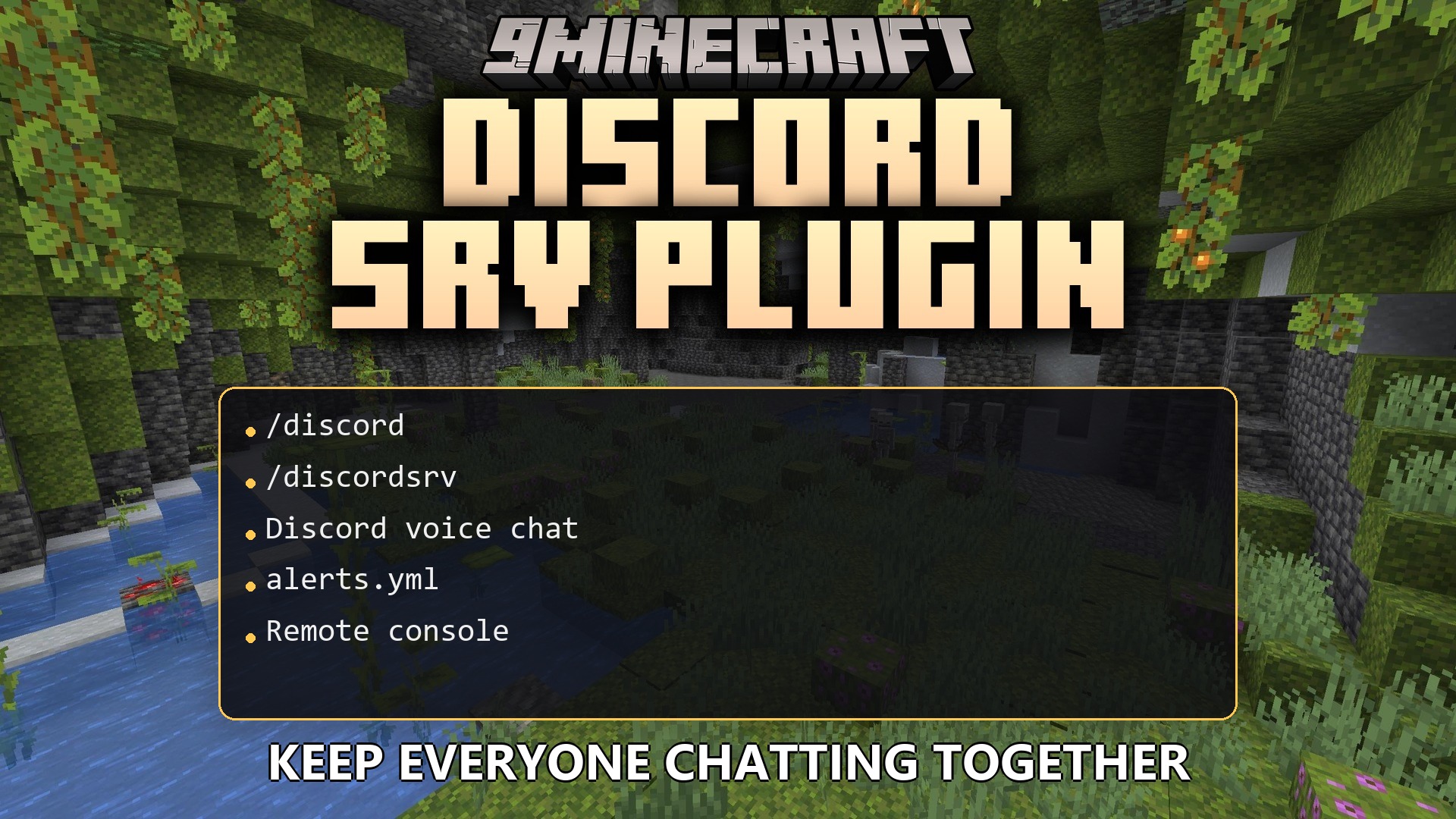
Features:
- Two-Way Chat: Players in Minecraft can talk to people in your Discord server, and Discord users can chat back into the game.
- Account Linking: Connects a player’s Minecraft account to their Discord profile so you always know who is talking.
- Rank Sync: Matches in-game ranks with Discord roles automatically.
- Sends your Minecraft server console to a private Discord channel so you can run commands from anywhere.
- Adds voice proximity chat using Discord voice channels.
- Syncs player names and nicknames between the game and your server.
- Shares server bans across both platforms to keep rulebreakers out.
- Rewards players with items or perks for joining your Discord server or boosting it.
- Broadcasts special game events and alerts straight to your chat channels.
- Supports many different languages for players all over the world.
- Works with popular chat and vanish plugins so hidden players stay hidden on Discord.
Commands:
/discord linked: checks verified players and shows who is who./discordsrv reload: refreshes the plugin settings without restarting the server.
Configuration:
alerts.yml: controls which game events send alerts to Discord.voice.yml: manages the proximity voice chat settings.linking.yml: sets up rules for requiring players to link their accounts before they can play.synchronization.yml: handles how roles, names, and bans match up between platforms.
How to Use:
- Set up a text channel in Discord for normal player chat.
- Create a private text channel for the remote console and restrict it to trusted staff members.
- Give your Discord bot the required permissions like Manage Roles, Manage Channels, and Read Text Channels.
- Turn chat and console forwarding on or off inside the plugin configuration files.
How to Install:
New to Minecraft? Follow our step-by-step guide to install Plugins on your PC.View Guide
Discord SRV Plugin Download Links
For Minecraft
26.2,
26.1.2,
26.1.1
All Versions Covered
26.2
26.1.2
26.1.1
26.1
1.21.11
1.21.10
1.21.9
1.21.8
1.21.7
1.21.6
1.21.5
1.21.4
1.21.3
1.21.2
1.21.1
1.21
1.20.6
1.20.5
1.20.4
1.20.3
1.20.2
1.20.1
1.20
1.19.4
1.19.3
1.19.2
1.19.1
1.19
1.18.2
1.18.1
1.18
1.17.1
1.17
1.16.5
1.16.4
1.16.3
1.16.2
1.16.1
1.16
1.15.2
1.15.1
1.15
1.14.4
1.14.3
1.14.2
1.14.1
1.14
1.13.2
1.13.1
1.13
1.12.2
1.12.1
1.12
1.11.2
1.11.1
1.11
1.10.2
1.10.1
1.10
1.9.4
1.9.3
1.9.2
1.9.1
1.9
1.8.9
1.8.8
1.8.7
1.8.6
1.8.5
1.8.4
1.8.3
1.8.2
1.8.1
1.8
1.7.10
All Versions Covered
26.2
26.1.2
26.1.1
26.1
1.21.11
1.21.10
1.21.9
1.21.8
1.21.7
1.21.6
1.21.5
1.21.4
1.21.3
1.21.2
1.21.1
1.21
1.20.6
1.20.5
1.20.4
1.20.3
1.20.2
1.20.1
1.20
1.19.4
1.19.3
1.19.2
1.19.1
1.19
1.18.2
1.18.1
1.18
1.17.1
1.17
1.16.5
1.16.4
1.16.3
1.16.2
1.16.1
1.16
1.15.2
1.15.1
1.15
1.14.4
1.14.3
1.14.2
1.14.1
1.14
1.13.2
1.13.1
1.13
1.12.2
1.12.1
1.12
1.11.2
1.11.1
1.11
1.10.2
1.10.1
1.10
1.9.4
1.9.3
1.9.2
1.9.1
1.9
1.8.9
1.8.8
1.8.7
1.8.6
1.8.5
1.8.4
1.8.3
1.8.2
1.8.1
1.8
1.7.10
For Minecraft
1.20.2,
1.20.1,
1.20
All Versions Covered
1.20.2
1.20.1
1.20
1.19.4
1.19.3
1.19.2
1.19.1
1.19
1.18.2
1.18.1
1.18
1.17.1
1.17
1.16.5
1.16.4
1.16.3
1.16.2
1.16.1
1.16
1.15.2
1.15.1
1.15
1.14.4
1.14.3
1.14.2
1.14.1
1.14
1.13.2
1.13.1
1.13
1.12.2
1.12.1
1.12
1.11.2
1.11.1
1.11
1.10.2
1.10.1
1.10
1.9.4
1.9.3
1.9.2
1.9.1
1.9
1.8.9
1.8.8
1.8.7
1.8.6
1.8.5
1.8.4
1.8.3
1.8.2
1.8.1
1.8
1.7.10
All Versions Covered
1.20.2
1.20.1
1.20
1.19.4
1.19.3
1.19.2
1.19.1
1.19
1.18.2
1.18.1
1.18
1.17.1
1.17
1.16.5
1.16.4
1.16.3
1.16.2
1.16.1
1.16
1.15.2
1.15.1
1.15
1.14.4
1.14.3
1.14.2
1.14.1
1.14
1.13.2
1.13.1
1.13
1.12.2
1.12.1
1.12
1.11.2
1.11.1
1.11
1.10.2
1.10.1
1.10
1.9.4
1.9.3
1.9.2
1.9.1
1.9
1.8.9
1.8.8
1.8.7
1.8.6
1.8.5
1.8.4
1.8.3
1.8.2
1.8.1
1.8
1.7.10
Click to rate this post!
[Total: 0 Average: 0]
You May Also Like











This post has no comments yet. Be the first — your comment will appear here.