
Flashback Containers Mod (26.3) – Watch Every Chest and Inventory
 4
 0

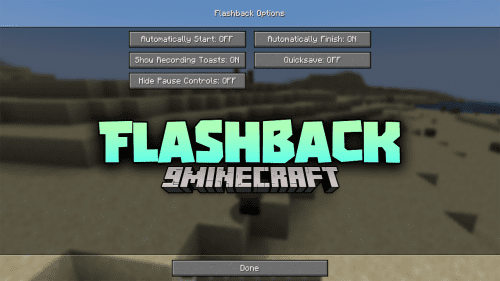
Flashback Containers Mod extends Flashback with container recording for your gameplay replays. Normally, watching a replay only shows a player standing still in front of a chest. This mod records every chest, furnace, crafting table, and inventory you open during gameplay. When you watch the replay in first-person view as the recording player, the exact container screen pops up with all items moving just like they did live.

Features:
- All Vanilla Containers: Records chests, barrels, shulker boxes, furnaces, anvils, crafting tables, hoppers, and your own player inventory when you press E.
- Recorded Mouse and Animations: Highlights the slot under your cursor, shows held items moving smoothly, and animates items flying between slots when you shift-click or press number keys.
- Active Progress Bars: Displays working furnace flames, cooking arrows, brewing stand bubbles, enchantment costs, anvil costs, and beacon levels inside the replay.
- Uses real vanilla screens so your custom resource packs, textures, and container titles look the same as when you played.
- Shows optional item tooltips with the name and lore of whatever item is under the recorded mouse.
- Hides HUD overlays from other mods like Jade or MiniHUD while a container screen is open on screen.
- Follows the replay timeline during seeking, pausing, and exporting, and hides automatically when you turn off the hotbar or GUI.
- Keeps replay files safe so they still open normally in regular Flashback even without this mod installed.
- Works on the client side on any server and includes translations for 18 languages.
Configuration:
Settings are saved in config/flashback_containers.json and only change how replays look on screen, as all data is always recorded:
Show mouse: Toggles the slot highlight and the item held on the cursor (Default: on).Animate items: Toggles items flying between slots when moved (Default: on).Show item tooltips: Toggles the tooltip of the item under the mouse, which requiresShow mouseto be on (Default: off).Hide other mods' HUD: Toggles hiding overlays from mods like Jade or MiniHUD while a container is open (Default: on).
How to Use:
- Keep the mod installed while recording your gameplay, because replays recorded without it do not have container data.
- Open your recorded replay in the Flashback editor and switch the camera to first-person view as the recording player to see the containers open.
- Click Containers in the top menu bar of the Flashback editor (or use Mod Menu) to open the settings window and adjust how containers look.
How to Install:
New to Minecraft? Follow our step-by-step guide to install Mods on your PC.View Guide

Flashback Containers Mod Download Links
For Minecraft 26.3, 26.2
Click to rate this post!
[Total: 0 Average: 0]
You May Also Like
Picked for this page
 Cubes Without Borders Mod (26.3, 1.20.1) – Alt-Tab Without Minimizing
 Save And Load Inventories Mod (26.3, 1.20.1) – Instantly Switch Player Loadouts
 Movement In GUI Mod (26.3, 1.20.1) – Walk While Managing Inventory
 Accessorify Mod (1.21.10, 1.20.1) – Carry Extra Gear and Free Up Inventory Slots
 Beautiful Enchanted Books Mod (26.2, 1.20.1) – Instantly Spot Every
 Jukebox Custom Disc Fix Mod (26.3, 1.20.1) – Play Custom Music Without Audio
 Netherited Mod (26.3, 1.21.1) – Recover Valuable Loot From Deep Lava Pools
 Unstable Farlands Outer Lands Mod (26.3, 1.21.11) – Survive Fifty Chaotic
 Portable OG Mod (26.3, 1.20.1) – Craft and Repair Items Anywhere
 Item Particles Mod (26.3, 1.20.1) – Make Weapon Displays Glow Brightly
 Atlas by Olympus Mod (26.3, 1.20.1) – Explore Worlds with 3D Terrain Maps
 Zhuravel Notes Mod (26.3, 1.20.1) – Jot Down Coordinates and Plans
Most viewed in Mods over the last 7 days
 Ala Industrial Mod (26.3) – Run Electric Power Grids and Automated Factories
 PleasureCraft Mod (26.3, 1.21.1) – Jenny Mod Remake for Fabric
 Jennycraft Mod (26.3, 1.20.1) – Virtual Girlfriend in Minecraft
 Fapcraft Mod (26.3, 1.12.2) – Comprehensive and Detailed Content
 Jenny Mod (Fapcraft) Official Complete Guide – How to use, Tutorial
 Meteor Client Mod (26.3, 1.20.1) – Xray, HUD, Fly
 BangCraft Mod (1.20.1) – Jenny, Ellie and Elliot
 OptiFine HD (26.3, 1.20.1) – Run Faster, FPS Boost, Shaders Support
 CatLean Client Mod (26.2, 1.21.11) – ThunderHack Recode Alternatives
 Fabric Loader (26.3, 1.20.1) – Fabric Installer for All Minecraft Versions
 SeedCrackerX Mod (26.3, 1.20.1) – Find Any World Seed
 SchnurriTV Mod (1.12.2) – Characters and Features
More from Mods
 LDS Lazy Display System Mod (26.3, 1.20.1) – Showcase Your Best Gear
 EAS Addon for Proto Manly’s Weather Mod (1.21.1, 1.20.1)
 Realm Gym Mod (1.21.1, 1.20.1) – Train Daily with Workout Machines
 Hundred Days to Dawn Mod (1.20.1) – Survive Brutal Nightly Zombie Sieges
 Cataclysmic Arsenal & Orbital Strikes Mod (1.21.1) – Launch Nukes
 Xaero’s Map 3D Mod (26.2, 1.20.1) – View Your World Map As an Angled 3D Terrain
 Sugar Skulls Mod (1.21.1) – Craft Hidden Storage Lamps and Explore a Colorful
 Just Enough Weapons Mod (26.3, 1.20.1) – Fight with Custom Blades
 PPL Mini Mod (26.3) – Follow Visual GPS Routes and Sort Your Inventory Faster
 Salty Mod Expanded Mod (1.7.10) – Mine Salt, Keep Bees, and Cook Seasoned Meals
 Galvan Prime Mod (1.20.1) – Explore Alien Worlds and Shape Your Own Story
 Mythic Creatures Mod (1.20.1) – Raise Elemental Dragons and Fight Blightborn

This post has no comments yet. Be the first — your comment will appear here.