
Portable OG Mod (26.3, 1.20.1) – Craft and Repair Items Anywhere
 0
 0

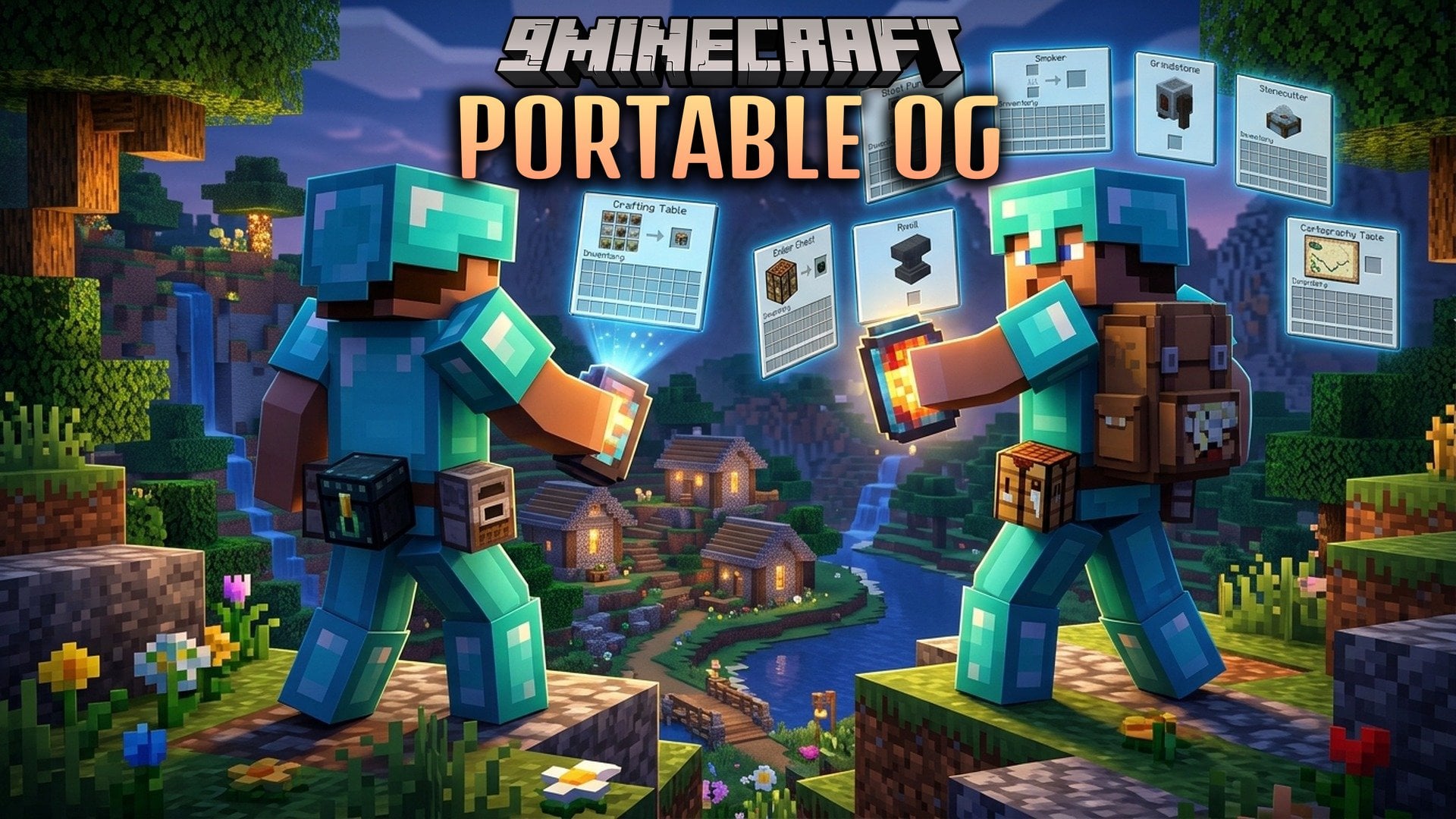
Portable OG Mod adds portable versions of eight useful workstations to your inventory. You can open a crafting table, ender chest, anvil, and other key blocks right from your hand. You do not need to place down a block or break it to pick it back up. The screens stay open even while you ride in a boat, travel in a minecart, or fall through the air.
Features:
- Handheld Workstations: Carry eight different workstation items directly in your inventory slots.
- No Reach Limit: Screens stay open when you move around in minecarts, ride boats, or fall.
- Vanilla Screens: Uses regular game interfaces so recipe books and sorting buttons function normally.
- Realistic Anvil Wear: The portable anvil has the same chance to break as a normal placed block.
- Right-click any portable station from your main hand or off-hand to bring up its screen.
- Every portable station crafts by combining the base block with one piece of leather.
- Plays custom sound effects when opening stations, including distinct sounds for the ender chest.
- Creative mode keeps the portable anvil from taking damage during repairs and renames.
Available Workstations:
| Item | Opens |
|---|---|
| Portable Crafting Table | Standard 3×3 crafting grid with the recipe book |
| Portable Ender Chest | Personal ender chest storage from anywhere |
| Portable Anvil | Repairing, combining, and renaming items |
| Portable Smithing Table | Gear upgrades and armor trims |
| Portable Stonecutter | Standard stonecutting recipes |
| Portable Loom | Banner pattern designs |
| Portable Cartography Table | Copying, zooming, and locking maps |
| Portable Grindstone | Removing enchantments and recovering experience points |
Configuration:
anvilBreakChance: Sets the chance for the portable anvil to wear down on use, where 0 stops it from breaking.sounds: Toggles whether portable workstations play sound effects when opened.
How to Use:
- Combine any standard workstation block with one leather in a crafting grid.
- Place the crafted workstation into your hotbar or off-hand.
- Right-click with the item to open its screen right away.
- Craft, repair, or sort items without placing blocks on the ground.
How to Install:
New to Minecraft? Follow our step-by-step guide to install Mods on your PC.View Guide
Requirements:
Portable OG Mod Download Links
For Minecraft 26.3
For Minecraft 26.2
For Minecraft 26.1.2, 26.1.1, 26.1
For Minecraft 1.21.11
For Minecraft 1.21.10, 1.21.9
For Minecraft 1.21.8, 1.21.7, 1.21.6
For Minecraft 1.21.5
For Minecraft 1.21.1, 1.21
For Minecraft 1.20.1, 1.20
For Minecraft 1.18.2
For Minecraft 1.16.5
For Minecraft 1.12.2
Click to rate this post!
[Total: 0 Average: 0]
You May Also Like
Picked for this page
 Inventory HUD+ Mod (26.3, 1.20.1) – Check Gear Without Menus
 Full Brightness Toggle Mod (26.3, 1.20.1) – Instantly Turn The Brightness
 Custom Fences And Walls Mod (26.3, 1.20.1) – Lets You Build More Stylish
 Players Drop Heads Mod (26.3, 1.20.1) – Players Drop Their Heads on Death
 Not Just Sandwich Mod (26.3, 1.20.1) – Edibles, Sandwiches
 Slot Cycler Mod (26.3, 1.20.1) – Hotbar Slot Cycling
 LuckPerms Mod (26.3, 1.20.1) – Server Control and Customization
 Show FPS On Screen Mod (26.2, 1.20.1) – In Game Framerate Viewer
 Omni-Hopper Mod (26.1.2, 1.20.1) – Moving items, Transporting fluids, and More
 Hide Item Frame Mod (26.3, 1.20.1) – Equipped Item Frames Turn Invisible
 Call Your Dog Mod (26.3, 1.21.1) – Easily Call Dog with A Goat Horn
 Autototem Mod (26.3, 1.20.1) – Restocks Totems Automatically
Most viewed in Mods over the last 7 days
 Ala Industrial Mod (26.3) – Run Electric Power Grids and Automated Factories
 PleasureCraft Mod (26.3, 1.21.1) – Jenny Mod Remake for Fabric
 Jennycraft Mod (26.3, 1.20.1) – Virtual Girlfriend in Minecraft
 Fapcraft Mod (26.3, 1.12.2) – Comprehensive and Detailed Content
 Meteor Client Mod (26.3, 1.20.1) – Xray, HUD, Fly
 Jenny Mod (Fapcraft) Official Complete Guide – How to use, Tutorial
 BangCraft Mod (1.20.1) – Jenny, Ellie and Elliot
 Fabric Loader (26.3, 1.20.1) – Fabric Installer for All Minecraft Versions
 OptiFine HD (26.3, 1.20.1) – Run Faster, FPS Boost, Shaders Support
 SchnurriTV Mod (1.12.2) – Characters and Features
 Cinematic Interactions Mod (26.3, 1.20.1) – Watch Your Hands Work
 NeoForge (26.3, 1.21.1) – NeoForged, Modding API
More from Mods
 Diamond Glass Mod (26.3, 1.20.1) – Glass With The Attributes of Bedrock
 Psithurism Mod (26.3, 26.1.2) – Build Japanese Onsen Baths, Temples
 Alexandria Mod (1.21.1) – Keep Your Modded World Running Without Conflicts
 Eunomia Mod (26.3, 1.20.1) – Keep Multiplayer Menus and Server Settings Synced
 Another Config Manager Mod (26.1.2, 1.21.1) – Adjust Any Mod Options
 Infinity Nexus Core Mod (26.1.2, 1.20.1) – Automate Advanced Factories
 Ad Astra Asteroid Belt Mod (1.21.1, 1.20.1) – Risk Your Rocket to Mine
 Better Cloud Shadows Mod (1.21.1) – Watch Soft Cloud Shadows Drift
 Stack to Nearby Chests Neo Forge Mod (1.21.1) – Clean Out Your Inventory
 Easy Panorama Mod (26.3, 1.20.1) – Turn Your Favorite Build Into a Main Menu
 Trash & Crates OG Mod (26.3, 1.20.1) – Move Your Base in a Few Trips
 Enigmatic Extra Mod (1.20.1) – Trade Your Health for God-Like Late-Game Power

This post has no comments yet. Be the first — your comment will appear here.