
Flashback Settings Mod (26.3) – Sort Your Saved Gameplay Replays
 2
 0

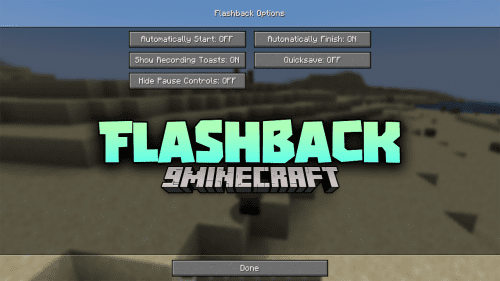
Flashback Settings Mod adds new customization options for Flashback to help players manage their saved recordings. The mod lets you pick a custom save path for all replay clips instead of sticking to default folders. You can also group your files into neat subfolders based on dates, servers, or game versions. This mod keeps your hard drive tidy and makes finding old gameplay footage fast.

Features:
- Custom Replay Folder: Lets you choose exactly where your game recordings are saved on your computer.
- Date Subfolders: Groups recorded replays automatically by the day you made them.
- Server Subfolders: Sorts recordings into folders named after the server where you played.
- Version Subfolders: Divides replay files according to your game version.
- Visual Themes: Lets you choose between Vanilla and Fancy interface styles in the menu.
- Helps players avoid messy directories when saving many hours of gameplay clips.
Configuration:
{
  "replayFolder": "",
  "dynamicSubfolders": false,
  "subfolderByDate": true,
  "subfolderByServer": true,
  "subfolderByVersion": true
}replayFolder: Sets the folder path where replays will be stored.dynamicSubfolders: Toggles automated subfolder grouping for your files.subfolderByDate: Organizes clips into folders by recording date.subfolderByServer: Sorts replays by multiplayer server names.subfolderByVersion: Creates folders named after the game version used.
Screenshots:


How to Install:
New to Minecraft? Follow our step-by-step guide to install Mods on your PC.View Guide

Flashback Settings Mod Download Links
For Minecraft 26.3
For Minecraft 26.2
Click to rate this post!
[Total: 0 Average: 0]
You May Also Like
Picked for this page
 Rotten Flesh to Leather Mod (1.8.9, 1.7.10) – Turn Zombie Drops Into Leather
 World Pre Generator Mod (26.3, 1.20.1) – Stop Lag When Loading New Chunks
 Brick Furnace Mod (26.3, 1.20.1) – Smelt Early Items Using Clay Bricks
 Variant Crafting Tables Mod (26.3, 1.20.1) – Match Workbenches
 NoMoWanderer Mod (1.21.11, 1.20.1) – Stop Wandering Traders
 Chicken Nerf Mod (26.3, 1.20.1) – Breed Chickens for Eggs Now
 Item Transform Helper Mod (26.3, 1.20.1) – Position and Scale Custom Items
 Lios Spiral Tower Villages Mod (26.3, 1.20.1) – Vertical Structures With Secrets
 Orbital Strike Plus Mod (26.2, 1.20.1) – Rain Destruction with Fishing Rods
 Core Client Mod (1.21.11) – Win Anarchy Battles with Clean Combat Overlays
 Unstable Farlands Outer Lands Mod (26.3, 1.21.11) – Survive Fifty Chaotic
 Lethal Spinning Blades Mod (26.2, 1.20.1) – Turn Stonecutters Into Deadly Traps
Most viewed in Mods over the last 7 days
 Ala Industrial Mod (26.3) – Run Electric Power Grids and Automated Factories
 PleasureCraft Mod (26.3, 1.21.1) – Jenny Mod Remake for Fabric
 Jennycraft Mod (26.3, 1.20.1) – Virtual Girlfriend in Minecraft
 Fapcraft Mod (26.3, 1.12.2) – Comprehensive and Detailed Content
 Jenny Mod (Fapcraft) Official Complete Guide – How to use, Tutorial
 Meteor Client Mod (26.3, 1.20.1) – Xray, HUD, Fly
 BangCraft Mod (1.20.1) – Jenny, Ellie and Elliot
 OptiFine HD (26.3, 1.20.1) – Run Faster, FPS Boost, Shaders Support
 Fabric Loader (26.3, 1.20.1) – Fabric Installer for All Minecraft Versions
 CatLean Client Mod (26.2, 1.21.11) – ThunderHack Recode Alternatives
 SeedCrackerX Mod (26.3, 1.20.1) – Find Any World Seed
 SchnurriTV Mod (1.12.2) – Characters and Features
More from Mods
 Thaumaturgic Brewing Mod (26.1.2, 1.21.1) – Brew Potions with Essentia
 Veil Dragons Phoenixes & Wyverns Mod (26.3, 1.20.1) – Steal Eggs and Ride
 Argus Mod (26.3) – Use OptiFine Resource Packs with Sodium
 Ourlet Mod (26.3, 1.20.1) – Sew Block Faces Together for Instant
 QualityAPI Mod (1.21.1) – Craft Star-Rated Masterwork Gear That Never Vanishes
 RimeLib Mod (26.2, 1.21.11) – Keep Your Dependent Mods Running Smoothly Together
 Fabric Database H2 Mod (26.3, 1.20.1) – Core H2 Database Library for Fabric Mods
 Multiplayer Refined Mod (26.3, 1.21.11) – Organize and Browse Your Servers
 Better Trade Uses Mod (26.3, 1.20.1) – See Exact Remaining Uses Before Villager
 Identity 9minecraft Mod (26.3, 26.2) – Morph Into the Mobs You Slay
 HexCC Mod (1.21.1) – Automate Magic Spellcasting with Computer Turtles
 Spectacular Mobs of Peligoro Legacy Version Mod (26.1.2, 1.20.1)

This post has no comments yet. Be the first — your comment will appear here.