


Iris & Oculus Search Mod (26.2, 1.20.1) – Find Shader Settings Without Scrolling
 52
52
 0
0


🌐 Read this article in your language! Choose your preferred language below.
Or pick the one you like:
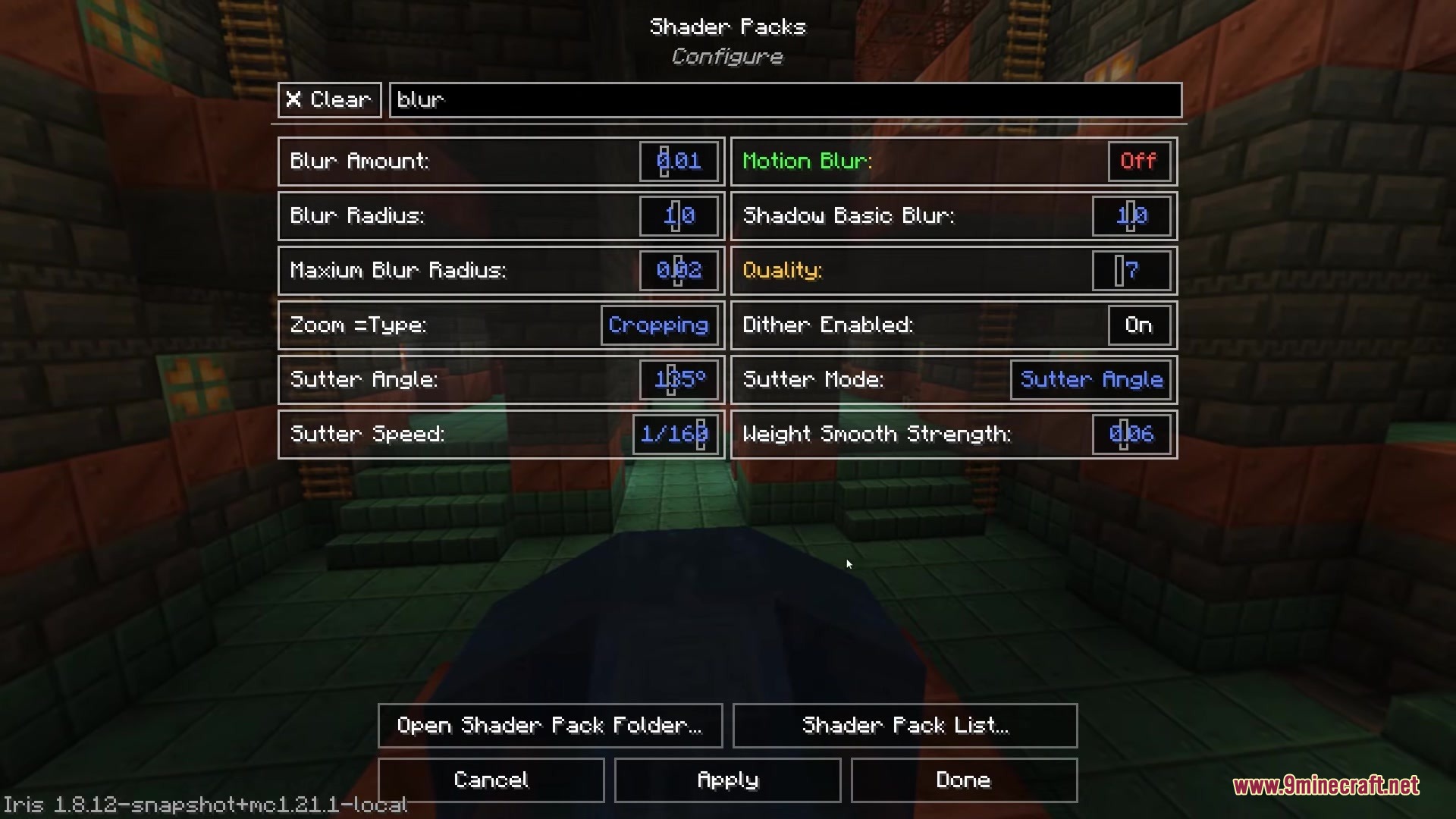
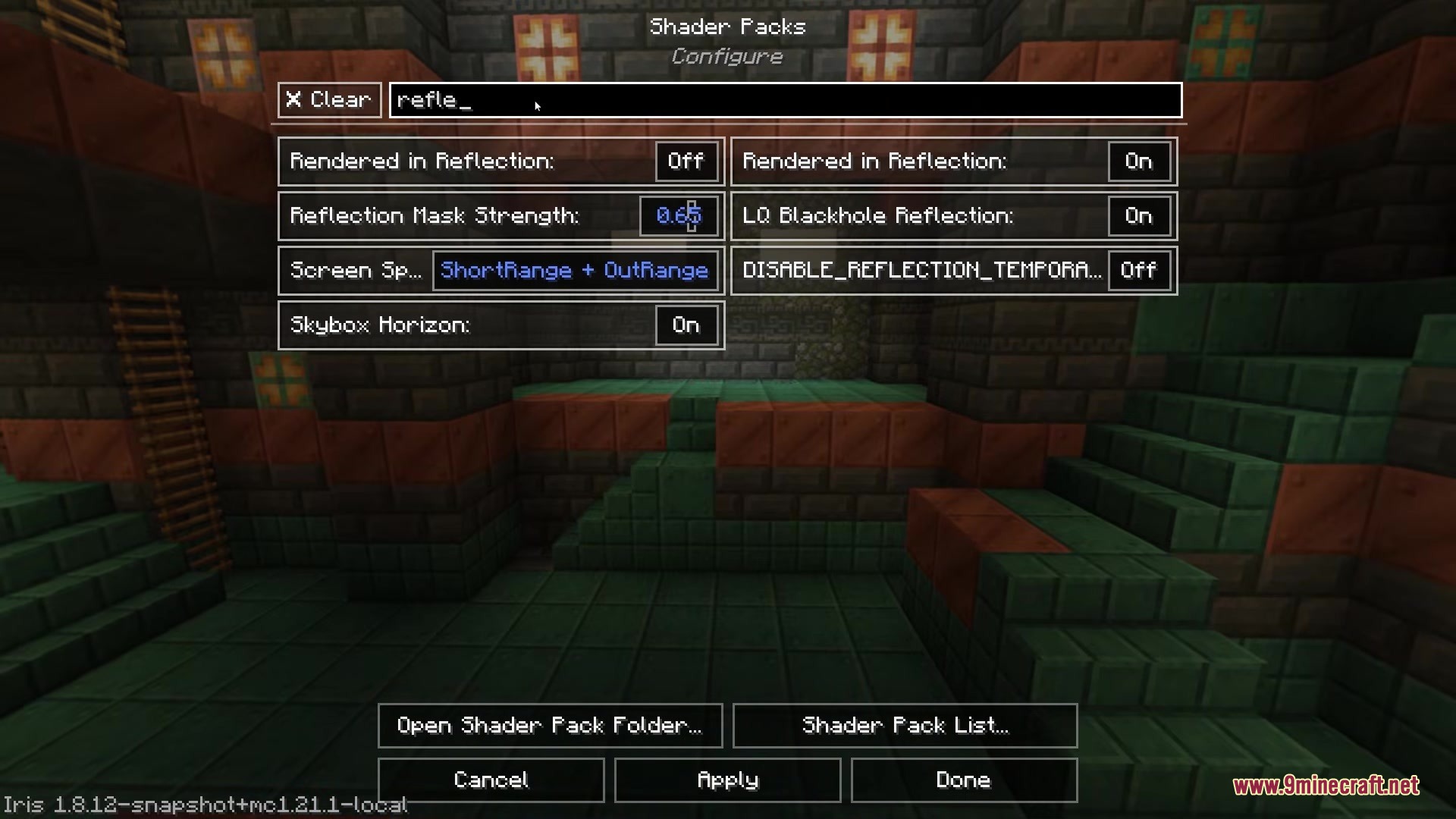
Iris & Oculus Search Mod extends Iris and Oculus with a handy text box. It adds a search bar right into the shader options menu and the shader pack list. You no longer need to click through endless pages just to turn on waving leaves or change the lighting. You just type what you want to find, and the menu shows exactly those options. This addition saves you time whenever you want to tweak how your game looks.

Features:
- Search Bar: Adds a text box directly inside the shader settings screen and the pack selection menu.
- Filters the long list of options down to exactly what you type.
- Works with your selected language if the shader pack has translations for it.
- Runs perfectly the moment you drop it in, without needing any config changes.
- Requires you to have either Iris or Oculus installed for it to work.
How to Use:
- Open your video settings and go to the shader packs menu.
- Look for the new text box at the top of the screen or inside the shader options.
- Type the name of a shader pack or setting you want to find.
- Click on the filtered results to change your graphics.
Screenshots:

How to Install:
New to Minecraft? Follow our step-by-step guide to install Mods on your PC.View Guide
Requirements:





Iris & Oculus Search Mod Download Links
For Minecraft
26.2,
26.1.2,
26.1.1
All Versions Covered
26.2
26.1.2
26.1.1
26.1
1.21.11
1.21.10
1.21.9
1.21.8
1.21.7
1.21.6
1.21.5
1.21.4
1.21.3
1.21.2
1.21.1
1.21
1.20.6
1.20.5
1.20.4
1.20.3
1.20.2
1.20.1
1.20
All Versions Covered
26.2
26.1.2
26.1.1
26.1
1.21.11
1.21.10
1.21.9
1.21.8
1.21.7
1.21.6
1.21.5
1.21.4
1.21.3
1.21.2
1.21.1
1.21
1.20.6
1.20.5
1.20.4
1.20.3
1.20.2
1.20.1
1.20
For Minecraft 1.20.1, 1.20
Click to rate this post!
[Total: 0 Average: 0]
You May Also Like



















This post has no comments yet. Be the first — your comment will appear here.