
Linked Storage Mod (1.20.1, 1.19.2) – Access Your Base Chests From Deep Caves
 16,060
 0

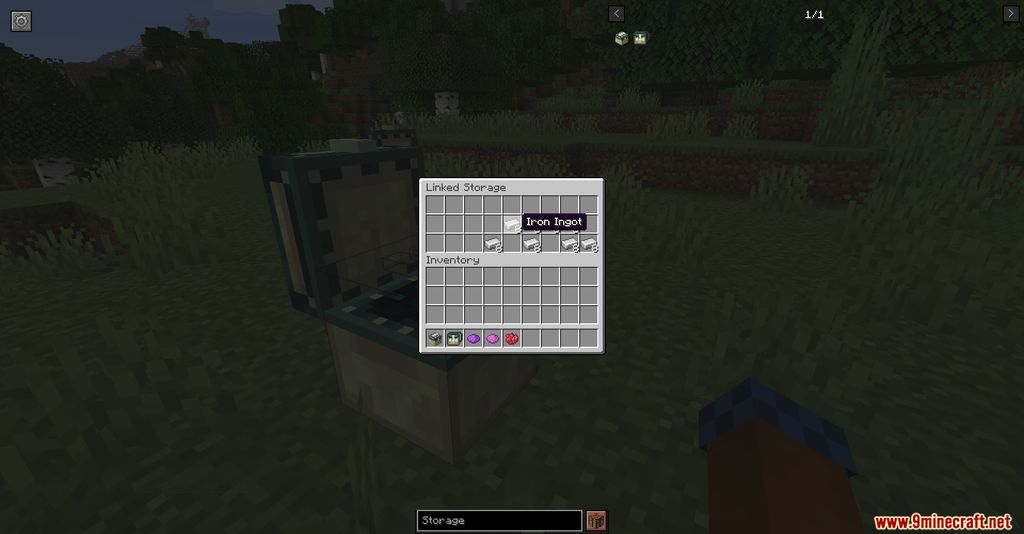
Linked Storage Mod lets you connect your inventories together using simple color codes. You put dyes on the three pads on top of a storage chest to set its channel, and every chest with the same color pattern shares the same items. These chests work with hoppers and most item pipes to move items automatically. You can also craft a handheld bag to open your shared chests from anywhere, or use a diamond to lock a channel just for yourself. This mod even includes a built-in resource pack that switches the look to classic EnderStorage textures.

Features:
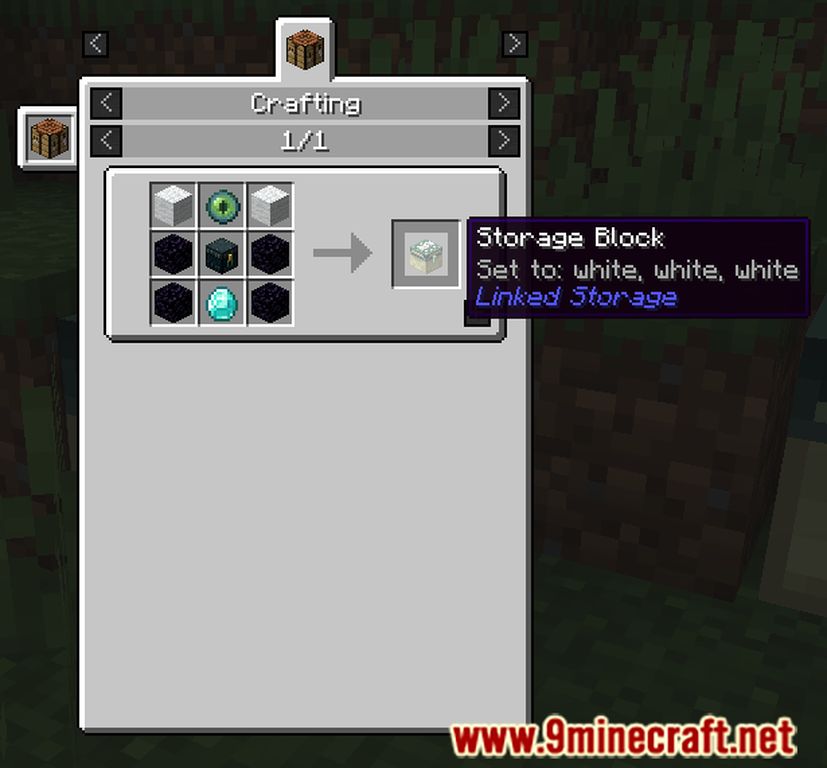
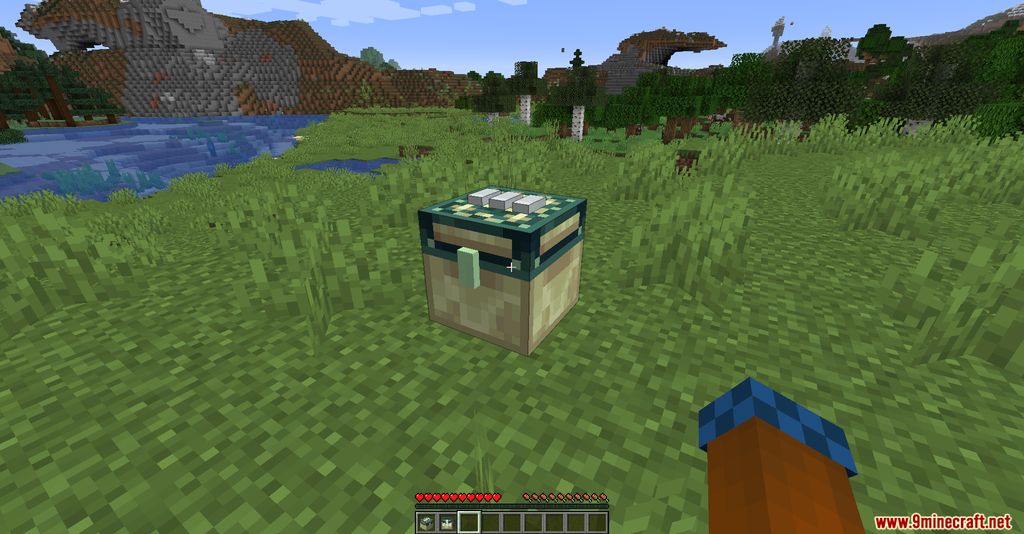
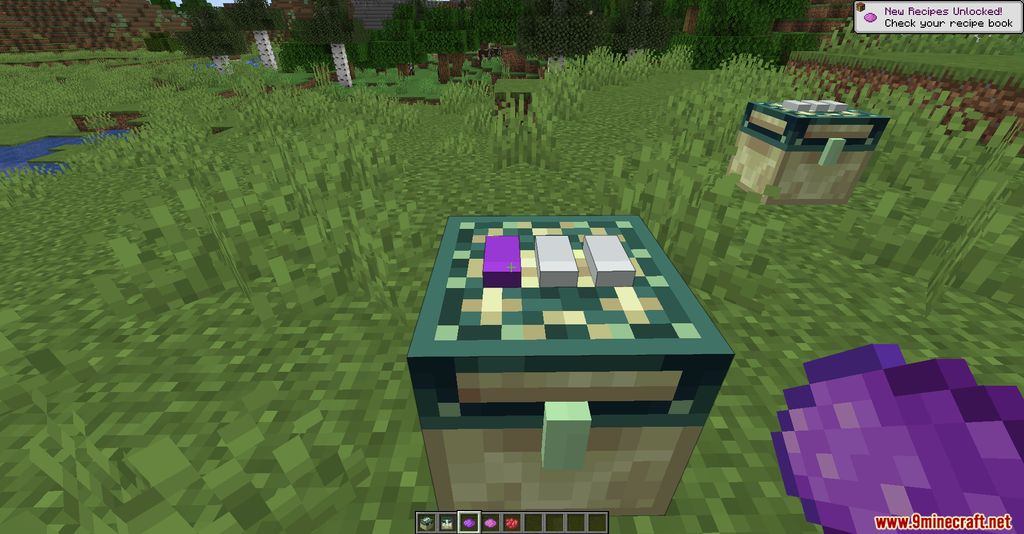
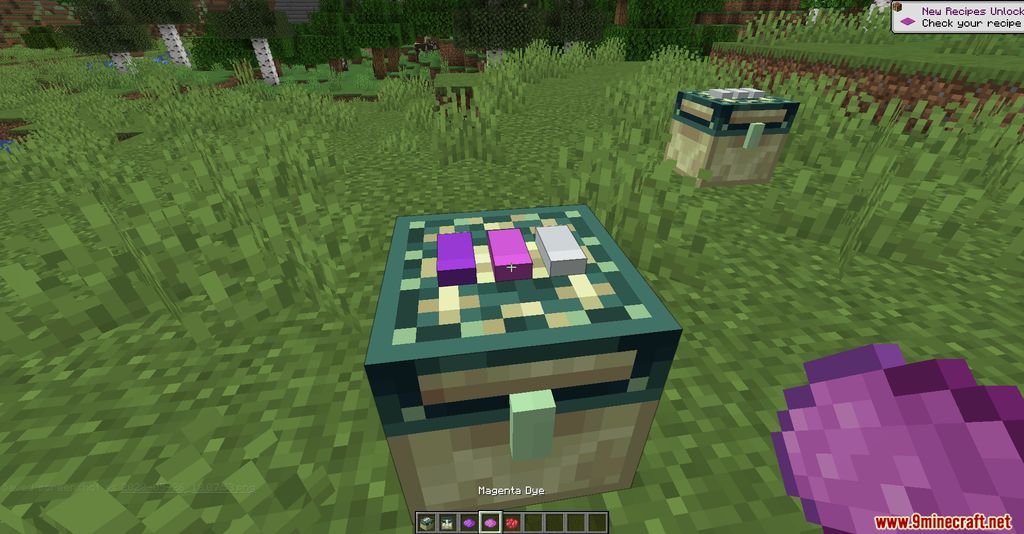
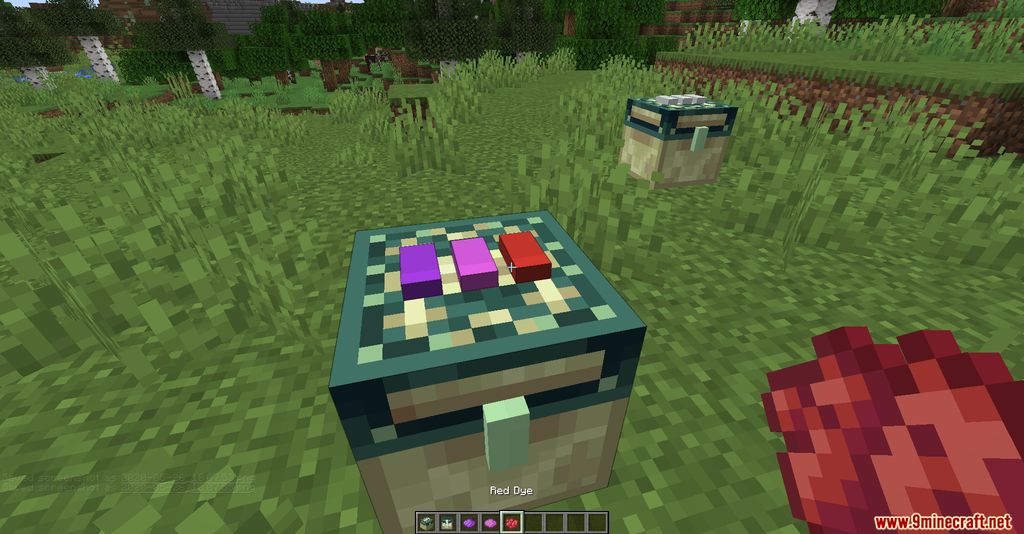
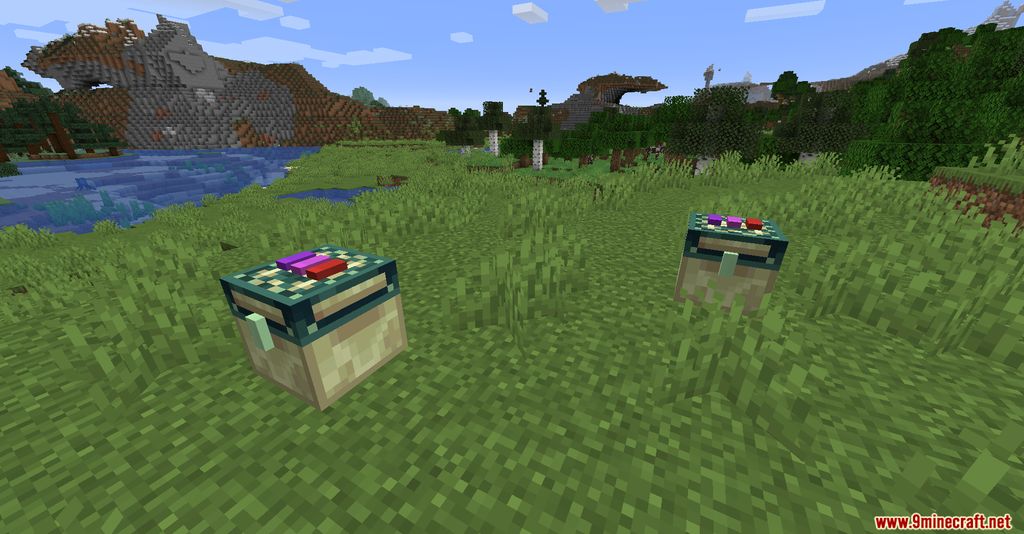
- Dye-Linked Chests: Apply dyes to the pads on top of a Storage Block to set its color channel, making every block with the same pattern share one inventory.
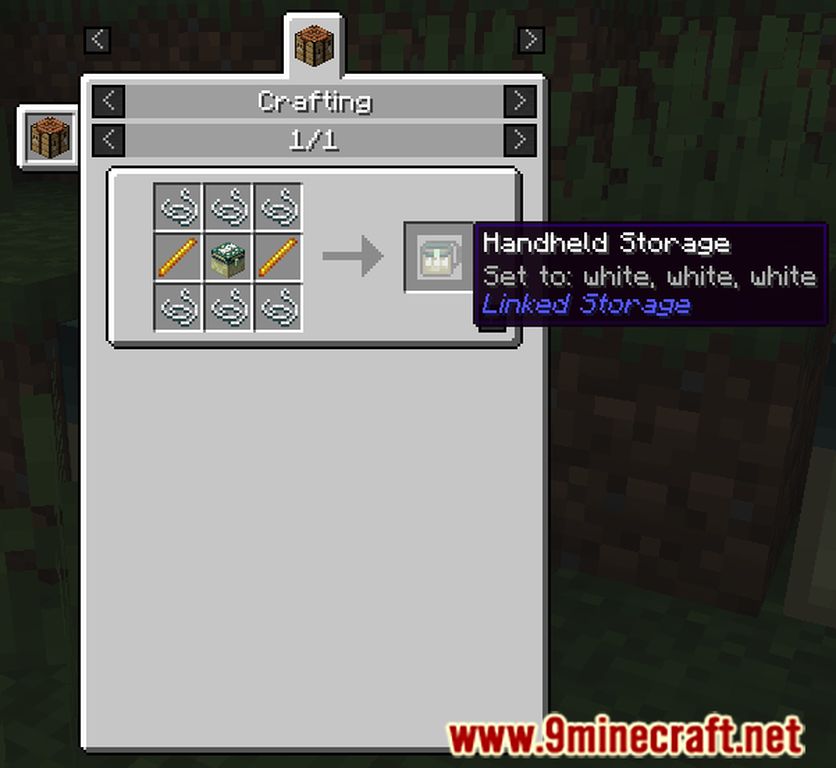
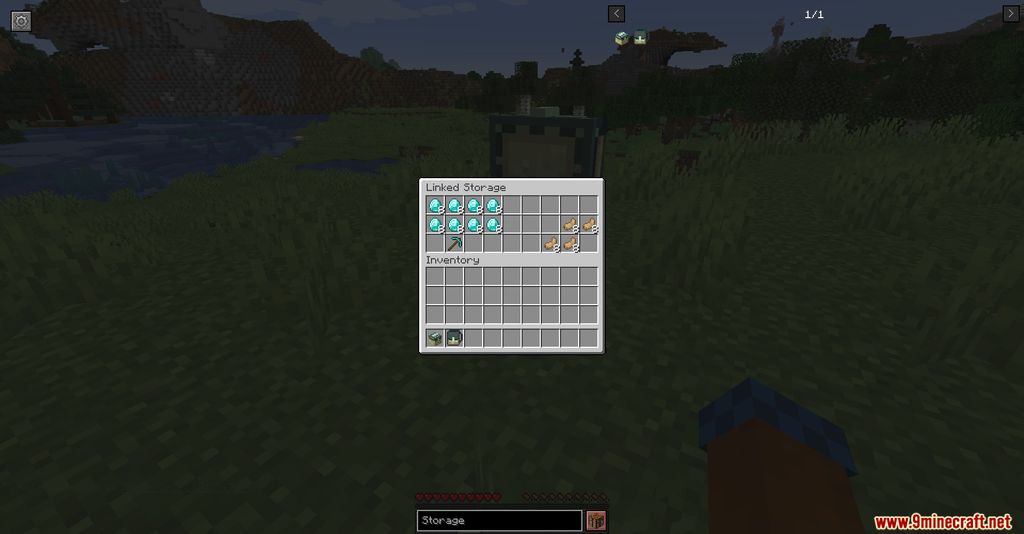
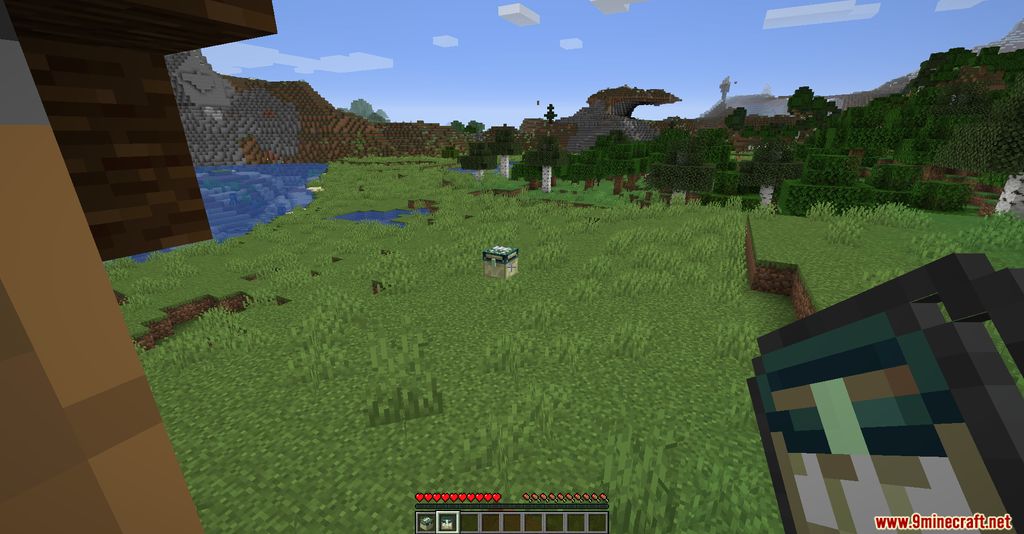
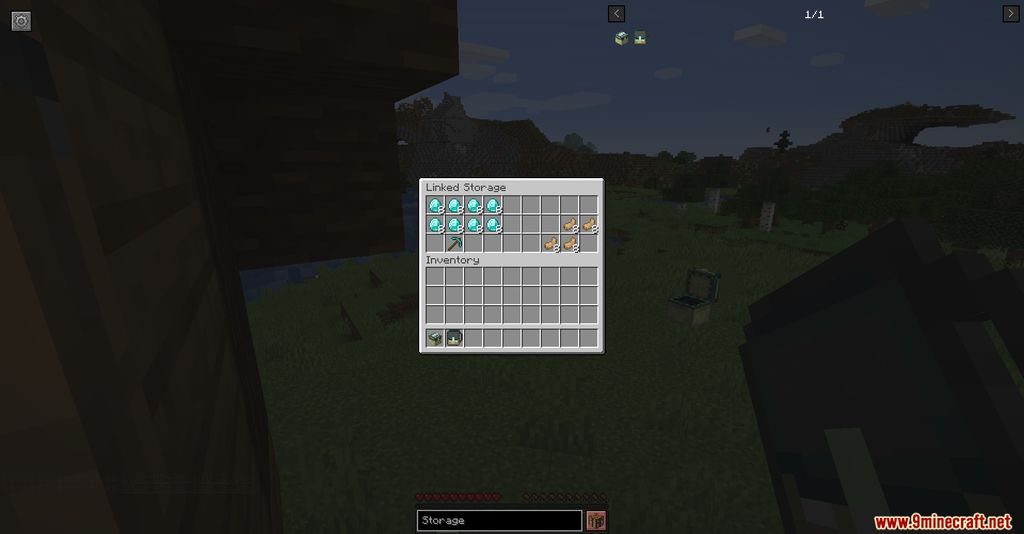
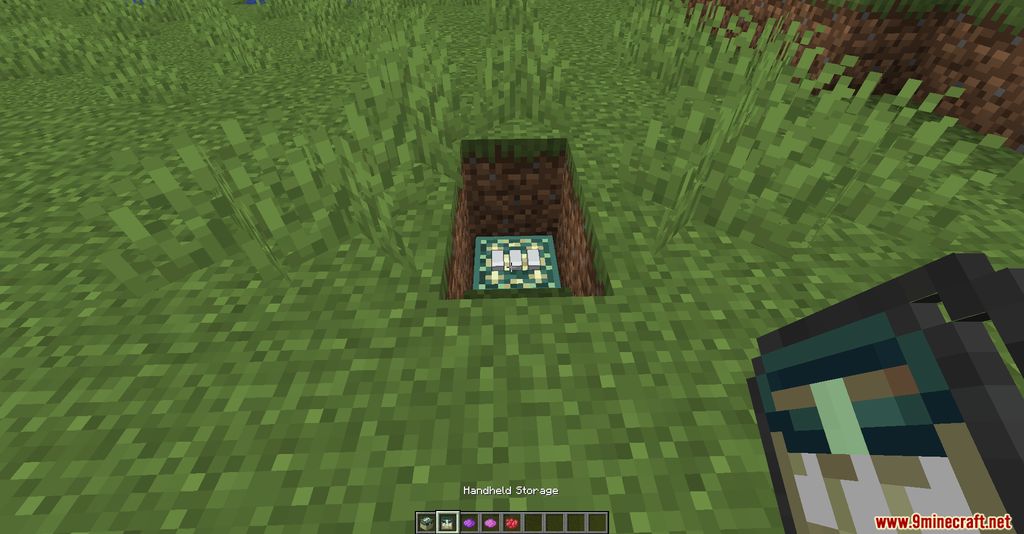
- Handheld Storage: Craft a portable storage item to open and use your shared inventories from anywhere in the world.
- Personal Channels: Right-click a chest with a diamond to turn it into a private dye channel that only you can open.
- Copies a chest’s dye channel directly to your Handheld Storage when you craft it, or when you right-click a Storage Block while holding it.
- Works with hoppers and most other item pipes to move items in and out automatically.
- Includes a built-in resource pack that you can turn on to use classic EnderStorage textures.
How to Use:
- Place a Storage Block on the ground and apply dyes to the pads on top to set a color channel.
- Put the exact same dye pattern on another Storage Block so both blocks link together and share one inventory.
- Attach hoppers or item pipes to a Storage Block if you want to move items in and out automatically.
- Hold a diamond and Right-Click on a chest to turn it into a private dye channel that only you can use.
- Craft a Handheld Storage item to copy the channel when crafting, or Right-Click a Storage Block with it to copy that color channel and open your shared inventory from anywhere.
- Enable the built-in resource pack if you want to switch to the classic EnderStorage textures.
Crafting Recipes:
Screenshots:
How to Install:
New to Minecraft? Follow our step-by-step guide to install Mods on your PC.View Guide
Linked Storage Mod Download Links
For Minecraft 1.20.1, 1.20
Fabric version: Download from Server 1 – Download from Server 2
For Minecraft 1.19.3
Fabric version: Download from Server 1
For Minecraft 1.19.2, 1.19.1
Fabric version: Download from Server 1 – Download from Server 2
For Minecraft 1.19
Fabric version: Download from Server 2
For Minecraft 1.18.2
Fabric version: Download from Server 2
For Minecraft 1.17.1
Fabric version: Download from Server 2
For Minecraft 1.16.5
Fabric version: Download from Server 2
For Minecraft 1.15.2
Fabric version: Download from Server 2
You May Also Like
Picked for this page
 Inventory HUD+ Mod (26.3, 1.20.1) – Always-On-Screen Information
 Staff of Building Mod (1.21.11, 1.20.1) – Speed Up Building Tool
 JAMD Mod (26.1.2, 1.20.1) – Just Another Mining Dimension
 Advanced Finders Mod (26.3, 1.20.1) – New Compasses
 Loot Journal Mod (26.1.2, 1.20.1) – Pick Up Notifier
 Simple Health Bar Mod (1.21.11, 1.20.1) – Replaces Default Health Display
 Player Hopper Mod (1.21.11, 1.20.1) – A Hopper That Pulls Items From A Player’s Inventory
 Disguise Heads Mod (26.3, 1.20.1) – Skin Swap Sensation, Explore Creative Disguises
 Loyalty Rewards Mod (1.21.11, 1.20.1) – Incentivize And Reward Player Engagement
 Head Name Fix Mod (1.21.11, 1.20.1) – Custom Mob Head Name Retaining
 Better Christmas Chests Mod (1.20.1) – Festive Textures For Minecraft
 Toms Storage Star Optimized Mod (1.21.1, 1.20.1) – Build Massive Storage Bases
Most viewed in Mods over the last 7 days
 Ala Industrial Mod (26.3) – Run Electric Power Grids and Automated Factories
 PleasureCraft Mod (26.3, 1.21.1) – Jenny Mod Remake for Fabric
 Jennycraft Mod (26.3, 1.20.1) – Virtual Girlfriend in Minecraft
 Fapcraft Mod (26.3, 1.12.2) – Comprehensive and Detailed Content
 Jenny Mod (Fapcraft) Official Complete Guide – How to use, Tutorial
 Meteor Client Mod (26.3, 1.20.1) – Xray, HUD, Fly
 BangCraft Mod (1.20.1) – Jenny, Ellie and Elliot
 Fabric Loader (26.3, 1.20.1) – Fabric Installer for All Minecraft Versions
 OptiFine HD (26.3, 1.20.1) – Run Faster, FPS Boost, Shaders Support
 SchnurriTV Mod (1.12.2) – Characters and Features
 Aristois Client Mod (1.21.4, 1.20.1) – World Class Minecraft Utility
 CatLean Client Mod (26.2, 1.21.11) – ThunderHack Recode Alternatives
More from Mods
 Floralis Mod (26.3, 1.20.1) – 16 New Types of Flowers
 Curios API UPDATED Mod (26.2) – Wear Rings, Charms and Trinkets in Extra Slots
 Mine Turismo Car & Vehicle Mod (26.3, 1.20.1) – Drive Custom Cars Through Busy
 Packet Ward Mod (26.3, 1.20.1) – Keep Scanners and Abusive Bots
 Fancy Player Animation Mod (1.21.1, 1.20.1) – Watch Your Character Move Like
 Matcha Flavoured Companion Mod (26.3) – Swap Matcha and Vanilla Looks Block
 Truckers Pack Immersive Vehicles IV MTS Mod (26.1.2, 1.20.1)
 Slipstream Mod (26.3, 1.20.1) – Run Minecraft on Mac with Triple the FPS or More
 Zhuravel Hand View Mod (26.3, 1.20.1) – Place Your Hand and Held Items
 HandyBell Mod (26.3) – Run Your Favorite Commands From a Bell in Your Base
 Create Love & War FOR NEOFORGE Mod (1.21.1) – Build a Factory Before You Fire
 Animated Shields Mod (26.3, 1.20.1) – Carry Your Own Animated GIF

This post has no comments yet. Be the first — your comment will appear here.