
Mclogs Mclo.gs Plugin (26.2, 1.21.1) – Solve Server Crashes Before Players
 15
15
 0
0


Mclogs Mclo.gs Plugin lets you share and read Minecraft server logs quickly using a simple short link. It takes your long, confusing error files and makes them easy to read online so you can figure out what went wrong. The plugin also hides private details like IP addresses automatically to keep your server safe.
Features:
- Uploads your current server log to the internet with just one command.
- Gives you a short web link to easily share the error text with friends or helpers.
- Removes private information like system usernames and IP addresses before anyone sees the file.
- Highlights different types of messages in colors so you spot errors right away.
- Detects common server problems and shows your game version automatically on the website.
- Lets you delete any log you uploaded if you no longer want to share it.
- Works for crash reports and network errors, not just the main server log.
Commands:
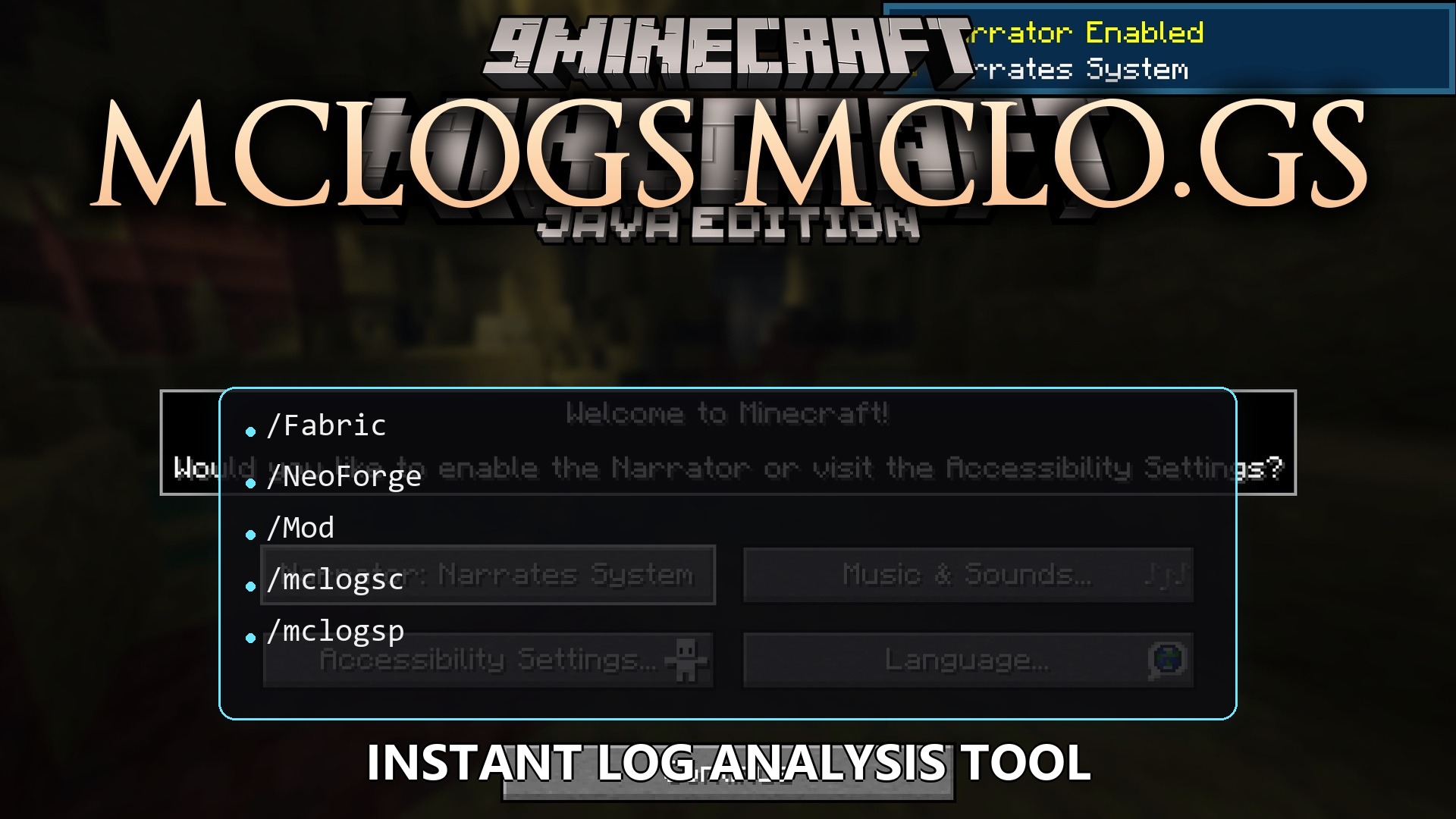
/mclogs: shares the current server log./mclogs list: shows a list of your server logs and crash reports./mclogs share <file-name>: uploads a specific log or error report./mclogs delete <log-id>: removes a log that you shared earlier./mclogsc: handles logs if you use this on a client./mclogsp: handles logs for proxy servers.
Configuration:
You can change the web address if you host your own website for logs:
# Base URL for the API used to upload logs
apiBaseUrl = "https://api.mclo.gs"
How to Use:
- Type the main command in your server console when you want to read an error.
- Click the short link that appears in the chat or console.
- Open the link in your web browser to read the color-coded text.
- Look for the highlighted text to find out what caused your server to crash.
How to Install:
New to Minecraft? Follow our step-by-step guide to install Plugins on your PC.View Guide
Mclogs Mclo.gs Plugin Download Links
For Minecraft
26.2,
26.1.2,
26.1.1
All Versions Covered
26.2
26.1.2
26.1.1
26.1
All Versions Covered
26.2
26.1.2
26.1.1
26.1
For Minecraft
1.21.11,
1.21.10,
1.21.9
All Versions Covered
1.21.11
1.21.10
1.21.9
1.21.8
1.21.7
1.21.6
1.21.5
1.21.4
1.21.3
1.21.2
1.21.1
1.21
All Versions Covered
1.21.11
1.21.10
1.21.9
1.21.8
1.21.7
1.21.6
1.21.5
1.21.4
1.21.3
1.21.2
1.21.1
1.21
For Minecraft
1.19.3,
1.19.2,
1.19.1
All Versions Covered
1.19.3
1.19.2
1.19.1
1.19
1.18.2
1.18.1
1.18
1.17
1.16
1.15
1.14
1.13
1.12
1.11
1.10
1.9
All Versions Covered
1.19.3
1.19.2
1.19.1
1.19
1.18.2
1.18.1
1.18
1.17
1.16
1.15
1.14
1.13
1.12
1.11
1.10
1.9
For Minecraft 1.16.5, 1.16
Click to rate this post!
[Total: 0 Average: 0]
You May Also Like
Picked for this page
 Grim Anticheat Plugin (26.3, 1.20.1) – Realtime Cheat Detection Plugin
 Better Jails Plugin (26.2, 1.20.1) – Lock Up Rulebreakers So Everyone Else
 Inventory Stacks Plugin (26.2, 1.20.1) – Stack Potions and Weapons
 Advanced Set Spawn Plugin (26.2, 1.20.1) – Welcome New Players to a Safe
 Beast Withdraw Plugin (26.2, 1.20.1) – Let Players Trade Cash and XP Directly
 Luck Perms Plugin (26.3, 1.20.1) – Keep Your Server Fair with Clear Player Ranks
 Vote Ban Plugin (26.2, 1.20.1) – Let Players Vote Out Trolls When Staff
 Gatekeeper Advanced VPN & PROXY Protection Lightweight and Highly Asynchronous Plugin (26.2, 1.20.1)
 Ax Inventory Restore Plugin (26.2, 1.20.1) – Return Lost Gear and Keep Players
 Better Ban Plugin (26.2, 1.20.1) – Stop Trolls From Ruining the Server
 MongoDB Loader Plugin (26.2, 1.20.1) – Save Player Stats So Nobody Loses Items
 R Authorization Plugin (26.2, 1.20.1) – Stop Account Thieves From Ruining
Most viewed in Plugins over the last 7 days
 Dynmap 9minecraft Plugin (26.3) – A Live Google-Maps-Style View of Your Whole Server
 Vulcan Anti Cheat Plugin (1.21.8, 1.20.1) – A Powerful Shield Against Cheating
 Citizens Plugin (1.21.10, 1.20.1) – The Best NPC Plugin
 Displaymotion Plugin (1.21.4) – Amaze Players with Custom Animations and No Client Mods
 MMOItems Premium Plugin (1.21.8, 1.20.1) – Create Stunning Custom Items
 Citizens2 Plugin (1.21.8, 1.20.1) – Craft Unique NPCs
 MythicCrucible Plugin (1.21.8, 1.20.1) – Addon for MythicMobs
 Fish Rework Fishing Plugin (26.3, 1.21.1) – Turn Simple Fishing
 L Claim Plugin (26.3, 1.20.1) – Build Protected Towns and Trade Peacefully
 MythicMobs Premium Plugin (1.21.9, 1.20.1) – Craft Epic Custom Mobs And Bosses
 Ultimate Donut SMP Plugin (26.3, 1.20.1) – Build Teams Trade Goods
 RaspberryJuice Plugin (1.21) – Turn Your World Into a Shared Coding Playground
More from Plugins
 Economy SMP Plugin (26.2, 1.21.1) – Turn Survival Worlds Into Active Trading
 Audio Navigation Plugin (1.21.10) – Helping Blind Players Explore Every Server
 VFBuilders Plugin (1.21.10) – Give Players Real Workshops to Assemble Vehicles
 DenarEconomy Plugin (1.21.10) – Give Each Roleplay Character Their Own Coin Purse
 Thievery Plugin (1.21.10) – Turn Every Burglary Into a High-Stakes Roleplay Heist
 BarterShops Plugin (1.21.10) – Turn Empty Towns Into Bustling Player Markets
 BirdMessenger Plugin (1.21.10) – Carrier Birds Deliver Mail Across Roleplay Towns
 VehicleFramework Plugin (1.21.4) – Drive, Sail, and Fly Across the Map Together
 RPCharacters Plugin (1.21.10) – Let Players Build Deep Personas and Rich Stories
 TLibs Plugin (1.21.4) – Custom Gear That Actually Looks Right with Shaders
 Games Plugin (1.21.10) – Gather Around Tavern Tables for High-Stakes Card Games
 Infestations Plugin (1.21.10) – Rally Factions to Purge Spreading Monster Invasions

This post has no comments yet. Be the first — your comment will appear here.