


NiceWurst Mod (26.2, 1.21.1) – Use Utility Client Features Safely

 0
0 

🌐 Good news — we've translated this article into other languages!
Or pick the one you like:
NiceWurst Mod gives you a huge collection of helpful tools for your survival world without any unfair cheats. It takes the best building, movement, and screen features from a popular utility client and makes them safe for regular play. You get tools to build faster, see your items clearly, and move around easily while keeping the game fair for everyone else on the server.
Features:
- Fair Play: Removes all unfair wall-hacks and cheats so you can play on regular servers safely.
- Safe Configs: Saves your settings in a separate folder so they do not mix up with other mods.
- Stops you from seeing through solid walls to keep exploration fair and fun.
Building and Mining Tools:
- Automatically builds structures for you after you place the very first block.
- Switches to the fastest pickaxe, shovel, or axe in your hotbar the moment you start breaking a block.
- Builds a small, safe bunker around you instantly if you have enough blocks in your inventory.
- Places blocks right under your feet as you walk so you never fall off edges while making a bridge.
Movement Upgrades:
- Keeps you sprinting forward without needing to hold down the sprint button.
- Makes you jump repeatedly to keep your speed up while running.
- Lets you walk around safely even while you have your inventory menu open.
- Stops you from walking off steep cliffs or high ledges by accident.
Screen and Vision:
- Turns up the brightness to the maximum level so you can see clearly in dark caves.
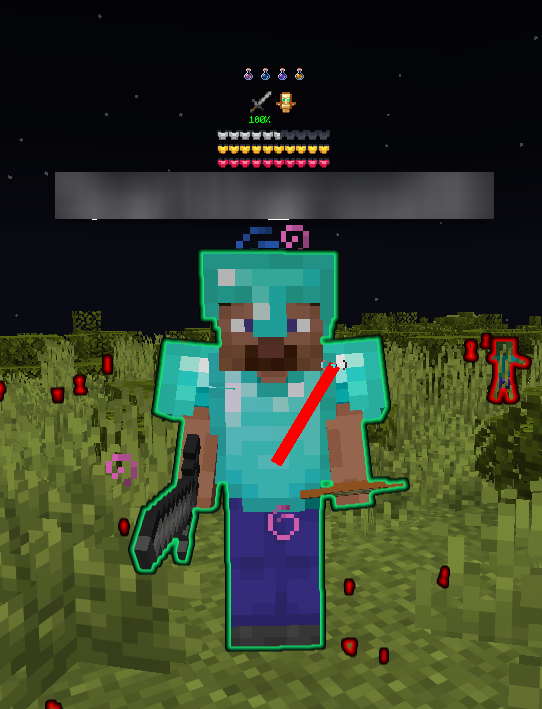
- Shows exactly how much health other players and mobs have right above their heads.
- Draws a bright outline around dropped items, water, and lava so you can spot them easily.
- Leaves a visible trail behind you so you can always find your way back home.
How to Use:
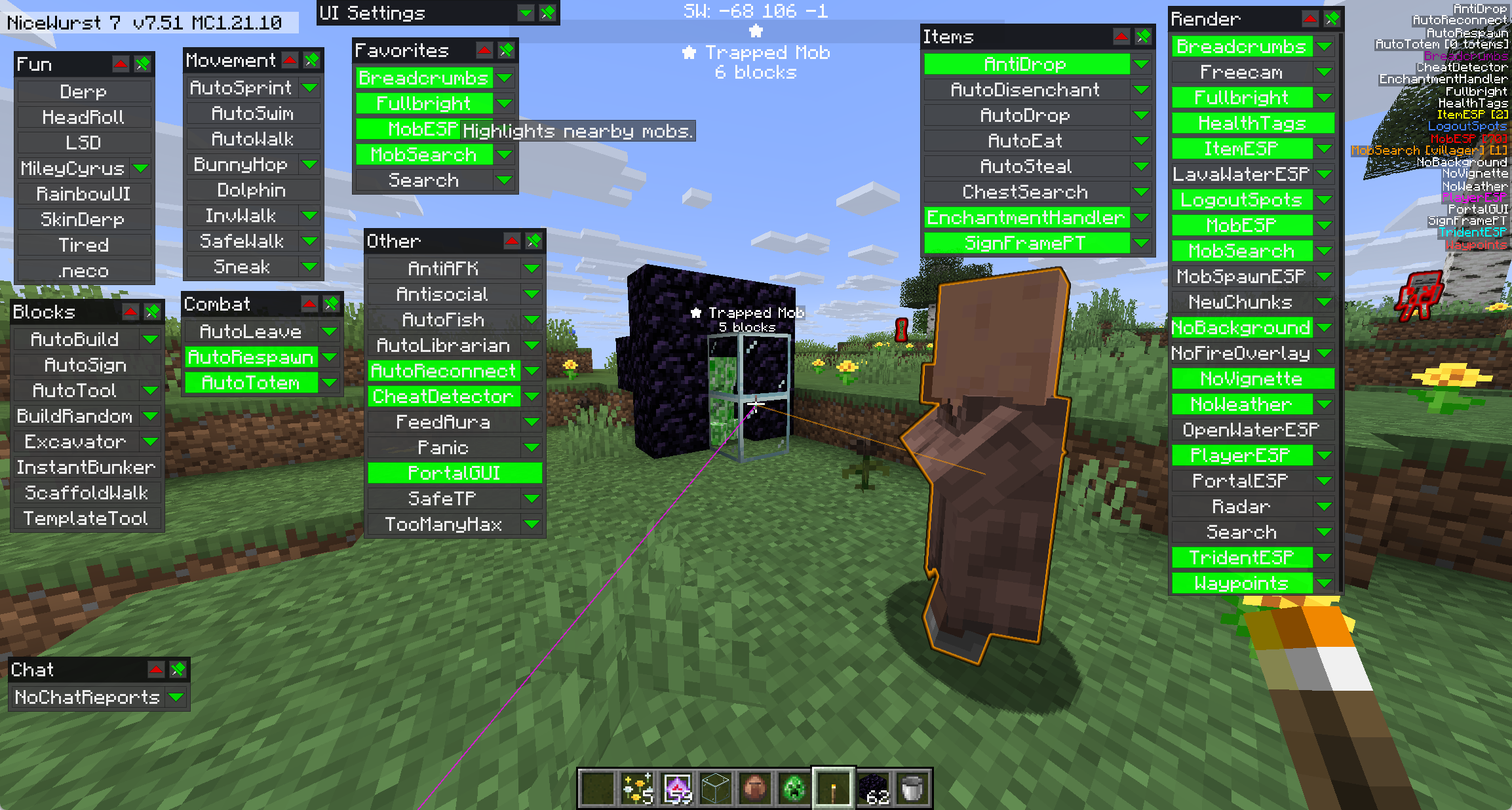
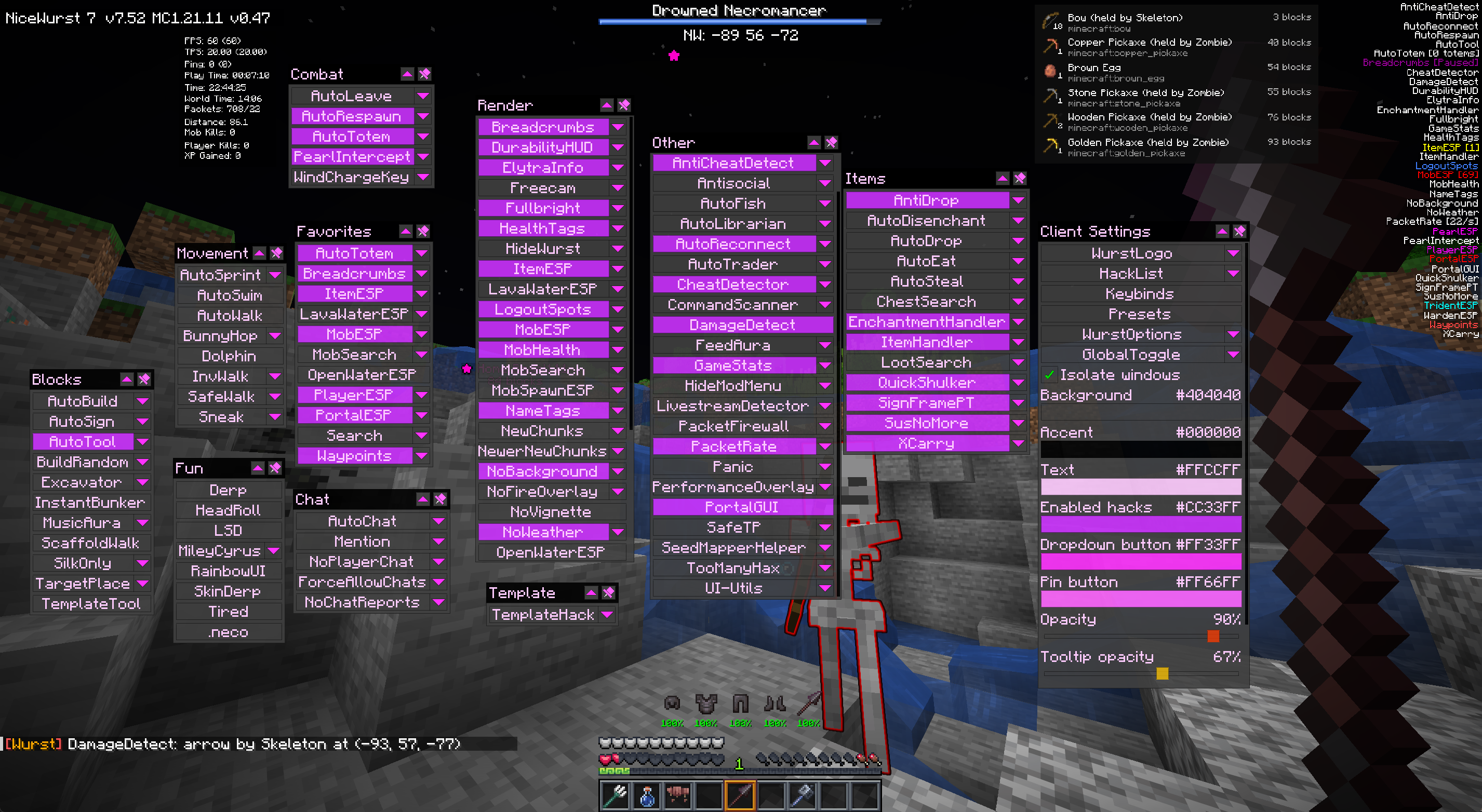
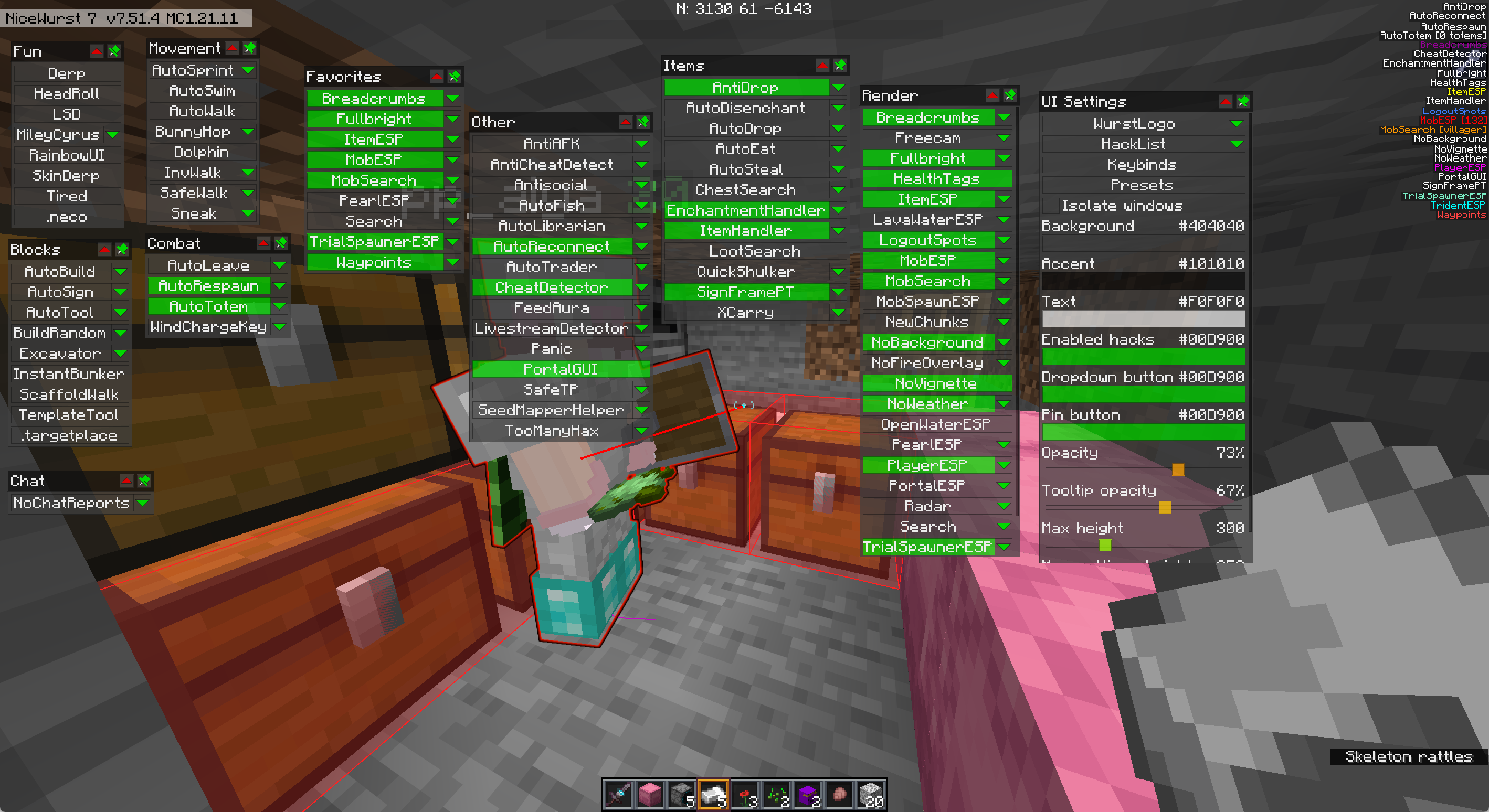
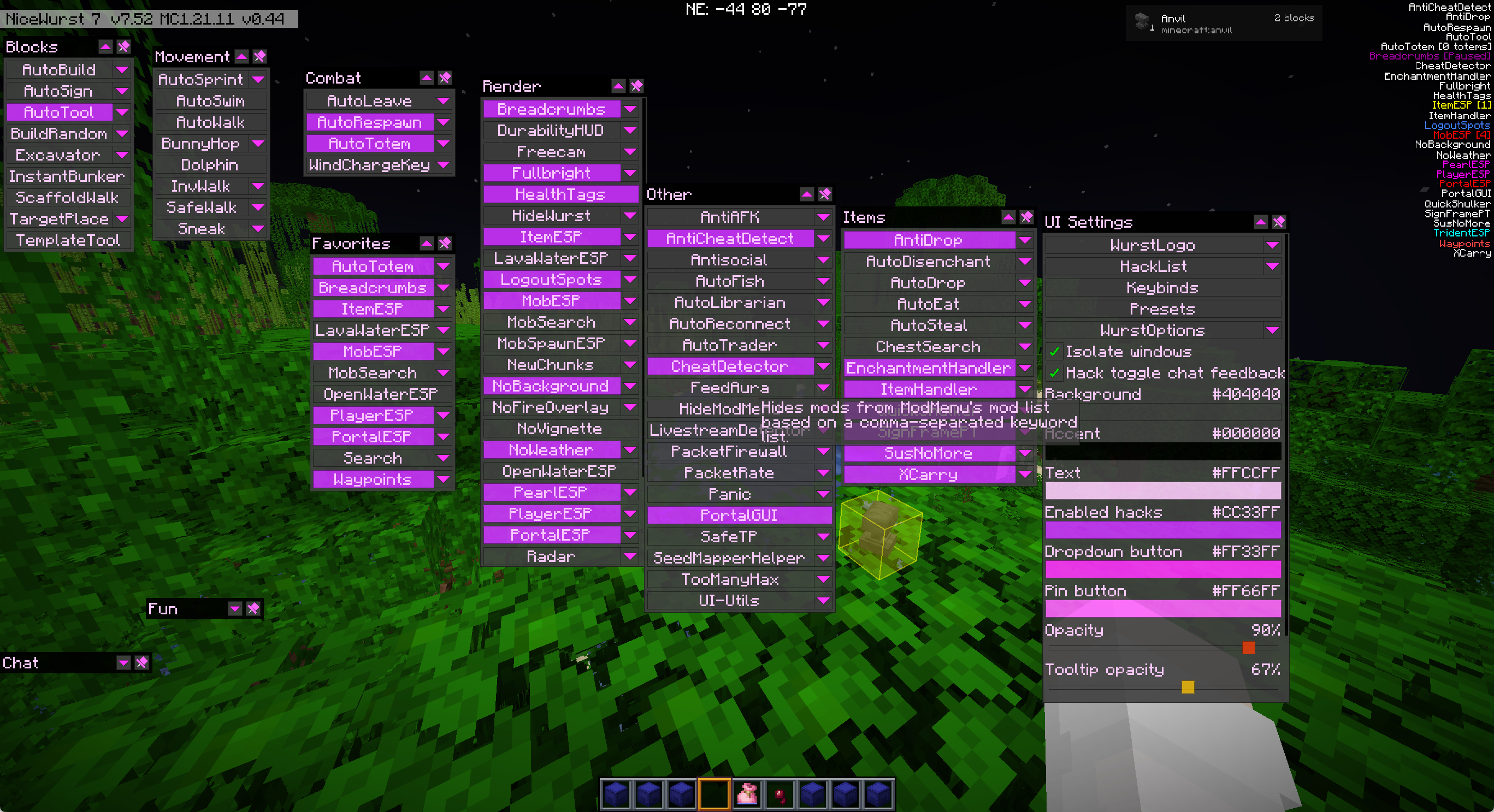
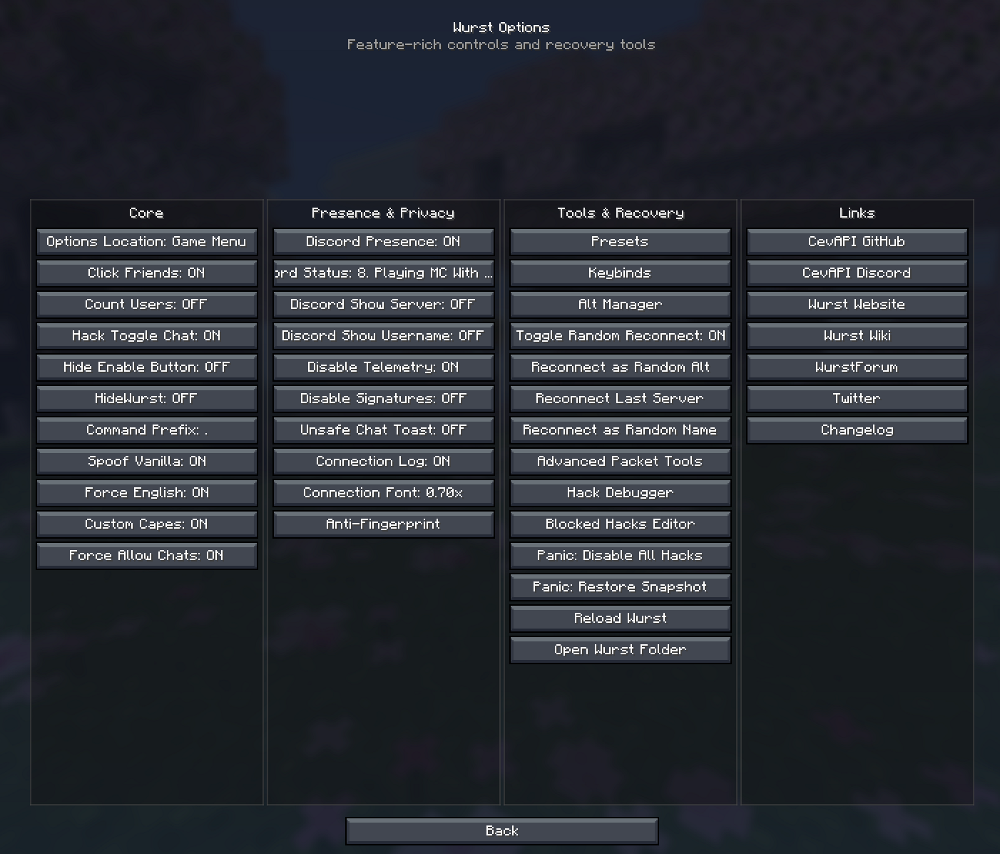
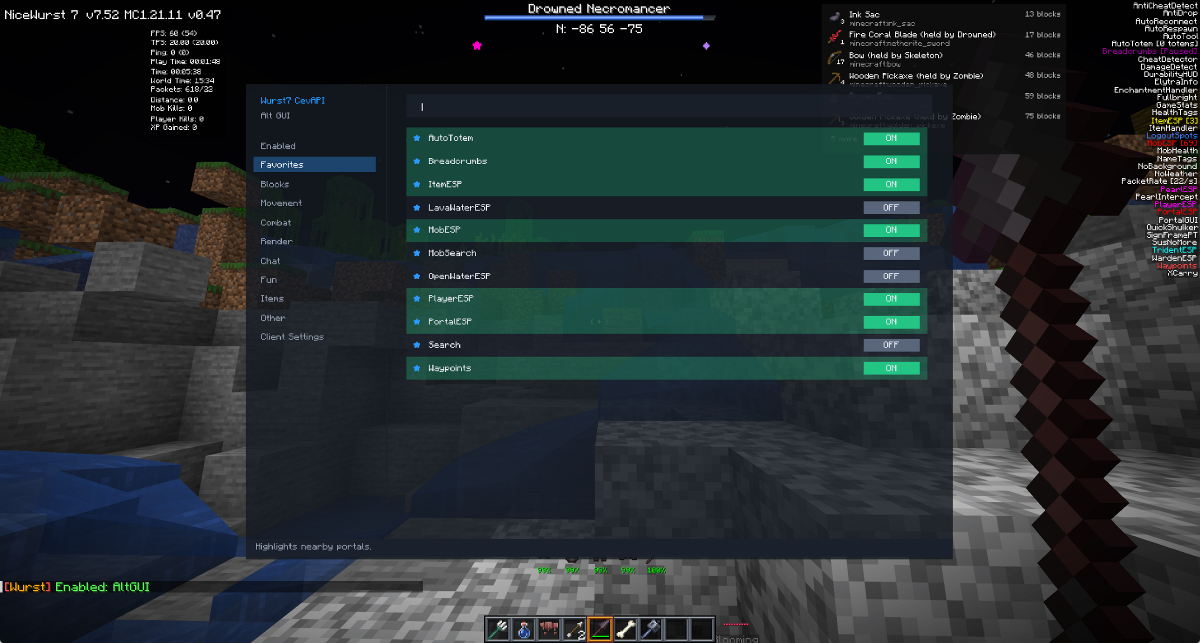
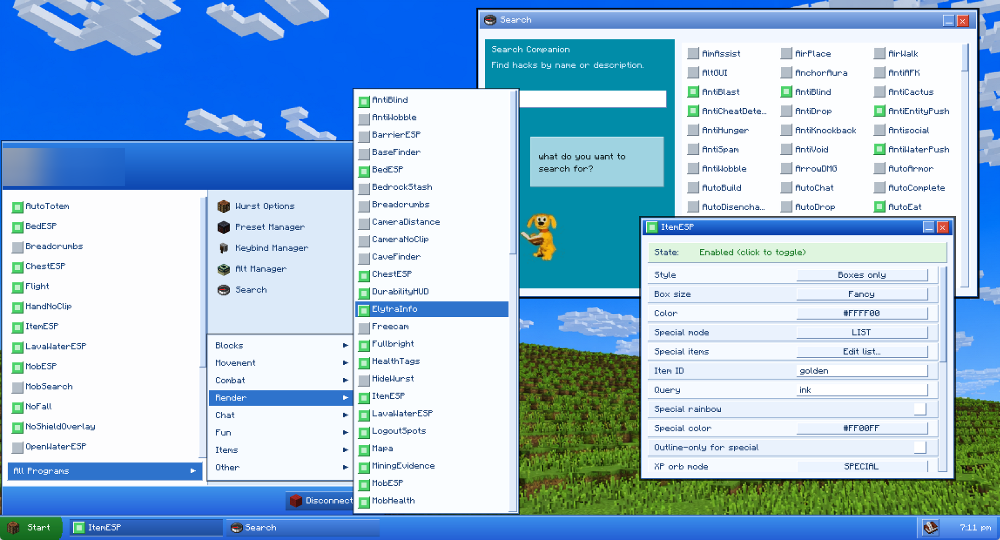
- Press the menu key to open the main click screen.
- Click on different categories like Blocks, Movement, or Render to find the tools you want.
- Click on any tool’s name to turn it on or off right away.
- Check the new folder in your game files to find and change your saved settings.
Screenshots:
How to Install:
New to Minecraft? Follow our step-by-step guide to install Mods on your PC.View Guide
Requirements:


NiceWurst Mod Download Links
For Minecraft 26.2
For Minecraft 26.1.2, 26.1.1, 26.1
For Minecraft 1.21.11
For Minecraft 1.21.1, 1.21
Click to rate this post!
[Total: 0 Average: 0]
You May Also Like











This post has no comments yet. Be the first — your comment will appear here.