
Nothirium Mod (1.12.2) – Travel Worlds Without Lag

 0


Nothirium Mod reworks Minecraft’s chunk rendering engine to use modern OpenGL and greatly increase performance. It works in a similar way to Sodium, though it is not a port of Sodium. This mod runs only on the client side and needs MixinBootstrap to work. It also has specific compatibility rules for other mods like Optifine, VanillaFix, and CensoredASM.
Features:
- Changes Minecraft’s chunk rendering engine to use modern OpenGL.
- Greatly increases your game performance.
- Runs on the client side only.
- Works in a similar way to Sodium without being a port of Sodium.
- Needs MixinBootstrap to run.
- Supports Mixin 0.7-0.8 Compatibility when another mod uses an older mixin version and stops the game from launching.
Full Incompatibilities:
- FarPlane2 does not work with this mod.
- LittleTiles does not work with this mod.
- Albedo does not work with this mod.
- Colored Lux does not work with this mod.
Partial Incompatibilities:
- Optifine needs
Smart Animationsturned off in the graphics settings, and custom block render layers from Optifine do not work with this mod. - VanillaFix needs
textureFixesturned off in the VanillaFix config. - CensoredASM and LoliASM need
onDemandAnimatedTexturesturned off in the CensoredASM/LoliASM config.
How to Use:
- Make sure MixinBootstrap is loaded before starting the game, because this mod needs it to run.
- Add Mixin 0.7-0.8 Compatibility if another mod uses an older mixin version and stops the game from launching.
- Remove FarPlane2, LittleTiles, Albedo, and Colored Lux from your mod list, since they are fully incompatible with this mod.
- Open the Optifine graphics settings and turn off
Smart Animationsif you use Optifine, keeping in mind that Optifine custom block render layers do not work with this mod. - Open the VanillaFix config and disable
textureFixesif you use VanillaFix. - Open the CensoredASM or LoliASM config and disable
onDemandAnimatedTexturesif you use either mod. - Launch Minecraft on your client to play with the modern OpenGL chunk rendering engine and higher performance.
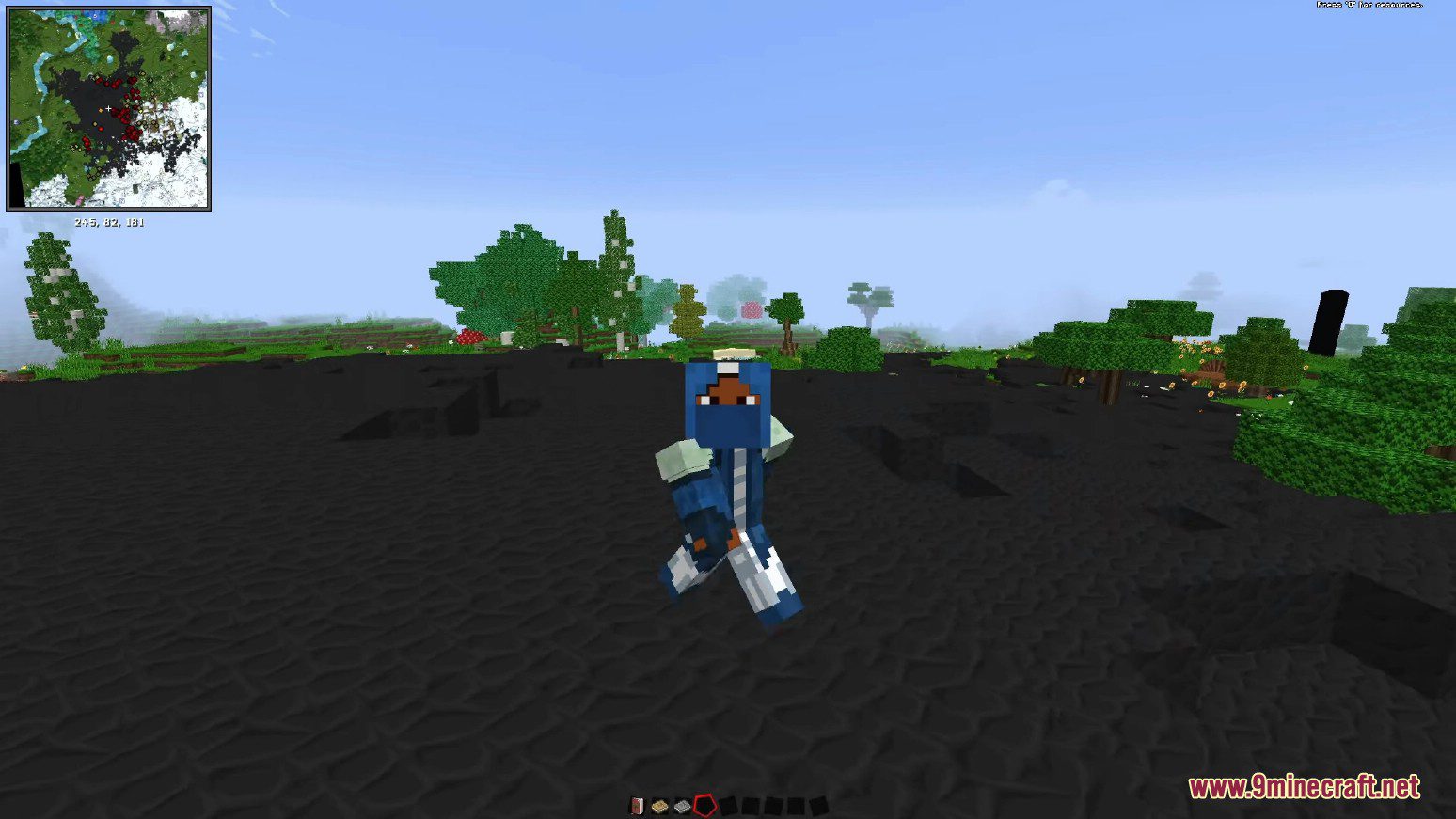
Screenshots:
How to Install:
New to Minecraft? Follow our step-by-step guide to install Mods on your PC.View Guide
Requirements:

Nothirium Mod Download Links
For Minecraft 1.12.2
Forge version: Download from Server 1 – Download from Server 2
Click to rate this post!
[Total: 0 Average: 0]
QUICK MINECRAFT SURVEY · ONE TAP
Mods & Modpacks
What is the longest real-time wait you will tolerate for a heavily modded game to load to the main menu?
52 responses · See the full results →
You May Also Like
Picked for this page
 Mounted Pearl Mod (1.21.1, 1.20.1) – Stay Mounted When You Use Ender Pearls
 Universal Graves Mod (26.3, 1.20.1) – Death Chests for Deceased Players
 More Banner Features Mod (26.3, 1.20.1) – Banners as Capes, Hats
 GPU Tape Mod (26.2, 1.20.1) – Boosts Game Rendering Performance
 Caramel Chat Mod (26.1, 1.20.1) – Optimizing Multilingual Chat In Minecraft
 First Join Message Mod (26.3, 1.20.1) – Custom Welcome Messages
 Through The Lily Pads Gently Mod (26.3, 1.20.1) – Travel Peacefully
 Survival Debug Stick Mod (26.2, 1.20.1) – Adds A Crafting Recipe For The Debug Stick
 Enchantable Mace Mod (1.21.11, 1.21) – Allows Sword Enchantments On Maces
 Cull Particles MultiLoader Mod (1.21.5, 1.21.1) – Go Wild with TNT and Potions
 Cobbledex Rei Emi Jei Mod (1.21.11, 1.21.1) – Find Cobblemon Spawns
 Fast NBT Mod (1.20.1) – Speeds Up Game Data Reading
Most viewed in Mods over the last 7 days
 Ala Industrial Mod (26.3) – Run Electric Power Grids and Automated Factories
 PleasureCraft Mod (26.3, 1.21.1) – Jenny Mod Remake for Fabric
 Jennycraft Mod (26.3, 1.20.1) – Virtual Girlfriend in Minecraft
 Fapcraft Mod (26.3, 1.12.2) – Comprehensive and Detailed Content
 Jenny Mod (Fapcraft) Official Complete Guide – How to use, Tutorial
 BangCraft Mod (1.20.1) – Jenny, Ellie and Elliot
 Fabric Loader (26.3, 1.20.1) – Fabric Installer for All Minecraft Versions
 Meteor Client Mod (26.3, 1.20.1) – Xray, HUD, Fly
 The Shooting Star Demo Mod (26.3, 1.20.1) – Vaporize Terrain From Orbit
 OptiFine HD (26.3, 1.20.1) – Run Faster, FPS Boost, Shaders Support
 Aristois Client Mod (1.21.4, 1.20.1) – World Class Minecraft Utility
 Prestige Client Mod (1.21.11, 1.21.4) – Powerful Ghost Features for Crystal & Sword PvP
More from Mods
 Shin’s Tensura Race Models Mod (1.19.2) – Play As Unique 3D Anime Race
 Offgrid Mod (26.3, 1.20.1) – Furnish Compact Interiors Without Strict Grid
 Tempest Almanac Iron’s Spells ‘n Spellbooks Mod (1.21.1, 1.20.1)
 Chat Guides Mod (26.3, 1.21.11) – Never Memorize Complex Server Commands Again
 TRMT Reimagined the Roads More Travelled Mod (26.3, 1.20.1)
 Morrowless Mod (1.21.1) – Defend Your Shelter From Nightmare Creatures
 THE SLOPSTROSITY Mod (1.21.1) – Battle a Ridiculous Slime Boss
 Decoween Mod (1.21.1, 1.20.1) – Transform Ordinary Survival Bases
 Simply Light 9minecraft Mod (26.3) – Decorate Builds Without Torches
 Alex’s Caves Continued Mod (26.3, 1.20.1) – Conquer Six Massive Underground
 Anvil Uses Mod (26.3, 1.20.1) – Track Item Anvil Usage
 Animal Info Mod (26.3, 1.21.11) – Quick Stats For Your Animals

This post has no comments yet. Be the first — your comment will appear here.