
Obscure Tooltips Mod (1.21.11, 1.20.1) – Preview Your Gear Before Equipping
 6,432
 0


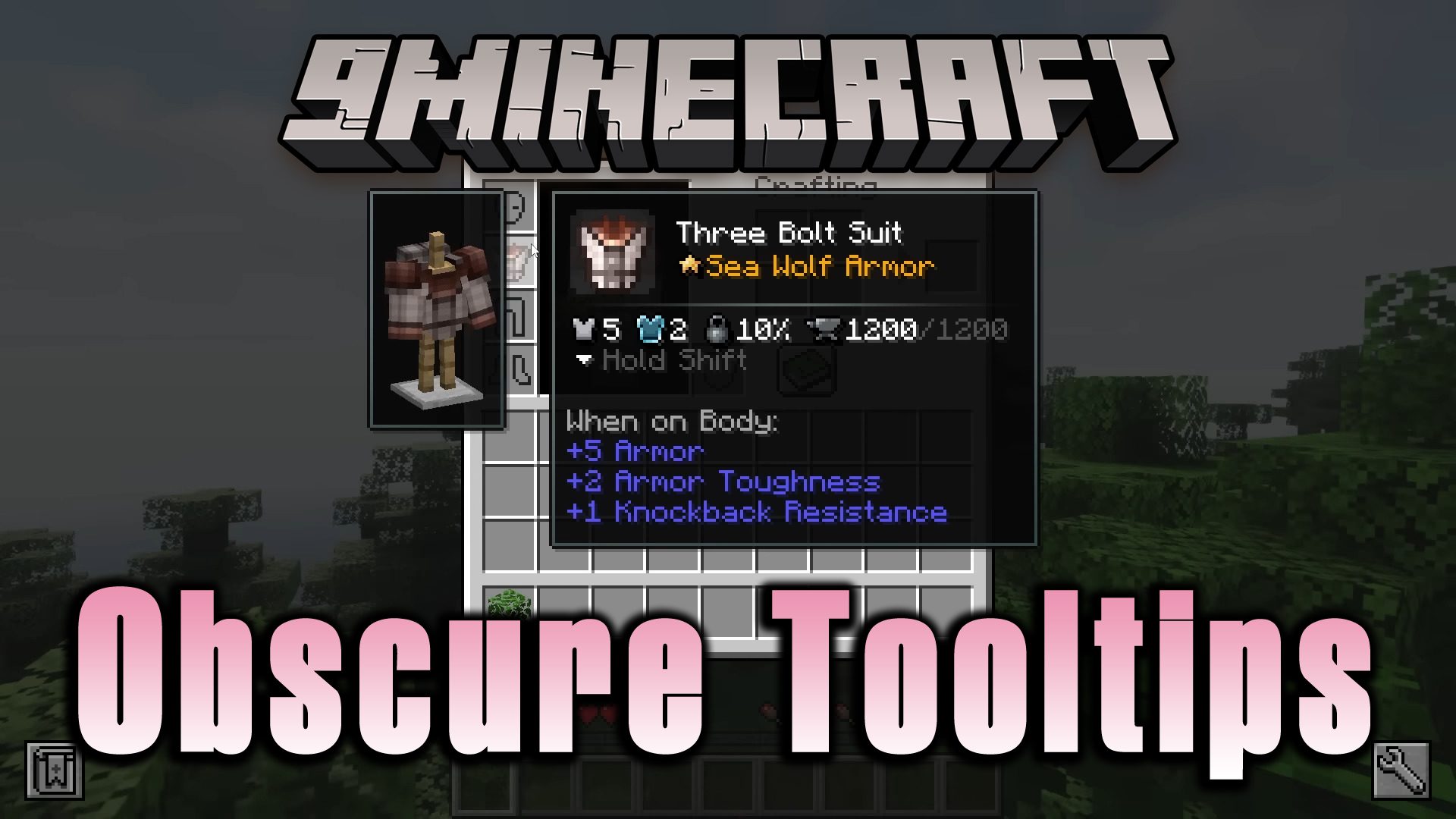
Obscure Tooltips Mod turns plain item pop-ups into lively, animated tooltips with glowing borders, particle effects, and custom accent frames that match item rarity and context. This client-side mod shows 3D models of armor, tools, and weapons right inside the tooltip so you can preview gear right away without extra menus. It keeps long item names, lore, and stats clean and easy to read with automatic smooth scrolling and smart line wrapping. You can also build custom styles, merge designs, set display conditions, and tweak visual settings through in-game config screens or config files.
Features:
- Animated Tooltips: Adds smooth animations, glowing borders, subtle particle effects, animated ornaments, and layered visual effects to item pop-ups. Accent frames adapt to item rarity and context so each item stands out in your inventory.
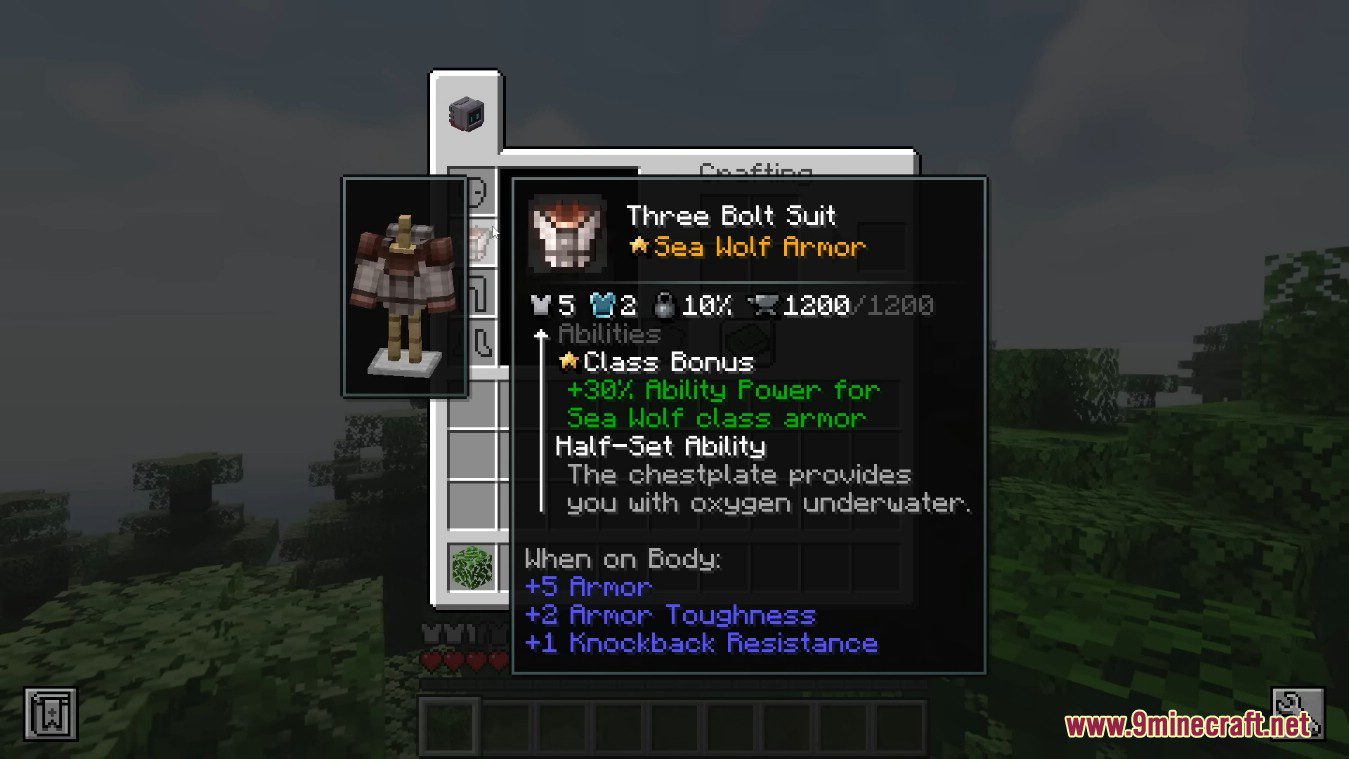
- Integrated 3D Models: Displays any armor piece, tool, or weapon in 3D directly inside the tooltip. You can inspect gear right away without putting it on or opening extra menus.
- Smooth Scrolling: Turns on automatic smooth scrolling whenever a tooltip is taller than your screen. This keeps long descriptions neat and easy to read without resizing your UI.
- Smart Line Wrapping: Formats wide tooltips automatically so long names, lore, and stats stay aligned and never spill outside the box.
- Modular Customization: Uses a data-driven design that lets you build new styles, merge existing styles, create display conditions, and customize every visual element.
- Runs fully on the client side to improve how your inventory looks without changing core gameplay.
- Supports both in-game config screens and manual config file edits so you can adjust visual settings anytime.
Obscure Tooltips Mod – Video Showcase
Configuration:
config/obscuria/obscure_tooltips-client.toml: Stores all client-side tooltip settings so you can adjust them manually without extra mods. Starting on Minecraft 1.21.1, built-in in-game config screens are available out of the box, while Minecraft 1.20.1 supports in-game config menus when used with Forge Config Screens or Configured.
How to Use:
- Open your inventory and hover your cursor over any item, tool, weapon, or armor piece to view its animated tooltip and 3D model preview without putting the gear on.
- Keep your cursor over items with tall descriptions so automatic smooth scrolling and smart line wrapping show the full text cleanly on your screen.
- Open the in-game config screen to adjust visual settings, which works out of the box starting on Minecraft 1.21.1 or with Forge Config Screens or Configured on Minecraft 1.20.1.
- Open
config/obscuria/obscure_tooltips-client.tomlin your game folder if you want to edit settings manually without an in-game config menu.
Screenshots:

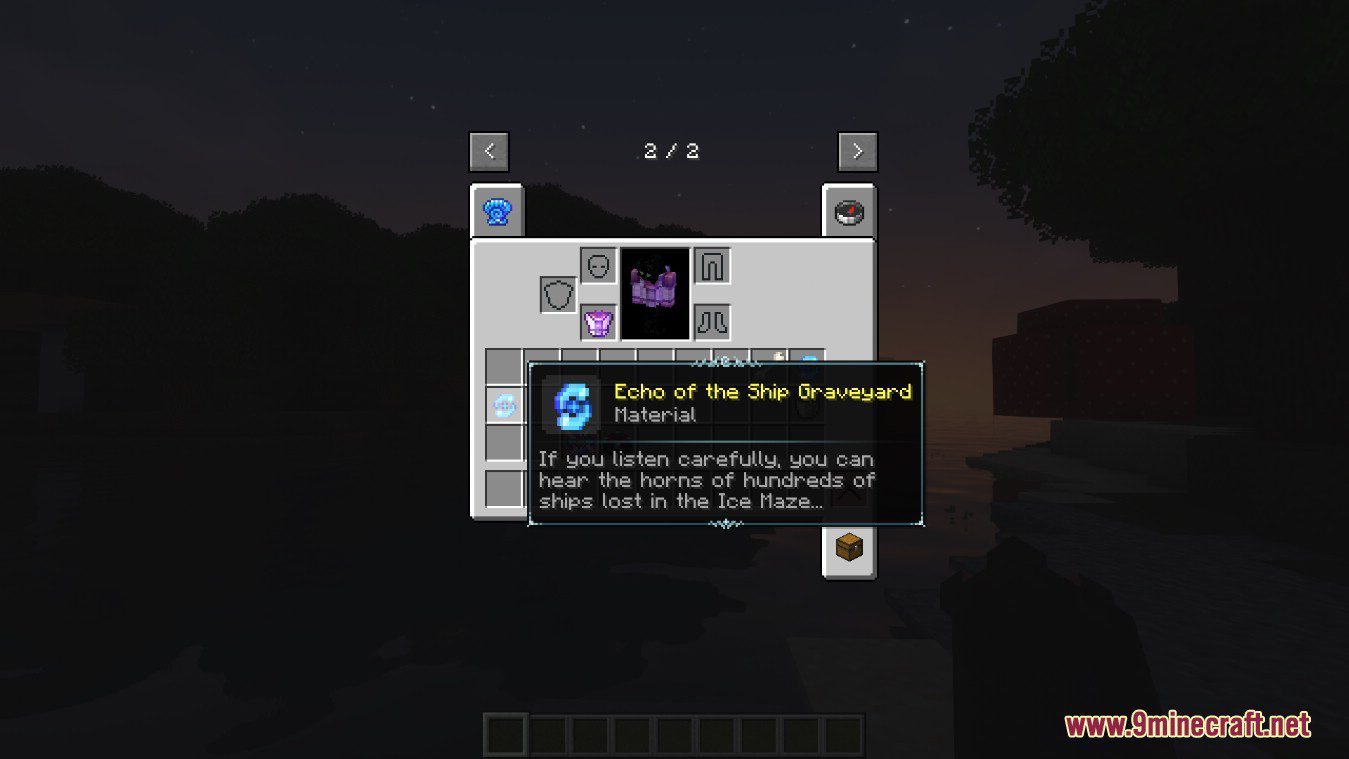


 D armor model displayed directly inside the stylized tooltip box
How to Install:
New to Minecraft? Follow our step-by-step guide to install Mods on your PC.View Guide
Requirements:




Obscure Tooltips Mod Download Links
For Minecraft 1.21.11
For Minecraft 1.21.1, 1.21
For Minecraft 1.20.1, 1.20
For Minecraft
1.19.3,
1.19.2,
1.19.1
All Versions Covered
1.19.3
1.19.2
1.19.1
1.19
For Minecraft 1.18.2, 1.18.1, 1.18
You May Also Like
Picked for this page
 Silk Mod (26.3, 1.20.1) – Kotlin Minecraft API
 Hostile Mobs Improve Over Time Mod (26.3, 1.20.1) – Making Minecraft Brutal
 Additional Lanterns Mod (26.3, 1.20.1) – Lamps Made from New Materials
 Ctrl Q Mod (26.1, 1.20.1) – Take Control Of Your Inventory
 Eldritch Mobs Mod (1.21.11, 1.20.1) – Mobs More Dangerous, Exciting
 Searchables Mod (26.3, 1.20.1) – Find Any Item in Modpacks
 Arcane Lanterns Mod (26.3, 1.20.1) – The Power of Light
 Atmosfera Mod (26.3, 1.20.1) – Atmospheric Sounds
 Client Maps Mod (26.3, 1.20.1) – Stores Map Data On Client Side
 Sit Anywhere! Mod (26.3, 1.20.1) – The Best Player Sit Mod
 Improved Grindstone Mod (26.1.2, 1.20.1) – Enhanced Enchantment Management
 Chain Crafter Mod (1.21.11, 1.20.6) – Craftable Chainmail Armor
Most viewed in Mods over the last 7 days
 Ala Industrial Mod (26.3) – Run Electric Power Grids and Automated Factories
 PleasureCraft Mod (26.3, 1.21.1) – Jenny Mod Remake for Fabric
 Jennycraft Mod (26.3, 1.20.1) – Virtual Girlfriend in Minecraft
 Fapcraft Mod (26.3, 1.12.2) – Comprehensive and Detailed Content
 Jenny Mod (Fapcraft) Official Complete Guide – How to use, Tutorial
 BangCraft Mod (1.20.1) – Jenny, Ellie and Elliot
 Fabric Loader (26.3, 1.20.1) – Fabric Installer for All Minecraft Versions
 The Shooting Star Demo Mod (26.3, 1.20.1) – Vaporize Terrain From Orbit
 Meteor Client Mod (26.3, 1.20.1) – Xray, HUD, Fly
 OptiFine HD (26.3, 1.20.1) – Run Faster, FPS Boost, Shaders Support
 Aristois Client Mod (1.21.4, 1.20.1) – World Class Minecraft Utility
 Prestige Client Mod (1.21.11, 1.21.4) – Powerful Ghost Features for Crystal & Sword PvP
More from Mods
 MTR Navigation Mod (1.21.1) – Plan Railway Trips and Never Miss a Train Stop
 TheHouse Mod (1.21.11) – Host Casino Tables and Track Every Bet in Real Time
 CinematicInteractions Mod (1.21.1) – Watch Your Hands Work at Every Crafting Table
 Earth Platform Mod (1.21.1) – Travel Across Real Continents in a True Scale World
 Taunahi Mod (26.1.2) – Automate Daily Farming and Slayers in Hypixel Skyblock
 HORROR Fake Join Leave Messages Mod (1.20.1) – Trigger Creepy Chat Scares
 Bons Voyage Mod (1.20.1) – Teleport Across Biomes Through Hidden Waystones
 Orbital Railgun UPDATED Mod (26.3) – Flatten Giant Landscapes From Space
 Automobility Autoradio Mod (26.3, 26.1.2) – Trade Custom Mixtapes with Friends
 Towers of the Wild 9minecraft Mod (26.3, 26.2) – Climb Tall Towers for Loot
 Ender Storage 9minecraft Mod (26.3, 26.2) – Send Loot Back Home From Any Dimension
 Snad 9minecraft Mod (26.3, 26.2) – Build Faster Sugar Cane and Nether Wart Farms

This post has no comments yet. Be the first — your comment will appear here.