Pokenda Client Mod (1.21.1) – Stealth, Externally Controlled Client
 207
207
 0
0
 3 weeks ago
 Pokenda Client
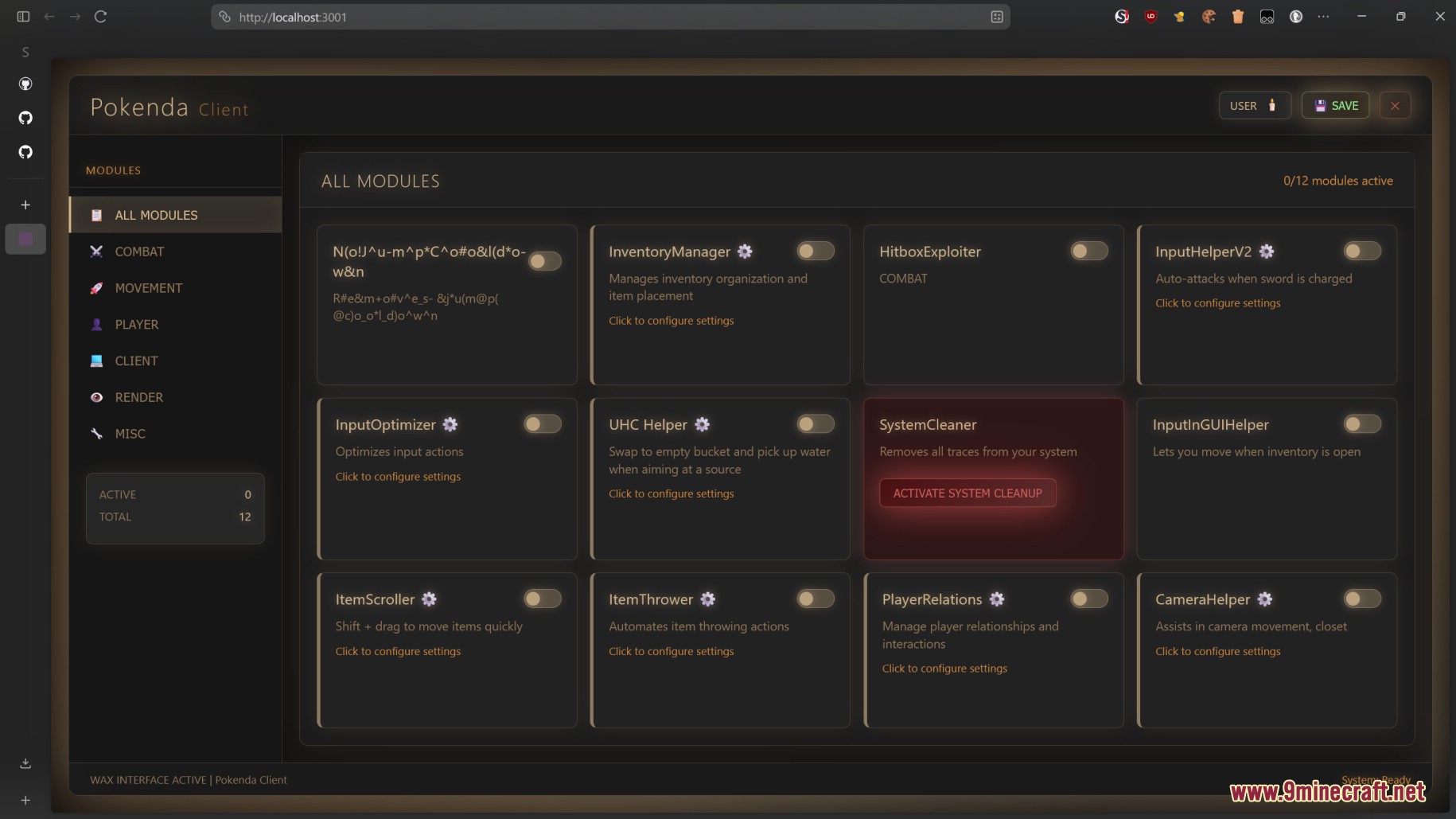
Pokenda Client Mod (1.21.1) is a utility mod for Minecraft. It includes many powerful features such as action automation, PvP assistance, UHC support, and more. Unlike traditional clients that use an in-game ClickGUI, Pokenda uses a web interface (browser) to control and manage its modules.
Features:
- HitboxExploiter: Helps expand the hitbox area to make it easier to hit enemies.
- InputHelperV2: Supports optimizing inputs (such as mouse clicks and movement) for smoother combat.
- UHC Helper: Provides special support for UHC mode, such as resource management or quick healing.
- InventoryManager: Automatically sorts and manages inventory so you can focus on combat.
- SystemCleaner: Erases system traces to maintain stealth.
Screenshots:
How to use:
- Open Web Browser:
- Use any browser you have: Chrome, Edge or Firefox (do not use Internet Explorer because it’s outdated).
- Ensure the browser is open on the same computer running Minecraft.
- Enter the address into the browser’s URL bar:
- http://localhost:3001/ (usually use this one, simpler).
- Or https://127.0.0.1:3001/ (if you want more security, but you may encounter self-signed certificate warnings).
Requires:
How to install:
Click the following link to view details: How to Install Mods for Minecraft Java Edition on PC: A Beginner Guide
Pokenda Client Mod (1.21.1) Download Links
For Minecraft 1.21.1, 1.21
Fabric version: Download from Server 1 – Download from Server 2
Click to rate this post!
[Total: 0 Average: 0]
You May Also Like