
Roughly Enough Resources Mod (1.20.1, 1.19.2) – Never Guess Mining Heights Again
 8,910
 0


Roughly Enough Resources Mod extends Roughly Enough Items (REI) with world generation and loot drop information. It works as a replacement for Just Enough Resources and shows which blocks spawn at different heights in your world. The mod also displays mob drop chances, block loot drops, and the tools you need to gather items when you break blocks. It includes altitude graphs for world generation and links blocks like water, lava, and fire to buckets or flint and steel so they appear clearly in the recipe screen. This helps you find ores, mob drops, and materials faster, especially in big modpacks.

Features:
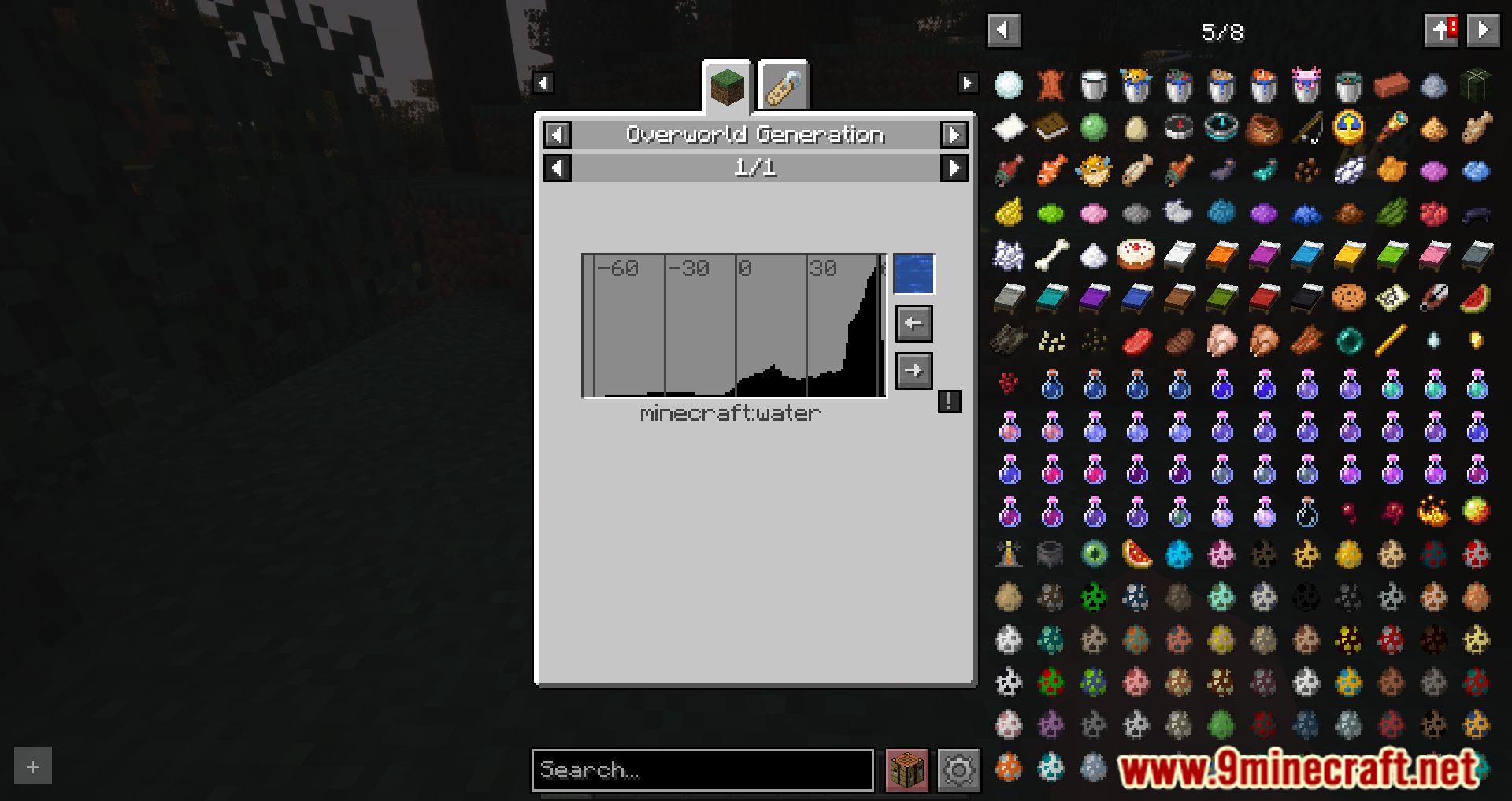
- World Generation Heights: Shows which blocks and ores spawn at different heights across the world, including overworld altitude graphs for blocks like water and potatoes.
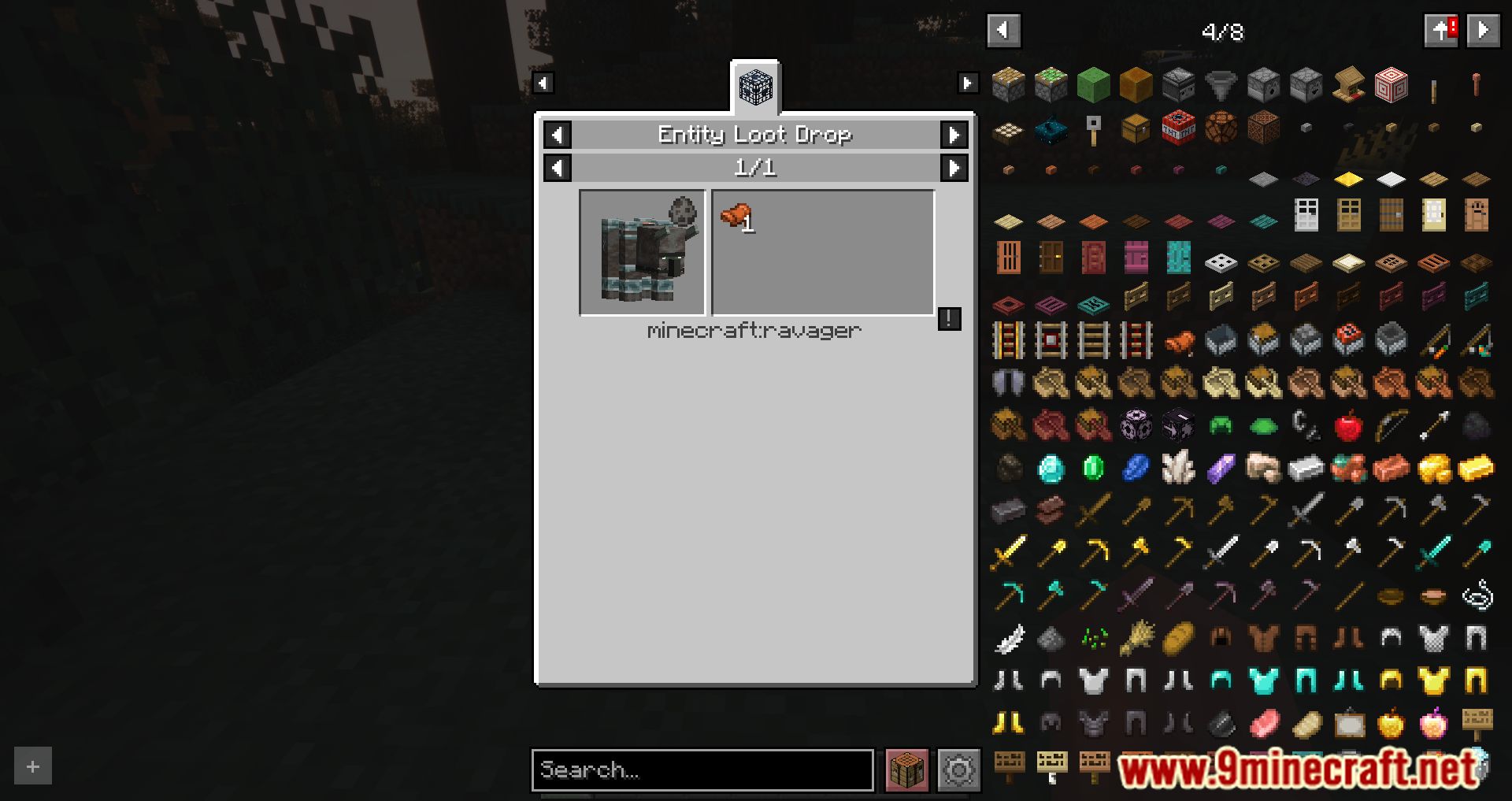
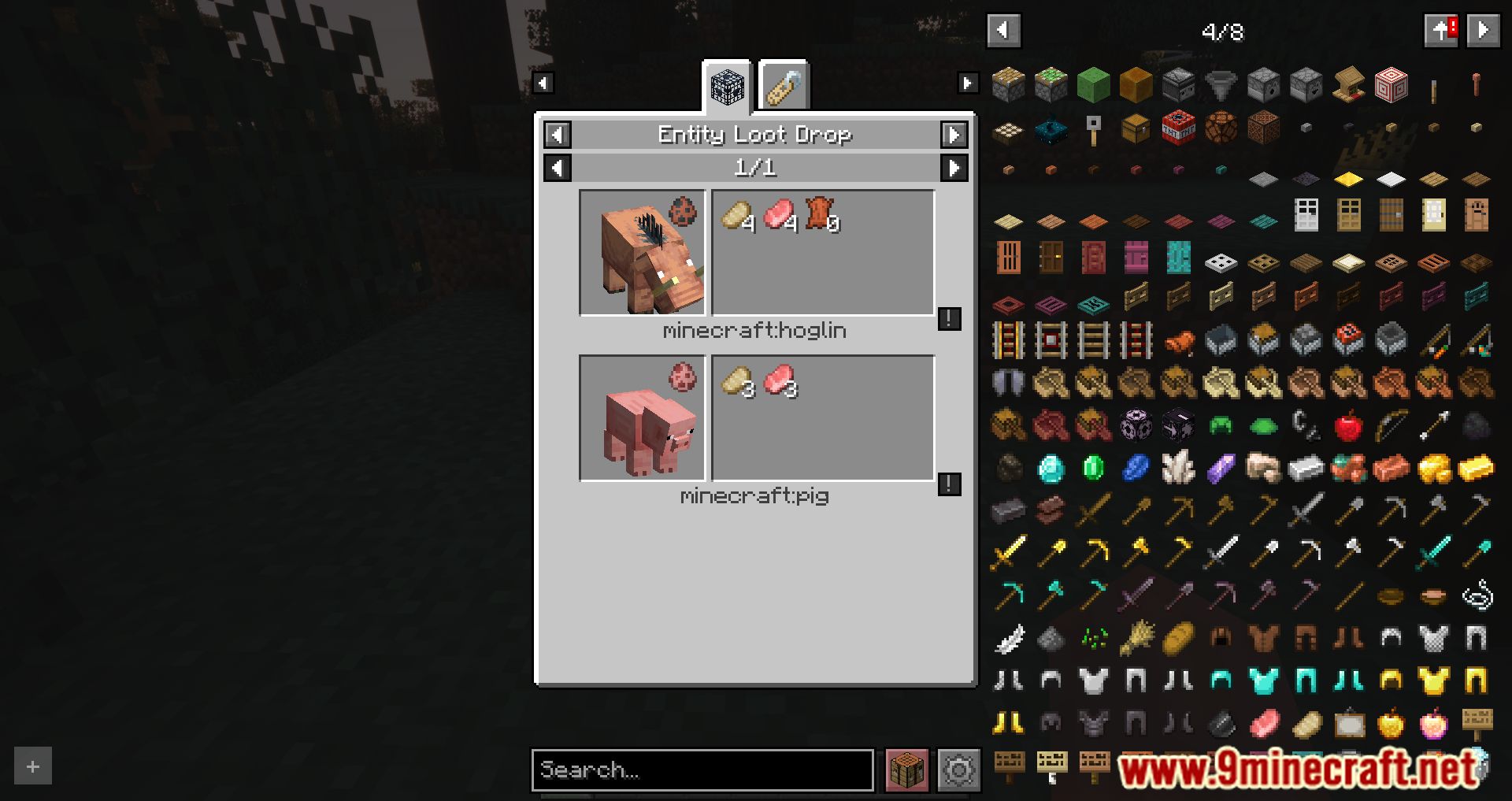
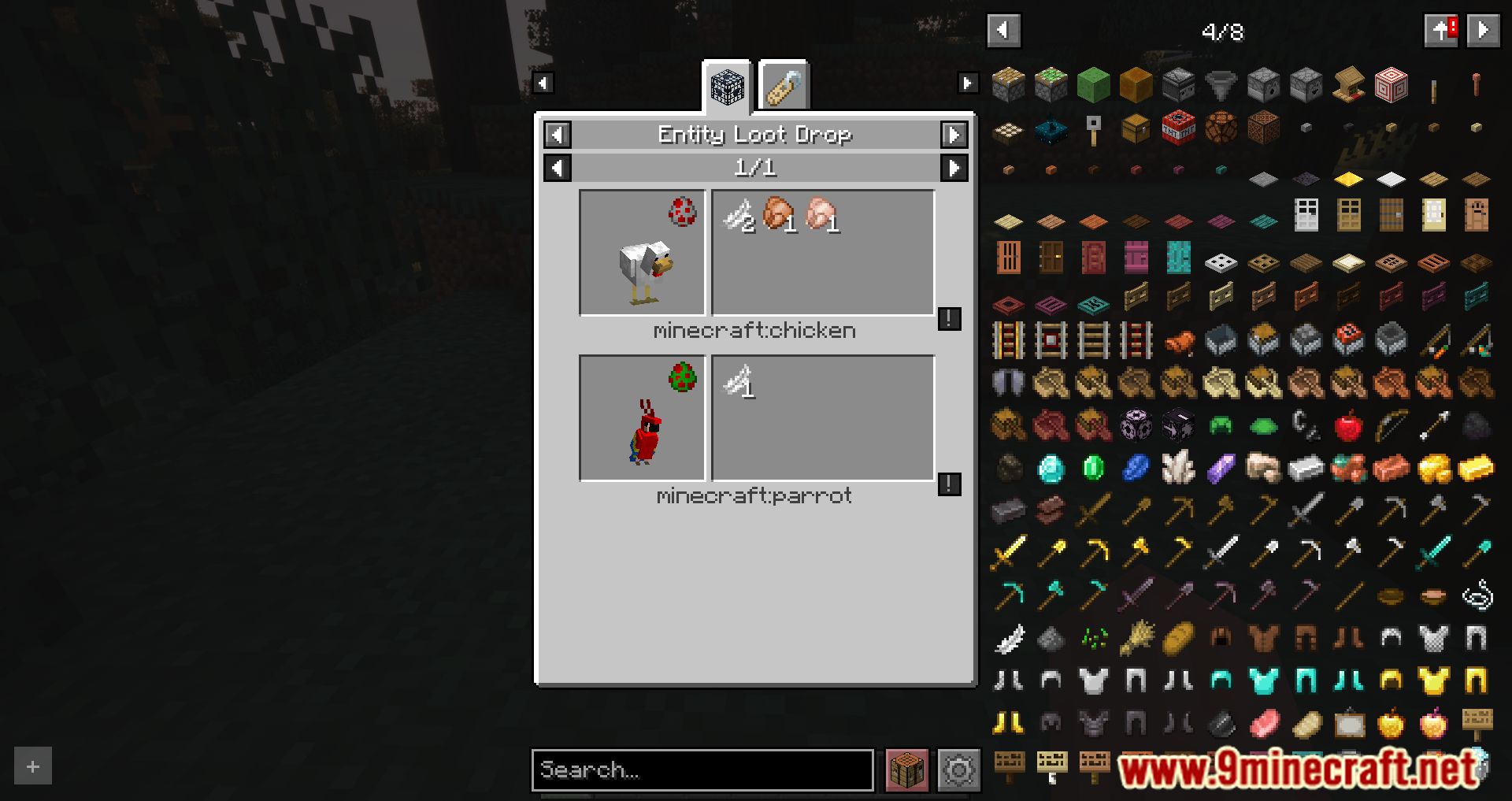
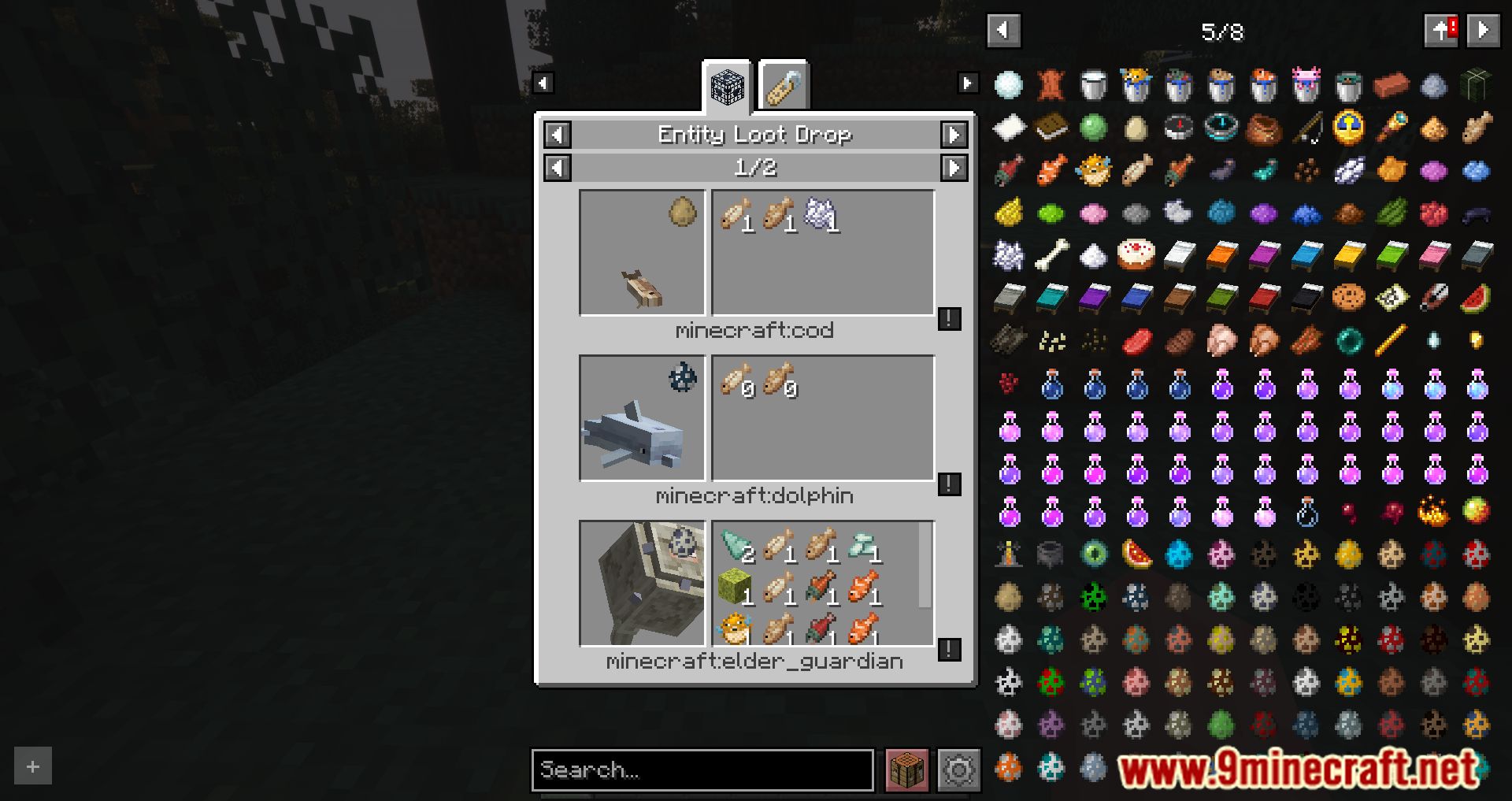
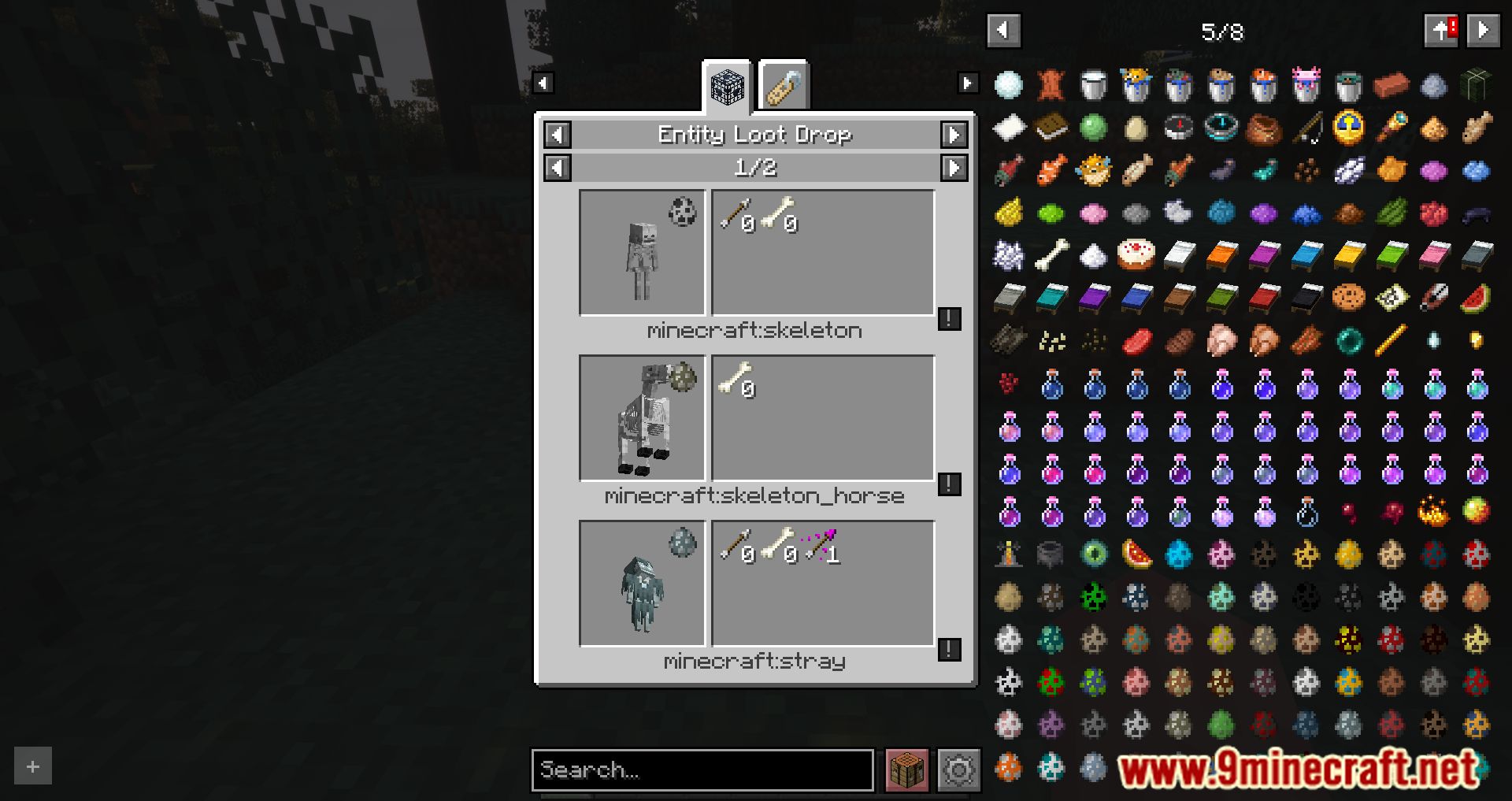
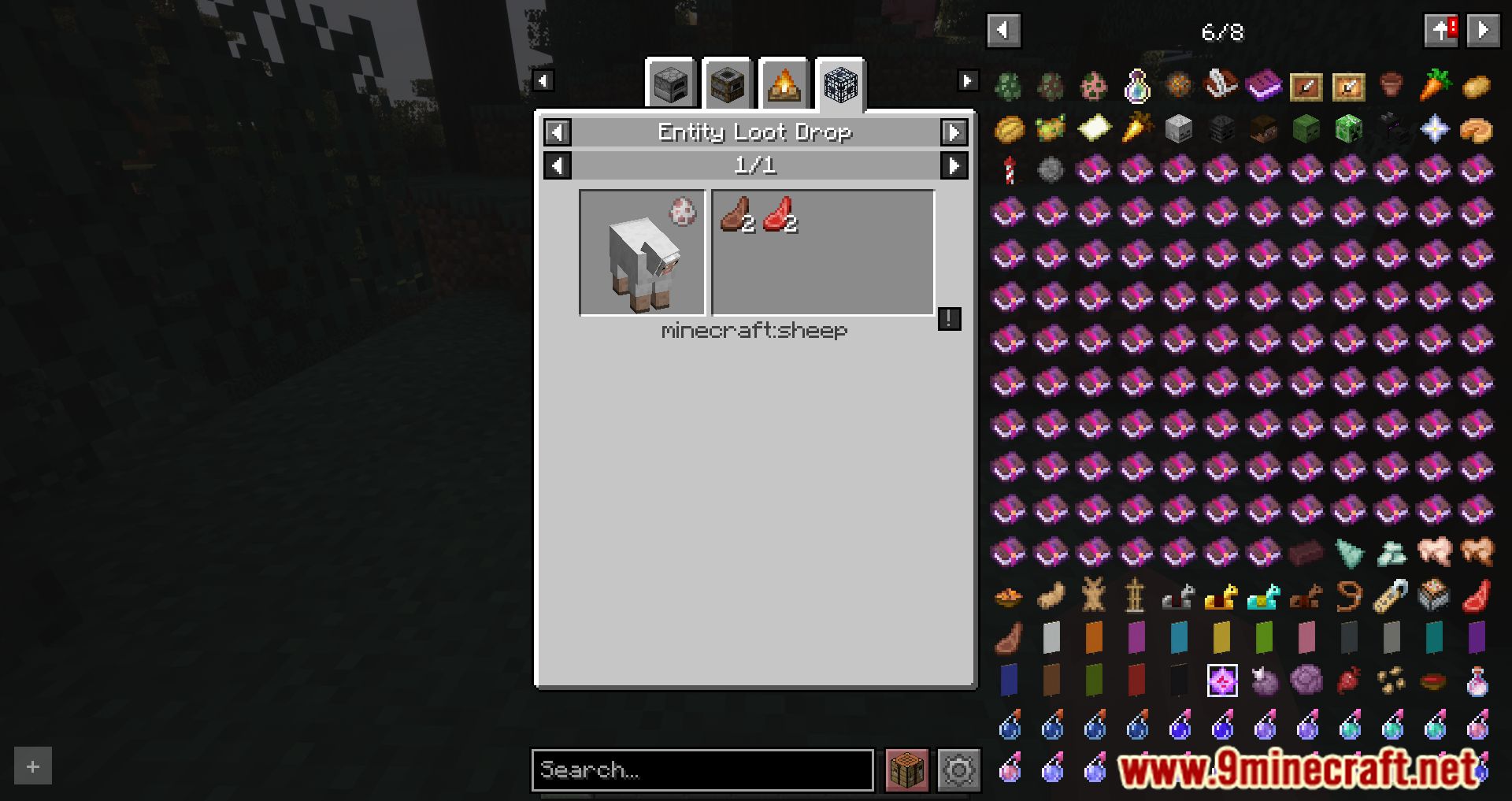
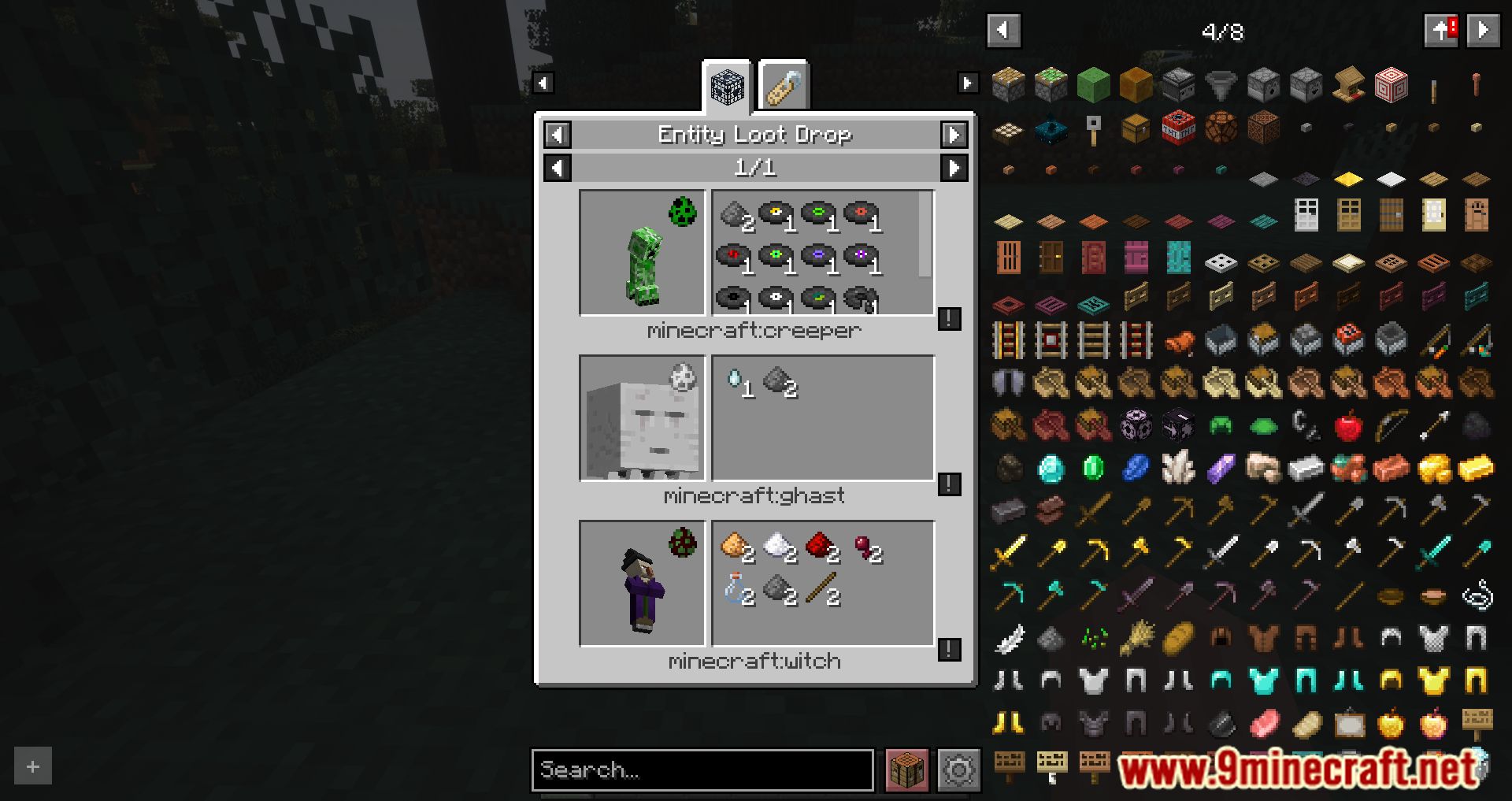
- Mob Loot Drops: Displays item drops and drop chances for mobs in the REI interface, such as ravagers, hoglins, pigs, chickens, parrots, elder guardians, polar bears, skeletons, strays, rabbits, and sheep.
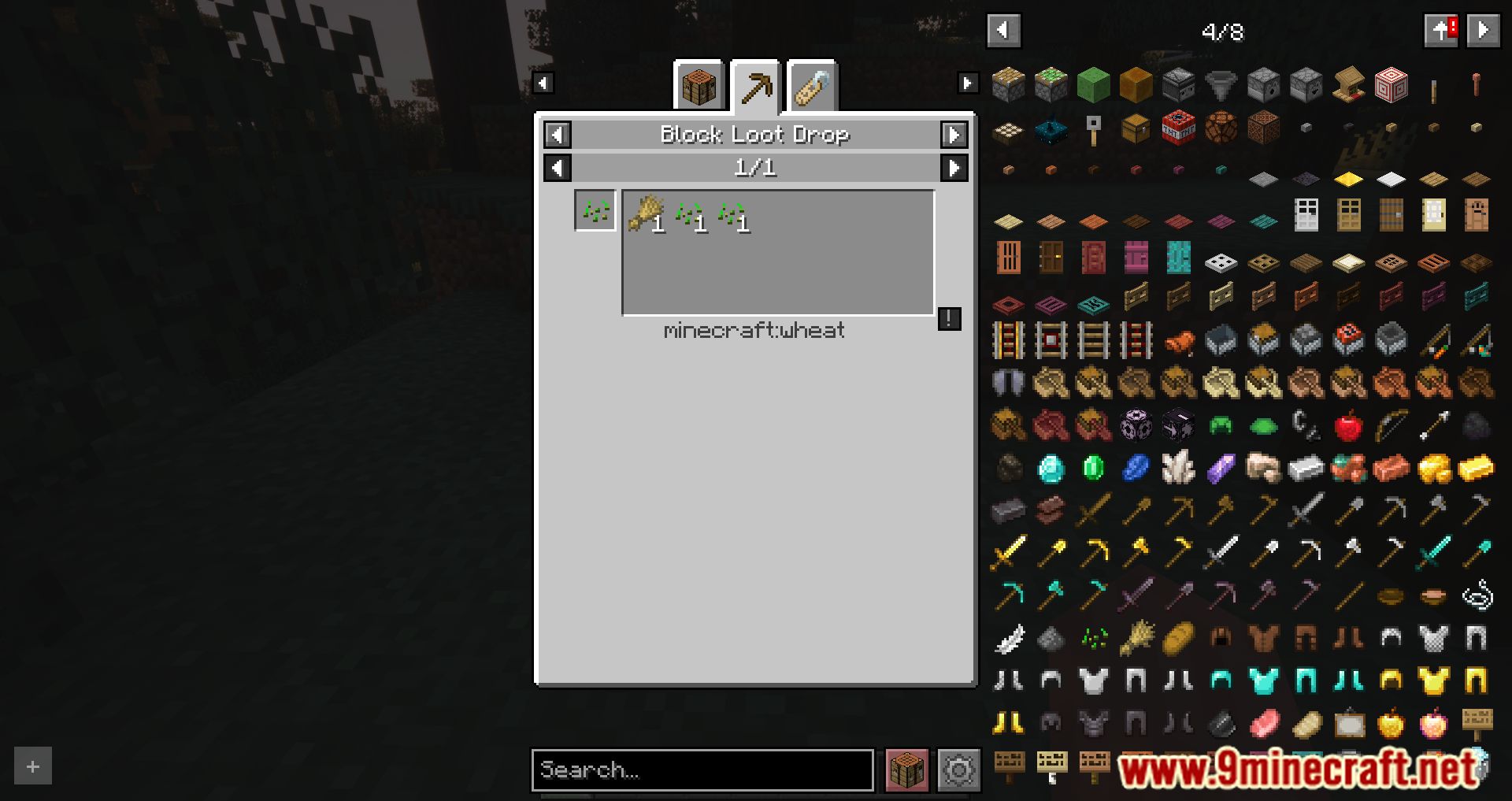
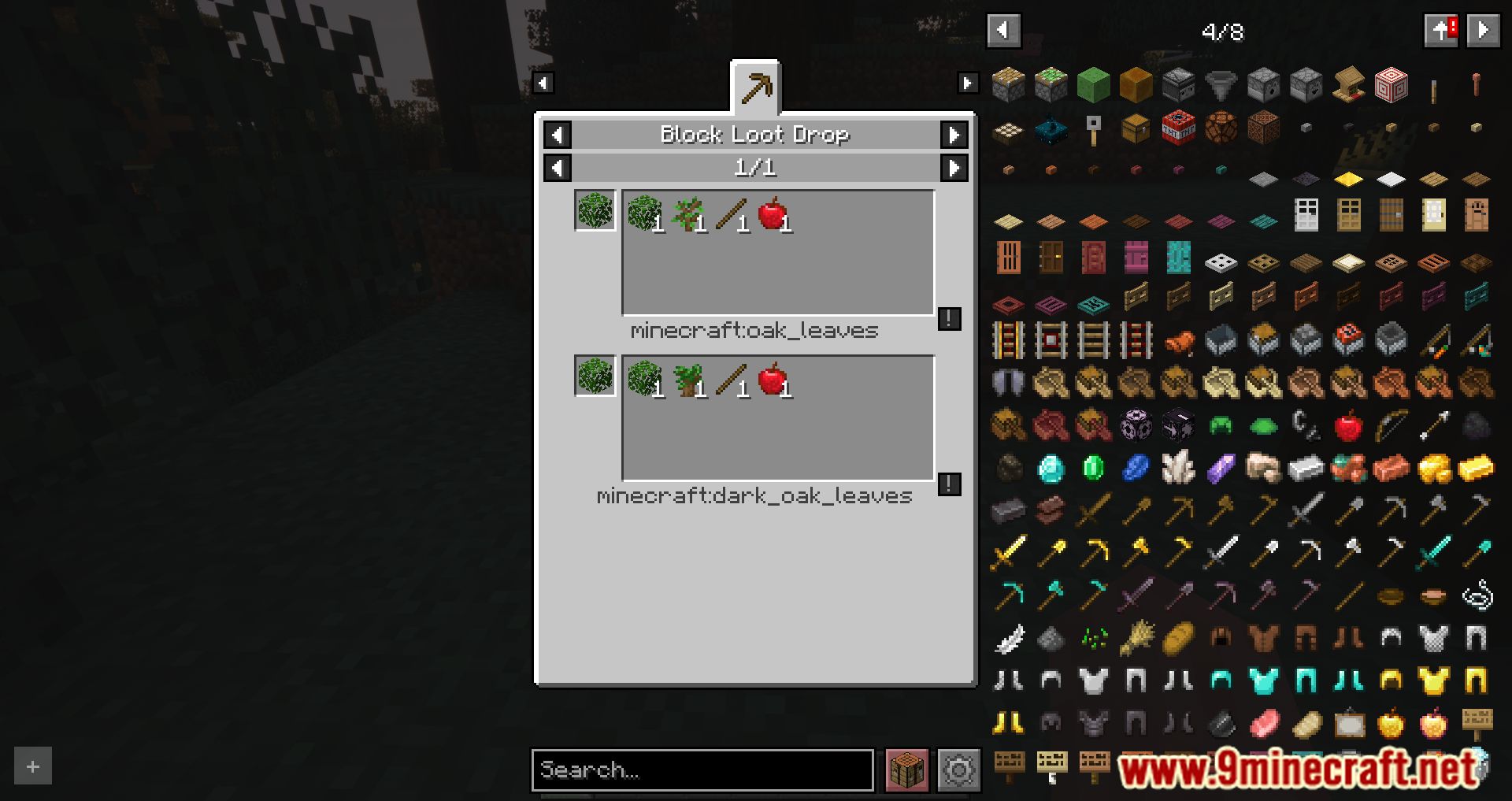
- Block Loot and Tools: Reveals block loot drops, item chances, and which tools give specific resources when you break blocks like wheat or composters.
- Works as a replacement for Just Enough Resources and Not Enough Resources inside the Roughly Enough Items (REI) interface.
- Attaches multiple world generation recipes to one item when different blocks share the same item form, such as wall torches and floor torches.
- Links non-item blocks to related items so you can look them up easily, showing water and lava as their matching buckets and fire blocks as flint and steel.
- Shows a question mark icon for a few special blocks and displays the exact block name when you hover over it.
- Lists air block recipes in the full “world generation” recipe category, because pressing R on an air item in REI does nothing.
- Helps you see where and how to get items quickly, making resource gathering easier in large modpacks with many mobs, items, and dimensions.
How to Use:
- Open the Roughly Enough Items (REI) interface in your world and look up an item to see its block spawn heights, mob drop chances, or block loot drops.
- Check water buckets, lava buckets, and flint and steel in the recipe screen to view world generation details for water, lava, and fire blocks.
- Hover your cursor over any question mark icon in the recipe list to reveal the name of that block.
- Open the full “world generation” recipe list to see recipes for air blocks, since pressing R on an air item does nothing in REI.
Screenshots:




How to Install:
New to Minecraft? Follow our step-by-step guide to install Mods on your PC.View Guide
Requirements:

Roughly Enough Resources Mod Download Links
For Minecraft 1.20.1, 1.20
Forge version: Download from Server 1 – Download from Server 2
Fabric version: Download from Server 1 – Download from Server 2
For Minecraft 1.19.4
Forge version: Download from Server 1 – Download from Server 2
Fabric version: Download from Server 1 – Download from Server 2
For Minecraft 1.19.2, 1.19.1, 1.19
Forge version: Download from Server 1
Fabric version: Download from Server 1
For Minecraft 1.18.2, 1.18.1
Forge version: Download from Server 1
Fabric version: Download from Server 1
For Minecraft 1.17.1
Fabric version: Download from Server 1
For Minecraft 1.16.5
Fabric version: Download from Server 1
For Minecraft 1.15.2
Fabric version: Download from Server 1
Do you add mods when playing on Bedrock Edition (Add-Ons, behavior packs, or Marketplace content)?
54 responses · See the full results →
You May Also Like
Picked for this page
 Feather Standalone Client Mod (26.2, 1.20.1) – Play in Feather Launcher for Free
 Enchantment Descriptions Mod (26.3, 1.20.1) – Display a Brief Description
 Capes Mod (26.3, 1.20.1) – Wear any Cape You Wish In-Game
 Bubustein’s Money Mod (26.3, 1.20.1) – Multiple In-Game Currencies & ATMs
 OptiGUI Mod (26.3, 1.20.1) – Style Every Menu In-Game
 Solar Apocalypse: Refabricated Mod (26.2, 1.20.1) – Starts a Solar Apocalypse
 Xaero’s Map Server Utils Mod (26.3, 1.20.1) – Fair-Play Mode Controls
 Kaworru’s Fire Extinguisher Mod (26.3, 1.20.1) – Stop the Fire
 Skill Exp Notifier Mod (26.3, 1.20.1) – Configurable XP Popups
 Crystalcraft Unlimited Mod (26.1.2, 1.20.1) – Forge Armor From New Gems
 Head Name Fix Mod (1.21.11, 1.20.1) – Custom Mob Head Name Retaining
 Partial Hearts Mod (26.2, 1.20.1) – Shows Exact Fractional Player Health
Most viewed in Mods over the last 7 days
 Ala Industrial Mod (26.3) – Run Electric Power Grids and Automated Factories
 PleasureCraft Mod (26.3, 1.21.1) – Jenny Mod Remake for Fabric
 Jennycraft Mod (26.3, 1.20.1) – Virtual Girlfriend in Minecraft
 Fapcraft Mod (26.3, 1.12.2) – Comprehensive and Detailed Content
 Jenny Mod (Fapcraft) Official Complete Guide – How to use, Tutorial
 BangCraft Mod (1.20.1) – Jenny, Ellie and Elliot
 Fabric Loader (26.3, 1.20.1) – Fabric Installer for All Minecraft Versions
 Meteor Client Mod (26.3, 1.20.1) – Xray, HUD, Fly
 OptiFine HD (26.3, 1.20.1) – Run Faster, FPS Boost, Shaders Support
 The Shooting Star Demo Mod (26.3, 1.20.1) – Vaporize Terrain From Orbit
 Aristois Client Mod (1.21.4, 1.20.1) – World Class Minecraft Utility
 SchnurriTV Mod (1.12.2) – Characters and Features
More from Mods
 Shield System Mod (1.21.1) – Tank Heavy Monster Hits Without Losing Hearts
 Shin’s Tensura Race Models Mod (1.19.2) – Play As Unique 3D Anime Race
 Offgrid Mod (26.3, 1.20.1) – Furnish Compact Interiors Without Strict Grid
 Tempest Almanac Iron’s Spells ‘n Spellbooks Mod (1.21.1, 1.20.1)
 Chat Guides Mod (26.3, 1.21.11) – Never Memorize Complex Server Commands Again
 TRMT Reimagined the Roads More Travelled Mod (26.3, 1.20.1)
 Morrowless Mod (1.21.1) – Defend Your Shelter From Nightmare Creatures
 THE SLOPSTROSITY Mod (1.21.1) – Battle a Ridiculous Slime Boss
 Decoween Mod (1.21.1, 1.20.1) – Transform Ordinary Survival Bases
 Simply Light 9minecraft Mod (26.3) – Decorate Builds Without Torches
 Alex’s Caves Continued Mod (26.3, 1.20.1) – Conquer Six Massive Underground
 Anvil Uses Mod (26.3, 1.20.1) – Track Item Anvil Usage

This post has no comments yet. Be the first — your comment will appear here.