


Sdm Shop Mod (1.21.11, 1.20.1) – Adds an In-Game Virtual Store

 0
0 

Sdm Shop Mod brings a virtual trading market to your game. This add-on lets players exchange items, game commands, and experience points for money. Server hosts can set prices, give out coins, and change how the menu looks. You can open the store using a keyboard button or an inventory icon. Administrators can also lock the menu and make players trade through custom characters.
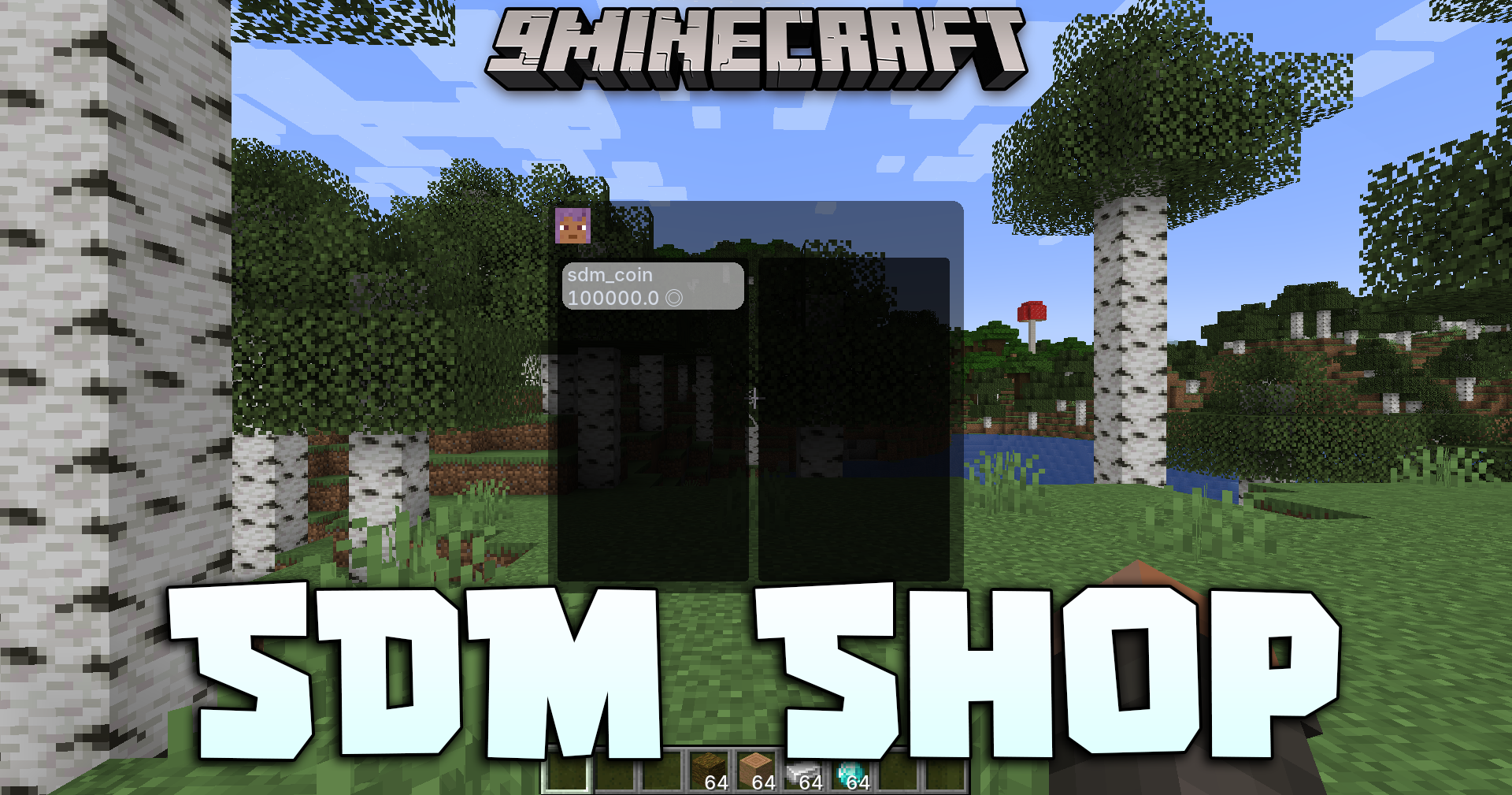
Features:
- Buy and Sell Anything: Trade normal items, groups of items by tag, or even character experience levels for coins.
- Purchase Special Actions: Spend money to locate biomes, find structures, get achievements, or run game commands.
- Mod Connections: Links with FTB Quests, Game Stages, and Passive Skill Tree to read your progress.
- Mana And Artifice Link: Reads your magic tier, faction, and progression level.
- Store Styling: Change how the Sdm Shop Mod menu looks using the client config file.
- NPC Server Mode: Admins can turn off the keyboard shortcut and force players to talk to an NPC to open the store.
- KubeJS Scripts: Write code to change item prices or send chat messages during a trade.
Commands:
/sdmshop edit_mode: Opens the menu to change items in the store./sdmshop set: Gives money to yourself (Admin only)./sdmshop balance: Shows your current money amount./sdmshop pay: Sends money to another person./sdmshop reloadClient: Updates the store style after editing the config (Admin only)./sdmshop open_screen: Forces the store to open for a player, which is useful for NPCs.
How to Use:
- Press the
Okey on your keyboard. - Or, open your normal character inventory.
- Click the new Sdm Shop Mod button in the upper-left corner of the screen.
How to Install:
New to Minecraft? Follow our step-by-step guide to install Mods on your PC.View Guide
Requirements:





Sdm Shop Mod Download Links
For Minecraft
1.21.11,
1.21.10,
1.21.9
All Versions Covered
1.21.11
1.21.10
1.21.9
1.21.8
1.21.7
1.21.6
1.21.5
1.21.4
1.21.1
1.21
All Versions Covered
1.21.11
1.21.10
1.21.9
1.21.8
1.21.7
1.21.6
1.21.5
1.21.4
1.21.1
1.21
For Minecraft 1.20.1, 1.20
For Minecraft 1.19.2
For Minecraft 1.18.2
Click to rate this post!
[Total: 1 Average: 5]
You May Also Like



This post has no comments yet. Be the first — your comment will appear here.